Overview

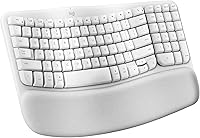
The Logitech Wave Keys for Mac Ergonomic Keyboard is Logitech's dedicated answer for Mac users who spend the bulk of their workday at a keyboard. Built around a wave-shaped key layout and an integrated cushioned palm rest, the design philosophy is straightforward: reduce the physical toll of long typing sessions. It sits in a mid-range price bracket — meaningfully cheaper than premium mechanical ergo options, but not a casual impulse buy. Bluetooth connectivity with Easy-Switch support makes it a natural fit for the Apple ecosystem, and the body is constructed with 46% recycled plastic, earning genuine ergo certification without much fanfare.
Features & Benefits

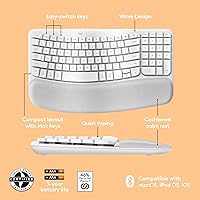
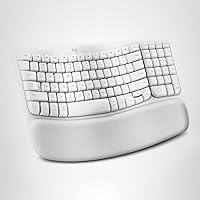
The wave-contoured key layout is the centerpiece here — the gentle slope across the keyboard encourages your fingers to rest at a more natural angle than a flat board allows, which compounds noticeably over long sessions. The fixed cushioned palm rest is made from a soft foam-like material; it does real work keeping wrist pressure low during marathon writing or spreadsheet days. Switching between a MacBook and an iPad takes one tap using the Easy-Switch keys, no re-pairing needed. Keys are whisper-quiet, which matters in shared offices. The Logi Options+ app lets you remap keys and build workflow shortcuts, adding genuine utility well beyond the hardware itself. Battery life stretches up to three years on AA batteries.

Best For

This ergonomic Mac keyboard is a natural pick for Apple ecosystem workers who regularly toggle between a MacBook and an iPad — the multi-device switching actually earns its keep in that workflow. It also makes strong sense for anyone dealing with wrist discomfort from a flat keyboard; the ergonomic shape delivers noticeable relief without forcing a steep adjustment period. Minimalists will appreciate the clean wireless setup with no dongle cluttering the desk. That said, this wireless ergo board is built purely for productivity — gamers, anyone who craves tactile mechanical feedback, or users who need a dedicated numpad should look elsewhere.

User Feedback

With over 1,000 ratings averaging 4.4 stars, the Wave Keys for Mac sits near the top of its category for good reason. The loudest praise centers on immediate comfort improvement — buyers switching from standard flat keyboards frequently report noticeably less wrist strain within the first week, and setup is consistently described as fast and painless. The main friction point is the palm rest firmness: a meaningful share of reviewers find it too rigid for extended sessions, while others consider it perfectly adequate. Users with larger hands have noted a brief adjustment period with key spacing. Most feel the price is fair, though a few think the palm rest material could be softer for what you pay.

Pros

  • The wave-shaped key layout reduces finger strain noticeably during long typing sessions compared to flat keyboards.
  • Bluetooth connectivity requires no dongle — just pair and go, keeping your desk clean.
  • Easy-Switch keys let you flip between a MacBook, iPad, and iPhone with a single tap.
  • Quiet membrane keys make this a genuinely office-friendly board in shared or open-plan spaces.
  • Battery life is exceptional — most users will go years without thinking about replacing batteries.
  • Mac-specific key labeling and function row work correctly out of the box with no remapping needed.
  • The Logi Options+ app adds real workflow value through customizable shortcuts and smart actions.
  • At its price point, this ergonomic Mac keyboard undercuts most comparable mechanical ergo alternatives significantly.
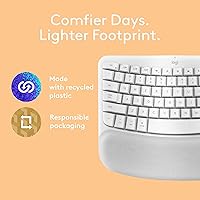
  • The recycled-plastic construction is backed by actual ergo certification, not just a sticker on the box.
  • Setup is fast — most buyers report being up and running in under two minutes.

Cons

  • The integrated palm rest cannot be removed or adjusted, which is limiting if your desk height varies.
  • Some users find the palm rest material too firm after several hours of continuous use.
  • There is no backlight, making the Wave Keys for Mac a poor choice for dim or nighttime work environments.
  • The fixed, compact layout omits a numpad entirely, which is a dealbreaker for data-heavy work.
  • Membrane keys may feel mushy or imprecise to anyone accustomed to mechanical switches.
  • The Logi Options+ app is macOS-only, so iPadOS users lose access to customization features.
  • Users with very large hands may find the key spacing tight during the initial adjustment period.
  • Off-white plastic is prone to showing grime and discoloration over time with heavy daily use.
  • No wrist rest angle adjustment means the ergonomic benefit depends heavily on your specific desk and chair setup.
  • Function key behavior requires checking app settings first — out-of-the-box defaults may not suit every workflow.

Ratings

The scores below reflect our AI-driven analysis of thousands of verified global reviews for the Logitech Wave Keys for Mac Ergonomic Keyboard, with spam, bot-submitted, and incentivized feedback actively filtered out before any scoring was calculated. Each category captures what real daily users actually experienced — not just the highlights, but the frustrations too. Strengths and shortcomings are weighted equally so you can make a genuinely informed decision.

Ergonomic Comfort
88%
Users who switched from flat office keyboards report a noticeable reduction in wrist tension within the first few days of use, often without any significant adjustment period. The wave-contoured key layout does its job quietly — your hands settle into a slightly more natural position without you having to think about it.
Comfort gains are less pronounced for users who already type on a split or tented ergonomic board, since the wave design is a gentle slope rather than a dramatic angle change. People with very large or very small hands occasionally find the key reach uneven across the layout.
Palm Rest Quality
71%
29%
For moderate typing sessions of two to four hours, the integrated cushioned palm rest genuinely reduces downward wrist pressure, and buyers frequently call it one of the first things they notice positively about the board. It covers the full width of the keyboard, so your palms land on it naturally regardless of hand position.
A consistent thread in negative reviews is that the foam-like cushioning feels too firm after extended sessions exceeding four or five hours. Because the rest is fixed and non-removable, there is no way to swap it for a softer aftermarket option — what you get is what you keep.
Key Feel & Typing Experience
74%
26%
The membrane keys offer a soft, low-resistance press that most productivity-focused users find comfortable for sustained writing or data entry. For anyone migrating from a standard MacBook keyboard, the travel depth feels like a clear step up in tactile feedback.
Buyers accustomed to mechanical switches — even lighter linear ones — tend to find the membrane action mushy and imprecise. There is no option to adjust actuation force or swap keycaps, so if the stock feel does not suit you from day one, there is no path to improving it.
Multi-Device Switching
86%
For users who genuinely work across a MacBook and an iPad in the same session, the Easy-Switch keys make the handoff fast and reliable — reconnection typically takes under two seconds with no manual intervention in Bluetooth settings. This is one of the features reviewers praise most consistently.
The switching works best when all devices are nearby and awake; a sleeping iPad can occasionally delay reconnection by several seconds, which breaks the otherwise smooth experience. Some users also wish the board supported more than three paired devices.
Noise Level
91%
This is one of the quieter keyboards in its class — the membrane mechanism produces a soft, muted thud that is genuinely unobtrusive in open-plan offices or during video calls. Multiple reviewers specifically mention colleagues never complaining about keyboard noise, which is a real-world endorsement.
The quiet key action is a deliberate design choice, but it comes with a trade-off: there is almost no auditory or tactile confirmation of a keypress, which some typists find disorienting at first. For anyone who relies on click sound as feedback, the silence can feel disconnected.
Battery Life
93%
The up-to-three-year battery rating is not just a spec claim — reviewers who have owned the board for a year or more consistently report zero battery-related issues. Using standard AA batteries also means you can replace them anywhere without hunting for a proprietary charger.
There is no battery level indicator on the keyboard itself, so you only know the battery is low when the keyboard warns you via the Logi Options+ app — which means iPad-only users get no advance warning at all. It is a minor oversight, but an annoying one.
Mac Compatibility & Setup
89%
Pairing with a MacBook is fast — most users report being fully set up in under two minutes — and the Mac-specific key labels and function row work correctly out of the box with no remapping needed. This is exactly the plug-and-play experience Mac users expect.
A small number of reviewers flagged inconsistencies with function key defaults, particularly around media controls versus standard F-key behavior, requiring a quick toggle in system settings to fix. The keyboard also offers no native iPadOS app support for customization.
Logi Options+ App
77%
23%
For power users, the Logi Options+ app meaningfully extends the keyboard's utility — smart actions tied to specific apps, custom shortcut remapping, and flow features add genuine productivity value that goes well beyond what most keyboard companion apps offer.
The app is macOS-exclusive, which leaves iPad users with a fully locked-down key layout and no customization options. Some reviewers also note that the app can feel overly complex for users who just want to change one or two shortcuts without navigating a dense interface.
Build Quality & Materials
76%
24%
The overall construction feels solid for a mid-range wireless keyboard, with minimal flex across the key deck even under firm typing pressure. The use of 46% recycled plastic is a credible sustainability credential that does not appear to compromise structural integrity.
The off-white plastic finish shows smudges, skin oils, and grime more visibly than darker alternatives, and the surface is not particularly resistant to yellowing over time with prolonged sun exposure. There is also no rubberized base, so the board can shift slightly on smooth desk surfaces.
Value for Money
81%
19%
Relative to premium split or mechanical ergonomic keyboards that cost significantly more, the Wave Keys for Mac delivers a convincing ergonomic upgrade at a reasonable entry point. Most buyers conclude in their reviews that the comfort improvement alone justifies the investment.
A portion of buyers feel the palm rest material quality does not fully match the price expectation — they expected softer, higher-grade cushioning at this tier. Compared to non-ergonomic Bluetooth keyboards at lower price points, the premium requires a genuine commitment to ergonomic benefits.
Portability
67%
33%
The compact layout without a numpad keeps the footprint reasonably contained for a keyboard with an integrated palm rest, and the Bluetooth-only connection means there are no cables or receivers to pack. Some users do bring it between home and office setups without major hassle.
At 2.14 pounds with a fixed palm rest, this is not a keyboard you would comfortably carry in a laptop bag daily. The palm rest adds bulk that makes it feel more like a desk-bound fixture than a portable peripheral, which limits its appeal for hybrid workers on the move.
Desk Footprint
79%
21%
The absence of a numpad keeps the overall width manageable, and the dongle-free Bluetooth setup means no USB port is occupied and no receiver is cluttering the desk. For minimalist setups, this is a keyboard that stays out of the way while still offering a full typing experience.
The integrated palm rest adds meaningful depth to the overall footprint compared to a standard compact keyboard, so users with small desks may find it takes up more vertical space than expected. It is not a problem for most setups, but worth measuring before buying.
Inclusivity of Hand Sizes
63%
37%
For users with average hand dimensions, the key spacing and wave contour feel well-calibrated — the ergonomic benefit is accessible without requiring any physical setup or adjustment. Most buyers fall into a comfortable range with this board.
Reviewers at both ends of the hand-size spectrum — particularly those with notably large hands — report that the key reach across the wave layout requires a longer adaptation period and can feel slightly off. The board offers no adjustability to accommodate different hand profiles.
Aesthetic Design
72%
28%
The off-white colorway is a deliberate choice that sits cleanly on light-colored desks and pairs well with Apple hardware aesthetics, which matters to buyers who care about visual coherence in their workspace setup.
There is only one color option for the Mac edition, which limits personalization for buyers who prefer darker setups or who are concerned about the off-white showing wear over time. The absence of backlighting also makes the board look plain in evening or dim-light environments.

Suitable for:

The Logitech Wave Keys for Mac Ergonomic Keyboard is genuinely well-matched for Mac-first professionals who spend the majority of their workday typing — writers, analysts, developers, and anyone whose hands rarely leave the keyboard. If you are already feeling early signs of wrist fatigue or tension from a flat keyboard, the wave-contoured layout and cushioned palm rest offer a meaningful, low-friction upgrade without requiring you to learn an entirely new keyboard shape. People who work across multiple Apple devices — say, a MacBook at a standing desk and an iPad for reading — will find the Easy-Switch functionality a real daily convenience rather than a gimmick. The dongle-free Bluetooth setup also suits minimalists who want a clean desk without extra hardware cluttering their workspace. Buyers who care about sustainable manufacturing will find the recycled-plastic construction a credible plus, not just a marketing footnote.

Not suitable for:

The Logitech Wave Keys for Mac Ergonomic Keyboard is a poor fit for anyone who needs Windows compatibility out of the box or works exclusively outside the Apple ecosystem, since the key labeling and function row are purpose-built for macOS. Gamers should look elsewhere entirely — this is a quiet, membrane-key productivity board with no macro layers, no RGB, and no fast actuation designed for gaming input. If you prefer deep tactile or clicky mechanical feedback when you type, the soft membrane keys here will likely feel underwhelming. Users who need a numpad for accounting or data-entry work will find the compact layout a dealbreaker. And if you have very large hands, the standard key spacing may take a longer adjustment period than expected, which a few buyers have flagged in reviews.

Specifications

  • Connectivity: Connects via Bluetooth only — no USB receiver or dongle is required.
  • Device Switching: Easy-Switch keys allow instant switching between up to 3 paired devices with a single tap.
  • Compatible OS: Designed for macOS, iPadOS, and iOS; not optimized for Windows or Android.
  • Key Design: Wave-contoured membrane keys follow a gentle slope intended to reduce cumulative finger and wrist strain.
  • Palm Rest: Features a fixed, integrated cushioned palm rest that cannot be detached or repositioned.
  • Key Sound Level: Keys use a quiet membrane mechanism suited to shared offices and noise-sensitive environments.
  • Battery Life: Rated for up to 3 years of use on a single set of AA batteries under typical typing conditions.
  • Recycled Content: The keyboard body is constructed with 46% post-consumer recycled plastic.
  • Ergo Certification: Reviewed and approved by United States Ergonomics based on defined ergonomic design criteria.
  • Weight: The keyboard weighs 2.14 pounds, including the integrated palm rest.
  • Dimensions: Package dimensions measure 15.51 x 9.45 x 1.5 inches.
  • Color: Available in Off White; no additional color variants are currently listed for the Mac edition.
  • Companion App: Compatible with the Logi Options+ app on macOS for key remapping, smart actions, and workflow shortcuts.
  • Backlight: This keyboard has no backlighting, making it less practical in dim or low-light environments.
  • Numpad: The layout is compact and does not include a dedicated numeric keypad.
  • Power Source: Battery-powered using standard AA batteries; one lithium polymer battery is included in the box.
  • Model Number: Official Logitech model number is 920-012402.
  • Availability Date: First made available for purchase in June 2024.
  • Market Rank: Holds a Best Sellers Rank of #149 in the Computer Keyboards category on Amazon.
  • Average Rating: Rated 4.4 out of 5 stars across more than 1,000 customer ratings as of available data.

Related Reviews
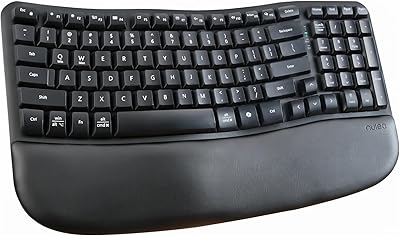
Nulea RT08 Wave Keys Ergonomic Keyboard
79%
84%
Ergonomic Comfort
67%
Typing Feel
88%
Palm Rest Quality
86%
Wireless Performance
91%
Value for Money
More
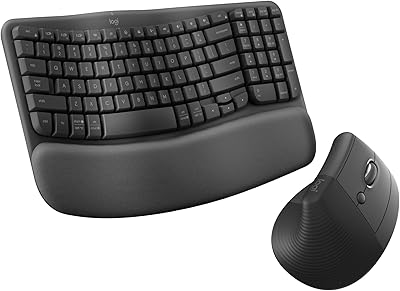
Logitech Wave Keys & Lift Vertical Mouse Bundle
81%
91%
Ergonomic Comfort
84%
Keyboard Typing Feel
83%
Mouse Ergonomics
78%
Build Quality
71%
Palm Rest Quality
More
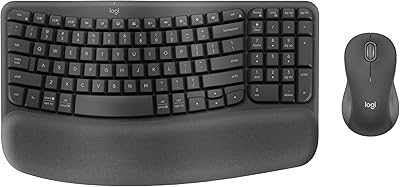
Logitech Wave Keys MK670 Combo
81%
88%
Ergonomic Comfort
79%
Typing Experience
83%
Mouse Performance
91%
Noise Level
86%
Wireless Reliability
More
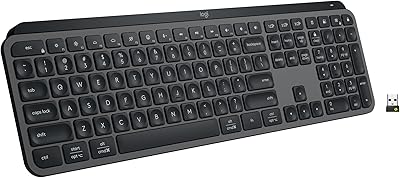
Logitech MX Keys S
Logitech MX Keys S
81%
91%
Typing Feel & Key Response
93%
Multi-Device Connectivity
84%
Build Quality & Durability
94%
Battery Life
76%
Backlighting & Visibility
More
Logitech POP Keys Mechanical Wireless Keyboard
76%
88%
Typing Feel
84%
Build Quality
81%
Wireless Reliability
91%
Battery Life
93%
Design & Aesthetics
More
Logitech Pebble Keys 2 K380s
85%
93%
Multi-Device Switching
88%
Typing Comfort
91%
Portability & Form Factor
94%
Battery Life
89%
Key Noise Level
More
Logitech POP ICON Keys Wireless Keyboard
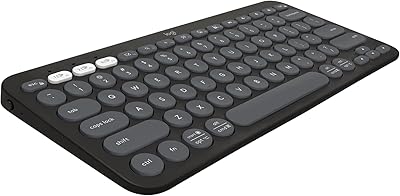
81%
91%
Multi-Device Switching
93%
Aesthetic Design
88%
Key Noise Level
74%
Typing Comfort
83%
Build Quality
More
Logitech MX Keys
Logitech MX Keys
80%
93%
Typing Experience
91%
Build Quality
88%
Multi-Device Switching
94%
Battery Life
92%
Cross-Platform Compatibility
More
Logitech K380 Bluetooth Keyboard for Mac
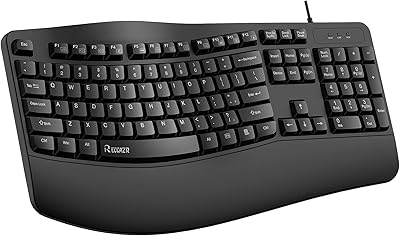
76%
93%
Multi-Device Switching
91%
Battery Life
89%
Mac Layout & Compatibility
88%
Portability
67%
Typing Experience
More
RECCAZR Ergonomic Wired Keyboard
74%
78%
Ergonomic Comfort
74%
Wrist Rest Quality
66%
Typing Feel
61%
Build Quality
81%
Spill Resistance
More

FAQ

It will physically connect to a Windows PC via Bluetooth, but the key labeling, function row, and default shortcuts are all built around macOS. The Logi Options+ app is also Mac-exclusive. If you need Windows support, you would be remapping keys from day one — not ideal.

You pair the keyboard to up to three devices individually and assign each one to a dedicated switch key on the board. When you want to switch, you press that key and the keyboard reconnects to the target device within a second or two. It works reliably across a MacBook, iPad, and iPhone without needing to go into Bluetooth settings each time.

It is permanently integrated into the keyboard body — you cannot remove or swap it out. That also means you cannot replace it if the cushioning wears down over time, so keep that in mind if longevity is a priority for you.

A handful of reviewers with larger hands have noted a brief adjustment period with the key spacing, though most report getting comfortable within a week or two. It is a standard compact layout, not a split or wide-body ergonomic design, so there is a real trade-off there for buyers on the larger end of the hand-size spectrum.

The membrane keys are genuinely quiet — not just marketing-quiet. They produce a soft thud rather than any clicking or clacking sound, which makes them a considerate choice in shared spaces. If you have ever used a loud mechanical keyboard next to colleagues, this is a marked improvement.

No. The keyboard functions fully out of the box without the app. Logi Options+ is optional but unlocks useful extras like custom shortcut keys and smart actions tied to specific apps. It is worth installing if you want to get more out of the hardware.

Logitech rates it at up to three years on a single set of AA batteries, which is based on typical office typing usage of about eight hours per day. Real-world results will vary depending on how heavily you use it and whether Bluetooth is always active, but long battery life is one of the things reviewers consistently mention positively.

It can help, but it depends on the severity of your situation. The wave layout and palm rest do reduce wrist extension compared to flat keyboards, and it has passed independent ergonomic review. That said, it is not a split keyboard or a fully adjustable ergonomic solution, so people with more serious RSI concerns may want to consult a physiotherapist before assuming this will solve the problem entirely.

Yes, it pairs with iPadOS just fine and the core typing experience works well on a tablet. The main limitation is that the Logi Options+ app for customization is macOS-only, so any shortcut or key remapping you set up will not carry over to iPad use.

That is a fair concern. Light-colored keyboards do tend to show oils and grime from extended daily use more visibly than darker alternatives. Wiping it down regularly with a slightly damp microfiber cloth helps. It is not a high-maintenance surface, but it does require more routine cleaning than a gray or black keyboard would.

Where to Buy