


Overview
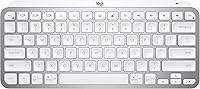
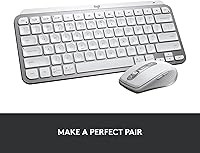
The Logitech MX Keys Mini Wireless Keyboard is a compact, tenkeyless Bluetooth keyboard built squarely around the needs of professionals who move between multiple devices or split time across different operating systems. It sits on a metal top plate that gives it a solid, premium feel without ballooning into full-size territory. Spherically dished keycaps are a subtle but meaningful touch — they naturally center your fingertips on each key, which pays off over a long writing session. The trade-off is real: drop the numpad and you gain a keyboard that actually fits in a laptop bag. For productivity-focused users who don't need a number row on the right, that swap makes a lot of sense.
Features & Benefits
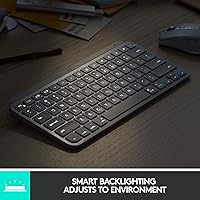
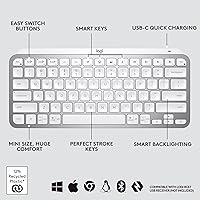
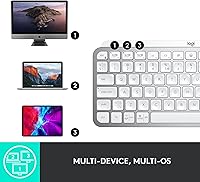
The MX Keys Mini packs a few genuinely practical features that distinguish it from the average wireless keyboard. The proximity-activated backlight is one of them — it wakes up the moment your hands hover nearby and quietly dims when you step away, which sounds like a minor convenience but becomes something you actively miss on keyboards that lack it. Pairing with up to three devices via Bluetooth is handled through a dedicated Easy-Switch button, and switching between, say, a MacBook and an Android tablet takes less than a second. Add dedicated keys for dictation, emoji, and mic mute, and you have a keyboard shaped around modern remote work habits rather than a decade-old office setup. Battery life is also strong — a full charge lasts around ten days with the backlight running, and considerably longer without it.
Best For
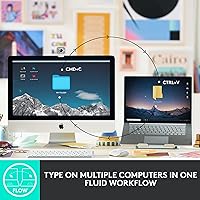
This compact keyboard is an especially good fit for people who genuinely live across multiple devices — the writer who drafts on a Mac in the morning and edits on an iPad in the afternoon, or the developer running both Windows and Linux machines. It slots naturally into the Logitech MX ecosystem, pairing well with the MX Master 3 mouse for cross-computer control via FLOW. Frequent travelers will appreciate the reduced footprint and USB-C charging. That said, if spreadsheets or data entry are a major part of your day, the missing numpad will likely frustrate you, and a full-size board may simply serve you better regardless of how good the typing feel is.
User Feedback
Among buyers, the two things that come up most consistently are key feel and comfort — people who type a lot tend to notice the difference, and most report noticeably less fatigue during extended sessions. Battery life also draws repeated praise, particularly from those who keep the backlighting off. On the other side, the weight surprises some buyers; at 1.5 pounds it isn't heavy, but it's denser than expected for its size. Windows users occasionally report Bluetooth reconnection hiccups, which seem intermittent rather than universal. And for anyone who works heavily with numbers, the absence of a dedicated numpad is a genuine gap — not something workarounds fully fix.
Pros
- Spherically dished keycaps make a real difference during long typing sessions, reducing finger fatigue noticeably.
- The proximity-sensing backlight activates automatically and adjusts to ambient light without any manual fiddling.
- Switching between up to three paired devices takes less than a second with the dedicated Easy-Switch button.
- Battery life is exceptional — weeks of use on a single USB-C charge, and months if you keep the backlight off.
- The metal top plate gives this compact keyboard a sturdy, premium feel that holds up well on a desk or in a bag.
- Dedicated dictation, emoji, and mic mute keys add genuine everyday utility for remote workers on calls.
- Cross-OS compatibility is broad and reliable, covering macOS, Windows, Linux, Chrome OS, iOS, and Android.
- FLOW integration with MX Master mice lets you control multiple computers with one keyboard and mouse combo.
- The tenkeyless layout reclaims meaningful desk space without sacrificing the alphanumeric and navigation keys most people actually use.
- Available in three low-profile color options that suit professional environments without looking out of place.
Cons
- No numpad makes it a poor choice for anyone who enters numbers or navigates spreadsheets regularly.
- At 1.5 pounds, it feels denser than many buyers expect from a compact keyboard, which can disappoint those hoping for an ultralight travel board.
- Membrane key construction means enthusiasts who prefer the tactile feedback of mechanical switches will find it underwhelming.
- Bluetooth reconnection hiccups have been reported by a segment of Windows users, adding unreliable friction to an otherwise smooth multi-device experience.
- The backlight is single-color only, which limits personalization options for users accustomed to more customizable setups.
- No wireless dongle option means users in environments with crowded Bluetooth signals have no fallback connection method.
- The Logi Options software required for full key customization adds an extra installation step and runs as a background process.
Ratings
The scores below for the Logitech MX Keys Mini Wireless Keyboard were generated by our AI review engine after analyzing thousands of verified global buyer reviews, with spam, bot-submitted, and incentivized feedback actively filtered out. Each category reflects the genuine distribution of user sentiment — not a promotional average — so both the standout strengths and the recurring frustrations are weighted honestly into every number you see here.
Typing Comfort
Multi-Device Switching
Battery Life
Build Quality
Portability
Backlight Quality
OS & Device Compatibility
Noise Level
Software & Customization
Value for Money
Setup & Pairing
Desk Footprint
FLOW Integration
Eco & Sustainability
Suitable for:
The Logitech MX Keys Mini Wireless Keyboard is built for professionals who treat their keyboard as a serious work tool rather than an accessory. It makes the most sense for people who regularly switch between two or three devices — think a MacBook, a Windows desktop, and an iPad — and need that switching to happen quickly and reliably without re-pairing from scratch each time. Writers, editors, and developers who log long hours at a keyboard will find the spherically shaped keycaps genuinely reduce fatigue in ways that flat, chiclet-style keys simply don't. Frequent travelers benefit from the reduced desk footprint and the fact that USB-C charging means one fewer cable to pack. If you're already using an MX Master mouse, the FLOW integration alone can meaningfully change how efficiently you move between machines.
Not suitable for:
The Logitech MX Keys Mini Wireless Keyboard is a deliberate trade-off, and it's not the right fit for everyone. Anyone who works heavily with numbers — accountants, analysts, financial professionals — will feel the absence of a dedicated numpad almost immediately, and no amount of good key feel compensates for that missing input cluster during real data-entry work. Gamers should look elsewhere entirely; this keyboard is not designed for low-latency input, and there are no macro keys, no per-key RGB lighting, and no polling rate tuning. Buyers on a tight budget may also find the price hard to justify unless multi-device Bluetooth switching and premium build quality are genuinely important to their workflow. Finally, Windows users who have experienced Bluetooth instability with other peripherals should be aware that a small but vocal group of buyers report occasional reconnection issues on that platform specifically.
Specifications
- Dimensions: The keyboard measures 11.65″ wide, 5.19″ deep, and 0.83″ tall, making it compact enough to fit comfortably in most laptop bags.
- Weight: It weighs 1.5 pounds, which is solid for its size but denser than some buyers expect from a compact board.
- Layout: Tenkeyless design omits the numpad while retaining a full alphanumeric layout, arrow keys, and a standard function row.
- Connectivity: Connects via Bluetooth Low Energy and can be paired with up to three devices simultaneously, switchable via a dedicated Easy-Switch button.
- Key Type: Membrane keys with spherically dished keycaps designed to naturally center fingertips and reduce lateral slip during extended typing.
- Backlight: Single-color backlighting activates automatically via a proximity sensor and self-adjusts brightness based on ambient lighting conditions.
- Battery Life: Delivers up to 10 days of use on a full charge with backlighting enabled, or up to 5 months with backlighting completely off.
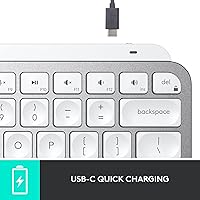
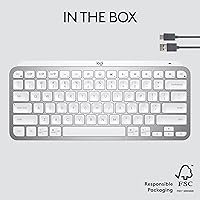
- Charging: Rechargeable via USB-C; a USB-A to USB-C cable is included in the box.
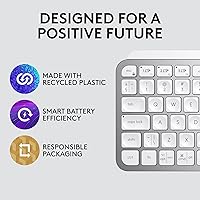
- Build Materials: Features a metal top plate for rigidity paired with a plastic base that incorporates 12% post-consumer recycled plastic in the Pale Gray variant.
- OS Compatibility: Fully compatible with Windows 10 and later, macOS, Linux, Chrome OS, iOS, iPadOS, and Android operating systems.
- Special Keys: Includes dedicated keys for voice dictation, emoji input, and microphone mute or unmute, positioned above the standard alphanumeric layout.
- FLOW Support: Supports Logitech FLOW when paired with a compatible MX Master 3 or MX Anywhere 3 mouse, enabling cursor and clipboard sharing across multiple computers.
- Color Options: Available in three colorways: Pale Gray, Graphite, and Rose.
- Carbon Footprint: Logitech reports a product carbon footprint of 10.78 kg CO2e for this keyboard model.
- Software: Compatible with Logi Options software, which allows customization of function-row key assignments and device management.
Related Reviews
Logitech MX Keys S
Logitech MX Keys

Logitech MX Mechanical
Logitech POP Keys Mechanical Wireless Keyboard
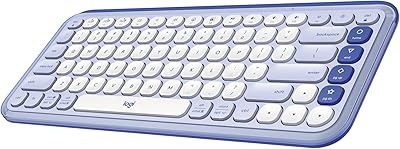
Logitech POP ICON Keys Wireless Keyboard
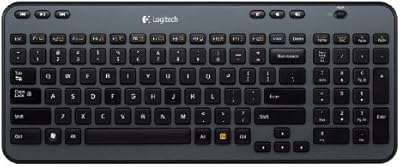
Logitech K360 Wireless Compact Keyboard
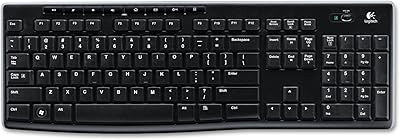
Logitech K270 Wireless Keyboard
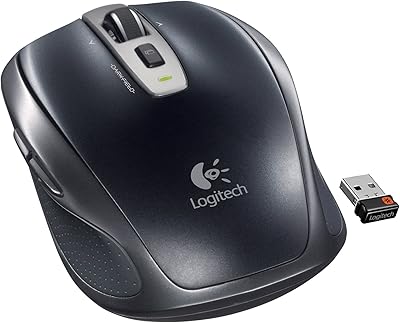
Logitech Wireless Anywhere Mouse MX
Logitech Wireless Illuminated Keyboard K800
