Logitech MX Keys Business Gen 2 Combo





Overview
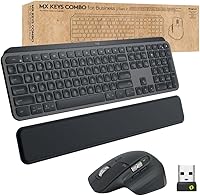
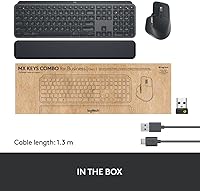
The Logitech MX Keys Business Gen 2 Combo is Logitech's direct response to a recurring complaint from IT managers: most consumer peripherals simply were not built with enterprise deployment in mind. The Gen 2 version steps beyond the standard MX Keys consumer line by adding encrypted wireless, certified multi-OS compatibility across Windows, macOS, ChromeOS, and Linux, and — often overlooked — a bundled palm rest that signals this is designed for all-day use. The premium pricing is not decorative; it reflects real enterprise infrastructure like Logi Bolt security protocols and broad deployment support. That context matters when comparing it against cheaper alternatives.
Features & Benefits
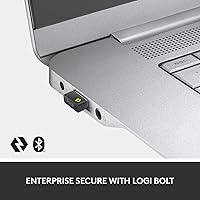
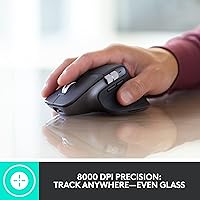
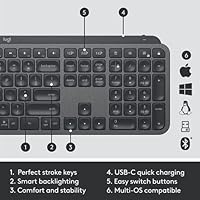
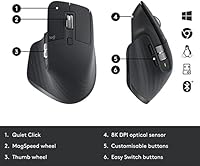
What sets this business combo apart from Logitech's consumer offerings starts with how it connects. Logi Bolt wireless uses AES-128 encryption in a Secured Connections Only mode — standard Bluetooth does not offer that level of protection in corporate environments. The keyboard's scissor-switch keys have a subtle spherical dish to each keycap, which sounds minor until you have typed on flat keys all day and noticed the difference in accuracy. Backlighting adjusts to room brightness automatically and cuts off when hands move away, which genuinely preserves battery life. The MX Master 3S mouse adds MagSpeed electromagnetic scrolling and a Darkfield sensor that tracks reliably even on glass desks.
Best For
The MX Keys Gen 2 bundle makes the most sense for people with specific professional demands. IT administrators rolling out standardized peripherals across managed fleets will appreciate the Logi Bolt security and certified cross-platform support. Developers and analysts who live in long documents or dense codebases benefit from the fast scrolling and comfortable full-size layout. Hybrid workers alternating between Mac and Windows daily will find multi-device pairing worth the investment. Anyone in a shared open-plan office gets a genuine daily benefit from the noticeably quieter mouse clicks. If you want a compact setup, this is the wrong choice — it is built for comfort and completeness, not portability.
User Feedback
This enterprise peripheral set holds a 4.7-star average, though it is worth noting the relatively small pool of around 145 ratings — enough to be useful, not enough to be definitive. Buyers consistently praise the typing feel and mouse scroll precision, and build quality comes up as a positive across multiple reviews. The friction points are real, though. The price draws frequent comparisons to Logitech's consumer options, and many buyers question whether the enterprise-specific features justify the gap. A few users flag the Logi Bolt dongle as an added step compared to direct Bluetooth pairing. Palm rest satisfaction is generally positive but not universal across different hand sizes.
Pros
- Logi Bolt encrypted wireless is a meaningful security upgrade over standard Bluetooth for corporate environments.
- Typing comfort on the spherically-dished scissor keys holds up well over long daily sessions.
- MagSpeed electromagnetic scrolling on the bundled mouse is noticeably fast for navigating large documents.
- Works natively across Windows, macOS, ChromeOS, and Linux without driver headaches.
- Adaptive keyboard backlighting intelligently conserves battery rather than draining it.
- Mouse click noise reduction is substantial and genuinely appreciated in shared office spaces.
- The Darkfield sensor tracks reliably on glass and other tricky surfaces where most mice fail.
- Included palm rest adds ergonomic value that would cost extra if purchased separately.
- Build quality feels consistent and durable based on user reports across extended use.
- Multi-device pairing works cleanly for hybrid workers switching between operating systems daily.
Cons
- The price point is significantly higher than consumer alternatives with overlapping day-to-day functionality.
- The keyboard and mouse are sold as a bundle, making it awkward if you only need one component.
- The Logi Bolt USB dongle occupies a port and adds a step compared to native Bluetooth pairing.
- Full-size layout and included palm rest make this a poor fit for compact or minimalist desk setups.
- At 3.3 pounds for the full package, this business combo is not practical for mobile or travel use.
- The review pool of around 145 ratings is relatively small, limiting confidence in long-term reliability data.
- Palm rest comfort is not universal — users with larger hands have reported mixed experiences over time.
- No hot-swappable switches or key customization depth for users who want a more personalized feel.
- Graphite is the only color option, which may not suit all office aesthetics or personal preferences.
- Buyers locked into ecosystems with abundant USB-C ports may find the dongle form factor dated.
Ratings
The scores below reflect our AI-powered analysis of verified global user reviews for the Logitech MX Keys Business Gen 2 Combo, with spam, bot-submitted, and incentivized feedback actively filtered out before scoring. Each category is rated independently to give you an honest, granular picture — not a single averaged number that hides the real trade-offs. Both the standout strengths and the recurring frustrations buyers report are transparently reflected in every score.
Typing Comfort
Mouse Scroll Performance
Wireless Security
Build Quality
Mouse Tracking Accuracy
Battery Life
Multi-Device Pairing
Noise Reduction
Software & Customization
Ergonomics
Cross-Platform Compatibility
Value for Money
Setup & Deployment
Portability
Suitable for:
The Logitech MX Keys Business Gen 2 Combo was built for a specific kind of professional, and it shows. IT administrators who need to deploy and manage peripherals across a corporate fleet will find the Logi Bolt encrypted wireless and broad OS certification genuinely useful rather than just nice to have. Developers and data analysts who spend hours inside spreadsheets, terminals, or IDEs get a real productivity advantage from the MagSpeed scrolling and the full-size keyboard layout with its ergonomically shaped keycaps. Hybrid workers who alternate between a Mac at home and a Windows machine at the office will appreciate how smoothly multi-device pairing handles that daily context switch. If you work in a shared open-plan environment, the dramatically quieter mouse clicks alone can reduce low-level friction with colleagues. The included palm rest is a detail that rewards anyone committed to comfortable, extended daily sessions at a desk.
Not suitable for:
The Logitech MX Keys Business Gen 2 Combo is a hard sell for anyone who does not need enterprise-grade features and is paying the premium purely for the brand or typing feel. Casual home users or students who just need reliable wireless input will find comparable or near-comparable typing and tracking performance in options at a fraction of the cost. Minimalist desk setups or portable workstations are a poor match — this is a heavy, full-size bundle that does not pack away easily or travel well. Users who prefer a pure Bluetooth setup without managing a USB dongle may find the Logi Bolt requirement mildly inconvenient, particularly on machines with limited USB ports. Gamers should look elsewhere entirely; this hardware is optimized for productivity workflows, not low-latency gaming input. Anyone considering it primarily as a home peripheral upgrade, rather than a professional tool, should be honest about whether the price reflects value they will actually use.
Specifications
- Model Number: This combo ships under Logitech model number 920-010923.
- Keyboard Type: Full-size wireless keyboard with a detachable palm rest included in the box.
- Key Mechanism: Scissor-switch keys with spherically-dished keycap surfaces designed to reduce finger fatigue during extended typing sessions.
- Backlight: Ambient-adaptive LED backlighting that dims automatically based on room lighting conditions and switches off when hands move away from the keyboard.
- Mouse Included: Bundled with the MX Master 3S wireless mouse featuring MagSpeed electromagnetic scrolling.
- Sensor: Darkfield laser sensor rated at 8000 DPI, capable of tracking on glass and other low-contrast surfaces.
- Click Noise: Quiet Click technology reduces audible mouse click noise by approximately 90 percent compared to standard mechanical clicks.
- Wireless Tech: Supports both Logi Bolt (AES-128 encrypted, Secured Connections Only) and Bluetooth 5.0 for flexible connectivity options.
- OS Support: Fully compatible with Windows, macOS, ChromeOS, and Linux without requiring separate drivers for core functionality.
- Battery: Powered by a built-in rechargeable lithium polymer battery; one battery is included and pre-installed at purchase.
- Dimensions: The full package measures 17.9 x 5.8 x 3.4 inches, reflecting the full-size keyboard layout with palm rest attached.
- Weight: Combined package weight is 3.3 pounds, accounting for the keyboard, mouse, and palm rest.
- Color: Available exclusively in Graphite; no additional color variants are offered for this business edition.
- Release Date: This product was first made available in September 2022 as the second-generation business-focused version of the MX Keys lineup.
- Certifications: Certified for deployment in over 100 countries, with enterprise IT management support and Logi Bolt security compliance built in.
- Multi-Device: Both the keyboard and mouse support pairing with multiple devices and can switch between them without re-pairing each time.
- Connectivity Port: Logi Bolt requires one USB-A port for the receiver dongle; Bluetooth connectivity requires no dongle on compatible devices.
- BSR Ranking: Ranked #156 in the Computer Keyboards category on Amazon at the time of this writing, with a 4.7-star average from 145 ratings.
Related Reviews
Logitech MX Keys Mini Wireless Keyboard
Logitech MK370 Combo for Business
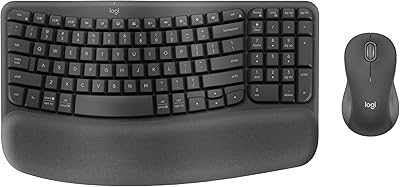
Logitech Wave Keys MK670 Combo
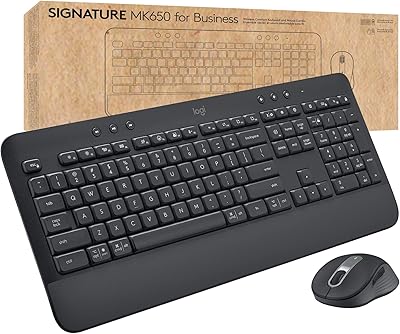
Logitech MK650 for Business
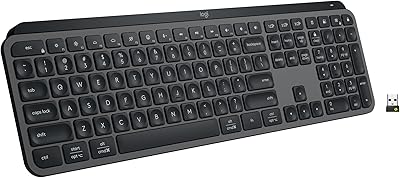
Logitech MX Keys S
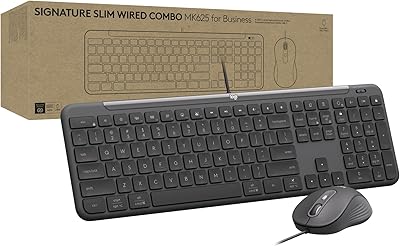
Logitech Signature Slim MK625 Wired Combo
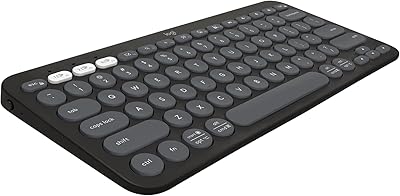
Logitech Pebble Keys 2 K380s
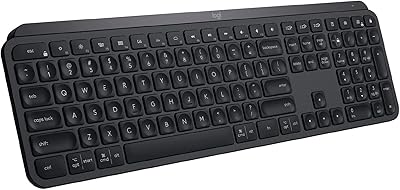
Logitech MX Keys
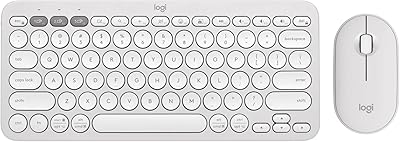
Logitech Pebble 2 Combo Wireless Keyboard Mouse
