

Overview
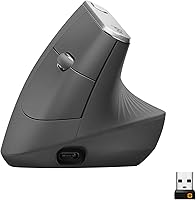
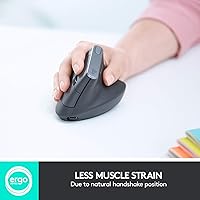
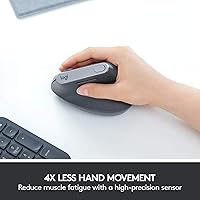
The Logitech MX Vertical is a premium ergonomic mouse built for desk workers who have started noticing discomfort in their wrist or forearm after long hours at a computer. Unlike a conventional mouse that locks your hand into a flat, palm-down position, this vertical mouse holds your hand in a natural handshake posture, which takes pressure off the forearm muscles throughout the day. One important caveat upfront: it is designed exclusively for right-handed users with medium to large hands, so left-handers should look elsewhere. Beyond comfort, pairing with up to three devices and switching between them instantly makes this ergonomic mouse a compelling pick for anyone juggling multiple computers daily.
Features & Benefits
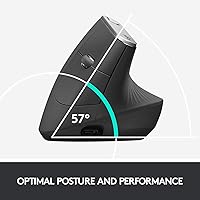
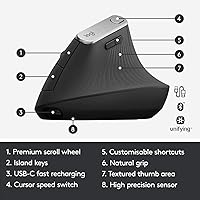
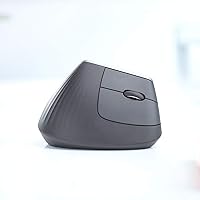
The defining characteristic of this vertical mouse is its 57-degree vertical angle, which rotates your forearm into a more neutral position — many users find this reduces the tension that accumulates during a full workday. Tracking is handled by a 4000 DPI optical sensor, and a dedicated on-body button lets you switch cursor speed without opening any software. The MX Vertical connects via Bluetooth or a Logi Bolt USB receiver and pairs with up to three devices, making it straightforward to hop between a laptop and a desktop. Battery life is genuinely solid, typically lasting close to four months per charge via USB-C. Logitech Options+ rounds things out with button remapping for workflow customization.
Best For
This ergonomic mouse suits office professionals, developers, or anyone sitting at a desk for six or more hours a day — especially those already dealing with wrist fatigue or hoping to prevent it. If you work across multiple computers or operating systems, the three-device pairing is genuinely practical rather than a marketing footnote. That said, it works best for right-handed people with medium to large hands; buyers with smaller hands have consistently noted that reaching certain buttons feels like a stretch. This is not a mouse for anyone chasing gaming performance or ultra-precise pixel work — it is built around long-session comfort, plain and simple.
User Feedback
Among buyers who have used this vertical mouse for at least a month, reduced wrist fatigue is the most frequently mentioned upside — many describe a noticeable difference within the first week of switching. The adjustment period is real, though: most people need one to two weeks before the grip stops feeling unfamiliar, and a few never fully warm to it. The scroll wheel draws mild criticism from those used to other MX-series mice, with some finding it less satisfying to the touch. Battery life holds up well in practice, matching expectations. Logitech Options+ earns praise for its customization depth but has drawn occasional complaints about software stability on certain system configurations.
Pros
- Users report noticeably less wrist and forearm fatigue within the first week of regular use.
- The 57-degree vertical angle puts the hand in a far more natural resting position than a flat mouse.
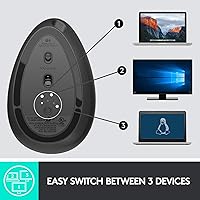
- Switching between up to three paired devices takes a single button press and works reliably across platforms.
- Battery life is genuinely impressive — most users go months between charges without thinking about it.
- USB-C charging means no proprietary cables to track down or replace.
- The textured rubber grip stays comfortable during long sessions and holds up well over time.
- Logitech Options+ gives power users meaningful control over button assignments and app-specific behavior.
- Quiet clicks make this ergonomic mouse a considerate choice for open-plan offices and video calls.
- Works across Windows, macOS, Linux, ChromeOS, and iPadOS without compatibility headaches.
- The on-body DPI switch lets you adjust cursor speed instantly without opening any software.
Cons
- There is a real one-to-two week adjustment period before the grip starts to feel natural — productivity may dip early.
- Left-handed users have no compatible version; this is a right-hand-only design with no exceptions.
- Buyers with smaller hands frequently find the body too large, making some buttons a stretch to reach.
- The scroll wheel feels underwhelming compared to other mice at this price point, especially for heavy scrollers.
- Logitech Options+ software has a history of stability issues, including settings failing to sync after updates.
- No wireless charging option despite the premium positioning — you must plug in via USB-C to recharge.
- Bluetooth reconnection after a computer wakes from sleep can occasionally lag, particularly without the USB dongle.
- The rubber surface attracts oils and fingerprints noticeably, requiring regular cleaning to maintain grip quality.
- Linux users get basic functionality but lose access to Options+ customization entirely.
- The vertical profile is bulkier than flat mice and less practical for users who frequently work on the go.
Ratings
The Logitech MX Vertical has been evaluated by our AI rating system after analyzing thousands of verified global purchase reviews, with spam, bot activity, and incentivized feedback actively filtered out before scoring. The results reflect a product that earns genuine loyalty from its core audience while carrying a few real-world limitations that informed buyers deserve to know about. Scores across all categories — both strengths and friction points — are transparently represented below.
Ergonomic Comfort
Adjustment Period
Build Quality
Multi-Device Connectivity
Battery Life
Sensor & Tracking Accuracy
Software & Customization
Scroll Wheel Feel
Hand Size & Fit
Weight & Portability
Value for Money
OS & Device Compatibility
Charging Convenience
Noise Level
Suitable for:
The Logitech MX Vertical is built for a specific kind of buyer, and for that buyer it delivers real value: the office professional, developer, or remote worker who spends six or more hours a day at a desk and has started noticing tension in their wrist or forearm. If you have ever finished a workday with an aching forearm or been advised by a doctor or physiotherapist to look into ergonomic peripherals, this vertical mouse is one of the more practical and proven options available at this tier. It is equally well-suited to multi-computer setups — if you regularly switch between a personal laptop and a work machine, the three-device pairing with a single button press solves a genuine daily friction point. Right-handed users with medium to large hands will find the shape fits without compromise, and those willing to push through the two-week adjustment period consistently report that the long-session comfort payoff is worth the initial awkwardness. Anyone already within the Logitech ecosystem who uses Options+ software on other devices will also find the customization learning curve much shorter than starting fresh.
Not suitable for:
The Logitech MX Vertical is a hard pass for left-handed users — there is no southpaw variant, and that is a non-negotiable limitation. Buyers with smaller hands should also be cautious: a meaningful number of reviewers in this hand-size range report that reaching the upper buttons requires an uncomfortable stretch, which partially defeats the ergonomic purpose. Gamers or anyone who needs precise, high-speed cursor control for fast-paced tasks will find the sensor competent but not designed for that use case — this is a productivity tool, not a performance peripheral. If you tend to swap peripherals frequently or need something compact enough to travel easily in a laptop bag, the vertical form factor is bulkier than flat mice and slightly awkward to pack. Finally, buyers who are not prepared to commit to an adjustment period of one to two weeks risk returning it before the comfort benefits actually kick in, which would make the investment feel wasted.
Specifications
- Form Factor: Vertical ergonomic mouse designed to hold the hand in a natural handshake position rather than a flat, palm-down orientation.
- Hand Orientation: Right-hand only; no left-handed variant is available for this model.
- Hand Size Fit: Optimized for medium to large hands, with the palm rest and button placement calibrated for that range.
- Vertical Angle: The chassis is built at a 57-degree angle to reduce forearm pronation and lower pressure on the wrist during extended use.
- Sensor: Advanced Optical sensor with a maximum resolution of 4000 DPI for precise cursor tracking across standard desk surfaces.
- DPI Control: A dedicated on-body cursor speed switch allows instant DPI adjustment without opening any software.
- Connectivity: Connects via Bluetooth or a Logi Bolt USB receiver, supporting simultaneous pairing with up to 3 devices.
- Multi-Device Switch: An Easy-Switch button on the mouse cycles between up to 3 paired computers or tablets with a single press.
- Battery Type: Built-in rechargeable lithium polymer battery; no option to replace with standard disposable cells.
- Battery Life: Rated for approximately 4 months of use per full charge under typical office usage conditions.
- Charging Port: USB-C charging port; cable is included and compatible with most modern chargers and hubs.
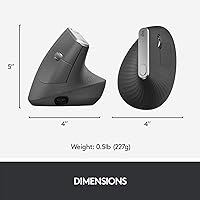
- Weight: 4.6 ounces (approximately 130g), light enough for all-day use without adding arm fatigue.
- Dimensions: 4.72 x 3.11 x 3.09 inches (L x W x H), making it notably taller than a conventional flat mouse.
- Surface Material: Textured rubber grip covers the main contact areas to maintain a secure and comfortable hold throughout long sessions.
- Programmable Buttons: 4 customizable buttons can be remapped through the Logitech Options+ software for workflow-specific actions.
- Software: Compatible with Logitech Options+ on Windows and macOS, enabling button remapping and app-specific configuration profiles.
- OS Compatibility: Officially supports Windows 10 and later, macOS, Linux, ChromeOS, iPadOS, and Android.
- Wireless Standard: Uses the 802.11a-based Logi Bolt proprietary USB receiver protocol for a stable, low-latency wireless connection.
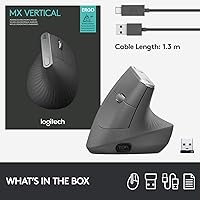
- Package Contents: Includes the mouse, a Logi Bolt USB receiver, a USB-C charging cable, and FSC-certified packaging materials.
- Manufacturer: Designed and manufactured by Logitech; model number 910-005447, first available in August 2018 and not discontinued.
Related Reviews
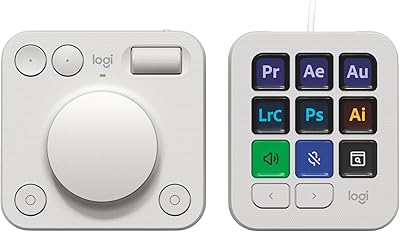
Logitech MX Creative Console Customizable Keypad
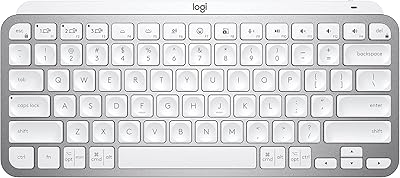
Logitech MX Keys Mini Wireless Keyboard
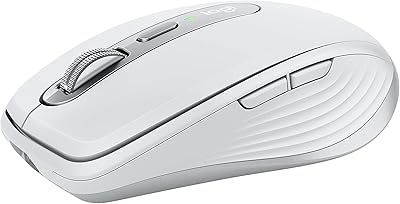
Logitech MX Anywhere 3 for Mac Mouse
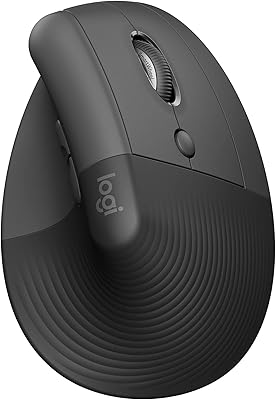
Logitech Lift Vertical Ergonomic Mouse

Logitech MX Mechanical
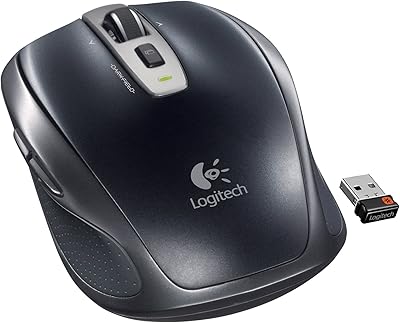
Logitech Wireless Anywhere Mouse MX
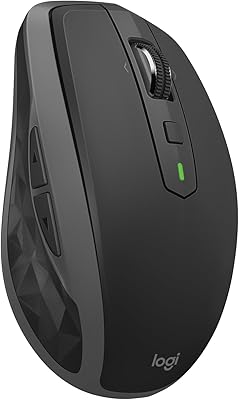
Logitech MX Anywhere 2S Bluetooth Edition
Logitech MX Master 3S Wireless Mouse
Logitech MX Keys S