






Overview
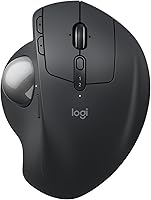
The Logitech MX Ergo S is Logitech's most refined take on the ergonomic trackball, built for people who spend long hours at a desk and have started to feel it in their wrists and forearms. It improves on the original MX Ergo in two practical ways: the clicks are noticeably quieter, and charging has moved to USB-C. The adjustable 20-degree tilt bracket remains the defining physical feature — prop it up and your forearm naturally rotates into a more neutral position. At this price point, it targets professionals and power users who can justify the investment through daily, heavy use. Both Bluetooth and the Logi Bolt dongle are supported, and it runs on Windows and macOS without issue.
Features & Benefits
The adjustable tilt bracket is where this ergonomic mouse earns its reputation. Locking it at 20 degrees shifts your forearm out of the flattened, pronated position that causes fatigue over time — it is a genuine comfort improvement, not just a marketing claim, though individual results will vary. The trackball offers a precision toggle, so you can drop into high-accuracy mode for detailed work and switch back without touching the software. Clicks are significantly quieter than the previous generation, which matters in open offices or late-night sessions. A one-minute USB-C charge buys a full day of use, and the six programmable buttons, managed through the Logi Options+ app, let you build real workflow shortcuts.
Best For
This trackball mouse makes the most sense for people whose wrists or forearms already protest after a long day at the keyboard. It is also a strong fit for designers and CAD users who want fine cursor control without sweeping an arm across the desk. The form factor suits medium-to-large hands — smaller hands will likely find the ergonomics do not quite land as intended. Multi-device users will appreciate the Easy-Switch button for toggling between a PC and a Mac. If the original MX Ergo is already in your setup, the quieter clicks and USB-C charging alone may justify an upgrade. It is not the right call for someone brand new to trackballs; the adjustment period is real.
User Feedback
Owners who have used this ergonomic mouse for extended periods consistently highlight long-session comfort as the biggest win — many report that wrist discomfort they had accepted as normal simply eased up over the first few weeks. Trackball precision draws frequent praise from detail-oriented users. On the critical side, the size is a genuine limitation for smaller hands, and first-time trackball users often mention a noticeable adjustment period before cursor movement feels instinctive. Battery life reports are largely positive, with the standby claims appearing to hold up in practice. Logi Options+ is functional and well-regarded, though a handful of users note it can be somewhat heavy on system resources. Longer-term build quality feedback has been mostly solid.
Pros
- The adjustable tilt bracket genuinely reduces forearm strain during long work sessions, not just in theory.
- USB-C fast charging means a one-minute top-up before a meeting buys you a full day of use.
- Battery endurance is exceptional — most users rarely think about charging it at all.
- The precision toggle is a practical tool for anyone doing detailed work in design or technical software.
- Quieter clicks make a noticeable difference in shared office or home environments.
- Bluetooth and Logi Bolt support together give real flexibility across different desk setups.
- The MX Ergo S works consistently across both Windows and macOS without driver headaches.
- Six programmable buttons, configured through Logi Options+, can meaningfully cut down on repetitive workflow steps.
- Build quality holds up well over time — buttons and the tilt bracket stay solid with regular daily use.
- The wireless connection is stable and reliable, with very few reported drop-outs during normal use.
Cons
- No charging cable is included in the box, which feels like an oversight at this price.
- Logi Options+ can run heavy on system resources, particularly noticeable on older or less powerful machines.
- The trackball requires periodic cleaning as debris under the ball causes inconsistent tracking over time.
- Hand-size compatibility is narrow — buyers with small hands are largely excluded from the ergonomic benefits.
- Battery capacity appears to degrade after a year or more of heavy daily use.
- Multi-device switching has a brief but noticeable reconnection delay that adds friction for frequent switchers.
- The rubber grip section shows cosmetic wear with extended daily handling over several months.
- At nearly 13 ounces, this ergonomic mouse is bulky enough to be inconvenient for people who travel regularly with their gear.
Ratings
The Logitech MX Ergo S sits at the premium end of the ergonomic mouse market, and our AI-generated scores reflect an analysis of verified buyer reviews from around the world, with spam, bot activity, and incentivized feedback actively filtered out. The result is an honest picture of where this trackball mouse genuinely delivers for daily users — and where it still has room to improve. Both the standout strengths and the recurring frustrations are reflected transparently in every category below.
Ergonomic Comfort
Trackball Precision
Battery Life
Click Noise Reduction
Software & Customization
Build Quality
Wireless Connectivity
Value for Money
Ease of Setup
Hand & Grip Comfort
Portability
Multi-Device Switching
Sustainability & Materials
Suitable for:
The Logitech MX Ergo S is purpose-built for people who spend the majority of their working day at a desk and have started to notice the physical toll — tightness in the forearm, aching wrists, or the creeping discomfort that builds up after a few hours with a traditional mouse. It is particularly well-matched to designers, illustrators, and CAD users who need precise, controlled cursor movement without sweeping their arm across a surface repeatedly. If you already know you prefer trackballs and are coming from an older model that charges via Micro-USB, the upgrade to USB-C and meaningfully quieter clicks alone makes a compelling case. Multi-device users who split time between a Mac and a PC will find the dual-connectivity setup genuinely practical rather than just a checkbox feature. Open-plan office workers or anyone sharing a quiet home workspace will also appreciate how much the reduced click noise changes the texture of a long day at the computer.
Not suitable for:
The Logitech MX Ergo S is a hard recommendation to make for anyone who has never used a trackball before and is simply curious — the adjustment period is real, it can take a few weeks to feel natural, and at this price point a failed experiment is an expensive one. People with smaller hands should approach it with caution, as the ergonomic shaping is calibrated for medium-to-large palms, and forcing your grip around a body that does not fit your hand can create new discomfort rather than solving existing problems. It is also not the right fit for gamers, fast-paced competitive users, or anyone who needs rapid, sweeping cursor movements — the trackball format is about control and precision, not speed. Budget-conscious buyers who only use a mouse for light browsing or occasional document work will not get enough return from the premium to justify it. Finally, travelers or people who regularly move their setup between locations may find the weight and bulk of this ergonomic mouse less convenient than a slim, portable alternative.
Specifications
- Connectivity: Connects via Bluetooth or the included Logi Bolt encrypted USB receiver, with an Easy-Switch button to toggle between two paired devices.
- Charging Port: Uses a USB-C port for charging, compatible with USB-C to USB-C or USB-A to USB-C cables (cable not included in the box).
- Battery Life: A full charge delivers up to 120 days of use under typical conditions; a one-minute quick charge provides approximately 24 hours of operation.
- Tilt Adjustment: Features a metal tilt bracket that locks at either 0° (flat) or 20° (raised) to support a more neutral forearm position during use.
- Tracking System: Uses an optical trackball sensor with a toggle button to switch between standard speed and high-precision tracking modes on demand.
- Programmable Buttons: Includes 6 programmable buttons that can be customized individually or set up with app-specific profiles and Smart Actions via the Logi Options+ software.
- Click Noise: Button clicks are engineered to be approximately 80% quieter than the previous MX Ergo generation, reducing audible disturbance in shared environments.
- Compatible OS: Fully supported on Windows and macOS; basic plug-and-play functionality works without software, while full customization requires the Logi Options+ app.
- Hand Size: Designed and ergonomist-certified for medium-to-large hands; the sculpted grip and trackball placement are not optimized for smaller hand sizes.
- Weight: Weighs approximately 12.7 ounces (360g) with the tilt bracket attached, making it heavier than most standard wireless mice.
- Dimensions: Package dimensions are approximately 6.18 x 4.41 x 3.19 inches, reflecting the substantial ergonomic body of the device.
- Recycled Materials: The plastic components of this mouse are made from 20% certified post-consumer recycled plastic, verified by third-party certification.
- Color Option: Currently available in Graphite, a dark matte finish that resists obvious fingerprint buildup under normal office lighting.
- Software: Logi Options+ is a free desktop app for Windows and macOS that manages button assignments, precision settings, Smart Actions, and multi-device profiles.
- Wireless Security: The Logi Bolt USB receiver uses AES-128 encryption to protect the wireless signal between the dongle and the mouse from interception.
- Platform: Designed for use with PC and Mac desktop or laptop computers; not natively compatible with tablets, smartphones, or gaming consoles.
- Model Number: Official Logitech model number is 910-007259, with ASIN B0D6PTR6MP on Amazon for the Graphite color variant.
- Release Date: First made available for purchase on September 13, 2024, representing the updated successor to the original MX Ergo trackball mouse.
Related Reviews
Logitech MX Keys S

Logitech ERGO K860
Logitech MX Keys Mini Wireless Keyboard
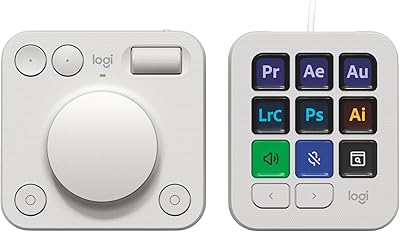
Logitech MX Creative Console Customizable Keypad
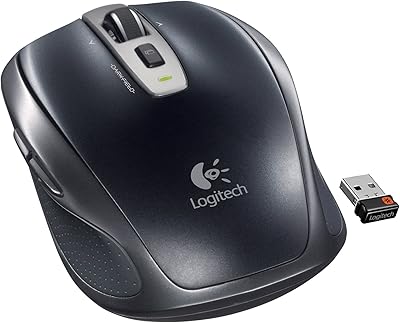
Logitech Wireless Anywhere Mouse MX

Logitech MX Mechanical
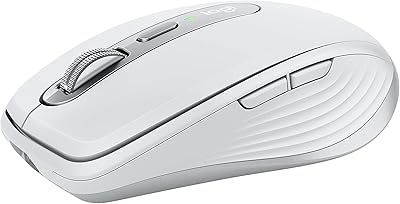
Logitech MX Anywhere 3 for Mac Mouse

Logitech MX Vertical
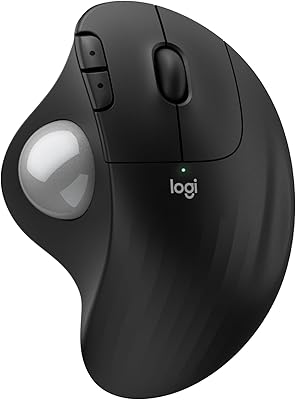
Logitech Ergo M575S