Logitech MK650 for Business



Overview
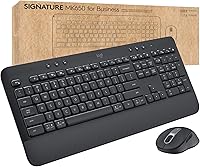
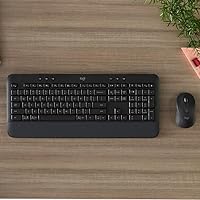
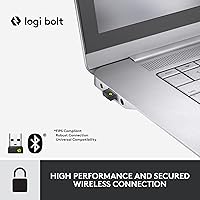
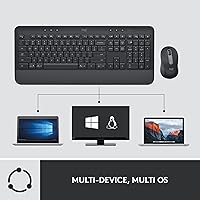
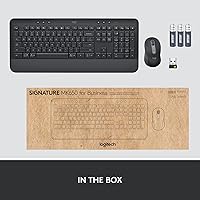
The Logitech MK650 for Business is a wireless keyboard-and-mouse combo built with working professionals in mind — not just in marketing copy, but in the actual design decisions. It connects via Logi Bolt USB receiver or Bluetooth Low Energy, giving IT teams and individual users flexibility depending on their environment. Cross-platform compatibility spans Windows, macOS, Linux, Chrome OS, iPadOS, and Android, which matters in mixed-OS offices. Battery life is genuinely impressive — the keyboard can run for up to 36 months on two AAs. At its mid-range price, this business combo is a realistic option for standardized deployment across teams.
Features & Benefits
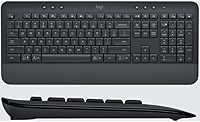
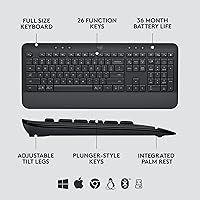
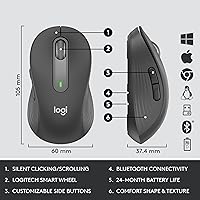
The integrated palm rest on the keyboard is one of those details that feels minor until you skip it — after a long day of typing, it makes a noticeable difference. The contoured mouse fits naturally in hand for most users, though the compact size can feel snug for those with larger hands. SmartWheel scrolling switches automatically between precise line-by-line control and fast free-spin mode, which is handy when jumping between long documents. On the security side, Logi Bolt encryption uses Bluetooth Low Energy Security Mode 1, Level 4 — put simply, it blocks the kind of wireless eavesdropping that IT departments routinely worry about.
Best For
This wireless keyboard-and-mouse set makes the most sense for IT managers who need to standardize peripherals across a distributed workforce without fielding constant support requests. The dual connection options are especially practical in hybrid environments where an employee might switch between a work laptop and a personal Mac. Anyone logging six or more hours at a desk will appreciate the ergonomic touches. Organizations with strict wireless security requirements will find that Logi Bolt satisfies most IT policies without requiring expensive proprietary hardware. It is less compelling for power users or gamers who need high-precision peripherals.
User Feedback
With over 1,700 ratings and a 4.4-star average, the MK650 combo earns its score honestly. Buyers consistently praise the typing feel and comfort, particularly the palm rest, and many note that battery life holds up well in real-world daily use. The main complaints cluster around the mouse: users with larger hands find the compact shape fatiguing over extended sessions, and a few report the scroll wheel feels slightly stiff initially. Setup is generally straightforward on Windows; Mac and Linux users occasionally report minor Bluetooth pairing quirks. Build quality is described as solid but not premium — dependable rather than impressive.
Pros
- Logi Bolt encryption provides genuine wireless security that satisfies most corporate IT policies without complex setup.
- Keyboard battery life is exceptional — real-world daily users report months of use before needing a change.
- The integrated palm rest noticeably reduces wrist fatigue during long typing sessions compared to bare-keyboard alternatives.
- Dual connectivity covers both USB receiver and Bluetooth, which is practical for professionals running two machines.
- Cross-platform support spans six operating systems, making this wireless keyboard-and-mouse set unusually versatile for mixed-OS environments.
- SmartWheel scrolling adapts intelligently between documents and spreadsheets, reducing unnecessary wheel adjustments.
- Setup on Windows is genuinely plug-and-play — no software installation required for core functionality.
- The compact mouse footprint is an advantage for cluttered desks and light commuters who pack their peripherals daily.
- At its price tier, the MK650 combo packs enterprise-level security features that most competing combos simply do not offer.
- With over 1,700 verified ratings averaging 4.4 stars, real buyer satisfaction is broad and consistent.
Cons
- The compact mouse is a poor fit for users with larger hands during extended daily use.
- Bluetooth pairing on macOS and Linux occasionally drops after sleep, interrupting workflow at inconvenient moments.
- The scroll wheel sensitivity feels inconsistent to some users, snapping into free-spin mode unexpectedly during careful navigation.
- Full feature access requires installing Logi Options+, which is restricted on many managed corporate machines.
- Multi-device switching speed lags noticeably behind Logitech models marketed specifically for that use case.
- The plastic finish on the palm rest picks up oils and scuffs relatively quickly, looking worn within months.
- Battery level reporting in Logi Options+ is imprecise, making it hard to anticipate when replacements are actually needed.
- No backlit keys, which limits usability in dim environments or for users who work in low-light conditions regularly.
Ratings
The Logitech MK650 for Business earns a well-deserved reputation among office professionals, and the scores below reflect exactly that — an AI-driven analysis of verified global user reviews, with spam, bot-generated, and incentivized feedback actively filtered out. What remains is an honest picture of where this business combo genuinely delivers and where real buyers have run into friction. Both strengths and frustrations are represented transparently so you can make an informed decision.
Typing Comfort
Mouse Ergonomics
Battery Life
Wireless Security
Connectivity Flexibility
Cross-Platform Compatibility
Build Quality
Setup & Deployment
SmartWheel Scrolling
Value for Money
Keyboard Sound Level
Portability
Software & Customization
Multi-Device Switching
Suitable for:
The Logitech MK650 for Business is purpose-built for professionals and organizations where wireless security, cross-platform flexibility, and daily comfort all need to coexist without compromise. IT administrators managing peripheral rollouts across a distributed workforce will find the Logi Bolt connection and long battery life dramatically reduce support overhead — fewer dead peripherals, fewer tickets, fewer swapped receivers. Office workers who spend the bulk of their day typing documents, navigating spreadsheets, or sitting through back-to-back video calls will appreciate the integrated palm rest and contoured mouse, both of which reduce the cumulative fatigue that cheaper combos tend to ignore. Hybrid employees who alternate between a personal Mac and a work Windows laptop benefit directly from the dual-connection design, which covers both setups without buying separate peripherals. Organizations in regulated industries or security-conscious environments will also find that the encrypted wireless standard satisfies most internal IT policies without requiring specialized hardware.
Not suitable for:
Buyers who primarily need a high-precision mouse for design work, detailed photo editing, or any task requiring fine cursor control will likely find this business combo underwhelming on the mouse side — it is built for office productivity, not precision workflows. Users with larger hands should be especially cautious: the compact mouse is a deliberate design choice, and while it suits medium-sized hands well enough, extended sessions for larger-handed users frequently lead to complaints about grip fatigue. Gamers or power users chasing customizable macro keys, RGB lighting, or ultra-low-latency wireless performance will find nothing here to satisfy those needs. Mac and Linux users who expect a truly plug-and-play experience may encounter occasional Bluetooth pairing quirks and key mapping adjustments that require extra setup patience. Finally, buyers who do not need enterprise-grade security and are shopping purely for a home-use keyboard-and-mouse combo can likely find better ergonomics or a more premium typing feel at a comparable price point elsewhere.
Specifications
- Model Number: The official model number for this combo is 920-010909, part of the MK650 for Business series by Logitech.
- Connectivity: The combo supports two wireless methods: the Logi Bolt USB receiver for secure encrypted connections and Bluetooth Low Energy for flexible cross-device pairing.
- Security Standard: Logi Bolt uses Bluetooth Low Energy Security Mode 1, Level 4, providing encrypted wireless communication designed to meet enterprise security requirements.
- Keyboard Battery: The keyboard is powered by 2 AA batteries with a rated lifespan of up to 36 months under typical office usage conditions.
- Mouse Battery: The mouse runs on a single AA battery rated for up to 24 months, though real-world life varies based on daily usage intensity.
- Supported Platforms: Compatible operating systems include Windows 10 and 11, macOS X 10.15 Catalina and later, Linux, Chrome OS, iPadOS 14, iOS 14, and Android 8.0 and later.
- Scroll Mechanism: The mouse features SmartWheel technology, which automatically toggles between precise line-by-line scrolling and high-speed free-spin mode depending on scroll velocity.
- Palm Rest: An integrated, fixed palm rest is built directly into the keyboard base to support wrist positioning during extended typing sessions.
- Mouse Design: The mouse uses a compact contoured form factor intended to support natural hand positioning for medium-sized hands during standard office workflows.
- Dimensions: The full combo measures approximately 21 x 8 x 1.9 inches and weighs 2.29 pounds as a complete unit.
- Color: The combo is available in Graphite, a dark neutral finish suited to professional desk environments.
- Power Source: Both the keyboard and mouse are battery-powered with no rechargeable battery option; standard AA alkaline batteries are used for both devices.
- Keyboard Backlight: The keyboard does not feature full RGB backlighting; any lighting is limited to single-color indicator LEDs for connectivity and battery status.
- Software Support: Logi Options+ software is available for optional installation and enables key remapping, scroll speed adjustment, and battery level monitoring across supported platforms.
- Wireless Range: The Logi Bolt receiver operates at the standard Logitech Bolt range, designed for reliable desk-to-computer distances in typical office environments.
- Receiver Storage: The Logi Bolt USB receiver is stored inside the mouse under the battery cover when not in use, reducing the risk of misplacement.
- Amazon Rating: The combo holds a rating of 4.4 out of 5 stars based on 1,739 verified ratings and ranks at number 52 in Computer Keyboard and Mouse Combos.
- Manufacturer: The Logitech MK650 for Business is designed and manufactured by Logitech, a Swiss-American company headquartered in Lausanne, Switzerland.
- Release Date: This combo was first made available on Amazon on June 15, 2022.
- Device Compatibility: The combo is compatible with laptops and desktop PCs; it does not require proprietary drivers for basic functionality on supported operating systems.
Related Reviews
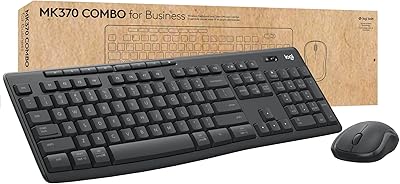
Logitech MK370 Combo for Business
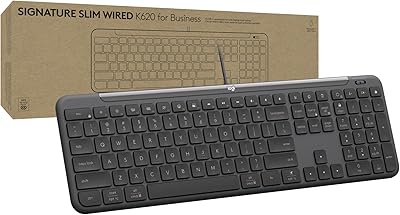
Logitech Signature Slim Wired K620 for Business
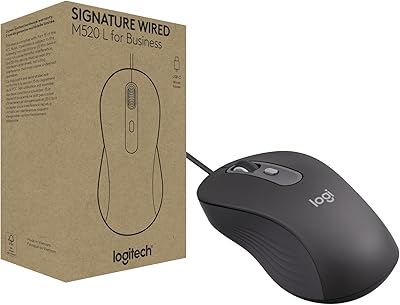
Logitech Signature Wired M520 L for Business
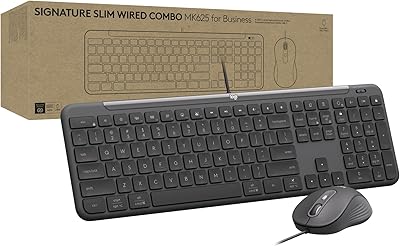
Logitech Signature Slim MK625 Wired Combo
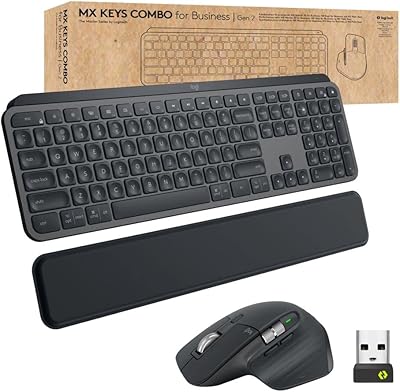
Logitech MX Keys Business Gen 2 Combo

Logitech POP Mouse

Logitech Wireless Touchpad

Logitech Pebble M350 Wireless Mouse

Logitech ERGO K860
