






Overview
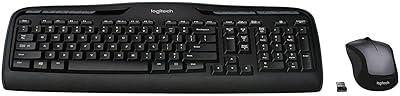
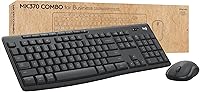
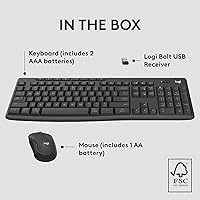
The Logitech MK370 Combo for Business is built squarely for office environments where IT teams need to roll out peripherals quickly and confidently. It connects via a Logi Bolt USB receiver or Bluetooth, giving users flexibility without complicating setup. The understated graphite finish looks at home on any corporate desk, and the mid-range price point makes bulk purchasing realistic for organizations of most sizes. What separates this from consumer combos is the broad OS compatibility — Windows, macOS, Linux, ChromeOS, and more — meaning IT can standardize on one SKU across a genuinely mixed hardware fleet.
Features & Benefits
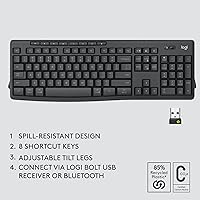
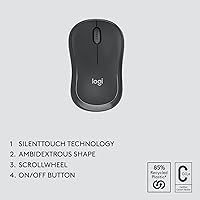
The Logi Bolt encrypted connection uses a secured-connections-only wireless protocol, which matters in corporate settings where standard wireless dongles can be a real vulnerability. Both devices share a single USB receiver — a small detail that saves IT significant time when deploying machines at scale. The full-size keyboard is spill-resistant with adjustable tilt legs, so it holds up well under everyday desk conditions. The mouse uses Silent Touch technology to cut click noise noticeably, something colleagues in open-plan offices will appreciate. Logi Options+ adds centralized firmware management for large deployments, though most individual users will simply plug in and get to work.
Best For
This wireless keyboard-and-mouse set is a strong fit for IT managers deploying dozens of identical peripherals without wanting to babysit the rollout. Organizations running mixed OS environments — say, a floor split between Windows workstations and MacBooks — will appreciate having one certified solution that covers both. Hybrid workers who need to switch between a work laptop and a personal device via Bluetooth will also find it practical. Anyone sitting in a busy, shared office will value how quiet the mouse is. Budget-conscious buyers who want enterprise-grade security without spending on a premium tier will find the value hard to dismiss.
User Feedback
Across roughly 228 ratings, the MK370 holds a 4.4-star average — a solid result for a business peripheral, even if it leaves a little room for improvement. Users consistently praise the quick, fuss-free setup and the genuinely quiet mouse click. Stable wireless connectivity also draws repeated positive mentions. On the flip side, some buyers find the key travel feels shallow compared to higher-end or mechanical alternatives, which is worth considering for heavy typists. Battery life opinions are mixed, with a portion of reviewers getting shorter spans than expected. IT professionals tend to value the Logi Bolt security approach, though detailed technical commentary in reviews is relatively sparse.
Pros
- Pre-paired USB receiver means both devices are ready to use almost immediately out of the box.
- Logi Bolt encrypted wireless addresses real corporate security requirements without extra configuration.
- Single USB dongle covers both the keyboard and mouse, keeping port usage minimal.
- Silent Touch mouse click is noticeably quieter in shared office environments.
- Works natively across Windows, macOS, Linux, ChromeOS, iPadOS, and Android.
- Logi Options+ enables centralized firmware updates and mass deployment for IT teams.
- Spill-resistant keyboard construction has held up in real office conditions according to verified buyers.
- Ambidextrous mouse design works for both left- and right-handed users without an adapter.
- Certified in over 100 countries, simplifying global procurement and compliance checks.
- The MK370 delivers enterprise-relevant features at a price point that makes bulk purchasing realistic.
Cons
- Key travel is shallow enough that heavy typists frequently describe the feel as unsatisfying.
- Battery life under intensive daily use is inconsistent, with some users replacing batteries sooner than expected.
- No battery level indicator on either device means the first warning of low power is often a sudden dropout.
- Full Logi Options+ feature support is restricted to Windows and macOS, leaving Linux and ChromeOS users with basic functionality only.
- The full-size keyboard layout offers no tenkeyless option for users who want a more compact footprint.
- Mouse plastic feels noticeably lightweight under a firm grip, which affects the perceived build quality.
- Key legends show visible wear after several months of heavy daily use on some units.
- Bluetooth is treated as a secondary connection option rather than a fully equal alternative to the USB receiver.
- Software can require a manual driver update on older Windows builds before it recognizes both devices correctly.
- Not a comfortable fit for users with larger hands who need extended ergonomic mouse support during long sessions.
Ratings
The Logitech MK370 Combo for Business earns a well-deserved reputation as a reliable, security-conscious peripheral bundle, and these scores reflect exactly that — built from AI analysis of verified buyer reviews worldwide, with bot activity and incentivized feedback actively filtered out. Across categories from wireless stability to key feel, both the genuine strengths and the honest shortcomings are represented. No score has been softened to protect the product's image.
Wireless Connectivity
Ease of Setup
Keyboard Typing Feel
Mouse Comfort & Silence
Build Quality
Battery Life
OS Compatibility
Security & Enterprise Readiness
Value for Money
Software & Manageability
Portability & Weight
Aesthetic & Design
Deployment at Scale
Suitable for:
The Logitech MK370 Combo for Business was built with a very specific buyer in mind, and if you fit that profile, it delivers reliably. IT managers responsible for equipping entire floors of desks will find the pre-paired receiver, centralized Logi Options+ management, and international certification coverage genuinely useful rather than just marketing bullet points. Organizations running a mix of operating systems — Windows workstations sitting alongside Macs, Chromebooks, or Linux machines — benefit from having one peripheral that works across all of them without driver headaches. Business users in open-plan or shared office environments will appreciate the silent mouse, which makes a real difference when you are trying not to be the loudest person in a quiet room. Hybrid workers who hot-desk or switch between a work laptop and a personal device will also get practical use from the Bluetooth secondary connection. If your priority is a dependable, low-friction wireless combo that respects corporate security requirements without requiring a premium budget, this set covers the brief well.
Not suitable for:
The Logitech MK370 Combo for Business is a purposeful tool, and that purpose has clear boundaries. If you type for long stretches every day and have ever used a mechanical or high-end membrane keyboard, the shallow key travel here will likely frustrate you within the first week — this is the most consistent criticism from real users, and it is worth taking seriously. Gamers, creative professionals, or anyone who wants an ergonomic mouse with sculpted palm support will find both devices too utilitarian for comfort-focused use. The full-size keyboard footprint is a real constraint if desk space is tight or if you travel regularly with your kit, since there is no compact or tenkeyless option in this lineup. Users on Linux or ChromeOS should also know that Logi Options+ customization is largely off the table on those platforms, limiting the software value to Windows and macOS users. Finally, if battery life reliability is critical to you, a small but vocal portion of reviewers report shorter-than-expected battery spans under heavy use, so plan for that possibility.
Specifications
- Wireless Technology: Connects via Logi Bolt USB receiver (2.4 GHz, AES-128 encrypted) and Bluetooth Low Energy for dual-mode wireless operation.
- USB Receiver: One pre-paired Logi Bolt nano USB receiver covers both the keyboard and mouse simultaneously.
- Keyboard Layout: Full-size layout with dedicated numpad, function row, and standard key arrangement suited for office workloads.
- Keyboard Dimensions: The keyboard measures 0.71 x 17.36 x 5.87 inches, with adjustable tilt legs offering two height positions.
- Spill Resistance: The keyboard is rated spill-resistant, designed to handle minor liquid exposure without immediate damage to internal components.
- Mouse Technology: Silent Touch technology reduces audible click noise by up to 90% compared to standard mouse buttons.
- Mouse Grip Style: Symmetrical ambidextrous shape compatible with both left- and right-handed users across a range of hand sizes.
- OS Compatibility: Officially supports Windows 10 and 11, macOS 10.15 or later, Linux, ChromeOS, iPadOS, and Android.
- Software: Logi Options+ application provides key remapping, device customization, and centralized firmware management for IT deployments.
- Certifications: Certified for commercial use in over 100 countries, meeting regional regulatory requirements for global enterprise procurement.
- Power Source: Both keyboard and mouse are battery powered; no built-in rechargeable battery or charging cable is included.
- Product Weight: The complete combo weighs approximately 1.1 pounds, making it light enough to transport between workspaces.
- Color: Available in Graphite, a dark neutral matte finish designed to suit professional desk environments.
- Connectivity Modes: Users can connect via the included USB receiver or switch to Bluetooth as a secondary independent connection for a second device.
- Security Protocol: Logi Bolt operates in Secured Connections Only mode, preventing unencrypted or legacy devices from pairing to the receiver.
- Deployment Support: Logi Options+ supports mass configuration and DFU (Device Firmware Update) rollouts for centralized IT management at scale.
- Market Ranking: Ranked #86 in the Computer Keyboard and Mouse Combos category on Amazon based on sales performance data.
- Release Date: First made available on June 6, 2023, positioning it as a relatively recent entry in Logitech's business peripheral lineup.
Related Reviews
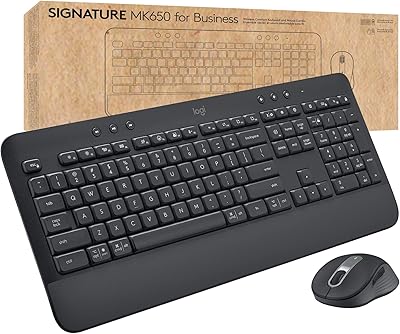
Logitech MK650 for Business
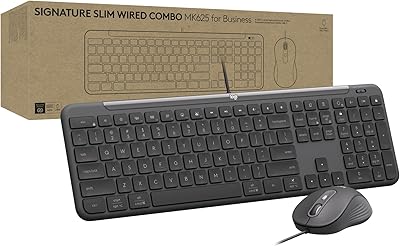
Logitech Signature Slim MK625 Wired Combo
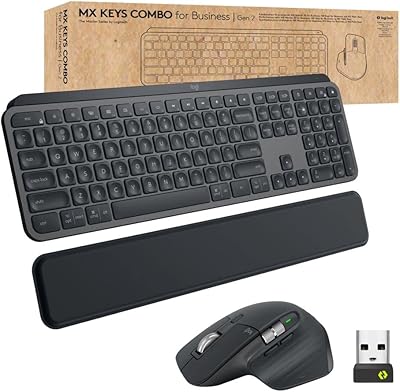
Logitech MX Keys Business Gen 2 Combo
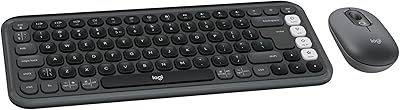
Logitech POP ICON Combo
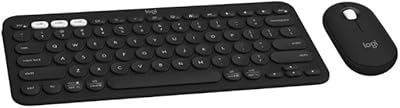
Logitech Slim Bluetooth Combo
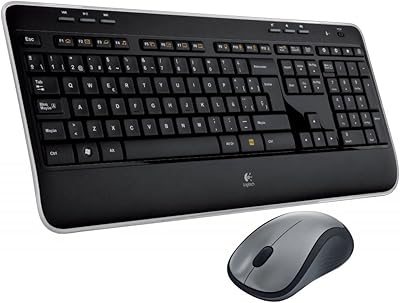
Logitech MK520 Wireless Keyboard Mouse Combo
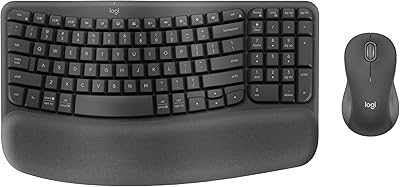
Logitech Wave Keys MK670 Combo
Logitech MK235
Logitech Signature Wired M520 L for Business