




Overview
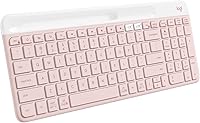
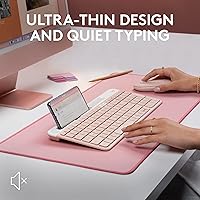
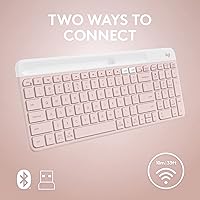
The Logitech K585 Slim Wireless Keyboard sits in a sweet spot — capable enough for daily multitasking, priced modestly enough to justify the purchase without much deliberation. What makes it stand out visually is the rose colorway, a genuine rarity in a peripheral market that defaults to black or graphite at every price point. The slim, low-profile build feels closer to a laptop keyboard than a traditional desktop board, which suits clean desk setups well. And for those juggling two devices daily, dual connection options — Bluetooth or the included USB receiver — mean you're covered across most hardware combinations.
Features & Benefits
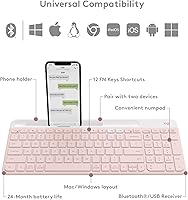
The K585 packs more functionality into its compact frame than you'd expect for the price. There's a full number pad and 12 function keys — unusual for a board this thin — along with a dedicated Easy Switch button that lets you toggle between two paired devices with a single press. Keys are quiet and have a soft, laptop-like feel. Battery life is genuinely one of the highlights: Logitech claims up to 24 months on two AAA batteries, and auto-sleep helps maintain that. Worth noting: there's no keyboard backlight, and Logi Options+ software is needed to unlock full key customization, which requires a separate download.
Best For
This multi-device keyboard makes the most sense for people who routinely work across two device types — someone typing on a Windows laptop while also replying to messages on an iPad or Android phone, for instance. It's a practical pick for home office setups where desk space matters and a full-size board would feel excessive. The rose color appeals to those building an aesthetically considered workspace — and there aren't many keyboards at this price that offer that option. Anyone needing a number pad without bulk will find this a reasonable fit. Less suited to power users chasing macro keys or RGB lighting.
User Feedback
Buyers generally respond well to the typing experience — the quiet, low-travel keys get consistent praise from people working in shared environments. Build quality is another point of approval; the keyboard doesn't feel cheap despite its price. The device-switching function gets mostly positive marks too, with most reporting the transition between devices is quick and reliable. On the critical side, users who prefer deeper key travel tend to find the shallow membrane keys less satisfying. The absence of backlighting is the most commonly flagged limitation. A few buyers note minor friction when first setting up Logi Options+, though once configured it works without issues. Overall, battery longevity appears to hold up well in real-world use.
Pros
- One-button device switching between two paired devices is quick and works reliably in practice.
- Includes a number pad in a slim form factor — a genuinely rare combination at this price.
- Quiet membrane keys make it easy to type in shared offices or late-night home environments.
- Battery life is exceptional; most users report it lasting well over a year on a single set of AAA batteries.
- Works across a wide range of operating systems, including Android, ChromeOS, and iPadOS, with no extra setup.
- The rose colorway is a standout option for those tired of the endless sea of black and gray peripherals.
- Built-in device cradle is a small but genuinely useful touch for propping up a phone or tablet while typing.
- At its price point, the build quality feels more solid than comparable budget wireless boards.
- Wireless range of up to 10 meters gives real flexibility for couch or standing-desk use.
- Logi Options+ allows FN key remapping, adding a layer of personalization most budget keyboards skip entirely.
Cons
- No backlighting at all — even basic single-color illumination is absent, which limits low-light usability.
- Key travel is very shallow; typists who prefer a deeper, more tactile press will find it unsatisfying.
- Easy Switch is limited to two devices only, which may not cover more complex multi-screen setups.
- Logi Options+ software must be downloaded separately and has caused initial setup friction for some buyers.
- No dedicated media controls — media shortcuts require FN key combinations, which slows down quick adjustments.
- The USB receiver occupies a USB-A port permanently if you prefer that connection method over Bluetooth.
- No wrist rest included, and the low profile means some users may find extended typing sessions fatiguing.
- Customization options are modest compared to keyboards in the next price tier up from this one.
Ratings
The scores below reflect an AI-driven analysis of verified global buyer reviews for the Logitech K585 Slim Wireless Keyboard, with spam, bot-submitted, and incentivized feedback actively filtered out before scoring. Each category is evaluated on real-world usage patterns drawn from thousands of confirmed purchases across multiple regions and device ecosystems. Both the strengths that keep buyers satisfied and the friction points that generate returns or complaints are represented transparently.
Multi-Device Switching
Typing Experience
Battery Life
Build Quality
Wireless Reliability
Cross-Platform Compatibility
Noise Level
Software & Customization
Value for Money
Design & Aesthetics
Portability
Setup & Ease of Use
Backlighting
Device Cradle Utility
Suitable for:
The Logitech K585 Slim Wireless Keyboard is a strong fit for anyone who regularly works across two devices and wants a single keyboard to handle both without fumbling with cables or repairings. Remote workers who split their day between a laptop and a tablet will get real mileage out of the Easy Switch button, as will students who type on a desktop at home but also reply to messages on a phone propped up in the built-in cradle. The slim profile and rose colorway make it especially appealing for people who care about how their desk looks — it's one of the few budget-friendly keyboards that doesn't look out of place next to a carefully arranged workspace. Cross-platform users juggling Windows and macOS, or Android and iOS, will also appreciate that the K585 handles all of them without driver headaches. If you need a number pad but refuse to sacrifice half your desk to a full-size board, this compact layout hits a practical middle ground.
Not suitable for:
The Logitech K585 Slim Wireless Keyboard will disappoint buyers who demand tactile, clicky feedback from their keys — the shallow membrane switches are built for quiet comfort, not satisfying keystroke resistance. Anyone who types in low-light conditions regularly should look elsewhere, as there is no backlighting of any kind, not even a basic single-color option. Power users who rely on dedicated macro keys or extensive programmability will hit the ceiling quickly; the FN key customization via Logi Options+ is helpful but limited compared to enthusiast-grade keyboards. The Easy Switch is capped at two devices, so if your workflow involves three or more screens, you'll need a more capable solution. Gamers should skip this entirely — the membrane keys, lack of anti-ghosting, and absence of gaming-oriented features make it the wrong tool for that job.
Specifications
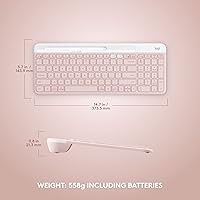
- Dimensions: The keyboard measures 14.7″ long by 5.6″ wide by 0.76″ tall, keeping the footprint compact while still accommodating a number pad.
- Weight: It weighs 1.24 pounds without batteries, making it light enough to slip into a bag for occasional travel use.
- Color: Available in Rose, a soft warm pink that stands out from the typical black and gray options common in this category.
- Key Type: Membrane keys with a whisper-quiet design produce minimal noise during typing, suited for shared or open office environments.
- Layout: Compact full-size layout includes a numeric keypad and 12 function keys, offering more coverage than most slim keyboards at this size.
- Connectivity: Connects via Bluetooth or an included 2.4GHz USB-A receiver, giving users flexibility depending on their device's available ports.
- Paired Devices: Supports pairing with up to two devices simultaneously, switchable via the dedicated Easy Switch button on the top of the board.
- Wireless Range: Rated for a wireless range of up to 10 meters, providing reliable coverage across a typical room.
- Battery: Powered by two AAA batteries (included), with a rated battery life of up to 24 months supported by an automatic sleep mode.
- Auto-Sleep: An auto-sleep function activates after a period of inactivity to conserve battery, waking instantly when a key is pressed.
- Compatible OS: Works across Windows, macOS, iOS, iPadOS, Android, ChromeOS, and is also compatible with Surface devices.
- Software: Optional Logi Options+ software (free download) allows users to remap customizable FN keys and set up personal shortcuts.
- Function Keys: Includes 12 FN keys that double as media and shortcut controls, accessible via the FN layer.
- Device Cradle: A built-in cradle along the top edge holds a smartphone or tablet upright for easy reference while typing.
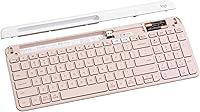
- USB Receiver: The included Bolt-compatible 2.4GHz USB-A nano receiver provides a stable, low-latency connection as an alternative to Bluetooth.
- Backlighting: The keyboard has no backlighting; keys are not illuminated in any mode, which may limit use in low-light settings.
- Manufacturer: Made by Logitech, a Swiss-American peripheral brand known for broadly compatible, reliability-focused input devices.
- Model Number: The official model number is 920-011477, sold under the Slim Multi-Device Wireless Keyboard Chrome OS Edition series.
Related Reviews
Logitech K580 Slim Multi-Device Wireless Keyboard
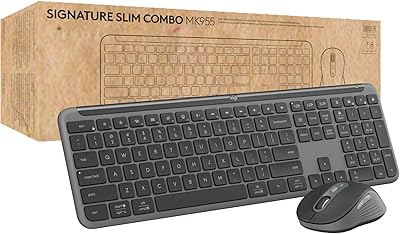
Logitech Signature Slim MK955 for Business
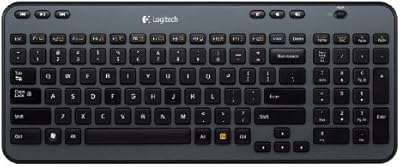
Logitech K360 Wireless Compact Keyboard
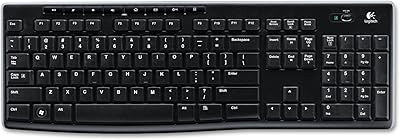
Logitech K270 Wireless Keyboard

Logitech MX Mechanical
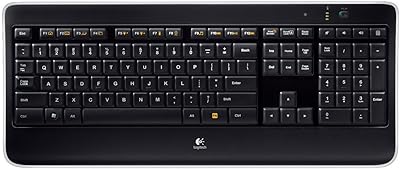
Logitech Wireless Illuminated Keyboard K800
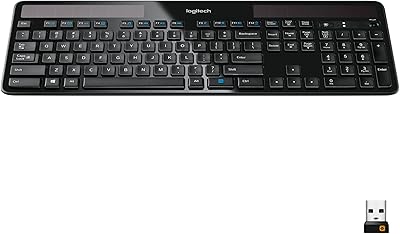
Logitech K750 Wireless Solar Keyboard
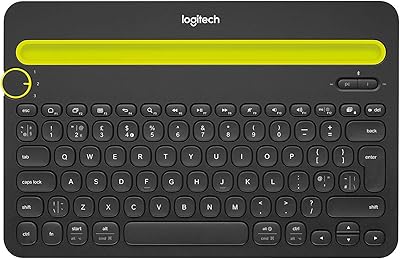
Logitech K480 Multi-Device Bluetooth Keyboard
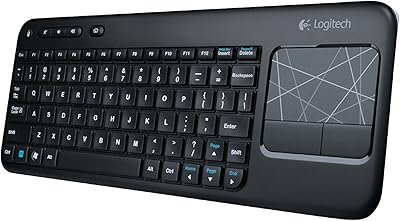
Logitech K400 Wireless Touch Keyboard