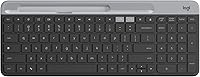
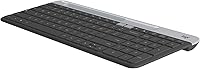
Logitech K580 Slim Multi-Device Wireless Keyboard
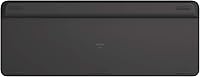

Overview
The Logitech K580 Slim Multi-Device Wireless Keyboard is a low-profile wireless keyboard that punches well above its understated appearance — built primarily for Chrome OS, but genuinely useful across Android, Windows, and iOS devices too. Its graphite finish and slim frame keep things tidy on a crowded desk, while the ability to pair with up to three devices via Bluetooth or a USB nano receiver makes it far more versatile than a single-device peripheral. Powered by two AAA batteries with a claimed 24-month runtime, it's a keyboard that largely disappears from your maintenance routine — which, at its mid-range price, is exactly the point.
Features & Benefits
The K580's most practical trick is its Easy Switch button, a small dedicated key that lets you hop instantly between paired devices without re-pairing or hunting through menus. Working on a Chromebook and want to fire off a quick message from your phone? One tap handles it. The included USB nano receiver means even devices lacking Bluetooth aren't left out. Chrome OS users also get dedicated shortcut keys baked right in — no remapping required. The keyboard itself measures just 0.83 inches tall and weighs 1.5 pounds, so it sits flat and comfortable without commanding too much real estate on a desk.
Best For
This slim wireless keyboard is a natural fit for Chromebook power users who want shortcut keys without customization hassle, but it's just as useful for students or remote workers juggling multiple screens throughout the day. Android tablet users who find on-screen typing tedious will appreciate how effortlessly the K580 pairs and stays connected. Minimalists drawn to clean desk setups will like the low-profile form factor — it doesn't dominate your workspace. And because this is a Logitech product at a reasonable mid-range price, it appeals to buyers who want something dependable without stretching the budget toward flagship territory.
User Feedback
Across nearly 900 ratings, this Logitech keyboard holds a 4.2 out of 5 — respectable, though not flawless. Buyers consistently call out the quiet, smooth keystrokes as a highlight, especially in shared office or library environments. The multi-device switching earns frequent praise for working exactly as advertised. Battery life is another recurring positive, with several users reporting the keyboard lasting well past expectations. The honest downside? No backlighting. If you regularly type in dim rooms, that's a real limitation worth factoring in before buying. A smaller group of non-Chromebook users also find the Chrome OS shortcut row slightly out of place on their setup.
Pros
- Switching between three paired devices takes a single button press — no menus, no re-pairing hassle.
- The K580 works across Chrome OS, Android, and other platforms, making it genuinely multi-ecosystem rather than Chrome-only.
- A claimed 24-month battery life means most users will go well over a year without changing batteries.
- Both Bluetooth and a USB nano receiver are supported, so devices without Bluetooth aren't excluded.
- Chrome OS users get native shortcut keys out of the box — no remapping or driver installs needed.
- Key feel is quiet and smooth, making this Logitech keyboard a comfortable fit for shared offices or libraries.
- The slim 0.83-inch profile keeps desk clutter to a minimum without shrinking the key layout.
- At 1.5 pounds, it's light enough to toss in a bag without adding meaningful bulk to your load.
- A 4.2 out of 5 rating across nearly 900 buyers suggests consistent, dependable real-world performance.
- The mid-range price delivers solid Logitech build quality without requiring a premium-tier investment.
Cons
- No backlighting at all — a hard dealbreaker if you type regularly in low-light conditions.
- Chrome OS shortcut keys feel out of place and go largely unused on Windows or macOS setups.
- The maximum device limit is three, which won't satisfy users with more complex multi-device workflows.
- Low-travel keys may disappoint typists who prefer tactile or clicky feedback from their keyboard.
- No USB-C charging or rechargeable battery — you'll eventually need a run to the store for AAA cells.
- The graphite color is the only available option, which limits choices for users with specific desk aesthetics.
- There is no dedicated numeric keypad, which can be a meaningful gap for spreadsheet-heavy workflows.
- Pairing setup can occasionally require a reset or re-sync, according to a subset of user reports.
Ratings
The Logitech K580 Slim Multi-Device Wireless Keyboard earns a well-rounded but nuanced score profile based on AI analysis of verified global buyer reviews, with spam, bot activity, and incentivized feedback actively filtered out before scoring. The ratings below reflect genuine user experiences — both the aspects that genuinely impressed buyers and the friction points that left some wanting more. No category has been softened or inflated to paint a rosier picture than the real-world evidence supports.
Multi-Device Switching
Battery Life
Typing Experience
Backlighting
Value for Money
Build Quality
Connectivity Reliability
Chrome OS Integration
Cross-Platform Compatibility
Portability
Key Layout & Spacing
Setup & Pairing
Noise Level
Suitable for:
The Logitech K580 Slim Multi-Device Wireless Keyboard is a strong match for anyone who routinely works across multiple devices and wants a single keyboard to handle all of them without the friction of re-pairing. Chromebook users get the most out of it right away, since the Chrome OS shortcut keys work natively without any setup — a small but genuinely useful advantage day-to-day. Students who switch between a tablet for reading and a laptop for writing, or remote workers toggling between a work machine and a personal phone, will find the one-button device switching surprisingly practical. The full-size key layout means you're not sacrificing typing comfort for the slim form factor, and the 24-month battery life suits people who simply don't want to think about their keyboard. If you're after a reliable, low-maintenance peripheral from a well-established brand without spending flagship money, this Logitech keyboard fits that brief well.
Not suitable for:
The Logitech K580 Slim Multi-Device Wireless Keyboard is not the right tool for every buyer, and it's worth being direct about where it falls short. If you frequently type in dim environments — a home office with mood lighting, a late-night study session, or a conference room with the projector running — the complete absence of backlighting will be a genuine daily frustration, not just a minor inconvenience. Dedicated gamers should look elsewhere entirely; the K580 is built for productivity, not low-latency input or programmable macro keys. Power users on Windows or macOS may also find the Chrome OS shortcut row a mild annoyance, since those keys don't map cleanly to non-Chromebook workflows. Those who need to connect more than three devices will hit a hard ceiling with this slim wireless keyboard. And if tactile feedback or a clicky typing feel is important to you, the quiet, low-travel keys here may leave you wanting more.
Specifications
- Brand: This keyboard is manufactured by Logitech, a Swiss-American company with decades of experience in computer peripherals.
- Model: The model designation is K580, part of Logitech's Slim Multi-Device Wireless Keyboard line, first available in February 2020.
- Dimensions: The keyboard measures 14.7″ long by 5.6″ wide by 0.83″ tall, giving it a slim, desk-friendly footprint.
- Weight: It weighs 1.5 pounds, light enough for portability without feeling flimsy on a desk surface.
- Connectivity: The K580 connects via Bluetooth or an included USB nano receiver, giving users two distinct wireless options.
- Paired Devices: Up to three devices can be paired simultaneously, with instant switching handled by a dedicated Easy Switch button.
- Battery Type: The keyboard is powered by two AAA batteries, which are included in the box at purchase.
- Battery Life: Logitech rates the battery life at up to 24 months under typical usage conditions, reducing the need for frequent replacements.
- Compatible OS: Officially supported operating systems include Chrome OS and Android 5.0 or later, with broader functional compatibility across Windows and iOS.
- Key Layout: The K580 features a full-size key layout with a slim, low-travel key profile optimized for quiet, efficient typing.
- Backlighting: There is no keyboard backlighting of any kind; the keys are not illuminated in low-light environments.
- Color: The keyboard is available in a single color option: Graphite, a dark neutral finish suited to most desk setups.
- Device Switching: A physical Easy Switch button on the keyboard cycles between paired devices instantly without navigating any software menus.
- Power Source: The keyboard is entirely battery-powered with no option for USB charging or a wired power connection.
- Shortcut Keys: Chrome OS-specific shortcut keys are built into the top row, enabling native Chromebook functions without remapping or third-party software.
Related Reviews
Logitech K585 Slim Wireless Keyboard
Logitech K780 Multi-Device Wireless Keyboard
Logitech K380 Pebble Bluetooth Keyboard
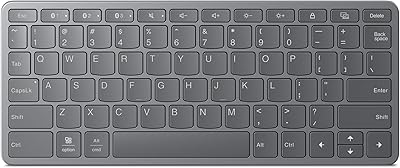
Lenovo Multi-Device Wireless Keyboard ZG38C05810
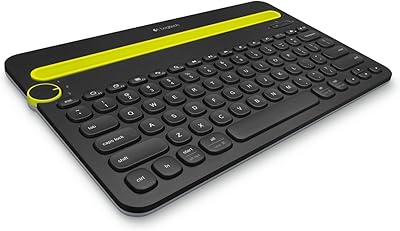
Logitech K480 Bluetooth Multi-Device Keyboard
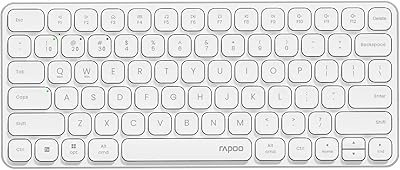
Rapoo E9050L Wireless Keyboard
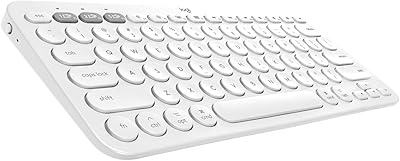
Logitech K380 Bluetooth Keyboard for Mac
Bnnwa Multi-Device Bluetooth Keyboard with Touchpad
Logitech Signature Slim MK955 for Business