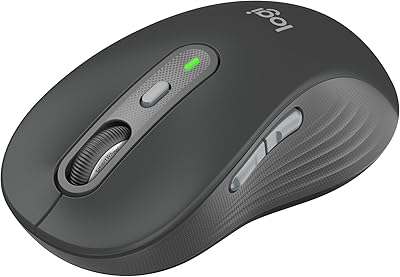
Logitech Signature Slim MK955 for Business



Overview
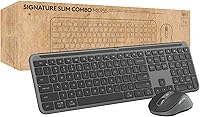
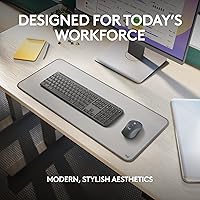
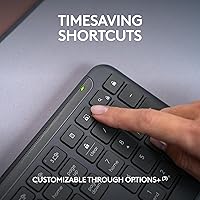
The Logitech Signature Slim MK955 for Business is built with a clear purpose: to give IT-managed offices and shared workspaces a clean, low-profile alternative to the chunky peripherals that have dominated corporate desks for years. The slim, laptop-style design is intentional — it suits environments where aesthetics and desk space both matter. Wireless connectivity comes in two distinct forms: Logi Bolt via USB receiver for IT-controlled deployments, and standard Bluetooth for personal pairing. Windows, macOS, ChromeOS, and Linux users are all fully supported, which broadens its practical appeal considerably. This is a mid-to-premium combo that aims for well-rounded reliability rather than enthusiast-grade performance.
Features & Benefits
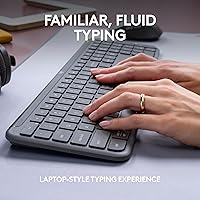
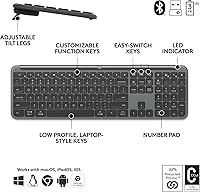
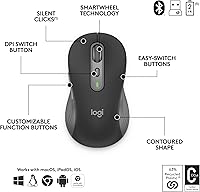
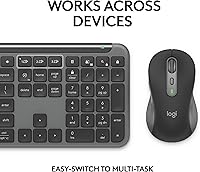
The keyboard uses low-profile scissor switches with a subtle key scoop that feels immediately familiar to anyone who types on a laptop — there is genuinely no adjustment period. The Logi Bolt receiver connects via BLE with Secure Connections Only Mode enabled, a meaningful distinction from standard Bluetooth that lacks managed security controls. The mouse's SmartWheel automatically shifts between precise line-by-line scrolling and fast free-spin mode depending on how you flick it. An Easy-Switch button cycles across up to three paired devices, useful for hot-desk or hybrid setups. The combo is notably quiet; Silent Touch technology cuts click noise significantly, and tilt legs offer +4° or +8° keyboard angle adjustment, though no palm rest is included.
Best For
This business keyboard-and-mouse combo makes the most sense for corporate IT teams deploying peripherals at scale — the Logi Bolt receiver supports managed rollouts in ways that standard Bluetooth simply cannot match. Touch typists who prefer a flat, low-travel feel will adapt quickly, especially those already used to typing on a MacBook or business ultrabook. Hybrid workers switching between a company machine and a personal device throughout the day will find three-device pairing genuinely practical. It also works well in open-plan offices where noise discipline matters. Mac and Windows users who want one combo that works natively across both platforms, without driver frustrations, will appreciate the broad and consistent OS support.
User Feedback
Early buyers — around 179 ratings at the time of writing — give the MK955 set a solid 4.6 out of 5, a promising signal for a product still accumulating its review base. Consistent praise points to clean aesthetics, reliable wireless connection, and the noticeably quieter click experience in practice. Criticism, when it surfaces, tends to cluster around two issues: the mouse can feel cramped for users with larger hands, and there is no palm rest included at any angle setting. That second point deserves direct attention — anyone requiring wrist support for extended typing should budget for a separate rest. Battery life reports have been largely positive across early adopters.
Pros
- Logi Bolt delivers encrypted, IT-manageable wireless connectivity that standard Bluetooth combos cannot offer.
- Low-profile keys feel instantly familiar to anyone who types daily on a business laptop or MacBook.
- Three-device Easy-Switch pairing is genuinely practical for hot-desk and hybrid work routines.
- Silent Touch technology makes the mouse clicks noticeably quieter in shared or open-plan spaces.
- Native support for Windows, macOS, ChromeOS, and Linux removes cross-platform headaches entirely.
- SmartWheel scrolling adapts automatically between precise and fast modes without manual toggling.
- The slim graphite design fits cleanly on modern desks without the visual clutter of bulkier office peripherals.
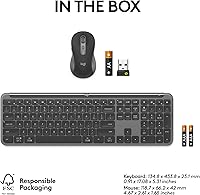
- Batteries are included out of the box, so the combo is fully ready to use from the moment it arrives.
- Wireless range of up to 10 meters keeps the connection stable even in larger or reconfigured office layouts.
Cons
- No palm rest is included, which is a real gap for users who type for long stretches during the workday.
- The mouse body feels compact and can cause hand fatigue for users with medium-to-large hand sizes.
- Only two tilt-angle settings give minimal ergonomic flexibility compared to more adjustable alternatives.
- The mouse plastic feels noticeably lighter and less substantial than the keyboard, creating a mismatched feel.
- Logi Bolt and Bluetooth setup steps are not clearly distinguished in the included documentation.
- Linux users may need a Windows machine to apply Logi Bolt firmware updates, which is an awkward dependency.
- Fast or forceful typists may find themselves bottoming out the low-profile keys more firmly than expected.
- The free-spin scroll threshold on the SmartWheel can feel inconsistent until users calibrate their flick force.
- Available in graphite only, limiting options for buyers trying to coordinate with a specific desk color scheme.
- The review pool is still relatively small, so long-term durability patterns are not yet well established.
Ratings
The Logitech Signature Slim MK955 for Business earns its strong reputation through consistent performance across a wide range of real office environments, and these scores reflect that — built by AI after analyzing verified buyer reviews worldwide, with spam, bot-generated, and incentivized feedback actively filtered out. The MK955 set scores well in the areas that matter most to daily office users, but the ratings also surface a few honest pain points that buyers should weigh before committing. Strengths and shortcomings are given equal weight here, so the picture you get is the complete one.
Typing Experience
Mouse Comfort & Ergonomics
Wireless Reliability
Security Features
Multi-Device Switching
Noise Level
SmartWheel Scrolling
Build Quality
Cross-Platform Compatibility
Battery Life
Keyboard Adjustability
Design & Aesthetics
Ease of Setup
Value for Money
Suitable for:
The Logitech Signature Slim MK955 for Business is purpose-built for corporate and hybrid work environments where both security and desk aesthetics matter — it is not trying to be everything to everyone, and that focus is actually a strength. IT administrators managing peripheral rollouts across shared offices will find the Logi Bolt receiver genuinely useful, since it supports managed, encrypted wireless connections that standard Bluetooth combos simply cannot match at the policy level. Touch typists who already feel at home on a laptop keyboard will adapt to the low-profile keys almost immediately, making this a natural fit for employees who split their time between a notebook and a docked workstation setup. Hybrid workers who regularly switch between a work-issued laptop, a personal machine, and a tablet at the same desk will get real daily value from the three-device Easy-Switch functionality. People working in open-plan offices or alongside light sleepers and call-sensitive colleagues will also benefit from the noticeably quieter click profile, which reduces ambient noise without requiring any behavioral adjustment.
Not suitable for:
Buyers who prioritize long-session ergonomic comfort should approach the MK955 set with caution — there is no palm rest included, and the tilt-leg range is modest, which means anyone already managing wrist fatigue or repetitive strain discomfort will likely need to budget for a separate accessory. Users with larger hands have consistently flagged the mouse body as cramped during extended use, so if you typically prefer a full-grip or larger-palm mouse, this combo's mouse component will likely frustrate you over time. Enthusiast typists who want deep key travel, tactile bump, or mechanical-switch feedback will find the low-profile scissor switches underwhelming — this keyboard is designed for quiet familiarity, not for typing performance as a priority. Home-office solo users who have no need for IT-grade security or multi-device switching may also find the price harder to justify when consumer-tier combos at a lower price point offer comparable typing comfort and wireless stability. Finally, anyone expecting a single-color option to match a specific desk aesthetic should know that graphite is currently the only available finish.
Specifications
- Form Factor: Full-size keyboard with low-profile scissor-switch keys and a subtle key scoop designed to mimic laptop-style typing.
- Dimensions: The combo measures 17.71 x 5.9 x 2.4 inches overall and weighs 2.44 pounds as a complete set.
- Connectivity: Supports both Logi Bolt USB receiver (BLE-based, encrypted) and standard Bluetooth wireless pairing simultaneously.
- Wireless Range: Both the keyboard and mouse operate reliably at distances up to 10 meters (approximately 33 feet) from the receiver.
- Multi-Device Support: An Easy-Switch button allows pairing and switching across up to 3 devices without re-pairing each time.
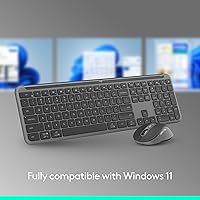
- OS Compatibility: Fully compatible with Windows 10 and 11, macOS 10.15 or later, ChromeOS, and Linux without requiring additional drivers.
- Security Standard: Logi Bolt uses BLE with Secure Connections Only Mode enabled, protecting against wireless eavesdropping in shared or corporate environments.
- Mouse Scrolling: The mouse features SmartWheel technology that automatically switches between precise line-by-line scrolling and high-speed free-spin mode.
- Noise Reduction: Silent Touch technology reduces mouse click noise by approximately 90% compared to standard mouse buttons in the same product tier.
- Tilt Adjustment: The keyboard includes pop-out tilt legs offering two angle positions: +4° and +8° above the flat default.
- Palm Rest: No palm rest is included with the combo; buyers requiring wrist support will need to purchase one separately.
- Power Source: Both the keyboard and mouse are powered by AAA batteries, with two AAA batteries included in the box at purchase.
- Color Option: Available exclusively in Graphite, a dark neutral finish that resists visible smudging on key surfaces under typical office use.
- Release Date: The combo was first made available for purchase in March 2024, making it a relatively recent addition to Logitech's business lineup.
- Keyboard Layout: Full-size layout with a dedicated number pad, function row, and navigation cluster — no keys are omitted for the sake of slimness.
- Model Number: The official Logitech model number is 920-012427, useful for IT procurement, warranty registration, and bulk order matching.
Related Reviews
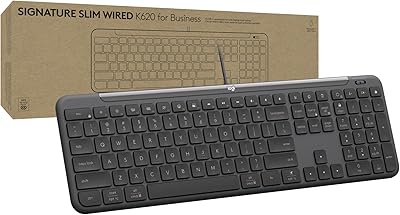
Logitech Signature Slim Wired K620 for Business
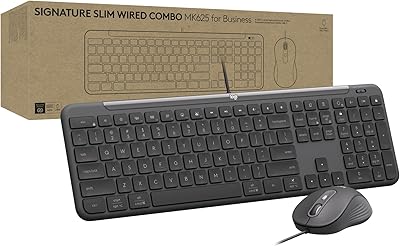
Logitech Signature Slim MK625 Wired Combo
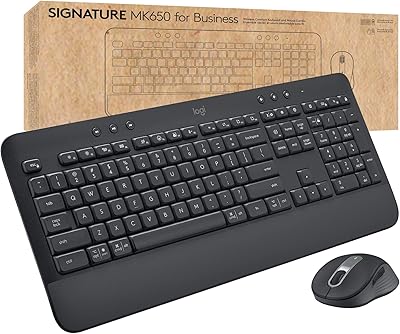
Logitech MK650 for Business
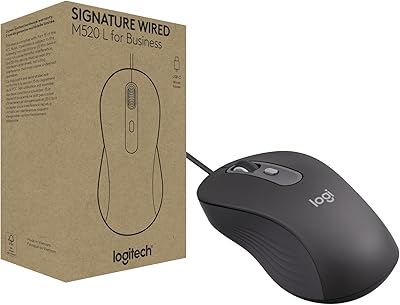
Logitech Signature Wired M520 L for Business
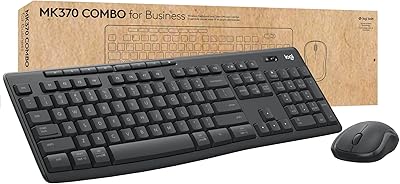
Logitech MK370 Combo for Business
Logitech Slim Bluetooth Combo
Logitech Signature M550 L
Logitech Signature M650 L
Logitech MX Keys Business Gen 2 Combo