Logitech K480 Bluetooth Multi-Device Keyboard


Overview
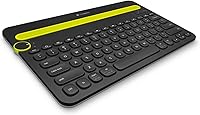
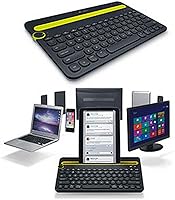
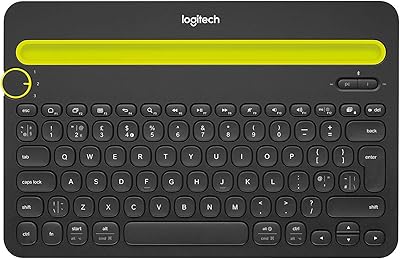
The Logitech K480 Bluetooth Multi-Device Keyboard has been solving a genuinely common desk problem for years: what do you do when you need one keyboard to work across your laptop, tablet, and phone without constantly re-pairing? It sits in a mid-range price bracket where competition is fierce, yet it has stayed relevant since 2014 — a sign that it gets the fundamentals right. This is not a keyboard for people who love the feel of typing. It is a utility-first desk tool built for convenience, and it supports practically every major OS and device type you are likely to own.
Features & Benefits
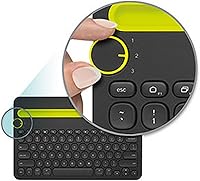
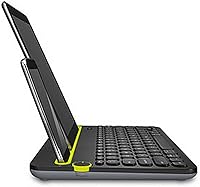
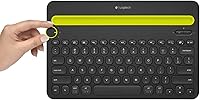
The standout feature is the Easy-Switch dial — a physical knob that cycles between up to three paired Bluetooth devices instantly. No diving into settings, no re-pairing rituals. There is also a built-in cradle that props up phones and tablets at a comfortable reading angle while you type; it fits devices up to 10 inches wide and about 0.4 inches thick, so very slim phones can sit a little loosely. The tenkeyless layout keeps your mouse arm closer to your body, and the two-year battery life on a pair of AAA cells is genuinely impressive for a wireless peripheral at this price.
Best For
This multi-device keyboard works best for people whose daily workflow hops across devices — the remote worker who drafts emails on a laptop, approves messages from a tablet, and replies to texts on a phone, all from the same desk. iPad and Android tablet users who want a real keyboard without committing to a case-keyboard combo will find it particularly practical. Light everyday typists will get more mileage here than writers who care deeply about key travel and responsiveness. It is also a smart pick for anyone building a minimal desk setup on a reasonable budget, without needing USB dongles.
User Feedback
Across thousands of reviews, the K480 earns its 4.3-star rating fairly. The dial switching mechanism is consistently the most praised feature — owners love that it just works, every time, without fuss. Battery longevity also holds up in practice, with many reporting the included cells lasting well over a year. On the flip side, the most common gripe is shallow key travel; anyone used to a tactile or mechanical keyboard will notice the difference right away. Some find the cradle slightly loose for thinner phones, and a handful flag that the keyboard is heavier than expected, which matters if portability was part of the appeal.
Pros
- The physical dial switches between three paired Bluetooth devices instantly, with no re-pairing required.
- Supports virtually every major OS including Windows, macOS, Chrome OS, Android, iOS, and iPadOS.
- Battery life regularly matches Logitech's two-year claim, making it one less thing to think about.
- The built-in cradle props up a tablet or phone at a natural reading angle while you type.
- Spill-resistant construction adds meaningful durability for kitchen tables and busy desks.
- Tenkeyless layout positions the mouse closer to the body, reducing shoulder and arm strain over long sessions.
- No USB dongle needed — pure Bluetooth keeps the setup clean and works on devices with no spare ports.
- A battery indicator light warns you before power runs out, avoiding unexpected dead-keyboard moments.
- Over a decade on the market with consistently strong user ratings signals a genuinely reliable product.
- The wireless range of over 10 meters gives flexibility to connect devices from across a room.
Cons
- Key travel is shallow and the typing feel is soft, which will frustrate anyone used to tactile or mechanical keyboards.
- The cradle can feel loose and unstable with thinner smartphones, making it less useful for that use case.
- At nearly two pounds, this Logitech desk keyboard is noticeably heavier than most people expect from a Bluetooth board.
- No number pad means it is a poor fit for anyone doing frequent data entry or spreadsheet work.
- The plastic build quality looks and feels functional rather than premium, which shows at closer inspection.
- No backlit keys makes it harder to use comfortably in dim or dark environments.
- Bluetooth-only connectivity means it cannot work as a wired backup if a pairing issue arises.
- The cradle maximum width of 10 inches may not accommodate some larger tablets in landscape orientation with cases on.
Ratings
The scores below for the Logitech K480 Bluetooth Multi-Device Keyboard were generated by our AI engine after analyzing thousands of verified global purchase reviews, actively filtering out incentivized, duplicate, and bot-generated submissions to surface what real everyday users actually experience. Each category reflects an honest synthesis of both praise and recurring frustrations, so you get a clear picture of where this keyboard genuinely delivers and where it falls short.
Device Switching
Typing Feel
Battery Life
Multi-Device Compatibility
Device Cradle
Build Quality
Portability
Setup & Pairing
Key Layout & Shortcuts
Value for Money
Noise Level
Spill Resistance
Long-Term Reliability
Suitable for:
The Logitech K480 Bluetooth Multi-Device Keyboard was built for people whose daily routine genuinely spans multiple devices — and for that specific group, it is hard to beat at this price. Remote workers who keep a laptop open for work, a tablet propped up for video calls, and a phone nearby for messages will immediately appreciate being able to switch between all three with a single dial turn rather than juggling cables or re-pairing Bluetooth connections. Students working between a personal laptop and a shared tablet will find it equally practical. iPad owners who want a real, lap-free typing experience without paying for a dedicated smart folio case will get solid value here. It also suits people who prefer a clean, minimal desk with fewer peripherals cluttering the surface, since one keyboard effectively covers everything. If your priority is convenience and broad compatibility over premium typing feel, this is a well-proven choice backed by years of consistent user satisfaction.
Not suitable for:
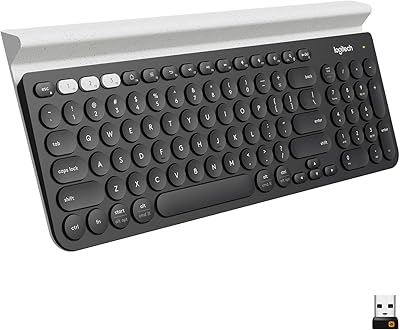
The Logitech K480 Bluetooth Multi-Device Keyboard is a poor fit for anyone who cares deeply about how a keyboard feels under their fingers. Writers, coders, and heavy daily typists who rely on tactile feedback, decent key travel, or a satisfying actuation point will find it underwhelming compared to even a modest mechanical or semi-mechanical board. It is also not a great portable keyboard — at nearly two pounds, it is heavier than many people expect from a Bluetooth peripheral, and it lacks a travel case or foldable design. People with very slim or narrow smartphones may find the integrated cradle holds their device loosely, which undermines one of its more useful features. Anyone who needs a number pad for spreadsheet-heavy work should look at Logitech's own K780 instead, as the K480 is tenkeyless. Finally, buyers expecting a premium build finish will be disappointed — the plastic construction is functional but does not feel high-end.
Specifications
- Brand: Manufactured by Logitech, a Swiss-American peripheral brand with decades of experience in input devices.
- Model: K480, model number 920-006342, first available in September 2014 and still actively sold.
- Connectivity: Bluetooth wireless connection supporting up to 3 paired devices simultaneously, with no USB dongle required.
- Wireless Range: Operates reliably at distances of over 10 meters between the keyboard and paired device.
- Dimensions: The keyboard measures 12.2″ in length, 7.91″ in width, and 1.61″ in height.
- Weight: Weighs 1.81 pounds, which is on the heavier side for a wireless keyboard in this category.
- Power Source: Runs on 2 AAA batteries with an estimated lifespan of up to 24 months under typical usage conditions.
- Battery Indicator: Includes a dedicated battery indicator light that alerts the user when power is running low.
- Compatible OS: Works with Windows 10 and 11, macOS 10.14 or later, Chrome OS, iOS 11 or later, iPadOS 13.1 or later, and Android 7 or later.
- Device Support: Compatible with laptops, desktop PCs, smartphones, and tablets that have external Bluetooth keyboard support enabled.
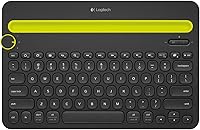
- Layout: Tenkeyless design with dedicated hotkeys and media keys, keeping the overall footprint compact for desk use.
- Material: Housing is constructed from plastic, designed for everyday desk durability rather than premium aesthetics.
- Color: Available in Black as the standard color option for this model.
- Cradle Capacity: Integrated device cradle accommodates phones and tablets up to 0.4 inches thick and up to 10 inches wide.
- Spill Resistance: The keyboard is rated as spill-resistant, offering basic protection against minor liquid accidents during normal desk use.
- Switch Mechanism: A physical Easy-Switch dial on the top-left of the keyboard cycles between the three paired Bluetooth device slots.
Related Reviews
Logitech K380 Bluetooth Keyboard for Mac
Logitech K480 Multi-Device Bluetooth Keyboard
Logitech K780 Multi-Device Wireless Keyboard
Lenovo Multi-Device Wireless Keyboard ZG38C05810
Arteck HB305-2 Bluetooth Keyboard
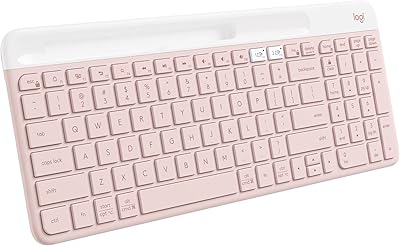
Logitech K585 Slim Wireless Keyboard
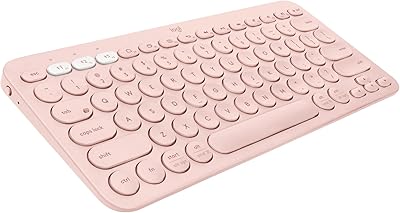
Logitech K380 Pebble Bluetooth Keyboard
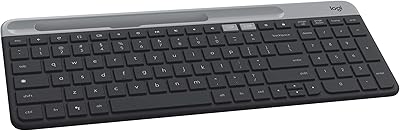
Logitech K580 Slim Multi-Device Wireless Keyboard
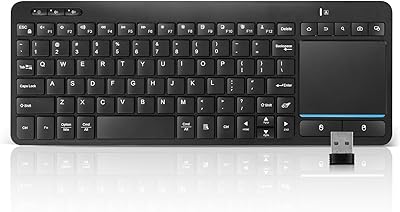
Bnnwa Multi-Device Bluetooth Keyboard with Touchpad