Logitech K380 Pebble Bluetooth Keyboard

Overview
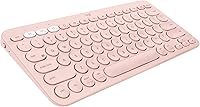
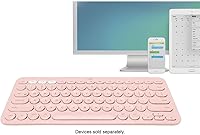
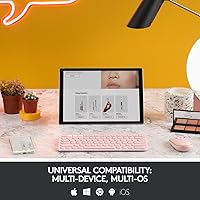
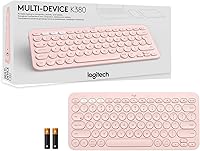
The Logitech K380 Pebble Bluetooth Keyboard is built for people who live across multiple screens — the kind who draft emails on a laptop, answer messages on a phone, and pull up notes on a tablet without thinking twice about it. This compact Bluetooth keyboard also makes a quiet statement with its rose colorway, which feels less like a simple color option and more like a deliberate lifestyle choice for desk setups that prioritize clean, considered design. Set your expectations accordingly, though: this is not a keyboard for mechanical switch enthusiasts. It is a practical productivity tool that sits comfortably in the mid-range, backed by a strong sales record and consistently high user satisfaction.
Features & Benefits
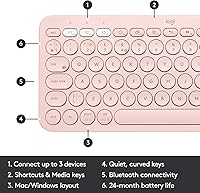
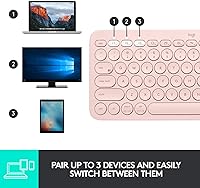
What makes the K380 Pebble genuinely useful day-to-day is its three-device Easy Switch function. Tap a button and you move from your Mac to your iPad to your Android phone — no re-pairing, no menus. That single feature saves more friction than it sounds. The keys themselves are low-profile and scooped, which gives typing a feel close to a decent laptop keyboard — comfortable for moderate workloads, though anyone used to deep-travel mechanical keys will notice the difference right away. The compact footprint, just under 11 inches wide, keeps your arms naturally positioned and reduces shoulder strain over long sessions. Two AAA batteries reportedly last up to two years under typical daily use, though heavy typists may see fewer.
Best For
This multi-device keyboard hits its stride for people who bounce between devices throughout the day — think someone answering messages on a MacBook, then switching to reply on an iPad, then texting from a phone, all without getting up. It is also a strong pick for iPad and iPhone users who want a physical keyboard experience that pairs quickly and holds its connection reliably. Coffee shop regulars, remote workers with compact home offices, and anyone who travels with carry-on only will find it easy to slot into a bag. Students in particular tend to appreciate the quiet key switches. One caveat: if you have large hands, the smaller layout may require a short adjustment period before touch typing feels comfortable again.
User Feedback
Across thousands of reviews, the praise centers on reliable Bluetooth pairing and the keyboard holding up well over years of daily use — durability is something people mention more than you might expect for a product in this category. On the downside, the absence of backlighting is the most consistent complaint, and it is worth taking seriously: low-light environments, whether a dim bedroom or an evening flight, present a real limitation. A subset of users also report occasional pairing lag, though this tends to correlate with specific device combinations rather than a widespread hardware flaw. People with larger hands note the compressed layout takes getting used to, but most report adapting within a week or two.
Pros
- Switches between three paired devices with one button press, no re-pairing needed.
- Works across virtually every major platform: Windows, Mac, iOS, Android, Chrome OS, and Apple TV.
- Key feel is comfortable and laptop-like, well-suited for casual to moderate daily typing.
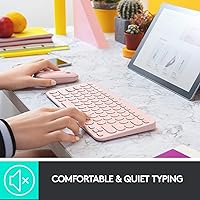
- Quiet keys make it easy to use in shared spaces without disturbing anyone nearby.
- Battery life is impressively long — most users go well over a year before needing replacements.
- Compact enough to slip into a bag without adding meaningful weight to your carry.
- The compact footprint naturally keeps arms closer together, reducing shoulder tension over long sessions.
- Bluetooth connection is reliable and consistent, especially with Apple devices.
- Build quality holds up well over time, with many users reporting years of trouble-free daily use.
- Pre-installed batteries mean you can start using it right out of the box.
Cons
- No backlighting at all, making it a poor choice for dim rooms or night-time use.
- Membrane keys will disappoint anyone accustomed to the tactile feedback of mechanical switches.
- The condensed layout can feel cramped for users with larger hands, with a real adjustment period required.
- Some users report occasional Bluetooth lag, particularly when switching between certain device combinations.
- No USB-C or rechargeable battery option — you will need to keep spare AAA batteries on hand eventually.
- Function and multimedia keys require checking the manual, as labeling on the keys is not always intuitive.
- Paired devices max out at three — users managing four or more screens regularly will hit that ceiling fast.
- No numeric keypad, which can be a genuine limitation for spreadsheet-heavy workflows.
- The auto power-saving mode occasionally causes a brief wake-up delay after the keyboard has been idle.
Ratings
Our AI rating engine analyzed thousands of verified global reviews for the Logitech K380 Pebble Bluetooth Keyboard, actively filtering out incentivized, duplicate, and bot-generated submissions to surface what real everyday users actually experience. The scores below reflect a balanced picture — genuine strengths are recognized, but recurring frustrations and trade-offs are weighted just as transparently. Whether you are considering this multi-device keyboard for a home office setup or travel use, these category scores are designed to help you decide with confidence.
Multi-Device Switching
Bluetooth Reliability
Typing Experience
Portability
Build Quality
Key Noise Level
Battery Life
Cross-Platform Compatibility
Key Layout & Size
Setup & Ease of Use
Desk Footprint
Value for Money
Low-Light Usability
Design & Aesthetics
Suitable for:
The Logitech K380 Pebble Bluetooth Keyboard is a natural fit for anyone who regularly works across more than one device and finds the constant re-pairing dance with other keyboards genuinely frustrating. Remote workers who keep a laptop, tablet, and phone within arm's reach will get the most out of its three-device switching, since moving between them takes a single button press rather than digging through Bluetooth settings. Students who type in shared spaces — libraries, classrooms, coffee shops — will appreciate how quiet the keys are without feeling mushy or unresponsive. iPad users in particular tend to find this keyboard pairs reliably and holds its connection in a way that cheaper Bluetooth options often fail to do. If your desk is already crowded, the slim, compact build genuinely frees up space without forcing you to sacrifice a full QWERTY layout. Travelers and commuters who want a real keyboard that still slips into a backpack without adding much weight will find it checks that box comfortably.
Not suitable for:
The Logitech K380 Pebble Bluetooth Keyboard is not the right choice for anyone who spends long hours typing demanding volumes of text and expects a satisfying, tactile keystroke — the low-profile membrane keys work well for moderate use, but dedicated writers or coders who prefer mechanical switches will find the experience underwhelming. Anyone who regularly works in dim environments or after dark should look elsewhere: there is no backlighting at all, and that is a fixed limitation, not a minor inconvenience. Users with larger hands may find the condensed key spacing genuinely uncomfortable rather than just a short adjustment, especially if they are touch-typing at speed. Gamers should skip this entirely — it is not built for fast, precise multi-key inputs and lacks the response characteristics that gaming demands. If you only ever use one device and have no need for multi-device switching, the K380 Pebble's defining feature becomes irrelevant, and you could get a better typing experience for the same money elsewhere.
Specifications
- Connectivity: Connects to devices via Bluetooth wireless technology with no USB dongle required.
- Device Pairing: Supports simultaneous pairing with up to three devices, switchable via dedicated Easy Switch buttons.
- Compatible OS: Works with Windows 10 and 11, macOS 10.15 or later, iOS 11 or later, iPadOS 13.4 or later, Android 8 or later, and Chrome OS.
- Supported Platforms: Compatible with PCs, Macs, smartphones, tablets, iPads, iPhones, and Apple TV with external keyboard support.
- Key Type: Low-profile, scooped membrane keys designed to replicate the feel of a standard laptop keyboard.
- Layout: Full QWERTY layout with programmable multimedia function keys across the top row.
- Backlight: No keyboard backlighting is included in any variant of this model.
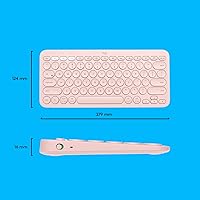
- Dimensions: Measures 11″ in length, 4.9″ in width, and 0.6″ in height.
- Weight: Weighs 14.4 ounces, making it light enough for daily bag carry without noticeable bulk.
- Power Source: Powered by two AAA alkaline batteries, which come pre-installed in the keyboard.
- Battery Life: Logitech rates battery life at up to two years under typical usage conditions with auto power-saving active.
- Power Management: Includes an on/off toggle switch and automatic power-saving mode to extend battery longevity during idle periods.
- Color Option: This variant is available in Rose; other colorways exist within the K380 Pebble series.
- Brand: Manufactured and sold by Logitech, a Swiss-American peripheral company with over four decades of hardware experience.
- Model Series: Part of the K380 Pebble lineup, a series focused on compact, multi-device Bluetooth input devices.
- Item Model Number: The official model number for this unit is 920-009599.
- First Available: This product was first listed for sale in July 2020.
- Frame Durability: The keyboard body uses a durable, impact-resistant plastic frame designed to withstand regular daily handling.
Related Reviews
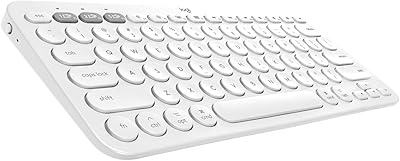
Logitech K380 Bluetooth Keyboard for Mac
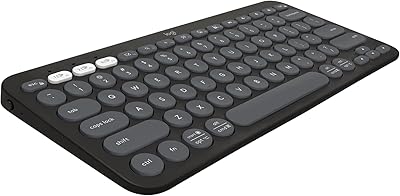
Logitech Pebble Keys 2 K380s
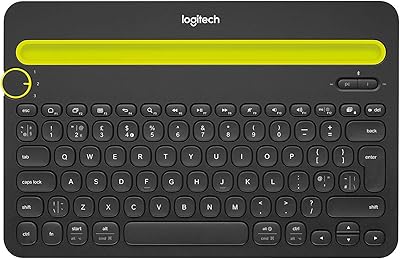
Logitech K480 Multi-Device Bluetooth Keyboard
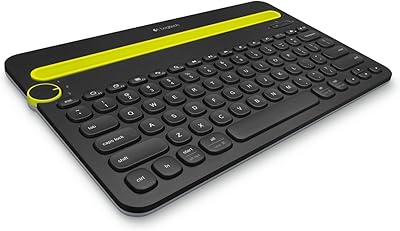
Logitech K480 Bluetooth Multi-Device Keyboard
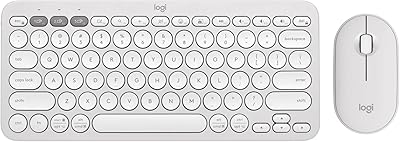
Logitech Pebble 2 Combo Wireless Keyboard Mouse
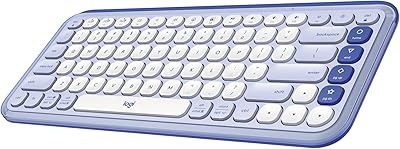
Logitech POP ICON Keys Wireless Keyboard

Logitech MK250

Logitech Pebble M350 Wireless Mouse
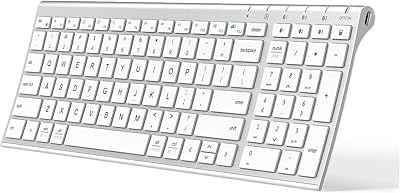
iClever BK10 Bluetooth Keyboard