Logitech Brio 501






Overview
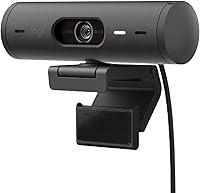
The Logitech Brio 501 sits comfortably in the mid-to-premium tier of Logitech’s webcam lineup, built specifically for remote workers and hybrid office setups rather than full-blown content creation. It competes with comparable USB-C webcams from Razer, Anker, and Logitech’s own budget range, but stands apart through smarter automatic adjustments that reduce the need for constant tinkering. The form factor is impressively compact — just over four inches wide — and clips onto any monitor or laptop lid without fuss. Think of this webcam as a reliable, low-maintenance daily driver, not a studio rig.
Features & Benefits
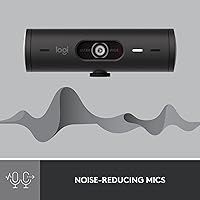
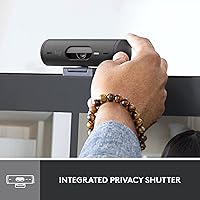
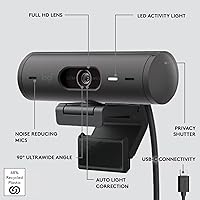
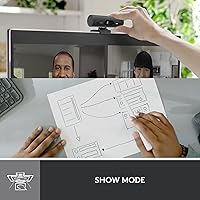
At its core, this webcam delivers 1080p Full HD footage that looks noticeably sharper and more color-accurate than most built-in laptop cameras. The real standout is RightLight 4 — Logitech’s auto light correction technology. If you regularly sit with a window behind you or work in a dim room, it quietly compensates without you adjusting a single setting. RightSight auto-framing keeps you centered when you stand up or step to a whiteboard, which feels natural in practice. Show Mode lets you physically tilt the camera downward to display something on your desk — a contract, a product sample, a sketch. The dual microphones handle typical background noise reasonably well, and the integrated privacy shutter is a proper physical block, not a software toggle.
Best For
This webcam makes the most sense for remote professionals who spend hours daily on calls and want consistent quality without managing camera settings constantly. It’s also a strong pick if your home office lighting is less than ideal — a window directly behind you, dim overhead lights, or inconsistent natural light throughout the day. People who regularly present physical objects during calls will find Show Mode genuinely useful. Nintendo Switch 2 owners get a bonus perk: this webcam supports GameChat mode, making it a practical dual-purpose buy. And if you’re still relying on a laptop’s built-in camera, the quality difference will be immediately noticeable.
User Feedback
Buyers consistently highlight plug-and-play setup as a major plus — most report it working immediately across Teams, Meet, and Zoom with no driver installation required. The lighting correction draws frequent praise from people who previously looked washed out or shadowy on calls. On the critical side, some users note that auto-framing crops too tightly in smaller rooms, occasionally cutting off shoulders or the top of the head. The microphones perform well enough for most calls but won’t replace a dedicated external mic in genuinely noisy environments. Build quality feedback is mostly positive, with the privacy shutter feeling solid rather than flimsy. The general verdict: buyers feel the price-to-value balance holds up well for a daily driver, though bargain hunters may still hesitate.
Pros
- Plug-and-play setup works immediately on Windows and macOS with no driver installation required.
- Auto light correction handles backlit and dim rooms far better than any built-in laptop camera.
- Show Mode lets you tilt the lens downward with one hand to present desk items during live calls.
- The integrated privacy shutter is a physical block, not a software toggle, which actually means something.
- Auto-framing keeps you centered when you stand up or move without touching the camera.
- 1080p output looks noticeably sharper and more color-accurate than typical built-in webcams.
- Compatible out of the box with Teams, Zoom, and Google Meet without any extra configuration.
- The compact clip design mounts securely on monitors and laptop lids without wobbling.
- Nintendo Switch 2 GameChat support makes it a practical dual-purpose buy for work-and-play households.
- Buyers with genuinely difficult lighting setups consistently report this webcam solves a long-standing daily frustration.
Cons
- Auto-framing can over-crop in small rooms, cutting off the top of your head or your shoulders.
- Microphones let through keyboard noise, fan hum, and nearby voices in anything but a quiet room.
- No tripod thread or desk stand is included, limiting placement options beyond monitor mounting.
- The all-plastic build does not feel particularly premium relative to the price being charged.
- Logi Tune software settings occasionally fail to persist after system restarts or app updates.
- Very dark rooms still produce visible noise even with light correction active.
- USB-C only connectivity requires an adapter or hub for users with older or limited-port setups.
- Auto-framing has been reported to toggle itself back on after software updates, frustrating users who prefer fixed framing.
- The clip can feel mildly unstable on ultrawide curved monitors, particularly near the edges.
- Budget-conscious shoppers will find capable 1080p alternatives at a notably lower price point.
Ratings
The Logitech Brio 501 has been evaluated by our AI rating system after processing hundreds of verified global buyer reviews, with spam, bot activity, and incentivized feedback actively filtered out. The scores below reflect a transparent picture of where this webcam genuinely delivers and where real users have run into frustrations. Both the strengths and the recurring pain points are represented as honestly as possible.
Video Quality
Auto Light Correction
Auto-Framing (RightSight)
Microphone Performance
Show Mode
Privacy Shutter
Setup & Compatibility
Build Quality & Design
Value for Money
Mounting & Physical Flexibility
Software & App Integration
Low-Light Performance
Nintendo Switch 2 GameChat Compatibility
Suitable for:
The Logitech Brio 501 is a strong fit for remote workers and hybrid employees who spend the bulk of their day on video calls and want a camera that just works without babysitting settings. If your home office has awkward lighting — a window behind you, inconsistent natural light, or dim overhead fixtures — the automatic light correction will solve a real, daily frustration without any manual adjustment. People who regularly present physical materials during calls, like contracts, product samples, or hand-drawn sketches, will find the Show Mode tilt genuinely useful rather than gimmicky. It is also a very practical first step for anyone still relying on a laptop’s built-in camera who wants a meaningful quality upgrade without dealing with drivers, software setup, or complicated configurations. As a secondary bonus, Nintendo Switch 2 owners who want a dedicated webcam for GameChat get a ready-to-use option that doubles as a work camera throughout the week.
Not suitable for:
Buyers expecting the Logitech Brio 501 to function as a content creation or streaming camera will likely find it underwhelming, as it tops out at 1080p and lacks the manual control depth that streamers and video producers typically need. If you work in a genuinely noisy environment — a busy open-plan office, a shared home space with kids and background activity — the built-in microphones will not reliably isolate your voice, and a dedicated external microphone will almost certainly still be necessary. Users who prefer total manual control over exposure, framing, and white balance may find the automatic adjustments more intrusive than helpful, particularly the auto-framing which some users choose to disable entirely. Anyone shopping primarily on price and comparing against capable budget webcams will find the value proposition harder to justify unless the specific feature set — particularly the light correction and Show Mode — directly addresses a pain point they already experience. Finally, buyers with USB-A only setups will need a separate adapter, which adds friction to what is otherwise a plug-and-play experience.
Specifications
- Resolution: The webcam captures video at Full HD 1080p, delivering clear, detailed footage suitable for professional video calls and presentations.
- Sensor: A CMOS image sensor handles light capture, providing accurate color reproduction and reasonable performance across a range of lighting conditions.
- Connectivity: The webcam connects via a USB-C cable, which is permanently attached and requires no separate driver installation on modern operating systems.
- Dimensions: The unit measures 1.24 x 4.33 x 1.24 inches, making it compact enough to sit unobtrusively on top of most monitors or laptop lids.
- Weight: At 4.3 ounces, the webcam is light enough that the clip mount holds it securely without placing meaningful stress on monitor bezels.
- Light Correction: RightLight 4 technology automatically adjusts exposure and color balance to compensate for backlit, dim, or mixed lighting environments in real time.
- Auto-Framing: RightSight auto-framing uses software-based subject detection to keep the user centered in the frame when standing or moving during calls.
- Microphones: Two built-in noise-reduction microphones are designed to filter background sounds and improve voice clarity during calls in moderately noisy environments.
- Privacy Shutter: An integrated rotating privacy cover physically blocks the camera lens entirely when closed, providing a hardware-level privacy solution between meetings.
- Show Mode: The camera can be manually tilted downward with one hand to point at desk-level objects, documents, or materials during a live call.
- Compatible Platforms: The webcam is certified for use with Microsoft Teams, Google Meet, and Zoom, and works with any platform that recognizes a standard USB webcam.
- OS Compatibility: The webcam is plug-and-play compatible with Windows 10 or later and macOS 10.14 or later, with no driver installation required for basic use.
- Gaming Support: The webcam is compatible with Nintendo Switch 2’s GameChat mode, allowing it to function as a dedicated video chat camera for that platform.
- Frame Rate: The camera records and streams at up to 30 frames per second at 1080p resolution, which is standard for professional video call applications.
- Field of View: The lens provides an approximately 90-degree diagonal field of view, which is wide enough to frame a single user comfortably in most desk setups.
- Mount Type: The webcam includes a universal clip mount designed to attach to flat-panel monitors, laptop lids, and similarly thin-edged display bezels.
- Software Support: Logitech’s optional Logi Tune desktop application provides additional manual controls for exposure, white balance, field of view, and framing preferences.
- Seller Rating: The webcam holds a 4.4 out of 5 rating based on over 1,000 verified buyer ratings and ranks among the top 25 webcams on its primary retail platform.
Related Reviews
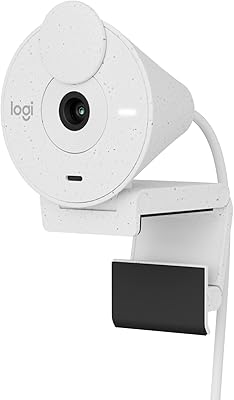
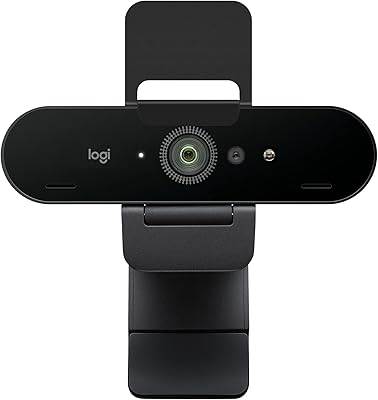
Logitech BRIO Stream Webcam
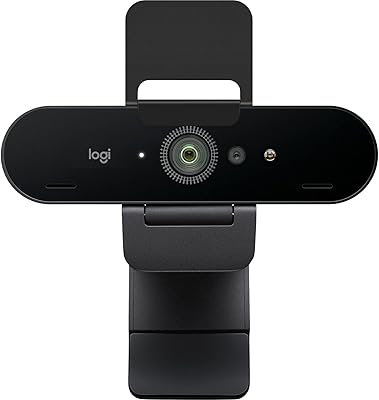
Logitech Brio 4K Pro Webcam
Logitech Brio 500 Full HD Webcam
Logitech Brio 505
Logitech Brio 101

Logitech Wireless Touchpad

Logitech ERGO K860

Logitech X-530
