


Overview
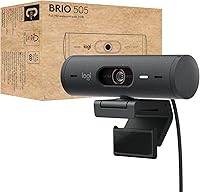
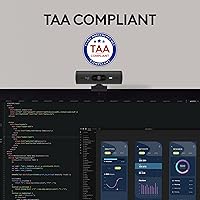
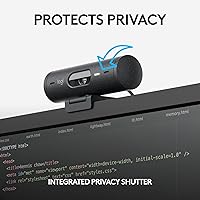
The Logitech Brio 505 arrived in early 2023 as a business-focused webcam built for the realities of hybrid work — not streaming studios or content creation. It connects via USB-C and works straight out of the box with Teams, Zoom, and Google Meet without any driver setup. For organizations operating under TAA compliance requirements, that certification alone makes this webcam worth a serious look. It is also constructed with a minimum of 59% post-consumer recycled plastic, which matters to procurement teams with sustainability targets to hit. Practical, certified, and built to deploy at scale.
Features & Benefits
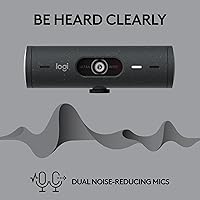
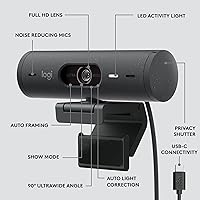
At its core, this webcam delivers clean 1080p Full HD video with built-in automatic light correction — genuinely useful when your office has overhead lighting that tends to wash out faces. Auto-framing keeps you centered as you move around, something standing desk users will appreciate during long calls. Show Mode lets you tilt the camera downward to display documents or physical objects to call participants. The dual noise-reduction microphones handle typical office ambient noise well enough that most users won't need a separate mic. For IT teams, remote management through Logi Tune and Logitech Sync means firmware updates can be pushed without touching each device individually.
Best For
This Logitech camera is a strong fit for remote professionals who spend several hours a day on video calls and want something that simply works without ongoing tinkering. It suits IT administrators managing multiple devices across a hybrid workforce particularly well, since the centralized management tools cut per-device maintenance time considerably. Anyone operating under TAA requirements — government contractors, federal staff — will find the compliance certification removes a procurement headache entirely. It also makes a real difference for people stuck with poor laptop cameras in rooms with dim or uneven lighting. This webcam is not aimed at streamers; it is built for the business user who values reliability over advanced customization.
User Feedback
With a 4.1 out of 5 rating across nearly 90 reviews, the Brio 505 earns consistent praise for its easy setup and how reliably the auto-light correction handles challenging environments. Auto-framing gets positive mentions from solo users, though some note it can struggle with quick or sudden movement. The microphones draw mixed reactions — adequate for calls, but anyone expecting broadcast-level clarity will be disappointed. A recurring criticism is that unlocking advanced settings requires the Logi Tune app, which some users find unnecessary for a straightforward piece of hardware. On balance, buyers seem satisfied with what this webcam delivers day to day, as long as expectations match a mid-range business tool.
Pros
- Automatic light correction genuinely helps in backlit or harshly lit rooms without any manual adjustment.
- Plug-and-play USB-C setup works instantly across Windows, macOS, and ChromeOS — no drivers needed.
- Physical privacy shutter gives real peace of mind, not just a software toggle that could theoretically be bypassed.
- Auto-framing keeps solo users centered during calls, which is handy for standing desk setups.
- TAA compliance makes procurement straightforward for government and federal contracting environments.
- Show Mode lets you tilt the camera down to display physical documents or objects during live calls.
- Certified for Teams, Zoom, and Google Meet with no platform-specific quirks or compatibility issues.
- Logitech Sync enables remote firmware updates, reducing per-device IT management time in larger deployments.
- Compact and lightweight enough to pack for travel without adding noticeable bulk to a bag.
- Built with a majority of post-consumer recycled plastic, which supports organizational sustainability reporting.
Cons
- The non-detachable USB-C cable makes clean cable management trickier on organized desks.
- Advanced settings like field-of-view adjustments require installing Logi Tune, which some users find unnecessary.
- Auto-framing struggles with fast or sudden movement, which can look jarring to other call participants.
- Microphone noise reduction introduces audible artifacts in louder environments rather than cleanly filtering sound.
- The privacy shutter feels less sturdy than the rest of the build and may loosen with heavy daily use.
- Logi Tune has received user complaints about slow startup times and inconsistent settings retention.
- Image can appear slightly grainy in very low-light conditions despite the auto correction attempting to compensate.
- The cable length is on the shorter side, which limits placement flexibility depending on desk configuration.
- Value proposition weakens for individual buyers who do not need TAA compliance or remote management tools.
- Auto-framing performance drops when more than one person enters the frame unexpectedly.
Ratings
The Logitech Brio 505 scores are generated by our AI engine after analyzing verified buyer reviews from global markets, with spam, bot-submitted, and incentivized feedback actively filtered out. The result is an honest snapshot of how this webcam performs for real remote professionals and IT teams — strengths and frustrations included.
Image Quality
Auto Light Correction
Auto-Framing
Microphone Performance
Privacy Shutter
Build Quality
Setup & Plug-and-Play Experience
Software & Remote Management
Compatibility
TAA Compliance
Show Mode
Value for Money
Portability & Form Factor
Suitable for:
The Logitech Brio 505 is built for people who spend a meaningful portion of their workday on video calls and want a camera that handles itself without constant attention. Remote professionals working from home offices — especially those dealing with inconsistent natural light, backlit windows, or harsh overhead lighting — will get the most obvious day-to-day benefit from the automatic light correction. IT administrators deploying webcams across hybrid teams will appreciate the centralized firmware and settings management, which cuts the overhead of touching each device individually. Government contractors and others operating under TAA procurement requirements will find the compliance certification removes what is often a time-consuming sourcing obstacle. It is also a practical upgrade for anyone still relying on a built-in laptop camera who wants noticeably better image quality without needing to configure anything.
Not suitable for:
The Logitech Brio 505 is not the right choice for content creators, streamers, or anyone who needs broadcast-quality video or audio from a single device. At 1080p, it does not compete with 4K webcams in raw image resolution, and buyers who prioritize sharp detail over convenience will likely find it underwhelming compared to pricier alternatives. The built-in microphones are adequate for routine video calls but will disappoint anyone who records voiceovers, podcasts, or client presentations where audio clarity matters. Users who want full manual control over camera settings without installing third-party software will find the dependency on Logi Tune frustrating. And if you are a solo home user who simply wants the best image quality for the money and has no need for TAA compliance or fleet management, there are competing options in the same price range worth comparing before committing.
Specifications
- Resolution: The camera captures video at 1080p Full HD, delivering clear and detailed image quality suitable for professional video calls.
- Connection: It connects via a built-in USB-C cable, offering plug-and-play functionality without requiring any driver installation.
- Light Correction: An automatic light correction system adjusts exposure in real time to compensate for backlit windows, overhead lighting, and other uneven conditions.
- Auto-Framing: The webcam uses software-based auto-framing to keep a single user centered in the frame as they move or shift position during calls.
- Show Mode: The camera mount allows the lens to be tilted downward toward a desk surface so users can display physical documents or objects to call participants.
- Microphones: Two built-in microphones with noise reduction work to filter ambient background sound during calls without requiring an external audio device.
- Privacy Shutter: An integrated mechanical shutter physically covers the lens when slid closed, providing a hardware-level privacy block independent of any software.
- Certifications: The Brio 505 is certified for use with Microsoft Teams, Zoom, and Google Meet, ensuring tested compatibility with all three major platforms.
- TAA Compliance: This webcam meets Trade Agreements Act requirements, making it eligible for use in U.S. government and federally regulated procurement environments.
- OS Support: It is compatible with Windows, macOS, and ChromeOS, and works across other platforms that support standard USB video class drivers.
- Management Software: Logitech Sync enables remote firmware and settings management for IT administrators, while Logi Tune provides per-user customization controls.
- Recycled Content: The housing is manufactured using a minimum of 59% post-consumer recycled plastic, and the product ships in FSC-certified packaging.
- Dimensions: The camera body measures 1.2 x 4.3 x 1.2 inches, making it compact enough to fit on most monitors and laptop lids without obstructing the screen.
- Weight: The unit weighs 4.2 ounces, light enough to travel without adding significant bulk to a laptop bag or backpack.
- Mount Type: The Brio 505 includes a universal clip mount designed to attach securely to monitor bezels, laptop lids, and flat-top display screens.
- Cable Type: The USB-C cable is permanently attached to the camera body and is not detachable or replaceable by the user.
- Frame Rate: The camera supports up to 30 frames per second at 1080p resolution, which is standard for business video conferencing applications.
- Warranty: Logitech provides a two-year limited hardware warranty covering manufacturing defects under normal use conditions.
Related Reviews
Logitech BRIO Stream Webcam
Logitech Brio 4K Pro Webcam
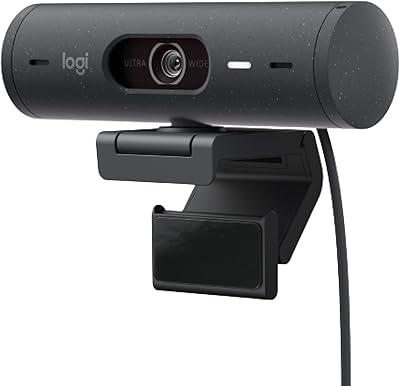
Logitech Brio 500 Full HD Webcam
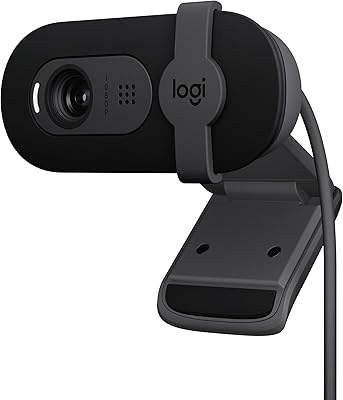
Logitech Brio 101
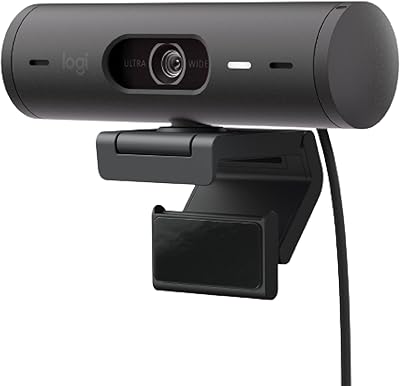
Logitech Brio 501

Logitech POP Mouse

Logitech ERGO K860

Logitech Wireless Touchpad
