Overview

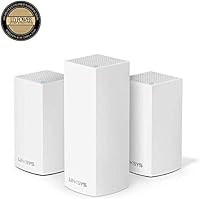
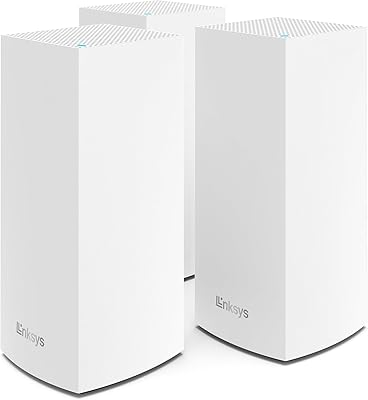
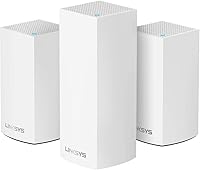
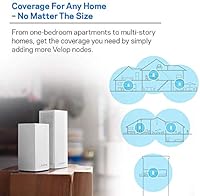
The Linksys Velop WHW0203 3-Pack Mesh Wi-Fi System is a hybrid bundle that pairs one tri-band node with two dual-band satellites, built to push reliable coverage through large, multi-story homes where a single router simply can't reach. It plugs into any modem from any ISP, replacing your existing router entirely. Launched in 2018, it sits in the middle of Linksys's Velop lineup — not the cheapest option, but priced well below today's premium Wi-Fi 6 competitors. If your expectations are calibrated accordingly, this mesh system offers solid whole-home coverage without requiring you to spend significantly more for features many households won't fully use.
Features & Benefits

The architecture here is worth understanding before buying. The tri-band primary node uses its third radio band as a dedicated communication channel back to your modem — think of it as a private highway between nodes, rather than sharing the same lanes your devices use. This keeps speeds from collapsing under load. Node placement matters enormously though; Linksys claims coverage up to 5,000 square feet, but concrete floors or thick walls will shrink real-world range. Setup runs through the Linksys mobile app, which is genuinely approachable for non-technical users — parental controls, device management, and a single network name across all nodes are handled there. WPS support and compatibility with other Velop hardware mean you can expand later without starting from scratch.

Best For

This mesh system is a strong fit for anyone dealing with dead zones in a four-to-six bedroom or multi-story home who isn't ready to pay a premium for Wi-Fi 6. Families juggling smart TVs, gaming consoles, laptops, and a handful of smart home devices will find the multi-device performance reliable without requiring manual configuration. It's also a genuinely good pick for people who dread setting up network hardware — the app makes it hard to get wrong. Existing Velop owners can drop these nodes into their current setup without compatibility headaches. Where it won't shine: bandwidth-hungry households with gigabit internet plans who want to extract every megabit from their connection.

User Feedback

Across nearly 580 ratings, the Linksys Velop 3-pack holds a 4.3 out of 5 — a score that reflects genuinely satisfied buyers rather than inflated enthusiasm. The most consistent praise centers on dead zone elimination and how much easier the app-guided setup is compared to traditional routers. Honest criticism surfaces too: a number of users report that speed on the dual-band satellite nodes drops noticeably at longer range, and some have flagged the companion app behaving erratically following firmware updates. Worth noting, several of those negative reviews predate Linksys's more recent firmware pushes, so current performance may differ. Long-term reliability appears solid for most buyers, though a small subset reports inconsistency with certain ISP modem combinations.

Pros

  • Covers up to 5,000 sq ft, making dead zones in large multi-story homes far less common.
  • The dedicated tri-band radio on the primary node keeps device traffic and node communication from competing with each other.
  • App setup is straightforward enough that most users are connected within 30 minutes, no technical background needed.
  • Works with any ISP modem right out of the box — no carrier lock-in or special hardware required.
  • A single network name across all nodes means devices roam automatically without manual switching.
  • Parental controls built into the Linksys app let families manage screen time and content filtering without third-party tools.
  • WPS support simplifies connecting compatible smart home devices quickly.
  • Fully compatible with other Velop nodes, so expanding coverage later is a straightforward add-on rather than a full system swap.
  • Strong community of existing users means troubleshooting help and firmware update history are easy to find online.
  • Holds a 4.3 out of 5 rating across nearly 580 buyers — a reliable signal of consistent real-world satisfaction.

Cons

  • Built on Wi-Fi 5 (802.11ac), so it cannot match the throughput ceiling or efficiency of current Wi-Fi 6 systems.
  • Speed on the dual-band satellite nodes can drop noticeably when they are placed at the far edge of their range.
  • The Linksys app has a history of behaving erratically following firmware updates, frustrating users mid-setup or after a reboot.
  • Advanced network customization options are limited — power users will quickly outgrow the app's feature set.
  • Real-world coverage in homes with thick concrete walls or dense construction may fall well short of the advertised 5,000 sq ft claim.
  • Each node offers minimal Ethernet ports, which can be a bottleneck for wired device setups in a home office.
  • A small but recurring pattern of ISP modem compatibility issues has been flagged by users with certain cable and fiber providers.
  • The system launched in 2018 and, while still functional, it won't receive the kind of long-term software investment newer platforms will.
  • No built-in malware protection or advanced security features beyond basic parental controls.
  • Firmware updates are not always seamless — some users report needing to reboot nodes manually after an update to restore stable performance.

Ratings

The Linksys Velop WHW0203 3-Pack Mesh Wi-Fi System has been scored by our AI after analyzing hundreds of verified global buyer reviews, with spam, bot-generated, and incentivized submissions actively filtered out to reflect genuine ownership experiences. These scores capture what real households — from large families juggling dozens of devices to remote workers on the edge of their router's range — actually encountered day to day. Both the strengths that earned loyal repeat buyers and the friction points that frustrated others are transparently reflected in every category below.

Coverage & Range
78%
22%
For open-plan homes and wood-frame construction, the three-node layout genuinely transforms connectivity — buyers report finally getting solid signal in far bedrooms, garages, and basements where their previous single router gave up entirely. With smart node placement, the system delivers on its large-home promise for most users.
Homes with concrete floors, brick walls, or unusual layouts see coverage shrink noticeably compared to the advertised ceiling. A handful of users in two-story homes with dense construction found the satellite nodes barely extended usable range, requiring very deliberate trial-and-error placement to find the sweet spots.
Wi-Fi Speed Performance
71%
29%
For everyday tasks — streaming 4K content on multiple TVs simultaneously, video calls, casual gaming — this mesh system keeps up without throttling or interruptions that plagued users before switching from a single router. Devices closer to the primary tri-band node consistently report strong throughput.
Users with gigabit internet plans frequently note that actual wireless speeds fall well short of their plan's ceiling, a known limitation of the Wi-Fi 5 standard. Speed degradation on the dual-band satellite nodes at range is a recurring complaint, particularly in homes where nodes are stretched to their coverage limits.
Setup & Installation
88%
The app-guided setup is one of the most praised aspects across the entire review pool — even self-described non-technical buyers describe getting fully connected in under half an hour without needing to consult external guides. The step-by-step flow is clear, and the single-SSID configuration means there are no confusing network names to manage afterward.
A smaller subset of users ran into hiccups during initial setup when their ISP modem required specific configuration changes the app didn't flag proactively. WPS pairing occasionally required a second attempt to complete successfully, which threw off otherwise smooth first-time experiences.
App Experience
63%
37%
On a stable firmware version, the Linksys app handles the basics competently — pausing devices, running speed tests, setting up parental controls, and adding nodes are all accessible without digging through menus. For low-intervention households, it largely stays out of the way.
Post-firmware-update app instability is one of the most consistent pain points in the review pool, with users reporting the app failing to reconnect to the network, losing device lists, or requiring a full reinstall. The app's feature depth is also limited for advanced users who want traffic monitoring or granular QoS controls.
Multi-Device Handling
82%
18%
Households running 20 to 40 simultaneous devices — smart speakers, phones, tablets, consoles, and streaming sticks all active at once — report noticeably more stable connections compared to overloaded single-router setups. The dedicated inter-node communication band on the primary node helps prevent device traffic from bottlenecking the mesh backbone.
Under very heavy simultaneous load, particularly when multiple users are streaming high-bitrate content while others game, some buyers noted occasional micro-stutters suggesting the system approaches its practical capacity ceiling faster than premium Wi-Fi 6 competitors would.
Node Design & Footprint
84%
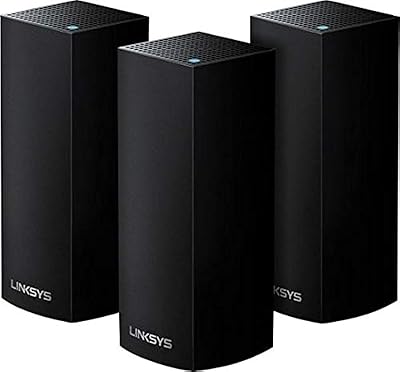
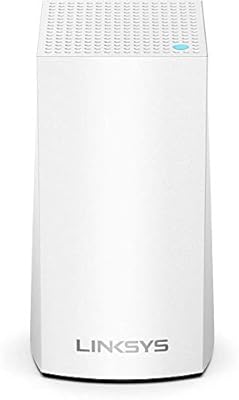
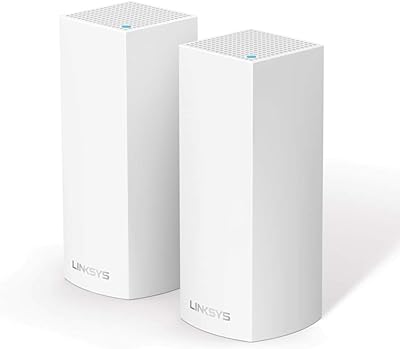
The slim white tower design is consistently praised for blending into home decor without drawing attention — buyers place nodes openly on bookshelves and side tables rather than hiding them in cabinets, which actually improves signal quality. The compact footprint means they don't monopolize surface space.
A few buyers noted the tower form factor is less stable than a broader base design and can tip if bumped, which is a minor but real concern in homes with young children or pets moving around the space.
Roaming & Handoff
76%
24%
The single-SSID approach means devices transition between nodes automatically as users move through a large home, and the majority of buyers report this works smoothly during typical activities like walking from room to room on a video call.
Latency-sensitive users — particularly those gaming on mobile devices or doing real-time video conferencing while moving — occasionally notice a brief signal dip during node handoffs. It is less noticeable than on older extender setups but not as polished as higher-end mesh competitors.
Parental Controls
69%
31%
The built-in ability to pause internet access per device on a schedule is practical for families managing screen time, and it requires no additional subscription or third-party service. Setting it up through the app takes just a few taps.
Content filtering is fairly basic compared to dedicated parental control platforms, and tech-savvy teenagers have been known to find workarounds. Families with more specific content restriction needs will likely want to layer in a third-party DNS-based solution on top of this system.
ISP & Modem Compatibility
81%
19%
The vast majority of buyers across cable, fiber, and DSL providers report clean plug-and-play compatibility with their existing modem, requiring no ISP-specific configuration. This modem-agnostic design is a practical strength that many single-router replacements cannot match.
A recurring thread of complaints involves specific modem models from certain ISPs requiring manual IP passthrough configuration to prevent double-NAT issues, a technical step the setup app does not clearly guide users through, causing confusion for less experienced buyers.
Long-Term Reliability
74%
26%
A significant portion of verified buyers who have owned this mesh system for two or more years report continued stable daily performance, with nodes running for weeks without needing a manual reboot in normal household conditions.
A meaningful minority of long-term owners report that one of the satellite nodes eventually becomes less stable over time, either dropping off the mesh or requiring periodic reboots to maintain connection — a concern that grows in relevance given the system's 2018 hardware platform.
Firmware & Updates
58%
42%
Linksys has continued pushing firmware updates to this system beyond its initial release window, which is a net positive for security and occasional performance improvements compared to products that go dark post-launch.
The update process itself is a source of frustration — several buyers describe updates that temporarily destabilized the network, required manual node reboots, or broke app connectivity until a secondary update was pushed. The lack of a clear rollback option compounds the problem.
Expandability
83%
Compatibility with other Velop-series nodes means buyers who need more coverage can add nodes incrementally without replacing their entire setup, which is a meaningful long-term cost saving compared to proprietary ecosystems that lock you into full-kit replacements.
Expandability is limited to the Velop ecosystem — mixing in nodes from other brands is not supported, and newer Linksys systems on different platforms are not always backward-compatible, which narrows the upgrade path as newer hardware generations emerge.
Value for Money
79%
21%
At its accessible price point for a three-node bundle covering up to 5,000 square feet, this mesh system undercuts many premium competitors while delivering reliable core performance for the typical family household — a real-world trade-off that satisfies the majority of buyers in this use-case segment.
As Wi-Fi 6 mesh systems have become more competitively priced, the value gap between this Wi-Fi 5 bundle and entry-level Wi-Fi 6 alternatives has narrowed considerably, making the WHW0203 a harder sell for buyers starting fresh today compared to when it first launched.
Wired Port Utility
61%
39%
Each node includes Ethernet ports, giving home office setups the option to hardwire a desktop or smart TV directly to the nearest node rather than relying on wireless — a practical flexibility point that extender-based systems typically lack.
The limited number of Ethernet ports per node is a recurring frustration for buyers who want to wire multiple devices at a single location, such as a home office with a desktop, NAS drive, and wired switch — situations where a single port per node quickly becomes a bottleneck.

Suitable for:

The Linksys Velop WHW0203 3-Pack Mesh Wi-Fi System is built for households where a single router has clearly stopped cutting it — think four to six bedrooms, multiple floors, or a layout where the far bedroom or basement barely gets a signal. Families running smart TVs, gaming consoles, phones, and smart home devices all at once will appreciate that this system handles concurrent connections without requiring anyone to manually juggle networks. It works with any modem from any ISP, so switching providers or upgrading your modem down the road won't leave you starting from scratch. The app-guided setup is genuinely approachable — you don't need to know what a subnet is to get this running in under 30 minutes. Anyone already invested in the Velop ecosystem can also fold these nodes in without compatibility concerns, making it a practical expansion path rather than a full replacement.

Not suitable for:

The Linksys Velop WHW0203 3-Pack Mesh Wi-Fi System is not the right call for buyers on a gigabit internet plan who want to push every megabit through to their devices — Wi-Fi 5 has real throughput ceilings that Wi-Fi 6 routers handle more efficiently, and power users will feel that gap. Anyone in a smaller home or apartment under 1,500 square feet is likely paying for coverage they don't need; a single capable router would serve them better at lower cost. Tech-forward buyers who want advanced controls like VLAN support, detailed traffic analytics, or deep QoS customization will find the Linksys app too simplified for those needs. If you're planning to run a home office setup with multiple wired connections per node, note that each Velop node offers limited Ethernet ports. Finally, buyers hoping for future Wi-Fi 6 or Wi-Fi 6E performance will need to look at newer platforms entirely, as the Velop WHW0203 hardware cannot be upgraded beyond its current standard.

Specifications

  • Model: This system carries the model designation WHW0203, part of Linksys's Velop mesh networking series.
  • Pack Size: The bundle includes 3 nodes total: one tri-band unit acting as the primary router and two dual-band units serving as satellites.
  • Wi-Fi Standard: All nodes operate on the 802.11ac (Wi-Fi 5) wireless standard, supporting speeds across the 2.4 GHz and 5 GHz frequency bands.
  • Frequency Bands: The primary node is tri-band, using its third band as a dedicated inter-node communication channel; the two satellite nodes are dual-band.
  • Max Coverage: Linksys rates this 3-node system for up to 5,000 square feet, though real-world coverage varies based on home construction and node placement.
  • Node Dimensions: Each node measures 3.12 x 3.12 x 7.42 inches, with a slim tower form factor designed to sit unobtrusively on a shelf or countertop.
  • Setup Method: Initial setup and ongoing network management are handled entirely through the Linksys mobile app, available for iOS and Android.
  • Compatibility: The system connects to any ISP modem regardless of provider, and is also compatible with other Velop mesh nodes and Velop Wall Mount accessories.
  • Special Features: WPS (Wi-Fi Protected Setup) support is included, allowing quick connection of compatible smart home and wireless devices without entering a password manually.
  • In the Box: Each package includes 3 Velop nodes, 3 individual power adapters, 1 Ethernet cable, and a quick start guide.
  • Color: All three nodes ship in a clean white finish designed to blend into typical home interiors.
  • Network Management: The Linksys app provides single-SSID management, meaning all nodes share one network name and devices roam between them automatically.
  • Parental Controls: Built-in parental controls accessible through the app allow users to pause internet access and filter content by device.
  • Connectivity Type: All nodes connect wirelessly to form the mesh network, with each node also offering Ethernet ports for wired device connections.
  • Power Input: Nodes are powered via included AC adapters rated at approximately 230 V, compatible with standard household outlets.
  • Brand & Series: Manufactured by Linksys under its Velop product line, a series focused specifically on whole-home mesh Wi-Fi solutions.
  • Amazon Rating: This system holds an aggregate rating of 4.3 out of 5 stars based on 579 customer ratings on Amazon.
  • Launch Date: The WHW0203 bundle was first made available in July 2018 and has not been discontinued by the manufacturer as of current records.

Related Reviews

Linksys Velop WHW0303 3-Pack Mesh Wi-Fi System
71%
88%
Coverage & Range
91%
Setup Experience
54%
Network Management
83%
Multi-Device Performance
61%
Firmware Reliability
More
Cudy M3000 Wi-Fi 6 Mesh System
77%
93%
Value for Money
84%
Wi-Fi Speed & Throughput
91%
2.5G WAN Port
72%
Coverage & Range
88%
VPN Performance
More
Linksys Velop WHW0101 Mesh WiFi System
78%
91%
Ease of Setup
84%
Dead Zone Elimination
83%
Connection Stability
72%
App Experience
78%
Signal Coverage
More
Linksys WHW0302 Tri-Band Mesh Wi-Fi System
75%
88%
Coverage & Dead Zone Elimination
91%
Setup Experience
73%
Real-World Speed Performance
86%
Multi-Device Stability
69%
App & Remote Management
More
TP-Link Deco X10 1-Pack Mesh System
79%
93%
Ease of Setup
71%
Real-World Coverage
78%
Network Speed
84%
App Experience
88%
Device Capacity
More
TP-Link Deco AXE5300 Mesh System 3-Pack
78%
88%
Wireless Coverage
86%
Network Speed & Throughput
91%
Setup & Installation
83%
App Experience & Management
67%
Wi-Fi 6E & 6 GHz Band Utility
More
ARRIS SURFboard mAX Pro W133 Mesh Router
71%
83%
Wi-Fi Coverage
71%
Wi-Fi Speed Performance
52%
App & Software Experience
58%
Network Reliability & Stability
91%
Wired Port Availability
More
Linksys EA6900 AC1900 Dual-Band Wi-Fi Router
73%
91%
Ease of Setup
78%
Wi-Fi Speed & Performance
67%
Wireless Range
73%
Beamforming Effectiveness
74%
Build Quality & Design
More
Linksys EA4500 N900 Dual-Band Wi-Fi Router
69%
74%
Wireless Performance
78%
Wireless Range
86%
Wired Connectivity
61%
Setup Experience
63%
Smart Wi-Fi App
More
Linksys Velop MX12600 Tri-Band Mesh WiFi System
80%
83%
Coverage & Range
78%
Network Speed
86%
Device Handling
91%
Setup Experience
67%
App Quality
More

FAQ

Just your router. The Linksys Velop WHW0203 3-Pack Mesh Wi-Fi System plugs directly into your existing modem, regardless of which ISP or modem brand you have. Your modem stays in place; this system simply takes over all the routing and Wi-Fi duties.
It's genuinely one of the easier setups in the mesh Wi-Fi category. You download the Linksys app, plug in the primary node, and the app walks you through the rest step by step. Most users report being fully connected within 20 to 30 minutes, no networking knowledge required.

Honest answer: it depends heavily on your home's construction. Open-plan homes with wood-frame walls will get close to that figure with good node placement. Homes with thick concrete floors, brick walls, or lots of floors between nodes will see that range shrink. Treat the 5,000 sq ft figure as an upper bound and plan your node placement carefully.

For most households, no. Wi-Fi 5 handles 4K streaming, video calls, gaming, and a healthy number of connected devices without issue. Where you'll notice the gap is if you have a gigabit internet plan and want to actually pull those speeds wirelessly — Wi-Fi 6 hardware is more efficient at doing that. If your connection is 300 to 500 Mbps and you just need solid whole-home coverage, Wi-Fi 5 is still very capable.

Yes. The Velop lineup is designed to be expandable, and additional Velop nodes can be added to this mesh system through the Linksys app. Just make sure any nodes you add are Velop-compatible — not all Linksys products are interchangeable across product lines.

One network. All three nodes share a single network name (SSID), and your devices automatically connect to whichever node gives the strongest signal as you move around your home. You don't have to manually switch networks when going from room to room.

Some users have reported app instability following firmware updates, particularly around reboots and device reconnection. Linksys has pushed multiple firmware updates since launch, and many of the older complaints predate those fixes. That said, it's worth knowing the app isn't perfect — if you encounter issues after a firmware update, a manual node reboot usually resolves them.

Linksys doesn't publish a hard device limit for this bundle, but mesh systems of this class are typically rated for 50 or more connected devices across the network. For a typical family home with phones, laptops, smart TVs, tablets, and smart home gadgets, you're unlikely to hit any ceiling.

Through the Linksys app, you can pause internet access for specific devices on a schedule or on demand, which is useful for managing screen time for kids. Basic content filtering is also available. It's not as granular as a dedicated parental control service, but it covers the core use cases most families need without requiring a separate subscription.

Place the primary tri-band node close to your modem, ideally centrally located in your home. Spread the two satellite nodes evenly between the primary node and your furthest dead zones — not at the very edge of coverage, but roughly halfway between the primary and the problem areas. Elevated placement (on a shelf rather than the floor) and avoiding enclosed cabinets will make a noticeable difference.