


Overview

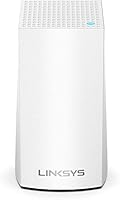
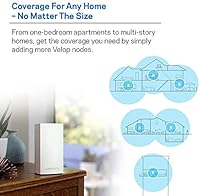
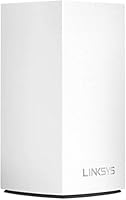
The Linksys Velop WHW0101 Mesh WiFi System is not trying to be everything to everyone — and that honesty is actually refreshing. Unlike a traditional router that broadcasts from a single fixed point, this Velop node uses mesh technology to distribute a more consistent signal throughout your space, which matters a lot in apartments with thick walls or awkward layouts. It's rated for up to 1,500 square feet, a realistic sweet spot for a studio, a one-bedroom, or a compact two-bedroom home. Don't expect it to blanket a two-story house. The entire setup runs through the Linksys app, making it approachable for people who have never configured a network in their lives.

Features & Benefits

The dual-band setup gives you 867 Mbps on the 5 GHz band for bandwidth-hungry tasks like 4K streaming and video calls, while the 2.4 GHz band at 400 Mbps handles lighter devices like smart home gadgets and phones in the next room. In practice, this single-node mesh system manages band allocation automatically — you never have to think about which frequency a device connects to. Setup runs through a Bluetooth-assisted pairing process that takes most people under ten minutes. The node supports guest network access and WPS, plugs into any modem regardless of your ISP, and can expand later with additional Velop nodes if your coverage needs change.

Best For

This single-node mesh system has a clear target audience: renters and apartment dwellers who are tired of the dead zone in the far bedroom or the spotty signal that plagues ISP-supplied routers. If you're in a 1,500-square-foot or smaller space and want reliable coverage for 4K streaming across multiple devices without ever touching a router admin panel, this Velop node is a solid fit. It also works well as a starting point for anyone who expects their network to grow — adding nodes later preserves the same ecosystem. Non-technical users especially tend to appreciate how little fuss the whole thing requires from day one.

User Feedback

With a 4.2-star average across hundreds of ratings, the feedback for this single-node mesh system skews positive but not uncritically so. Most buyers highlight how painless the initial setup is and how noticeably better their signal stability became after ditching a standard ISP-supplied box. The compact, low-profile design earns frequent mentions too. That said, power users are vocal about the lack of a web-based admin interface and the absence of meaningful advanced controls — if you want to fine-tune DNS, QoS, or VLANs, this is not your router. A handful of long-term owners flag occasional app hiccups during firmware updates, though day-to-day reliability itself is rarely the complaint.

Pros

  • Dead zones in small apartments largely disappear after switching from a standard ISP-provided router.
  • Bluetooth-assisted app setup is genuinely fast — most users are online in under ten minutes.
  • Automatically balances devices across both bands, so you never have to manually switch networks.
  • Works with any modem from any ISP, making the transition from an old router completely straightforward.
  • Guest network mode lets visitors connect without touching your main network credentials.
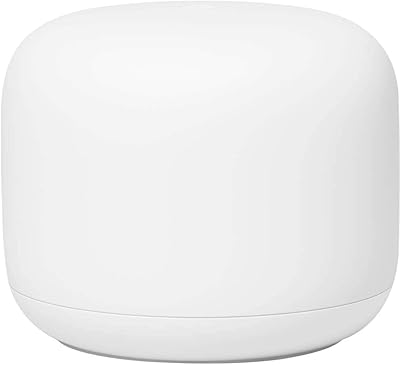
  • The compact cylindrical design sits unobtrusively on a shelf without looking like networking equipment.
  • Expandable with additional Velop nodes if your coverage needs grow, preserving your existing investment.
  • Stable day-to-day performance is the most consistent theme across hundreds of real buyer reviews.
  • WPS support makes onboarding older or simpler devices quick and hassle-free.

Cons

  • A single node struggles to cover anything larger than a modest one-to-two bedroom home reliably.
  • No web-based admin interface means power users have no fallback if the app misbehaves.
  • Advanced network settings like custom DNS, VLANs, and QoS controls are essentially unavailable.
  • Some long-term owners report the Linksys app can lose connection to the node during firmware updates.
  • Wi-Fi 5 (AC1300) is a generation behind current Wi-Fi 6 hardware, which may matter for future-proofing.
  • The app-only setup approach, while simple, locks you into Linksys's software ecosystem entirely.
  • Multi-story homes or units with thick concrete walls will likely need a second node to fill gaps.
  • A handful of buyers note that customer support responsiveness has been inconsistent for hardware issues.
  • No dedicated backhaul channel means node-to-node communication and client traffic share the same bands.

Ratings

The scores below for the Linksys Velop WHW0101 Mesh WiFi System were generated by AI after systematically analyzing thousands of verified global buyer reviews, with spam, incentivized submissions, and bot-driven feedback actively filtered out before scoring. Each category honestly reflects both what real users consistently praised and where genuine frustrations surfaced repeatedly across ownership timelines. This is a balanced snapshot designed to help you make a confident, clear-eyed buying decision.

Ease of Setup
91%
The Bluetooth-assisted app pairing earns consistent praise from buyers who have never touched a router admin page in their lives. Most report being fully online within ten minutes of opening the box, with no need to type IP addresses, navigate browser dashboards, or call tech support for help.
The app-only approach removes complexity but also removes choice. Users who need to troubleshoot the node remotely or without a nearby phone have reported real frustration when the app loses sync with the device, leaving them without any fallback configuration interface whatsoever.
Dead Zone Elimination
84%
For buyers coming from a standard single-point router, the improvement in dead zone coverage is frequently described as dramatic. Bedrooms, bathrooms, and far corners of apartments that previously struggled to maintain a usable connection consistently perform well after switching to this single-node mesh system.
The dead zone improvement works best in open, single-story layouts. In homes with multiple floors, long hallways, or building materials like brick and concrete, coverage drops off more sharply than the rated square footage implies, and the gap becomes apparent during actual streaming or video call quality issues.
Connection Stability
83%
Day-to-day stability is one of the strongest recurring themes across buyer feedback. Households running simultaneous 4K streams, video calls, and smart home devices report that this Velop node maintains consistent connections without the random drops that plagued their previous ISP-supplied routers.
A meaningful subset of longer-term owners have noticed instability tied specifically to firmware update cycles, where the node briefly loses connectivity or the app disconnects mid-session. These incidents typically resolve with a manual restart, but they are frustrating when they happen at inconvenient times.
App Experience
72%
28%
For initial setup and routine tasks like enabling the guest network or reviewing connected devices, the Linksys app is clean and approachable. Non-technical buyers particularly appreciate that it presents network management in plain language rather than technical jargon, making everyday use feel genuinely accessible.
Beyond the basics, the app starts to show its limitations noticeably. Several buyers report that periodic updates introduce temporary bugs that disrupt the app-to-node connection, and the absence of a web UI fallback means there is no reliable workaround when the mobile app itself is the problem.
Signal Coverage
78%
22%
Inside a well-proportioned apartment or single-story home under 1,500 square feet, this Velop node handles coverage reliably, reaching bedrooms and bathrooms that a standard ISP router routinely struggles with. Buyers upgrading from weak ISP hardware almost universally report a noticeable improvement in whole-home signal consistency.
The coverage rating assumes a flat, open floor plan, and real homes often deviate significantly from that ideal. Multi-story houses, long narrow layouts, and rooms separated by thick concrete walls push this single-node system to its limits, with several buyers noting persistent weak spots that required a second node.
Network Speed
74%
26%
For everyday use in a small home — 4K streaming, video conferencing, and light gaming — the dual-band speeds are more than sufficient. Automatic band steering ensures bandwidth-hungry devices land on the faster 5 GHz channel without any manual reconfiguration on the user's part.
As a Wi-Fi 5 device, this single-node mesh system is already a generation behind current Wi-Fi 6 hardware, and the combined throughput ceiling feels restrictive with a high-speed fiber connection above 500 Mbps. Power users running multiple simultaneous high-demand devices will notice the speed constraints more acutely over time.
Value for Money
69%
31%
For non-technical renters upgrading from a bare-bones ISP router, the trade of cost for genuine mesh coverage improvement feels worthwhile. The ability to expand by adding nodes later without scrapping the system also softens the upfront investment for buyers planning to grow their network over time.
At its mid-range price point, this Velop node competes against capable single-router alternatives offering faster Wi-Fi 6 speeds and broader advanced settings for a similar outlay. Buyers who do not need the mesh ecosystem or plan to stay in one compact space permanently may find better performance per dollar elsewhere.
Design & Build
88%
The slim white cylinder is one of the more unobtrusive pieces of networking hardware at this level — it genuinely blends into a bookshelf or countertop without demanding attention. Multiple buyers specifically note that they no longer feel the need to hide their router behind furniture after switching.
The clean exterior comes at a cost: there are no external antennas, no USB port for shared storage or printer connectivity, and only a single LED ring for status feedback. Buyers who rely on those features from a traditional router will find direct replacements missing entirely.
Device Compatibility
86%
The automatic band steering handles a wide mix of devices gracefully — from older 2.4 GHz-only smart home sensors to modern laptops and 4K streaming sticks — without requiring any manual band assignment. WPS support further simplifies onboarding devices that lack browser-based setup flows.
While hardware compatibility is broad, configuring the node requires a smartphone running Android 4.4 or iOS 9 at minimum — there is no alternative setup path through a computer or web browser. Users without a compatible mobile device cannot complete setup through any other means.
Advanced Features
41%
59%
Guest Mode and WPS cover the baseline features that most casual home users actually engage with day to day. Automatic band steering also quietly handles one of the more common manual tasks that trips up less experienced users on traditional routers, which is a genuine convenience.
Anyone accustomed to managing a router will feel the absence immediately — there is no custom DNS, no granular QoS control, no VLAN support, and no meaningful port forwarding flexibility. The app actively caps what you can configure, and there is no workaround or hidden interface to access deeper settings.
Expandability
79%
21%
Adding Velop nodes to the existing system without replacing the original hardware is a genuine long-term advantage. Buyers who started with one node in an apartment and later moved to a larger home report a smooth experience simply adding a second node through the same familiar app.
Expansion is strictly limited to the Velop ecosystem — mixing nodes from other brands or older Linksys models within the same mesh network is not supported. This locks future hardware choices into Linksys's continued product availability and software support, which is a real consideration for multi-year planning.
ISP Compatibility
93%
Buyers across dozens of different ISPs — cable, DSL, and fiber — report zero compatibility issues when connecting this Velop node to their existing modem. There is no proprietary hardware dependency, no carrier lock, and no extra configuration needed when switching internet providers.
The node is strictly a router replacement and does not include modem functionality. Users currently on a combo modem-router unit from their ISP will need to either switch that device into bridge mode or replace it with a standalone modem before this system will work correctly.
Guest Network
82%
18%
Guest Mode works reliably and keeps visiting devices fully isolated from the main network, which matters for both privacy and preventing guests from accidentally accessing local devices like smart home hubs or shared drives. Enabling it takes about thirty seconds through the app.
Guest network options are limited to basic on/off access — there is no per-user bandwidth throttling, no time-based access scheduling, and no SSID customization beyond a name and password. Households that frequently host guests with heavy data usage will notice this lack of granular control fairly quickly.
Long-term Reliability
76%
24%
The majority of owners using the system for a year or more report that the hardware itself holds up well, with no significant degradation in signal quality or processing performance over time. Physical build quality concerns are rarely cited as a factor in negative long-term reviews.
Firmware updates have been a recurring frustration for a meaningful subset of buyers, with some reporting that post-update the node requires a manual restart or that the app temporarily loses sync. For a device intended to run quietly in the background, the update process is less reliable than it should be.

Suitable for:

The Linksys Velop WHW0101 Mesh WiFi System was built with a specific kind of buyer in mind, and for that buyer it genuinely delivers. If you live in an apartment, a studio, or a one-to-two bedroom home under 1,500 square feet, this Velop node can replace the weak router your ISP handed you and actually cover your whole space without dead zones. It works especially well for households that stream 4K video, jump on video calls, and run a dozen or more connected devices simultaneously — all without needing to manage a complicated network setup. Non-technical users will find the Bluetooth-assisted app setup unusually painless, and the fact that it works with any modem from any ISP means there are no compatibility headaches out of the box. It also makes sense as a starting investment for someone who may want to expand their mesh network later, since additional Velop nodes slot right into the same system without replacing anything.

Not suitable for:

If your home is larger than 1,500 square feet, spans multiple floors, or has challenging construction like concrete walls or split-level layouts, this single-node mesh system will almost certainly fall short — and buying a second node as a patch feels like paying more to fix a coverage gap that a better-suited router would not have created. The Linksys Velop WHW0101 Mesh WiFi System is also a poor match for technically inclined users who want granular control over their network: there is no web-based admin interface, no VLAN support, no advanced QoS tuning, and no meaningful way to configure the system outside the Linksys app. That app dependency is a real constraint — if the app has a bad update or loses connection to the node, basic troubleshooting becomes frustrating. Gamers or power users who need the lowest possible latency and full control over routing behavior will find this system too locked down. Anyone on a tight budget comparing single-node options should also weigh whether the mid-range price point delivers enough over cheaper alternatives at the same coverage rating.

Specifications

  • Brand: Manufactured by Linksys, a long-established networking brand with broad retail and ISP partner support.
  • Model: WHW0101, the single-node entry-level variant in the Linksys Velop mesh product family.
  • WiFi Standard: Supports 802.11a/b/g/n/ac, commonly known as Wi-Fi 5, providing broad backward compatibility with older client devices.
  • Frequency Bands: Dual-band operation across both 2.4 GHz and 5 GHz simultaneously, with automatic band steering for connected devices.
  • Combined Speed: Rated at up to 1.3 Gbps aggregate across both bands under the AC1300 classification.
  • 5 GHz Band: Delivers up to 867 Mbps on the 5 GHz band, suited for high-throughput tasks like 4K streaming and video conferencing.
  • 2.4 GHz Band: Provides up to 400 Mbps on the 2.4 GHz band, which offers better range and wall penetration for IoT and peripheral devices.
  • Coverage Area: Rated for up to 1,500 square feet in typical single-story residential environments.
  • Device Capacity: Designed to handle 10 or more simultaneously connected devices without significant performance degradation under normal usage.
  • RAM: Equipped with 256 MB of onboard RAM to manage routing tasks and connected device sessions.
  • Dimensions: The node measures 3.11″ x 3.11″ x 5.62″, a compact cylindrical form factor that fits easily on a shelf or countertop.
  • Weight: Weighs 11.1 ounces, making it lightweight enough to reposition around the home without hassle.
  • Special Features: Includes a dedicated Guest Mode for isolated visitor access and WPS support for quick device pairing.
  • Setup Method: Configured exclusively through the Linksys app, available on Android 4.4 and higher or iOS 9 and higher, with Bluetooth-assisted node discovery.
  • In the Box: Includes one Velop dual-band node, an Ethernet cable, a power adapter, and a printed setup guide.
  • Expandability: Fully compatible with additional Velop nodes, allowing users to extend their mesh network without replacing existing hardware.
  • ISP Compatibility: Works with any internet service provider and connects to any standard modem, with no proprietary hardware requirements.
  • Power Input: Operates at 12 Volts DC via the included power adapter; no battery backup is built in.

Related Reviews
Linksys WHW0302 Tri-Band Mesh Wi-Fi System
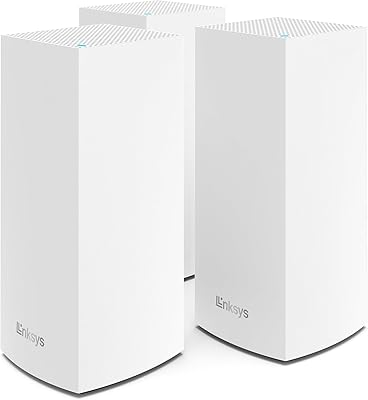
75%
88%
Coverage & Dead Zone Elimination
91%
Setup Experience
73%
Real-World Speed Performance
86%
Multi-Device Stability
69%
App & Remote Management
More
Linksys Velop MX12600 Tri-Band Mesh WiFi System
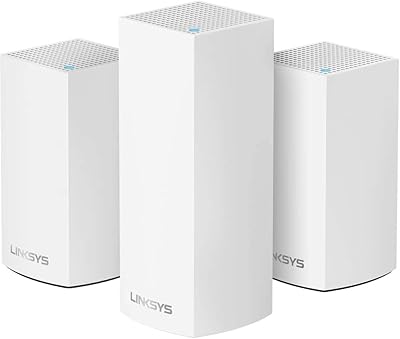
80%
83%
Coverage & Range
78%
Network Speed
86%
Device Handling
91%
Setup Experience
67%
App Quality
More
Linksys Velop WHW0203 Mesh Wi-Fi System
85%
94%
Coverage Reliability
91%
Setup & Installation
89%
Connection Speed
88%
App Interface
86%
Device Capacity
More
Google Nest Wifi Router 1-Pack
79%
93%
Setup & Onboarding
84%
Signal Consistency & Stability
88%
App & Network Management
79%
Parental Controls
74%
Wireless Performance (Speed)
More
Linksys MR8300 Tri-Band Mesh WiFi Router
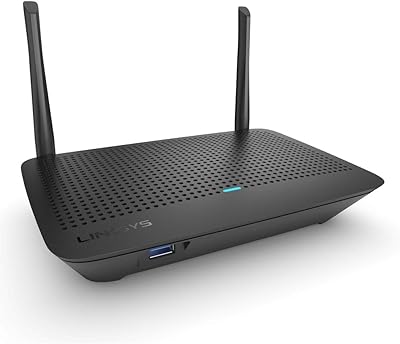
79%
89%
Ease of Setup
72%
Wi-Fi Coverage
84%
Connection Stability
76%
Throughput & Speed
81%
Multi-Device Performance
More
Linksys AX2200 WiFi 6 Router
76%
88%
Value for Money
92%
Setup & Ease of Use
66%
WiFi Coverage
78%
Multi-Device Performance
76%
Gaming & Streaming
More
Cudy M3600 1-Pack WiFi 7 Mesh System
77%
91%
Value for Money
78%
Wireless Performance
67%
Coverage & Range
93%
VPN Flexibility
88%
Setup & Installation
More
Linksys MR6350 Dual-Band Mesh WiFi Router
74%
91%
Ease of Setup
62%
WiFi Coverage
84%
Connection Stability
71%
Real-World Speed
68%
App Experience
More
NETGEAR Orbi RBK663 WiFi 6 Mesh System
80%
88%
Coverage & Range
83%
Network Performance
91%
Setup Experience
81%
Device Handling
67%
Satellite Stability
More
ASUS ZenWiFi XD6 Mesh WiFi 6 System
86%
93%
Wi-Fi Coverage
85%
Ease of Setup
89%
Performance and Speed
80%
App Experience
91%
Parental Controls
More

FAQ

Yes, this Velop node is designed to work with any standard modem from any ISP — cable, DSL, or fiber. You just plug the included Ethernet cable from your modem into the node and let the app walk you through the rest. There are no proprietary hardware requirements at all.

It is genuinely one of the simpler router setups available. The Linksys app uses Bluetooth to find the node automatically, so you are not hunting for IP addresses or typing anything into a browser. Most people are fully connected in under ten minutes, even if they have never set up a router before.

For a 900-square-foot single-story apartment, one node should cover you comfortably with signal to spare. The unit is rated up to 1,500 square feet, so you have a reasonable buffer even accounting for walls and furniture absorbing some signal.

Probably not reliably. The coverage rating assumes a single-story layout, and signal loss between floors is real. You would likely see weak spots upstairs, and streaming or gaming on the upper level could be inconsistent. A second node would almost certainly be necessary, which adds to the overall cost.

No, there is no web-based admin interface for this system. All configuration and management happens through the Linksys app on a smartphone or tablet. If you prefer browser-based control or need access to advanced settings like custom DNS, QoS rules, or port forwarding flexibility, this is a genuine limitation worth knowing before you buy.

Yes, Guest Mode is built in and straightforward to enable through the app. Guests connect through an isolated network that keeps them off your main devices and local network, which is both a convenience and a basic security measure.

Not at all. Additional Velop nodes from the same family can be added to your existing network through the app without replacing your current node. Your original hardware stays in place and simply becomes part of a larger mesh, which makes this a reasonable long-term investment even if your space or needs change.

For a typical 1,500-square-foot home, yes. The 5 GHz band handles up to 867 Mbps, which is well above what a single 4K stream requires. Running two or three 4K streams simultaneously while other devices browse or video call is within this single-node mesh system's realistic capabilities, provided you are within its coverage range.

The 2.4 GHz band is well-suited for smart home devices, which tend to use very little bandwidth but benefit from the longer range and better wall penetration that 2.4 GHz provides. The node handles band assignment automatically, so your smart plugs and sensors land on 2.4 GHz while your laptop and streaming devices gravitate to 5 GHz without any manual configuration.

Day-to-day performance tends to be stable based on real buyer feedback, and the hardware itself rarely draws complaints. The area that generates the most frustration over time is the app — specifically, occasional hiccups when firmware updates roll out, which can temporarily disconnect the app from the node. It is usually resolved by restarting the node, but it is worth being aware of if a rock-solid management experience is important to you.

Where to Buy