Overview

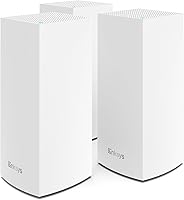
The Linksys Velop MX12600 Tri-Band Mesh WiFi System is built for households where a single router simply can't keep up — large floor plans, multiple stories, thick walls, and a growing pile of connected devices. The three-node kit is rated to cover up to 8,100 square feet, putting it squarely in competition with the Eero Pro, Orbi, and Google Nest systems. What helps it stand out for less technical buyers is how painless the initial setup is through the Linksys app. That said, this WiFi 6 setup sits in a competitive price bracket, and newer rivals have narrowed the gap — so it is worth understanding exactly what you are paying for.
Features & Benefits

Tri-band means this mesh system has three separate radio frequencies working in parallel — one dedicated backhaul channel between nodes, and two others serving your devices. That separation is what keeps speeds from tanking when every TV, phone, and thermostat in the house is active at once. WiFi 6 adds better device handling on top of that, using a technology called OFDMA to serve multiple clients more efficiently rather than making them wait in line. The Linksys app covers parental controls, guest networks, and remote management without requiring you to log into a router admin page. Automatic firmware updates run quietly in the background, and each node includes a USB 3.0 port for basic file sharing.

Best For

This WiFi 6 setup makes the most sense for homeowners dealing with real coverage challenges — think 3,000 to 8,000 square feet, thick concrete or brick walls, or layouts where a single router leaves entire rooms without signal. It is a particularly strong fit for smart home-heavy households juggling dozens of devices across streaming sticks, gaming consoles, security cameras, and phones. If you are still running an older AC-class router, the jump in speed and reliability here is noticeable. Non-technical buyers tend to appreciate how little ongoing effort is involved — the app handles nearly everything. Families wanting built-in parental controls and a proper guest network without digging through settings menus will find this setup refreshingly low-maintenance.

User Feedback

Across close to 900 ratings, the Velop tri-band kit holds a 4.0 out of 5 — a score that fairly reflects what buyers actually experience. The most consistent praise centers on how well it handles roaming between nodes and how effectively it fills dead zones in sprawling or multi-story homes. Setup earns high marks too, with many reviewers noting it went faster than expected. On the flip side, a portion of users report inconsistent edge speeds when nodes are placed far apart, which is worth planning around. The app draws occasional complaints for losing contact with nodes. A smaller group mentions periodic reboots after firmware updates — not a dealbreaker, but something to factor in before buying.

Pros

  • Three-node coverage handles genuinely large and awkward floor plans far better than any single router can.
  • WiFi 6 tri-band technology keeps speeds stable even when dozens of devices are active at once.
  • Dedicated backhaul channel prevents node-to-node traffic from eating into the bandwidth your devices actually use.
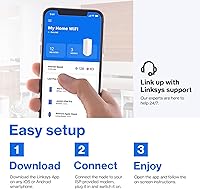
  • App-based setup takes minutes and does not require touching a browser or typing an IP address.
  • Automatic firmware updates run without user intervention, keeping security current hands-free.
  • Guest network and parental controls are built in and easy to configure through the app.
  • Roaming between nodes is smooth — devices hand off without noticeable drops or reconnection prompts.
  • Each node includes a USB 3.0 port, adding basic peripheral or storage sharing capability.
  • Long-term reliability is solid for the majority of users, with few reports of chronic hardware failures.
  • Competes credibly with Eero Pro and Orbi in real-world coverage for busy households.

Cons

  • Edge-of-range speeds can drop noticeably when three nodes are spread across the maximum coverage distance.
  • The Linksys app occasionally loses contact with nodes, requiring a phone restart or app reload to reconnect.
  • A subset of users report needing to manually reboot nodes after certain firmware updates push overnight.
  • Advanced network configuration options are limited — power users will find the app too simplified.
  • The system has been on the market long enough that newer mesh kits now offer comparable or better specs at similar prices.
  • Node footprint is relatively large and tall, which may not suit buyers wanting a discreet placement.
  • No built-in support for advanced features like VLAN segmentation or detailed per-device QoS controls.
  • Customer support response quality receives mixed reviews, which matters if setup issues arise post-purchase.

Ratings

The scores below reflect an AI-driven analysis of verified global buyer reviews for the Linksys Velop MX12600 Tri-Band Mesh WiFi System, with spam, incentivized submissions, and bot activity actively filtered out before scoring. Each category is weighted against real usage patterns reported across nearly 900 ratings worldwide. Both the strengths that earned loyal fans and the friction points that frustrated buyers are transparently captured here.

Coverage & Range
83%
Buyers living in large two-story homes consistently report that this mesh system reaches rooms a single router never could — back bedrooms, garages, and even outdoor patio areas come in for praise. The three-node layout gives users genuine flexibility in filling dead zones without running cable to every corner.
Real-world coverage falls short of the rated 8,100 square feet in homes with brick, concrete, or dense interior walls, and users who spread nodes too far apart to maximize coverage often notice signal degradation at the edges rather than smooth handoffs.
Network Speed
78%
22%
For most households, the jump to WiFi 6 means streaming 4K content to multiple TVs while gaming and running a video call no longer causes the buffering and slowdowns that older AC routers struggled with under the same load.
Speed consistency is not universal — a noticeable portion of reviewers report that throughput drops meaningfully at the outer range of each node, and users with very high ISP speeds sometimes find the system does not fully saturate a gigabit connection in practice.
Device Handling
86%
Households running 40, 50, or even 80 connected devices — smart bulbs, thermostats, cameras, phones, tablets, and consoles all running simultaneously — report that this WiFi 6 setup holds up without the slowdowns that plagued their previous dual-band routers during peak hours.
A small segment of power users notes that when all bands are saturated, certain lower-priority smart home devices occasionally drop off temporarily, suggesting the system prioritizes higher-bandwidth clients under extreme congestion rather than distributing access equally.
Setup Experience
91%
The app-guided setup earns some of the strongest praise across all feedback categories — buyers with no networking background routinely describe getting all three nodes online in 20 minutes or less, without touching a browser, entering an IP address, or consulting a manual.
A minority of users hit snags during initial configuration, particularly when transitioning from an existing router setup or when their ISP uses unusual authentication methods, and the in-app troubleshooting guidance was not always sufficient to resolve those edge cases independently.
App Quality
67%
33%
For daily tasks like pausing a device, setting up a guest network, or checking what is connected to the network, the Linksys app is functional and straightforward enough that non-technical family members can manage it without assistance.
Recurring complaints about the app losing its connection to the nodes — requiring a force-close or phone restart to restore visibility — surface consistently across reviews, and the overall interface feels dated compared to the more polished apps offered by competing mesh systems.
Roaming Performance
81%
19%
Moving through the house with a phone or laptop in hand is the scenario where this mesh system earns clear approval — devices transition between nodes without dropping video calls or interrupting streams in the overwhelming majority of reported experiences.
The handoff is not always instantaneous, and users in homes where nodes are placed at the maximum recommended distance occasionally notice a brief stutter or reconnection delay when crossing coverage boundaries, particularly with older client devices that are slower to initiate a band switch.
Build Quality
74%
26%
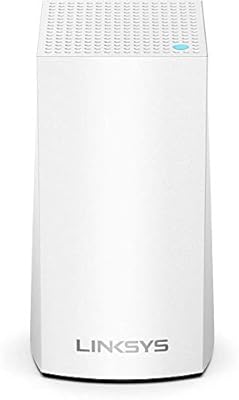
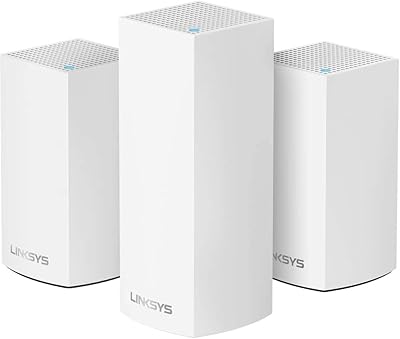
The tower form factor feels solid and the white finish is clean and neutral enough to sit on a bookshelf or entertainment unit without looking out of place — users generally describe the physical hardware as feeling appropriately premium for the price tier.
At 6.32 pounds per node, the units are heavier than many buyers expect, and the tall vertical profile limits placement options in tighter spaces; a few reviewers noted they would have preferred a flatter, less conspicuous design for shelf or cabinet use.
Security Features
88%
Automatic firmware updates that apply themselves overnight without requiring any action from the user are consistently appreciated, particularly by buyers who previously ran routers with outdated firmware for years simply because manual updates were too cumbersome to bother with.
The parental controls, while easy to use for basic time scheduling and device pausing, lack deep content filtering capabilities that more security-focused families might expect — users who need granular category-level web filtering will likely need a third-party DNS solution on top.
Long-Term Reliability
76%
24%
The majority of buyers who have owned this WiFi 6 setup for a year or more report stable daily performance with no significant hardware issues — the nodes run continuously without overheating complaints, and the general consensus is that it holds up well over time.
A persistent minority reports having to reboot one or more nodes after overnight firmware updates, which is disruptive enough to draw repeated mentions in reviews; while not a widespread failure, it is consistent enough to represent a real reliability concern for uptime-sensitive households.
Value for Money
72%
28%
For buyers making the transition from an aging WiFi 5 or dual-band router, the performance uplift across coverage, device capacity, and speed consistency justifies the investment — particularly for larger homes where the alternative would be adding multiple range extenders.
At its current price point, the Velop tri-band kit faces stiff competition from newer mesh systems that launched after it did, some of which offer comparable or superior hardware at similar or lower prices, making the value proposition less compelling than it was at launch.
Remote Management
79%
21%
Being able to check which devices are connected, pause a teenager's phone, or reboot a node while away from home through the app is a feature that buyers genuinely use and appreciate — it works reliably in most reported cases when the app is behaving normally.
The remote management experience is only as reliable as the app itself, and on days when the app struggles to maintain its cloud connection to the nodes, users lose visibility into their network entirely until the issue self-resolves or they restart the app.
Guest Network
84%
Creating an isolated guest network takes under a minute through the app, and the ability to share a separate SSID with visitors without exposing the primary network to their devices is something buyers with frequent guests specifically call out as a practical, well-implemented feature.
The guest network configuration options are fairly basic — there is no bandwidth throttling per guest, no time-limited access expiry, and no visibility into what guest devices are doing while connected, which limits its usefulness for users who want more granular control over visitor access.
Installation Flexibility
77%
23%
The wireless backhaul option means users can place nodes wherever coverage is needed without running Ethernet cable between them — an important practical advantage in homes where cable routing through walls is not an option.
Wireless backhaul performance degrades when nodes are placed at the outer limits of their inter-node range, and users who want wired backhaul for the best possible performance need to plan their Ethernet runs carefully, which adds setup complexity the product marketing underplays.
Compatibility
82%
18%
This mesh system works with virtually any modem or ISP setup buyers are likely to bring to it — reviewers across different carriers, connection types, and modem brands report straightforward compatibility without unusual configuration requirements in the vast majority of cases.
Mixing this system with Velop nodes from other generations can introduce performance limitations, as the network tends to cap inter-node speeds at the slower hardware's ceiling, which is a real constraint for buyers trying to expand an existing Velop network with older spare nodes.

Suitable for:

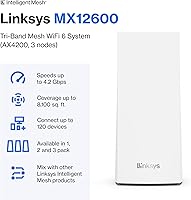
The Linksys Velop MX12600 Tri-Band Mesh WiFi System is a strong fit for anyone whose home has genuinely outgrown a single router — particularly households spanning 3,000 to 8,000 square feet, dealing with multiple floors, or battling the kind of thick walls that kill signal before it reaches the back bedroom. Families running a dense mix of smart home devices will find the 120-plus device support meaningful in practice, not just on paper. The dedicated backhaul band keeps node-to-node communication clean, which matters when every TV, console, and camera is competing for bandwidth at the same time. Non-technical buyers are a natural audience here too — the app-based setup and ongoing management remove nearly all the friction that traditional routers impose. If you are currently on an older WiFi 5 or AC-class system and noticing congestion or dead zones, this WiFi 6 setup represents a substantial and noticeable upgrade.
Not suitable for:

Buyers with smaller homes or apartments — generally under 2,000 square feet — are paying for coverage capacity they will never use, and a single high-quality WiFi 6 router would serve them better for less money. The Linksys Velop MX12600 Tri-Band Mesh WiFi System also may not satisfy power users who want granular network control, VLAN support, or advanced QoS settings, since the Linksys app prioritizes simplicity over configurability. Speed-focused users in competitive online gaming or high-throughput professional environments may find that rivals with stronger per-node hardware perform better at the edges of the coverage area. The companion app has drawn enough criticism for occasional disconnects and sluggishness that users who expect a polished software experience could be disappointed. Finally, buyers in a rapidly updating product category should note that newer mesh systems have launched since this kit debuted, some offering better value at a similar price point.

Specifications

  • WiFi Standard: This mesh system uses the 802.11ax (WiFi 6) standard, which offers improved throughput and more efficient handling of multiple simultaneous connections compared to the previous WiFi 5 generation.
  • Band Configuration: The system operates on three bands — one 2.4 GHz and two 5 GHz — with one of the 5 GHz bands dedicated to backhaul communication between nodes.
  • Speed Class: Rated at AX4200, the combined theoretical maximum throughput across all three bands reaches up to 4,200 Mbps under ideal conditions.
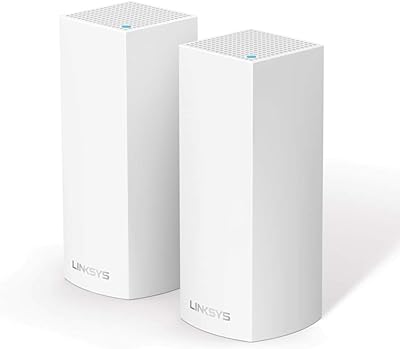
  • Node Count: Each purchase includes three tower-style nodes designed to work together as a single unified network across the home.
  • Max Coverage: The three-node configuration is rated for up to 8,100 square feet of coverage, though real-world range will vary based on home layout and construction materials.
  • Device Capacity: The system is engineered to support more than 120 simultaneously connected devices without significant throughput degradation.
  • Node Dimensions: Each node measures 4.49 x 4.49 x 9.61 inches, giving it a tall, cylindrical tower form factor designed for vertical placement.
  • Node Weight: Each individual node weighs 6.32 pounds, making repositioning straightforward but not something you would shift around daily.
  • USB Ports: Every node includes one USB 3.0 port, which can be used for basic network-attached storage or peripheral sharing across the local network.
  • Setup Method: Initial configuration and ongoing network management are handled entirely through the free Linksys mobile app, available for both iOS and Android.
  • Security Features: The system includes automatic firmware updates, WPA3-ready encryption, configurable parental controls, and isolated guest network support out of the box.
  • Antenna Type: All antennas are internal, keeping the exterior of each node clean and uncluttered without external antenna arms.
  • Connectivity: Each node connects via Wi-Fi for mesh communication and includes Ethernet ports for wired backhaul or wired device connections.
  • Operating Voltage: Each node operates at 12 volts DC, supplied through the included power adapters.
  • Color: The nodes are finished in white, designed to blend into typical home interiors without drawing attention.
  • Model Number: The system is sold under model number MX12600, with the AX4200 Speed series designation used across Linksys marketing materials.
  • Wireless Protocol: Beyond WiFi 6, the system supports WPS for quick device pairing and includes a dedicated guest mode network for visitor access isolation.
  • Remote Management: The Linksys app supports full remote network management, allowing users to monitor connected devices, adjust settings, and run diagnostics from anywhere.

Related Reviews

Linksys WHW0302 Tri-Band Mesh Wi-Fi System
75%
88%
Coverage & Dead Zone Elimination
91%
Setup Experience
73%
Real-World Speed Performance
86%
Multi-Device Stability
69%
App & Remote Management
More
Linksys Velop Mesh Home WiFi System WHW0101
85%
88%
Performance for Streaming & Gaming
94%
Ease of Setup
85%
WiFi Coverage (Up to 1,500 sq. ft.)
87%
Device Support (10+ Devices)
91%
App Experience & Management
More
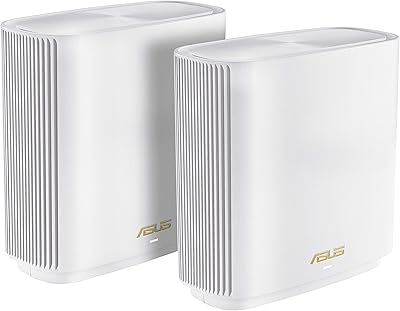
ASUS ZenWiFi ET9 2-Pack Mesh WiFi System
77%
83%
WiFi Coverage
86%
Network Speed
57%
Setup Experience
72%
App & Management
91%
Network Security
More
NETGEAR Nighthawk MK83 Mesh WiFi 6 System
74%
88%
Coverage & Range
83%
WiFi Speed Performance
91%
Setup & Installation
62%
Value for Money
71%
App Experience
More
TP-Link Deco X68 2-Pack Mesh WiFi System
76%
91%
Setup Experience
78%
WiFi Coverage
83%
Network Performance
74%
App & Management
58%
HomeShield Value
More
ARRIS Surfboard mAX W130 Tri-Band Mesh WiFi 6 System
87%
89%
Performance
94%
Coverage Area
91%
Ease of Setup
88%
Device Management Features
87%
Gaming Performance
More
NETGEAR Orbi 770 Series Tri-Band WiFi 7 Mesh System RBE772
86%
91%
Overall Performance
94%
WiFi Speed & Reliability
89%
Coverage Area
85%
Ease of Setup
88%
Security Features
More
Linksys Velop WHW0203 Mesh Wi-Fi System
85%
94%
Coverage Reliability
91%
Setup & Installation
89%
Connection Speed
88%
App Interface
86%
Device Capacity
More
ASUS ZenWiFi BT6 Tri-Band WiFi 7 Mesh Router
83%
91%
WiFi Performance
88%
Security Features (AiProtection Pro)
84%
Mesh Network Expansion
75%
Setup and Installation
89%
Build Quality
More
ASUS ZenWiFi XT9 2-Pack Mesh WiFi System
76%
78%
WiFi Coverage
84%
Network Speed
63%
Setup Experience
81%
App & Management
59%
Firmware Stability
More

FAQ

Genuinely not difficult. You plug in the primary node, download the Linksys app, and follow the step-by-step prompts. Most users report completing the full three-node setup in under 30 minutes. You never need to open a browser or type in an IP address.

It should handle that size comfortably under typical conditions, but the real answer depends on your home. Open floor plans with drywall interiors will get close to the rated coverage. Homes with concrete, brick, or many interior walls will see shorter range per node, so placement planning matters.

It means the system uses three separate radio frequencies instead of two. The practical benefit is that one of those bands is reserved exclusively for the nodes to talk to each other, which keeps that internal traffic from competing with the devices you are actually trying to use. In a busy household, that separation helps maintain more consistent speeds.

Yes. The Linksys Velop MX12600 Tri-Band Mesh WiFi System is designed to expand — you can add compatible Velop nodes to extend your network further. Just keep in mind that mixing node generations can sometimes limit overall performance to the slower node's capabilities.

In almost all cases, yes. This mesh system connects to your existing modem or modem-router combo the same way any router would. You just plug the primary node into your modem via Ethernet and let it take over routing from there.

Through the Linksys app, you can set schedules that block internet access for specific devices at certain times, and you can pause a device's connection instantly with a tap. It is not a deep content-filtering system, but it handles screen time limits and bedtime cutoffs well for most families.

Mostly yes, though it is worth noting that a portion of users report occasional moments where the app is slow to load or temporarily loses its connection to the nodes. A quick restart of the app usually resolves it. It is functional and easy to use, but not as polished as some competitor apps.

The remaining nodes continue functioning as a reduced-coverage mesh network. Devices that were connected through the offline node will attempt to reconnect through one of the remaining nodes, though they may see weaker signal depending on their physical location in the home.

This WiFi 6 setup handles gaming well for most households, particularly if your gaming device is within reasonable range of a node. The dedicated backhaul helps keep latency lower than dual-band mesh systems. That said, for the lowest possible latency, a wired Ethernet connection directly to a node will always outperform wireless.

They are automatic by default, which is genuinely convenient. The system checks for and applies updates on its own, typically overnight to minimize disruption. A small number of users have reported needing to manually reboot a node after an update, but this is not a widespread or consistent issue.

Where to Buy