Overview

The Linksys Velop WHW0303 3-Pack Mesh Wi-Fi System is a tri-band whole-home kit that Linksys — operating under Belkin International — launched in early 2019 to tackle one of the most persistent home networking headaches: dead zones. Three nodes work together to spread coverage across medium-to-large homes, making it a meaningful step up from a single router sitting in one corner of the house. It occupies the mid-range mesh category, competing with several well-known alternatives. While it is not the newest hardware on the market, it still holds its own for households that need reliable, wide-area coverage without paying a premium price to get there.
Features & Benefits

The mesh system runs on tri-band AC6600 technology, splitting traffic across three separate radio bands. In practical terms, one band can act as a dedicated backhaul — the internal highway between nodes — while the other two serve your devices directly. MU-MIMO support lets several devices pull their own full-speed connection rather than waiting in line, which makes a real difference when the TV is streaming, someone is on a video call, and a few phones are also active. Beamforming focuses the signal toward wherever your device actually is, rather than scattering it in all directions, and WPA2 encryption keeps unwanted guests off the network.

Best For

This whole-home Wi-Fi kit makes the most sense for larger homes — think two or three floors, or a sprawling single-story layout in the 2,000 to 5,000 square foot range. It handles congested households well: families with teenagers, shared rentals where everyone is streaming or gaming at once, or home offices where a dropped video call is genuinely disruptive. If you are upgrading from a single router and your bedroom or garage feels like a different country in terms of signal strength, this mesh system will almost certainly fix that. The app-driven setup also suits people who want solid Wi-Fi without ever touching advanced router settings.

User Feedback

Most buyers highlight how quick and painless the initial setup is — open the Linksys app, follow a few steps, and the network is running. Coverage improvements over a previous single-router setup are the most praised aspect of the Velop 3-pack, particularly in homes with thick walls or multiple floors. The recurring criticism is the app-only management interface: there is no web-based dashboard, which frustrates users who need fine-grained control over things like port forwarding or custom DNS. A number of reviewers have also flagged firmware update issues that briefly interrupted service. Long-term reliability is generally reported as solid, though customer support responses appear to vary considerably.

Pros

  • Whole-home coverage improves dramatically for medium-to-large homes compared to a single router setup.
  • Three-node configuration handles 15 or more simultaneous devices without obvious slowdowns.
  • Initial setup through the Linksys app is straightforward enough for non-technical users to complete independently.
  • Tri-band design dedicates a full band to backhaul traffic, keeping device connections cleaner and faster.
  • Beamforming directs signal toward active devices rather than wasting it in empty directions.
  • WPA2 encryption provides solid baseline network security without requiring manual configuration.
  • The mesh system self-manages routing, so devices stay connected to the strongest node automatically.
  • A reliable upgrade path for households frustrated by dead zones in garages, back bedrooms, or basements.

Cons

  • No web-based dashboard means advanced network settings are inaccessible to power users.
  • Hardware is based on Wi-Fi 5, which is a noticeable gap behind current Wi-Fi 6 and Wi-Fi 6E products.
  • Occasional firmware updates have been reported to disrupt connectivity temporarily with no clear warning.
  • Customer support quality appears inconsistent based on long-term owner feedback.
  • App-only management is a hard limitation that cannot be worked around, even for experienced users.
  • The Velop 3-pack is bulkier than some competing mesh systems, which may affect node placement options.
  • Long-term software support for a 2019 product line is uncertain compared to newer platform investments.
  • Users with very high-bandwidth internet plans may not extract full value from Wi-Fi 5 speed ceilings.

Ratings

The scores below reflect an AI-driven analysis of verified global buyer reviews for the Linksys Velop WHW0303 3-Pack Mesh Wi-Fi System, with spam, incentivized feedback, and bot activity actively filtered out before scoring. Each category captures the honest distribution of real household experiences — strengths and frustrations alike — so you can make a genuinely informed decision. Where users consistently celebrated something or repeatedly flagged a problem, those patterns are directly reflected in the numbers.

Coverage & Range
88%
Buyers across two-story homes and sprawling single-floor layouts consistently report that dead zones they had lived with for years simply disappeared after placing all three nodes. Thick interior walls, garages, and basement offices — the usual weak spots — come up repeatedly as areas where this mesh system delivered a tangible, immediate improvement.
A small number of users in unusually large homes above 5,000 square feet found that three nodes were not quite enough to fully eliminate weak corners, requiring a fourth node purchase. Node placement sensitivity can also be fussier than expected; positioning matters more than some buyers anticipated.
Setup Experience
91%
The guided setup through the Linksys mobile app is one of the most consistently praised aspects across buyer feedback — most users report having a functional network running in under 20 minutes with no technical background required. Clear step-by-step prompts and automatic node detection make the out-of-box experience genuinely smooth for non-technical households.
A minority of buyers encountered pairing failures during initial setup that required restarting the process from scratch, which added frustration for those expecting a fully frictionless experience. iOS and Android app behavior occasionally differs, with a handful of Android users reporting slightly less reliable detection during the setup flow.
Network Management
54%
46%
For everyday tasks like setting up a guest network, running a speed test, or checking which devices are connected, the Linksys app covers the basics well enough for the average household. Parents who want simple parental controls or quick access to pause the internet for specific devices tend to find the app adequate for those needs.
The absence of any web-based dashboard is the single most cited frustration among experienced users — tasks like port forwarding, custom DNS assignment, VLAN configuration, and detailed traffic monitoring are either severely limited or unavailable entirely through the mobile interface. Anyone managing a home office with specific networking requirements will find this a hard constraint that cannot be worked around.
Multi-Device Performance
83%
Households running 20 to 40 simultaneous devices — a realistic count once phones, tablets, smart TVs, voice assistants, and smart home gadgets are tallied — report stable performance without the slowdowns they experienced with their previous single-router setup. MU-MIMO support means devices are not queuing for bandwidth, which makes a noticeable difference during peak evening hours when multiple streams are running at once.
At very high device counts above 50 active connections, some users report that network stability becomes less consistent, particularly with bandwidth-hungry tasks like 4K streaming and large file transfers happening simultaneously. The Wi-Fi 5 standard also means the system cannot fully leverage the throughput potential of newer Wi-Fi 6 client devices.
Firmware Reliability
61%
39%
When the firmware behaves as intended, the Velop 3-pack runs quietly in the background without requiring attention — which is exactly what most buyers want from a home network. Automatic update delivery means the average user does not need to manually check for or apply patches.
A recurring pattern in long-term owner feedback involves firmware updates causing temporary connectivity drops, sometimes requiring a full reboot of one or more nodes to restore service. For households where reliable uptime is critical — remote workers on scheduled calls, for instance — these unpredictable disruptions are a genuine source of frustration rather than a minor inconvenience.
Hardware Build Quality
74%
26%
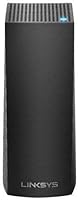
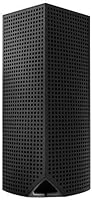
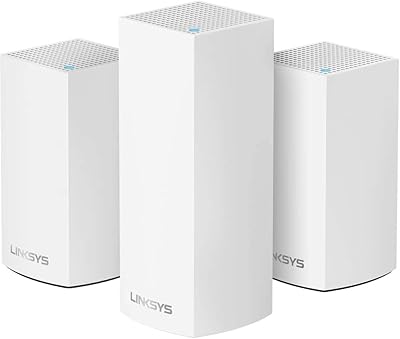
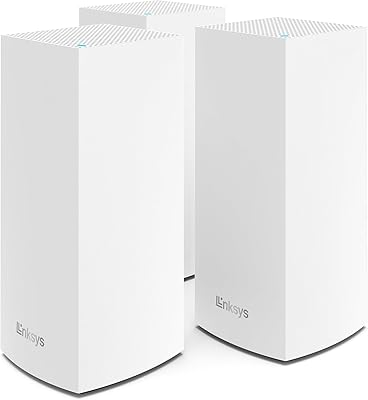
The compact cylindrical design sits unobtrusively on a shelf or side table without the aggressive aesthetic of a traditional router, which matters to buyers placing nodes in living rooms or visible common areas. The build feels appropriately solid, and the fixed internal antenna design keeps the exterior clean and uncluttered.
Some long-term owners report that nodes run noticeably warm during sustained heavy use, which raises occasional concerns about hardware longevity over a multi-year period. The lack of any visible LED status indicators beyond a single light can make it harder to quickly assess node health without opening the app.
Wi-Fi Speed
71%
29%
For typical household activities — video calls, 4K streaming, online gaming, and browsing — the Velop 3-pack delivers speeds that comfortably satisfy most users, particularly those upgrading from aging single-band or dual-band routers. The tri-band architecture's dedicated backhaul channel helps keep node-to-node communication from eating into the bandwidth available to end devices.
The Wi-Fi 5 ceiling is a real limitation for buyers with gigabit or multi-gigabit internet plans who want to see those speeds reflected over wireless — the hardware simply cannot translate the full throughput that newer Wi-Fi 6 systems can. Speed-sensitive users running competitive gaming or large NAS transfers over Wi-Fi will notice this gap more than casual streamers will.
Value for Money
77%
23%
Relative to what three-node Wi-Fi 6 mesh systems typically cost, this whole-home Wi-Fi kit sits at a price point that many buyers describe as a fair trade-off for households that do not need cutting-edge wireless speeds but do need solid, wide-area coverage. For users upgrading from a frustrating single-router experience, the improvement-to-cost ratio tends to feel worthwhile.
As Wi-Fi 6 mesh systems have become more affordable and widely available, the value proposition of a 2019 Wi-Fi 5 platform has narrowed. Buyers comparing options today may find newer tri-band Wi-Fi 6 systems available at similar or only slightly higher price points, making the generational gap harder to overlook.
App Functionality
58%
42%
The core app experience — checking network status, viewing connected devices, running diagnostics, and setting up a guest network — is clean and intuitive enough for everyday household management without feeling overwhelming. Push notifications for firmware updates and device join alerts add a layer of passive awareness that casual users appreciate.
Beyond the basics, the app's depth drops off quickly, and power users consistently note that key networking controls are missing or stripped down compared to what a web-based interface would typically offer. App stability complaints, including occasional crashes and slow loading times, appear with enough regularity in buyer feedback to be considered a meaningful pattern rather than isolated incidents.
Roaming & Handoff
79%
21%
The automatic roaming behavior — where devices transition between nodes as you move through the house — works reliably for the majority of users without requiring manual network switches or any action on the user's part. Buyers who work from laptops throughout the day or move between floors frequently highlight this as one of the more practically useful aspects of the mesh architecture.
A subset of users report that certain devices, particularly older smartphones and laptops, occasionally cling to a more distant node rather than handing off to the nearest one, resulting in temporary sluggishness. This sticky client behavior is a known limitation of the 802.11ac standard rather than a Velop-specific flaw, but it can still be noticeable in homes where nodes are spaced far apart.
Security Features
72%
28%
WPA2 Personal encryption is enabled by default out of the box, so basic network protection is in place without the buyer needing to configure anything. The guest network feature allows easy isolation of untrusted or IoT devices from the primary network, which is a practical and commonly used tool in security-conscious households.
WPA3 support is absent, which is a security gap compared to more recent mesh platforms that have adopted the newer standard. Users who want finer-grained network segmentation or advanced threat detection will find the Velop platform lacking compared to newer competitors that bundle those capabilities natively.
Long-Term Reliability
68%
32%
A meaningful portion of buyers who have used this mesh system for two or more years report that the hardware itself holds up well and continues to perform its core function without hardware failures. Nodes that were set up and left in place tend to run quietly for extended periods when firmware updates do not introduce disruptions.
The 2019 launch date means this platform is increasingly towards the end of its active software support lifecycle, and there is legitimate uncertainty about how many more years of meaningful firmware updates Linksys will deliver for this specific model. Some long-term owners have reported that older firmware versions occasionally resurfaced after updates, requiring manual intervention.
Customer Support
53%
47%
Buyers who reached Linksys support with straightforward setup questions or basic troubleshooting generally report that the support team was responsive and helpful in resolving common issues. The online knowledge base covers standard scenarios well enough that many problems can be self-resolved without needing to contact support directly.
Experiences with more complex issues — persistent connectivity problems, firmware recovery, or hardware replacement requests — are markedly more inconsistent, with a visible thread of negative feedback around long resolution times and unhelpful scripted responses. The quality of support appears to vary considerably depending on the channel used and the complexity of the issue raised.

Suitable for:

The Linksys Velop WHW0303 3-Pack Mesh Wi-Fi System is a strong fit for homeowners who have outgrown a single router and are dealing with the frustrating reality of patchy coverage across multiple floors or rooms with thick walls. If your household runs a constant stream of connected devices — smart TVs, laptops, tablets, phones, smart home gadgets — this mesh system is built to handle that kind of load without forcing devices to compete for bandwidth. Remote workers and students who depend on stable video calls throughout the day will appreciate the consistency this whole-home Wi-Fi kit provides compared to a traditional router setup. It also suits buyers who want a straightforward, app-guided installation without needing to understand networking terminology — the setup process is genuinely approachable for non-technical users. Households in the 2,000 to 5,000 square foot range, particularly those with dead zones in bedrooms, garages, or home offices, will likely see the most meaningful improvement.
Not suitable for:

The Linksys Velop WHW0303 3-Pack Mesh Wi-Fi System is not the right choice for networking enthusiasts or power users who expect a full-featured web-based management dashboard. All configuration happens through a mobile app, which means options like advanced port forwarding, custom DNS settings, or granular traffic management are either buried, limited, or unavailable entirely. Given that this hardware launched in early 2019 and runs on Wi-Fi 5 rather than the newer Wi-Fi 6 standard, buyers who are future-proofing their home network or already have Wi-Fi 6 devices they want to run at full capability should look at more recent alternatives. Small apartments or compact homes where a single strong router would cover the entire space do not need a three-node mesh system — it would be an unnecessary expense for that situation. Anyone who has had frustrating experiences with firmware updates disrupting their network and relies on responsive manufacturer support may also want to weigh their options carefully before committing.
Specifications

  • Model: This system carries the model number WHW0303B, part of Linksys's Velop whole-home mesh lineup.
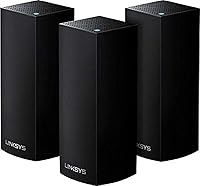
  • Pack Size: The kit includes 3 identical nodes designed to work together as a single unified network.
  • Wi-Fi Standard: All three nodes operate on 802.11ac, commonly known as Wi-Fi 5, across multiple frequency bands.
  • Frequency Bands: The system uses tri-band technology, broadcasting on one 2.4 GHz band and two separate 5 GHz bands.
  • Speed Class: The combined theoretical throughput across all three bands is rated at AC6600.
  • MU-MIMO: MU-MIMO is supported, allowing multiple devices to receive dedicated data streams at the same time.
  • Beamforming: Active beamforming is built in, directing wireless signal toward connected devices rather than omnidirectionally.
  • Security: The network is protected using WPA2 Personal wireless encryption to guard against unauthorized access.
  • Setup Method: The system is configured and managed exclusively through the Linksys mobile app, available for iOS and Android.
  • Special Feature: WPS support is included for simplified pairing of compatible devices without manual password entry.
  • Antenna Type: All antennas are fixed and internal, meaning there are no external adjustable antenna arms on any node.
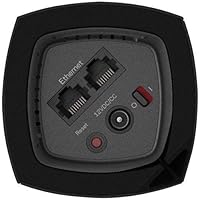
  • Ethernet Ports: Each node includes two Gigabit Ethernet ports, usable for wired device connections or wired backhaul.
  • Color: All three nodes ship in a uniform black finish.
  • Item Weight: The full 3-pack weighs approximately 6.41 pounds including packaging.
  • Dimensions: The retail package measures 15.55 x 9.96 x 4.57 inches.
  • Manufacturer: The Velop line is manufactured by Belkin International, which owns and operates the Linksys brand.
  • Availability: This product was first listed for sale in January 2019.
  • Power: Each node requires an AC power adapter; the units are not battery-powered and must remain plugged in.

Related Reviews
Linksys Velop WHW0203 Mesh Wi-Fi System
85%
94%
Coverage Reliability
91%
Setup & Installation
89%
Connection Speed
88%
App Interface
86%
Device Capacity
More
Cudy M3000 Wi-Fi 6 Mesh System
77%
93%
Value for Money
84%
Wi-Fi Speed & Throughput
91%
2.5G WAN Port
72%
Coverage & Range
88%
VPN Performance
More
Linksys Velop WHW0101 Mesh WiFi System
78%
91%
Ease of Setup
84%
Dead Zone Elimination
83%
Connection Stability
72%
App Experience
78%
Signal Coverage
More
Linksys WHW0302 Tri-Band Mesh Wi-Fi System
75%
88%
Coverage & Dead Zone Elimination
91%
Setup Experience
73%
Real-World Speed Performance
86%
Multi-Device Stability
69%
App & Remote Management
More
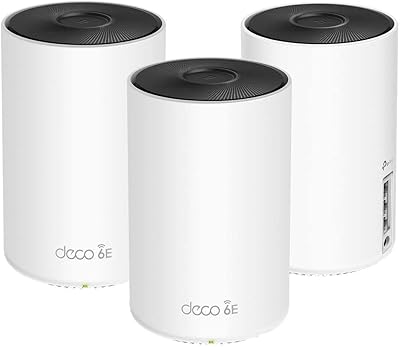
TP-Link Deco X10 1-Pack Mesh System
79%
93%
Ease of Setup
71%
Real-World Coverage
78%
Network Speed
84%
App Experience
88%
Device Capacity
More
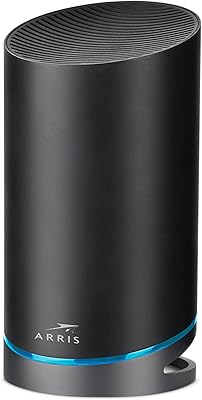
TP-Link Deco AXE5300 Mesh System 3-Pack
78%
88%
Wireless Coverage
86%
Network Speed & Throughput
91%
Setup & Installation
83%
App Experience & Management
67%
Wi-Fi 6E & 6 GHz Band Utility
More
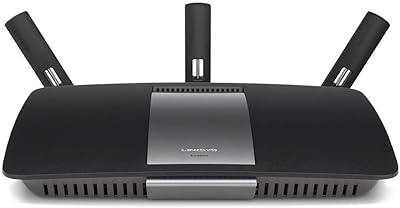
ARRIS SURFboard mAX Pro W133 Mesh Router
71%
83%
Wi-Fi Coverage
71%
Wi-Fi Speed Performance
52%
App & Software Experience
58%
Network Reliability & Stability
91%
Wired Port Availability
More
Linksys Velop MX12600 Tri-Band Mesh WiFi System
80%
83%
Coverage & Range
78%
Network Speed
86%
Device Handling
91%
Setup Experience
67%
App Quality
More
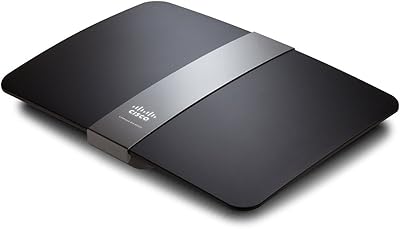
Linksys EA6900 AC1900 Dual-Band Wi-Fi Router
73%
91%
Ease of Setup
78%
Wi-Fi Speed & Performance
67%
Wireless Range
73%
Beamforming Effectiveness
74%
Build Quality & Design
More
Linksys EA4500 N900 Dual-Band Wi-Fi Router
69%
74%
Wireless Performance
78%
Wireless Range
86%
Wired Connectivity
61%
Setup Experience
63%
Smart Wi-Fi App
More

FAQ

Linksys rates the 3-node Velop pack at up to 6,000 square feet of combined coverage, though real-world results depend heavily on layout, wall materials, and interference. Most users with two-story homes or single-story layouts in the 2,000 to 4,500 square foot range report solid coverage throughout.

Not really. The whole process runs through the Linksys mobile app, which walks you through each step in plain language. Most buyers report getting the network up and running in under 30 minutes without touching any advanced settings.

It is app-only, and that is a genuine limitation worth knowing before you buy. There is no web-based dashboard, so tasks like setting up port forwarding, assigning static IPs, or configuring custom DNS require working through the mobile app, which offers fewer options than a traditional router interface.

Yes, the Velop 3-pack connects to any standard modem or modem-router combo via Ethernet. One node acts as the primary router and connects directly to your modem, while the other two nodes extend coverage wirelessly or via Ethernet backhaul if you prefer a wired setup.

Your Wi-Fi 6 devices will connect without any issue, but they will operate at Wi-Fi 5 speeds since this mesh system does not support the Wi-Fi 6 standard. If you have invested heavily in Wi-Fi 6 hardware and want to take full advantage of those speeds, a newer mesh platform would be a better match.

Yes, the Velop system is designed to be expandable. You can add individual Velop nodes to extend coverage, and they will join the existing mesh network through the same Linksys app.

The mesh handles device roaming automatically in the background. As you move from room to room, your device transitions to whichever node offers the strongest signal without requiring you to manually switch networks or reconnect.

Linksys has pushed firmware updates to the Velop line periodically since launch, though the pace of updates for a 2019 product has slowed compared to newer platforms. A few users have noted that certain firmware updates briefly interrupted their connection, so it is worth checking community forums for the latest firmware status before and after updating.

Linksys suggests the 3-pack can handle up to around 60 to 75 devices across the network, though performance in practice depends on what those devices are actually doing. Households with 20 to 40 active devices running a mix of streaming, browsing, and smart home tasks generally report stable performance.

If a satellite node fails, the devices in that node's coverage area will lose a reliable connection, but the rest of the network continues operating. If the primary node connected to your modem goes down, the entire network will be offline until it is restored or replaced.

Where to Buy