Overview

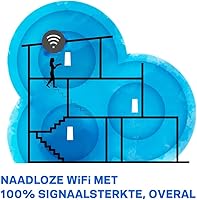
The Linksys WHW0302 Tri-Band Mesh Wi-Fi System is Linksys’s answer to the frustratingly common problem of dead zones — those corners of your home where your router’s signal simply gives up. Unlike a traditional single router, a mesh setup uses two or more nodes working together to blanket your home in one unified network. This two-node kit realistically covers around 3,000 to 4,000 square feet, which is enough for most two- or three-story homes. Linksys has long been a trusted name in home networking, and the Linksys mesh kit sits comfortably in the mid-range, offering solid performance without requiring a networking degree to set up.
Features & Benefits

The tri-band design is worth understanding properly. Most routers broadcast on just two bands, but this mesh system adds a third — a dedicated 5 GHz channel used exclusively for node-to-node communication. That means your devices get the other two bands entirely to themselves, which translates to noticeably faster real-world speeds compared to dual-band mesh setups. When you walk from room to room, your phone or laptop automatically reconnects to the nearest node without any manual intervention. Guest Mode creates a completely separate network for visitors, keeping your personal devices protected. Setup runs entirely through the Linksys mobile app — no web dashboard, no confusing menus.

Best For

This whole-home Wi-Fi setup is a strong fit for households that have genuinely outgrown a single router. If your home spans two or three floors, or has thick walls that choke signal, the two-node configuration handles coverage in a way a standard router simply cannot. Families juggling fifteen or more devices — streaming sticks, game consoles, smart speakers, phones — will notice the difference in stability. It also suits people who dread setting up networking hardware; the app-guided installation takes under fifteen minutes. If you move frequently, the compact nodes are easy to pack and reconfigure in a new space.

User Feedback

Owners of this mesh system consistently highlight how straightforward setup is and how noticeable the coverage improvement was over their old routers — particularly in previously dead areas of their homes. Connections stay stable under heavy loads, which earns consistent praise. On the flip side, tech-savvy users flag the limited advanced configuration options; if you want granular control over QoS settings or VLANs, this kit will frustrate you. Some also report occasional hiccups with the mobile app losing sync with the nodes. As for longevity, the majority of multi-year owners report the hardware holds up well, though a minority note performance degradation after the first year or two.

Pros

  • Coverage noticeably improves in multi-story homes, eliminating the dead zones that plague single-router setups.
  • The dedicated backhaul band keeps node-to-node communication from eating into your device bandwidth.
  • Setup takes under fifteen minutes using the Linksys app — no technical background required.
  • Devices transition between nodes automatically as you move around your home, without dropping connection.
  • Guest Mode creates a fully isolated network for visitors, protecting your personal devices and data.
  • The hardware handles 15 or more simultaneous devices without the performance degradation common on cheaper routers.
  • Backward compatibility with older 802.11b/g/n devices means no gadgets get left behind.
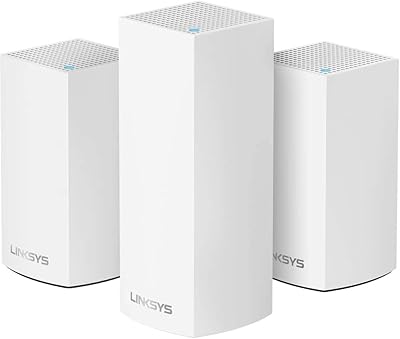
  • The compact, clean white design blends into home interiors without looking like networking equipment.
  • App-based management lets you monitor and adjust your network from anywhere, not just at home.

Cons

  • Advanced users will find the configuration options frustratingly shallow compared to traditional router admin panels.
  • Real-world speeds often fall short of the advertised maximums, particularly at the edges of coverage range.
  • The mobile app occasionally loses sync with the nodes, requiring a restart to restore management access.
  • Older firmware versions lack WPA3 support, which is a meaningful security gap for some users.
  • Only two nodes are included, which may not be sufficient for very large or unusually shaped homes.
  • There are very few ethernet ports per node, limiting options for wired connections or wired backhaul setups.
  • A small number of long-term owners report gradual performance degradation after one to two years of continuous use.
  • No web-based admin interface exists, so users who prefer browser-based control have no alternative to the app.

Ratings

The scores below reflect an AI-driven analysis of verified global user reviews for the Linksys WHW0302 Tri-Band Mesh Wi-Fi System, with spam, bot activity, and incentivized feedback actively filtered out before any scoring was applied. Ratings span a wide range of real-world usage scenarios — from first-time mesh adopters in multi-story homes to experienced users pushing the hardware to its limits. Both the genuine strengths and the recurring frustrations are represented transparently in every category.

Coverage & Dead Zone Elimination
88%
This is where the Linksys mesh kit earns its strongest praise. Buyers in two- and three-story homes consistently report that problem areas — upstairs bedrooms, back gardens, basement offices — receive reliable signal after installation where their previous single router had given up entirely. The two-node layout handles most residential layouts well.
A small number of users in larger homes or properties with unusually thick concrete walls found that two nodes were not quite enough, requiring a third node purchase to fully solve coverage gaps. Advertised square footage estimates should be treated as optimistic in challenging architectural environments.
Setup Experience
91%
The app-guided setup process is a genuine high point. Non-technical buyers repeatedly describe getting both nodes running within ten to fifteen minutes, often calling it the easiest router they have ever configured. The step-by-step Linksys app removes virtually every barrier that traditionally discourages first-time home network setups.
A minority of users encountered issues when their ISP modem required a specific configuration before the app could complete setup, with the in-app guidance offering limited help in those edge cases. The absence of a browser-based fallback interface means that if the app itself has a bug or sync failure, there is no alternative path to finish configuration.
Real-World Speed Performance
73%
27%
For everyday tasks — streaming 4K video, video calls, casual gaming, and general browsing — the speeds delivered are more than adequate for most households. The dedicated backhaul band measurably reduces the speed penalties that dual-band mesh systems often impose on devices connected to the secondary node.
Buyers with high-speed internet plans above 300 Mbps sometimes report that real-world throughput falls noticeably short of both their plan speed and the advertised maximums. The performance gap widens at the edges of coverage range, which is a common but nonetheless frustrating limitation when the hardware is stretched across a large space.
Multi-Device Stability
86%
Households running fifteen or more simultaneous devices — a mix of smart TVs, phones, tablets, smart speakers, and laptops — report impressively stable connections without the bandwidth contention and drop-outs that plagued their previous single routers. The 512 MB of RAM and dedicated backhaul channel work together effectively under sustained load.
A subset of users note that during peak usage periods with a very high device count, occasional brief slowdowns do occur. These episodes are infrequent but suggest the hardware does have an upper ceiling that unusually device-dense households may eventually encounter.
App & Remote Management
69%
31%
The Linksys app is widely praised for its clean, intuitive interface. Tasks like running a speed test, toggling Guest Mode, checking which devices are connected, and performing basic parental controls are all accessible without needing any networking knowledge. For the intended audience, it handles the day-to-day management needs comfortably.
Recurring feedback flags app sync issues — particularly after firmware updates — where the app temporarily loses communication with one or both nodes and requires a full restart to re-establish control. Users also note that the app offers no web-based counterpart, so if your phone is unavailable, you have no way to manage the network remotely.
Advanced Configuration Options
41%
59%
For the target audience of everyday home users, the simplified settings menu is a feature rather than a flaw. Most buyers never need more than what the app provides, and the lack of complexity means fewer opportunities to accidentally misconfigure something and lose connectivity.
This is the most consistent complaint from technically experienced buyers. Features standard on traditional routers — detailed QoS controls, VLAN support, custom DNS at the node level, and granular port forwarding — are either absent or severely limited. Power users and home lab enthusiasts will find this mesh system genuinely frustrating as a platform.
Roaming & Handoff
83%
The single-network-name design means phones, laptops, and tablets transition between nodes without the user needing to manually switch Wi-Fi networks. In practice, video calls maintained mid-walk and streaming sessions that continue uninterrupted as you move through the home are the most commonly cited real-world benefits of this feature.
A portion of users report that some older or more stubborn devices — particularly certain Android phones and older smart home hardware — occasionally cling to a weaker node rather than handing off cleanly to a closer one. This is a known limitation of client-side roaming behavior rather than a flaw unique to this system, but it does affect consistency.
Build Quality & Design
78%
22%
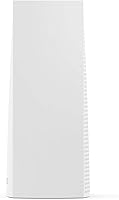
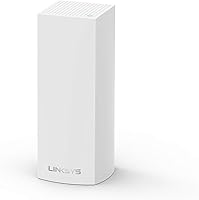
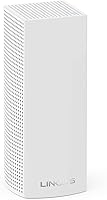
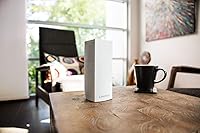
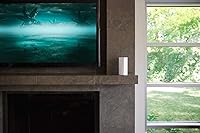
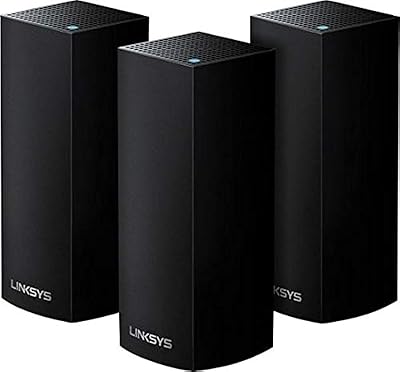
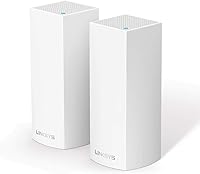
The tall cylindrical tower design is a departure from the utilitarian black-box aesthetic of most routers. Buyers appreciate that the nodes can sit openly on a shelf or counter without looking out of place in a living room or bedroom. The white finish and minimal external antenna design are consistently called out as positives in home decor contexts.
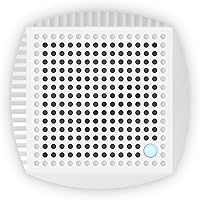
A handful of users report that the plastic casing feels less premium up close than the marketing imagery suggests, and the relatively large footprint per node can be awkward in smaller rooms with limited shelf or surface space. Ventilation slots are functional but not particularly refined.
Security Features
62%
38%
Guest Mode is a practical and well-implemented feature that creates a genuinely isolated network for visitors, preventing any access to devices on the main LAN. For households that regularly host guests, it works reliably and is easy to toggle through the app.
The absence of WPA3 support on older firmware versions is a meaningful security gap that more security-conscious buyers have flagged consistently. While firmware updates may address this over time, buyers who prioritize up-to-date security standards at purchase should verify the current firmware version before committing.
Value for Money
74%
26%
For buyers coming from an ISP-provided router or a dated single-band device, the coverage and stability improvement relative to the cost feels like a worthwhile investment. The two-node pack covers the needs of a large proportion of residential homes without requiring additional hardware purchases.
In a market where several competing mesh systems now offer wider coverage, better advanced features, and Wi-Fi 6 support at comparable or only slightly higher prices, this whole-home Wi-Fi setup can feel like it is showing its age in the value calculus. Buyers willing to stretch their budget slightly may find newer alternatives more future-proof.
Long-Term Reliability
71%
29%
The majority of owners who have used this mesh system for one to two years report consistent performance with no major hardware failures. Regular firmware updates pushed through the app have kept most units performing reliably without requiring manual intervention.
A notable minority of long-term owners describe a gradual degradation in throughput or stability after the first year, occasionally requiring node restarts or factory resets to restore normal performance. This pattern is not universal but is frequent enough in user feedback to warrant consideration for buyers expecting a five-plus year lifespan without issues.
Compatibility
84%
Backward compatibility with 802.11b, g, n, and ac devices means the system works with virtually every Wi-Fi-enabled device a typical household owns, including older smart home gadgets and legacy laptops. There are no reported issues with ISP compatibility across the major providers.
The 220V EU-rated power supply on this specific variant (WHW0302-EU) means buyers outside compatible voltage regions need to verify power compatibility before purchasing. The system also lacks Wi-Fi 6 support, which will become a more significant limitation as newer devices standardize on that protocol.
Ease of Expansion
79%
21%
Adding a third or fourth Velop node to extend coverage is straightforward through the app and does not require any reconfiguration of the existing network. This scalability gives buyers a practical upgrade path if their coverage needs grow after the initial purchase.
Expansion requires purchasing additional Velop-compatible nodes, and mixing older and newer Velop generations can occasionally produce inconsistencies in app reporting and backhaul optimization. The cost of additional nodes adds up, and some competing mesh platforms offer better per-node pricing for multi-node expansions.

Suitable for:

The Linksys WHW0302 Tri-Band Mesh Wi-Fi System is built for households where a single router has simply stopped cutting it. If you live in a two- or three-story home and regularly deal with weak signal in the bedroom upstairs or the kitchen at the back of the house, this two-node kit addresses exactly that problem. Families with a high volume of connected devices — streaming sticks, smart speakers, tablets, laptops, and phones all competing for bandwidth simultaneously — will find the tri-band architecture genuinely helpful in keeping connections stable. It is also an excellent pick for anyone who has never set up a router beyond plugging in the ISP-provided box, since the mobile app walks you through everything without requiring any technical knowledge. Renters who move between homes periodically will appreciate how portable and easy it is to reconfigure from scratch in a new space.

Not suitable for:

The Linksys WHW0302 Tri-Band Mesh Wi-Fi System has a clear ceiling, and power users will hit it quickly. If you rely on advanced networking features — custom DNS, detailed QoS controls, VLAN segmentation, or port forwarding with fine-grained rules — the app-only management system will feel restrictive and underpowered compared to a traditional router with a full admin dashboard. Apartments or small single-floor homes under 1,500 square feet rarely justify a mesh system at all; a well-placed mid-range router would likely cover the space just as effectively at a lower cost. Users in regions that require WPA3 security compliance should also verify firmware compatibility before purchasing, as older firmware versions on this kit do not support it. Finally, those needing multiple ethernet ports on each node for wired backhaul or desktop connections may find the hardware too limited for their setup.

Specifications

  • Brand: Manufactured by Linksys, a long-established name in consumer and small-business networking hardware.
  • Model: The model designation is WHW0302, part of the Linksys Velop mesh router family.
  • Pack Size: Each package includes 2 mesh nodes, designed to work together as a single unified network.
  • Frequency Bands: Operates on three bands: one 2.4 GHz band and two separate 5 GHz bands for tri-band coverage.
  • Wi-Fi Standards: Compatible with 802.11b, 802.11g, 802.11n, and 802.11ac wireless communication standards.
  • RAM: Each node is equipped with 512 MB of RAM to support stable performance under multi-device loads.
  • Flash Storage: Each node includes 4 GB of onboard flash storage for firmware and system operations.
  • Dimensions: Each node measures 4.53 x 12.4 x 10.04 inches, with a tall, cylindrical tower form factor.
  • Weight: Each individual node weighs approximately 3.96 pounds, making it relatively easy to reposition or pack.
  • Color: Both nodes ship in a clean white finish designed to blend unobtrusively into home interiors.
  • Voltage: This unit (model WHW0302-EU) is rated for 220V, intended for European and compatible regional markets.
  • Setup Method: Initial configuration and ongoing management are handled entirely through the Linksys smartphone app, with no browser-based dashboard available.
  • Guest Mode: A built-in Guest Mode allows creation of an isolated network for visitors, separate from the primary LAN.
  • Operating System: Runs on Linksys OS, a proprietary firmware platform optimized for the Velop mesh hardware family.
  • Coverage Estimate: The two-node configuration is designed to cover approximately 3,000 to 4,000 square feet of living space.
  • Processors: Each node contains a single processor with sufficient throughput capacity for high-device-count home environments.
  • Connectivity: Devices connect via Wi-Fi; the system supports automatic band steering and seamless node handoff as users move through the home.
  • ASIN: The Amazon product identifier for this listing is B01N4ES1XO, useful for verifying the exact variant before purchasing.

Related Reviews
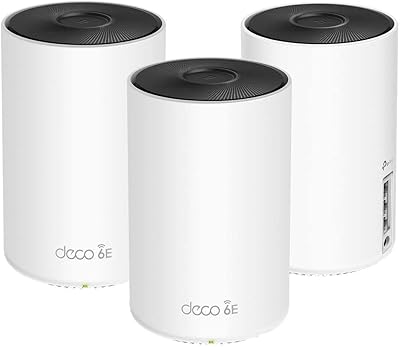
TP-Link Deco AXE5300 Mesh System 3-Pack
78%
88%
Wireless Coverage
86%
Network Speed & Throughput
91%
Setup & Installation
83%
App Experience & Management
67%
Wi-Fi 6E & 6 GHz Band Utility
More
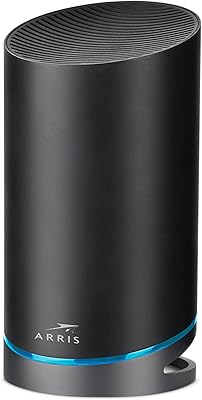
ARRIS SURFboard mAX Pro W133 Mesh Router
71%
83%
Wi-Fi Coverage
71%
Wi-Fi Speed Performance
52%
App & Software Experience
58%
Network Reliability & Stability
91%
Wired Port Availability
More
Linksys Velop WHW0203 Mesh Wi-Fi System
85%
94%
Coverage Reliability
91%
Setup & Installation
89%
Connection Speed
88%
App Interface
86%
Device Capacity
More
Linksys AC6600 Whole-Home Mesh Wi-Fi System
86%
87%
Overall Performance
92%
Wi-Fi Range
94%
Ease of Setup
88%
Speed and Stability
81%
Build Quality
More
Linksys EA8300 Max-Stream AC2200 Tri-Band Wi-Fi Router
86%
90%
Wi-Fi Performance
87%
Setup & Installation
91%
Signal Coverage
89%
Gaming & Streaming Performance
85%
Multi-Device Support
More
Wyze Mesh Router Pro Wi-Fi 6E Router

73%
91%
Setup & Ease of Use
78%
Wi-Fi Speed & Throughput
72%
Coverage & Range
66%
Connection Stability
69%
6 GHz Band Performance
More
ARRIS SURFboard mAX W30 Tri-Band Mesh Wi-Fi 6 Router
85%
88%
Wi-Fi Performance
81%
Setup & Installation
85%
Smart Home Integration
90%
Coverage & Range
89%
Speed (AX7800) & Throughput
More
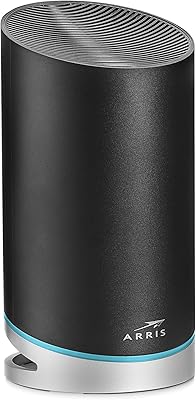
ASUS Lyra Voice Mesh Router Smart Speaker
65%
58%
Wi-Fi Coverage & Range
67%
Wi-Fi Speed & Throughput
44%
Smart Speaker Audio Quality
76%
Alexa Integration & Voice Control
82%
Setup & Installation Ease
More
Linksys WRT1900AC Dual-Band Wi-Fi Router
77%
84%
Wireless Range
91%
Wired Performance
93%
Firmware Flexibility
58%
Stock Firmware Stability
88%
Build Quality
More
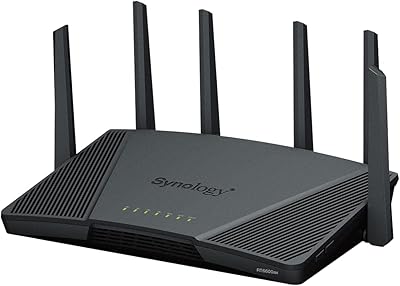
Synology RT6600ax Tri-Band Wi-Fi 6 Router
84%
91%
Wi-Fi Performance
89%
Coverage Area
84%
Setup & Installation
90%
Security Features
86%
Reliability & Stability
More

FAQ

In most homes, yes — it genuinely helps. Placing the second node roughly halfway between your router and the problem area creates a relay point that extends strong signal where a single router could not reach. Results vary depending on wall materials and home layout, but the improvement is usually noticeable.

Setup is genuinely beginner-friendly. You download the Linksys app, plug in the first node, follow the on-screen steps, and then add the second node when prompted. Most people have it running in under fifteen minutes without touching any settings menus.

In almost all cases, yes. This whole-home Wi-Fi setup connects to your existing modem via an ethernet cable and replaces your current router. As long as your modem has a standard ethernet output, it should work regardless of which ISP you use.

Yes, the Linksys Velop system is designed to be expandable. You can purchase additional compatible Velop nodes and add them through the app. This is a genuine advantage if you later move to a larger home or find two nodes fall short for your space.

It happens automatically. Once set up, the system presents a single network name, and your devices connect to whichever node offers the strongest signal at any given moment. You don’t need to manually switch between nodes as you move around.

It works alongside smart home ecosystems without any special configuration. Smart speakers, bulbs, thermostats, and other devices connect to it like any other Wi-Fi network. There is no native Alexa or Google Home integration built into the system itself, but your smart home devices will function normally on the network.

Tri-band means the system has three separate radio channels instead of two. The key practical benefit here is that the Linksys mesh kit reserves one of the 5 GHz channels exclusively for communication between the nodes themselves, leaving the other two channels free for your devices. This reduces the speed penalty that dual-band mesh systems sometimes suffer.

Once configured, the network runs on its own without the app open. Your devices connect normally like any other router. The app is only needed if you want to change settings, check connected devices, run a speed test, or manage Guest Mode.

The majority of long-term owners report consistent performance over one to two years of use. A smaller portion have noted gradual slowdowns over time, though this is not uncommon with any home networking hardware. Keeping the firmware updated through the app is the best way to maintain stability.

For a compact single-floor apartment under roughly 1,200 to 1,500 square feet, a two-node mesh setup is likely more than you need. A well-placed single router would probably cover that space just as effectively and at a lower cost. This mesh kit makes the most sense when you genuinely have multiple floors or hard-to-reach rooms.

Where to Buy