





Overview

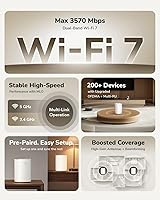
The Cudy M3600 1-Pack WiFi 7 Mesh System landed in March 2025 as one of the more affordable ways to get your hands on next-gen WiFi 7 networking. The 802.11be standard isn't just a spec bump — in practical terms, it means wider channels, less congestion, and noticeably better handling of multiple devices working at the same time. This single unit claims coverage up to 2,500 square feet, which fits comfortably in most apartments or compact townhouses, though irregular layouts or multi-story homes may push you toward a second node. Cudy is a value-tier brand from Shenzhen — not a household name — so set expectations accordingly: this is about solid specs at an accessible price, not brand prestige.

Features & Benefits

What makes this WiFi 7 router genuinely compelling at its price point isn't just the headline 3.6 Gbps aggregate speed — it's the 160 MHz channel width that delivers real throughput headroom for 4K video calls and large file transfers happening at once. The multi-VPN support — covering OpenVPN, WireGuard, IPsec, ZeroTier, and more — is honestly unusual at this tier; most budget routers make you commit to one protocol. Three Gigabit Ethernet ports handle wired connections cleanly, useful for a home office desktop or a NAS. The Cudy app provides QoS controls and remote access without requiring a browser-based admin panel, while an Access Point mode adds flexibility if you prefer keeping your existing router.

Best For

The Cudy M3600 hits a specific sweet spot. Remote workers and VPN users will find genuine value here — six built-in VPN protocols in a single node, without paying for a separate appliance, is a meaningful practical advantage. It also suits renters or small homeowners who want WiFi 7 performance without committing to a premium brand's price tag. That said, buyers should be clear-eyed: this is a single-node setup, so homes larger than 2,500 square feet or layouts with multiple floors and thick walls will likely need a second node to fill the gaps. For device-heavy households — smart speakers, laptops, streaming sticks, security cameras — this mesh node handles the load, and getting onto WiFi 7 now makes sense as compatible devices multiply.

User Feedback

With 66 ratings averaging 4.3 out of 5, early reception looks solid — but 66 reviews is a modest sample, and a few more critical voices could shift the picture. Consistent praise centers on quick app-based setup and the breadth of VPN options, both of which stand out against comparable budget routers. On the flip side, some buyers note that range in multi-story homes falls short of expectations, suggesting the 2,500 sq ft claim assumes a relatively open, single-level floor plan. A handful have also flagged concerns about long-term firmware support — a fair question for any lesser-known OEM brand. Cudy has shown commitment to updates so far, but if software longevity is a deciding factor, that warrants a closer look before buying.

Pros

  • WiFi 7 technology brings noticeably better multi-device handling compared to aging WiFi 5 routers.
  • Six built-in VPN protocols, including WireGuard and OpenVPN, is a rare find at this price point.
  • The Cudy app makes setup genuinely straightforward — no browser admin panel required.
  • Three Gigabit Ethernet ports give wired connections to desktops, NAS drives, or smart TVs.
  • 160 MHz channel width provides meaningful real-world throughput headroom for video calls and large transfers.
  • Unified SSID with automatic band steering means devices connect to the best signal without manual switching.
  • Access Point mode adds flexibility for users who already have a preferred router in place.
  • QoS controls let you prioritize traffic for work or gaming without digging into advanced settings.
  • Remote network management via the app works even when you are away from home.
  • Compact physical footprint fits easily on a shelf or desk without dominating the space.

Cons

  • A single node will struggle in multi-story homes or layouts with signal-blocking walls.
  • Cudy has a limited long-term track record — firmware support beyond the first two years is uncertain.
  • Only 66 reviews at the time of writing makes it hard to draw confident conclusions about reliability.
  • Dual-band only means no dedicated backhaul channel, which can be a bottleneck in mesh expansion setups.
  • The 2,500 sq ft coverage claim assumes favorable open-plan conditions, not typical real-world environments.
  • Brand recognition and resale value trail well behind established networking names significantly.
  • Customer support responsiveness has not been widely tested at scale given the product's recent release.
  • Early-adopter review pools can skew positive — longer-term stability data is still thin.
  • No tri-band option means heavy simultaneous upload and download users may hit throughput limits sooner.
  • Users unfamiliar with VPN configuration will need to do external research — in-app guidance is basic.

Ratings

The scores below reflect our AI-driven analysis of verified global buyer reviews for the Cudy M3600 1-Pack WiFi 7 Mesh System, with spam, incentivized, and bot-flagged submissions actively filtered out to surface genuine user sentiment. We evaluated real-world performance across 12 specific categories, weighing both enthusiastic praise and recurring frustrations with equal weight. The result is an honest, nuanced picture of where this WiFi 7 router genuinely delivers — and where it asks buyers to make trade-offs.

Value for Money
91%
Buyers consistently single this out as the strongest argument for the Cudy M3600. Getting WiFi 7 with 160 MHz channels, six VPN protocols, and app management at this price tier is genuinely rare, and most reviewers upgrading from older WiFi 5 routers felt the jump in capability was well worth the spend.
A handful of more demanding users felt the value calculus shifts if you factor in potentially needing a second node for full-home coverage, effectively doubling the outlay. At that point, some comparable competitors start to look more competitive on a per-node basis.
Wireless Performance
78%
22%
In open single-floor environments, users reported noticeably faster throughput and lower latency compared to their previous routers, particularly on the 5 GHz band. Video calls and 4K streaming held stable even with a dozen or more devices active simultaneously, which is where the wider 160 MHz channel width earns its keep.
Performance drops off more sharply than expected once walls, floors, or longer distances enter the picture. Several reviewers noted speeds in rooms two or three walls away from the node were underwhelming, suggesting the real-world ceiling sits below the theoretical maximums by a meaningful margin.
Coverage & Range
67%
33%
For studio apartments, open-plan lofts, or compact single-story homes, the single node covers the space adequately and with solid signal consistency near the center of the coverage area. Reviewers in these living situations rarely flagged range as a concern.
The 2,500 sq ft claim assumes near-ideal conditions that most real homes do not offer. Users in multi-story houses, older buildings with dense walls, or homes with irregular layouts reported dead zones that a single node simply could not address without repositioning or adding a second unit.
VPN Flexibility
93%
This is one of the most frequently praised standout features among technically aware buyers. Having WireGuard, OpenVPN, IPsec, and ZeroTier available natively — without a separate VPN appliance — made a real difference for remote workers connecting to corporate networks or privacy-focused users routing traffic through personal VPN servers.
The in-app VPN setup guidance is fairly minimal, and buyers without prior VPN configuration experience reported needing to consult external documentation or community forums to get their preferred protocol working correctly. A more guided setup wizard would help the average user unlock this feature.
Setup & Installation
88%
The Cudy app consistently received praise for its clarity during initial setup, with most reviewers reporting the router was operational within 10 to 15 minutes of unboxing. The step-by-step flow does not assume technical knowledge, making it accessible for users who have never configured a router beyond plugging in an ISP gateway.
A small subset of users on older Android devices or less common iOS versions reported inconsistent app behavior during setup, requiring reinstallation or a phone restart to proceed. The process is smooth for the majority but not entirely bulletproof across all device configurations.
App Experience
82%
18%
Day-to-day app usability drew positive feedback for its clean layout, remote access functionality, and QoS controls that let users prioritize work or gaming traffic without navigating dense admin menus. Being able to check on connected devices from a different city was a genuine convenience that multiple reviewers highlighted.
Some users found the app's deeper settings — particularly around VPN configuration and advanced routing — to feel underdeveloped compared to competitors. Occasional sync delays between the app and the device were noted, though these did not appear to affect actual network performance.
Multi-Device Handling
79%
21%
Households running a mix of smart home devices, phones, laptops, and streaming boxes generally reported stable concurrent performance without obvious slowdowns. MU-MIMO support helps the router serve multiple clients at once rather than cycling through them sequentially, which matters in busy households.
Under genuinely heavy simultaneous load — think multiple 4K streams plus active video calls plus large uploads — a few users noticed bandwidth contention that a tri-band system with a dedicated backhaul would handle more gracefully. The dual-band architecture has a ceiling that shows under sustained peak demand.
Build Quality
72%
28%
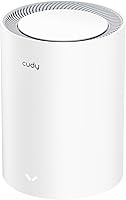
The physical unit feels solid enough for a router in its price range, with a clean cylindrical white design that sits unobtrusively on a shelf or desk. Most reviewers noted it ran warm but not hot during normal use, and no widespread reports of housing cracking or port issues appeared in the review pool.
The plastic finish attracts fingerprints and dust more than expected, and the overall material quality feels noticeably below premium-tier networking hardware. A few users also mentioned the unit felt lighter and less substantial than anticipated, which for some translated to a less confident perception of durability.
Firmware & Updates
61%
39%
Cudy has demonstrated a reasonable update cadence in the product's early months, with bug fixes and stability patches released through 2025. Buyers who checked in shortly after purchase reported the router was running current firmware with no major unresolved issues flagged on community forums.
The core concern is longevity, not current behavior. Cudy does not have an established multi-year firmware support track record like Asus or TP-Link, and buyers with a five-year ownership horizon have legitimate reason to wonder whether security patches and feature updates will remain consistent that far out.
Brand Trust & Support
58%
42%
Cudy has been responsive in public-facing forums and Amazon Q&A sections, and the brand has built a growing user community that provides peer-to-peer troubleshooting support. For buyers who are comfortable with self-service problem solving, the ecosystem is workable.
Formal customer support — warranty claims, direct technical assistance, and escalation paths — is thinner than what established brands offer. Buyers who expect hands-on support or an easy return and replacement process should factor this in, as response times and resolution quality have been inconsistent across reported cases.
Roaming Performance
74%
26%
Within the effective coverage area of a single node, the unified SSID and band-steering worked well for users moving between rooms, with devices maintaining connection without manual network switching. Reviewers in open apartments found the experience noticeably smoother than older routers that required managing separate 2.4 GHz and 5 GHz networks.
Roaming between two nodes in an expanded mesh setup produced occasional brief disconnects during the handoff for some users, particularly in areas equidistant between nodes. True seamless mesh roaming — where you notice nothing at all — remains more reliable on higher-end mesh platforms.
Wired Connectivity
84%
Three Gigabit Ethernet ports gave home office users enough connections to hard-wire a desktop, a NAS, and a wired backhaul simultaneously without reaching for a switch. Wired speeds consistently hit near-Gigabit throughput in testing scenarios reported by buyers, with no notable bottlenecking on the LAN side.
Three ports is functional but limiting for users with more wired devices — an unmanaged switch becomes a near-necessity in any setup beyond a basic home office. There is also no 2.5G or multi-Gigabit port, which becomes a meaningful constraint if your ISP plan or NAS supports speeds above 1 Gbps.

Suitable for:

The Cudy M3600 1-Pack WiFi 7 Mesh System is a strong pick for remote workers and privacy-focused users who want built-in VPN flexibility — six protocols including WireGuard and OpenVPN — without adding a separate appliance to their setup. Renters, apartment dwellers, and small homeowners with open floor plans up to around 2,500 sq ft will find the single-node coverage adequate for day-to-day use. Tech-comfortable buyers who are willing to bet on a value-tier brand in exchange for genuinely modern specs will get a lot of networking capability for what they spend. Households running 20, 30, or more concurrent devices — smart TVs, phones, tablets, security cameras — should find the Cudy M3600 handles the load without throttling any single connection significantly. It also makes a reasonable choice for anyone wanting to get onto WiFi 7 now, so their setup is already compatible as newer client devices — laptops, phones, smart home gear — continue to roll out with 802.11be support.

Not suitable for:

The Cudy M3600 1-Pack WiFi 7 Mesh System is not the right call for buyers with larger homes, multi-story layouts, or spaces with thick concrete or brick walls — a single node simply cannot reliably fill those environments, despite the headline coverage figure. Users who prioritize long-term brand support, established firmware update histories, and responsive customer service may find Cudy's relatively short track record uncomfortable compared to names like TP-Link, Asus, or Eero. This is also not a tri-band system, so power users who need a dedicated wireless backhaul channel for heavy simultaneous uploads and downloads will run into bandwidth ceilings faster than they would on a more expensive setup. Buyers looking for a completely hands-off, out-of-box experience with polished support documentation may find the ecosystem less mature than they expect. And anyone considering this for a large office environment or a home consistently pushing the boundaries of the 70-device claim should plan on adding a second node — or choosing a different platform altogether.

Specifications

  • WiFi Standard: This mesh node uses the 802.11be (WiFi 7) standard, the latest generation of wireless networking as of 2025.
  • Max Speed: Aggregate wireless throughput reaches up to 3.6 Gbps across both frequency bands combined under ideal conditions.
  • Frequency Bands: Dual-band operation covers both the 2.4 GHz band for range and the 5 GHz band for higher-speed connections.
  • Channel Width: Supports 160 MHz channel width on the 5 GHz band, enabling higher per-device throughput compared to typical 80 MHz WiFi 6 deployments.
  • Coverage Area: Rated for up to 2,500 square feet of wireless coverage from a single unit under open, favorable conditions.
  • Device Capacity: Designed to support up to 70 simultaneously connected wireless devices without significant performance degradation.
  • Ethernet Ports: Equipped with three Gigabit Ethernet ports for wired device connections or physical network backhaul.
  • VPN Protocols: Natively supports six VPN protocols: OpenVPN, WireGuard, IPsec, ZeroTier, PPTP, and L2TP.
  • App Control: Managed via the Cudy App, available for both iOS and Android, with guided setup, QoS controls, and remote access features.
  • Special Modes: Supports Access Point mode, Quality of Service (QoS) traffic prioritization, and remote network management.
  • Dimensions: The unit measures 4.33 x 4.33 x 6.08 inches, making it compact enough to sit discreetly on a shelf or desk.
  • Weight: Weighs 1.59 pounds, light enough to reposition easily during setup or placement adjustments.
  • Color: Available in white with a cylindrical tower form factor that blends into most home or office environments.
  • In the Box: Package includes the M3600 unit, one Ethernet cable, a power adapter, and a printed installation guide.
  • Manufacturer: Designed and produced by Shenzhen Cudy Technology Co., Ltd., a China-based networking hardware company.
  • Release Date: First became available on Amazon in March 2025, making it one of the earlier budget WiFi 7 mesh nodes on the market.
  • MU-MIMO: Supports MU-MIMO technology, allowing the router to communicate with multiple devices simultaneously rather than sequentially.
  • Roaming: Uses a unified SSID and adaptive band-steering algorithms to maintain consistent connectivity as devices move through the coverage area.

Related Reviews

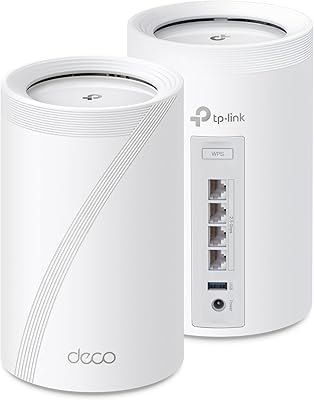
TP-Link Deco BE95 Wi-Fi 7 Mesh System 2-Pack

78%
88%
Wireless Performance
83%
Coverage & Range
93%
Wired Connectivity
86%
Setup & Installation
79%
App & Management Experience
More
Cudy M3000 Wi-Fi 6 Mesh System
77%
93%
Value for Money
84%
Wi-Fi Speed & Throughput
91%
2.5G WAN Port
72%
Coverage & Range
88%
VPN Performance
More
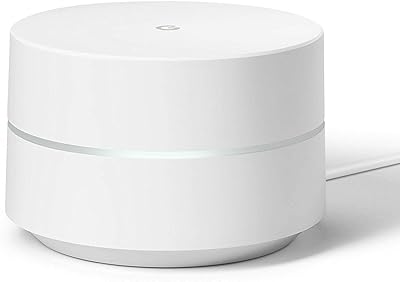
Google WiFi 1-Pack
Google WiFi 1-Pack
76%
93%
Ease of Setup
88%
App Experience
79%
Wi-Fi Coverage
76%
Network Speed & Performance
84%
Parental Controls
More
TP-Link Deco BE75 WiFi 7 Mesh System
85%
94%
Performance
88%
Ease of Setup
91%
Security Features
92%
Coverage & Range
79%
Value for Money
More
TP-Link Deco BE85 WiFi 7 Mesh System
76%
84%
Wireless Performance
93%
Wired Port Selection
67%
Mesh Coverage
76%
Setup & App Experience
82%
Build Quality & Design
More
Tenda Nova MW6 2-Pack Mesh WiFi System
76%
93%
Ease of Setup
78%
Coverage & Dead Zone Elimination
72%
Network Stability
69%
Wi-Fi Speed Performance
88%
Value for Money
More
TP-Link Deco BE63 2-Pack Mesh WiFi System
82%
91%
Coverage & Range
86%
Network Speed
93%
Setup & Installation
78%
App Experience
89%
Wired Port Flexibility
More
TP-Link Deco S4 2-Pack Mesh WiFi System
75%
91%
Setup & Installation
74%
Coverage & Range
83%
Connection Stability
88%
Value for Money
72%
App Experience
More
NETGEAR Orbi 370 RBE373 WiFi 7 Mesh System (3-Pack)

84%
88%
Wireless Performance
91%
Coverage & Range
93%
Setup & Installation
79%
App Experience
87%
Multi-Device Handling
More
TP-Link Deco M5 Mesh WiFi Router 1-Pack
86%
88%
Performance
93%
Setup Ease
85%
Coverage Range
91%
Security Features
77%
App Experience
More

FAQ

It is genuine WiFi 7, built on the 802.11be standard. That means real support for 160 MHz channels and improved multi-device handling — not just a rebadged WiFi 6 product. That said, you will only experience the full benefits when connecting WiFi 7-capable client devices, which are still becoming more common in 2025.

The Cudy M3600 1-Pack WiFi 7 Mesh System is rated for up to 2,500 square feet from a single node, which is realistic for open-plan apartments or compact single-story homes. If your home is larger, has multiple floors, or has thick interior walls, you will likely need a second node to fill the gaps. The good news is that additional M3600 units can be added to extend the mesh.

Setup is handled entirely through the Cudy app on your phone, with step-by-step guidance that does not assume any technical background. Most users report being up and running in under 15 minutes. You do not need to touch a browser-based admin panel unless you want to dig into advanced settings.

The Cudy M3600 supports OpenVPN, WireGuard, IPsec, ZeroTier, PPTP, and L2TP. For most corporate remote-access setups, at least one of those will match what your company uses. WireGuard in particular is well-regarded for speed and reliability on home connections, which makes this node a solid pick for remote workers.

Yes. The unit supports Access Point mode, which lets you plug it into your existing router via Ethernet and use it purely as a wireless access point. This is useful if you want the WiFi 7 upgrade without changing your current routing setup or ISP-provided gateway.

Cudy is a legitimate networking hardware manufacturer based in Shenzhen with a growing catalog of routers, modems, and mesh systems. They are not in the same tier as Asus, TP-Link, or Eero in terms of brand recognition or customer support infrastructure. For buyers comfortable with that trade-off in exchange for a lower price and strong specs, Cudy has generally earned decent user ratings — but long-term firmware support beyond the first couple of years is a fair open question with any newer budget brand.

Yes, the Cudy app supports remote access, meaning you can check on connected devices, adjust settings, or reboot the node from anywhere as long as you have a phone signal. It is a genuinely useful feature for households where one person manages the network for everyone else.

Absolutely. WiFi 7 is fully backward-compatible, so older devices connecting via WiFi 5, WiFi 4, or even older standards will connect without any issues. They just will not benefit from the newer WiFi 7 speed improvements, but that is normal and expected.

Like most capacity claims, 70 devices assumes a mix of light and moderate usage — not 70 people simultaneously streaming 4K video. For a typical household with smart speakers, phones, laptops, a TV, and some IoT gadgets, this mesh node handles the load comfortably. If you are running a dense smart home or a small shared office space with heavy per-device usage, performance may soften before you hit that ceiling.

Early reviews average around 4.3 out of 5 stars, with the most frequent praise going to easy setup, the breadth of VPN support, and app usability. Recurring criticisms include range falling short in larger or multi-story homes and some uncertainty about long-term software support. It is worth noting the review pool is still relatively small at around 66 ratings, so the picture may shift as more users weigh in over time.