Overview

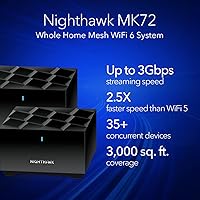
The NETGEAR Nighthawk MK72 WiFi 6 Mesh System is a mid-range whole-home networking kit that covers up to 3,000 square feet using a router-and-satellite duo rather than a single box. Unlike traditional range extenders that create separate networks you have to manually switch between, this mesh WiFi system creates one unified network your devices connect to automatically. It does require an existing cable modem — something first-time buyers occasionally overlook. Built on the 802.11ax standard, it brings genuine WiFi 6 benefits like better handling of multiple simultaneous connections. NETGEAR sits in a reliable middle ground: not the cheapest option out there, but a known name with a solid track record in home networking.
Features & Benefits

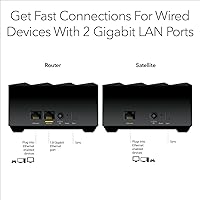
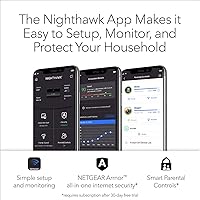
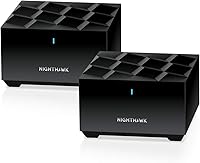
At its core, the Nighthawk MK72 runs on AX3000 dual-band WiFi 6, which in practical terms means faster top speeds and better performance when a dozen or more devices are online at the same time. The router and satellite communicate on a shared band, so your phone or laptop moves between them without you noticing. Both units include a Gigabit Ethernet port, handy for wiring in a gaming console or smart TV where a stable connection matters. The included NETGEAR Armor security suite offers real-time threat monitoring and a VPN option — though the free trial lasts only 30 days before a paid subscription kicks in. On the maintenance side, automatic firmware updates run in the background, a quiet but meaningful feature for long-term protection.

Best For

This dual-band mesh kit is well-suited to anyone upgrading from a single router in a home roughly between 1,500 and 3,000 square feet. It handles 35-plus connected devices without choking — think a mix of phones, smart speakers, laptops, and a gaming console or two all running simultaneously. If you stream 4K content regularly or play online games and want steady performance rather than speed spikes, this setup delivers that consistency in most home layouts. It is also genuinely easy to configure — the app-guided setup takes around 15 minutes. Just keep in mind this is a router replacement, not a modem, so your existing cable modem needs to stay in the picture.

User Feedback

Owners of this mesh WiFi system tend to highlight how straightforward the initial setup process is, and many report a real improvement in coverage over whatever single router they replaced. Stability earns praise too — particularly for households where several people are streaming or on video calls simultaneously. On the flip side, a recurring frustration is the app-only management — there is no traditional web interface, which annoys more technically inclined users. Some note that signal strength drops off noticeably toward the edges of the coverage area, especially through multiple walls. A few buyers in larger homes found they needed an extra satellite sooner than expected. The Armor subscription cost after the trial ends draws consistent pushback, and there are occasional reports of connectivity hiccups following firmware updates.

Pros

  • Covers up to 3,000 sq. ft. with a single router-satellite pair, eliminating most dead zones in mid-sized homes.
  • WiFi 6 technology handles 35-plus simultaneous connections without the slowdowns common on older routers.
  • Devices roam automatically between router and satellite — no manual switching or dropped connections.
  • Both units include a Gigabit Ethernet port, so wired devices like consoles or smart TVs are supported.
  • App-guided setup takes around 15 minutes and requires no prior networking knowledge.
  • Automatic firmware updates keep security current in the background without any user action.
  • The system is expandable — each additional MS70 satellite extends coverage by roughly 1,500 sq. ft.
  • Compatible with virtually any ISP delivering cable, fiber, DSL, or satellite service up to 1Gbps.
  • NETGEAR Armor provides real-time threat monitoring and a VPN option during the included 30-day trial.
  • Build quality and long-term reliability are generally solid, with most users reporting stable performance over time.

Cons

  • Dual-band architecture means router-satellite communication shares bandwidth with client devices, reducing peak speeds at range.
  • Network management is locked to the NETGEAR app — there is no web browser interface for those who prefer one.
  • Signal strength can drop noticeably in homes with thick walls, multiple floors, or open-plan layouts that push the coverage limits.
  • The Armor security subscription becomes a recurring paid expense after the trial, which some buyers do not anticipate.
  • Owners of larger homes frequently find they need to purchase an additional satellite, raising the total cost significantly.
  • Some users report occasional connectivity hiccups or brief drops following automatic firmware updates.
  • No tri-band option means it is outperformed at range by pricier competitors that use a dedicated backhaul band.
  • The Nighthawk MK72 is not compatible with NETGEAR Orbi or Nighthawk Tri-band systems, limiting upgrade flexibility within the NETGEAR ecosystem.
  • Customer support experiences are mixed, with some users reporting slow resolution times for technical issues.
  • No built-in modem — buyers without an existing cable modem must purchase one separately before this system will work.

Ratings

The scores below for the NETGEAR Nighthawk MK72 WiFi 6 Mesh System were generated by our AI engine after analyzing verified purchase reviews from buyers worldwide, with spam, bot-submitted, and incentivized feedback actively filtered out. Every category reflects what real users actually experienced in their homes — not what the spec sheet promises. Both the genuine strengths and the recurring frustrations are transparently represented so you can make a confident, clear-eyed decision.
Coverage & Range
74%
26%
For the average mid-sized home or apartment, most users found the two-unit kit handled their space without needing anything extra. Buyers who upgraded from a single router consistently reported dead zones disappearing, particularly in back bedrooms and garages that previously had weak signal.
Coverage figures are optimistic in homes with thick walls, split levels, or awkward layouts. A meaningful portion of buyers in homes pushing 2,500 square feet or more ended up purchasing an additional satellite sooner than they expected, adding to the overall cost.
WiFi Speed & Performance
78%
22%
Day-to-day performance for streaming 4K video, video calls, and casual online gaming is solid and consistent for most users. Devices closer to either unit — the router or satellite — report strong throughput with minimal buffering even when multiple family members are online simultaneously.
The dual-band architecture means the router-to-satellite link shares bandwidth with client devices, and users at the edges of coverage notice real speed reductions. Buyers who switched from a tri-band system often flagged this drop-off as a tangible downgrade, particularly for satellite-connected devices.
Setup & Installation
91%
Setup is a genuine strong point — the app walks you through the whole process step by step, and most users had everything running within 15 to 20 minutes with no prior networking experience required. Even less tech-confident buyers consistently praised how friction-free the initial configuration felt.
A small number of users ran into app connectivity issues during setup that required restarting the process, which was frustrating given how straightforward it is supposed to be. The lack of any browser-based fallback means if the app misbehaves, your options for troubleshooting are limited.
Network Management & App
61%
39%
The NETGEAR app covers the basics well — network name and password changes, device prioritization, and guest network setup are all accessible without digging through complex menus. For users who simply want to set it and forget it, the app does not get in the way.
There is no web browser interface, which is a real sticking point for technically inclined users who want granular control over things like VLAN configuration, advanced QoS, or port forwarding without navigating a mobile app. Several users reported the app feeling sluggish or occasionally losing connection to the router during routine management tasks.
Multi-Device Handling
83%
Households running 20 to 30 devices simultaneously — phones, smart TVs, tablets, smart home sensors, and laptops — generally found this mesh kit handled the load without obvious slowdowns. WiFi 6 technology helps the system manage overlapping requests more efficiently than older routers in the same conditions.
At the upper end of the supported device range, some users noticed latency creep in during peak household hours. It handles typical family usage well, but heavy smart-home setups or households where multiple people game or stream in 4K simultaneously may start to feel the ceiling.
Roaming & Handoff
82%
18%
The automatic handoff between router and satellite works reliably for most users — walking from one end of the home to the other with a video call or audio stream running stays uninterrupted in the majority of reported experiences. This is a clear improvement over traditional extender setups.
A minority of users noted that certain devices, particularly older smartphones and laptops, were slow to hand off and would occasionally cling to the weaker node rather than switching automatically. This is largely a client-device limitation, but it does happen often enough to be worth noting.
Security Features
69%
31%
The Armor security suite provides genuine value during the trial period — real-time threat detection, malware blocking for all connected devices, and a VPN option are meaningful features for households with children or anyone handling sensitive information at home.
The 30-day trial cutoff is where sentiment sours. Once the trial ends, Armor reverts to essentially nothing without a paid subscription, and many buyers felt blindsided by this after already purchasing the hardware. The ongoing subscription cost drew consistent and pointed criticism across long-term owner reviews.
Build & Design
79%
21%
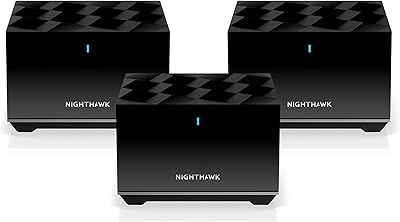
The compact cylindrical shape of both units sits unobtrusively on a shelf or countertop without looking like typical router hardware. Buyers appreciated that the design does not demand to be hidden away, which makes optimal placement — away from cabinets and obstructions — easier to commit to.
There are no status indicator lights beyond a basic LED, which makes it harder to quickly diagnose connection issues without opening the app. A few users also wished for wall-mount options or a more flexible form factor for tighter installation spaces.
Wired Connectivity
72%
28%
Having a Gigabit Ethernet port on the satellite unit — not just the router — is genuinely useful. It means a gaming console or smart TV in a distant room can still get a wired connection without running cable all the way back to the main router.
With only one LAN port per unit, users who need multiple wired connections at a single location will need to add a separate switch. Two total wired ports across the whole system is limiting for anyone with a media setup, NAS drive, or desktop PC alongside a gaming console.
Expandability
76%
24%
The ability to add MS70 satellites one at a time as your needs grow is a practical design choice, particularly for renters who might move to a larger space. Expanding the network is straightforward through the same app used for initial setup.
Compatibility is locked to the MS70 satellite and cannot cross over to Orbi or Nighthawk Tri-band products, which limits options if NETGEAR discontinues the MS70 line. The per-satellite cost also means that expanding to cover a large home can push the total investment considerably higher than the base kit suggests.
Long-Term Reliability
71%
29%
The majority of users who have owned this mesh kit for 12 months or more report stable, consistent performance under normal household conditions. Automatic firmware updates mean the system stays patched without the user having to think about it, which contributes to sustained reliability.
A recurring pattern in longer-term reviews involves brief connectivity drops following automatic firmware updates, sometimes requiring a manual restart to resolve. A smaller subset of buyers reported gradual performance degradation over time, though it is unclear whether firmware or hardware aging is the primary cause.
Value for Money
77%
23%
Relative to its position in the market, this dual-band mesh kit offers a solid baseline of WiFi 6 performance, easy setup, and whole-home coverage at a price that undercuts many tri-band competitors. For buyers whose needs align with what it actually delivers, the value proposition is reasonable.
Once you factor in the Armor subscription cost and the likelihood of needing an additional satellite for larger or complex homes, the real total cost of ownership climbs noticeably. At that point, some tri-band alternatives start looking more competitive on a dollars-per-square-foot basis.
ISP & Modem Compatibility
88%
Broad compatibility across cable, fiber, DSL, and satellite ISPs means buyers almost never run into issues getting this system to work with their existing setup. Support for plans up to 1Gbps covers the vast majority of residential internet tiers currently available.
Users on multi-gig internet plans — 1.5Gbps or faster — will hit the ceiling of the WAN port and will not get full use of their subscription speeds through this router. This is an edge case for most households today, but increasingly relevant as high-speed plans become more mainstream.

Suitable for:

The NETGEAR Nighthawk MK72 WiFi 6 Mesh System is a strong fit for households in the 1,500 to 3,000 square foot range that have been limping along with a single router and dead zones in the back bedroom or garage. It works especially well for families or shared living situations where a lot of devices are online at once — smartphones, laptops, smart TVs, voice assistants, and a gaming console or two — without anyone wanting to think about network management. People who stream 4K content regularly or play online games will appreciate the consistency this dual-band mesh kit delivers compared to a standard router-and-extender combo. The app-guided setup is genuinely approachable for non-technical users; if you can follow a few on-screen steps, you can have it running in under 20 minutes. It is also a practical choice for renters who want a capable, portable system they can take with them when they move.

Not suitable for:

Buyers with larger homes — anything pushing 4,000 square feet or more — should know upfront that this mesh WiFi system will likely require one or more additional satellites to cover the whole space, which adds to the overall cost. Power users who want fine-grained control over their network, such as VLAN configuration, advanced QoS settings, or a traditional browser-based dashboard, will find the app-only management frustrating and limiting. The dual-band architecture is a real trade-off compared to tri-band mesh systems, which dedicate a separate band purely for router-to-satellite communication and typically maintain stronger speeds at range — buyers comparing options near this price point should weigh that carefully. Anyone hoping to skip a monthly fee entirely should also know that the Armor security suite reverts to basic functionality once the 30-day trial ends, and the ongoing subscription cost catches some owners off guard. Finally, this is strictly a router replacement — it does not include or replace a cable modem, so buyers without one already in place will need to budget for that separately.

Specifications

  • WiFi Standard: This system runs on 802.11ax, commonly known as WiFi 6, which improves throughput and efficiency compared to the previous WiFi 5 generation.
  • Band Configuration: The system operates on dual-band (2.4GHz and 5GHz), with both bands shared between client devices and the router-to-satellite backhaul link.
  • Max Speed Rating: The combined theoretical maximum across both bands reaches AX3000, though real-world speeds will vary depending on distance, interference, and the number of active devices.
  • Coverage Area: NETGEAR rates this two-unit kit for up to 3,000 square feet, though actual coverage may be lower in homes with thick walls, multiple floors, or complex layouts.
  • Device Capacity: The system is designed to handle 35 or more simultaneously connected devices without significant performance degradation under typical household conditions.
  • Units Included: The box contains one MR70 mesh router and one MS70 satellite extender, along with two power adapters and one 6-foot Ethernet cable.
  • Ethernet Ports: Each unit — both the router and the satellite — includes one Gigabit Ethernet LAN port, providing two wired connection points across the whole system.
  • ISP Compatibility: This mesh kit works with any internet service provider using cable, fiber, DSL, or fixed satellite delivery, supporting ISP speeds up to 1Gbps.
  • Security Suite: NETGEAR Armor is included with a 30-day free trial and provides real-time malware blocking, intrusion detection, and an optional VPN for connected devices.
  • Firmware Updates: The system applies security and performance firmware updates automatically by default, requiring no manual action from the user.
  • Expandability: Coverage can be extended by adding individual MS70 satellite units, each of which adds approximately 1,500 square feet to the network footprint.
  • Dimensions: Each unit measures 4.8 x 4.8 x 2.5 inches, giving both the router and satellite a compact, low-profile footprint suitable for shelves or desks.
  • Weight: The combined weight of the two-unit kit is 2.76 pounds, making it lightweight enough to reposition easily during initial placement.
  • Power Supply: Two 12V/1.5A power adapters are included in the box, one for the router and one for the satellite unit.
  • Model Number: The retail model number is MK72-100NAS, which identifies this specific dual-band two-unit configuration within NETGEAR's Nighthawk mesh lineup.
  • Color: Both the router and satellite are finished in black, with a compact cylindrical design that blends into most home environments.
  • Modem Required: This system does not include a modem and must be connected to a separate, user-supplied cable or fiber modem to provide internet access.
  • Management App: The system is configured and managed exclusively through the NETGEAR app, available for both iOS and Android; there is no browser-based admin interface.

Related Reviews
NETGEAR Nighthawk MK62 Mesh WiFi 6 System
87%
94%
Setup & Installation
88%
Performance for Streaming & Gaming
83%
WiFi Coverage
90%
App Management Experience
92%
Security Features (NETGEAR Armor)
More
NETGEAR Nighthawk MK73S
77%
88%
Coverage & Dead Zone Elimination
91%
Setup & Installation Experience
76%
WiFi Speed & Throughput
82%
Device Capacity & Network Congestion
63%
Roaming & Handoff Between Units
More
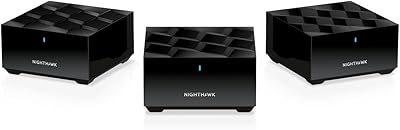
NETGEAR Nighthawk MK83 Mesh WiFi 6 System
74%
88%
Coverage & Range
83%
WiFi Speed Performance
91%
Setup & Installation
62%
Value for Money
71%
App Experience
More
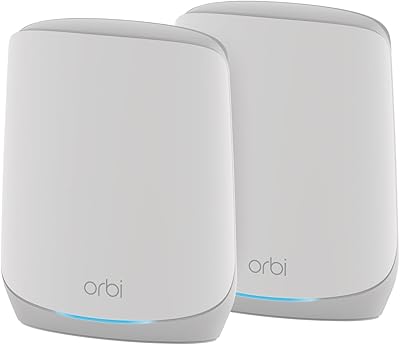
NETGEAR Nighthawk MK63S Mesh WiFi 6 System
74%
91%
Setup & Installation
78%
WiFi Coverage
76%
Connection Stability
67%
Throughput & Speed Performance
82%
Multi-Device Handling
More
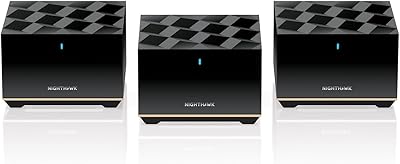
NETGEAR Orbi RBK752P WiFi 6 Mesh System
80%
88%
Coverage & Range
79%
WiFi Speed & Throughput
91%
Ease of Setup
83%
Device Handling
85%
Wired Connectivity
More
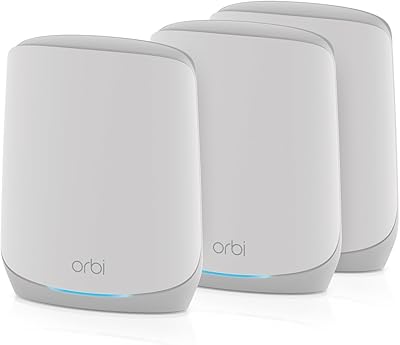
NETGEAR Nighthawk MK93S Mesh WiFi 6E System
79%
88%
Wireless Performance
91%
Coverage & Dead Zone Elimination
83%
Setup & Installation Experience
86%
Device Capacity & Network Management
74%
6GHz Band Utility
More
NETGEAR Orbi RBK663 WiFi 6 Mesh System
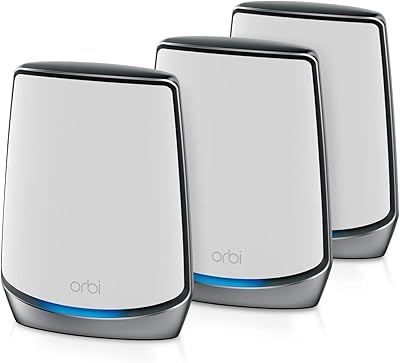
87%
93%
WiFi Performance
90%
Coverage Area
85%
Ease of Setup
88%
Security Features
82%
App Experience
More
NETGEAR Orbi RBK853 WiFi 6 Mesh System
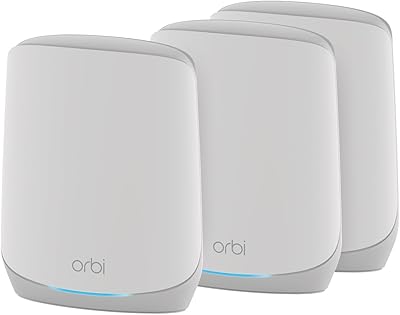
77%
83%
Signal Coverage
86%
Network Speed
88%
Device Handling
81%
Setup Experience
74%
App & Management
More
NETGEAR Orbi RBK753P WiFi 6 Mesh Network System
85%
89%
Performance
92%
Coverage Area
88%
Ease of Setup
85%
Security Features
80%
Device Support
More
NETGEAR Nighthawk RAX70 WiFi 6 Router
87%
91%
WiFi Performance
88%
Security Features (NETGEAR Armor)
85%
Setup & Installation
89%
Coverage Area
92%
Speed (AX6600 Support)
More

FAQ

You will need a separate modem — this kit does not include one. It connects to your existing cable or fiber modem just like a standard router would. If you are renting a modem from your ISP, that works fine too.

Once the trial expires, the Armor subscription features — real-time threat protection, malware blocking, and the VPN — are turned off unless you pay for a continuing subscription. The router itself keeps working normally; you just lose those extra security layers. It is worth factoring that ongoing cost into your decision if security features matter to you.

That depends heavily on your home's layout. The two-unit kit is rated for up to 3,000 square feet, but that figure assumes relatively open spaces. Homes with thick concrete or brick walls, multiple floors, or long narrow layouts often see noticeably shorter effective range. If your space pushes those limits, budget for an additional MS70 satellite.

The app is mandatory — there is no traditional web-based admin panel for this system. For most users that is fine, but if you are used to browser-based router interfaces and want that level of control, it is a real limitation worth knowing about before you buy.

Almost certainly yes. It is compatible with cable, fiber, DSL, and fixed satellite internet services from any provider, as long as your plan delivers speeds up to 1Gbps. Beyond 1Gbps, you would want to look at a different system with a faster WAN port.

A traditional extender creates a second, separate network that your devices do not move between automatically — you often have to manually switch. This mesh system creates a single unified network, so your phone or laptop hands off between the router and satellite in the background without you doing anything. The experience is noticeably more consistent.

No — this kit is not cross-compatible with Orbi systems or Nighthawk Tri-band mesh products. If you want to expand coverage, you can only add MS70 satellites from the same Nighthawk mesh family.

Setup is genuinely straightforward for most people. You plug the router into your modem, download the NETGEAR app, and follow the step-by-step prompts — the whole process typically takes around 15 minutes. You do not need any networking knowledge to get it running.

In a tri-band system, one of the three bands is reserved exclusively for communication between the router and satellite, which keeps more bandwidth available for your actual devices. With this dual-band mesh kit, that backhaul traffic shares the same bands your devices use, which can reduce speeds — especially for devices connected to the satellite rather than the router directly. For typical streaming and browsing in a medium-sized home it is usually fine, but heavy users pushing the coverage limits may notice the difference.

Yes, the system is expandable. Each additional MS70 satellite you add extends coverage by roughly 1,500 square feet. Just note that extra satellites are sold separately, so factor that into your overall budget if you anticipate needing more coverage down the line.