Overview

The Linksys E8450 AX3200 WiFi 6 Router sits in a comfortable sweet spot for households that have outgrown their old router but don't need enterprise-grade hardware. WiFi 6 isn't just a marketing label here — in a home crowded with phones, smart speakers, and streaming devices all competing for bandwidth, the difference over older WiFi 5 equipment is genuinely noticeable. Coverage reaches up to 2,500 square feet, which handles most apartments and mid-sized homes without drama. Linksys also backs this dual-band router with an 18-month warranty — longer than most rivals at this price point. It's built for everyday households, not network engineers chasing advanced configurations.

Features & Benefits

The E8450 runs on two frequency bands at the same time, giving you useful flexibility. The 2.4 GHz band reaches farther and handles lighter tasks like smart home sensors and older devices, while the 5 GHz band delivers the speed needed for 4K streaming and video calls. In practice, the combined throughput holds up well when multiple family members are online simultaneously. Four Gigabit Ethernet ports are a practical touch — wiring in a gaming console or desktop PC makes a real difference in latency. Setup is browser-based, requiring no dedicated app, and the walkthrough is clear enough that anyone can get online in under fifteen minutes. A guest network and per-device parental controls round out a surprisingly complete feature set.

Best For

This Linksys WiFi 6 router makes the most sense for open-plan homes or apartments up to roughly 2,500 square feet. It handles 25 simultaneous devices comfortably — think a combination of phones, tablets, smart speakers, streaming sticks, and a gaming console or two. Families will appreciate having basic parental controls built in without needing a separate subscription service. It's also a solid choice for anyone still running a WiFi 5 or older router who wants a genuine speed upgrade without mesh system pricing. If you're a power user who wants fine-grained QoS settings, a VPN server, or detailed traffic analytics, this dual-band router will likely feel too limited.

User Feedback

Across nearly 3,845 ratings, the E8450 holds a 4.1-star average — solid, though not without complaints. On the positive side, buyers consistently mention easy installation and a noticeable improvement in connection stability compared to their previous routers. Coverage generally delivers on its promise for medium-sized homes. Where opinions diverge is on the 5 GHz band, which some long-term users find less consistent at greater distances. A handful of reviewers mention firmware stability issues after extended use. The parental controls get credit for being functional, but don't expect anything sophisticated. Power users note the absence of QoS tools and a VPN server. Customer support, while available around the clock, receives mixed reviews depending on the issue.

Pros

  • WiFi 6 support delivers noticeably better performance in homes packed with multiple active devices.
  • Browser-based setup is genuinely straightforward — no app download, no account creation required.
  • Four Gigabit Ethernet ports give you reliable wired options for consoles, PCs, and smart TVs.
  • Dual-band operation lets devices automatically find the best available frequency for their needs.
  • Built-in parental controls cover the basics without requiring a paid third-party service.
  • The guest network keeps visitors off your main connection, protecting personal devices and data.
  • Coverage up to 2,500 sq ft is sufficient for most apartments and mid-sized single-story homes.
  • An 18-month warranty is longer than what most competing routers at this price tier offer.
  • Noticeable speed improvement reported by users upgrading from older WiFi 4 or WiFi 5 routers.
  • 24/7 customer support availability is a practical safety net for less technical users.

Cons

  • No dedicated mobile app makes on-the-go network management unnecessarily inconvenient.
  • The 5 GHz band can be inconsistent at longer distances or through multiple walls.
  • Advanced settings are limited — no VPN server, no meaningful QoS controls, no traffic monitoring.
  • Some long-term owners have reported firmware stability issues requiring reboots after extended uptime.
  • Not a realistic option for larger homes or multi-story layouts without adding a separate extender.
  • Parental controls are basic; tech-savvy teenagers can likely work around them without much effort.
  • Customer support quality appears inconsistent based on user reviews, despite round-the-clock availability.
  • No tri-band option means heavy simultaneous use can create more congestion than a higher-tier router would.
  • The browser interface, while functional, feels dated compared to the polished apps offered by competing brands.

Ratings

The Linksys E8450 AX3200 WiFi 6 Router scores below were generated by AI after analyzing thousands of verified global user reviews, with spam, bot-submitted, and incentivized feedback actively filtered out to reflect genuine buyer experiences. The results capture what real households — from families managing a dozen streaming devices to remote workers depending on stable video calls — consistently praised and complained about. Both the strengths and the friction points are represented transparently, so you can make a clear-eyed buying decision.

Ease of Setup
91%
Buyers across skill levels repeatedly called this one of the easiest routers they've ever configured. The browser-based walkthrough is clearly written, and most users report being fully online within ten to fifteen minutes of unboxing — no app, no account, no guesswork.
A small number of users experienced confusion when switching from a previous router with a different IP scheme, requiring a manual factory reset to resolve. The lack of a mobile app also means there's no guided setup option for users who prefer phones over laptops.
WiFi Speed & Throughput
83%
Users upgrading from WiFi 5 routers noticed an immediate and meaningful improvement, especially in households where multiple people stream simultaneously. 4K video held steady, video calls didn't drop, and lag on connected gaming consoles decreased noticeably for most reviewers.
At longer distances or through denser walls, real-world throughput drops more than the spec sheet implies. A portion of reviewers noted that the 5 GHz band in particular felt unreliable once they moved more than a room or two away from the router.
Coverage & Range
77%
23%
In open-plan apartments and single-story homes, the coverage holds up well and matches Linksys's 2,500 sq ft claim reasonably closely. Users in those environments rarely reported dead spots, and devices across the home maintained a stable connection throughout the day.
Multi-story homes and layouts with thick interior walls exposed clear limitations. Several long-term owners noted that the signal weakened significantly on upper floors or in rooms separated by masonry, making this a poor choice for anything beyond a straightforward open layout.
Multi-Device Performance
86%
The WiFi 6 efficiency gains are most visible when a dozen or more devices are active at once. Families with a mix of phones, smart speakers, streaming sticks, and laptops all running simultaneously found that connections stayed stable without the bottlenecks their old router caused.
When the device count pushes past 20 with heavy simultaneous traffic — think multiple 4K streams alongside active gaming and video calls — some users noticed intermittent slowdowns. It handles typical household loads well, but it's not built for unusually dense or high-demand environments.
Value for Money
88%
At its price point, getting a genuine WiFi 6 router with four Gigabit Ethernet ports, a guest network, and built-in parental controls is a solid package. Reviewers who compared it against similarly priced competitors consistently felt it delivered more capability per dollar.
Users who later discovered the limited advanced settings sometimes felt they could have spent slightly more for a router with greater configurability. If your needs grow beyond basic household use, the value proposition weakens because there's limited room to expand what the router can do.
5 GHz Band Stability
67%
33%
Under ideal conditions — device nearby, light interference from neighbors — the 5 GHz band performs well and delivers the faster speeds most users are hoping for. Short-range connections in the same room as the router were consistently rated as reliable and fast.
This is the most commonly cited pain point in long-term reviews. Devices occasionally dropped from the 5 GHz band and reconnected on 2.4 GHz without the user noticing, causing unexpected slowdowns. A subset of owners attributed this to specific firmware versions rather than hardware design.
Firmware & Stability
69%
31%
For the majority of users, the router runs for weeks and months without needing intervention. Day-to-day reliability is sufficient for typical households, and most people never encounter a serious firmware-related issue during normal use.
A persistent thread of complaints from longer-term owners describes gradual performance degradation that only a reboot resolves, pointing toward a memory leak or firmware bug. Certain firmware updates have also introduced instability for some users, and rollback options are limited.
Parental Controls
74%
26%
The built-in controls are free, require no subscription, and handle the basics that most parents need — blocking specific websites and setting daily time limits per device. For families with younger children, it provides a workable layer of oversight without any extra cost or complexity.
Older kids with any technical awareness can often circumvent the website blocking through VPNs or DNS changes, since the controls don't account for those workarounds. There's also no content-category filtering or usage reporting, which limits usefulness as children get older.
Advanced Configuration
44%
56%
The interface is clean and uncluttered, which works in favor of users who just want a router that works without needing to understand networking. Basic settings like port forwarding and band steering are accessible and function correctly.
Anyone who needs QoS prioritization, a VPN server, dynamic DNS, or detailed traffic monitoring will hit a wall quickly. The settings menu is sparse by design, and there's no community firmware support (such as OpenWrt) to compensate for what Linksys chose to leave out.
Mobile App Experience
41%
59%
There is no official dedicated app for the E8450, which paradoxically earns some praise from users who dislike being forced to create accounts just to manage a router they already own. The browser interface at least works on mobile browsers when needed.
The absence of a proper app is a recurring complaint, especially compared to competitors like TP-Link or Asus that offer polished mobile management tools. Remote access — checking who's connected, rebooting the router, or adjusting settings while away from home — is simply not possible without a workaround.
Build Quality
79%
21%
The physical construction feels solid for its weight class. Users report no flexing or cheap-feeling plastics, and the vertical orientation keeps it stable on a shelf or desk without the need for mounting. Ventilation slots on the unit appear adequate for keeping thermals in check.
The matte black casing attracts dust visibly, and the lack of external antennas limits repositioning options for users trying to tweak their signal direction. A small number of buyers noted the unit runs warmer than expected under sustained heavy load.
Guest Network
84%
The guest network works exactly as intended — visitors get internet access and nothing else. Multiple reviewers appreciated having a dedicated network for smart home devices as well, keeping IoT gadgets separated from personal computers and phones as a basic security measure.
The guest network configuration options are minimal; you can't set bandwidth limits for guests or create time-restricted access schedules tied specifically to the guest SSID. For households with frequent visitors, those additional controls would add real practical value.
Customer Support
63%
37%
The 24/7 availability is a genuine advantage, and users with straightforward setup questions generally report being helped quickly. Having round-the-clock access to English-speaking support is more than many competing brands at this price level offer.
Experiences with more complex issues — firmware bugs, intermittent disconnections, band-steering problems — tend to be less satisfying. A meaningful share of reviewers described repetitive troubleshooting scripts and unresolved tickets, which is a concern for buyers who encounter persistent technical problems.
Warranty & After-Sales
82%
18%
The 18-month warranty period stands out in a category where 12 months is standard. Several buyers specifically mentioned it as a deciding factor, and replacement or support claims within the warranty window appear to be honored without excessive friction based on review feedback.
After the 18-month window closes, users are largely on their own, and there's no paid extended warranty option readily available. Linksys's broader support ecosystem for older units has also thinned out over time, which is worth keeping in mind for long-term ownership.

Suitable for:

The Linksys E8450 AX3200 WiFi 6 Router is a strong fit for households that have simply outgrown whatever router came with their ISP package years ago. If you live in an apartment or a single-story home up to roughly 2,500 square feet and you're constantly juggling phones, smart TVs, a gaming console, and a handful of smart home gadgets all at once, this dual-band router handles that load without breaking a sweat. Families with kids will find the built-in parental controls genuinely useful for setting screen time limits and blocking specific sites, especially given that it requires no extra subscription to access those features. The browser-based setup also means you don't need to be technically inclined to get everything running — most people are online within fifteen minutes. If you're still running a WiFi 5 or older router and wondering whether the upgrade is worth it, the answer for this type of household is a clear yes.

Not suitable for:

The Linksys E8450 AX3200 WiFi 6 Router is not the right tool if your home sprawls across multiple floors, extends well beyond 2,500 square feet, or has thick concrete or brick walls that choke wireless signals — in those cases, a mesh system will serve you far better. Power users who rely on features like a built-in VPN server, granular quality-of-service controls, or detailed per-device traffic monitoring will find the E8450 frustratingly bare-bones. There is no dedicated mobile app, which is a genuine inconvenience if you want to manage your network on the go rather than sitting down at a browser. Households with more than 25 active devices simultaneously may also start to notice performance degradation under heavy, sustained load. If your ISP connection speed is extremely high and you want a router that can genuinely push those speeds to every corner of your home with zero compromise, this dual-band router sits below what you'd need.
Specifications

  • WiFi Standard: The router uses the 802.11ax standard, commonly known as WiFi 6, which improves throughput efficiency and reduces congestion compared to the older 802.11ac (WiFi 5) standard.
  • Frequency Bands: Dual-band operation broadcasts simultaneously on both 2.4 GHz and 5 GHz, allowing devices to connect on whichever band best suits their speed and range requirements.
  • Max Throughput: Combined theoretical throughput reaches 3.2 Gbps across both bands, with the 5 GHz band carrying the bulk of high-speed traffic for demanding applications.
  • LAN Ports: Four Gigabit Ethernet ports are included on the rear panel, supporting wired connections for devices such as gaming consoles, desktop PCs, and smart TVs.
  • WAN Port: One Gigabit Ethernet WAN port connects the router to your modem or ISP gateway for internet access.
  • Coverage Area: Linksys rates the E8450 for coverage up to 2,500 sq ft, making it practical for mid-sized apartments and single-story homes with open floor plans.
  • Device Capacity: The router is designed to handle 25 or more simultaneously connected devices without significant performance degradation under typical household usage.
  • Setup Method: Configuration is handled entirely through a browser-based interface, requiring no mobile app download or third-party account creation to complete initial setup.
  • Parental Controls: Built-in parental controls allow per-device website blocking and time scheduling, accessible directly through the router's web management interface at no additional subscription cost.
  • Guest Network: A dedicated guest network option isolates visitor traffic from the primary home network, preventing guests from accessing shared devices or local storage.
  • Security Protocol: The router supports WPA3 and WPA2 security protocols, providing up to the current consumer-grade standard of wireless encryption for connected devices.
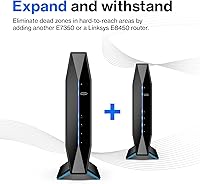
  • Dimensions: Physical dimensions measure 6.14 inches long by 3.03 inches wide by 8.66 inches tall, giving it a compact vertical footprint suitable for shelf or desktop placement.
  • Weight: The unit weighs 1.41 pounds, making it lightweight enough to reposition easily if needed during setup or rearrangement.
  • Color: Available in a single matte black finish that blends into most home and office environments without drawing attention.
  • Warranty: An 18-month limited warranty is included as an Amazon-exclusive benefit, which is notably longer than the standard 12-month coverage offered by many competing routers at this price tier.
  • Customer Support: Linksys provides 24-hour, seven-day-a-week telephone and online support in English for troubleshooting, firmware questions, and configuration assistance.
  • Compatibility: Compatible with major device categories including smartphones, tablets, smart TVs, gaming systems such as Xbox and PlayStation, and smart home devices including Nest and Amazon Alexa products.
  • Recommended Use: Linksys positions this router for both home and small business environments where reliable multi-device connectivity and straightforward management are priorities.

Related Reviews

Linksys MR20EC WiFi 6 Mesh Router
74%
78%
Wireless Performance
63%
Coverage & Range
91%
Setup & Installation
69%
App & Remote Management
82%
Device Handling & Congestion
More
Linksys MR7350 WiFi 6 Router
76%
91%
Setup & Onboarding
78%
WiFi Speed & Throughput
67%
Coverage & Range
83%
Device Handling & Congestion
72%
App & Remote Management
More
Linksys AX2200 WiFi 6 Router
76%
88%
Value for Money
92%
Setup & Ease of Use
66%
WiFi Coverage
78%
Multi-Device Performance
76%
Gaming & Streaming
More
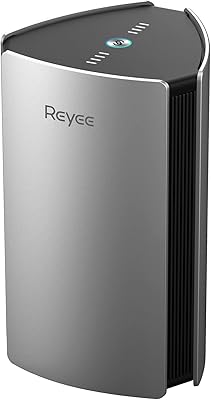
Reyee RG-R6 AX3200 Mesh WiFi 6 System (1-Pack)
71%
88%
Value for Money
91%
Setup & Ease of Use
76%
WiFi Coverage
79%
Network Speed & Throughput
82%
Multi-Device Performance
More
Linksys LN3121 WiFi 6 Mesh Router
73%
91%
Ease of Setup
74%
WiFi Coverage
78%
Connection Speed
82%
Multi-Device Performance
83%
Network Stability
More
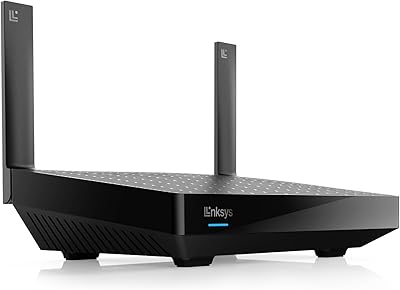
Linksys MX8000 Velop Mesh WiFi Router 2-Pack
75%
86%
Coverage & Range
74%
WiFi Speed Performance
83%
Multi-Device Handling
91%
Setup & Installation
78%
App Experience
More
Linksys Atlas MX2000 2-Pack Mesh Router

82%
88%
WiFi Coverage & Range
91%
Setup & Ease of Use
83%
Network Speed & Throughput
86%
Device Load Handling
77%
Latency & Gaming Performance
More
Gryphon AX Mesh WiFi 6 Router
73%
91%
Parental Controls
88%
Network Security
76%
WiFi Speed & Performance
78%
Coverage & Range
84%
Setup & Installation
More
Tenda RX2Pro AX1500 WiFi 6 Router
76%
91%
Value for Money
78%
Wireless Performance
72%
Coverage & Range
93%
Ease of Setup
74%
App Experience
More
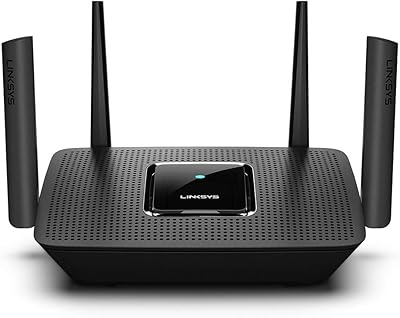
NETGEAR R6700AXS AX1800 WiFi 6 Router
76%
78%
Wireless Performance
91%
Setup Experience
83%
Multi-Device Handling
86%
Network Security
67%
Coverage Range
More

FAQ

Not at all. The setup process runs entirely through a web browser — you plug it in, connect to the temporary network it creates, and follow a step-by-step walkthrough. Most people are fully connected within fifteen minutes, and there's no app to download or account to create.

Coverage claims always depend on your home's layout and building materials. In an open-plan space, 2,500 sq ft is a realistic target. If your home has thick plaster walls, multiple floors, or lots of corners, you may notice weaker signal in far rooms. For those situations, a mesh system would serve you better.

WiFi 6 includes technology called OFDMA that helps the router communicate with multiple devices at the same time more efficiently than older standards could manage. In practice, this means less slowdown when a dozen or more devices are active simultaneously — streaming, scrolling, and gaming at the same time feels noticeably smoother than on a WiFi 5 router.

They're functional but basic. You can block specific websites and set time limits per device, which covers the everyday needs of most families. They're not sophisticated enough to catch every workaround a determined teenager might try, and there's no content-category filtering or detailed usage reporting built in.

Not directly — there's no official mobile app that allows remote management. Network administration is handled through a browser on a device connected to the router. If remote access matters to you, that's a genuine limitation worth considering before purchasing.

The E8450 works as a standard router and connects to virtually any ISP-provided modem or gateway via its WAN Ethernet port. You may need to put your ISP gateway into bridge mode if you want to avoid double-NAT issues, but that's a common step with any third-party router and your ISP's support team can walk you through it.

Yes, the guest network runs on a separate subnet, which means guests can access the internet without being able to see or connect to your personal devices, network storage, or printers. It's a straightforward but effective layer of separation.

Yes, even older WiFi 5 and WiFi 4 devices benefit indirectly. A WiFi 6 router manages airtime and network congestion more efficiently for all connected devices, so your older gadgets typically experience fewer slowdowns even if they can't use the full WiFi 6 feature set themselves.

Firmware stability is something to watch. Most users report no issues, but a segment of long-term owners mention occasional slowdowns that a reboot resolves, sometimes tied to firmware updates. Checking the Linksys support page for the latest firmware version before and after purchase is a good habit with any router.

No on both counts. The E8450 does not include a built-in VPN server, and its quality-of-service controls are minimal compared to enthusiast-grade routers. If either of those features is important to your setup, this dual-band router is likely not the right match for your needs.

Where to Buy