Overview

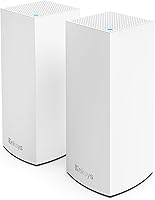
The Linksys Atlas MX2000 2-Pack Mesh Router entered the market in 2022 as a practical, no-frills answer to whole-home WiFi coverage, and it still holds up well today. Two compact tower nodes work together to blanket up to 4,000 square feet with WiFi 6 connectivity, making it a sensible mid-range pick for households that have outgrown a single router. It is not the flashiest system on the shelf, but this mesh system was never trying to be. It targets the sweet spot between budget hardware and premium tri-band systems — offering real performance without demanding a premium price.
Features & Benefits

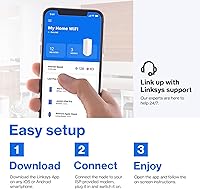
Built on the 802.11ax standard, this two-node router setup handles congested home networks far better than older WiFi 5 hardware. With a Qualcomm chipset under the hood, it keeps latency low enough for video calls and casual online gaming without breaking a sweat. The aggregate throughput reaches AX3000 class speeds — enough to support simultaneous 4K streaming across multiple rooms. Security is handled quietly in the background through automatic firmware updates, and parental controls plus a dedicated guest network come included. Managing everything runs through the Linksys mobile app, which walks you through setup in a matter of minutes.

Best For

The Atlas 6 duo makes the most sense for homeowners dealing with dead zones in larger, multi-story floor plans where a single router simply cannot reach every corner. Families juggling 20 to 50 connected devices — smart TVs, phones, tablets, voice assistants, smart home sensors — will appreciate how well this mesh system handles that kind of load without constant dropouts. It also fits renters or first-time mesh buyers who want plug-and-play simplicity rather than a networking project. If your home runs on Alexa or Apple HomeKit, compatibility is built right in.

User Feedback

Across more than 300 ratings, the Atlas 6 duo holds a 4.5-star average, and the praise tends to focus on two things: reliable whole-home coverage and how painless the initial setup is. Owners of two-story homes regularly mention that dead zones disappeared after placing the second node on an upper floor. That said, the feedback is not without caveats. Buyers who researched carefully before purchasing flag the dual-band limitation — at a similar price, some competitors offer tri-band backhaul, which can improve performance when nodes are far apart. Power users also note that advanced configuration options are limited compared to more enthusiast-focused routers.

Pros

  • WiFi 6 support handles crowded device lists far better than older routers most households are still running.
  • Setup via the Linksys app typically takes under fifteen minutes with no technical knowledge required.
  • Two nodes reliably cover two-story homes and open floor plans without manual channel configuration.
  • Apple HomeKit Secure Router integration offers per-device network permissions not common at this price point.
  • Automatic firmware updates keep the network patched without the owner needing to remember to do anything.
  • The Atlas 6 duo manages 30 to 45 simultaneously active devices without the dropouts that plague cheaper hardware.
  • Slim tower design sits on a shelf without drawing attention the way bulky antenna-heavy routers do.
  • Guest network and WPA security keep visitors off your primary network with minimal setup effort.
  • Long-term stability is strong — most owners report months of use without needing a reboot or reset.
  • Casual gamers and video callers get consistently low latency under normal household load conditions.

Cons

  • The dual-band backhaul limits throughput when both nodes are far apart and serving many active devices simultaneously.
  • No wired backhaul support means node placement decisions directly affect real-world speeds with no fallback option.
  • Advanced configuration options are essentially absent — power users will hit the app ceiling almost immediately.
  • Parental controls lack per-device scheduling granularity, disappointing families who want more than basic content filtering.
  • Only one LAN port per node makes connecting multiple wired devices impossible without adding a separate switch.
  • Google Home users get no native integration, leaving a common smart home ecosystem partially unsupported.
  • Some users report intermittent node disconnections appearing after several months of continuous use.
  • The app occasionally fails to detect a node on first launch, requiring a restart before setup can proceed.
  • ISP configurations involving double-NAT or non-standard modem setups can cause setup stalls with unclear error messages.
  • No Thread border router support limits compatibility with newer smart home device protocols gaining traction in 2024 and beyond.

Ratings

The scores below for the Linksys Atlas MX2000 2-Pack Mesh Router were generated by our AI system after analyzing verified purchase reviews from buyers worldwide, with spam, bot-submitted, and incentivized feedback actively filtered out. The ratings reflect genuine day-to-day experiences from real households — covering everything this two-node system does well and the areas where it falls short of expectations.
WiFi Coverage & Range
88%
Owners of two-story homes and open-plan layouts consistently report that placing one node upstairs and one down eliminates the dead zones that plagued their previous single-router setups. The 4,000 square foot coverage claim holds up in most real-world configurations, particularly in homes without thick concrete walls.
In homes with unusual layouts — long corridors, detached garages, or heavily partitioned older construction — some users found the two-node setup left fringe areas underserved. A third node would solve this, but that adds cost.
Setup & Ease of Use
91%
The Linksys mobile app genuinely earns its praise here. Most buyers report going from box to working network in under fifteen minutes, with no need to touch a web browser or manually configure DNS settings. For non-technical users, that experience is a real relief.
A small number of users hit snags when transitioning from an existing mesh network or ISP-provided router, requiring a factory reset cycle to resolve conflicts. The app also occasionally fails to detect nodes on first launch, requiring a restart.
Network Speed & Throughput
83%
For everyday household workloads — 4K streaming on multiple TVs, video calls, and background smart home traffic — this mesh system delivers consistent speeds without the bottlenecks common in older WiFi 5 hardware. The Qualcomm chipset handles congestion noticeably better than cheaper alternatives in this price range.
The dual-band architecture means backhaul and client traffic share the same radio channels, which can reduce real-world throughput when the nodes are far apart and both are serving active devices simultaneously. Tri-band rivals handle this more gracefully.
Device Load Handling
86%
Households with 30 to 45 connected devices — phones, tablets, smart speakers, security cameras, streaming sticks — report that this two-node setup manages the load without constant dropouts or the need to manually prioritize devices. WiFi 6 OFDMA technology is doing real work here.
Users who pushed past 50 simultaneous active connections noted occasional slowdowns, particularly during peak evening hours when streaming and gaming overlapped. The system handles passive smart home devices fine; it is heavy concurrent active use that tests its limits.
Latency & Gaming Performance
77%
23%
For casual online gaming — titles like Minecraft, Fortnite at moderate settings, or console gaming — latency is stable and responsive enough that most players will not notice a difference versus a wired connection in typical home conditions.
Competitive or latency-sensitive gamers who need the absolute lowest ping will find this setup adequate but not exceptional. The dual-band backhaul can introduce variable latency under load, and there are no advanced QoS or gaming-specific priority settings in the app.
App & Remote Management
79%
21%
The Linksys app gives a clear, readable dashboard showing which devices are connected, how much bandwidth each is consuming, and allows basic prioritization. Managing the network remotely from outside the home works reliably for most users.
Power users quickly hit the ceiling of what the app exposes. There is no access to advanced DNS settings, detailed traffic logs, or VLAN configuration. Anyone accustomed to a full web-based router interface will find the app experience frustratingly limited.
Security Features
82%
18%
Automatic firmware updates mean the system patches itself in the background without requiring the user to remember to log in and update manually — a meaningful security advantage for busy households. Parental controls and a separate guest network are genuinely useful day-to-day features.
The parental controls are fairly basic by current standards — time limits and content filtering work, but granular per-device scheduling or detailed reporting are absent. Families wanting deeper controls typically end up relying on a third-party DNS service.
Smart Home Compatibility
84%
Apple HomeKit Secure Router support is a standout feature for households already invested in the Apple ecosystem, allowing per-device network permissions that most mesh systems at this price point simply do not offer. Alexa integration for basic voice controls works without friction.
Google Home users are left out — there is no native integration, and the system does not support Thread border router functionality, which matters for newer smart home device protocols. For a mixed smart home ecosystem, compatibility is only partial.
Build Quality & Design
76%
24%
The slim tower form factor sits unobtrusively on a bookshelf or side table without looking like networking equipment. The white finish is neutral enough to blend into most modern home interiors, and the unit feels solid despite its light weight.
The physical build feels plasticky compared to some competitors, and there are no Ethernet ports beyond the single LAN port per node, which limits wired backhaul options or connecting multiple wired devices without a switch. It is functional, not premium.
Value for Money
87%
Relative to tri-band mesh systems offering similar coverage, this two-node setup delivers a compelling package for practical everyday users. Most buyers feel they received more than expected given the price tier, particularly when comparing real-world performance to single-router alternatives they replaced.
The value proposition weakens slightly when tri-band competitors occasionally dip to similar prices during sales. At full price the gap is clear, but deal-hunters should watch pricing before committing, as the competitive landscape in this category shifts frequently.
Node Placement Flexibility
73%
27%
Each node requires only a power outlet to operate wirelessly, which makes placement genuinely flexible. Users appreciate being able to position nodes wherever coverage is needed without running Ethernet cables between floors or through walls.
Without a wired backhaul option between nodes, placement decisions directly affect performance. Users who placed nodes too far apart without a clear line-of-sight path reported noticeably weaker speeds at the far end, and the app does not clearly guide optimal placement.
Initial Configuration Reliability
81%
19%
The vast majority of buyers complete setup without incident on the first attempt, which is not a given in the mesh router category. The guided in-app process handles ISP detection and basic configuration steps in a logical sequence that first-time mesh users can follow confidently.
A recurring edge case involves users whose ISPs use non-standard modem configurations or double-NAT setups. In these situations, setup stalls without a clear error message, leaving less technical users unsure whether the hardware or the ISP is the problem.
Long-Term Stability
80%
20%
Many owners report using this mesh system for a year or more without significant issues — no random reboots, no progressive slowdowns, and no need to factory reset to maintain performance. That kind of quiet reliability is exactly what a household router should deliver.
A smaller segment of users report that occasional node disconnections appear after several months of use, requiring a manual reboot of the affected unit. It is not a widespread issue, but it surfaces often enough in long-term reviews to be worth noting.

Suitable for:

The Linksys Atlas MX2000 2-Pack Mesh Router is an excellent fit for homeowners and renters who are done fighting dead zones in medium-to-large homes and simply want reliable whole-home coverage without a complicated setup process. If your household runs on a mix of smart TVs, phones, tablets, smart speakers, and the occasional game console — and you have been making do with a single aging router — this two-node system will feel like a meaningful upgrade from day one. Families with children benefit from the built-in parental controls and automatic security updates, which handle protection quietly in the background without requiring any ongoing maintenance. People already invested in Apple HomeKit will find the native integration particularly useful, as it adds a layer of per-device network control that most systems at this price tier do not offer. It also suits anyone who wants a plug-and-play experience — if you are not interested in reading networking guides or logging into a web console, the Linksys app makes the whole process approachable for non-technical users.

Not suitable for:

The Linksys Atlas MX2000 2-Pack Mesh Router is not the right choice for networking enthusiasts or power users who expect granular control over their hardware. If you rely on VLAN segmentation, custom DNS configurations, detailed traffic logging, or want a proper web-based admin interface, this system will frustrate you quickly — the app simply does not expose that level of control. Competitive online gamers who are sensitive to latency spikes should also look elsewhere; the dual-band architecture means backhaul and client traffic share the same bands, which can introduce inconsistency under heavy load in ways that a tri-band or wired-backhaul system would not. Households in very large homes above 4,500 square feet, or properties with thick masonry walls and unusual layouts, may find two nodes insufficient and the cost of adding a third pushes the total price into territory where stronger competitors become viable. Google Home users should also be aware that native integration is absent, which limits smart home functionality if that ecosystem is central to how your home runs.
Specifications

  • WiFi Standard: Each node operates on the 802.11ax (WiFi 6) standard, delivering improved throughput and efficiency over previous WiFi generations.
  • Frequency Bands: The system uses a dual-band architecture, broadcasting on both 2.4 GHz and 5 GHz frequencies simultaneously.
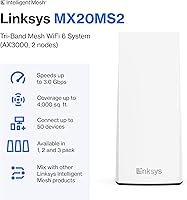
  • Max Aggregate Speed: The AX3000 class rating provides a combined theoretical maximum throughput of up to 3.0 Gbps across both bands.
  • Coverage Area: The two-node pack is rated to cover up to 4,000 square feet of living space under typical home conditions.
  • Device Capacity: The system is designed to support 50 or more simultaneously connected devices without significant performance degradation.
  • Chipset: A Qualcomm processor powers the mesh intelligence, handling traffic routing and low-latency connections across the network.
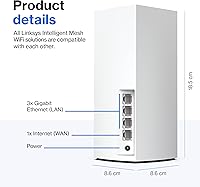
  • Node Dimensions: Each tower node measures 3.4 × 3.4 × 7.3 inches, making it compact enough to place on a shelf or side table.
  • Node Weight: Each individual node weighs 1.15 lbs, keeping the units light and easy to reposition as needed.
  • LAN Ports: Each node includes one Ethernet LAN port, enabling a single wired device connection per node without an additional switch.
  • Form Factor: Both nodes use a slim vertical tower design finished in white, intended to blend unobtrusively into home environments.
  • Management App: The free Linksys mobile app, available for iOS and Android, handles setup, device monitoring, and ongoing network management.
  • Security Features: The system includes automatic firmware updates, WPA encryption, built-in parental controls, and a dedicated guest network isolation feature.
  • Smart Home Support: Native compatibility includes Apple HomeKit Secure Router and Amazon Alexa for voice control and per-device network permission management.
  • Connectivity: Each node connects via Wi-Fi mesh backhaul and also supports Bluetooth for initial device pairing during the setup process.
  • Model Number: The official model identifier for this two-pack configuration is MX20MS2-AMZ, as listed by Linksys.
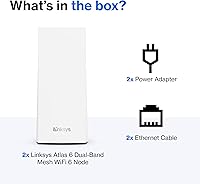
  • In the Box: Each package includes two mesh nodes, two power adapters, one Ethernet cable, a quick installation guide, and warranty documentation.
  • Availability Date: The product was first made available for purchase in June 2022 and remains an active listing in the Linksys lineup.
  • Operating System: The nodes run on RouterOS, Linksys's proprietary firmware that manages mesh coordination and automatic background updates.

Related Reviews
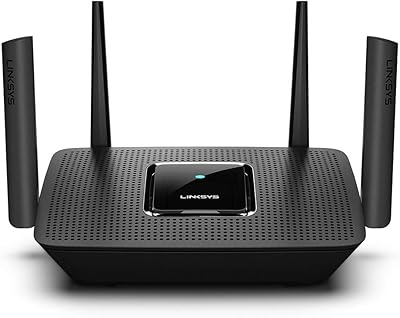
Linksys MR8300 Mesh WiFi Router
84%
88%
Wi-Fi Performance
81%
Ease of Setup
90%
Coverage Area
85%
Device Support
89%
Gaming Performance
More
Linksys MR6350 Dual-Band Mesh WiFi Router
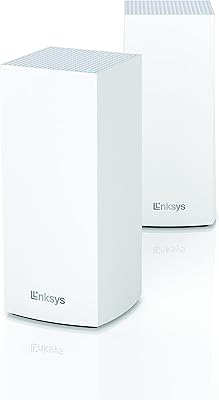
74%
91%
Ease of Setup
62%
WiFi Coverage
84%
Connection Stability
71%
Real-World Speed
68%
App Experience
More
Linksys AX2200 WiFi 6 Mesh Router
84%
88%
WiFi Speed & Performance
91%
Ease of Setup
85%
Coverage & Range
72%
Reliability in Large Homes
90%
App Functionality & Control
More
Linksys LN3121 WiFi 6 Mesh Router
73%
91%
Ease of Setup
74%
WiFi Coverage
78%
Connection Speed
82%
Multi-Device Performance
83%
Network Stability
More
Linksys MX8000 Velop Mesh WiFi Router 2-Pack
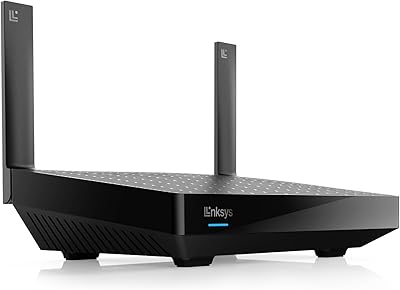
75%
86%
Coverage & Range
74%
WiFi Speed Performance
83%
Multi-Device Handling
91%
Setup & Installation
78%
App Experience
More
Tenda Nova MW6 2-Pack Mesh WiFi System
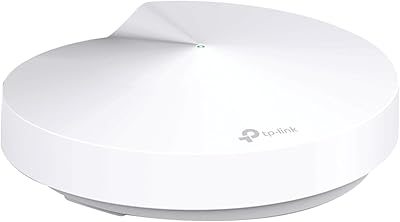
76%
93%
Ease of Setup
78%
Coverage & Dead Zone Elimination
72%
Network Stability
69%
Wi-Fi Speed Performance
88%
Value for Money
More
TP-Link Deco M5 Mesh WiFi Router 1-Pack

86%
88%
Performance
93%
Setup Ease
85%
Coverage Range
91%
Security Features
77%
App Experience
More
TP-Link Deco S4 Mesh WiFi System (2-Pack)
87%
91%
Wi-Fi Coverage
88%
Performance Stability
94%
Ease of Setup
90%
Parental Controls
85%
Device Support
More
TP-Link Deco BE95 Wi-Fi 7 Mesh System 2-Pack

78%
88%
Wireless Performance
83%
Coverage & Range
93%
Wired Connectivity
86%
Setup & Installation
79%
App & Management Experience
More
Waxness Spa Choice Natural Honey Gel Hard Wax Beads 2.2 lb / 1 kg Pack of 2
85%
88%
Effectiveness for Coarse Hair Removal
91%
Gentleness on Sensitive Skin
84%
Ease of Use and Application
75%
Texture Consistency
90%
Pack Size and Value for Money
More

FAQ

Not at all. The Linksys app walks you through the entire process step by step, and most people have their network running in under fifteen minutes. You just plug in the first node, download the app, and follow the on-screen instructions. No web console, no manual IP configuration required.

You connect one of the nodes to your existing modem via the included Ethernet cable, and it takes over from there. It works with the vast majority of ISP-provided modems. The one edge case to be aware of is if your modem is also functioning as a router — that can sometimes cause a double-NAT conflict, which you may need to resolve by putting the modem into bridge mode first.

For most two-story homes in that size range, yes — placing one node on each floor typically eliminates dead zones and provides solid coverage throughout. The system is rated up to 4,000 square feet, so a 2,500 square foot home sits comfortably within its range. Homes with thick walls or unusually long layouts may benefit from repositioning the second node to maximize overlap.

No, it does not support wired backhaul. The nodes communicate wirelessly with each other, which means node placement relative to each other matters more than it would in a system that allows Ethernet connections between nodes. Keeping a reasonable distance between nodes with a clear path between them will give you the best inter-node performance.

WiFi 6 uses a technology called OFDMA that is specifically designed to handle many devices talking to the router at the same time more efficiently than older standards. In practice, smart home sensors, bulbs, and plugs consume very little bandwidth individually, so the system manages them well alongside more demanding devices like streaming TVs and laptops.

For casual to moderate online gaming — think console gaming, Minecraft, or similar titles — this mesh system performs well and keeps latency stable under normal household conditions. If you are a competitive gamer where every millisecond of ping variance matters, a wired connection or a tri-band system with a dedicated backhaul channel would serve you better.

Yes, the system is expandable. You can purchase additional compatible Linksys Atlas nodes and add them to your existing network through the app. This is worth knowing upfront if you have a larger home — buying a two-pack now and adding a node later is a reasonable approach rather than over-investing immediately.

Currently, native integration is available for Amazon Alexa and Apple HomeKit, but there is no built-in Google Home support. If your smart home setup is built around Google, you can still use this two-node router setup as your network hardware, but you will not get the same level of app integration that Alexa and HomeKit users enjoy.

The parental controls cover the basics: you can pause internet access for specific devices and apply content filtering by category. However, they are not highly granular — detailed per-device scheduling with different time windows for weekdays versus weekends, or detailed activity reports, are not available natively. Families wanting deeper controls often pair this system with a third-party DNS filtering service.

Updates happen automatically in the background, so you do not need to log in periodically to keep the system patched. Linksys pushes security and stability updates to the nodes without any action required on your part, which is genuinely one of the more practical features of this system for busy households.