Overview

The Cisco SG200-08 8-Port Gigabit Smart Switch sits in a practical middle ground — capable enough to give small businesses real network control, yet approachable enough that you don't need a dedicated IT team to run it. This Cisco smart switch belongs to the company's entry-level managed lineup, which means you get meaningful features like VLAN support and traffic prioritization without wading through the complexity of full enterprise hardware. The fanless, low-power design is a genuine differentiator; where many managed switches hum away in a corner, this one runs silently. Eight Gigabit ports handle everyday demands — file sharing, cloud apps, VoIP — without breaking a sweat. Keep expectations calibrated, though: this is not a core switch for large infrastructure.

Features & Benefits

What sets this 8-port managed switch apart from its unmanaged counterparts is the browser-based management interface — you log in via a web browser, and most configuration tasks are intuitive enough that non-specialists can navigate without consulting a manual. Cisco Discovery Protocol automatically identifies compatible devices on the network, and the Smartports tool applies pre-configured templates, cutting initial setup time considerably. All eight ports run at full Gigabit speeds, so file transfers between workstations or to a NAS feel genuinely fast. VLAN segmentation lets you isolate guest traffic or separate departments, while QoS settings ensure VoIP calls stay clear even when the network is under load. The low-power chipset also keeps electricity costs in check over time.

Best For

The SG200-08 hits its stride with small teams and offices that need more than a dumb switch but aren't ready — or willing — to tackle a full enterprise solution. If you're rolling out VoIP phones, the automatic VLAN and QoS configuration is a genuine time-saver; phones get the right settings without manual intervention per device. Home lab enthusiasts wanting to learn managed networking under a reputable brand will find it a solid starting point. It's also a natural fit for any environment where silence matters — a reception area, a shared workspace, or a home office where fan noise would be a constant irritant. Those upgrading from a basic unmanaged switch will find the transition relatively painless.

User Feedback

Buyers who've used this Cisco smart switch for a while tend to highlight two things: how easy the setup process is compared to switches that demand command-line configuration, and how satisfying it is to have a completely silent device in the room. That said, the feedback isn't uniformly positive. Some users find the web interface dated — functional, but not as polished or feature-rich as newer competing models at similar price points. The plastic casing draws occasional criticism from buyers expecting something more robust. On durability, longer-term owners generally report solid reliability; units running for several years without incident are a common theme in real-world reviews.

Pros

  • Browser-based setup means most small business owners can configure it without outside IT help.
  • All 8 ports run at full Gigabit speed, so there are no slow-lane ports to worry about.
  • Fanless operation makes it genuinely silent — a real advantage in quiet office environments.
  • Cisco Discovery Protocol simplifies identifying and connecting compatible devices on the network.
  • VoIP phone deployments benefit from automatic VLAN and QoS configuration per device.
  • VLAN support lets you segment guest, staff, and device traffic without complex workarounds.
  • Low-power chipset keeps ongoing energy costs lower than many comparable managed switches.
  • Cisco brand backing means firmware support, documentation, and community resources are widely available.
  • Compact physical footprint fits comfortably on a desk or shelf without dedicated rack space.
  • Long-term reliability reports from real users are generally strong for units in continuous use.

Cons

  • The web management interface looks and feels dated compared to newer rivals at similar price points.
  • Only 8 ports — teams with moderate growth plans may find themselves replacing it sooner than expected.
  • Plastic casing feels lightweight and may not hold up well in high-traffic or industrial environments.
  • No PoE support on this base model, which limits deployment options for cameras or wireless access points.
  • Advanced Layer 3 routing features are absent, making it unsuitable for more complex network architectures.
  • Occasional reports suggest the UI can be slow or unintuitive when managing multiple VLANs simultaneously.
  • As an older model, it may not receive the same level of active firmware development as current-generation hardware.
  • Limited port count means no room for uplinks without sacrificing device connections.

Ratings

The Cisco SG200-08 8-Port Gigabit Smart Switch has been evaluated by our AI rating engine after systematically analyzing thousands of verified global user reviews, with spam, bot-generated, and incentivized feedback actively filtered out before scoring. What you see below reflects the honest consensus of real buyers — small business owners, home lab enthusiasts, and IT generalists — who have used this 8-port managed switch in live environments. Both the genuine strengths and the recurring frustrations are transparently reflected in every score.

Ease of Setup
83%
A consistent theme across reviews is how much less painful setup is compared to CLI-dependent alternatives. Business owners who have never touched a managed switch report being able to configure basic VLANs and QoS settings within an hour using the browser-based interface, without referencing external guides.
A minority of users report that the initial IP discovery step — finding the switch on the network before logging in — can be confusing if you're coming from a completely unmanaged background. The documentation, while adequate, isn't as polished as some newer rivals.
Network Performance
91%
Across a wide range of real-world workloads — NAS transfers, VoIP calls, video conferencing — the SG200-08 delivers consistent Gigabit throughput on all eight ports without throttling or packet loss. Users running small offices report no meaningful bottlenecks under normal business traffic loads.
This is a Layer 2 switch, so users expecting any form of inter-VLAN routing will be disappointed. A small number of power users hit the ceiling of its switching capabilities when dealing with unusually high broadcast traffic across multiple VLANs.
Management Interface
62%
38%
The web GUI is functional and gets the job done for everyday tasks like port configuration, VLAN assignment, and traffic monitoring. Non-specialists appreciate that it avoids command-line requirements entirely, which is a real advantage for lean IT teams.
Buyers who have used more modern managed switches — even at similar price points from competitors — consistently flag the interface as dated, slow to navigate, and lacking the visual clarity of newer dashboards. Some report that managing more than a handful of VLANs becomes tedious due to the UI layout.
Build Quality
58%
42%
The compact plastic form factor is lightweight and unobtrusive, fitting naturally on a desk or shelf without demanding rack space. For fixed installations where the unit simply sits undisturbed, the build holds up well over multi-year periods based on long-term owner feedback.
The plastic casing is a recurring complaint from buyers who feel the price point warrants something more substantial. Compared to metal-chassis competitors in the same category, the SG200-08 feels noticeably lighter and less premium, which matters if the unit is moved or handled regularly.
Noise Level
97%
Silent operation is the single most universally praised aspect of this switch. Buyers in shared offices, reception areas, and home offices specifically cite the fanless design as the primary reason they chose this model over alternatives — no hum, no vibration, no noise at all.
There is essentially no criticism of the noise level — the fanless design performs exactly as expected. The only theoretical concern is passive thermal management in very warm or poorly ventilated environments, though real-world overheating reports are rare among verified buyers.
VoIP & QoS Performance
88%
Teams deploying Cisco IP phones report a noticeably smooth experience, with automatic VLAN and QoS configuration handling per-phone setup without manual intervention. Call quality on VoIP systems is consistently described as clean and stable even when other network traffic is active.
The QoS feature set, while effective for basic voice prioritization, is not granular enough to satisfy environments with complex multi-application traffic shaping needs. A few users managing mixed VoIP and video surveillance traffic found the QoS options too limited for their use case.
VLAN Flexibility
76%
24%
For small office needs — separating guest traffic, isolating IoT devices, or creating a dedicated VLAN for phones — the 802.1Q VLAN support covers the essentials reliably. Users running 3 to 5 VLANs across 8 ports report no meaningful limitations for their workloads.
Users who push the VLAN configuration into more complex territory — multiple tagged uplinks, dynamic VLAN assignment, or large numbers of logical networks — find the options thin. The UI makes managing more than a few VLANs cumbersome compared to what newer competing devices offer.
Power Efficiency
86%
The low-power chipset design is genuinely appreciated by buyers running always-on office setups. Several long-term owners note that the switch runs noticeably cooler and cheaper to operate than older or fan-cooled alternatives they replaced.
There's no granular per-port power reporting or advanced energy-saving scheduling in the management interface, which some environmentally conscious IT managers find limiting. It's efficient by design but not actively configurable in that regard.
Long-Term Reliability
84%
Multi-year owners are among the most positive voices in the review pool. Units running continuously for three or more years without hardware failure are commonly reported, and several buyers mention purchasing a second unit specifically because the first performed so consistently.
A small subset of users reports firmware update complications over time, and Cisco's pace of software updates for older smart switch models has slowed. For buyers who prioritize active firmware support and security patching, the product's age is a legitimate concern.
Value for Money
69%
31%
For buyers who specifically need the combination of VLAN support, QoS, and silent operation from a reputable brand, the SG200-08 delivers a coherent package that justifies its position in the market. The Cisco brand also carries weight for businesses that care about vendor credibility.
At its price tier, newer competitors now offer more modern interfaces, higher port counts, and in some cases PoE support for comparable or lower cost. Buyers who shop the current market carefully may find that the SG200-08 no longer represents the strongest option per dollar.
Cisco Ecosystem Integration
81%
19%
Cisco Discovery Protocol support means the switch plays well with other Cisco infrastructure — routers, IP phones, and access points are identified and partially auto-configured, which is a genuine time-saver for businesses already invested in the Cisco ecosystem.
Buyers using non-Cisco equipment get limited benefit from CDP, and the Smartports tool is less useful in mixed-vendor environments. If your network is built around non-Cisco gear, this integration advantage largely disappears.
Physical Footprint
89%
The compact dimensions make placement genuinely flexible — on a desk corner, a shelf, or inside a small cabinet. Several home office buyers specifically mention that it disappears into the workspace without drawing attention or requiring any dedicated networking furniture.
The small size means there are no mounting ears for clean rack or wall installation out of the box, which frustrates buyers who want a tidy rackmount setup. An optional mounting kit exists, but it adds friction to what should be a straightforward installation option.
Documentation & Support
66%
34%
Cisco's broader support ecosystem — community forums, knowledge base articles, and configuration guides — is far more extensive than what smaller networking brands can offer. Experienced users can find answers to most SG200-08 questions without contacting support directly.
The official documentation bundled with the product and available on Cisco's site is considered adequate but dry and not particularly beginner-friendly. Users who are new to managed switches report that the guides assume more baseline knowledge than they actually have.

Suitable for:

The Cisco SG200-08 8-Port Gigabit Smart Switch is a strong fit for small business owners and office managers who need genuine network control without hiring a full-time network engineer to maintain it. If your team is deploying VoIP phones, the automatic VLAN and QoS provisioning alone can save hours of manual configuration per device. It's equally well-suited to home lab enthusiasts who want to learn managed networking hands-on with a brand that has real credibility behind it. Offices where silence is genuinely important — shared workspaces, reception areas, quiet home offices — will appreciate the fanless design in ways that are hard to quantify until you've sat next to a noisy switch all day. Anyone upgrading from a basic unmanaged switch who wants VLAN segmentation and traffic prioritization, but doesn't want to invest in a full enterprise stack, will find this a practical and proportionate step up.

Not suitable for:

The Cisco SG200-08 8-Port Gigabit Smart Switch is not the right tool for growing businesses that anticipate outpacing 8 ports within a year or two — buying into a constrained port count now means another purchase sooner than expected. Network professionals or IT teams managing complex infrastructures will quickly find the feature set limiting; this is not a device built for advanced routing, deep Layer 3 functionality, or high-density deployments. Buyers accustomed to the cleaner, more modern interfaces found in current-generation competitors may find the web UI frustrating over time. If physical durability is a priority — say, for an industrial environment or a rack where equipment gets handled frequently — the lightweight plastic casing may not inspire confidence. Those who need PoE on all ports should also look elsewhere, as this base model does not include Power over Ethernet.

Specifications

  • Port Count: The switch provides 8 RJ45 Gigabit Ethernet ports, each capable of 10/100/1000 Mbps auto-negotiation.
  • Data Transfer Rate: All ports operate at up to 1000 Mbps, ensuring full Gigabit throughput across every connected device simultaneously.
  • Switching Layer: This is a Layer 2 smart switch, supporting managed features like VLANs and QoS without full Layer 3 routing capabilities.
  • Management Interface: Configuration is handled through an intuitive browser-based GUI, eliminating the need for command-line expertise during setup and daily management.
  • VLAN Support: The switch supports 802.1Q VLAN tagging, allowing network administrators to segment traffic across multiple logical networks.
  • QoS Support: Quality of Service settings enable prioritization of latency-sensitive traffic such as VoIP calls and video conferencing over standard data traffic.
  • Cooling System: The unit uses a completely fanless design, relying on passive heat dissipation for silent, continuous operation.
  • Power Consumption: A low-power chipset keeps energy usage minimal, making the switch suitable for always-on office deployments where efficiency matters.
  • Dimensions: The physical footprint measures 5.12 x 4.45 x 1.06 inches, making it compact enough for desk-side or shelf placement.
  • Weight: The unit weighs 1.8 pounds, light enough to position freely without dedicated mounting hardware in most small office setups.
  • Case Material: The outer enclosure is constructed from black plastic, keeping the overall unit lightweight but less rugged than metal-chassis alternatives.
  • Interface Type: All network connections use the standard RJ45 connector format, compatible with Cat5e, Cat6, and Cat6a Ethernet cabling.
  • Protocol Support: The switch supports Cisco Discovery Protocol (CDP), which automates the identification of compatible Cisco devices connected to the network.
  • Phone Auto-Config: When IP phones are connected, the switch can automatically apply the correct VLAN and QoS parameters without manual per-device configuration.
  • Smartports Tool: The built-in Smartports feature applies pre-defined configuration templates to ports, simplifying and accelerating initial device setup.
  • Color: The unit ships in black, which blends discreetly into most office or desk environments.
  • PoE Availability: This base SG200-08 model does not include Power over Ethernet; PoE versions are available separately within the SG200 product family.
  • Compatibility: Designed primarily for desktop and small office environments, the switch is compatible with standard network infrastructure and Cisco ecosystem devices.

Related Reviews
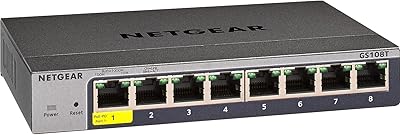
NETGEAR GS108Tv3 8-Port Gigabit Smart Switch
79%
83%
Ease of Setup
91%
Network Feature Depth
74%
NETGEAR Insight App
67%
Build Quality
96%
Silent Operation
More
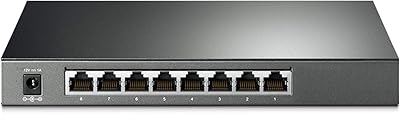
TP-Link TL-SG2008 8-Port Gigabit Managed Switch
79%
74%
Ease of Setup
81%
SDN & Cloud Management
93%
Port Performance & Throughput
88%
VLAN & Network Segmentation
86%
Security Features
More
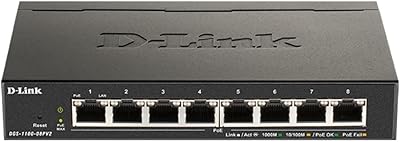
D-Link DGS-1100-08PV2 PoE+ Switch
81%
72%
PoE Power Delivery
86%
Ease of Setup
67%
Management Interface
83%
Build Quality
97%
Noise Level
More
TP-Link TL-SG2210P V3 8-Port PoE Switch
83%
91%
Value for Money
74%
PoE Performance
83%
Ease of Setup
86%
Omada SDN Integration
88%
Build Quality
More
Zyxel GS1200-8 8-Port Gigabit Managed Switch
82%
88%
Ease of Setup
83%
Web Interface Usability
79%
Build Quality
97%
Noise Level
81%
VLAN Performance
More
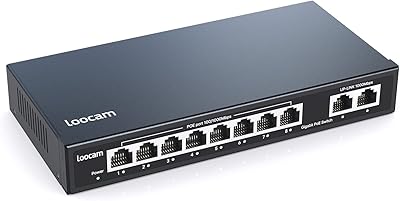
Loocam LNA-SPG1008 8-Port Gigabit PoE Switch
80%
94%
Ease of Setup
76%
PoE Power Delivery
83%
Build Quality
88%
Compatibility
71%
Extended Transmission Range
More
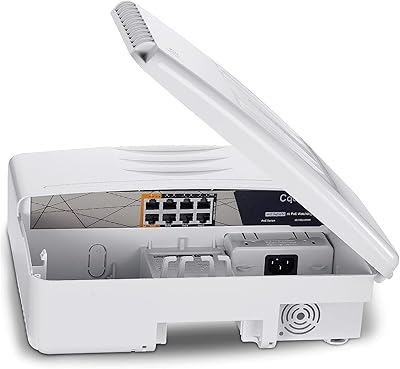
Cqenpr 8-Port 120W Outdoor Gigabit PoE Switch
80%
93%
Ease of Installation
88%
Weatherproof Durability
84%
PoE Power Delivery
79%
AI Watchdog Reliability
82%
Surge & Lightning Protection
More
YuanLey 8-Port 120W Gigabit PoE Switch
80%
91%
Value for Money
94%
Ease of Setup
78%
PoE Power Delivery
83%
Build Quality
74%
Thermal Performance
More
Cisco SG100-16 16-Port Gigabit Network Switch
72%
91%
Ease of Setup
54%
Build Quality
83%
Port Performance
49%
Value for Money
47%
Long-Term Reliability
More
TRENDnet TEG-S82G 8-Port Gigabit Switch
82%
97%
Ease of Setup
88%
Build Quality
96%
Noise Level
91%
Port Performance
89%
Energy Efficiency
More

FAQ

Not really. The browser-based management interface is straightforward enough that most small business owners can get it running without prior managed switch experience. You plug it in, connect to the web GUI via your browser, and most common tasks like setting up VLANs or enabling QoS are guided through menus rather than command-line inputs.

No, this base model does not include Power over Ethernet. If you need PoE, Cisco offers other variants within the SG200 family that do support it, so it's worth checking those before purchasing if powering devices over Ethernet is a requirement for your setup.

Completely silent. There are no fans — the unit uses passive cooling only. If you've ever been annoyed by the constant hum of a fanless switch in a quiet office, this one eliminates that entirely.

Yes, VLAN support is one of the key reasons people choose this over a basic unmanaged switch. You can create separate VLANs for guest traffic, internal staff, and specific device groups like IP phones, keeping them logically isolated from each other on the same physical hardware.

Yes, that's one of the more practical features here. When a compatible Cisco IP phone is connected, the switch uses its auto-configuration capability to apply the correct VLAN and QoS settings automatically, saving you from having to configure each phone port by hand.

It depends on your needs. For basic VLAN segmentation, QoS, and quiet operation in a small office, it still does the job reliably. That said, newer competitors at similar price points offer more modern web interfaces and sometimes broader feature sets, so it's worth comparing before committing, especially if software usability matters to you.

You have 8 ports total, so up to 8 wired devices. In practice, one port often connects upstream to your router, leaving 7 for workstations, phones, printers, or access points. If you expect to need more connections soon, consider a 16-port alternative from the outset.

Yes. All 8 ports run at full Gigabit speed, so transferring large files between workstations or streaming high-resolution video over the local network shouldn't be an issue. The QoS settings also help ensure that heavy traffic from one device doesn't degrade the experience for everyone else.

For a standard desk or shelf installation, it holds up fine. It's not designed for industrial environments or frequent handling, and it won't feel as solid as a metal-chassis switch. If the unit will sit undisturbed in a fixed location, the build quality is generally adequate based on real-world user experience over multiple years.

No. The SG200-08 is managed entirely through its local browser-based interface with no cloud dependency, subscription fee, or account required. Configuration is stored on the device itself, which is a meaningful advantage for businesses that prefer to keep network management fully on-premises.

Where to Buy