Overview

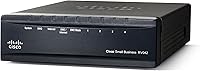
The Cisco RV042G Dual WAN VPN Router has been a steady workhorse in Cisco's small business lineup since its debut in 2012 — and the fact that it's still selling says something. This is a wired-only device built squarely for small offices and IT-managed environments that need reliable, secure connectivity without spending enterprise money. It won't appeal to anyone hunting for Wi-Fi or a flashy app-driven interface. What the RV042G does offer is proven network infrastructure in a compact package, designed for people who know exactly what they need and want a trusted name behind it.
Features & Benefits

The standout capability of this dual WAN router is its dual Gigabit WAN ports, which let you connect two separate internet lines and configure load balancing or automatic failover. In practical terms, if your primary ISP goes down, traffic switches to the backup line without manual intervention — critical for any office where downtime costs real money. The built-in VPN support handles IPSec, PPTP, and SSL tunnels simultaneously, so remote staff can connect securely without a separate appliance. Add remote management via Cisco IOS and you have a router an IT admin can monitor and adjust without ever stepping foot in the building.

Best For

This Cisco VPN router is a natural fit for small businesses running two internet connections for redundancy — think a dental office, law firm, or retail location where connectivity cannot afford to hiccup. IT administrators managing multiple sites will also appreciate the Cisco IOS familiarity and remote management options. That said, it's strictly a wired solution, so anyone expecting wireless capability should look elsewhere. It suits organizations with at least some technical staff on hand; solo entrepreneurs without networking experience may find the initial configuration steep. If you want enterprise-level VPN features at a fraction of typical hardware costs, this dual WAN router fits the brief well.

User Feedback

Owners who have run the RV042G for several years consistently praise its long-term durability and the reliability of WAN failover under real-world conditions. Many IT pros highlight how well it handles steady VPN workloads without dropping connections. On the other side, a recurring complaint is the web interface, which looks and feels like it hasn't been updated in over a decade — functional, but not intuitive for first-time users. Setup difficulty is another honest concern; without some networking background, initial configuration can be frustrating. A handful of buyers have also flagged slow firmware updates and wished Cisco's small business support were more responsive. Overall, the 4-out-of-5 average reflects genuine satisfaction among those who know what they're buying.

Pros

  • Dual WAN failover works reliably in real office environments, switching connections without staff ever noticing.
  • Multi-protocol VPN support covers IPSec, PPTP, and SSL simultaneously — rare at this hardware price point.
  • Users consistently report hardware lasting five or more years of continuous operation without failure.
  • Remote management lets IT admins make configuration changes without an on-site visit.
  • Cisco IOS familiarity shortens the learning curve significantly for Cisco-trained network staff.
  • Load balancing lets you actively use both WAN connections rather than leaving a backup line idle.
  • Compact and lightweight enough to sit on a shelf or desk without requiring rack infrastructure.
  • Strong community documentation and forum archives make troubleshooting largely self-service.
  • Delivers enterprise-caliber routing and VPN features at a fraction of full enterprise hardware pricing.

Cons

  • The web interface looks and feels like it was designed over a decade ago and has not kept pace with modern UX standards.
  • Firmware updates have become infrequent, raising legitimate concerns for security-conscious network administrators.
  • Non-technical users often struggle with initial VPN configuration — the documentation does not bridge that gap adequately.
  • No wireless capability means you must budget for a separate access point, adding cost and complexity.
  • Six total ports will require a downstream switch almost immediately in most real office environments.
  • Routing throughput tops out at 800 Mbps, which can bottleneck offices with fast gigabit fiber connections.
  • Load balancing requires manual policy configuration to work effectively — it is not intelligent out of the box.
  • Cisco SMB support has drawn repeated criticism for slow response times compared to enterprise-tier expectations.
  • No centralized management console for overseeing multiple units across locations — each device must be managed individually.

Ratings

The Cisco RV042G Dual WAN VPN Router earns its 4-out-of-5 average from a pool of over 200 verified buyers, and our AI-driven scoring has processed that global feedback while actively filtering out incentivized reviews and bot patterns. What emerges is a nuanced picture: strong core performance for IT-managed small offices, with real friction points around usability and software upkeep. The scores below reflect both what this dual WAN router genuinely does well and where it falls short of modern expectations.

WAN Failover Reliability
91%
Users who depend on two internet lines for business continuity consistently report that automatic WAN failover works exactly as advertised. In real-world small office environments — medical clinics, retail shops, law firms — the switchover happens fast enough that most staff never notice an outage occurred.
A small number of users noted that failover detection can lag slightly under certain ISP configurations, requiring manual tuning of the polling intervals. Out-of-the-box defaults aren't optimized for every setup, which can disappoint buyers expecting zero-configuration reliability.
VPN Performance
88%
Support for IPSec, PPTP, and SSL tunnels simultaneously is a genuine differentiator at this price tier. Remote workers connecting from home or on the road report stable, consistent VPN sessions even during extended workdays with multiple concurrent users on the tunnel.
Throughput under heavy simultaneous VPN loads does show ceiling effects — users running more than a handful of active tunnels at once have noted performance degradation. It handles typical SMB workloads well, but it is not built for high-density VPN deployments.
Dual WAN Load Balancing
83%
The load balancing feature lets small offices extract real value from two internet connections, distributing traffic intelligently rather than leaving one line idle. IT admins appreciate the granular policy controls for directing specific traffic types to each WAN interface.
Load balancing configuration is not plug-and-play — getting the most out of it requires understanding protocol-based routing rules. Users without networking experience often end up using it as a basic failover device, leaving the balancing capability largely untapped.
Build Quality & Hardware Durability
86%
Multiple buyers mention running this router continuously for five or more years without hardware failure. The chassis feels appropriately sturdy for a rack-adjacent office device, and the unit runs cool enough under sustained load that thermal issues are rarely raised.
The physical design is purely utilitarian and shows its 2012 origins — there are no modern touches like a USB port for storage or an LED activity panel that gives meaningful status feedback at a glance. It looks exactly like what it is: older business hardware.
Setup & Initial Configuration
54%
46%
Experienced network administrators and Cisco-familiar IT staff report that initial setup is straightforward and logical, following the same IOS conventions they already know. The step-by-step setup wizard helps cover the basics for less complex deployments.
Non-technical buyers and small business owners without dedicated IT support frequently describe setup as intimidating and time-consuming. VPN configuration in particular requires comfort with terms like IPSec phase negotiation and pre-shared keys — concepts that are not guided well by the included documentation.
Web Management Interface
47%
53%
The interface is functionally complete — virtually every setting the router supports is accessible through the browser-based dashboard. Admins who have used it for years know exactly where everything lives and can make changes quickly once familiar.
The UI design is visibly dated and lacks the intuitive layout that modern network equipment offers. Multiple users describe it as cluttered and slow to navigate, and there is no mobile-friendly version, which matters when an admin needs to troubleshoot remotely from a phone.
Firmware & Software Updates
52%
48%
The firmware has historically addressed known security vulnerabilities, and Cisco's reputation provides some assurance that critical patches do get released. Users in stable, lower-risk network environments report running unchanged firmware for years without incident.
The cadence of firmware releases has slowed noticeably over time, which concerns buyers in security-sensitive industries. Several reviewers specifically called out the gap between newly discovered vulnerabilities and the availability of patches as a meaningful drawback.
Remote Management Capability
78%
22%
IT administrators overseeing multiple office locations appreciate the ability to access and adjust router settings remotely over a secure connection. This reduces the need for on-site visits for routine configuration changes, a genuine time-saver for lean IT teams.
Remote management works but lacks the polish of newer cloud-managed competitors. There is no centralized dashboard for managing multiple RV042G units simultaneously, so admins handling several locations must log into each device individually.
Value for Money
81%
19%
For what it delivers — dual Gigabit WAN, multi-protocol VPN, and the Cisco IOS foundation — the price sits well below comparable enterprise-grade hardware. Buyers who compare it against similarly capable business routers consistently rate the value as strong.
Newer competitors at similar or slightly higher price points offer more modern interfaces, cloud management, and better ongoing firmware support. The value proposition has narrowed as the competitive landscape has evolved since 2012.
Network Throughput
74%
26%
At 800 Mbps data transfer rate, this dual WAN router handles the bandwidth demands of a typical small office without bottlenecking common workloads like video conferencing, cloud backups, or VoIP traffic running simultaneously across LAN ports.
The 800 Mbps ceiling is showing its age as business internet connections routinely reach or exceed gigabit speeds. Users with fast fiber connections on both WAN ports may find the routing throughput becomes the limiting factor in their network stack.
VPN Protocol Flexibility
79%
21%
Support for three VPN protocol types in a single device gives IT teams real flexibility to match the tunnel type to the use case — IPSec for site-to-site, SSL for road warriors, PPTP for legacy compatibility. This breadth is uncommon at this hardware tier.
PPTP support, while present, is now widely considered insecure and should not be used in practice. Its inclusion feels more like legacy baggage than a benefit, and some buyers have expressed frustration that newer, more secure protocols like WireGuard are absent.
Cisco Ecosystem Compatibility
84%
Organizations already running Cisco switches, IP phones, or other small business networking gear find that the RV042G integrates naturally. Familiar IOS conventions lower the learning curve for Cisco-trained admins and reduce the risk of misconfiguration.
The Cisco brand also carries an expectation of premium support that the small business product line does not fully deliver. Buyers accustomed to enterprise Cisco TAC support often find the SMB support tier falls short of that standard.
Physical Footprint & Portability
77%
23%
At just one pound and roughly the size of a thick paperback book, the RV042G fits easily on a desk, shelf, or in a small network closet without requiring rack-mount hardware. This makes deployment flexible even in offices with limited infrastructure space.
There is no wall-mount option included and no rack ears in the standard package, so mounting it cleanly in a structured cabling environment requires additional hardware. For a device intended as fixed office infrastructure, proper mounting options feel like an oversight.
Port Count & Layout
71%
29%
Six Ethernet ports covering both WAN and LAN duties is adequate for a small team connecting a handful of wired devices directly. The separation between WAN and LAN ports is clearly labeled, which reduces cabling errors during installation.
Six ports total will feel limiting quickly in any office with more than three or four wired devices, requiring a downstream switch to expand capacity. Buyers sometimes overlook this constraint and are surprised to find they need additional hardware immediately.
Documentation & Support Resources
58%
42%
Cisco's online knowledge base and community forums contain a substantial archive of configuration guides, setup walkthroughs, and troubleshooting threads specifically for this model. Experienced users can usually find answers without contacting support directly.
The official quick-start guide bundled with the device is minimal and does not adequately address VPN configuration for non-technical buyers. Cisco's direct support for this product line has also drawn criticism for slow response times and inconsistent quality.

Suitable for:

The Cisco RV042G Dual WAN VPN Router is purpose-built for small businesses that cannot afford network downtime — think medical offices, accounting firms, or retail locations where a dropped internet connection directly disrupts operations or revenue. If you're running two ISP connections and want automatic failover without babysitting the hardware, this is exactly the kind of device that earns its keep quietly in a network closet for years. IT administrators managing distributed locations will find the remote management and Cisco IOS familiarity genuinely useful, especially in shops already running Cisco switches or IP phones. Small teams with a dedicated tech person on staff — even a part-time one — will get the most out of its VPN capabilities, whether that means connecting a remote employee securely or linking two office locations over an encrypted tunnel. For budget-conscious buyers who want professional-grade wired routing without stepping up to full enterprise hardware costs, the value equation here is hard to argue with.

Not suitable for:

The Cisco RV042G Dual WAN VPN Router is a poor fit for anyone expecting wireless connectivity — it has none, full stop, and adding Wi-Fi means purchasing a separate access point. Solo entrepreneurs, freelancers, or home users without networking knowledge should think carefully before buying; the initial configuration, particularly for VPN tunnels, assumes a comfort level with concepts like IPSec policies and subnet addressing that most non-technical buyers simply do not have. The web management interface is functional but visibly dated, and users accustomed to the polished dashboards of modern routers like Ubiquiti or TP-Link's business line may find it genuinely frustrating to navigate. Businesses in security-sensitive industries should also weigh the slowing pace of firmware updates carefully — this hardware has aged, and the gap between vulnerability disclosures and available patches has become a real concern. Finally, any office with gigabit fiber on both WAN lines should note that the 800 Mbps routing ceiling means the hardware itself may become the bottleneck in an otherwise fast network.

Specifications

  • Brand: Manufactured by Cisco under its small business networking product line.
  • Model Number: The official model identifier is RV042G-NA, sometimes referenced as RV042G-K9-NA.
  • WAN Ports: Equipped with two Gigabit WAN ports supporting dual ISP connections for load balancing or automatic failover.
  • LAN Ports: Provides four Gigabit LAN ports for wired device connections within the local network.
  • Total Ports: Six Ethernet ports in total cover both WAN and LAN connectivity needs in a single unit.
  • VPN Protocols: Supports IPSec, PPTP, and SSL VPN tunnel types simultaneously for flexible remote access configurations.
  • Data Transfer Rate: Maximum routing throughput reaches 800 Mbps under standard wired network conditions.
  • Operating System: Runs on Cisco IOS, the same foundational software platform used across Cisco's broader networking hardware ecosystem.
  • Remote Management: Supports remote browser-based administration, allowing IT staff to configure and monitor the device from off-site locations.
  • Connectivity Type: Strictly wired Ethernet connectivity; no integrated wireless radio or Wi-Fi capability of any kind.
  • Dimensions: The unit measures 5 x 2 x 8 inches, making it compact enough for desk or shelf placement in small offices.
  • Weight: Weighs approximately 1 pound, making it lightweight and easy to reposition or relocate as needed.
  • Power: Designed for standard AC power input via an included external power adapter.
  • Compatible Devices: Designed for use with standard personal computers and network-attached devices running common operating systems.
  • Recommended Use: Intended for network security and business connectivity applications in small to medium-sized office environments.
  • First Available: This model was first listed for sale in June 2012 and has remained available through the current date.
  • Manufacturer Status: Cisco has not discontinued this product as of the available listing data.
  • User Rating: Holds an average rating of 4.0 out of 5 stars based on 213 verified ratings on Amazon.

Related Reviews
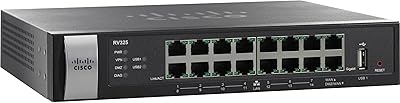
Cisco RV325 Dual Gigabit WAN VPN Router
84%
89%
Performance & Reliability
91%
VPN Functionality
88%
Ease of Setup
86%
Load Balancing Effectiveness
93%
Security & Encryption
More
TRENDnet TEW-829DRU AC3000 Tri-Band Wireless Gigabit Dual-WAN VPN SMB Router
84%
91%
Performance & Speed
88%
Dual-WAN Functionality
72%
Ease of Setup
89%
Network Stability
84%
Security Features (VPN)
More
TP-Link ER7206 Multi-WAN VPN Router
86%
91%
Network Performance
94%
Security Features
88%
Cloud Management Experience
89%
VPN Support
82%
Setup & Installation
More
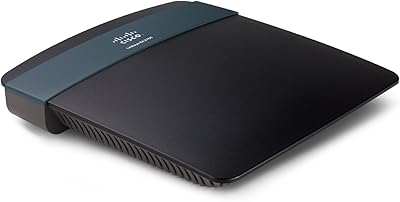
TRENDnet TWG-431BR Multi-WAN VPN Router
71%
84%
Multi-WAN Failover Reliability
79%
VPN Performance
58%
Setup & Initial Configuration
51%
Web Interface Usability
77%
Load Balancing Effectiveness
More
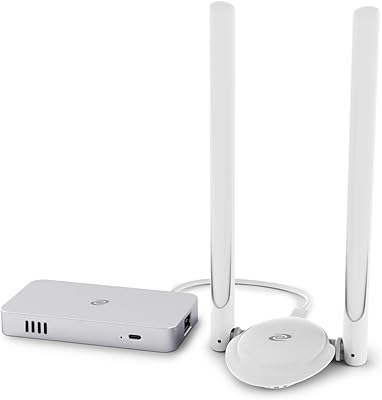
Linksys EA2700 Dual-Band Router
82%
84%
Wireless Performance
78%
Signal Coverage
88%
Setup & Installation
90%
Wired Connectivity
81%
Reliability
More
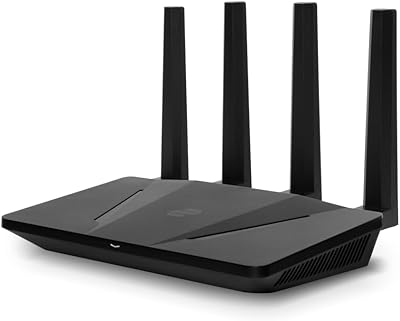
Deeper Network Connect Mini Decentralized VPN Router
74%
83%
Privacy & Anonymity Protection
79%
Value for Money
86%
Setup & Ease of Use
91%
Portability & Form Factor
63%
Connection Speed & Throughput
More
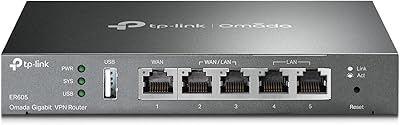
TP-Link ER605 V2 VPN Router
80%
93%
Value for Money
89%
Multi-WAN Reliability
71%
VPN Performance
82%
Ease of Setup
91%
Omada SDN Integration
More
Netgear WNDR4300 N750 Dual Band Gigabit Router
73%
78%
Wi-Fi Range & Coverage
86%
Setup & Ease of Use
74%
Connection Stability
88%
Wired (Ethernet) Performance
57%
USB Sharing (ReadySHARE)
More
D-Link DSR-250V2 Gigabit VPN Router
81%
85%
Reliability & Connectivity
62%
Ease of Setup
91%
Security Features
89%
Dual WAN Failover Performance
84%
VPN Tunnel Support
More
TP-Link Festa FR205 Multi-WAN Wired Router
76%
88%
Ease of Setup
91%
Multi-WAN Performance
86%
VPN Reliability
78%
Cloud Management
74%
USB WAN Backup
More

FAQ

There is no wireless capability in this unit whatsoever. It is a purely wired router, so if your office needs Wi-Fi coverage you will need to add a separate wireless access point to the network. Many users pair it with a standalone access point connected to one of the LAN ports.

Honestly, it can be challenging if you are not familiar with networking concepts. The basic internet setup is manageable using the built-in wizard, but configuring VPN tunnels or fine-tuning load balancing requires comfort with terms like IPSec, subnets, and gateway addressing. If you have an IT contact you can call on, even part-time, that will make the process significantly smoother.

You can do both. The router supports true load balancing, where traffic is distributed across both connections simultaneously, as well as failover mode, where the second WAN takes over only if the primary goes down. Which mode you use depends on your setup goals and how you configure the routing policies.

The RV042G supports up to 50 IPSec VPN tunnels and up to 10 SSL VPN tunnels concurrently. For most small office deployments with a handful of remote workers or a site-to-site connection, that capacity is more than sufficient.

For its core use case — dual WAN failover and VPN in a wired small office — it still holds up well. The hardware is reliable and the feature set covers what most SMBs actually need. Where it shows its age is in the management interface and the pace of firmware updates, so if those factors matter a lot for your environment, it is worth comparing against more recently released alternatives before committing.

It works with standard ISP connections that provide a wired Ethernet handoff, which covers the vast majority of business broadband services including cable, DSL with a modem, and fiber with an ONT. It does not support direct DSL line connections without a separate modem in between.

Yes, remote management is supported through the browser-based admin interface. You can access and configure the router from anywhere with an internet connection, which is particularly useful for IT admins overseeing multiple office locations without wanting to make a physical visit for every change.

Yes, site-to-site IPSec VPN is one of the primary use cases this device is built for. You would need a compatible VPN-capable router or firewall at the other office location, configure matching IPSec tunnel parameters on both ends, and the two networks will communicate as if they were on the same local network.

Only four devices can connect directly to the LAN ports on the router itself. For any office with more than four wired devices, you will need to add a network switch downstream from one of the LAN ports to expand your connection count. This is a common setup and works without any performance penalty for typical office traffic.

Cisco publishes firmware updates for the RV042G on their support website, and you can check the current version in the router's admin panel under the firmware or administration section. Updates can be applied directly through the browser-based interface by uploading the downloaded firmware file. Keep in mind that firmware release frequency for this model has slowed over time, so checking the release notes before updating is a good habit to confirm what has changed.

Where to Buy