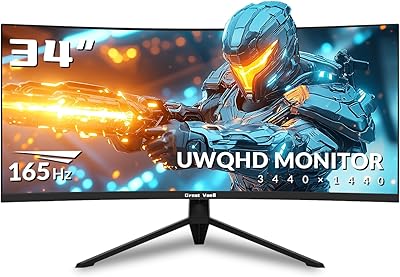
LG 34GP63A-B 34-Inch Curved Gaming Monitor
Overview
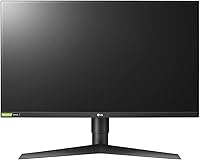
The LG 34GP63A-B 34-Inch Curved Gaming Monitor sits in a genuinely interesting spot in the mid-range market — wide enough to feel immersive, priced well below the flagship tier. At 3440x1440 with a 21:9 aspect ratio, the difference versus a standard 16:9 screen is immediately tangible: in an open-world game, you see forest edges, enemy flanks, and cockpit details that simply don't exist on a narrower display. The VA panel delivers deep, punchy contrast that IPS panels typically can't match, though IPS pulls ahead on color consistency at wider viewing angles. With AMD FreeSync Premium and a 160Hz refresh rate leading the spec sheet, this ultrawide curved monitor punches well above its price bracket.
Features & Benefits
At 160Hz with 1ms MBR, motion in fast-paced shooters and racing games stays sharp rather than smearing into a blur. Pair that with AMD FreeSync Premium and screen tearing becomes a non-issue on compatible Radeon graphics cards — the picture simply stays locked and fluid. Dynamic Action Sync trims input lag further, keeping your reactions tight when it matters. The Black Stabilizer is a genuinely useful feature for competitive play: it lifts shadow detail in dark maps without blowing out the rest of the image. HDR10 support and 99% sRGB coverage produce accurate, vivid colors across different game genres, and a built-in crosshair overlay is a practical bonus for shooter players.
Best For
This 34-inch gaming display is an obvious fit for anyone who spends long hours in single-player open-world or RPG titles, where the extra horizontal real estate genuinely changes how a game feels — you're not just playing, you're surrounded by it. AMD GPU owners will appreciate the plug-and-play FreeSync Premium experience with zero configuration headaches. Competitive players who prioritize refresh rate and input lag over absolute color accuracy will find it performs where it counts. It also works surprisingly well as a productivity workstation during the day — the wide canvas handles multiple windows comfortably. Just be aware it demands a fairly capable GPU to push 3440x1440 at high frame rates consistently.
User Feedback
The reception for this ultrawide curved monitor has been notably positive, with immersion and out-of-the-box color quality cited most frequently. VA contrast is something buyers genuinely notice — especially in darker games, where blacks look black rather than grayish. That said, two recurring complaints are worth knowing upfront. Some units show backlight uniformity issues in the corners, which is a known trait of VA panels rather than a defect unique to this model. The stand only tilts — no height or pivot adjustment — which is a real limitation if ergonomics matter to you. HDR is present but modest; don't expect a transformative experience. Overall, value for money is the phrase that appears most in positive reviews.
Pros
- The 21:9 ultrawide format delivers a level of in-game immersion that standard 16:9 monitors simply cannot replicate.
- VA panel contrast produces deep, convincing blacks that make dark game environments look far more atmospheric.
- 160Hz refresh rate keeps fast-paced action sharp and responsive for competitive and casual players alike.
- AMD FreeSync Premium eliminates screen tearing without requiring any manual configuration on supported hardware.
- Out-of-the-box color accuracy is strong for the price, with 99% sRGB coverage requiring minimal calibration.
- The built-in Black Stabilizer is a genuinely useful competitive tool in low-visibility game scenarios.
- Dynamic Action Sync measurably reduces input lag, keeping response times tight in action-heavy genres.
- The LG 34GP63A-B 34-Inch Curved Gaming Monitor is VESA mount compatible, making ergonomic upgrades straightforward.
- Wide canvas handles multi-window productivity setups naturally, making it a capable dual-purpose work and gaming screen.
- Strong value proposition for the ultrawide 1440p category — comparable specs cost noticeably more elsewhere.
Cons
- The stand only tilts — no height adjustment or pivot means poor ergonomics without a separate monitor arm.
- Backlight uniformity can be inconsistent in corners, a known limitation of VA panel technology at this price.
- HDR10 support sounds impressive but 300 nits of brightness makes the real-world HDR impact fairly modest.
- Pushing 3440x1440 at 160Hz demands a capable GPU; mid-range cards may struggle to use the display fully.
- No built-in USB hub limits desk cable management options compared to similarly priced competitors.
- NVIDIA G-Sync Certification is absent, meaning G-Sync Compatible mode performance may vary by system.
- At 34 inches, the footprint is substantial — smaller desks may struggle to accommodate it comfortably.
- Color accuracy at wide viewing angles is softer than IPS alternatives, which matters in multi-person viewing setups.
Ratings
The scores below reflect an AI-driven analysis of thousands of verified global user reviews for the LG 34GP63A-B 34-Inch Curved Gaming Monitor, with spam, bot-submitted, and incentivized feedback actively filtered out to ensure accuracy. Each category has been scored to honestly represent both what buyers love and where frustrations consistently emerge — nothing has been softened to protect the product's image. Whether this ultrawide curved monitor is the right fit for your setup should become clear by the time you reach the bottom.
Gaming Immersion
Refresh Rate Performance
Contrast & Black Depth
Color Accuracy
Input Lag & Responsiveness
AMD FreeSync Premium
HDR Performance
Stand & Ergonomics
Build Quality
Value for Money
Image Uniformity
Multitasking & Productivity
Connectivity
Setup & Out-of-Box Experience
Suitable for:
The LG 34GP63A-B 34-Inch Curved Gaming Monitor is purpose-built for PC gamers who want a genuinely immersive experience without spending flagship money. If your library leans toward open-world RPGs, story-driven adventures, or cinematic titles, the 21:9 ultrawide field of view changes how games feel in a way that a spec sheet can't fully communicate — you're seeing more of the world, not just a wider crop of it. AMD GPU owners in particular get a smooth, tear-free experience out of the box thanks to FreeSync Premium, with no fiddly settings required. The 160Hz refresh rate also makes it a solid choice for competitive players who want both speed and immersion in one package. It doubles well as a wide productivity screen for anyone who juggles browser tabs, documents, and communication tools during the workday.
Not suitable for:
Buyers who rely on an NVIDIA GPU and want G-Sync certification should know that while this ultrawide curved monitor may work with G-Sync Compatible mode on some cards, it is not officially certified, and results can vary. Color professionals — photographers, video editors, or anyone doing serious color-graded work — would be better served by an IPS or OLED panel, since VA technology trades color consistency at wider angles for contrast depth, and that trade-off matters in calibration-sensitive workflows. If you sit close to your desk and need a monitor you can push up high or rotate into portrait orientation, the stand's tilt-only design will frustrate you quickly; a VESA arm purchase should be budgeted in. Buyers with mid-range or entry-level GPUs should also think carefully — running 3440x1440 at high frame rates demands real horsepower, and an underpowered system will leave much of this display's potential untapped. Finally, anyone expecting a genuinely transformative HDR experience should temper expectations; HDR10 support at 300 nits is functional, not impressive.
Specifications
- Panel Type: This monitor uses a VA (Vertical Alignment) panel, which delivers stronger contrast ratios and deeper blacks compared to IPS panels of the same price range.
- Screen Size: The display measures 34 inches diagonally, with a 1800R curvature radius designed to match the natural arc of human vision at typical desk distances.
- Resolution: Native resolution is 3440x1440 pixels (QHD ultrawide), offering significantly more horizontal screen space than a standard 2560x1440 16:9 monitor.
- Aspect Ratio: The 21:9 aspect ratio provides a noticeably wider field of view than conventional 16:9 displays, which is particularly impactful in open-world and cinematic game titles.
- Refresh Rate: The panel runs at a native 160Hz refresh rate, enabling smoother motion rendering in fast-paced games compared to standard 144Hz or 75Hz displays.
- Response Time: Motion Blur Reduction (MBR) achieves a 1ms response time, helping to minimize ghosting and trailing artifacts during high-speed on-screen movement.
- Adaptive Sync: AMD FreeSync Premium certification synchronizes the display refresh rate with the GPU output to eliminate screen tearing and reduce stuttering on compatible AMD Radeon graphics cards.
- HDR Support: The monitor supports the HDR10 standard, with a typical brightness of 300 nits — functional for basic HDR content but not suited to high-performance HDR experiences.
- Color Gamut: Color coverage reaches 99% of the sRGB spectrum, providing accurate and consistent color reproduction suitable for gaming and general multimedia use.
- Viewing Angle: Rated at 178 degrees both horizontally and vertically, though VA panels can show some color shift when viewed from more extreme off-axis positions.
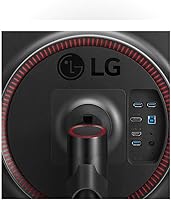
- Connectivity: Input options include HDMI and DisplayPort; buyers should confirm their GPU output matches available ports before purchase, as no USB-C input is present.
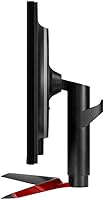
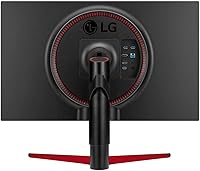
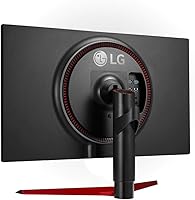
- Stand Adjustability: The included stand supports tilt adjustment only — height raise, swivel, and portrait pivot are not available without a third-party VESA mount arm.
- VESA Compatibility: The display is VESA mount compatible, allowing users to replace the stock stand with a third-party ergonomic arm for improved positioning flexibility.
- Brightness: Typical brightness is rated at 300 nits, which is adequate for moderately lit rooms but may appear dim in environments with strong ambient or direct light.
- Product Weight: The monitor weighs 13.46 pounds with its stand attached, which is standard for a 34-inch display and requires a reasonably sturdy desk surface.
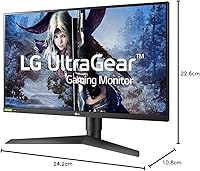
- Product Dimensions: Overall assembled dimensions are approximately 10.8″ deep, 24.2″ tall, and 32.6″ wide, so measure your desk space before ordering.
- Power Input: The monitor accepts AC power across a wide voltage range of 100–240V, making it compatible with standard outlets in most countries without an adapter.
- Gaming Features: Software-driven features include Dynamic Action Sync for input lag reduction, Black Stabilizer for dark-scene visibility, and a built-in Crosshair overlay for shooter titles.
Related Reviews
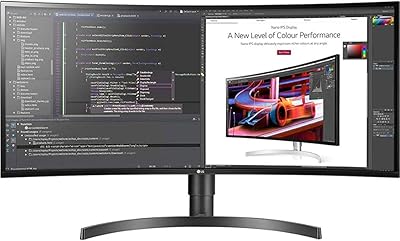
LG 34BL85C-B 34-inch UltraWide Curved Monitor
LG 45GR65DC-B 45-Inch Curved Ultrawide Gaming Monitor
LG 34GS95QE 34-inch OLED Curved Gaming Monitor
LG 34WQ73A-B 34-Inch UltraWide QHD Monitor

Alienware AW3425DWM 34-inch Curved Gaming Monitor
LG 24GQ50F-B 24-inch Gaming Monitor

Raywego Q34DB45-1 34-inch Curved Gaming Monitor

Westinghouse 34-Inch Curved Ultrawide Gaming Monitor
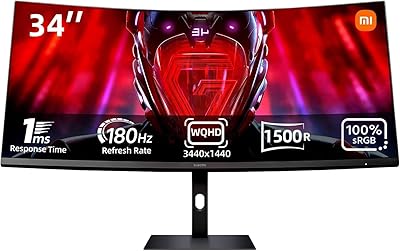
Xiaomi 34-inch Curved Gaming Monitor G34WQi
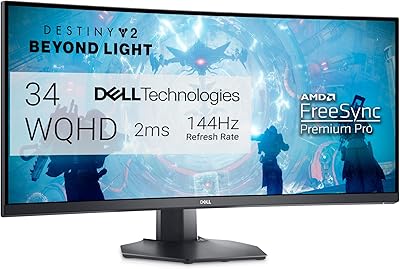
Dell S3422DWG 34-inch Curved Gaming Monitor