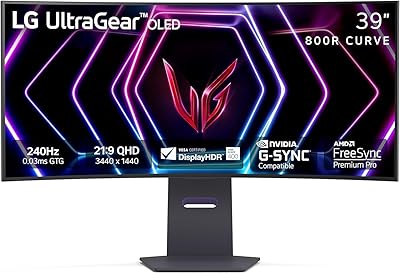
Overview

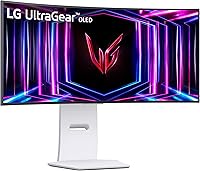
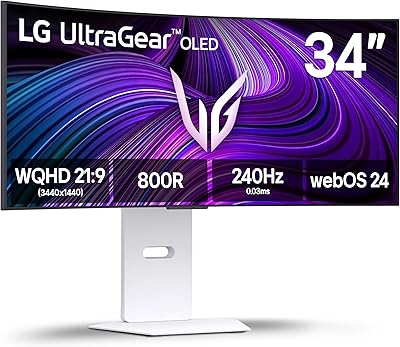
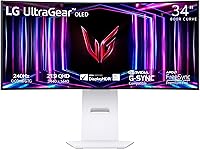
The LG 34GS95QE 34-inch OLED Curved Gaming Monitor sits firmly at the premium end of what PC gamers can realistically buy, where image quality and response performance are treated as non-negotiable. The 21:9 ultrawide format changes how games feel — peripheral vision that a standard 16:9 display simply cannot replicate, most noticeable in open-world titles and racing sims. Worth stating upfront: this ultrawide OLED monitor demands real desk space. The 800R curve is steep, and at nearly 31 inches wide, it needs more depth than a flat panel. The white colorway is a deliberate break from the all-black gaming monitor norm, and it looks genuinely sharp in modern setups. LG's UltraGear line has earned real credibility with enthusiasts, and this display represents it at its most ambitious.
Features & Benefits

The headline numbers here are genuinely meaningful. At 240Hz on OLED, motion in fast-paced games looks fundamentally different from a 144Hz or 165Hz IPS panel — there is a real crispness to fast pans and gunfights that you only notice when you switch back. The 0.03ms GtG response eliminates the trailing artifacts that slower displays create. OLED's native 1.5 million-to-one contrast means dark gaming scenes look compelling: blacks are simply off, not a backlit approximation. Nvidia users should know the adaptive sync here is G-Sync Compatible certification, not a full hardware module, though real-world performance is close. Connectivity is practical too — HDMI 2.1, DisplayPort, and six USB ports make this a capable hub for a multi-device desk.

Best For

This ultrawide OLED monitor is most compelling for competitive FPS and sim-racing players who demand the tightest possible motion clarity and the lowest input lag — this is the audience that will extract maximum value from 240Hz OLED. You also need the GPU to back it up; 3440x1440 at high frame rates is demanding, and if you are running mid-range hardware, the display will spend most of its time well below its rated refresh rate. Console users with a PlayStation 5 or Xbox Series X get genuine value from the HDMI 2.1 port. It is also a strong fit for dual-purpose setups where the same display handles spreadsheets and video calls during the day, then switches to gaming at night, thanks to the matte screen and ergonomic stand adjustments.

User Feedback

Across more than 300 ratings, LG's curved UltraGear display holds a 4.2 out of 5 average — a score that reflects genuine enthusiasm tempered by a few consistent concerns. Buyers in racing and RPG titles rave about the vibrancy and black depth, with several noting it is the first monitor that made them feel the display had disappeared. The recurring worry is OLED burn-in: owners running games with persistent HUD elements are cautious, and rightly so — it is a real risk that LG's pixel-refreshing features mitigate but do not eliminate. A smaller thread of criticism touches on peak brightness in daylight-lit rooms and occasional notes that the stand, while adjustable, feels less premium than the panel itself. Factory calibration gets a broadly positive reception, though enthusiasts tend to fine-tune settings regardless.

Pros

  • OLED native contrast produces true blacks that no LCD panel can replicate at any price.
  • 240Hz at 1440p ultrawide resolution delivers visibly smoother motion than typical 144Hz or 165Hz IPS competitors.
  • The 0.03ms GtG response eliminates trailing and ghosting even during the fastest multiplayer action.
  • HDMI 2.1 support gives next-gen console users full bandwidth without compromising resolution or frame rate.
  • The matte anti-glare coating cuts reflections without meaningfully dulling image sharpness.
  • Six built-in USB ports turn this ultrawide OLED monitor into a practical connectivity hub for cluttered desks.
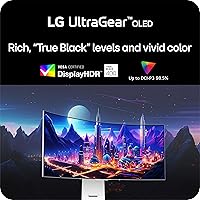
  • DisplayHDR True Black 400 makes HDR content look genuinely distinct, not just marginally brighter.
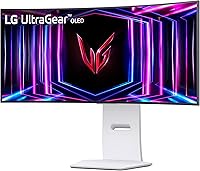
  • The white finish is a refreshing visual break in a market dominated by all-black gaming hardware.
  • Dual adaptive sync covers both AMD FreeSync Premium Pro and Nvidia G-Sync Compatible GPUs without compromise.
  • Tilt, height, and swivel stand adjustments reduce the need to budget separately for a monitor arm.

Cons

  • OLED burn-in from persistent static interface elements is a real long-term risk, not just theoretical fine print.
  • Peak brightness in a sun-lit or brightly lit room can feel underwhelming compared to high-nit LCD alternatives.
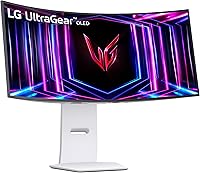
  • The 800R curve and wide chassis demand more desk depth than most buyers anticipate before unboxing.
  • Nvidia users receive G-Sync Compatible certification only, not a full hardware module, which matters in certain VRR edge cases.
  • At roughly 20 pounds, repositioning the 34GS95QE solo is awkward and puts the panel at some risk.
  • Mid-range GPU owners will rarely sustain frame rates high enough to justify the cost of a 240Hz OLED panel.
  • Several buyers report the stand feels less solidly built than the quality of the panel itself would lead you to expect.
  • Factory color presets skew oversaturated for users migrating from a calibrated professional or productivity-focused display.

Ratings

The scores below reflect our AI-driven analysis of verified global buyer reviews for the LG 34GS95QE 34-inch OLED Curved Gaming Monitor, with spam, bot activity, and incentivized feedback actively filtered out before any scoring was applied. Each category is assessed independently, so genuine strengths and real frustrations both surface clearly rather than averaging into a misleadingly comfortable middle ground. This ultrawide OLED monitor earns high marks in several areas that matter most to serious gamers, while a handful of categories reveal trade-offs that prospective buyers deserve to know upfront.

Image Quality
96%
Buyers consistently describe the image as the single most jaw-dropping aspect of this panel, particularly in dark atmospheric games where OLED blacks make the screen appear to vanish into the content. HDR scenes in racing sims and RPGs draw frequent comparisons to OLED TV quality at a desk-friendly size.
A small number of users note that peak brightness in very bright highlight areas — sunlight glinting off surfaces, for example — does not match what premium mini-LED LCDs achieve, which is a real gap in very high-contrast SDR content.
Motion Clarity
94%
The combination of 240Hz and a 0.03ms response time produces motion that reviewers coming from 144Hz IPS panels describe as a categorical improvement rather than a subtle one. Fast-paced FPS titles and racing games in particular show zero visible trailing or smearing even during the most chaotic screen movement.
To genuinely exploit this level of motion performance, you need a GPU capable of sustained high frame rates at 3440x1440, and buyers with mid-range hardware report that they rarely see the panel performing at its full potential in demanding titles.
Contrast & Black Levels
97%
This is the area where OLED's structural advantage over any LCD panel is most viscerally obvious. Night-time driving sequences, space exploration games, and horror titles with dark corridors look genuinely different — blacks are absolute, not a dim backlit approximation, which gives shadows real depth.
The extraordinary contrast is most impactful in controlled or dim lighting; in a bright office environment during the day, ambient reflections and the panel's moderate peak brightness reduce the perceived contrast advantage compared to viewing in dim conditions.
Refresh Rate Performance
91%
At 240Hz on an OLED substrate, gameplay smoothness in titles like competitive shooters and racing simulators feels demonstrably different from the 144Hz or 165Hz IPS monitors most buyers are upgrading from. The transition is noticeable within minutes rather than requiring side-by-side comparison.
Achieving 240Hz at 3440x1440 demands serious hardware investment beyond the monitor itself, and buyers who run the display at 144Hz or lower — either by choice or hardware limitation — are not extracting the full value of the refresh rate specification.
Immersion & Curve
88%
The 800R curve is steep enough that at a typical 24-to-28-inch viewing distance, the panel edges are equidistant from the eyes in a way that shallower curves cannot replicate. Sim-racing and flight sim users in particular report a feeling of genuine cockpit enclosure that flat or mildly curved ultrawides do not produce.
A minority of buyers find the 800R radius too aggressive for productivity tasks like reading long documents or working with grids, where straight horizontal lines near the panel edges can appear subtly bowed. It is purely personal preference, but worth testing before committing.
HDR Experience
83%
DisplayHDR True Black 400 certification is meaningful here in a way it is not on many LCD monitors that carry lesser HDR badges. Dark scenes in HDR gaming content genuinely benefit from the absolute black floor, and colors in HDR mode look vivid without the oversaturation that plagues some cheaper HDR implementations.
The 400-nit peak brightness ceiling means specular highlights — the sun, explosions, reflective surfaces — do not achieve the same punch as high-nit mini-LED panels rated at 1000 nits or above, which is a real limitation for buyers specifically chasing premium HDR highlight performance.
Adaptive Sync
86%
Supporting both AMD FreeSync Premium Pro and NVIDIA G-Sync Compatible means buyers do not need to plan their GPU purchase around the monitor, which is a practical convenience that owners across both camps appreciate. Variable refresh rate in supported titles reduces tearing cleanly across the tested frame rate range.
Nvidia users should be aware that G-Sync Compatible certification is not equivalent to a full hardware G-Sync module; certain edge cases involving HDR-plus-VRR simultaneously or behavior at the very low end of the frame rate range can differ slightly from a hardware G-Sync panel.
Connectivity
84%
The HDMI 2.1 port is genuinely well-received, especially by buyers running a gaming console alongside their PC without wanting to sacrifice bandwidth. The six-port USB hub is frequently called out in reviews as a practical desk management feature that reduces cable clutter.
Some buyers note that only one HDMI 2.1 port is present, which requires a switch or manual cable swapping for users running two high-bandwidth sources simultaneously. The absence of a USB-C video input is also flagged by laptop users who prefer single-cable desktop setups.
Stand & Ergonomics
71%
29%
The stand covers the functional basics — tilt, height, and swivel adjustments are all present and sufficient for most standard desk arrangements. Buyers who do not already own a monitor arm find the included stand perfectly adequate for day-to-day positioning needs.
Relative to the panel's overall price tier, multiple reviewers describe the stand as feeling plasticky and less substantial than expected. At 20.5 pounds, the monitor also feels less stable on the stand than comparable displays, and cable routing through the stand base is awkward.
Burn-In Risk
58%
42%
LG includes pixel-refresh routines, screen savers, and logo brightness reduction tools that actively work to slow image retention. Buyers who primarily play varied gaming content without persistent static UI elements report no visible retention issues over months of use.
Burn-in is a real and documented risk on OLED panels used with fixed static elements — taskbars, health bars, navigation minimaps — over extended periods. This is the most polarizing concern in buyer feedback, and no built-in mitigation feature eliminates the risk entirely for heavy daily users.
Brightness
67%
33%
In a moderately lit room or during evening gaming sessions, the brightness output is entirely comfortable and the matte coating keeps reflections well-managed. Most gamers who use the display in typical home environments do not raise brightness as a concern in their reviews.
Buyers in sun-lit workspaces or rooms with large windows consistently flag brightness as a limitation. Compared to high-nit LCD gaming monitors, this ultrawide OLED monitor can look visibly dimmer and lower-contrast under strong ambient or natural light.
Out-of-Box Calibration
78%
22%
General buyers find the factory color presets attractive and usable immediately without adjustment. Warm tones in games and media content look pleasing at default settings, and the overall color rendering is considered a strong first impression by the majority of non-enthusiast reviewers.
Enthusiast buyers and those with calibration tools frequently note that factory settings run slightly warm and oversaturated, requiring manual tweaks for accurate color work. The white point in the default picture mode also draws occasional criticism from users migrating from well-calibrated professional displays.
Desk Footprint
62%
38%
Buyers with spacious desks and deep work surfaces report that the monitor fits comfortably and the curve integrates naturally into a wide setup. Those who planned their desk configuration in advance of the purchase are uniformly satisfied with how the panel sits in a dedicated gaming or home office corner.
At nearly 31 inches wide and almost 11 inches deep at the base, this is a physically large display that dominates smaller desks. Multiple reviewers specifically mention that they underestimated the real-world footprint before the unit arrived, and a few returned it for this reason alone.
Value for Money
74%
26%
For buyers who play fast-paced, visually immersive games regularly and have the GPU hardware to match, the combination of 240Hz OLED, true ultrawide format, and HDMI 2.1 is difficult to replicate at a meaningfully lower price point. Those in the intended audience tend to rate satisfaction high.
Buyers who game casually, lack the GPU to drive high frame rates at 3440x1440, or are primarily concerned about burn-in risk find that a high-quality IPS ultrawide at a noticeably lower price point would have served their actual needs just as well without the added anxiety.

Suitable for:

The LG 34GS95QE 34-inch OLED Curved Gaming Monitor is built for a specific kind of buyer: someone running a high-end GPU, playing games where motion clarity and immersion genuinely matter, and willing to invest in a panel that delivers both simultaneously. Competitive FPS players and sim-racing enthusiasts will notice the difference at 240Hz OLED right away — not as a spec sheet talking point, but as a tangible change in how cleanly fast scenes resolve on screen. The 21:9 format rewards open-world and RPG players who want peripheral coverage that a standard 16:9 display simply cannot replicate. Console gamers with a PlayStation 5 or Xbox Series X benefit directly from the HDMI 2.1 port, getting full bandwidth without a resolution or frame rate trade-off. For buyers who need one display that handles productivity work during the day and serious gaming at night, the ergonomic stand, matte screen surface, and wide color coverage make this a credible dual-purpose choice.

Not suitable for:

The LG 34GS95QE 34-inch OLED Curved Gaming Monitor is a poor match for anyone running mid-range or older graphics hardware — 3440x1440 at high frame rates demands real GPU headroom, and an underpowered system will rarely reach the refresh rates that justify this display's cost. Burn-in deserves a direct answer rather than a footnote: OLED panels are genuinely vulnerable to permanent image retention when static elements — health bars, minimaps, desktop taskbars — sit in fixed positions for long stretches, and no pixel-refresh feature fully eliminates that risk over years of heavy use. Buyers who work in brightly lit rooms should think carefully, since OLED peak brightness, while compelling in controlled lighting, can struggle against direct ambient light compared to high-nit LCD alternatives. Anyone with a compact desk will also find the steep 800R curve combined with the nearly 31-inch width difficult to accommodate comfortably at typical seating distances. If you are not routinely playing fast-paced or visually demanding titles, a well-calibrated IPS ultrawide at a lower price point will serve most of your needs without the burn-in anxiety.

Specifications

  • Panel Type: Uses an OLED panel, which produces true per-pixel illumination with no backlight, enabling absolute blacks and near-infinite contrast.
  • Screen Size: Measures 33.9 inches diagonally, marketed as a 34-inch class display with a wide 21:9 ultrawide footprint.
  • Resolution: Native resolution is 3440x1440 pixels, classified as WQHD ultrawide and offering significantly more horizontal workspace than a standard 2560x1440 display.
  • Aspect Ratio: The 21:9 aspect ratio provides approximately 33% more horizontal screen real estate compared to a conventional 16:9 monitor of similar height.
  • Refresh Rate: Supports a maximum refresh rate of 240Hz, allowing up to 240 distinct frames to be displayed per second for exceptionally smooth motion rendering.
  • Response Time: Rated at 0.03ms gray-to-gray (GtG), which is fast enough that pixel transitions are effectively imperceptible during normal gameplay.
  • Curve Radius: The panel uses an 800R curve radius, one of the steepest available on consumer monitors, designed to better match human peripheral vision at close desk distances.
  • HDR Standard: Certified under DisplayHDR True Black 400, a VESA specification that specifically validates OLED-capable absolute black levels alongside a minimum 400 nit peak brightness.
  • Contrast Ratio: Native contrast ratio is 1,500,000:1, enabled by OLED technology shutting pixels off entirely rather than dimming a shared backlight.
  • Adaptive Sync: Supports both AMD FreeSync Premium Pro and NVIDIA G-Sync Compatible certification, covering variable refresh rate functionality across both major GPU ecosystems.
  • Video Inputs: Includes one HDMI 2.1 port and one DisplayPort input, with HDMI 2.1 providing sufficient bandwidth for 4K or high-refresh ultrawide signals from modern PCs and consoles.
  • USB Hub: Integrates a six-port USB hub comprising three USB 2.0 and three USB 3.0 ports, suitable for connecting peripherals without running cables directly to a PC tower.
  • Stand Adjustments: The included stand offers tilt, height, and swivel adjustments, removing the immediate need for a third-party monitor arm in most standard desk configurations.
  • Screen Surface: The panel uses a matte anti-glare coating to reduce reflections from ambient light sources without applying a diffusion layer that would soften image sharpness.
  • Color Finish: Available in a white colorway, which is an intentional departure from the all-black or dark-grey aesthetic that dominates the gaming monitor category.
  • Weight: The assembled monitor with stand weighs 20.5 pounds, which is typical for a curved 34-inch panel but worth accounting for when planning desk load or arm compatibility.
  • Dimensions: Assembled dimensions measure 30.87 inches wide, 23.06 inches tall, and 10.97 inches deep, requiring meaningful desk depth to accommodate the 800R curve comfortably.

Related Reviews

Alienware AW3423DW 34-inch QD-OLED Gaming Monitor
83%
97%
Image Quality
94%
Motion Performance
96%
Contrast & Black Levels
89%
Color Accuracy
91%
Refresh Rate & Sync
More
LG 34GX90SA-W 34-inch OLED Curved Gaming Monitor
81%
94%
Picture Quality
91%
Gaming Performance
88%
Immersion & Curvature
83%
Smart Platform (webOS)
93%
Contrast & Black Levels
More
LG 39GS95QE 39-Inch Curved OLED Gaming Monitor

83%
96%
Image Quality
98%
Contrast & Black Levels
93%
Refresh Rate & Smoothness
94%
Response Time & Motion Clarity
78%
HDR Performance
More
MSI MPG 341CQPX 34-inch Curved OLED Gaming Monitor
83%
94%
Display Quality
92%
Gaming Performance (240Hz)
89%
Color Accuracy
85%
Ease of Setup
80%
Software (Gaming Intelligence App)
More
LG 45GS95QE Ultragear OLED Curved Gaming Monitor 45-Inch
89%
96%
Display Quality
94%
Gaming Performance
88%
Build Quality
67%
Brightness in Bright Environments
98%
Response Time
More
Alienware AW3425DWM 34-inch Curved Gaming Monitor

82%
91%
Image Clarity & Sharpness
89%
Refresh Rate & Motion Performance
93%
Ultrawide Immersion
84%
Color Accuracy & Vibrancy
62%
HDR Performance
More
Westinghouse 34-Inch Curved Ultrawide Gaming Monitor
72%
84%
Value for Money
78%
Image Quality
81%
Refresh Rate & Motion
82%
Adaptive Sync
83%
Curve & Immersion
More
Xiaomi 34-inch Curved Gaming Monitor G34WQi
84%
94%
Display Quality
91%
Gaming Performance
88%
Color Accuracy
82%
Build Quality
89%
Value for Money
More
Dell S3422DWG 34-inch Curved Gaming Monitor
83%
88%
Image Quality
84%
Refresh Rate & Smoothness
93%
Curvature & Immersion
54%
HDR Performance
91%
Build Quality & Design
More
Raywego Q34DB45-1 34-inch Curved Gaming Monitor
72%
88%
Value for Money
84%
Gaming Performance
74%
Image Quality
51%
HDR Performance
67%
Build Quality
More

FAQ

It is a legitimate concern, not just marketing anxiety. If you regularly play games with persistent static elements — minimaps, health bars, or a fixed desktop taskbar — those elements can gradually imprint on the panel over time. LG includes built-in pixel-refresh and screen-saver features that slow this process considerably, but they do not eliminate the risk entirely. If you plan to use the display heavily for office work with a static taskbar always visible, or grind the same game for years, OLED burn-in deserves serious thought before purchasing.

Realistically, you are looking at a current-generation high-end card — something in the range of an Nvidia RTX 4080 or AMD RX 7900 XTX — to consistently push 240 frames per second in demanding titles at that resolution. In lighter or older games you will hit those numbers more easily, but for recent AAA releases expect to run with reduced settings to stay near the panel's rated refresh rate. With a mid-range GPU, adaptive sync will handle the fluctuation, but you will rarely touch the ceiling the display is capable of.

Yes, and the HDMI 2.1 port is genuinely useful here rather than a checkbox feature. Both the PS5 and Xbox Series X output over HDMI 2.1, so you get full bandwidth without any resolution or frame rate bottleneck imposed by the cable standard. Console output at 1440p ultrawide depends on the game and console supporting that mode, but for standard 1440p or 4K-scaled content, the connection is solid.

Full G-Sync requires a proprietary Nvidia hardware module inside the monitor itself, which adds cost and historically restricted monitors to DisplayPort only. G-Sync Compatible means Nvidia has tested and validated the display's FreeSync implementation and confirmed it meets their standards for tear-free, stutter-free variable refresh rate performance. For the vast majority of gaming scenarios, you will not notice any practical difference. The edge cases where a hardware module matters — very low frame rate floors, certain HDR-plus-VRR combinations — are niche enough that most Nvidia users should not let this point be a deciding factor.

The 800R curve is steep, and the chassis itself is nearly 11 inches deep at the base. At a standard arm-length seating distance of roughly 24 to 28 inches from screen to eye, the curve works as intended and the panel wraps into peripheral vision naturally. If your desk is shallow — say, under 24 inches — the monitor may feel uncomfortably close at the edges, and the curve can actually work against you. Budget for a desk at least 27 to 30 inches deep to use this display comfortably.

It handles productivity work well. The 3440x1440 resolution gives you genuine extra horizontal space for side-by-side windows, and the matte coating keeps reflections manageable in typical office lighting. Color accuracy out of the box is broadly usable for general creative work, though the factory presets lean slightly warm and saturated. The main productivity caveat is burn-in: running a static browser or document layout for eight hours a day puts fixed elements in the same screen position repeatedly, so it is worth enabling LG's built-in screen protection features if you use this display for long work sessions.

Matte coatings always involve a trade-off, and this one is no exception. You lose a small amount of the pop and specular vibrancy that a glossy panel delivers in a dark room, but you gain the ability to use the display without reflections from overhead lights or windows constantly competing with the image. For a gaming monitor in a typical room with ambient light, most users find the matte finish the more practical choice. If you are comparing it side-by-side with a glossy OLED in ideal lighting, the glossy panel looks more vivid, but in real home setups the difference narrows considerably.

The stand provides tilt, height, and swivel adjustments, which covers the basics well. Buyer feedback consistently notes that the stand feels slightly less premium than you might expect given the overall cost of the display — it is functional but not the most solid feeling piece of hardware at this tier. If you already own a VESA-compatible arm rated for at least 20 pounds, using it is a reasonable upgrade for cable management and finer positioning. If you do not, the included stand is perfectly usable and saves the immediate expense.

For dark-scene gaming and HDR films, the difference versus an LCD is immediately visible and not subtle. Because each OLED pixel switches off independently, black areas in HDR content are genuinely black rather than a dim backlit grey. The DisplayHDR True Black 400 certification reflects that real-world capability. Where OLED trails some high-end LCD displays is in absolute peak brightness for specular highlights in very bright scenes, but the starting point of true black gives this curved UltraGear display a contrast advantage that high peak brightness alone cannot replicate.

This is one of the more honest caveats to raise. OLED panels generally top out at lower peak brightness than premium mini-LED or high-nit LCD displays, and in a room with strong direct or ambient daylight, the image can look washed out or low-contrast compared to what you see in a dim environment. The matte coating helps with glare reduction, but it does not compensate for brightness limitations. If your workspace faces a window and you game or work during daylight hours regularly, a high-brightness LCD alternative may serve you better in that specific environment than this ultrawide OLED monitor.

Where to Buy