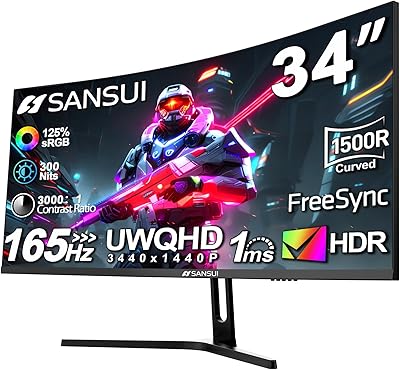
Dell S3422DWG 34-inch Curved Gaming Monitor


Overview
The Dell S3422DWG 34-inch Curved Gaming Monitor sits in a comfortable mid-to-premium sweet spot where you get genuinely capable hardware without paying flagship prices. Dell's build reputation holds up here — the chassis feels solid, and the company backs it with support most competitors simply don't match. What defines the physical experience is the 1800R curved panel paired with a 21:9 ultrawide format; it's not a subtle curve, it wraps around your field of view in a way a flat 27-inch cannot replicate. The VA panel brings deep, punchy contrast and rich color depth, which is a real advantage for darker game environments and cinematic content.
Features & Benefits
The jump to WQHD ultrawide resolution is immediately noticeable — text stays sharp across the full width, and game worlds feel expansive rather than boxed in. A 144Hz refresh rate keeps motion smooth in shooters and action RPGs, and AMD FreeSync Premium does real work by eliminating screen tearing during variable frame-rate sessions. Connectivity is practical: HDMI, DisplayPort 1.4, and a four-port USB 3.0 hub mean this curved ultrawide can anchor a busy desk without a separate dongle. The three-sided thin bezels keep things looking clean, and Dell's Premium Panel Guarantee — where a single bright pixel triggers a free exchange — is the kind of policy that genuinely changes the buying calculus.
Best For
This 34-inch gaming display earns its place most clearly in single-player and open-world gaming, where the extra horizontal real estate makes environments feel cinematic rather than cropped. Video editors and photo retouchers will appreciate the screen width for timeline work and side-by-side comparisons. For anyone juggling multiple windows — a code editor, browser, and chat column simultaneously — the layout possibilities are hard to give up once experienced. That said, it's not ideal for competitive esports players who demand refresh rates above 200Hz or ultra-low response times. If you're coming from a standard flat 1440p setup and want something more immersive without venturing into OLED territory, this is a well-rounded upgrade.
User Feedback
Community sentiment around the Dell S3422DWG is broadly positive, with buyers praising image richness, the enveloping curve, and a surprisingly straightforward setup. Long-term color stability gets mentioned specifically — owners report minimal backlight bleed and consistent calibration over time. The criticisms, though, are worth knowing. The stand offers limited adjustability; height and tilt range are modest, which bothers users who spend long hours at their desk. HDR is technically present but underwhelming in practice — it doesn't compete with dedicated HDR panels, and buyers comparing it to IPS or OLED alternatives notice the gap. Fast competitive gaming can also expose slight VA motion blur. Dell's warranty service, however, draws consistent and genuine praise.
Pros
- The 1800R curve creates a genuinely immersive viewing experience that flat ultrawides cannot replicate.
- VA panel contrast delivers deep, rich blacks that make dark game environments and cinematic content look striking.
- The built-in four-port USB hub reduces cable clutter on multi-device desks without needing a separate hub.
- Dell's Premium Panel Guarantee means a single bright pixel qualifies for a free exchange — rare in this category.
- Three-year Advanced Exchange warranty provides real peace of mind and has earned consistent praise from buyers who used it.
- WQHD ultrawide resolution keeps text and game detail sharp across the full 34-inch width.
- AMD FreeSync Premium handles variable frame rates cleanly, eliminating screen tearing during demanding gaming sessions.
- The matte anti-glare coating holds up well in brighter room environments without washing out colors.
- Long-term owners report stable color output and minimal backlight bleed, suggesting strong unit consistency.
- Three-sided thin bezels keep the setup looking clean and work well for those considering a dual-monitor arrangement.
Cons
- The stand offers no height adjustment, which becomes a real ergonomic problem during long daily work sessions.
- HDR mode is largely ineffective — experienced users disable it and rely on native VA contrast instead.
- Fast-moving objects in competitive titles produce subtle ghosting that is noticeable to players used to IPS panels.
- No USB-C input limits convenient single-cable connectivity for modern laptop users.
- The on-screen display menu navigation is clunky and takes longer than it should to learn.
- Driving the ultrawide resolution smoothly demands a powerful GPU that some buyers underestimate at purchase.
- A small but recurring minority of units arrive with corner clouding on dark backgrounds.
- Some productivity software and older games do not handle the 21:9 ratio well, displaying stretched or bordered interfaces.
- Unit-to-unit color calibration consistency receives mixed feedback — some buyers need manual adjustment out of the box.
- At its weight and depth, the curved ultrawide requires a sturdy desk with meaningful clearance — not ideal for compact setups.
Ratings
The Dell S3422DWG 34-inch Curved Gaming Monitor was evaluated by our AI scoring system after analyzing thousands of verified global user reviews, with spam, bot submissions, and incentivized feedback actively filtered out. The scores below reflect both what buyers genuinely love about this curved ultrawide and the friction points that came up repeatedly across long-term owners. Nothing has been softened — if a category underperforms, the number shows it.
Image Quality
Refresh Rate & Smoothness
Curvature & Immersion
HDR Performance
Build Quality & Design
Stand & Ergonomics
Resolution & Sharpness
Connectivity & Port Selection
Color Accuracy
Backlight Uniformity
Warranty & After-Sale Support
Setup & Out-of-Box Experience
Value for Money
Ultrawide Productivity Fit
Suitable for:
The Dell S3422DWG 34-inch Curved Gaming Monitor is built for buyers who want a genuinely immersive experience without chasing bleeding-edge specs. Single-player and open-world gamers will get the most out of the wide field of view and deep contrast the VA panel delivers — think atmospheric RPGs, racing sims, and exploration titles where the curve pulls you into the scene. It also works well for professionals who live in multiple open windows at once: developers splitting a terminal, editor, and browser, or analysts working across several spreadsheets will find the horizontal space transformative compared to a standard flat display. Video editors and photo retouchers benefit from the extra timeline real estate and the natural color rendering, provided they are not doing strict professional color grading. Buyers who have been burned by flimsy build quality or poor after-sale service from other brands will find real comfort in Dell's warranty structure — the three-year coverage with a genuine panel-exchange policy is not a marketing footnote, it is a meaningful safety net.
Not suitable for:
The Dell S3422DWG 34-inch Curved Gaming Monitor is the wrong choice for competitive esports players who depend on extremely fast response times and refresh rates above 165Hz — the VA panel's motion characteristics will frustrate anyone coming from a high-refresh IPS or TN display used for games like CS2 or Valorant. Buyers expecting a meaningful HDR experience should look elsewhere; the panel's brightness ceiling is simply too modest to do justice to HDR content, and pairing expectations built around OLED or high-end FALD panels with this monitor will lead to disappointment. Users who need extensive ergonomic adjustability — particularly height adjustment — will quickly find the stand limiting, and while a VESA arm solves it, that is an additional cost and effort that should factor into the decision. Laptop-first users who rely on USB-C for a single-cable connection will also hit a wall, as the port selection does not include USB-C or Thunderbolt input. Finally, strict color professionals doing print-calibrated work should look at dedicated wide-gamut IPS alternatives.
Specifications
- Screen Size: The panel measures 34 inches diagonally, providing a wide viewing area suited to both gaming and multi-window productivity work.
- Panel Type: Uses a VA (Vertical Alignment) panel, which delivers deeper black levels and higher native contrast compared to IPS panels at a similar price point.
- Resolution: Native resolution is 3440x1440 (WQHD ultrawide), offering significantly more horizontal screen space than a standard 2560x1440 flat display.
- Aspect Ratio: The 21:9 aspect ratio provides a panoramic viewing format that is wider than the standard 16:9 used by most monitors and televisions.
- Refresh Rate: Supports a maximum refresh rate of 144Hz, enabling smooth motion rendering during fast-paced gaming and fluid desktop interactions.
- Curvature: The screen features a 1800R curvature radius, meaning the panel curves along an arc matching a circle with an 1800mm radius for a wraparound effect.
- Adaptive Sync: Certified for AMD FreeSync Premium, which dynamically synchronizes the monitor's refresh rate with a compatible GPU's output to reduce tearing and stutter.
- Surface Finish: The screen uses a matte anti-glare coating that diffuses ambient light reflections, making it practical in rooms with windows or overhead lighting.
- Bezel Design: Three-sided ultra-thin bezels minimize the border around the active panel area, reducing visual distraction and supporting cleaner multi-monitor configurations.
- Video Inputs: Connectivity includes one HDMI port and one DisplayPort 1.4 input, with a DisplayPort 1.4 cable included in the box to achieve full refresh rate output immediately.
- USB Hub: An integrated four-port USB 3.0 hub is built into the monitor, allowing peripherals such as keyboards, headsets, and drives to connect without reaching behind a PC.
- HDR Support: The monitor carries an HDR specification, though peak brightness is limited and the HDR implementation is not comparable to dedicated high-brightness or OLED HDR displays.
- Dimensions: The assembled unit with stand measures approximately 31.81″ wide, 20.76″ tall, and 9.8″ deep, requiring a desk with adequate depth to accommodate the curved base.
- Weight: The monitor with stand weighs approximately 21.2 pounds, making it a substantial unit that benefits from a stable, reinforced desk surface.
- VESA Compatibility: The panel supports VESA mounting, allowing buyers to remove the included stand and attach a third-party monitor arm for improved ergonomic positioning.
- Warranty: Covered by Dell's 3-year Advanced Exchange Service and the Premium Panel Guarantee, which entitles buyers to a free replacement if even a single bright pixel defect is found during the warranty period.
- Color: Available in black with a matte finish on both the panel surround and stand base, providing a neutral aesthetic that suits most desk environments.
- Power Input: The monitor operates at 100 Volts AC, and buyers outside standard 100-120V regions should verify local power compatibility or use an appropriate voltage adapter.
Related Reviews

Alienware AW3425DWM 34-inch Curved Gaming Monitor
Dell S3425DW 34-inch Curved Ultrawide Monitor
Great voell Q34DB45 34-inch Curved Gaming Monitor

Westinghouse 34-Inch Curved Ultrawide Gaming Monitor
Xiaomi 34-inch Curved Gaming Monitor G34WQi

Raywego Q34DB45-1 34-inch Curved Gaming Monitor
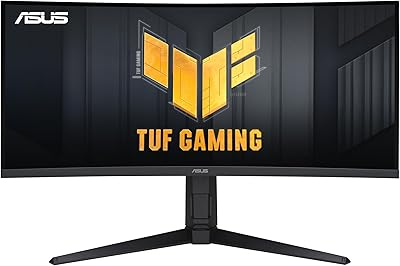
ASUS TUF VG34VQL1B 34-inch Curved Gaming Monitor
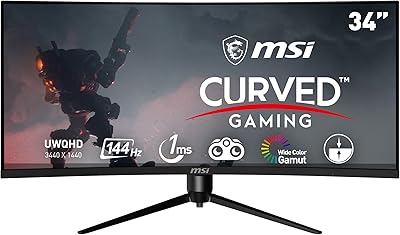
MSI MAG342CQR 34″ Curved Gaming Monitor
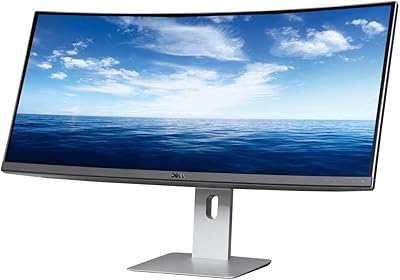
Dell U3419W Ultrasharp 34-Inch Curved IPS Monitor