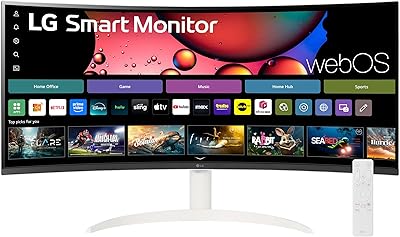
LG 34BL85C-B 34-inch UltraWide Curved Monitor
Overview
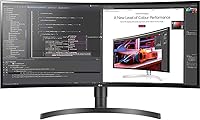
The LG 34BL85C-B 34-inch UltraWide Curved Monitor offers a unique combination of size, design, and performance. This curved display features a 3440x1440 resolution, perfect for those who want to experience high-quality visuals and immersive content. With its IPS panel, it ensures a wide color gamut and better consistency from various angles. The 21:9 aspect ratio provides expansive screen space, making it ideal for multitasking and professional workflows. Whether you are working on a complex project or enjoying your favorite movies, this UltraWide monitor brings an upgraded visual experience.
Features & Benefits
One of the standout features of this UltraWide monitor is its 21:9 aspect ratio, which greatly enhances productivity by allowing users to view multiple applications side by side. The inclusion of HDR10 support brings vibrant, true-to-life visuals, especially for content that supports it. Gamers will appreciate the smooth, lag-free experience provided by Dynamic Action Sync and Flicker Safe technology. Additionally, the built-in MAXXAUDIO delivers surprisingly clear sound for a monitor, adding another layer of value. These features make the monitor versatile for both professional and entertainment purposes.
Best For
This LG 34-inch curved display is perfect for professionals who require extra screen space for multitasking, such as video editors, data analysts, or software developers. Its ultra-wide screen makes it ideal for gaming enthusiasts who enjoy immersive gameplay in a wide format. Creative professionals like designers and photographers will also benefit from the monitor's color accuracy and HDR capabilities, making it a great choice for projects that demand precise visuals. Whether you're working or gaming, this monitor offers a substantial upgrade to your setup.
User Feedback
Many users praise the large, immersive screen size, noting that the curvature creates a more engaging experience whether for gaming or productivity. The monitor’s sharpness and color accuracy are commonly highlighted, with several users mentioning that it’s a great option for media creators. However, some users find the built-in speakers to be lacking in bass and volume, which may require external speakers for full audio quality. A few also mention that the screen’s size can take some time to adjust to, especially for those new to ultra-wide monitors.
Pros
- The 34-inch UltraWide display offers ample screen real estate for multitasking, making it ideal for productivity-heavy tasks.
- Its 3440x1440 resolution provides crisp, sharp visuals that enhance both work and entertainment experiences.
- The 21:9 aspect ratio is perfect for gamers seeking a more immersive, wide-format gameplay experience.
- HDR10 support ensures vibrant and rich colors in compatible content, delivering an enhanced visual experience.
- The curved 1500R design adds to the immersive feel, especially during gaming or watching movies.
- The built-in MAXXAUDIO provides decent sound quality, adding to the overall media experience without needing external speakers.
Cons
- The 60Hz refresh rate may not be sufficient for fast-paced competitive gamers who require higher refresh rates for smooth gameplay.
- The lack of USB-C connectivity limits ease of use for users who prefer a single cable for power and data transfer.
- Some users find the large screen size overwhelming in smaller workspaces, as it requires significant desk space.
- While the IPS display is good for color accuracy, it may not reach the high levels of contrast and brightness found in premium monitors.
- The stand is bulky and may not be adjustable enough for users who prefer a more flexible ergonomic setup.
- Not all users find the HDR10 feature impactful, especially in non-HDR content, where the color enhancement is subtle.
Ratings
After analyzing verified user feedback from diverse sources across multiple languages and regions, the scores for the LG 34BL85C-B 34-inch UltraWide Curved Monitor reflect a broad range of experiences. Spam, bot-driven, duplicated, and exaggerated reviews have been filtered out, ensuring that only authentic, high-quality feedback contributes to the ratings. Both strengths and pain points are considered, providing a well-rounded view of this product's performance, design, and value for different users.
Display Quality
Build Quality
Ease of Setup
Gaming Performance
Multitasking Experience
Color Accuracy
Connectivity Options
Audio Quality
Value for Money
Immersive Experience
HDR Performance
Customer Support
Suitable for:
The LG 34BL85C-B 34-inch UltraWide Curved Monitor is ideal for professionals and creators who need a large, high-quality display for multitasking and content creation. Its 21:9 aspect ratio offers plenty of screen space for working with multiple applications simultaneously, making it perfect for designers, video editors, and those who work with large spreadsheets. Gamers also benefit from the wide format and curved screen, which enhances the immersive experience during play. With accurate color reproduction, it is particularly well-suited for media creators who require a reliable monitor for detailed design work. Overall, anyone seeking a versatile monitor that balances both productivity and entertainment will appreciate the benefits of this UltraWide monitor.
Not suitable for:
This monitor may not be the best choice for users who prioritize fast, high-refresh-rate gaming, as its 60Hz refresh rate and lack of G-SYNC or FreeSync support can limit performance in competitive gaming scenarios. Additionally, those with limited desk space might find the large 34-inch size and bulky stand challenging to fit into smaller setups. While it offers great visuals, its HDR10 feature isn't as impactful as some higher-end displays, making it less appealing for users who demand superior HDR performance. Furthermore, users looking for a USB-C port for easier device connectivity may find the available ports insufficient for their needs.
Specifications
- Screen Size: The monitor features a 34-inch UltraWide display for a more expansive viewing experience.
- Resolution: The monitor has a 3440x1440 QHD resolution for clear, sharp visuals.
- Display Type: It utilizes an IPS (In-Plane Switching) panel, offering better color accuracy and wider viewing angles.
- Aspect Ratio: The 21:9 aspect ratio provides more screen space, making multitasking easier and improving immersive media experiences.
- Curvature: With a 1500R curvature, the monitor delivers an immersive viewing experience, reducing distortion on the screen’s edges.
- HDR Support: The monitor supports HDR10, enhancing the color range and contrast for compatible content.
- Color Gamut: It covers 99% of the sRGB color spectrum, ensuring accurate color reproduction for design and media creation tasks.
- Response Time: The monitor has a 5ms response time, reducing motion blur and ghosting in fast-moving visuals.
- Refresh Rate: It offers a 60Hz refresh rate, suitable for general use and casual gaming, though not ideal for competitive gamers.
- Brightness: The maximum brightness of the monitor is 300 nits, providing good visibility in most indoor lighting conditions.
- Connectivity: The monitor is equipped with HDMI and DisplayPort inputs for versatile connection options.
- Audio: It includes built-in MAXXAUDIO, enhancing the sound quality for a more immersive audio experience.
- Power Consumption: The monitor has an energy-efficient design, consuming around 40 watts during typical use.
- Stand Adjustability: The monitor stand allows tilt adjustment, enabling users to find a comfortable viewing angle.
- VESA Compatibility: This monitor is VESA-compatible, allowing users to mount it on compatible wall brackets or monitor arms.
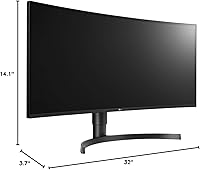
- Dimensions: The monitor has a large footprint, measuring approximately 32.2 x 9.3 x 21.6 inches with the stand.
- Weight: The monitor weighs approximately 16.3 pounds with the stand, making it relatively heavy for an UltraWide display.
- Color Accuracy: The monitor offers impressive color accuracy, ideal for tasks like graphic design, video editing, and content creation.
Related Reviews
LG 34WQ73A-B 34-Inch UltraWide QHD Monitor
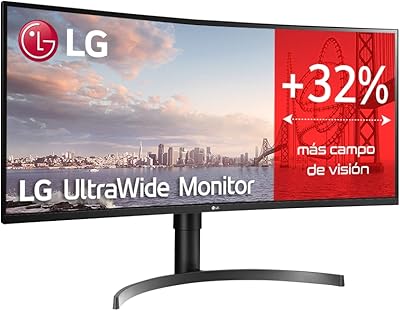
LG 35WN65C-B 35-inch Curved UltraWide QHD Monitor
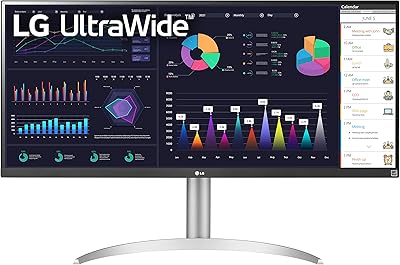
LG 34WQ650-W 34-inch UltraWide Monitor
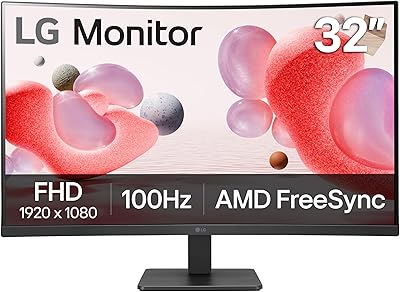
LG 32MR50C-B 32-Inch Curved Monitor

Westinghouse 34-Inch Curved Ultrawide Gaming Monitor

Raywego Q34DB45-1 34-inch Curved Gaming Monitor
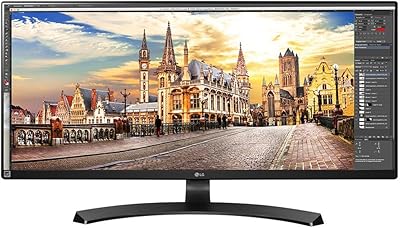
LG 34UM68-P 34-inch UltraWide Monitor
LG 38WR85QC-W 38-inch Curved UltraWide Monitor
Sceptre 34-inch Curved UltraWide Monitor C345W-2560UN