Overview

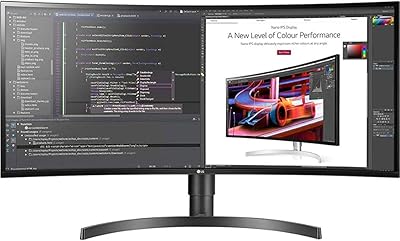
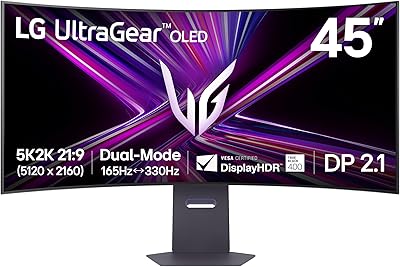
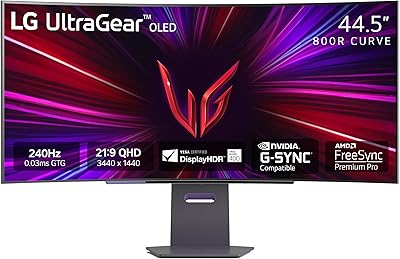
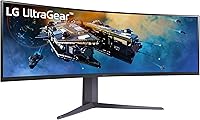
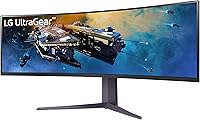
The LG 45GR65DC-B 45-Inch Curved Ultrawide Gaming Monitor landed in mid-2023 as one of the most ambitious displays in LG's UltraGear lineup, targeting gamers and power users who want a single screen to do the work of two. The 32:9 aspect ratio genuinely replaces a dual-monitor setup without the bezel gap in the middle, which matters more than most people expect until they try it. It sits at a premium price point, and that cost is really aimed at people who will actually use the width — sim racers, multitaskers, creators. The VA panel produces deep blacks but trades some viewing-angle consistency compared to flat IPS panels at similar prices.
Features & Benefits

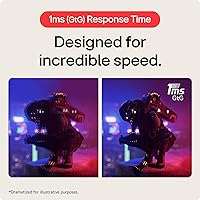
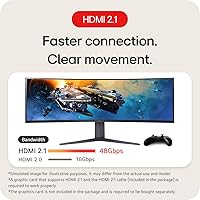
What makes this ultrawide curved monitor technically compelling is how it handles the connection side. Getting 200Hz at full 5120x1440 resolution through both HDMI 2.1 and DisplayPort 1.4 is genuinely unusual — most competitors limit high refresh rates to a single input type. The 1ms GtG response time keeps fast movement clean, and AMD FreeSync Premium Pro handles frame pacing without the input lag that comes with forced V-Sync. Color-wise, 95% DCI-P3 coverage paired with VESA DisplayHDR 600 means HDR content actually looks different here, not just marginally brighter. Picture-by-Picture mode splits the panel between two live sources, and the ergonomic stand adjusts for height, tilt, and swivel across long sessions.

Best For

This 45-inch UltraGear display is purpose-built for people who actually need the width. Sim racers and flight sim enthusiasts get a peripheral field of view that genuinely changes immersion — cockpit edges and track curves wrap around you in a way smaller screens cannot replicate. Content creators juggling a timeline alongside reference footage will appreciate having it all on one surface without a center bezel. Console and PC users both get HDMI 2.1, so switching between a gaming rig and a current-gen console is straightforward. That said, the stand is 42.7 inches wide and nearly 13 inches deep — desk space is non-negotiable. If your workspace is cramped, this monitor will dominate it.

User Feedback

Owners of this ultrawide curved monitor consistently highlight the immersion factor as the standout experience, especially users upgrading from 34-inch ultrawides who describe the jump as more significant than expected. HDR performance earns positive marks, though some note it falls short of OLED-level contrast at this certification tier. The desk footprint is a recurring topic in critical reviews, with a handful of buyers returning it after realizing it physically dominated their workspace. A few users mention the OSD navigation feels dated and PiP input switching can be sluggish. On the upside, most long-term owners who came from multi-monitor setups say they have no intention of going back to split bezels.

Pros

  • Full 5120x1440 resolution at 200Hz is available through both HDMI 2.1 and DisplayPort, which is rare at this screen size.
  • The 32:9 curve delivers a level of peripheral immersion in sim and strategy games that smaller ultrawides cannot replicate.
  • AMD FreeSync Premium Pro keeps gameplay fluid without the input lag penalty that comes from enabling V-Sync manually.
  • 95% DCI-P3 color coverage makes this ultrawide curved monitor genuinely useful for color-sensitive creative work, not just gaming.
  • Dual HDMI 2.1 inputs let PC and console users stay connected to both devices without swapping cables.
  • Picture-by-Picture mode splits the screen between two live sources, functioning like a true dual-monitor replacement.
  • The ergonomic stand supports height, tilt, and swivel adjustments, which matters a lot during long sessions.
  • VESA DisplayHDR 600 certification produces noticeably better HDR impact than entry-level HDR monitors in the same category.
  • The matte anti-glare surface handles ambient light well, reducing eye strain during extended use near windows.

Cons

  • The stand footprint is nearly 43 inches wide — many standard desks will struggle to accommodate it comfortably.
  • VA panel black crush can obscure shadow detail in dark game environments, a real issue for horror or stealth titles.
  • OSD navigation has been described by owners as dated and less intuitive compared to competing monitor software.
  • PiP and PbP input switching can feel sluggish, which undermines the convenience of the dual-source feature.
  • At 19.4 pounds, repositioning or mounting this 45-inch UltraGear display solo is awkward and better done with help.
  • The price tier is hard to justify for users who will not actively use the full 32:9 width in their daily workflow.
  • VESA mount compatibility requires removing the stand, which some owners find unnecessarily cumbersome given the monitor weight.
  • Color accuracy out of the box may require calibration to get the most from the DCI-P3 coverage in professional workflows.

Ratings

The scores below are generated by AI after analyzing thousands of verified global user reviews for the LG 45GR65DC-B 45-Inch Curved Ultrawide Gaming Monitor, with spam, bot-submitted, and incentivized feedback actively filtered out before scoring. Each category reflects the honest distribution of buyer sentiment — where this ultrawide curved monitor earns genuine praise and where real owners have run into friction. Both strengths and pain points are represented transparently so you can make a confident, informed decision.

Immersion & Field of View
96%
Owners consistently describe the 45-inch 32:9 curve as the single most impactful upgrade they have made to their gaming setup. Sim racing and flight sim players in particular report that cockpit and track environments feel genuinely spatial in a way that flat or smaller curved panels cannot replicate.
A small number of users note that the extreme width can feel disorienting in standard desktop use or when sitting closer than the recommended distance, requiring an adjustment period before the curve feels natural rather than overwhelming.
Gaming Performance
88%
The 200Hz refresh rate paired with 1ms GtG response time holds up well in fast-paced titles, and owners using AMD GPUs with FreeSync Premium Pro report notably smooth, tear-free gameplay even during frame rate fluctuations. Competitive players upgrading from 144Hz displays notice the difference immediately.
Nvidia GPU users occasionally report inconsistency with G-Sync Compatible mode, and a handful of reviewers mention that achieving stable 200fps at 5120x1440 demands a top-tier GPU that many buyers do not already own, limiting the refresh rate benefit in practice.
HDR Quality
74%
26%
The VESA DisplayHDR 600 certification delivers a meaningful step up from entry-level HDR monitors — bright highlights in HDR-enabled games and films look punchy, and the 95% DCI-P3 coverage keeps colors from looking washed out when HDR tone mapping is active.
Buyers who have used OLED or Mini-LED panels find the HDR experience underwhelming by comparison, and some owners note that local dimming zones are limited enough that blooming around bright objects on dark backgrounds is occasionally visible in cinematic content.
Color Accuracy
83%
Out of the box, colors are vibrant and well-saturated for gaming, and users doing creative work report that the 95% DCI-P3 gamut is genuinely usable for video editing and photo review after a proper calibration pass. The matte coating does not dull the color output noticeably.
Factory calibration varies between units, and some buyers find that the default color profile skews slightly warm or oversaturated for professional workflows, meaning a colorimeter calibration is recommended for anyone using this 45-inch UltraGear display in a production environment.
Build Quality
81%
19%
The overall construction feels solid for a monitor of this size — the stand is stable and does not wobble under normal desk conditions, and the rear panel finish matches the premium positioning of LG's UltraGear range. Buyers generally report no flexing or creaking from the panel housing.
A few owners mention that the plastic used on the rear housing feels slightly less premium than the front bezel suggests, and the cable management routing on the stand is functional but not as refined as some competing ultrawide stands at this price tier.
Stand & Ergonomics
78%
22%
The included stand offers a genuinely useful range of tilt, height, and swivel adjustments, which is not guaranteed at this panel size — some competing ultrawides ship with fixed or tilt-only stands. Long-session users appreciate being able to raise and center the panel properly for neck comfort.
The stand base is nearly 43 inches wide, which dominates most desk surfaces and forces buyers to rethink their entire setup. Several owners who planned to use a monitor arm report that the VESA removal process is more cumbersome than expected given the panel weight.
Desk Footprint
58%
42%
Buyers who have the desk space for it — typically a dedicated gaming room or a wide L-shaped desk — find the footprint acceptable given what the display delivers. Those who planned ahead with measurements generally have no complaints about placement.
This is the single most common source of post-purchase regret among owners. The 42.7-inch stand width and 12.9-inch depth catch many buyers off guard despite being listed in the specs, and a notable number of verified reviewers returned the monitor specifically because it did not physically fit their workspace.
Connectivity
91%
Having two HDMI 2.1 ports alongside a DisplayPort 1.4 input is a meaningful advantage over competing ultrawides that offer only one HDMI 2.1 port. PC and console hybrid users particularly appreciate being able to keep both devices plugged in and switch between them without touching cables.
The built-in USB hub is limited to three USB-A ports with no USB-C passthrough, which feels like a missed opportunity at this price point. A few users also note that the display can take a moment to register a signal switch, adding a brief delay when toggling between connected sources.
PiP and PbP Functionality
62%
38%
When it works smoothly, Picture-by-Picture mode is genuinely useful for users who want a PC on one half and a laptop or console feed on the other — essentially running two full workstations on one screen without a KVM switch.
Input switching responsiveness is the most frequently cited functional complaint about this ultrawide curved monitor. The OSD used to configure PiP and PbP modes is not intuitive, and several owners report noticeable lag when switching between sources, making it feel less polished than the hardware spec suggests.
OSD & Software
59%
41%
LG OnScreen Control provides basic monitor adjustment from the desktop without needing to navigate physical buttons, and the monitor does ship with enough presets to cover gaming, cinema, and content creation use cases reasonably well for most buyers.
The OSD menu design has drawn consistent criticism for feeling dated compared to rivals, and the physical joystick navigation through submenus is slower than it should be on a monitor at this price. Firmware update options are also limited, and some buyers report that certain settings reset unexpectedly after power cycles.
Value for Money
71%
29%
For buyers who actively use the full 32:9 width — whether for sim gaming, dual-source work, or wide creative workflows — the value proposition is solid because no smaller or cheaper display genuinely replicates what this format offers. The dual HDMI 2.1 spec alone justifies a premium over competing 32:9 panels.
For buyers who spend most of their time in standard 16:9 applications or who do not have a GPU capable of driving 200Hz at DQHD, the price is difficult to justify. Competing 34-inch IPS ultrawides deliver better viewing angles and equivalent gaming performance at a meaningfully lower cost.
Motion Clarity
84%
The 1ms GtG response time keeps motion looking clean in racing and action titles, and owners who game at 144Hz or above report that the panel holds up without the trailing artifacts that plagued older VA ultrawides. Fast camera pans in open-world games look noticeably sharper than on 60Hz panels.
A small subset of users sensitive to motion artifacts report some overshoot with the overdrive setting pushed to its highest level, and finding the right overdrive balance through the OSD takes some experimentation, particularly for users who play a mix of competitive and cinematic titles.
Viewing Angles
66%
34%
For a solo user seated directly in front of the panel, the viewing angles are perfectly adequate — the curve helps keep the outer edges of the screen within a reasonable angle relative to the viewer, which partially compensates for the inherent limitations of VA technology.
Anyone viewing the screen from the side — a partner watching a film, a colleague in a shared office space — will notice immediate color and brightness shift. Black crush in dark game environments is a real issue that multiple verified owners flag, particularly in horror titles or games with heavy shadow use.
Setup & Assembly
76%
24%
The stand attaches without tools and the process is straightforward for a monitor of this size. Most buyers report being up and running within fifteen minutes, and the display auto-detects resolution and refresh rate correctly in the majority of PC configurations without manual intervention.
The physical size and weight make solo unboxing genuinely awkward, and LG does not include white-glove setup guidance in the box. A few buyers report minor difficulties seating the stand connector fully, and initial HDR and refresh rate configuration requires navigating the OSD rather than being set automatically.

Suitable for:

The LG 45GR65DC-B 45-Inch Curved Ultrawide Gaming Monitor is purpose-built for a specific kind of buyer, and those people will find it hard to go back to anything smaller. Sim racers and flight sim enthusiasts are the most obvious beneficiaries — the 32:9 curve wraps peripheral vision in a way that 34-inch ultrawides simply cannot match. Content creators who work with video timelines, multi-track audio, or wide reference layouts will also find the 5120x1440 canvas genuinely useful rather than gimmicky. PC and console hybrid users will appreciate having two HDMI 2.1 ports, making it straightforward to keep a gaming rig and a current-gen console connected simultaneously without a switcher. Anyone replacing a dual-monitor setup for multitasking — coding alongside documentation, or trading dashboards side by side — gets a cleaner desk and no center bezel interrupting their workflow.
Not suitable for:

This ultrawide curved monitor is a poor fit for buyers who have not seriously measured their desk space beforehand. The stand alone spans nearly 43 inches wide and sits almost 13 inches deep, which means standard-depth desks will leave very little room for a keyboard, let alone anything else. Competitive FPS players who prioritize pixel response and color accuracy above all else may find that a high-end IPS panel at a smaller size offers better viewing angle consistency and less black crush in dark scenes — VA panels at this size carry known trade-offs that are worth considering. Budget-conscious buyers will also find the price hard to justify unless they are genuinely using the full width; a well-specced 27-inch or 34-inch display could serve more casual gaming or office use at significantly lower cost. Lastly, anyone working in a shared or small room should be aware that this 45-inch UltraGear display commands the space around it — it is not a monitor you fit into a setup, it becomes the setup.

Specifications

  • Screen Size: The display measures 45 inches diagonally, making it one of the largest single-panel gaming monitors in the consumer market.
  • Aspect Ratio: The panel uses a 32:9 super-ultrawide aspect ratio, equivalent to two 16:9 monitors placed side by side without a center bezel.
  • Resolution: Native resolution is 5120x1440 (Dual QHD), delivering approximately 2.6 times the pixel count of a standard 1080p display.
  • Panel Type: Uses a VA (Vertical Alignment) curved panel, which provides deeper blacks and higher native contrast than IPS but with narrower optimal viewing angles.
  • Refresh Rate: Supports up to 200Hz refresh rate at full DQHD resolution via both HDMI 2.1 and DisplayPort 1.4.
  • Response Time: Rated at 1ms GtG (Gray-to-Gray), reducing visible motion blur and ghosting during fast-paced gameplay.
  • HDR Certification: Certified to VESA DisplayHDR 600, meaning it can sustain a peak brightness of at least 600 nits in HDR content.
  • Color Gamut: Covers up to 95% of the DCI-P3 color space, suitable for color-sensitive creative work and vibrant gaming visuals.
  • Adaptive Sync: AMD FreeSync Premium Pro certified, supporting variable refresh rates with low-framerate compensation and low-latency HDR gameplay.
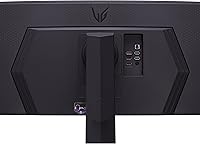
  • Video Inputs: Connectivity includes two HDMI 2.1 ports and one DisplayPort 1.4 port, all capable of carrying the full 200Hz DQHD signal.
  • USB Ports: Three USB-A ports are built into the monitor for peripheral connectivity, functioning as a basic USB hub.
  • Multi-Source Modes: Supports both Picture-in-Picture (PiP) and Picture-by-Picture (PbP) to display content from two separate input sources simultaneously.
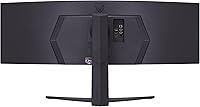
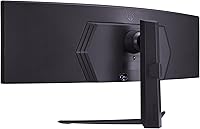
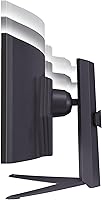
  • Stand Adjustments: The included stand offers tilt, height, and swivel adjustments to support ergonomic positioning across extended use sessions.
  • Surface Finish: The panel features a matte anti-glare coating that reduces reflections from ambient light sources in the room.
  • Dimensions: With the stand attached, the monitor measures approximately 42.7 inches wide, 22 inches tall, and 12.9 inches deep.
  • Weight: The full unit with stand weighs 19.4 pounds, which requires a sturdy desk surface and ideally a second person for initial setup.
  • Curve Radius: The panel uses an 800R curve radius, meaning it is aggressively curved to match a natural viewing arc at close seating distances.
  • Power Input: Operates at 90 volts input, and the monitor ships with a compatible power adapter for standard North American and international outlets.

Related Reviews

INNOCN 25G2S 24.5″ Gaming Monitor
76%
91%
Image Clarity
88%
Refresh Rate Performance
86%
Color Accuracy
84%
Gaming Responsiveness
89%
Console Compatibility
More
LG 34BL85C-B 34-inch UltraWide Curved Monitor
86%
92%
Display Quality
87%
Build Quality
88%
Ease of Setup
85%
Gaming Performance
90%
Multitasking Experience
More
LG 45GX950A-B 45-inch OLED Gaming Monitor
81%
96%
Image Quality
93%
Refresh Rate & Responsiveness
94%
Resolution & Pixel Density
88%
HDR Performance
78%
Dual Mode Functionality
More
LG 45GS95QE Ultragear OLED Curved Gaming Monitor 45-Inch
89%
96%
Display Quality
94%
Gaming Performance
88%
Build Quality
67%
Brightness in Bright Environments
98%
Response Time
More
LG 35WN65C-B 35-inch Curved UltraWide QHD Monitor
85%
91%
Display Quality
88%
Gaming Performance
89%
Build Quality
85%
Ease of Setup
92%
Multitasking & Productivity
More
LG 34WQ73A-B 34-Inch UltraWide QHD Monitor
79%
91%
Color Accuracy
93%
Productivity & Multitasking
88%
KVM & Multi-Device Setup
89%
USB-C Connectivity & Cable Management
61%
Refresh Rate & Gaming Performance
More
Raywego Q34DB45-1 34-inch Curved Gaming Monitor
72%
88%
Value for Money
84%
Gaming Performance
74%
Image Quality
51%
HDR Performance
67%
Build Quality
More
LG 32MR50C-B 32-Inch Curved Monitor
75%
91%
Value for Money
78%
Picture Quality
83%
Refresh Rate & Motion Handling
52%
Ergonomics & Stand
84%
Curvature & Immersion
More
LG 24GQ50F-B 24-inch Gaming Monitor
79%
92%
Refresh Rate Performance
83%
Motion Clarity
88%
Sync & Tear-Free Gaming
61%
Color Accuracy
91%
Value for Money
More
Westinghouse 34-Inch Curved Ultrawide Gaming Monitor
72%
84%
Value for Money
78%
Image Quality
81%
Refresh Rate & Motion
82%
Adaptive Sync
83%
Curve & Immersion
More

FAQ

Yes, but with an important caveat. Both the PS5 and Xbox Series X support HDMI 2.1, which is required to push high refresh rates on this ultrawide curved monitor. However, neither console currently outputs at 5120x1440 natively — they will typically run at a lower resolution scaled up, or use a compatibility mode. You will get the HDMI 2.1 bandwidth benefit, but the full DQHD resolution at 200Hz is really a PC feature.

Most major titles support 32:9 natively or through settings, but it is not universal. Games built on older engines sometimes stretch a 16:9 image or display black bars on the sides. Sim racing, strategy, and open-world titles tend to have excellent 32:9 support, while some competitive shooters and older releases may need a third-party fix or a community patch. It is worth checking your specific game library before committing.

Yes, the LG 45GR65DC-B 45-Inch Curved Ultrawide Gaming Monitor is VESA mount compatible once the stand is removed. Given the weight and width of the panel, you will need a heavy-duty ultrawide VESA arm rated for at least 20 pounds and wide enough to support a 45-inch curved panel — standard single-arm mounts are often not designed for this size. Make sure to check the VESA hole pattern before purchasing a mount.
It is a fair concern. VA panels deliver stronger contrast and deeper blacks than IPS, which looks great for gaming and movies. The trade-off is that colors and brightness shift more noticeably if you are viewing from a steep angle. At a 45-inch curved panel, most users sit close enough and centered enough that this is rarely a practical issue, but if you share your screen with someone sitting beside you, they will notice the color shift. Black crush in very dark scenes is the more common real-world complaint from owners.

Honestly, it depends on the desk. The stand is 42.7 inches wide and nearly 13 inches deep, which consumes a significant portion of most consumer desks. Many buyers underestimate this before purchase. If your desk is 55 inches or wider with at least 28 to 30 inches of depth, you will be fine. On a compact or standard IKEA-style desk, it will feel very tight once you factor in a keyboard and mouse.

This 45-inch UltraGear display is AMD FreeSync Premium Pro certified, but Nvidia GPUs can also use adaptive sync through G-Sync Compatible mode. Nvidia has validated many FreeSync monitors as G-Sync Compatible, and while this specific model may not be on the official G-Sync Compatible list, most modern Nvidia cards will still enable adaptive sync through the Nvidia Control Panel. Performance is generally good, though you may not get all the low-latency HDR features that AMD GPU owners get natively.

It can be, but it has limitations worth knowing about. PbP splits the screen into two equal halves, each displaying a separate input source — useful if you want a PC on one side and a console or laptop on the other. PiP overlays a smaller window on top of your main content. The main complaint from owners is that input switching between modes can be slow, and the OSD used to configure it is not the most intuitive. It works, but it is not as polished as dedicated KVM solutions.

You need a high-end modern GPU to get the most out of this resolution and refresh rate combination. An Nvidia RTX 4080 or RTX 4090 can handle it in demanding titles, but even those cards will drop below 200fps in GPU-intensive games at DQHD. For less demanding games, esports titles, or sim racing, a mid-to-high tier card like an RTX 4070 Ti or AMD RX 7900 XTX will perform well. It is worth being realistic about your GPU tier before expecting consistent 200Hz in all your games.

No, this ultrawide curved monitor does not include built-in speakers. If audio is important to your setup, you will need external speakers or a headset connected through your PC or console. This is fairly standard for gaming monitors in this category, where the assumption is that serious users have a dedicated audio setup.

Assembly is straightforward but physically demanding given the size and weight. Attaching the stand base takes a few minutes and requires no tools. The challenge is safely handling a 19.4-pound, 45-inch curved panel during unboxing and placement — it is strongly recommended to have a second person help, particularly when lifting it onto the desk. Once it is in place, cable management is simple and the OSD handles initial configuration, though it takes a few minutes to navigate the menu system to dial in refresh rate and HDR settings.

Where to Buy