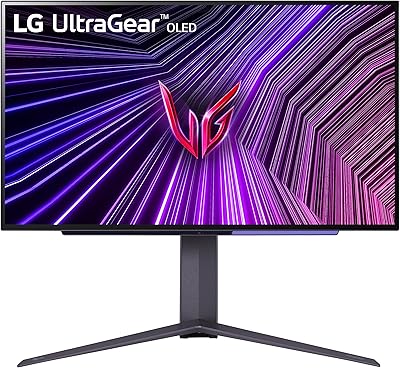
Overview

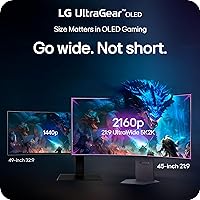
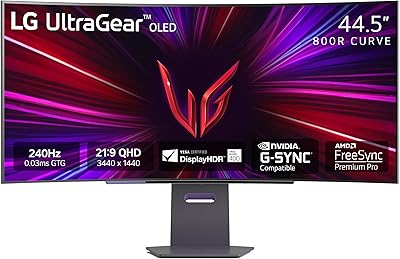
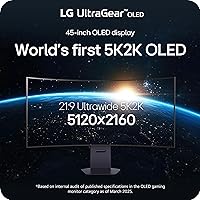
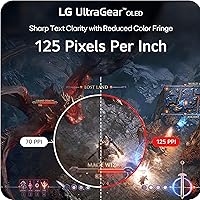
The LG 45GX950A-B 45-inch OLED Gaming Monitor is LG's most ambitious ultrawide to date — the world's first 5K2K OLED display in this class, pushing 5120x2160 pixels across a curved 44.5-inch panel. That resolution milestone matters because it means 125 pixels per inch, noticeably sharper than every competing ultrawide on the market. This isn't a monitor you buy on impulse. At its price point, it competes squarely with other flagship ultrawides, and it earns that bracket by bridging serious gaming performance and professional color accuracy in a single panel. Just know upfront: driving native 5K2K at meaningful frame rates demands a GPU at the very top of today's stack.
Features & Benefits

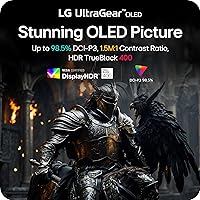
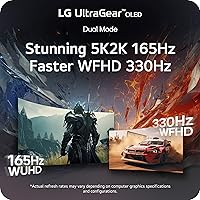
At the heart of this ultra-wide OLED monitor is the Dual Mode feature — arguably its most practical trick. A single hotkey switches between native 5K2K at 165Hz for story-driven titles and Wide Full HD at a blistering 330Hz for competitive shooters or racing games where frame rate beats pixel count. The OLED panel itself delivers a 0.03ms GtG response, so ghosting simply isn't part of the picture. HDR performance is genuine rather than nominal: up to 1300 nits peak brightness with a 1.5M:1 contrast ratio means dark scenes show actual blacks, not gray fog. Connectivity is thorough — DisplayPort 2.1, two HDMI 2.1 ports, and USB-C with 90W delivery round out the back panel.

Best For

This LG UltraGear makes the most sense for PC gamers running an RTX 4090 or equivalent — anything less and you'll regularly be dropping to lower resolutions or frame rates. Creative professionals who split time between color-critical work and evening gaming will appreciate that 98.5% DCI-P3 coverage applies equally to both. Open-world and narrative game fans are the sweet spot: titles like Cyberpunk or Elden Ring look extraordinary at this pixel density. Multi-taskers gain a lot from the generous screen real estate at 125 PPI — text stays sharp at normal viewing distances. Console players with a PS5 or Xbox Series X also get a strong HDMI 2.1 experience, though capped at their console's output limits.

User Feedback

Owners consistently praise the visual impact — particularly how OLED blacks transform dark game environments into something genuinely cinematic, and color vibrancy earns high marks across the board. That said, a few recurring concerns are worth knowing before buying. OLED burn-in risk is real if static content sits on-screen for extended periods, though sensible usage habits significantly reduce that exposure. Auto brightness limiting during peak HDR moments catches some buyers off guard. Several reviewers note the stand offers limited ergonomic adjustability for a monitor at this tier. Out-of-box calibration is generally considered solid, but reports of panel uniformity variance on early units suggest inspecting carefully upon arrival.

Pros

  • 5K2K OLED resolution at 125 PPI delivers noticeably sharper detail than any competing ultrawide display currently available.
  • True OLED blacks transform dark game scenes in a way no LCD panel can credibly replicate.
  • Dual Mode lets you switch between immersive 5K2K at 165Hz and competitive 330Hz Wide Full HD with a single hotkey.
  • DisplayPort 2.1 provides the bandwidth needed to run native resolution at full refresh without compression artifacts.
  • 98.5% DCI-P3 color coverage makes this LG UltraGear a legitimate option for color-critical creative work, not just gaming.
  • USB-C with 90W power delivery means laptop users can run a clean single-cable desk setup.
  • AMD FreeSync Premium Pro and NVIDIA G-SYNC compatibility cover virtually every current GPU without needing separate monitor SKUs.
  • Out-of-box calibration is accurate enough for most buyers to get started without professional profiling.
  • The OLED panel handles fast motion cleanly — no ghosting, no smearing, even in high-speed racing or shooter scenes.

Cons

  • Almost no current GPU can consistently drive 5K2K at high frame rates across demanding modern titles.
  • Auto brightness limiting visibly reduces peak luminance during sustained full-screen HDR content, undermining the 1300-nit headline figure.
  • Static UI elements and fixed desktop layouts create a genuine long-term burn-in risk that requires active usage discipline.
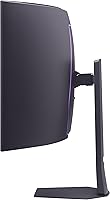
  • The stand offers narrow height adjustment and no pivot — a VESA arm is practically a required accessory.
  • Only two USB 3.0 ports on a monitor at this price feels noticeably light for a flagship desk centerpiece.
  • The Dual Mode resolution switch is not instantaneous and can cause a brief signal dropout during the transition.
  • At nearly 31 pounds, solo installation is genuinely awkward and risks stand or panel damage without a second person.
  • Early production units drew scattered reports of panel uniformity issues and occasional dead pixels on arrival.
  • LG customer support response times for replacement or warranty claims received criticism in multiple verified reviews.
  • Console players will frequently encounter black bars, as most titles still lack native 21:9 ultrawide support.

Ratings

The LG 45GX950A-B 45-inch OLED Gaming Monitor earns its place among the most discussed flagship displays of 2025, and these scores reflect what real buyers around the world actually experienced — not marketing promises. Our AI analyzed verified purchase reviews globally, actively filtering out incentivized, bot-generated, and low-quality feedback to surface honest sentiment. The results are candid: this ultra-wide OLED has genuine strengths that justify its premium tier, alongside a handful of real-world pain points that serious buyers deserve to know upfront.
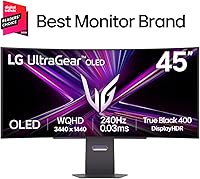
Image Quality
96%
Owners consistently describe the visual experience as unlike anything they have used before. OLED blacks in dark game environments — cave interiors, night-time open worlds, space scenes — register as truly absent light rather than dark gray, and the 98.5% DCI-P3 color coverage makes every saturated scene pop with depth that IPS or VA panels simply cannot replicate.
Auto brightness limiting kicks in during prolonged full-screen HDR content, visibly pulling back peak luminance in ways that some buyers find distracting during extended gaming sessions. A small number of users also noted slight color fringing on very fine white text against dark backgrounds, though less than prior-generation OLEDs.
Refresh Rate & Responsiveness
93%
The 0.03ms GtG response time is felt rather than just measured — fast-paced shooters and racing titles look razor-clean with zero trailing artifacts behind moving objects. The 165Hz ceiling at native resolution is genuinely smooth for story-driven play, and switching to 330Hz Wide Full HD mode for competitive titles gives this monitor a serious edge over single-mode rivals.
The 330Hz Dual Mode drops to a lower resolution that some users consider a significant visual downgrade when coming from the native 5K2K image. A handful of buyers also reported that the hotkey mode switch occasionally requires a source reconnection rather than toggling cleanly mid-session.
Resolution & Pixel Density
94%
At 125 PPI across a 45-inch curved panel, text clarity is noticeably better than typical 1440p or even 4K ultrawides at comparable sizes. Spreadsheet work, coding, and browser multitasking all benefit — this is one of the rare large gaming monitors where you can comfortably use it for productivity without scaling tricks.
Driving 5120x2160 natively puts enormous pressure on the GPU. Buyers without an RTX 4090 or equivalent frequently report needing to drop to lower resolutions or reduced settings to maintain smooth frame rates in demanding titles, which partially undermines the resolution advantage the panel offers.
HDR Performance
88%
DisplayHDR True Black 400 certification backed by real OLED contrast means HDR content here is among the most convincing available on a gaming monitor. Games with strong HDR implementation — especially those with volumetric lighting and high dynamic range environments — look dramatically better than on conventional LCD-based displays.
Peak brightness tops out around 1300 nits in small highlight windows, and the automatic brightness limiter reduces sustained full-screen brightness noticeably below that ceiling. Buyers accustomed to high-brightness mini-LED monitors may find overall punch underwhelming in brightly lit rooms.
Dual Mode Functionality
78%
22%
The ability to toggle between a visually stunning 5K2K mode and an ultra-responsive 330Hz mode on the same panel is genuinely useful for gamers who switch between game genres regularly. Competitive players appreciate that they do not need a second monitor just to access high-frame-rate gameplay at a comfortable resolution.
The resolution difference between modes is stark enough that switching mid-session feels jarring rather than natural. Several reviewers noted the mode transition is not instantaneous and can involve a brief black screen, and the WFHD image at 330Hz looks noticeably softer after time spent at native 5K2K.
Burn-In Risk
61%
39%
LG has implemented pixel-refreshing tools and screen saver protocols that, when used consistently, give most buyers reasonable confidence for everyday mixed-use. Gamers who rotate across varied titles with dynamic scenes report no visible retention issues after months of typical use.
Static UI elements — persistent HUD overlays, taskbars, loading screens, or desktop wallpapers left on-screen — represent a genuine long-term risk on this OLED panel. Buyers who use their monitor heavily for desktop productivity with fixed window layouts, or who leave static screens idle, face a meaningfully higher exposure than those using it purely for varied gaming content.
Connectivity
89%
DisplayPort 2.1 is the right call for a monitor at this resolution, providing the bandwidth headroom to run 5K2K at 165Hz without compression. The dual HDMI 2.1 ports let console owners connect a PS5 and Xbox Series X simultaneously alongside a PC, and the 90W USB-C delivery is genuinely useful for laptop users who want a single-cable docking setup.
The USB hub implementation is relatively basic — two USB 3.0 ports feel light for a monitor at this price, and no USB-A hub on the front means cable reach can be awkward on desks where peripherals are frequently hot-swapped. A few users also reported the USB-C port not reliably delivering full 90W with certain third-party laptops.
Stand & Ergonomics
63%
37%
The stand is solid and handles the considerable weight of the panel without flex or wobble. Out of the box, most users find a workable position fairly quickly, and the curved form factor helps reduce the need for extreme height adjustments compared to flat ultrawides of similar size.
Adjustability is limited for a flagship monitor — tilt is available but height adjustment range is narrower than competing premium displays, and there is no pivot or rotation. Buyers with specific seating setups or dual-monitor configurations often end up purchasing a third-party VESA arm, adding cost and setup complexity to an already expensive purchase.
Out-of-Box Calibration
82%
18%
Most buyers report the default color profile is accurate enough for both gaming and casual creative work without requiring immediate calibration. Skin tones in games and media look natural, and the wide color gamut does not produce the oversaturated, garish look that poorly tuned wide-gamut displays are known for.
Panel uniformity on early production units drew scattered complaints, with some users noticing slight brightness variation toward the edges of the curved panel in dark scenes. A small number of reviews flagged dead or stuck pixels on arrival, pointing to quality control inconsistency rather than a systemic defect.
Build Quality & Aesthetics
84%
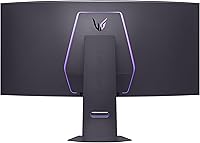
The monitor has a clean, understated look that fits professional desk setups better than the aggressive RGB-laden designs common in gaming peripherals. Bezels are slim on three sides, and the overall physical construction feels appropriately premium — there is no flex in the chassis and no obvious material shortcuts.
At nearly 31 pounds, managing this display solo during setup is awkward, and the cable routing channel in the stand base is somewhat narrow for thicker aftermarket cables. A few buyers noted the OSD joystick placement on the rear feels slightly imprecise compared to competing flagship monitors.
Value for Money
71%
29%
For buyers who genuinely need 5K2K OLED resolution, professional color accuracy, and high-refresh gaming in a single display, there is currently no direct alternative — this ultra-wide OLED occupies a market position largely on its own. That uniqueness makes the premium easier to rationalize for the right buyer.
For anyone whose GPU cannot consistently drive native resolution or who primarily plays competitive titles where the resolution advantage matters less, the price is difficult to defend against capable high-refresh OLED alternatives at significantly lower cost. The value equation is narrow and heavily dependent on the buyer's specific use case and hardware.
Gaming Performance (Overall)
91%
Across immersive single-player titles, the combination of OLED contrast, 125 PPI sharpness, and smooth 165Hz refresh creates an experience that is hard to walk away from once you have spent time with it. Open-world games with rich environmental lighting look closer to cinematic reference material than typical gaming displays.
Competitive multiplayer gaming at native resolution is demanding on current hardware, and the 5K2K mode at 165Hz may not feel as responsive as a dedicated 1440p or 1080p high-refresh display for players whose primary goal is maximum competitive advantage. The monitor rewards visual fidelity seekers more than pure performance chasers.
Console Compatibility
76%
24%
The dual HDMI 2.1 inputs work reliably with PS5 and Xbox Series X, and HDR implementation on supported console titles looks excellent given the OLED panel's contrast capabilities. The curved ultrawide format adds genuine immersion to console games that support 21:9 output.
Most console titles do not natively support 21:9 aspect ratios, meaning black bars on the sides are common unless the game has explicit ultrawide support. Console output is also capped well below what the native panel resolution can display, so console buyers are paying largely for HDR and panel quality rather than resolution.
LG Support & Warranty
67%
33%
LG's burn-in warranty coverage and the availability of pixel refresh tools provide a reasonable safety net that some competing OLED monitor brands do not offer as clearly. Most buyers with straightforward defect issues report eventual resolution through standard support channels.
Response times from LG customer support drew criticism in several reviews, particularly around replacement timelines for panels with uniformity or dead pixel issues. The warranty terms around burn-in specifically include conditions that some buyers felt were interpreted narrowly when making claims.

Suitable for:

The LG 45GX950A-B 45-inch OLED Gaming Monitor was built for a specific kind of buyer, and for that buyer it is genuinely hard to beat. PC gamers running top-tier hardware — an RTX 4090, RX 7900 XTX, or equivalent — will finally have a display capable of showing what those GPUs actually produce, with 125 PPI sharpness that makes every open-world environment and cinematic cutscene look closer to a rendered film than a game. Creative professionals who also game will find the 98.5% DCI-P3 color accuracy meaningful for photo editing, video grading, or design work, removing the need for a separate calibrated display. Story-driven gamers who spend hours inside richly detailed worlds will feel the difference OLED contrast makes — shadow detail in horror titles, atmospheric fog in RPGs, and star fields in space games all register with a depth that LCD panels cannot touch. Multi-taskers and power users benefit from the generous screen real estate at a pixel density where text stays crisp without aggressive scaling, making this a rare large monitor that works comfortably as a daily productivity display too.
Not suitable for:

The LG 45GX950A-B 45-inch OLED Gaming Monitor is a poor fit for a much larger pool of buyers than its marketing might suggest, and being honest about that matters. Anyone whose GPU sits below the very top tier of current hardware will frequently find themselves unable to drive the native 5K2K resolution at smooth frame rates, meaning they are paying a significant premium for a resolution they cannot consistently use. Competitive multiplayer gamers whose priority is maximum responsiveness at the highest frame rates — think ranked shooters or fast-paced battle royale titles — will likely find the value proposition weak compared to a dedicated high-refresh 1440p OLED at a substantially lower price. Buyers concerned about OLED longevity who run static desktop layouts, use persistent HUD-heavy games, or leave the display on for extended idle periods face a real burn-in risk that periodic pixel refresh tools can reduce but not fully eliminate. Those expecting flexible ergonomics from a flagship monitor will be disappointed — the stand offers limited height range and no pivot, making a VESA arm an almost inevitable additional expense. Finally, buyers in bright, sun-exposed rooms may find the OLED brightness ceiling less competitive than high-nit mini-LED alternatives when HDR content is viewed under ambient light.
Specifications

  • Panel Type: The display uses an OLED panel, delivering self-emissive pixels that produce absolute blacks and a 1.5M:1 native contrast ratio without any backlight.
  • Screen Size: The active display area measures 44.5 inches diagonally, marketed as a 45-inch class monitor.
  • Resolution: Native resolution is 5120x2160 pixels (5K2K WUHD), covering a 21:9 ultrawide aspect ratio.
  • Pixel Density: The panel achieves 125 pixels per inch, noticeably sharper than typical 1440p or 4K ultrawides at comparable screen sizes.
  • Refresh Rate: Dual Mode supports 165Hz at native 5K2K resolution or 330Hz at Wide Full HD (2560x1080) resolution, switchable via hotkey.
  • Response Time: Gray-to-gray response time is rated at 0.03ms, effectively eliminating motion blur and ghosting during fast-moving content.
  • Peak Brightness: Maximum peak brightness reaches up to 1300 nits in small highlight windows under HDR content, with an automatic brightness limiter active during sustained full-screen luminance.
  • HDR Support: The monitor carries DisplayHDR True Black 400 certification, reflecting genuine OLED-based HDR performance rather than edge-lit approximation.
  • Color Gamut: Color coverage reaches 98.5% of the DCI-P3 color space, suitable for professional color-critical work alongside gaming use.
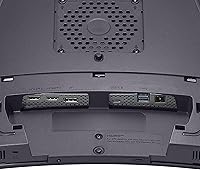
  • Connectivity: Inputs include one DisplayPort 2.1, two HDMI 2.1 ports, and one USB Type-C port with 90W power delivery.
  • USB Ports: The monitor provides two USB 3.0 downstream ports for peripheral connections.
  • Sync Technology: Both AMD FreeSync Premium Pro and NVIDIA G-SYNC Compatible certifications are supported for tear-free variable refresh rate gameplay.
  • Curvature: The panel features a curved form factor designed to match natural eye curvature across the wide 21:9 viewing area.
  • Dimensions: With the stand attached, the monitor measures 39.04 inches wide, 26.2 inches tall, and 13.46 inches deep.
  • Weight: The complete unit including stand weighs 30.9 pounds, requiring two people for safe installation and positioning.
  • VESA Compatibility: The monitor supports standard VESA wall or arm mounting for buyers who prefer to replace the included stand.
  • Subpixel Layout: LG uses an updated subpixel arrangement specifically designed to reduce color fringing on fine text compared to previous-generation OLED ultrawide panels.
  • Power Delivery: The USB-C port supports up to 90W pass-through charging, enabling single-cable laptop docking for compatible devices.

Related Reviews

LG 27GX790A-B 27-inch OLED Gaming Monitor
80%
94%
Motion Clarity
92%
Image Quality
88%
HDR Performance
89%
Connectivity
86%
Ergonomics & Stand
More
LG 45GR65DC-B Ultragear 45-Inch Curved Gaming Monitor
87%
94%
Display Quality
91%
Gaming Performance
88%
Multitasking Features
90%
Color Accuracy
83%
Ease of Setup
More
LG 45GS95QE Ultragear OLED Curved Gaming Monitor 45-Inch
89%
96%
Display Quality
94%
Gaming Performance
88%
Build Quality
67%
Brightness in Bright Environments
98%
Response Time
More
LG 24GQ50F-B 24-inch Gaming Monitor
79%
92%
Refresh Rate Performance
83%
Motion Clarity
88%
Sync & Tear-Free Gaming
61%
Color Accuracy
91%
Value for Money
More
LG 27GS75Q-B 27-inch QHD Gaming Monitor
82%
91%
Refresh Rate & Motion Performance
88%
Image Sharpness & Resolution
83%
Color Accuracy & Gamut
57%
HDR Performance
86%
Response Time & Ghosting
More
LG 48GQ900-B 48-inch OLED Gaming Monitor

79%
96%
Image Quality
98%
Contrast & Black Levels
93%
Response Time & Motion Clarity
94%
Console Compatibility
91%
Color Accuracy
More
LG 27GR95QE-B 27″ Ultragear OLED Gaming Monitor
86%
94%
Display Quality
92%
Gaming Performance
89%
Color Accuracy
85%
Build Quality
90%
Ergonomics/Adjustability
More
LG 34GP63A-B 34-Inch Curved Gaming Monitor
79%
93%
Gaming Immersion
91%
Refresh Rate Performance
88%
Contrast & Black Depth
83%
Color Accuracy
86%
Input Lag & Responsiveness
More
LG 32GS95UE 32-inch OLED Gaming Monitor

80%
96%
Image Quality
94%
Motion Performance
91%
HDR Experience
83%
Dual Mode Utility
67%
Value for Money
More
LG 39GX90SA-W 39-inch OLED Curved Gaming Monitor
77%
94%
Picture Quality
91%
Gaming Performance
88%
Immersion & Curvature
86%
HDR Experience
79%
webOS Smart Features
More

FAQ

Not strictly, but it depends on what you want from it. At native 5K2K resolution, even an RTX 4090 will struggle to sustain high frame rates in the most demanding titles at maximum settings. With a mid-to-high-range GPU like an RTX 4070 Ti or RX 7900 XT, you can still run native resolution at playable frame rates in less demanding games or with settings adjustments — but you will get the most out of this panel with top-tier hardware. If your GPU is mid-range or below, the Dual Mode WFHD option at 330Hz is always available as a fallback.

You press a dedicated hotkey on the monitor to toggle between 5K2K at 165Hz and Wide Full HD at 330Hz. The transition is not instant — there is a brief black screen while the display re-syncs, similar to changing resolution in Windows. Most users find it straightforward enough for genre switching between sessions, but it is not smooth enough to toggle mid-game. Some buyers also reported occasional signal drop requiring a source reconnection, though this appears to be an edge case rather than a universal experience.

It is a real risk worth managing, but not something that should scare off most gamers if used sensibly. The danger comes from static elements sitting in the same position for hundreds of hours — think persistent HUDs, taskbars, or desktop wallpapers that never change. LG builds in pixel refresh and compensation tools that help mitigate gradual wear. If your usage is primarily varied gaming with dynamic content, risk is relatively low. If you plan to use this as a primary productivity monitor with fixed window layouts and a static desktop all day, the risk is meaningfully higher.

Yes, both consoles connect via HDMI 2.1 and will work well. HDR gaming on OLED looks genuinely impressive on this panel. The practical limitation is that most console games do not support the 21:9 ultrawide aspect ratio natively, so you will see black bars on the sides in many titles. You are also capped by the console's output resolution rather than the panel's native 5K2K, so you are really paying for the OLED quality and HDR experience rather than resolution on consoles.

Most buyers find the default color profile accurate enough to use immediately without professional calibration. Skin tones look natural, and the wide color gamut does not produce the over-saturated look that some wide-gamut displays default to. If you are doing serious color-critical professional work like commercial video grading, a hardware calibration tool will get you the last few percentage points of accuracy — but for gaming and general creative work, the factory setting holds up well.

Honestly, for a monitor this size and price, a VESA arm is a worthwhile addition. The included stand is solid and stable, but height adjustment range is narrower than competing flagship monitors, and there is no pivot. If you share the desk with others, have a specific seated eye-level requirement, or want to run a multi-monitor setup, a quality VESA arm gives you the flexibility the stand lacks. Just factor that into your total budget when planning the purchase.

Yes, if your laptop supports DisplayPort Alt Mode over USB-C and your laptop's GPU can drive the resolution. The 90W power delivery means many laptops will charge simultaneously through the same cable, making it a clean single-cable docking solution. However, not all USB-C laptops support full bandwidth for 5K2K output — check that your laptop explicitly supports DisplayPort 1.4 or higher over USB-C before assuming full resolution is available.

The auto brightness limiter (ABL) is an OLED protection mechanism that reduces panel-wide luminance when large areas of the screen are very bright simultaneously. It is most noticeable during bright full-screen scenes in HDR content or in very light-heavy game environments. For dark-themed games with selective highlights, you may barely notice it. In brighter open environments or during cutscenes with lots of sky and daylight, it can visibly pull back the overall brightness in a way some buyers find distracting. It is not unique to LG — all OLED monitors use some version of this protection.

The weight is the main challenge — nearly 31 pounds means you really want a second person when attaching the panel to the stand and lifting it onto your desk. The assembly process itself is straightforward, and LG's instructions are clear. Once it is in place, the footprint is substantial at over 39 inches wide, so measure your desk depth and width carefully before ordering. The stand base is relatively deep, which can push the panel further back than some setups prefer.

A small number of early buyers reported panel uniformity inconsistencies — visible brightness variation toward the edges in dark scenes — and occasional dead or stuck pixels on arrival. These do not appear to be widespread systematic defects, but they are worth knowing about. When your unit arrives, run a thorough dead pixel check and a dark gradient test within your return window. If something is off, acting quickly is important, as some reviewers noted LG's support response times for replacements can be slow.

Where to Buy