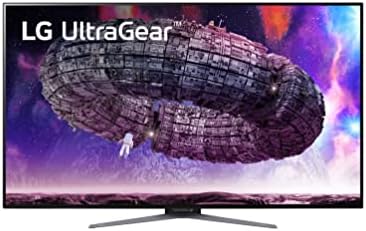
Overview

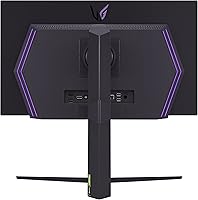
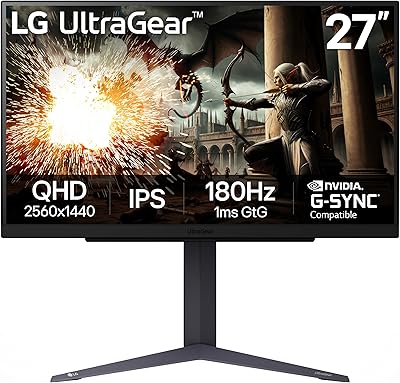
The LG UltraGear 27GR95QE-B 27″ OLED Gaming Monitor represents LG’s serious push into premium OLED display territory, aimed squarely at PC enthusiasts and console gamers who won’t settle for ordinary. Since arriving in late 2022, it has built a genuine track record — over 440 verified ratings offer real-world signal rather than a handful of early impressions. QHD at 2560×1440 hits a sensible balance: detailed enough to reward the panel quality, yet light enough on the GPU that 240Hz stays within reach for most rigs. The matte screen surface also earns its place, practically eliminating reflections in setups where lighting isn’t dialed in.
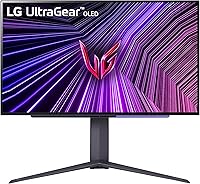
Features & Benefits

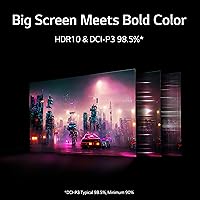
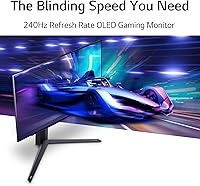
What separates OLED from every backlit alternative isn’t a single specification — it’s the combination. A 240Hz refresh rate on an OLED panel produces motion fluidity that IPS displays can’t match even at identical frame rates, because pixel response is tied to organic light emission rather than liquid crystal switching. At 0.03ms GtG, trailing and ghosting are effectively gone; fast targets stay crisp rather than smearing across the screen. The 1,500,000:1 contrast ratio means unlit pixels go completely dark, which transforms any dark-environment game. Beyond gaming, DCI-P3 98.5% color accuracy makes casual photo and video work look genuinely good. HDMI 2.1 and DisplayPort 1.4 both carry the full 240Hz signal, and G-SYNC and FreeSync support ensures tear-free output whether you’re on green or red.

Best For

This 27-inch OLED display is an obvious fit for competitive FPS players — the kind who genuinely notice whether a crosshair is tracking cleanly or dragging slightly. Console gamers with a PS5 or Xbox Series X also stand to gain real value here, since HDMI 2.1 unlocks the full bandwidth those consoles output. If you’re moving up from an IPS or TN screen, the contrast jump alone will feel dramatic — that’s not exaggeration, it’s just what happens when you go from backlit to self-emissive pixels. Creatives who want one display for gaming and light editing will appreciate the wide color gamut. And with height, tilt, and swivel adjustments, getting a comfortable position across long sessions is straightforward.

User Feedback

Across its 440-plus ratings, the UltraGear OLED earns a 4.0 out of 5 — a score that tells a consistent story. Owners are overwhelmingly satisfied with image quality, particularly how OLED blacks transform dark scenes in ways they didn’t anticipate. The most honest concern in the review pool is burn-in: static UI elements like health bars and minimaps carry a real — if manageable — risk over thousands of hours. It’s a known OLED trade-off, not a manufacturing defect, but worth factoring into your decision. One less-discussed frustration is the on-screen display menu, which several buyers find clunky and out of step with how polished the panel itself is. Not a dealbreaker, but worth knowing.

Pros

  • OLED self-emissive pixels produce true blacks that no backlit display can replicate, regardless of price.
  • The 240Hz refresh rate keeps fast-paced gameplay fluid and sharp in ways that feel immediately noticeable.
  • At 0.03ms GtG response time, ghosting and motion blur are effectively gone — targets stay clean.
  • HDMI 2.1 unlocks full bandwidth from PS5 and Xbox Series X without any bottlenecking at the display.
  • DCI-P3 98.5% color coverage makes the UltraGear OLED genuinely useful for casual photo and video work.
  • G-SYNC Compatible and FreeSync Premium support means tear-free output across both major GPU ecosystems.
  • Height, tilt, and swivel adjustments make dialing in a comfortable ergonomic position straightforward.
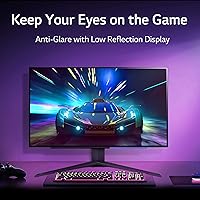
  • The matte coating handles ambient light well without visibly softening the image during gameplay.
  • Three USB 3.0 ports on the monitor add convenient hub functionality directly at your desk.
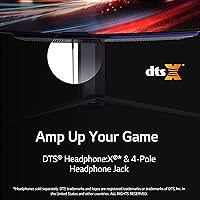
  • DTS Headphone:X spatial audio support improves directional accuracy for headphone-based gaming setups.

Cons

  • OLED burn-in from persistent static UI overlays is a real, documented long-term risk that buyers must plan around.
  • The on-screen display menu navigation feels clunky and dated relative to what the panel itself delivers.
  • Peak brightness lags behind high-nit Mini-LED alternatives, which limits HDR impact in brighter room environments.
  • Sustaining 240Hz in demanding modern titles requires a high-end GPU, significantly raising the total system cost.
  • Resolution tops out at QHD — buyers expecting 4K-level desktop sharpness will need to look elsewhere.
  • The 230V voltage rating may require a step-down converter for buyers in 110V regions, adding complexity.
  • At 16.2 pounds, the stand is heavier than average and makes repositioning the display more cumbersome.
  • No built-in speaker output means the monitor relies entirely on headphone or external audio solutions.

Ratings

The scores below are produced by AI after analyzing verified buyer feedback from global markets, with spam, incentivized, and bot-generated reviews actively filtered out to surface patterns from genuine long-term owners. The LG UltraGear 27GR95QE-B 27″ OLED Gaming Monitor earns exceptional marks in display and motion performance, but these ratings are calibrated to reflect the full picture — including the trade-offs that real buyers encounter after months of daily use. Both the standout strengths and the documented frustrations are transparently represented in every score.
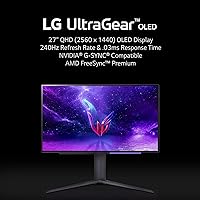
Image Quality
94%
Owners switching from IPS panels describe the visual difference as immediately striking — not marginal, but a fundamental shift in how games look. OLED self-emissive pixels render dark environments with shadow depth and tonal richness that backlit displays cannot replicate, even with aggressive local dimming enabled.
At 27 inches and QHD, pixel density is comfortable but not the sharpest available at this screen size, and buyers accustomed to 4K panels may notice slightly softer desktop text. The matte coating introduces a faint surface texture that glossy-panel enthusiasts register most during static or bright-background content.
Motion Performance
97%
The 240Hz OLED pairing produces motion clarity that IPS displays cannot match even at identical refresh rates, because pixel response is governed by organic light emission rather than liquid crystal switching. In competitive shooters, fast-moving targets stay genuinely clean rather than leaving the soft trailing edge common to even high-end IPS alternatives.
Reaching 240 frames per second in graphically demanding titles at QHD requires upper-tier GPU hardware, which adds significantly to the total system investment. Console users are also capped at 120Hz regardless of the HDMI 2.1 connection, limiting the refresh rate advantage to PC-primary setups.
Contrast & Black Levels
96%
Pixels that produce zero light when inactive create true blacks rather than dark grays with backlight bleed or halo glow around bright elements. In atmospheric games — horror titles, space exploration, noir environments — the contrast depth changes how scenes read at a level that is immediately convincing rather than subtly incremental.
The OLED panel’s moderate peak brightness means that in brightly lit rooms, the contrast advantage narrows relative to high-nit Mini-LED displays, where specular highlights appear more explosively luminous. The black-level superiority is most impactful in dim or light-controlled environments, so room setup genuinely affects the return on this strength.
Gaming Performance
95%
Competitive players consistently report that aiming feels more precise and tracking fast opponents is functionally cleaner on 240Hz OLED than on anything they used previously — not a placebo, but a measurable improvement in how motion information registers during play. The 0.03ms GtG response eliminates the faint trailing that even top-ranked IPS gaming panels still exhibit.
The performance ceiling is only consistently reachable in lighter esports titles; in AAA shooters at high graphical settings, sustaining 240fps at QHD exceeds what many current gaming rigs deliver. Players without G-SYNC or FreeSync-capable GPUs also lose access to the adaptive sync tear-reduction benefit that the display is designed around.
Value for Money
67%
33%
For daily competitive gamers who will genuinely use both the 240Hz refresh rate and the OLED contrast advantage, the UltraGear OLED offers a demonstrably better experience than premium IPS alternatives at similar price points — the difference is real and perceptible, not a spec-sheet abstraction. The dual HDMI 2.1 and DisplayPort connectivity also future-proofs the investment meaningfully.
Casual or occasional gamers who spend the majority of time in slower single-player titles will rarely exploit the 240Hz advantage, making the premium harder to justify against a strong mid-range IPS. When the GPU cost required to sustain competitive frame rates is factored in, the effective total investment climbs considerably beyond the monitor price alone.
Color Accuracy
91%
DCI-P3 98.5% coverage is practically useful beyond gaming — photos from modern smartphones look noticeably richer, and streaming HDR content displays colors closer to cinematic intent. Several owners report using this 27-inch OLED display as a capable dual-purpose screen for both gaming and light creative work without a second dedicated monitor.
For professional print-targeted work requiring precise sRGB or Adobe RGB mode switching, this display lacks the calibration depth that dedicated professional monitors provide. Out-of-box accuracy is solid but not laboratory-grade, and users with demanding color-critical workflows will likely want a hardware colorimeter for fine-tuning.
Connectivity
88%
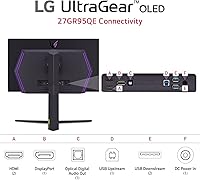
Both HDMI 2.1 and DisplayPort 1.4 carry the full 240Hz signal without compromise, which means PC users and next-gen console owners can connect at maximum performance without adapters or signal degradation. Three onboard USB 3.0 ports add practical desk-hub functionality that reduces cable clutter for keyboards, mice, and headsets.
Only one HDMI 2.1 port is available, which creates limitations for multi-console setups that require switching between sources without an external HDMI switch. Buyers who regularly alternate between a gaming PC and two consoles will find the input selection less accommodating than they might expect at this price tier.
Brightness & HDR
74%
26%
OLED per-pixel illumination makes HDR in dark game environments genuinely impactful — shadow gradation and micro-contrast within a single frame are difficult to replicate on any backlit technology. For atmospheric titles played in dim rooms, HDR mode changes how environments feel rather than just how they look.
Peak brightness falls measurably short of competing high-nit Mini-LED panels, so specular highlights in HDR content lack the luminance punch those displays deliver. In brightly lit rooms, this gap is the most noticeable limitation, and it can make HDR appear underwhelming compared to the category’s brightest alternatives.
Glare Resistance
76%
24%
The matte anti-glare coating meaningfully reduces distracting reflections for gaming in rooms with ambient overhead lighting or windows — a practical advantage over glossy alternatives that most home setups genuinely benefit from. Users in bright environments specifically appreciate not having to reposition or relight their desk around the display.
Enthusiasts who prefer glossy panels report that the matte texture softens perceived vibrancy slightly during static desktop use and bright content, even though objective contrast remains strong. In fully dark rooms where reflections are a non-issue, the coating offers no benefit and some buyers would prefer an optional glossy variant.
Burn-in Risk
58%
42%
LG includes automatic pixel-refreshing routines that run during standby to partially offset uneven wear from persistent static UI elements. Users with varied game libraries who rotate across multiple titles report no visible image retention, suggesting the risk is heavily usage-pattern dependent rather than universal.
Players who log hundreds of hours in a single title with a fixed HUD — minimap, health bar, crosshair overlay — face a documented and real risk of permanent image retention over time. This is the most consistently cited long-term concern in the owner community and should be weighed seriously by anyone with narrow, repetitive gaming habits.
Build Quality & Ergonomics
78%
22%
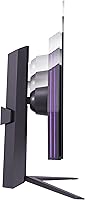
The stand’s height, tilt, and swivel range gives enough flexibility to accommodate most seating positions and desk heights without needing a third-party arm. The ultra-thin bezel and matte panel finish both hold up well in typical desk environments and contribute to a clean, uncluttered battlestation aesthetic.
At 16.2 pounds, the assembled monitor is heavier than most comparably sized IPS displays, making repositioning and initial desk setup noticeably more cumbersome. Several buyers also flag that the stand base occupies more desk surface area than expected, which can crowd compact workspaces where footprint management matters.
OSD & Software
52%
48%
Initial setup is manageable — the most commonly needed settings like refresh rate mode, input selection, and overdrive are reachable without deep navigation. Most users configure preferences once at setup and rarely return to the menu during normal daily use, which reduces the practical impact of its limitations.
Multiple verified long-term owners specifically describe the on-screen display as slow, clunky, and visually outdated relative to the panel’s overall refinement — a frustration that stands out precisely because the rest of the experience is so polished. Navigating sub-menus for color calibration or gaming mode adjustments is more laborious than competitors at this price tier.
Setup & Installation
82%
18%
Stand assembly requires no tools and takes under five minutes, with HDMI 2.1 and DisplayPort connections clearly labeled for first-time OLED monitor buyers. Most owners report being in their first gaming session within fifteen minutes of opening the box, with no driver installation required.
Unlocking the full 240Hz output requires manually confirming the correct refresh rate in both the monitor OSD and the host operating system display settings — a step that trips up buyers expecting automatic detection. Cable routing through the stand is also tighter than ideal given the number of rear ports available.
Audio Support
71%
29%
DTS Headphone:X spatial processing through the 3.5mm output adds measurable directional depth for headphone-based gaming, making footsteps and environmental audio cues easier to locate in competitive play. Buyers who game exclusively through headphones find this a practical built-in feature that eliminates the need for a separate DAC or amplifier for basic use.
The absence of built-in speakers is a hard stop for anyone accustomed to using monitor audio for casual desktop, streaming, or music playback. Buyers transitioning from monitors with integrated speakers will need to budget for and find desk space for a dedicated external speaker solution.

Suitable for:

The LG UltraGear 27GR95QE-B 27″ OLED Gaming Monitor is built for players who want motion performance that backlit panels fundamentally cannot deliver, making it a natural fit for competitive FPS and esports gamers where reaction time and target clarity are everything. The 240Hz OLED combination is not just a spec on paper — it produces a visibly smoother image than even the best IPS displays at the same refresh rate, because each pixel responds independently rather than waiting on a backlight. Console gamers running a PS5 or Xbox Series X will find genuine value here, since HDMI 2.1 means the display is not the bottleneck in any current-gen setup. QHD at 27 inches is also a well-matched pairing: sharp enough to look great at close range, but forgiving enough that a mid-range GPU can still push competitive frame rates in most titles. Anyone looking for one display that handles both late-night gaming sessions and daytime creative tasks will appreciate the near-complete DCI-P3 color coverage, which keeps photos and video looking accurate rather than washed out.
Not suitable for:

Buyers on a limited display budget should think carefully before committing: the LG UltraGear 27GR95QE-B 27″ OLED Gaming Monitor demands a powerful GPU to actually sustain the frame rates that justify its refresh rate, so the total system cost is considerably higher than the monitor price alone. OLED burn-in is not a myth or a remote edge case — it is a real, documented risk for anyone who plays games with persistent on-screen overlays like minimaps, health bars, or chat windows for extended daily sessions. Those accustomed to the intuitive OSD controls on other premium displays may find the menu navigation here frustrating; multiple real-world owners have flagged it as noticeably behind expectations for a display at this tier. Buyers hoping for a 4K or ultrawide experience will also find QHD on a 27-inch screen underwhelming by comparison — the resolution is a deliberate performance trade-off, not a premium specification. Finally, anyone in a very bright room should note that while the matte coating manages reflections well, OLED panels still tend to trail behind high-nit Mini-LED alternatives in outright peak brightness.
Specifications

  • Panel Type: OLED technology enables each pixel to emit its own light independently, producing absolute blacks and a contrast ceiling that no backlit display technology can match.
  • Screen Size: The display area measures 27 inches diagonally, striking a practical balance between immersion and the desk footprint required for comfortable close-range viewing.
  • Resolution: QHD resolution of 2560×1440 pixels delivers noticeably sharper detail than 1080p while placing significantly less load on the GPU than a 4K signal at high frame rates.
  • Refresh Rate: A maximum refresh rate of 240Hz enables exceptionally fluid motion rendering, making fast-moving elements in competitive games appear sharper and more responsive.
  • Response Time: The 0.03ms GtG (gray-to-gray) pixel response time virtually eliminates ghosting and trailing artifacts during rapid on-screen movement.
  • Contrast Ratio: A native contrast ratio of 1,500,000:1 is achieved through OLED’s ability to cut power to individual pixels entirely, producing true blacks rather than backlight bleed.
  • Color Coverage: DCI-P3 color space coverage of 98.5% ensures rich, accurate color reproduction suitable for both gaming immersion and casual creative tasks.
  • Video Inputs: One HDMI 2.1 port and one DisplayPort 1.4 port are included, with both connections capable of carrying the full 240Hz signal without compromise.
  • USB Ports: Three USB 3.0 ports are built into the monitor body, functioning as a desk-level hub for keyboards, mice, and other peripherals.
  • Sync Technology: The display carries NVIDIA G-SYNC Compatible certification and AMD FreeSync Premium support, enabling adaptive sync across both major GPU platforms.
  • Ergonomics: The factory stand supports height, tilt, and swivel adjustments, allowing meaningful positional customization without the need for a third-party monitor arm.
  • Audio Support: DTS Headphone:X spatial audio processing is available via the headphone output, improving directional sound accuracy when using headphones during gameplay.
  • Aspect Ratio: The standard 16:9 aspect ratio ensures full compatibility with all modern games, video content, and desktop operating environments.
  • Screen Surface: A matte anti-glare coating is applied to reduce ambient light reflections, making the panel more usable in rooms without full lighting control.
  • Weight: The monitor with stand assembled weighs 16.2 pounds, which is heavier than typical for a 27-inch display and worth accounting for during desk setup.
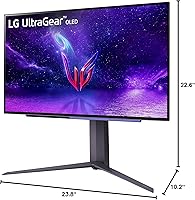
  • Dimensions: With the stand attached, the monitor measures 10.2 inches deep, 23.8 inches wide, and 22.6 inches tall.
  • Model Number: The official model designation is 27GR95QE-B, part of the LG UltraGear gaming line first made available in late 2022.

Related Reviews
LG 27GN750-B 27-inch Gaming Monitor
79%
93%
Gaming Performance
67%
Image Clarity
91%
Motion Handling
78%
Adaptive Sync
53%
HDR Performance
More
LG 27GN950-B 27-inch UltraGear Gaming Monitor
79%
93%
Image Quality
61%
HDR Performance
89%
Gaming Performance
91%
Color Accuracy
54%
GPU Requirements
More
LG 34GP63A-B 34-Inch Curved Gaming Monitor
79%
93%
Gaming Immersion
91%
Refresh Rate Performance
88%
Contrast & Black Depth
83%
Color Accuracy
86%
Input Lag & Responsiveness
More
LG 27GP700-B 27-inch FHD IPS Gaming Monitor
77%
91%
Gaming Performance
78%
Image Quality
93%
Response Time
82%
Color Accuracy
84%
Value for Money
More
LG 27GS75Q-B 27-inch QHD Gaming Monitor

82%
91%
Refresh Rate & Motion Performance
88%
Image Sharpness & Resolution
83%
Color Accuracy & Gamut
57%
HDR Performance
86%
Response Time & Ghosting
More
LG 48GQ900-B 48-inch OLED Gaming Monitor
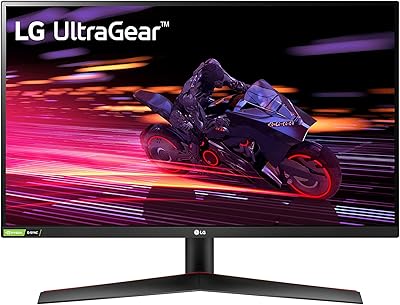
79%
96%
Image Quality
98%
Contrast & Black Levels
93%
Response Time & Motion Clarity
94%
Console Compatibility
91%
Color Accuracy
More
LG 27GX790A-B 27-inch OLED Gaming Monitor
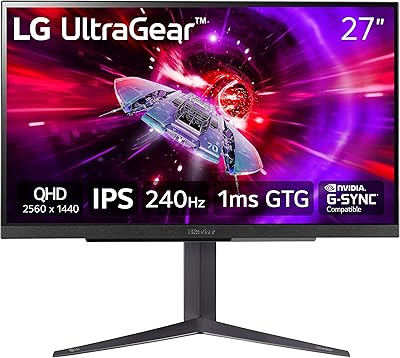
80%
94%
Motion Clarity
92%
Image Quality
88%
HDR Performance
89%
Connectivity
86%
Ergonomics & Stand
More
LG 27GN800-B 27-inch QHD Gaming Monitor
77%
88%
Image Quality
86%
Motion Performance
91%
Adaptive Sync
41%
Ergonomics & Stand
87%
Value for Money
More
LG 27GP850-B 27-Inch QHD Gaming Monitor
78%
91%
Image Quality
93%
Motion Performance
88%
Color Accuracy
54%
HDR Performance
89%
Refresh Rate & Sync
More
LG 27GS60QC-B 27″ Curved Gaming Monitor
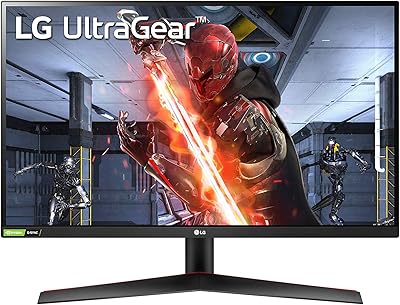
78%
91%
Motion & Refresh Performance
88%
Image Clarity & Sharpness
84%
Contrast & Black Levels
77%
Color Accuracy & Gamut
52%
HDR Performance
More

FAQ

It is a real risk, but the severity depends almost entirely on your habits. If you play a wide variety of games casually, the risk is low. If you log hundreds of hours in a single title with a persistent HUD — a minimap, health bar, or ammo counter fixed in the same spot — those elements can leave a faint permanent imprint over time. LG includes pixel-refreshing routines to slow that accumulation, but burn-in is an inherent OLED characteristic, not a defect, and it should factor into your decision if you tend to stick to one game for extended daily sessions.

Neither console currently outputs above 120Hz, so 240Hz is exclusively a PC feature on this monitor. That said, the HDMI 2.1 port does handle PS5 and Xbox Series X at their full 120Hz output without any signal bottleneck at the display end, which is still a meaningful improvement over standard 60Hz console gaming.

For lighter competitive titles like Valorant, CS2, or Rocket League, a solid mid-range card from the current generation can sustain 240 frames per second without much effort. For heavier open-world or graphically demanding games, you will need an upper-tier GPU to approach those frame counts at QHD. The honest answer is: the more demanding your game library, the more GPU headroom you need to genuinely exploit the refresh rate.

At normal desktop viewing distances, the texture is subtle enough that most users do not notice it mid-session. Colors remain vivid and OLED contrast is unaffected. If you game in a dark, fully controlled room, a glossy panel would technically look marginally more vibrant, but the practical reflection reduction the matte coating provides makes it the better all-around choice for typical home setups.

For dark scene detail and shadow gradation, OLED is genuinely superior — the UltraGear OLED produces true blacks rather than the halo glow you see around bright elements on Mini-LED displays. Where Mini-LED has an advantage is peak brightness; extremely bright HDR highlights can appear more visually explosive on a high-nit Mini-LED panel. Overall HDR rendering on this display is strong, especially in atmospheric and cinematic games.

Honestly, no — and it is worth knowing this upfront. A number of real-world owners have flagged the OSD navigation as clunky and slower than expected for a display at this level. You typically configure settings once at setup and rarely return, so it is not a persistent frustration, but if intuitive software controls matter to you, this is a genuine weak spot.

For casual to intermediate creative use, it is a capable option. The near-complete DCI-P3 coverage means colors are accurate and rich rather than flat. For professional color-grading or print-targeted work that requires precise sRGB or Adobe RGB calibration, a dedicated professional display is more appropriate. For a primary gaming setup that occasionally doubles as a light creative workstation, this 27-inch OLED display is a reasonable fit.

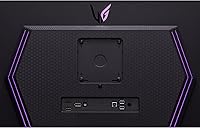
Yes, the 27GR95QE-B is VESA mount compatible, which is useful if you want to reclaim desk space or need more positioning range than the built-in stand allows. Just verify the specific VESA pattern against your arm’s compatibility spec before purchasing a mount, as patterns vary.

For performance-focused gaming, yes. The perceptible sharpness difference between QHD and 4K at typical 27-inch viewing distances is modest, but the GPU demand required to push 4K at high frame rates is substantially greater. QHD lets you realistically take advantage of the 240Hz refresh rate with a current-generation GPU, which has far more impact on how gaming feels than the extra resolution.

No, there are no integrated speakers. The DTS Headphone:X spatial audio feature is headphone-only, processed through the monitor’s 3.5mm output. If you currently use your monitor’s built-in speakers for desktop audio, you will need an external speaker solution when switching to this display.

Where to Buy