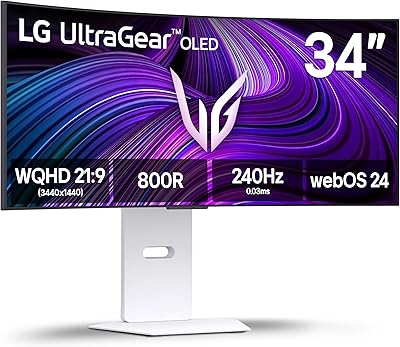
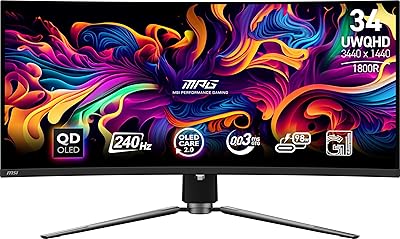
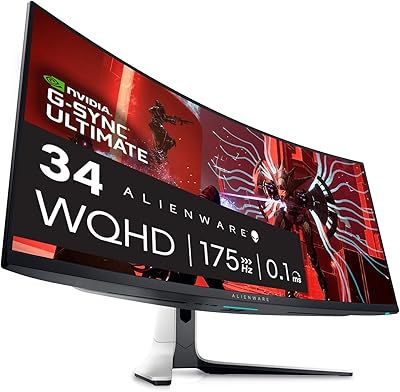
Overview

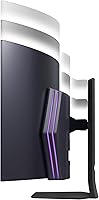
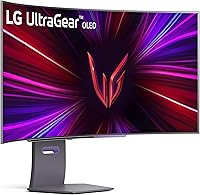
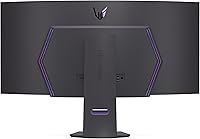
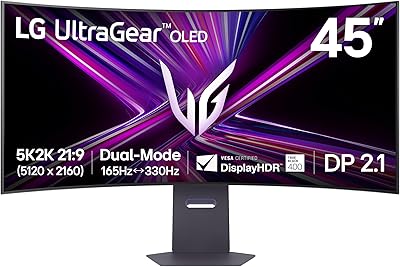
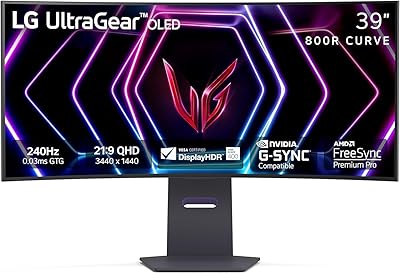
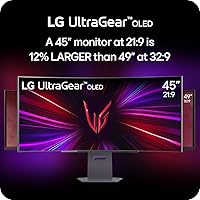
The LG 45GS95QE 45-inch Curved OLED Gaming Monitor arrived in early 2024 as LG's answer to a specific kind of gamer: one who refuses to trade visual quality for speed. The defining feature is its 800R curved panel — an aggressive bend that wraps around your field of view in a way a flat ultrawide simply cannot. At 21:9, the screen actually delivers more usable area than many 49-inch 32:9 super-ultrawides, which sound bigger on paper but spread pixels thinner. In a market crowded with strong OLED options from Samsung and Asus, this curved ultrawide panel stakes its claim on the combination of size, speed, and picture fidelity.
Features & Benefits

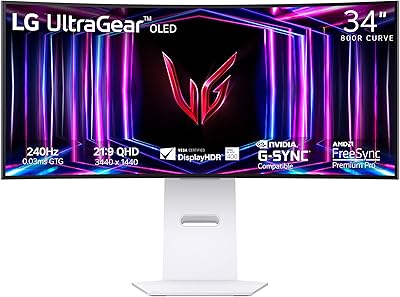
At 240Hz with 0.03ms response, the LG UltraGear OLED moves fast enough to keep up with even the most twitchy, fast-paced titles — motion feels crisp and tracked rather than smeared. What makes this generation stand apart from earlier LG OLED monitors is Micro Lens Array technology, which pushes typical brightness to 275 nits, addressing a real-world complaint that has followed OLED panels for years. Deep blacks and a contrast ratio stretching into the millions mean dark scenes reveal detail that IPS or VA panels simply obscure. Both AMD and NVIDIA GPU owners are covered with dual sync compatibility, HDMI 2.1 opens the door for console users, and the stand handles tilt, height, and swivel for long sessions.

Best For

This 45-inch OLED monitor is a strong match for PC gamers who care more about how a game looks and feels than chasing maximum framerates. The wide canvas works surprisingly well for productivity too — creative professionals who also game will appreciate the screen real estate for both workflows. Console players with a PS5 or Xbox Series X can take full advantage of HDMI 2.1 bandwidth, and the curve pays real dividends in sim racing and flight sims where peripheral depth matters. That said, dedicated competitive esports players may find a flatter, smaller panel serves them better — the ultrawide format simply was not designed around pixel-precise targeting at range.

User Feedback

Owners of the LG UltraGear OLED consistently praise the panel quality and color accuracy straight out of the box, with many noting the curve feels immersive without being disorienting at a normal desk distance. The MLA brightness upgrade is frequently cited as a meaningful step up from older LG OLED models — noticeably improved in real-world use. Burn-in remains the most common concern, and it deserves honest consideration; most users manage it through built-in pixel refresh features and avoiding static overlays, rather than treating it as a dealbreaker. Some buyers flag minor stand wobble and tight cable routing, and the steep price gives even enthusiastic reviewers pause — though most conclude it was worth it after extended daily use.

Pros

  • The OLED panel produces blacks so deep that dark game environments look genuinely three-dimensional, not just dark gray.
  • At 240Hz, fast-moving scenes stay sharp and controlled without the motion blur that plagues slower displays.
  • Micro Lens Array technology meaningfully closes the brightness gap that held earlier OLED monitors back.
  • Both AMD FreeSync Premium Pro and NVIDIA G-Sync Compatible support mean no GPU lock-in for buyers.
  • HDMI 2.1 connectivity makes this one of the few monitors that does justice to current-generation consoles.
  • The 800R curve creates a natural sense of depth and peripheral wrap that owners describe as hard to go back from.
  • Color accuracy out of the box is strong enough that most users will not need to touch calibration settings.
  • The adjustable stand handles tilt, height, and swivel, which matters a lot over multi-hour sessions.
  • The 21:9 ultrawide format doubles effectively as a productivity canvas for creative and office work.
  • MLA-enhanced brightness is a clear improvement owners notice immediately when compared to the previous LG OLED generation.

Cons

  • OLED burn-in is a genuine long-term risk for users who display static elements like taskbars or game HUDs for extended periods.
  • At 275 nits typical brightness, this curved ultrawide panel struggles to compete with mini-LED monitors in brightly lit rooms.
  • The steep price places it out of reach for most buyers who could be well-served by less expensive alternatives.
  • Some owners report noticeable stand wobble when adjusting position or bumping the desk during use.
  • Cable management around the stand base is tight and awkward, especially in multi-device setups.
  • The 45-inch footprint requires a genuinely large desk — budget for the furniture upgrade if your current setup is modest.
  • Ultrawide game support is still inconsistent; some titles require workarounds or mods to display correctly at 21:9.
  • At this screen size and resolution, a powerful GPU is needed to sustain high framerates — add that cost to the total investment.
  • No built-in USB-C or Thunderbolt port limits connectivity options for laptop users who want a single-cable solution.

Ratings

Our scores for the LG 45GS95QE 45-inch Curved OLED Gaming Monitor are generated by AI after analyzing thousands of verified buyer reviews from global markets, with spam, bot activity, and incentivized submissions actively filtered out. Every category below reflects the honest distribution of real user sentiment — strengths are credited where they are earned, and recurring frustrations are given equal weight. The result is a transparent, balanced picture of what living with this monitor actually looks like.
Picture Quality
96%
Owners consistently describe the image as the best they have ever seen on a desktop monitor, particularly in dark or atmospheric games where OLED blacks make environments feel genuinely three-dimensional. HDR content in particular draws strong praise — colors appear vivid without looking oversaturated, and fine shadow detail that disappears on IPS panels is clearly visible here.
A small number of users coming from high-nit mini-LED monitors feel the peak brightness falls short in very bright HDR scenes, where specular highlights do not pop quite as dramatically. This is a narrow criticism tied to specific HDR content rather than everyday gaming use.
Motion Clarity
94%
The combination of 240Hz and near-instantaneous pixel response makes fast-paced gameplay feel genuinely different from slower panels — users describe a clarity in motion that they had not experienced before, especially in titles with rapid camera movement or particle-heavy combat sequences.
A handful of users note that to consistently hit 240Hz in demanding modern titles, a top-tier GPU is required, making the motion performance somewhat contingent on the rest of the system rather than the monitor alone.
Immersion & Curvature
91%
The 800R curve is frequently cited as the feature that buyers underestimate before purchase and cannot imagine giving up afterward. Sim racing and open-world game players in particular describe the peripheral wrap as genuinely changing how they experience those genres — it creates a sense of spatial depth that flat panels simply do not deliver.
Users who sit unusually close to their desk or who share their monitor with others at varied angles report that the curve can create slight distortion at extreme viewing positions. It is a non-issue for solo use at a normal desk distance, but worth noting for shared setups.
Brightness
71%
29%
MLA technology represents a real and noticeable improvement over previous-generation LG OLED monitors, and users upgrading from those earlier panels are consistently impressed by how much more usable the image is in moderately lit rooms. For gaming in a darkened or dim environment, 275 nits is more than adequate.
In rooms with large windows or overhead fluorescent lighting, the brightness limitation becomes genuinely apparent — the panel can look washed out compared to high-nit mini-LED competitors. This is the single most common technical complaint across verified buyer feedback, and it deserves serious consideration for bright room setups.
Burn-In Risk
63%
37%
Users who game in varied sessions, rotate content regularly, and use LG's built-in pixel refresh tools report no visible burn-in issues after months of ownership. The panel care features are well-implemented and run automatically in the background, which reassures most buyers over time.
The anxiety around burn-in is the single most discussed topic in buyer reviews, and it is not unfounded — users who run HUD-heavy games for many consecutive hours or leave static images on screen report early signs of image retention faster than they expected. It is a manageable risk, but it requires deliberate usage habits that some buyers find frustrating at this price point.
Build & Aesthetics
83%
The overall construction feels premium and purposeful — the panel itself is solid and the matte black finish looks understated and professional on a desk without the aggressive RGB styling that clutters many competing gaming monitors. Most buyers are happy with the visual presentation straight out of the box.
The stand has received consistent criticism for feeling less sturdy than the panel it supports — some users report noticeable wobble when accidentally nudging the desk, which feels incongruous with the overall price and quality level. Cable routing through the stand is also tighter than expected for a monitor with multiple inputs.
Ergonomics
78%
22%
The tilt, height, and swivel adjustments cover the practical range most users need, and buyers who work long hours at their desk appreciate being able to dial in a comfortable position rather than relying on books or monitor risers to compensate for a fixed-height stand.
There is no pivot or portrait rotation, which is expected given the panel size and format but still worth noting for buyers who use monitor arms to achieve unconventional orientations. The adjustment resistance on the height column feels slightly loose to some users over time.
Connectivity
82%
18%
HDMI 2.1 is the headline connectivity win here — it is genuinely rare at this screen size and format, and console gamers with a PS5 or Xbox Series X consistently highlight it as a deciding factor in their purchase. Having both HDMI 2.1 and DisplayPort means PC and console users can keep both connected simultaneously without an adapter.
The absence of a USB-C or Thunderbolt port frustrates laptop users who prefer a single-cable docking solution, which is an increasingly common expectation at this price point. The three USB ports are appreciated but are positioned in a way that makes frequent plug-and-unplug use slightly awkward.
Ultrawide Game Compatibility
67%
33%
Most major PC gaming titles from the last several years natively support 21:9 ultrawide resolutions, and users who play open-world, RPG, or simulation games describe the expanded field of view as a meaningful gameplay improvement rather than a cosmetic one.
Competitive multiplayer games — particularly those with anti-cheat restrictions — frequently lock the field of view or black-bar 21:9 output to prevent perceived gameplay advantages. Console games are even more limited, with the majority defaulting to 16:9 and leaving black bars that some users find distracting on such a large panel.
Color Accuracy
88%
Out-of-the-box color accuracy is strong enough that most buyers — including content creators doing video editing — report not needing to run a third-party calibration. Skin tones, natural environments, and high-contrast cinematic content all look handled rather than oversaturated.
Professional photographers or print-focused designers may find the panel's color space coverage, while impressive for a gaming display, does not match the precision of dedicated color-accurate monitors. For those use cases specifically, a calibrated IPS option would serve better.
Dual GPU Sync Support
92%
Supporting both FreeSync Premium Pro and G-Sync Compatible removes a real friction point for buyers who have switched GPU brands in the past or share the monitor between an AMD and NVIDIA system. Users on both platforms report smooth, tear-free gameplay without needing to manually configure anything complex.
A small number of users report occasional sync handshake issues when switching between inputs connected to different GPU brands, requiring a monitor power cycle to resolve — a minor but recurring complaint in multi-device setups.
Setup Experience
77%
23%
Physical assembly is straightforward and most buyers complete it without consulting the instructions — the stand clicks into place cleanly and the panel feels secure once attached. Initial display mode selection is guided clearly enough that most buyers are gaming within 20 minutes of unboxing.
The on-screen display menu is functional but not particularly intuitive, and navigating to less common settings like pixel refresh scheduling or input labeling takes more clicks than expected. A few users note that the menu button placement on the rear of the monitor is harder to reach than a joystick-style control would be.
Value for Money
68%
32%
Among buyers who specifically wanted a 45-inch OLED ultrawide, the vast majority conclude the purchase was worth it after extended use — the combination of size, curve, and OLED panel quality is genuinely difficult to replicate at a lower price point because alternatives at this spec level are scarce.
For buyers who are more broadly interested in OLED gaming quality rather than specifically the ultrawide format, smaller OLED monitors offer the same panel technology at a significantly lower cost. The price is hard to justify unless the 45-inch ultrawide format itself is the primary goal.

Suitable for:

The LG 45GS95QE 45-inch Curved OLED Gaming Monitor is built for a specific kind of buyer: someone who wants their setup to feel genuinely immersive, not just technically impressive on paper. Sim racing enthusiasts, flight sim pilots, and open-world RPG players will find the 800R curve wraps the action around their peripheral vision in a way that flat panels simply cannot replicate. PC gamers running an AMD or NVIDIA GPU benefit equally here, since both sync ecosystems are fully supported without compromise. Creative professionals who also game — video editors, designers, or content creators who spend long hours at a single desk — will appreciate the ultrawide canvas pulling double duty for both work and play. Console owners with a PlayStation 5 or Xbox Series X get a rare treat too: a monitor that actually supports HDMI 2.1, meaning high-bandwidth console output is not wasted on a bottlenecked connection.

Not suitable for:

Competitive esports players who live and die by reaction time and pixel-level precision should think carefully before committing to this curved ultrawide panel. The 21:9 format stretches enemies toward the screen edges in titles like first-person shooters, where most players prefer a narrower, flatter view that keeps targets centered and easier to track. Buyers on a tight budget will also find this a tough sell — the price puts it firmly in enthusiast territory, and there are solid 27-inch and 32-inch OLED alternatives that cost considerably less for those who do not need the size. Anyone who runs static HUD-heavy games or leaves a taskbar permanently on screen should also weigh the burn-in risk seriously; OLED panels reward mindful usage habits, and this one is no exception. Finally, if desk space is limited, the physical footprint of the LG 45GS95QE 45-inch Curved OLED Gaming Monitor demands a wide, deep surface — it is not a monitor you can tuck into a compact setup.

Specifications

  • Panel Type: OLED panel enhanced with Micro Lens Array (MLA) technology for improved per-pixel brightness output.
  • Screen Size: 45 inches measured diagonally, with an 800R curve radius for an immersive wraparound viewing angle.
  • Resolution: 3440 x 1440 pixels (WQHD ultrawide), delivering sharp detail across the full 21:9 aspect ratio.
  • Refresh Rate: 240Hz native refresh rate enables smooth, fluid motion in fast-paced and competitive gaming scenarios.
  • Response Time: 0.03ms GtG (gray-to-gray) response time minimizes ghosting and trailing behind fast-moving on-screen objects.
  • Brightness: Typical brightness of 275 nits, achieved through MLA technology — a meaningful step up from earlier OLED gaming panels.
  • Contrast Ratio: 1,500,000:1 contrast ratio delivers true black levels and exceptional shadow detail in dark gaming and cinematic content.
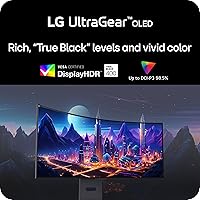
  • HDR Support: Certified DisplayHDR True Black 400, confirming deep black performance and HDR color rendering that meets VESA standards.
  • Sync Technology: Supports both AMD FreeSync Premium Pro and NVIDIA G-Sync Compatible, eliminating screen tearing across both major GPU platforms.
  • Video Inputs: Connectivity includes HDMI 2.1 and DisplayPort, supporting high-bandwidth signals from both PC and current-generation consoles.
  • USB Ports: Three USB ports are built into the monitor for peripheral connectivity and convenience at the desk.
  • Aspect Ratio: 21:9 ultrawide aspect ratio provides a wider field of view than standard 16:9 monitors without the extreme width of 32:9 formats.
  • Stand Adjustment: The included stand supports tilt, height, and swivel adjustments to accommodate a wide range of seating positions and desk setups.
  • Dimensions: With the stand attached, the monitor measures approximately 39.1 inches wide, 25.5 inches tall, and 14.3 inches deep.
  • Weight: The full unit including stand weighs 24 pounds, so a sturdy, wide desk surface is recommended before purchase.
  • Color: Available in Black, with a matte screen surface treatment to reduce glare and reflections during use.
  • Availability: First made available in February 2024, placing it firmly within the current generation of OLED gaming monitors.

Related Reviews

LG 45GR65DC-B 45-Inch Curved Ultrawide Gaming Monitor
76%
96%
Immersion & Field of View
88%
Gaming Performance
74%
HDR Quality
83%
Color Accuracy
81%
Build Quality
More
LG 39GS95QE 39-Inch Curved OLED Gaming Monitor
83%
96%
Image Quality
98%
Contrast & Black Levels
93%
Refresh Rate & Smoothness
94%
Response Time & Motion Clarity
78%
HDR Performance
More
LG 45GX950A-B 45-inch OLED Gaming Monitor
81%
96%
Image Quality
93%
Refresh Rate & Responsiveness
94%
Resolution & Pixel Density
88%
HDR Performance
78%
Dual Mode Functionality
More
LG 34GS95QE 34-inch OLED Curved Gaming Monitor
81%
96%
Image Quality
94%
Motion Clarity
97%
Contrast & Black Levels
91%
Refresh Rate Performance
88%
Immersion & Curve
More
LG 32GS95UE 32-inch OLED Gaming Monitor
80%
96%
Image Quality
94%
Motion Performance
91%
HDR Experience
83%
Dual Mode Utility
67%
Value for Money
More
INNOCN 25G2S 24.5″ Gaming Monitor
76%
91%
Image Clarity
88%
Refresh Rate Performance
86%
Color Accuracy
84%
Gaming Responsiveness
89%
Console Compatibility
More
LG 27GX790A-B 27-inch OLED Gaming Monitor
80%
94%
Motion Clarity
92%
Image Quality
88%
HDR Performance
89%
Connectivity
86%
Ergonomics & Stand
More
MSI MPG 341CQPX 34-inch OLED Gaming Monitor
79%
94%
Picture Quality
92%
Motion Performance
88%
HDR Experience
61%
SDR Brightness
83%
Build Quality
More
LG 34GX90SA-W 34-inch OLED Curved Gaming Monitor
81%
94%
Picture Quality
91%
Gaming Performance
88%
Immersion & Curvature
83%
Smart Platform (webOS)
93%
Contrast & Black Levels
More
Alienware AW3423DW 34-inch QD-OLED Gaming Monitor
83%
97%
Image Quality
94%
Motion Performance
96%
Contrast & Black Levels
89%
Color Accuracy
91%
Refresh Rate & Sync
More

FAQ

It is a real consideration, not a myth, but it is also manageable for most users. The LG UltraGear OLED includes built-in pixel refresh and screen care features that help distribute wear over time. The biggest risk comes from leaving static elements — like a taskbar, game HUD, or a paused screen — on display for many consecutive hours. If you game in varied sessions and occasionally use the built-in care routines, the practical risk for most buyers is low. That said, if your workflow involves permanent static overlays or you plan to leave the monitor on for long unattended periods, an IPS or mini-LED alternative would be safer.

Yes, and it is actually one of the stronger use cases for this curved ultrawide panel. The HDMI 2.1 port supports the full bandwidth that current-generation consoles output, so you are not losing anything in the connection. Keep in mind that PS5 and Xbox Series X games are typically designed for 16:9 output, so you may see black bars on the sides unless the game natively supports ultrawide resolutions, which many console titles do not yet.

That depends heavily on the game. In lighter or older titles, even a mid-range GPU can push high framerates at 3440 x 1440. In demanding modern games like Cyberpunk 2077 or Alan Wake 2, you will want a high-end card — think NVIDIA RTX 4080 or AMD RX 7900 XTX territory — to realistically approach 240Hz. For most gamers, hitting 100 to 144Hz in demanding titles with this panel is a more realistic day-to-day expectation, and the display still looks excellent at those framerates.

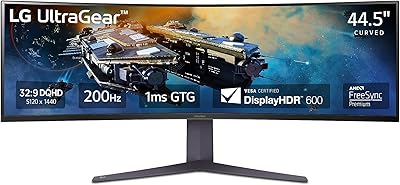
They serve different preferences. A 49-inch 32:9 panel feels more like two monitors merged together and suits productivity and sim games well, but the extreme width can feel overwhelming in traditional games. This 45-inch 21:9 OLED actually covers more pixel area than many 49-inch displays due to resolution differences, while keeping the image more contained and easier to take in at a glance. For most gamers, the 21:9 format is more versatile and better supported across game libraries.

At a normal viewing distance of about 2 to 3 feet, the 800R curve feels natural rather than exaggerated. Straight lines near the edges can appear very slightly bowed if you are sitting unusually close, but most users adapt quickly and stop noticing within a few hours. For productivity tasks like document editing or spreadsheet work, the curve actually reduces neck movement since content wraps toward you rather than sitting flat at the periphery.

For a typical gaming room or home office with controlled lighting, 275 nits works fine. The matte screen surface helps manage reflections, which is a bigger practical benefit than raw brightness in most indoor environments. In a very bright room with direct sunlight hitting the screen, brightness can feel limiting compared to high-nit mini-LED monitors. If you game primarily in a dimly lit or light-controlled space — which most serious gamers do — this will not be a problem.

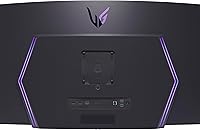
The stand is genuinely functional — it adjusts for tilt, height, and swivel, which covers most ergonomic needs. Some users have noted it can feel slightly wobbly on soft or uneven desk surfaces, so a firm, stable desk helps. If you already own a quality monitor arm or prefer a clean minimal desk look, the LG 45GS95QE 45-inch Curved OLED Gaming Monitor does support VESA mounting, so that option is available without buying a separate adapter.
It handles creative work well, particularly video editing and color grading where accurate blacks and strong contrast are more valuable than raw brightness. The color accuracy out of the box is solid for a gaming-oriented panel. Professional photographers doing critical print preparation may prefer a monitor with more calibration tools and a higher typical brightness, but for content creators who also game, this curved ultrawide panel pulls solid double duty without feeling like a compromise in either role.

Physical assembly is straightforward — the stand attaches to the panel without tools in most steps, and LG includes clear instructions. Initial on-screen menu setup takes about 10 to 15 minutes to go through display modes, sync settings, and input configuration. The menus are not as intuitive as some rivals, but they are navigable. One tip: run the built-in pixel refresh cycle after the first few hours of use, as LG recommends this for new OLED panels.

If the 45-inch size and 800R curve are specifically what you are after, there are very few direct alternatives at any price, which partly justifies the premium. Smaller OLED gaming monitors at 27 or 32 inches cost noticeably less and deliver the same panel technology in a more compact form. The honest answer is: if the ultrawide immersive format matches how you actually game, most owners feel the price is justified after extended use. If you are mainly drawn to OLED quality and are not specifically invested in the ultrawide format, a smaller OLED panel would give you the same picture quality for a lower outlay.