Overview

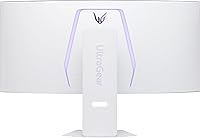
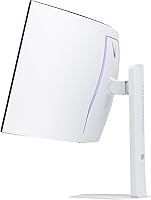
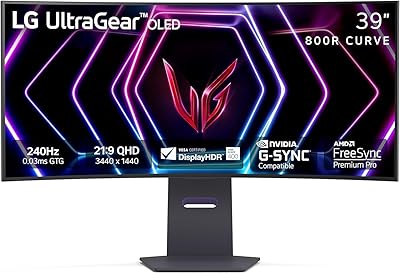
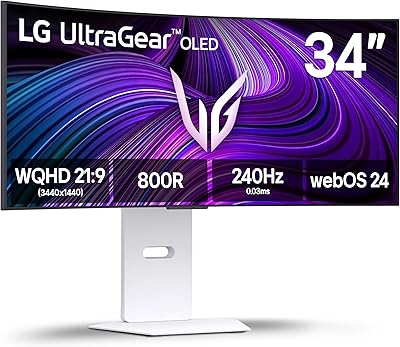
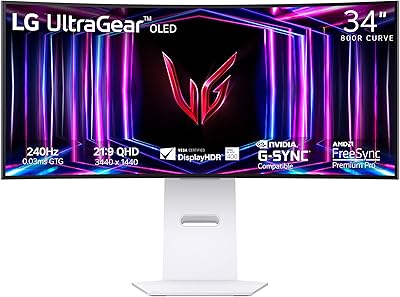
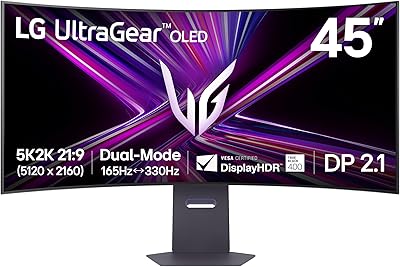
The LG 39GX90SA-W 39-inch OLED Curved Gaming Monitor occupies a genuinely interesting niche: part high-performance gaming display, part standalone smart screen, and it pulls both roles off better than you'd expect. The 800R curvature is steeper than almost anything else at this size, wrapping the screen around your field of view in a way that flatter ultrawides simply can't match. The white finish is a deliberate aesthetic statement — unusual in a category where everything tends to be matte black. Thanks to built-in webOS, you can stream Netflix or jump into cloud gaming without touching a PC. Just be honest about desk space first; at nearly 35 inches wide, this curved OLED monitor demands a serious setup.
Features & Benefits

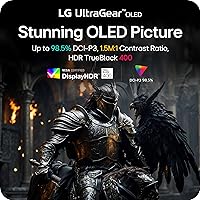
The performance specs on this ultrawide gaming display aren't just impressive on paper — they translate directly to how games feel. A 240Hz refresh rate paired with near-instantaneous response time means fast-paced shooters and racing titles run with a fluidity that IPS panels at similar prices simply can't touch. The WQHD 3440x1440 resolution hits a sweet spot: sharp enough for detailed environments, but far less taxing on your GPU than a 4K panel at this screen size. HDR content genuinely benefits from the 1.5M:1 contrast ratio, with blacks that look black rather than dark grey. Both AMD and NVIDIA GPU owners are covered for adaptive sync, and the USB-C port means laptop users can connect with a single cable for display and power.

Best For

This curved OLED monitor makes the most sense for PC gamers who've always wanted a big, immersive screen but resent buying a separate TV just for streaming. It's also a strong choice for ultrawide enthusiasts moving up from IPS or VA panels who want to finally see what genuine OLED blacks look like in motion. Color-critical work is a realistic use case too — 98.5% DCI-P3 coverage is genuinely useful for video editors and photographers working alongside gaming. Cloud gamers will appreciate skipping the console entirely through webOS. That said, if your desk is compact or you're running a mid-range GPU, the LG 39GX90SA-W may simply be more than you need.

User Feedback

With a 4.1-star average across 155 ratings, the reception is positive but not without nuance. Owners consistently praise the picture quality — the deep blacks and rich colors live up to the OLED reputation — and many highlight how satisfying the 800R curve feels during extended gaming sessions. The webOS integration gets credit for being genuinely useful rather than a gimmick. On the downside, the most common complaints center on value versus cost, the sheer desk real estate this display consumes, and panel glare for anyone gaming near windows. Burn-in anxiety also surfaces, as it does with most OLED monitors. Some early buyers have noted webOS firmware is still maturing. In a crowded premium segment, rivals from Samsung and ASUS make careful comparison shopping well worth your time.

Pros

  • True OLED blacks and a 1.5M:1 contrast ratio make HDR content look dramatically better than IPS alternatives.
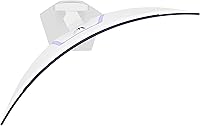
  • The 800R curve is among the steepest available at this size, creating a genuinely immersive wraparound effect.
  • 240Hz refresh rate keeps fast-paced competitive games smooth and responsive without screen tearing.
  • Dual adaptive sync support means both NVIDIA and AMD GPU owners are fully covered out of the box.
  • Built-in webOS lets you stream Netflix, Disney+, and more without needing a PC or external device.
  • Cloud gaming services like GeForce NOW and Amazon Luna are accessible directly from the home screen.
  • 98.5% DCI-P3 color coverage makes this curved OLED monitor legitimately useful for color-sensitive creative work.
  • USB Type-C single-cable connectivity is a genuine quality-of-life win for laptop users.
  • The white finish is a rare and striking aesthetic option in a sea of identical black gaming monitors.
  • WQHD ultrawide resolution hits a practical sweet spot — noticeably sharp without punishing GPU requirements.

Cons

  • OLED burn-in is a real long-term risk for users who game with static on-screen elements for extended sessions daily.
  • Panel glare can become noticeable and distracting in rooms with windows or strong ambient lighting.
  • The nearly 35-inch width and 25-pound weight make this a poor fit for smaller or shared desk spaces.
  • webOS firmware is still maturing on this model, with some early adopters reporting occasional stability issues.
  • Fully utilizing 240Hz at this resolution demands a high-end GPU that many buyers may not already own.
  • At this price tier, strong competition from Samsung and ASUS means buyers who skip comparisons may leave value on the table.
  • Only 155 ratings at launch means long-term reliability data is still limited compared to more established models.
  • The steep asking price is difficult to justify for casual or part-time gamers who won't push the display's limits.

Ratings

Our AI rating system analyzed verified owner reviews for the LG 39GX90SA-W 39-inch OLED Curved Gaming Monitor from across global markets, actively filtering out incentivized, bot-generated, and low-effort submissions to surface what real buyers actually experience. The scores below reflect both the genuine strengths that make this curved OLED monitor stand out and the recurring pain points that tempered enthusiasm for some buyers. Nothing has been glossed over — the highs and the frustrations are reflected equally.
Picture Quality
94%
Owners consistently describe the image as the most visually striking display they have used at a desk, with OLED blacks that make HDR gaming scenes look genuinely cinematic. The contrast between shadowed environments and bright light sources in games is a level above anything an IPS or VA panel delivers at this size.
A small number of users noted that very bright static content can occasionally expose slight luminance uniformity variation across the panel, which is a known characteristic of WOLED technology rather than a defect specific to this model.
Gaming Performance
91%
The 240Hz refresh rate combined with near-instantaneous pixel response makes fast-paced shooters and racing games feel noticeably more fluid and reactive than on typical 144Hz or 165Hz displays. Competitive players switching from slower panels consistently reported improved comfort during extended sessions.
Realizing the full 240Hz potential requires a high-end GPU that many buyers do not already own, which creates a gap between what the monitor can do and what most real-world systems actually deliver on day one.
Immersion & Curvature
88%
The steep 800R curve draws consistent praise from users who spend long sessions in open-world or story-driven games, with many describing the wraparound feel as genuinely different from the shallower curves on competing ultrawides. Peripheral awareness in wide game environments is noticeably improved.
A minority of users found the aggressive curve disorienting when switching to productivity tasks like reading long documents or working with spreadsheets, where straight horizontal lines can appear subtly bowed at the screen edges.
HDR Experience
86%
DisplayHDR True Black 400 certification here is more meaningful than on most monitors because the OLED panel can actually achieve the deep blacks the standard demands, making HDR-enabled games and films look genuinely different rather than marginally brighter than SDR.
HDR content availability is still inconsistent across PC gaming titles, and some owners noted that poorly mastered HDR games can look oversaturated or clipped on this panel without manual calibration of the HDR settings.
webOS Smart Features
79%
21%
Buyers who use this ultrawide gaming display for streaming during downtime genuinely appreciate not needing a separate device — launching Netflix or jumping into GeForce NOW directly from the home screen adds real everyday convenience for mixed-use setups.
Several early adopters flagged that webOS stability and app loading speed were inconsistent in the first months post-launch, with occasional crashes or slow UI response. The platform feels more polished than early firmware suggested but is not yet as smooth as a dedicated streaming device.
Glare & Reflections
63%
37%
The matte anti-glare coating handles diffuse ambient light reasonably well, and users in basement setups or rooms with controlled lighting reported no meaningful issues maintaining visual clarity during long gaming sessions.
In rooms with natural light or overhead lighting positioned behind the user, reflections become a genuine distraction that the coating cannot fully suppress. Multiple buyers in bright home office environments noted this as their primary ongoing frustration with the panel.
Build Quality
83%
The white finish is consistently praised as feeling premium and distinctive, with the stand mechanism drawing positive comments for its stability even on slightly uneven desk surfaces. The overall construction feels appropriately substantial for a display in this price tier.
A few users noted that the cable management options integrated into the stand are more limited than expected at this level, and the stand's height adjustment range left some taller users wishing for an extra few centimeters of upward travel.
Value for Money
67%
33%
For buyers who actively use the full feature set — high-refresh OLED gaming, built-in streaming, and ultrawide productivity — the combination of capabilities in a single display represents a reasonable consolidation of what would otherwise require multiple devices.
Buyers who primarily game at lower frame rates or who already own a smart TV found it harder to justify the premium. The competitive curved OLED market means comparable panels exist at similar or slightly lower prices, making the value equation feel less clear-cut than it might otherwise.
Burn-in Risk
58%
42%
LG has included pixel-refresh cycles and screen-saver protections that help manage wear over time, and casual to moderate users who vary their content regularly reported no visible retention issues after several months of ownership.
Burn-in anxiety is the single most recurring concern in buyer discussions, and heavy single-title players who log many daily hours with static HUDs visible acknowledged this as a genuine long-term risk they actively manage rather than ignore. It is not a theoretical concern for this usage profile.
Desk Footprint
61%
39%
For users with large L-shaped or dedicated gaming desks, the physical footprint fits naturally and the curvature actually helps the screen feel closer to a well-defined personal viewing zone rather than an overwhelming wall of pixels.
At nearly 35 inches wide and over 25 pounds, the monitor is genuinely challenging to fit on standard desks, and several buyers admitted they had to purchase a new desk or reorganize their workspace significantly before the monitor felt comfortable in daily use.
Color Accuracy
87%
Content creators who use this curved OLED monitor for video editing or photo work alongside gaming reported that the wide DCI-P3 coverage holds up well for professional tasks, with colors appearing consistent across the panel without requiring aggressive post-purchase calibration.
Factory calibration is strong but not reference-grade out of the box, and color-critical professionals who need absolute accuracy for print or broadcast work would still benefit from a hardware colorimeter calibration to eliminate the slight variance present at default settings.
Connectivity
77%
23%
The USB-C port is a practical highlight for users who dock a laptop to this display during the day and switch to a gaming PC in the evening — single-cable connection for video and power delivery genuinely simplifies a dual-device desk setup.
Some buyers expected a more comprehensive port selection at this price point, particularly the absence of a Thunderbolt-certified USB-C port and the limited number of downstream USB ports for peripherals in more complex desk configurations.
Setup & Ergonomics
72%
28%
Out-of-box assembly is straightforward and the stand attaches without tools, which owners appreciated given the monitor's considerable weight. Height and tilt adjustments cover the needs of most standard seated desk setups without issue.
The stand does not offer swivel adjustment, which limits fine-tuning for users who share a desk or occasionally need to reposition the screen. VESA mounting resolves this but adds cost and requires a third-party arm rated for the display's weight.
Firmware & Software Stability
66%
34%
Later firmware updates pushed after the March 2025 launch addressed a number of the initial webOS stability complaints, and buyers who set up the monitor after the first few update cycles reported a noticeably more polished experience than early adopters described.
The firmware journey required of early adopters was bumpy enough to generate consistent mentions in reviews, and a product at this tier arguably should not require multiple post-launch patches to reach baseline stability for its smart platform features.

Suitable for:

The LG 39GX90SA-W 39-inch OLED Curved Gaming Monitor is built for a specific kind of buyer — one who wants a single premium screen that handles competitive gaming, immersive single-player experiences, and standalone streaming without compromise. PC gamers who run mid-to-high-end NVIDIA or AMD GPUs will get the most from the 240Hz refresh and adaptive sync combination, especially in fast-paced titles where every frame counts. Ultrawide enthusiasts graduating from IPS or VA panels will immediately notice how different true OLED blacks look in motion — darker, crisper, and more cinematic. The built-in webOS makes this curved OLED monitor genuinely appealing to cloud gamers who want a premium display experience without a dedicated console sitting on their desk. Creative professionals who split time between color-sensitive work and gaming will also find the wide DCI-P3 coverage unusually practical. If you have a large desk and want one screen that does nearly everything well, this ultrawide gaming display makes a compelling case.

Not suitable for:

Budget-conscious buyers or anyone running a mid-range GPU should think carefully before committing to this ultrawide gaming display — the combination of screen size, resolution, and refresh rate demands serious hardware to fully exploit. Gamers working in bright, sun-facing rooms will likely find the anti-glare coating only partially effective; OLED panels are still more reflective than top-tier matte IPS alternatives in harsh lighting. Anyone worried about long-term panel health should know that OLED burn-in risk is real, especially with static HUD elements in games played for many hours daily — it is manageable with good habits, but it requires awareness. The LG 39GX90SA-W 39-inch OLED Curved Gaming Monitor also weighs over 25 pounds and spans nearly 35 inches wide, so compact or cluttered desk setups simply will not accommodate it comfortably. Those expecting webOS to fully replace a smart TV in a living-room context may be disappointed — it works well as a convenience feature at a desk, but it is not engineered for couch-distance viewing. Finally, buyers who want to comparison shop should know that Samsung and ASUS both offer competing curved OLED panels at this tier, and the differences are worth investigating before deciding.

Specifications

  • Screen Size: The display measures 39 inches diagonally, offering an expansive ultrawide viewing area suited to immersive gaming and multitasking.
  • Panel Type: Uses an OLED panel, which produces true per-pixel illumination for absolute blacks and exceptional contrast without a backlight.
  • Resolution: Native resolution is 3440x1440 pixels in a 21:9 ultrawide aspect ratio, commonly referred to as WQHD or QHD ultrawide.
  • Refresh Rate: Supports a maximum refresh rate of 240Hz, enabling very smooth motion rendering in fast-paced games and high-framerate content.
  • Response Time: Rated at 0.03ms GtG (gray-to-gray), minimizing motion blur and ghosting during rapid on-screen movement.
  • Curvature: Features an 800R curvature radius, one of the steepest available at this screen size, designed to match the natural arc of human peripheral vision.
  • Peak Brightness: Reaches up to 1300 nits peak brightness under HDR conditions, delivering vivid highlights in supported content.
  • HDR Certification: Carries DisplayHDR True Black 400 certification, a standard that specifically validates deep black performance alongside HDR highlight capability.
  • Contrast Ratio: Achieves a native contrast ratio of 1.5M:1 due to the OLED panel's ability to completely switch off individual pixels.
  • Color Coverage: Covers 98.5% of the DCI-P3 color space, making it suitable for color-critical creative work in addition to gaming.
  • Adaptive Sync: Compatible with both AMD FreeSync Premium and NVIDIA G-SYNC, providing tear-free variable refresh rate support across major GPU platforms.
  • Smart Platform: Runs LG webOS24, offering built-in access to streaming services including Netflix, Prime Video, Disney+, and cloud gaming platforms.
  • Connectivity: Includes USB Type-C, two USB 3.0 ports, and standard display inputs to support a range of devices including laptops and gaming PCs.
  • Surface Type: The screen uses a matte anti-glare coating intended to reduce reflections in moderately lit environments.
  • Color Finish: Available in white, which is an uncommon finish in the gaming monitor category and distinguishes it visually from most competitors.
  • Dimensions: Physical dimensions with stand are approximately 34.95 inches wide, 23.85 inches tall, and 12.71 inches deep.
  • Weight: The monitor weighs approximately 25.2 pounds with stand attached, requiring a sturdy desk surface for safe placement.
  • Aspect Ratio: Uses a 21:9 widescreen aspect ratio, providing significantly more horizontal screen space than a standard 16:9 display of comparable height.

Related Reviews

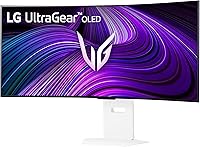
LG 39GS95QE Ultragear OLED Curved Gaming Monitor 39-inch


88%
95%
Display Quality
94%
Gaming Performance
89%
Build Quality
87%
Connectivity Options
91%
Immersion (Curvature)
More
LG 45GS95QE Ultragear OLED Curved Gaming Monitor 45-Inch
89%
96%
Display Quality
94%
Gaming Performance
88%
Build Quality
67%
Brightness in Bright Environments
98%
Response Time
More
LG 34GS95QE 34-inch Ultragear OLED Curved Gaming Monitor
89%
96%
Display Quality
93%
Gaming Performance
91%
Immersion & Design
85%
Color Accuracy
88%
Ease of Setup
More
LG 34GX90SA-W 34-inch Ultragear OLED Gaming Monitor
89%
97%
Display Quality
94%
Color Accuracy
96%
Refresh Rate Performance
95%
Input Lag/Responsiveness
91%
HDR Performance
More
LG 27GX790A-B 27-inch OLED Gaming Monitor
80%
94%
Motion Clarity
92%
Image Quality
88%
HDR Performance
89%
Connectivity
86%
Ergonomics & Stand
More
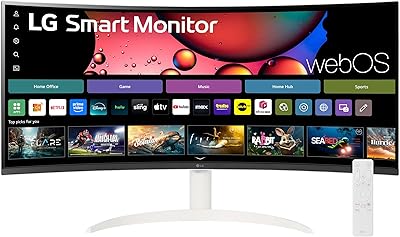
LG 34SR60QC-W 34-inch Curved Smart Monitor
85%
91%
Display Quality
87%
Value for Money
88%
Smart Features
92%
Connectivity
90%
Multitasking Performance
More
LG 38WR85QC-W 38-inch Curved UltraWide Monitor
85%
94%
Gaming Performance
91%
Visual Quality
72%
Build Quality
85%
Ease of Setup
90%
Color Accuracy
More
LG 32GS95UE 32-inch Ultragear OLED Gaming Monitor
88%
94%
Picture Quality
92%
Gaming Performance
86%
Value for Money
90%
Design & Build Quality
87%
Ease of Setup
More
LG 45GX950A-B 45-inch OLED Gaming Monitor
81%
96%
Image Quality
93%
Refresh Rate & Responsiveness
94%
Resolution & Pixel Density
88%
HDR Performance
78%
Dual Mode Functionality
More
Alienware AW3423DW 34-inch QD-OLED Gaming Monitor
83%
97%
Image Quality
94%
Motion Performance
96%
Contrast & Black Levels
89%
Color Accuracy
91%
Refresh Rate & Sync
More

FAQ

For everyday use and streaming through webOS, any reasonably modern system will work fine. But to actually hit 240Hz at the native 3440x1440 resolution in demanding games, you will want a current-generation high-end GPU from either NVIDIA or AMD. Trying to push that resolution and refresh rate with a mid-range card will likely mean lowering in-game settings to compensate.

It is a real consideration, not just marketing scaremongering. Static elements — health bars, mini-maps, taskbars — displayed for many hours daily over months can gradually cause uneven wear on OLED pixels. That said, modern OLED monitors include pixel-shift and screen-saver protections that meaningfully reduce the risk. If you game for a few hours a day and vary your content, burn-in is unlikely to be a practical problem. Hardcore single-title players who log eight or more hours daily should be more cautious.

Yes, and this is one of the more useful things about this curved OLED monitor. The built-in webOS24 gives you direct access to Netflix, Prime Video, Disney+, and others without any external device. You can also log into cloud gaming services like GeForce NOW straight from the home screen. It is not a full replacement for a smart TV in a living room, but as a desk display that works standalone, it is genuinely convenient.

It is noticeably more aggressive than the 1500R or 1800R curves you find on most ultrawide monitors. Sitting at normal desk distance — roughly 60 to 90 centimeters from the screen — the edges wrap into your peripheral vision in a way that feels immersive rather than distorted. Some people take a day or two to adjust if they are coming from a flat display, but most find it comfortable quickly and do not want to go back.

It will connect and display an image from both consoles, but there are limitations to be aware of. Current-gen consoles do not natively output ultrawide 21:9 resolutions, so you will typically see black bars on the sides unless a specific game supports ultrawide output. The 240Hz refresh rate is also beyond what current consoles output. You will still get a beautiful picture, but the panel's full gaming capabilities are really unlocked by a gaming PC.

The matte coating helps, but OLED panels are inherently more reflective than the best anti-glare IPS alternatives. In a room with a window directly behind you or to your side, reflections can be noticeable and distracting. If your gaming space is well-controlled for lighting — behind blackout curtains or in a basement setup — it is a non-issue. If you game in a sunny room with no light control, it is worth factoring into your decision.

Yes, it supports VESA mounting, which is useful if you want to use an aftermarket arm to reclaim desk space or fine-tune the viewing angle beyond what the built-in stand allows. Given the monitor's weight of over 25 pounds, make sure any arm you choose is rated to handle it comfortably.

The USB-C port supports display signal and power delivery simultaneously, so a compatible laptop can connect with a single cable and get both video output and charging in one go. It is a genuine convenience for people who switch between a laptop and a desktop, or who use this ultrawide gaming display for productivity during the day and gaming in the evening.

The main competitors come from Samsung's Odyssey OLED lineup and ASUS ROG Swift series, both of which offer comparable refresh rates and OLED panels. The differentiators here are the steeper 800R curve, the white finish option, and the built-in webOS smart platform — none of which competitors directly match. Samsung's panels have a strong reputation for color vibrancy, while ASUS leans into gaming-specific software features. It is genuinely worth comparing all three before deciding.

Plan for a desk that is at least 55 to 60 inches wide to accommodate the monitor comfortably alongside a keyboard and other accessories. Depth matters too — the stand adds about 12.7 inches of depth, and you will want to sit far enough from the screen for the 800R curve to feel natural rather than overwhelming. A desk rated for at least 50 pounds is advisable given the monitor's weight, and a sturdy surface will prevent any wobble when adjusting position.