LG 34GX90SA-W 34-inch OLED Curved Gaming Monitor







Overview
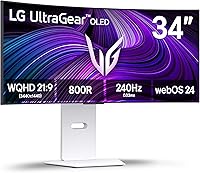
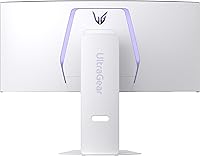
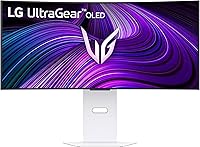
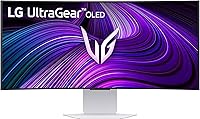
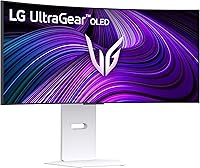
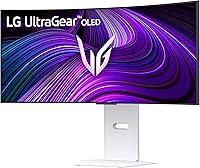
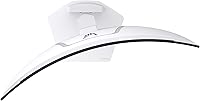
The LG 34GX90SA-W 34-inch OLED Curved Gaming Monitor launched in early 2025 as a serious play for gamers who refuse to choose between competitive performance and smart entertainment. Its 800R curvature is steeper than most ultrawide monitors on the market — aggressive enough that you genuinely feel wrapped inside the image rather than just looking at a wide screen. The white chassis is a real rarity in gaming hardware, and it looks surprisingly clean on a modern desk. Still, this is a premium-tier purchase, and buyers should go in with clear expectations about what that investment gets them.
Features & Benefits
What makes the 34GX90SA-W stand out is how its OLED panel changes the feel of everyday gaming. Where an IPS or VA monitor shows dark scenes as murky grey, this LG ultrawide OLED renders them with genuine depth — shadows look like shadows, not a washed-out approximation. The 240Hz refresh rate makes fast-paced games feel truly fluid, and the near-instant response time eliminates ghosting that plagues slower panels. The webOS24 smart platform is a real surprise: Netflix, Disney+, cloud gaming services like GeForce NOW — all accessible without a PC. Add G-Sync and FreeSync support across GPU brands, a matte anti-glare surface, and USB-C connectivity, and the feature set covers nearly every base.
Best For
This curved gaming monitor makes the most sense for PC gamers who play both competitive and story-driven titles and want a single display that handles both well. The ultrawide 21:9 format is genuinely immersive for open-world and racing games, but the high refresh rate keeps it viable for faster-paced shooters too. Console and cloud gamers get real value from the built-in webOS platform, since it means fewer devices on the desk. Creative professionals doing color-sensitive work will appreciate the near-complete DCI-P3 coverage. That said, if you game purely for competitive rankings at the highest levels, a narrower flat high-refresh panel might suit you better at a lower cost.
User Feedback
Early buyers of the 34GX90SA-W have responded positively, with a 4.2-star average across a still-modest pool of ratings — not enough to call it definitive, but the early trend is encouraging. Picture quality and immersion are the most consistently praised aspects: owners frequently mention how much better dark scenes look compared to their previous monitors, and the curve gets specific credit for pulling you into wider environments. The honest sticking point that surfaces, though, is OLED burn-in risk — a legitimate concern at this price, particularly for users who keep static HUD elements on screen for long sessions. A handful of buyers also flagged questions about stand sturdiness, though it does not appear to be a widespread dealbreaker.
Pros
- OLED panel produces genuinely deep blacks that make dark game environments look dramatically better than VA or IPS alternatives.
- The 800R curve creates a strong sense of peripheral immersion on a 34-inch screen without feeling gimmicky.
- Built-in webOS lets you stream Netflix, Disney+, and cloud gaming services without needing a PC or console plugged in.
- Matte anti-glare surface solves a real pain point that glossy OLED monitors have struggled with.
- Works with both AMD and NVIDIA graphics cards for adaptive sync, so you are not locked into one GPU ecosystem.
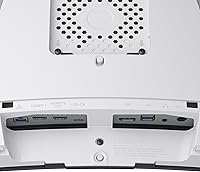
- USB-C input simplifies cable management for laptop users who want a single-cable desk connection.
- The white colorway stands out in a category where virtually every competitor defaults to black.
- Near-complete DCI-P3 coverage makes this curved gaming monitor a credible dual-purpose display for color-sensitive creative work.
- Early buyer ratings are positive and consistent, particularly around picture quality and the sense of immersion during gameplay.
Cons
- OLED burn-in risk is a legitimate long-term concern for users who run static interface elements for extended daily sessions.
- The steep 800R curve, while immersive, may feel too aggressive for users who prefer a flatter, more neutral viewing angle.
- The review pool is still relatively small for a monitor at this price tier, making it harder to assess long-term reliability.
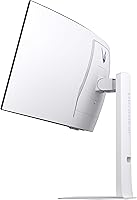
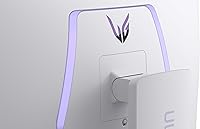
- Some early buyers have raised questions about stand build quality, which is worth factoring in if you plan to avoid a third-party arm.
- Ultrawide 21:9 aspect ratio is not universally supported in all games, and some titles will display black bars or require workarounds.
- The premium price makes this a difficult recommendation for anyone who will not regularly use both the gaming and smart TV features.
- At nearly 23 pounds, repositioning or transporting the 34GX90SA-W is not as simple as with smaller monitors.
- Buyers in very bright rooms may find even the matte surface struggles to fully counter direct sunlight or overhead lighting.
Ratings
Our AI-generated scores for the LG 34GX90SA-W 34-inch OLED Curved Gaming Monitor were produced by analyzing verified global buyer reviews, with spam, bot submissions, and incentivized feedback actively filtered out before scoring. The ratings below reflect both what real users genuinely praise and the friction points they encountered — nothing is glossed over. Across categories from picture quality to long-term ownership concerns, the 34GX90SA-W earns strong marks in most areas while showing measurable weak spots that serious buyers deserve to know about.
Picture Quality
Gaming Performance
Immersion & Curvature
Smart Platform (webOS)
Contrast & Black Levels
Burn-In Risk
Build Quality
Brightness & HDR
Connectivity
Anti-Glare Performance
Color Accuracy
Setup & Ergonomics
Value for Money
Suitable for:
The LG 34GX90SA-W 34-inch OLED Curved Gaming Monitor is built for a specific kind of buyer: someone who games seriously but also wants their monitor to do more than just display a desktop. PC gamers who split their time between immersive single-player titles and fast-paced multiplayer will find the combination of ultrawide immersion and high refresh rate genuinely useful rather than just impressive on paper. The steep 800R curve rewards people who sit relatively close to a large screen — it keeps the edges of a 34-inch display within comfortable peripheral vision rather than requiring you to turn your head. Hybrid users who want to stream shows, use cloud gaming services, or browse content without switching devices or inputs will get real daily value from the built-in webOS platform. Creative professionals who also game — photographers, video editors, colorists — will appreciate the near-complete DCI-P3 color coverage for work tasks alongside the strong gaming performance. Anyone building a clean, modern desk setup who is tired of the all-black gaming aesthetic will also find the white chassis a genuinely refreshing change.
Not suitable for:
The LG 34GX90SA-W 34-inch OLED Curved Gaming Monitor is not the right call for everyone, and being honest about that matters at this price point. Purely competitive gamers — people grinding ranked matches in fast-paced shooters where every millisecond counts — often prefer a narrower, flat display that keeps all the action in tight focus rather than spread across an ultrawide field. Budget-conscious buyers should also think carefully: the premium is real, and if the webOS smart features and OLED contrast are not priorities for you, a capable IPS or VA ultrawide can deliver solid gaming performance for considerably less. OLED burn-in is another honest concern worth raising — users who run games or applications with persistent on-screen elements like health bars, maps, or taskbars for many hours daily carry a higher risk over the long term, and that is not something to dismiss at this investment level. Finally, buyers who need a monitor that works comfortably in a very bright, sun-lit room may find that even a matte OLED surface has its limits compared to a high-brightness IPS panel.
Specifications
- Screen Size: The panel measures 34 inches diagonally, using a 21:9 ultrawide aspect ratio that provides significantly more horizontal workspace than a standard 16:9 display.
- Resolution: Native resolution is 3440 x 1440 pixels (WQHD ultrawide), delivering sharp detail across the wide panel without the GPU demands of 4K.
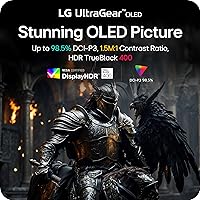
- Panel Type: Uses an OLED panel, which produces per-pixel light control for true blacks and a contrast ratio of 1.5M:1 — far beyond what LCD-based panels can achieve.
- Refresh Rate: Supports up to 240Hz, allowing the display to update the image 240 times per second for exceptionally smooth motion in fast-paced content.
- Response Time: Rated at 0.03ms GtG (gray-to-gray), which in practice means pixel transitions are nearly instantaneous and motion blur or ghosting is virtually eliminated.
- Curvature: Features an 800R curve radius — one of the steepest available on a consumer gaming monitor — designed to better match the natural arc of human peripheral vision at close viewing distances.
- Peak Brightness: Reaches up to 1300 nits peak brightness in HDR mode, with DisplayHDR True Black 400 certification confirming genuine HDR performance rather than software approximation.
- Color Coverage: Covers approximately 98.5% of the DCI-P3 color space, making it well-suited for color-critical creative work as well as gaming and media consumption.
- Smart Platform: Runs LG webOS24, a full smart TV operating system with native apps including Netflix, Prime Video, Disney+, Apple TV, and cloud gaming services such as NVIDIA GeForce NOW and Amazon Luna.
- Sync Technology: Supports both AMD FreeSync Premium and NVIDIA G-Sync Compatible adaptive sync, eliminating screen tearing across a wide range of graphics cards from either manufacturer.
- Connectivity: Includes a USB Type-C port for single-cable display and data delivery, alongside two USB 3.0 ports for peripheral connections directly from the monitor.
- Surface Treatment: The OLED panel is finished with a matte anti-glare coating, reducing reflections from ambient light sources — a meaningful practical improvement over glossy OLED alternatives.
- Dimensions: The assembled monitor measures approximately 30.87 inches wide, 22.85 inches tall, and 11.49 inches deep with the stand attached.
- Weight: The unit weighs 22.9 pounds with stand included, which is typical for a 34-inch curved monitor but worth noting if VESA mounting or repositioning is planned.
- Color Finish: Available exclusively in white, which sets it apart visually from the overwhelming majority of gaming monitors that ship only in black or dark grey.
- HDR Standard: Certified to VESA DisplayHDR True Black 400, a standard specifically designed for OLED displays that validates black level performance rather than just peak brightness claims.
- Aspect Ratio: The 21:9 ultrawide aspect ratio provides roughly 33% more horizontal screen space than a traditional 16:9 widescreen monitor of equivalent height.
- Release Date: This monitor became available in March 2025, making it a relatively recent release with a still-growing base of long-term user reviews.
Related Reviews
LG 34GS95QE 34-inch OLED Curved Gaming Monitor
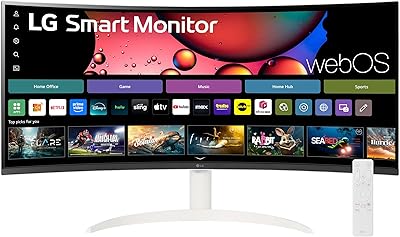
LG 34SR60QC-W 34-inch Curved Smart Monitor
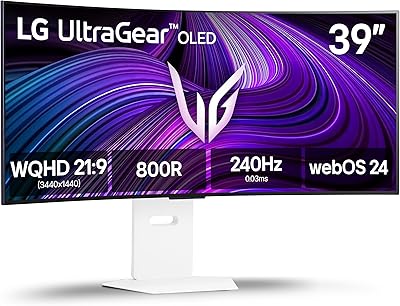
LG 39GX90SA-W 39-inch OLED Curved Gaming Monitor
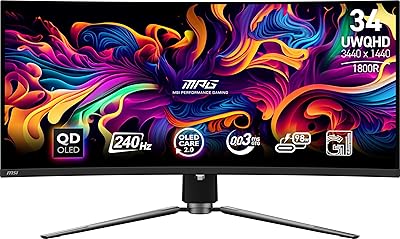
MSI MPG 341CQPX 34-inch OLED Gaming Monitor
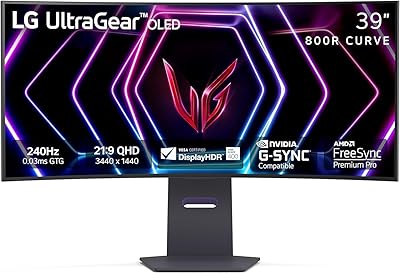
LG 39GS95QE 39-Inch Curved OLED Gaming Monitor
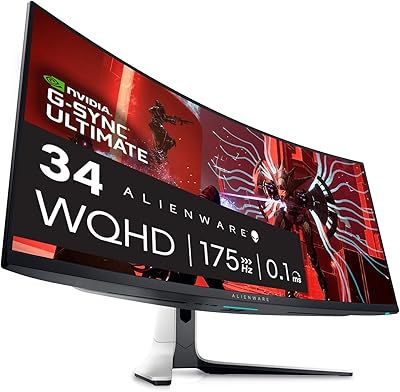
Alienware AW3423DW 34-inch QD-OLED Gaming Monitor
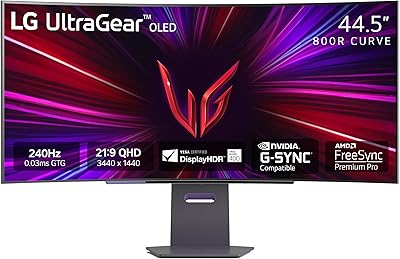
LG 45GS95QE 45-inch Curved OLED Gaming Monitor

Alienware AW3425DWM 34-inch Curved Gaming Monitor

Westinghouse 34-Inch Curved Ultrawide Gaming Monitor
