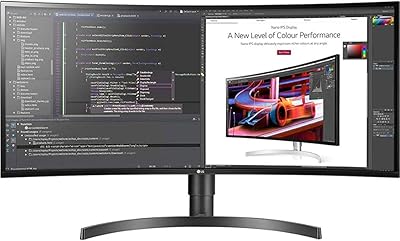
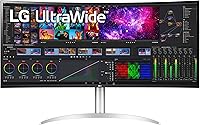
LG 40WP95C-W 40-inch UltraWide Monitor



Overview
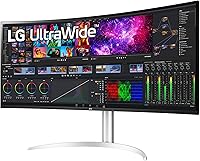
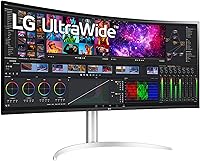
The LG 40WP95C-W 40-inch UltraWide Monitor sits firmly in premium territory, designed for creative professionals and power users who treat their display as a central work tool rather than an accessory. The defining characteristic is the curved 5K2K canvas — a genuinely unusual format that gives you the rough equivalent of two 27-inch monitors fused into one uninterrupted workspace. At this price point, you are not buying a general-purpose screen. You are committing to a specific way of working, and that distinction matters. The quality ceiling is high, but so are the expectations — and this display delivers on most of them, with a few caveats worth knowing upfront.
Features & Benefits
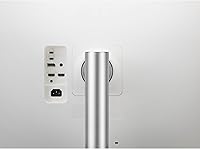
The Nano IPS panel is where this ultrawide monitor earns its keep. With 5120x2160 resolution stretched across a 21:9 aspect ratio, text stays sharp edge-to-edge — a real difference when you have a color grade open alongside reference footage. DCI-P3 98% coverage means colors reproduce accurately without manual post-correction, which matters enormously for photo and video work. Thunderbolt 4 with 96W power delivery handles video output, data transfer, and laptop charging over a single cable. That said, not every laptop delivers the full 96W while actively transferring data — worth verifying before you rely on it. The 2300R curvature and matte anti-glare coating reduce eye fatigue across those long editing sessions.
Best For
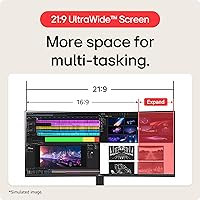
This 40-inch curved display was built for people with demanding, visually intensive work. Video editors and motion graphics artists are the clearest fit — the 5K2K layout means a timeline, preview window, and tool panels can all sit open without crowding each other. Photographers doing color-critical work get accurate wide-gamut reproduction without a separate reference display. If your laptop supports Thunderbolt 4, the single-cable desk setup is a notable convenience upgrade. Productivity users handling sprawling spreadsheets, multi-file codebases, or parallel research windows will also find the canvas genuinely useful. One group this display does not serve: competitive gamers. The 60Hz refresh rate is a firm ceiling, and that is not something you work around.
User Feedback
With roughly 400 ratings and a 3.8-star average, this ultrawide monitor earns solid but not universal praise. Those who love it tend to highlight color accuracy and the sheer scale of the workspace — Thunderbolt cable management also gets consistent appreciation. The criticism is harder to dismiss, though. Backlight bleed appears frequently enough across reviews to suggest it is not just isolated incidents, and quality control inconsistency at this price tier is a fair concern. Some buyers also ran into GPU compatibility problems — 5K2K resolution requires meaningful graphics horsepower that not every setup provides. Long-term reliability data is uneven. For the right buyer this display is very good, but it warrants careful research before purchase.
Pros
- Near-complete DCI-P3 color coverage makes it a credible tool for professional color work without a separate reference display.
- The 5K2K resolution across a 40-inch curved panel delivers a workspace that genuinely replaces a dual-monitor setup.
- Thunderbolt 4 single-cable connectivity is a clean, practical solution for modern laptop users.
- The matte anti-glare coating handles ambient light well, reducing reflections during long working sessions.
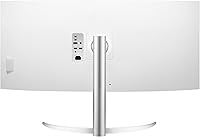
- A fully adjustable stand — height, tilt, and swivel — means you can dial in ergonomics without buying a third-party arm.
- HDR10 support adds useful dynamic range depth when reviewing multimedia or mixed content.
- The 2300R curvature keeps the wide canvas comfortable to scan without excessive head movement.
- Four USB 3.0 ports turn the monitor into a practical hub, reducing desktop cable clutter.
- The 3-side borderless design gives the workspace a clean, focused aesthetic that holds up in professional environments.
Cons
- The 60Hz refresh rate is a hard ceiling — anyone coming from a 144Hz or higher display will feel the difference immediately.
- Backlight bleed has been reported across enough units to suggest it is a recurring issue rather than an isolated defect.
- Quality control inconsistency at this price point is a legitimate concern, and returns or exchanges are a real possibility.
- Driving 5K2K resolution requires a capable discrete GPU — many mid-range setups will fall short without an upgrade.
- Not all Thunderbolt 4 laptops deliver the full 96W power delivery while simultaneously handling data and video output.
- At over 37 inches wide and nearly 27 pounds, this ultrawide monitor demands a large, sturdy desk and careful placement.
- Long-term reliability data from owners past the two-year mark is limited and somewhat uneven.
- The built-in speakers are adequate at best — anyone serious about audio will need external options.
Ratings
Our AI-generated scores for the LG 40WP95C-W 40-inch UltraWide Monitor were produced by analyzing verified owner reviews from multiple global markets, with spam, incentivized, and bot-flagged submissions actively filtered out before scoring. The ratings reflect the full picture — where this ultrawide genuinely excels and where real buyers have encountered frustration. Both standout strengths and persistent pain points are weighted transparently into every category score.
Image & Color Accuracy
Screen Real Estate
Connectivity & Cable Management
Build & Desk Presence
Ergonomics & Stand
Refresh Rate & Motion
Backlight Uniformity
GPU Compatibility
Value for Money
Matte Coating & Glare Handling
Audio Quality
Long-Term Reliability
Setup & Out-of-Box Experience
Suitable for:
The LG 40WP95C-W 40-inch UltraWide Monitor is purpose-built for professionals who spend the bulk of their working day inside demanding visual workflows. Video editors and motion graphics artists will find the 5K2K canvas transformative — having a timeline, preview window, and tool panels all visible simultaneously without scrolling or switching is a genuine productivity shift. Photographers and colorists benefit from the near-complete DCI-P3 coverage, which removes the need for a separate reference display in most studio or home-office setups. Laptop users running a modern Thunderbolt 4 machine — particularly MacBook Pro owners — will appreciate the single-cable approach: video, data, and up to 96W of charging all through one port. Productivity-focused professionals managing multiple documents, browser tabs, or data-heavy spreadsheets across a wide layout will also find this ultrawide a significant step up from a standard widescreen monitor.
Not suitable for:
The LG 40WP95C-W 40-inch UltraWide Monitor is a poor fit for anyone who games competitively or who prioritizes fast motion performance, as the 60Hz refresh rate is a firm hardware limitation with no workaround. Budget-conscious buyers should think carefully here — the price is substantial, and some units have shown backlight bleed and quality control inconsistencies that are difficult to justify at this tier. Users with older or mid-range graphics cards may struggle to drive the 5K2K resolution reliably, meaning the display's full capability could be inaccessible without a hardware upgrade. Those with compact desks should also check their setup carefully — at over 37 inches wide and nearly 27 pounds, this 40-inch curved display requires a solid, spacious surface. Finally, buyers who prioritize proven long-term reliability above all else may want to wait for a larger pool of multi-year ownership feedback before committing.
Specifications
- Screen Size: The panel measures 39.7 inches diagonally, marketed as a 40-inch class display.
- Resolution: Native resolution is 5120x2160 pixels, conforming to the 5K2K UltraWide standard.
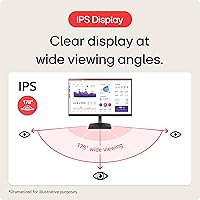
- Panel Type: Uses a Nano IPS panel, which delivers wide viewing angles and accurate color reproduction compared to standard IPS.
- Aspect Ratio: The screen uses a 21:9 ultrawide aspect ratio, significantly wider than a standard 16:9 monitor.
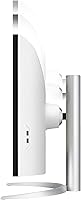
- Curvature: The panel has a 2300R curvature radius, providing a gentle curve across the wide screen surface.
- Color Gamut: Covers DCI-P3 98% (typical), making it suitable for professional color-critical workflows.
- HDR Support: Compatible with HDR10, enabling expanded dynamic range when viewing supported content.
- Refresh Rate: Maximum refresh rate is 60Hz, which is standard for professional productivity displays but below gaming-oriented monitors.
- Connectivity: Includes one Thunderbolt 4 port with 96W Power Delivery, supporting video, data, and laptop charging over a single cable.
- USB Ports: Equipped with four USB 3.0 ports, allowing peripheral connections directly through the monitor.
- Screen Surface: The panel uses a matte anti-glare coating to reduce reflections in bright or mixed-lighting environments.
- Built-in Audio: Features two integrated speakers with bass enhancement, suitable for casual listening but not professional audio work.
- Stand Adjustments: The included stand supports height, tilt, and swivel adjustments for ergonomic positioning flexibility.
- Dimensions: With the stand attached, the monitor measures 11.1 x 37.3 x 24.2 inches (depth x width x height).
- Weight: The full unit including stand weighs 27.1 pounds, requiring a sturdy and spacious desk surface.
- VESA Compatibility: The monitor supports VESA mounting, allowing use with third-party monitor arms if the included stand is removed.
- Power Input: Rated for 240V input; a compatible power adapter is required for regions with different voltage standards.
- Release Date: The monitor was first made available in February 2022.
Related Reviews
LG 34WQ650-W 34-inch UltraWide Monitor
LG 38WR85QC-W 38-inch Curved UltraWide Monitor
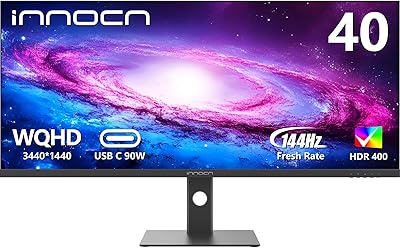
INNOCN 40C1R 40-inch WQHD Ultrawide Monitor
INNOCN 40C1U 40-inch Ultrawide Monitor
LG 34UM68-P 34-inch UltraWide Monitor
LG 34WK95U-W 34-inch UltraWide Monitor
LG 34SR60QC-W 34-inch Curved Smart Monitor
LG 32UP83A-W 32-inch 4K UHD Monitor
LG 32UL500-W 32-Inch 4K VA Monitor