Overview
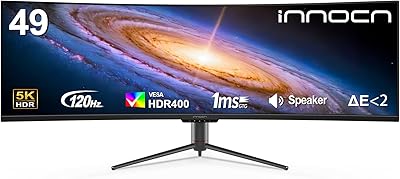
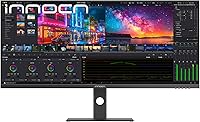
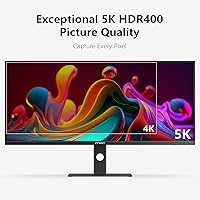
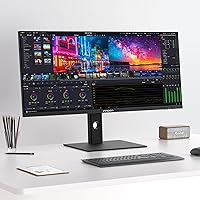
The INNOCN 40C1U 40-inch Ultrawide Monitor occupies an interesting spot in the market — aimed squarely at creative professionals and power users who want serious screen real estate without paying flagship prices. A 5K resolution at this size is genuinely rare; most 40-inch ultrawides top out at 4K, so the extra pixel density is a real differentiator for detail-heavy work. Physically, the design is clean and understated — slim three-sided bezels, a solid metal stand, and a matte IPS panel that avoids the glare glossy screens invite. At 350 nits brightness, it performs well in a controlled indoor environment but can struggle beside a sun-facing window. This is productivity-first hardware, not a gaming display dressed up with work credentials.
Features & Benefits
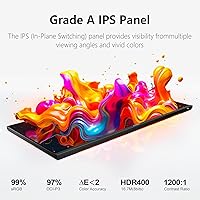
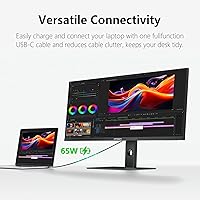
The panel is where the 40C1U earns its keep. Factory calibration to DeltaE under 2 means colors are accurate straight out of the box — no third-party colorimeter needed for most professional workflows. Coverage of 106% DCI-P3 and 135% sRGB makes this wide-screen display genuinely useful for photographers and video editors who need to trust what they see on screen. The 100Hz refresh rate with FreeSync keeps motion smooth enough for casual gaming, though that is not the primary draw. What stands out for laptop users is the USB-C 65W power delivery — one cable handles video, data, and enough charge to keep most laptops running. Dual HDMI 2.1 and a DisplayPort 1.4 round out the connectivity for desktop setups.
Best For
This ultrawide monitor is a strong fit for creative professionals — graphic designers, photographers, color graders — who want reliable accuracy without building a separate calibration routine into their day. The 21:9 canvas is wide enough to keep two full applications side by side without feeling cramped, which makes it practical for researchers and anyone juggling multiple tools at once. Laptop users will find the single-cable USB-C setup particularly compelling; it tidies desk clutter considerably. It handles light gaming sessions reasonably well, though dedicated gamers chasing higher refresh rates should look elsewhere. Home office users who care about ergonomic flexibility will appreciate the stand's height, tilt, and swivel range without needing to buy a separate monitor arm.
User Feedback
Buyers consistently highlight the out-of-box color accuracy — many report not touching color settings after unboxing, which carries real weight at this price point. The sheer width of the 40C1U gets mentioned repeatedly as a genuine workspace upgrade. On the downside, users in bright rooms flag the 350-nit ceiling as a notable limitation; afternoon sunlight can wash things out. Speaker quality draws polite indifference — adequate for the occasional video call but not something to depend on. The 65W USB-C charging works well for most ultrabooks but falls short for power-hungry machines. The 1-year warranty draws some grumbling, as buyers at this tier often expect longer coverage. Stand build quality earns mostly positive marks, though a few note the height adjustment feels slightly stiff when new.
Pros
- Factory color calibration means accurate output from day one, no extra equipment needed.
- 5K resolution on a 40-inch panel delivers noticeably sharper text and fine detail than standard 4K ultrawides.
- USB-C single-cable setup handles both video and laptop charging in one clean connection.
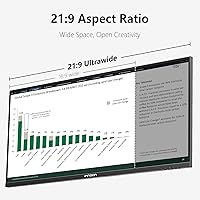
- The 21:9 canvas gives enough horizontal room to run two full applications side by side comfortably.
- Dual HDMI 2.1 and DisplayPort 1.4 mean you can connect a desktop, laptop, and console without unplugging anything.
- 106% DCI-P3 coverage is genuinely useful for photographers and video editors who need trustworthy color.
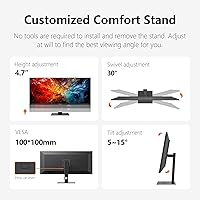
- The adjustable stand handles height, tilt, and swivel without requiring a separate monitor arm.
- 100Hz with FreeSync keeps casual gaming smooth enough to be enjoyable as a secondary use case.
- Slim bezels and a clean matte finish make this wide-screen display easy to fit into a tidy workspace.
- Flicker-free and blue light reduction features are practical for long daily work sessions.
Cons
- At 350 nits, brightness falls short in sun-lit rooms or beside large windows.
- The one-year warranty feels limited compared to rivals offering two or three years at similar price points.
- Built-in speakers are barely adequate — functional for calls but not for any real audio use.
- 65W USB-C charging struggles to keep up with power-hungry laptops under heavy workloads.
- HDR400 certification delivers minimal real-world HDR impact compared to displays with local dimming zones.
- The stand height adjustment can feel stiff initially, requiring more force than expected to reposition.
- At 34 pounds total, moving or repositioning the 40C1U on a desk is a two-handed job.
- No built-in KVM functionality limits multi-device workflow switching despite the strong port selection.
Ratings
The scores below reflect an AI-assisted analysis of verified global buyer reviews for the INNOCN 40C1U 40-inch Ultrawide Monitor, with spam, incentivized posts, and bot activity filtered out before scoring. Every category captures both what users genuinely praised and the friction points they reported in real workflows — nothing is glossed over. The result is a transparent, balanced picture of where this wide-screen display delivers and where it falls short.
Color Accuracy
Screen Real Estate
Brightness & Visibility
USB-C Connectivity
Refresh Rate & Gaming
Build Quality
Connectivity Range
Speaker Quality
HDR Performance
Value for Money
Setup & Installation
Eye Comfort
Ergonomics
Suitable for:
The INNOCN 40C1U 40-inch Ultrawide Monitor is built for people who spend most of their day doing serious visual work — graphic designers, photographers, and video editors who need a display they can trust without running a calibration routine every few weeks. The factory-accurate color output and wide DCI-P3 coverage make it a practical daily driver for color-sensitive workflows right out of the box. Laptop users working from a home office or hybrid setup will find the single-cable USB-C connection particularly valuable — it consolidates power and display into one port and keeps the desk tidy. The expansive 21:9 canvas suits researchers, writers, developers, and anyone who routinely runs two or three applications side by side, since the extra horizontal space removes the constant need to alt-tab. If you want one versatile display that handles both focused creative work and occasional evening gaming without requiring a second screen, this wide-screen display covers that ground well.
Not suitable for:
The INNOCN 40C1U 40-inch Ultrawide Monitor is not the right choice for buyers who work in naturally bright rooms with large windows, since the 350-nit brightness ceiling can make the screen feel washed out in strong ambient light. Dedicated gamers chasing the fastest possible response times or refresh rates above 100Hz will find more purpose-built options at comparable or lower prices. If your laptop draws significantly more than 65 watts under load — think high-end mobile workstations or gaming laptops — the USB-C power delivery will not keep the battery topped up during heavy use, which undermines the clean single-cable appeal. Buyers expecting an immersive HDR experience should temper expectations; HDR400 is a baseline certification that makes a modest real-world difference compared to proper HDR displays with local dimming. Finally, anyone prioritizing long warranty coverage may find the one-year included protection underwhelming relative to what competing brands offer at this price tier.
Specifications
- Screen Size: The panel measures 40 inches diagonally, providing a wide working surface suited to side-by-side application layouts.
- Resolution: Native resolution is 5120x2160 pixels, delivering a pixel density that keeps text and fine detail noticeably sharper than standard 4K ultrawide panels.
- Aspect Ratio: The 21:9 aspect ratio offers significantly more horizontal space than a standard 16:9 display of comparable height.
- Panel Type: An IPS panel is used, providing wide viewing angles and consistent color reproduction across the full screen.
- Refresh Rate: The display runs at up to 100Hz, with AMD FreeSync support to reduce tearing during video playback and gaming.
- Color Gamut: Coverage reaches 135% sRGB and 106% DCI-P3, making it suitable for color-critical creative and post-production work.
- Color Accuracy: Each unit is factory-calibrated to a DeltaE below 2, meaning colors are accurate enough for professional use straight out of the box.
- Brightness: Peak brightness is rated at 350 nits, which is adequate for controlled indoor environments but may feel insufficient in rooms with strong ambient light.
- Contrast Ratio: The static contrast ratio is 1200:1, a typical figure for IPS technology at this class.
- HDR Support: The display carries an HDR400 certification, offering basic high dynamic range support rather than a full local-dimming HDR implementation.
- Video Inputs: Connectivity includes 2x HDMI 2.1 and 1x DisplayPort 1.4, all capable of driving the full 5K resolution at 100Hz.
- USB-C Port: A single USB-C 3.1 port supports both video input and up to 65W of power delivery for connected laptops.
- USB Hub: The monitor includes 2x USB-A 3.0 downstream ports and 1x USB-B 3.0 upstream port for peripheral connectivity.
- Built-in Audio: Two integrated 5W speakers rated at 4Ω are included, suitable for basic system audio and video calls.
- Stand Adjustments: The included metal stand supports height, swivel, and tilt adjustments, removing the need for an aftermarket arm in most desktop setups.
- VESA Mounting: The display is VESA-compatible with a 100x100mm pattern, fitting the vast majority of third-party monitor arms and wall mounts.
- Dimensions: With the stand attached, the monitor measures approximately 37.16″ wide, 16.5″ tall, and 2.27″ deep at the panel.
- Weight: The panel without stand weighs 19.30 lbs; total packaged weight with stand is approximately 34.1 lbs.
- Eye Care: The display includes flicker-free backlighting and a blue light reduction mode to reduce eye strain during extended use sessions.
- Warranty: INNOCN includes a 1-year manufacturer warranty covering product quality defects, with 24-hour customer support access.
Related Reviews
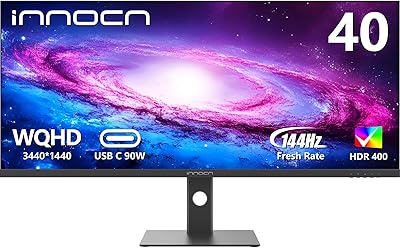
INNOCN 40C1R 40-inch WQHD Ultrawide Monitor
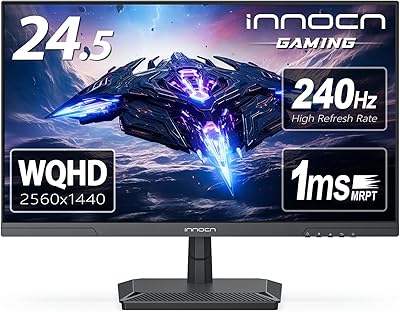
INNOCN 25G2S 24.5″ Gaming Monitor
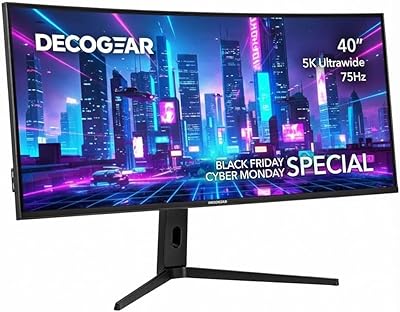
Deco Gear VIEW401 40″ Ultrawide Monitor
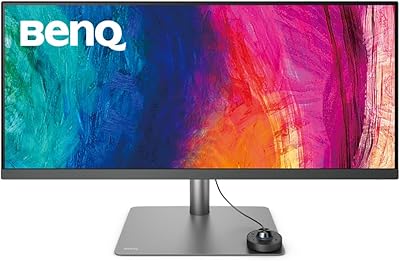
BenQ PD3420Q 34-inch Ultrawide Monitor
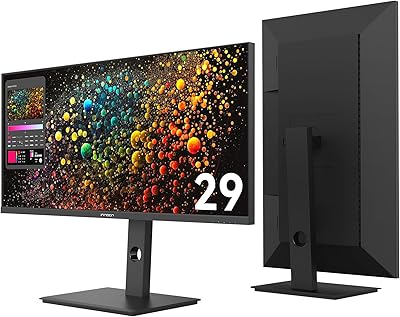
INNOCN 29B2F-P 29″ Ultrawide Monitor
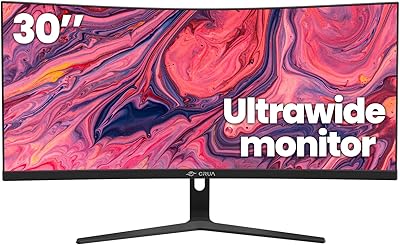
CRUA CR300ZA 30-Inch Ultrawide Curved Monitor
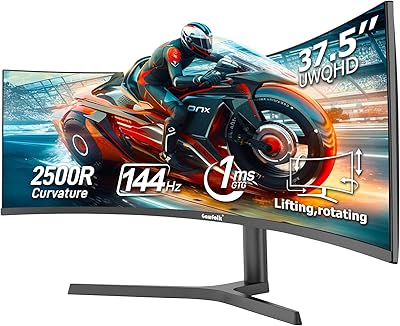
Gawfolk GF400A 38-Inch Ultrawide Gaming Monitor
Sceptre E305B-FU200T 30-inch Ultrawide Monitor
LG 40WP95C-W 40-inch UltraWide Monitor