Overview

The LG 34UM68-P 34-inch UltraWide Monitor sits in a comfortable spot between entry-level displays and fully pro-grade panels — capable enough for serious work, without the steep cost of flagship alternatives. The 21:9 aspect ratio is the real story here; compared to a standard 16:9 screen, you get dramatically more horizontal space, which changes how you work rather than just how things look. The IPS panel keeps colors consistent whether you are sitting dead center or viewing from a wide angle. The height-adjustable stand is a practical bonus that many competitors in this category skip entirely. Just know upfront: this is a productivity-first display, not a speed-focused gaming monitor.

Features & Benefits

The 34UM68-P's biggest practical advantage is the wide ultrawide canvas — at 2560x1080, you can place two full application windows side by side without overlap, which a standard monitor simply cannot replicate. The Screen Split feature in LG's On-Screen Control software makes managing those windows easier, letting you divide the display into zones without hunting through system settings. Colors look genuinely good out of the box thanks to over 99% sRGB coverage; reds, blues, and skin tones all land where they should. The 75Hz refresh rate paired with AMD FreeSync keeps everyday motion and casual gaming smooth. Two HDMI ports and a DisplayPort mean swapping between a laptop, PC, or console stays straightforward.

Best For

This ultrawide monitor makes the most sense for people who genuinely multitask for a living — think developers with code on one side and documentation on the other, or marketers juggling spreadsheets alongside a browser. Photo and video editors will appreciate the accurate color reproduction for reviewing work before export. If you do some casual gaming after hours, the FreeSync support handles it fine; just do not expect a competitive edge in fast-paced titles. Home office workers with cramped desks will find the height-adjustable stand surprisingly useful day-to-day. The relatively shallow footprint also means it fits reasonable desk depths without pushing everything else off the back edge.

User Feedback

Owners of this LG 34-inch display tend to land in two camps: those who love it and those who wish they had gone further. The praise is consistent — the ultrawide format genuinely reshapes daily workflows, and color accuracy earns specific compliments from creatives who expected to need calibration right out of the box. But two criticisms surface regularly. The glossy panel surface picks up reflections in rooms with windows or overhead lighting, which can get distracting during long sessions. Some buyers also feel the 2560x1080 resolution looks softer than expected at this screen size, especially when reading small text. FreeSync works well, but the 75Hz ceiling leaves dedicated gamers wanting more.

Pros

  • The 21:9 aspect ratio creates genuine side-by-side multitasking space that a standard widescreen monitor simply cannot match.
  • Out-of-the-box color accuracy means creatives can start working confidently without spending time on manual calibration.
  • AMD FreeSync support keeps casual gaming and everyday scrolling visually smooth at 75Hz.
  • The height-adjustable stand is a real ergonomic upgrade that many similarly priced competitors do not offer.
  • Two HDMI ports plus a DisplayPort make it easy to connect multiple devices without a separate switch.
  • LG's Screen Split software simplifies window management directly from the monitor, reducing reliance on OS-level tools.
  • The IPS panel maintains consistent color and brightness even when viewed from wide off-center angles.
  • VESA compatibility gives you the option to wall-mount or use a third-party arm if the stand ever feels limiting.

Cons

  • At 34 inches, the 2560x1080 resolution produces a noticeably lower pixel density than QHD alternatives, which can make text look soft.
  • The glossy panel surface catches reflections in rooms with natural light or overhead lighting, which gets tiring fast.
  • A 75Hz refresh rate ceiling leaves competitive and enthusiast gamers underserved compared to higher-refresh panels.
  • The sRGB-only color gamut limits usefulness for professional video work that requires wider DCI-P3 or AdobeRGB coverage.
  • At 24.2 pounds, this ultrawide monitor is heavier than it looks and can be awkward to reposition solo.
  • No USB-C or Thunderbolt input means users with modern laptops will need a separate adapter or dock.
  • The glossy finish also shows fingerprints and smudges more visibly than a matte-coated alternative would.

Ratings

Our AI-generated scores for the LG 34UM68-P 34-inch UltraWide Monitor were produced by analyzing thousands of verified global user reviews, with spam, bot-submitted, and incentivized feedback actively filtered out before any scoring took place. The ratings below reflect a balanced synthesis of what real buyers praised and where they ran into frustration — nothing is softened to protect the product's reputation. Whether this ultrawide display suits your setup or falls short depends heavily on the use case, and the scores are designed to make that distinction clear.

Multitasking Performance
91%
Users working across multiple applications — spreadsheets alongside browsers, code editors next to documentation, email beside a project dashboard — consistently describe the 21:9 canvas as a workflow upgrade they did not know they needed. The width makes context-switching feel genuinely faster because everything stays visible at once.
A handful of reviewers note that some older productivity apps do not handle ultrawide layouts gracefully, occasionally producing stretched interfaces or unusable sidebars that require manual window resizing to fix.
Color Accuracy
86%
The IPS panel's sRGB coverage consistently earned praise from photographers and graphic designers who found colors reliable straight out of the box without any manual calibration. Skin tones, saturated hues, and neutral grays all landed accurately enough for professional review work in everyday lighting.
Users working in wide-gamut environments — DCI-P3 video work or AdobeRGB print prep — quickly found the panel's color space too narrow for their needs, which is a legitimate limitation for anyone beyond standard sRGB workflows.
Viewing Angles
88%
The IPS panel's near-180-degree horizontal and vertical viewing angles mean that colors and brightness stay consistent whether you are sitting directly in front or slightly off to one side, which matters during collaborative reviews or dual-user desk setups.
At extreme angles the panel does exhibit a mild brightness falloff typical of IPS technology, though most users seated at a normal working distance will never encounter this in practice.
Resolution & Sharpness
63%
37%
For users coming from a standard 1080p 16:9 monitor, the ultrawide resolution feels like a clear step up in usable screen real estate, and video content in 21:9 native format fills the panel beautifully without letterboxing.
2560x1080 spread across 34 inches produces a noticeably lower pixel density than QHD alternatives, and this is the most recurring complaint in user feedback — small text can look softer than expected, particularly for users who sit within 24 inches of the screen.
Gaming Experience
67%
33%
AMD FreeSync keeps casual gaming smooth and tear-free, and the ultrawide field of view adds genuine immersion in supported titles like racing games and open-world RPGs that benefit from the wider perspective.
The 75Hz ceiling is a hard limitation for competitive players, and the 5ms response time is workable but not fast enough for fast-paced shooters where panel response directly affects perceived clarity during rapid motion.
Stand & Ergonomics
84%
Height and tilt adjustability is something buyers specifically call out as a differentiator, especially those upgrading from fixed-tilt monitors. Being able to fine-tune screen height across a full workday makes a meaningful difference for neck and shoulder comfort.
There is no swivel adjustment, which means rotating the display slightly left or right to share a view with a colleague requires physically moving the entire base — a minor but real limitation in collaborative office environments.
Screen Glare & Surface
58%
42%
In controlled lighting environments — home offices with blinds drawn or windowless workspaces — the glossy surface does deliver slightly richer-looking colors and deeper perceived blacks compared to matte-coated alternatives at this price point.
Reviewers in brighter rooms are consistent and pointed in their criticism: the glossy coating picks up window reflections and overhead lighting aggressively, and prolonged exposure to that glare leads to real eye fatigue during long sessions.
Connectivity
79%
21%
Having two HDMI ports and a DisplayPort available simultaneously is genuinely practical — users can keep a desktop PC, a work laptop, and a gaming console all plugged in and switch between them via the on-screen menu without touching a cable.
The absence of any USB-C or Thunderbolt input is a recurring frustration for owners of modern thin-and-light laptops, who are forced to carry a separate adapter just to connect a device that only charges and outputs via USB-C.
On-Screen Software
74%
26%
LG's Screen Split and On-Screen Control are more capable than many buyers expect — the ability to define window zones and manage inputs from a desktop app saves real time for users who switch between sources or layouts frequently throughout the day.
The software can feel sluggish on launch and occasionally loses its configuration after system restarts, which forces a reapplication of settings — a minor but consistent annoyance reported by long-term users.
Build Quality
78%
22%
The overall construction feels solid for a display at this tier — the stand base does not flex noticeably under the weight of the 34-inch panel, and the plastic bezels, while not premium, are thin and do not distract from the screen during use.
Some users note the all-plastic construction feels less substantial than competing monitors in the same category, and a few reported light flex in the lower corners of the panel when adjusting the stand height with more force than necessary.
Setup & Installation
87%
Out of the box, assembly is straightforward — the stand attaches with a few screws and the display is ready to plug in within minutes. Plug-and-play compatibility means Windows and macOS both recognize the panel without driver installation.
The On-Screen Control software setup is less intuitive, and some users found the menu navigation on the monitor itself — navigating with physical buttons on the underside of the bezel — cumbersome when adjusting brightness or input settings.
Value for Money
72%
28%
For buyers who specifically need an ultrawide IPS panel with a height-adjustable stand and reliable sRGB accuracy, the 34UM68-P delivers a combination of features that would cost meaningfully more to piece together from competitors at the time of its positioning.
Buyers comparing it against newer ultrawide releases find it harder to justify — the resolution limitation and missing USB-C connectivity feel increasingly dated relative to what the current market offers at similar or slightly higher price points.
Footprint & Desk Fit
82%
18%
Despite its 34-inch width, the stand's base footprint is reasonably compact in depth, which means it fits comfortably on most standard desks without pushing monitors, speakers, or accessories off the back edge.
At 24.2 pounds, the monitor is heavier than its plastic construction suggests, and repositioning it solo — especially when mounting to a monitor arm — requires a careful two-handed approach that some users found unexpectedly awkward.

Suitable for:

The LG 34UM68-P 34-inch UltraWide Monitor is a strong fit for knowledge workers and multitaskers who spend long hours juggling multiple applications at once — developers, writers, analysts, and project managers will immediately feel the benefit of the wide horizontal canvas. If you regularly find yourself dragging windows between a dual-monitor setup, this single display essentially replaces that arrangement with a cleaner, bezel-free experience. Creative professionals doing photo editing, color grading, or graphic work will appreciate the accurate sRGB coverage, which means colors look reliable without requiring an expensive calibration session right out of the box. Home office users will find the height-adjustable stand genuinely useful for dialing in ergonomic positioning across a full workday. Anyone working with limited desk space who still wants a wide display will also benefit from the relatively compact footprint the stand occupies.

Not suitable for:

The LG 34UM68-P 34-inch UltraWide Monitor has clear limitations that certain buyers should weigh carefully before purchasing. Competitive gamers or anyone who prioritizes high refresh rates should look elsewhere — 75Hz is comfortable for casual play, but falls well short of the 144Hz or 165Hz panels that serious gaming demands. Users who sit close to their display or have sharp eyes for pixel density may find the 2560x1080 resolution looks noticeably soft at this screen size, especially when reading small text or working with fine detail; a QHD or 4K panel at this size would be a sharper choice for that use case. Those working in brightly lit rooms with windows behind them or overhead lighting should factor in the glossy screen surface, which can produce distracting reflections throughout the day. Video professionals working in wide color spaces like DCI-P3 will also find this panel lacking, as it covers sRGB well but does not extend meaningfully into broader gamuts.

Specifications

  • Screen Size: The panel measures 34 inches diagonally, providing a wide working area suited to side-by-side application use.
  • Resolution: Native resolution is 2560x1080 pixels, delivering Full HD UltraWide detail across the 21:9 canvas.
  • Aspect Ratio: The 21:9 aspect ratio gives significantly more horizontal screen space than a conventional 16:9 widescreen display.
  • Panel Type: An IPS LED panel is used, ensuring consistent color reproduction and wide viewing angles from virtually any seated position.
  • Refresh Rate: The display runs at up to 75Hz, which is adequate for everyday computing and casual gaming but not competitive play.
  • Response Time: Gray-to-gray response time is rated at 5ms, which is acceptable for general use and light gaming scenarios.
  • Color Gamut: The panel covers over 99% of the sRGB color space, providing reliable color accuracy for photo editing and media work.
  • Viewing Angle: Horizontal and vertical viewing angles are both rated at 178 degrees, minimizing color shift when viewed off-center.
  • Contrast Ratio: Dynamic contrast ratio is rated at 5,000,000:1, though real-world static contrast will be more moderate as is typical for IPS panels.
  • Adaptive Sync: AMD FreeSync is supported, reducing screen tearing and stutter when paired with a compatible AMD graphics card.
  • Connectivity: The monitor includes two HDMI ports and one DisplayPort input, allowing simultaneous connection of multiple source devices.
  • Stand Adjustment: The included stand supports both height and tilt adjustment, enabling ergonomic positioning for a range of user heights and desk setups.
  • VESA Mount: A standard 100x100mm VESA pattern is present on the rear, supporting compatible wall mounts and monitor arms.
  • Screen Surface: The panel uses a glossy screen coating, which enhances color vibrancy but can produce reflections in rooms with strong ambient light.
  • Software: LG's On-Screen Control application is included and supports the Screen Split feature for dividing the display into multiple window zones.
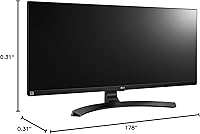
  • Dimensions: Without the stand, the monitor measures approximately 32.7″ wide, 15″ tall, and 1.9″ deep.
  • Weight: The full unit with stand weighs 24.2 pounds, which is worth considering if desk repositioning or arm mounting is planned.
  • Pixel Pitch: Pixel pitch is 0.312mm horizontally and 0.310mm vertically, resulting in a pixel density typical of Full HD UltraWide panels at this size.
  • Color Depth: The panel supports 8-bit color, rendering up to 16.7 million colors for smooth gradients and natural image reproduction.
  • Power Input: The monitor is rated for 240-volt input, and a compatible power adapter is included for standard regional use.

Related Reviews
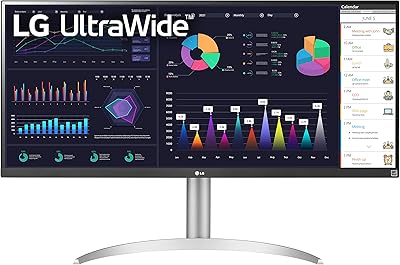
LG 34WQ650-W 34-inch UltraWide Monitor
77%
83%
Display Quality
91%
Productivity & Multitasking
88%
USB-C Connectivity
86%
Ergonomics & Stand
78%
Color Accuracy
More
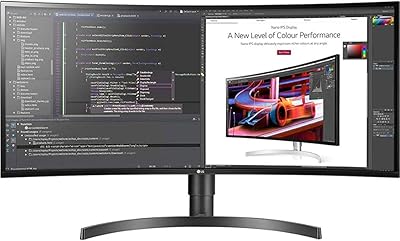
LG 34BL85C-B 34-inch UltraWide Curved Monitor
86%
92%
Display Quality
87%
Build Quality
88%
Ease of Setup
85%
Gaming Performance
90%
Multitasking Experience
More
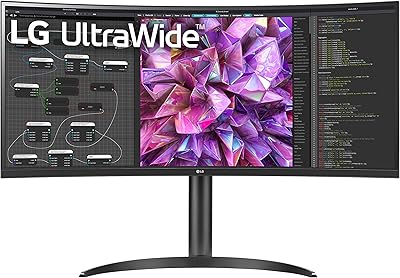
LG 34WQ73A-B 34-Inch UltraWide QHD Monitor
79%
91%
Color Accuracy
93%
Productivity & Multitasking
88%
KVM & Multi-Device Setup
89%
USB-C Connectivity & Cable Management
61%
Refresh Rate & Gaming Performance
More
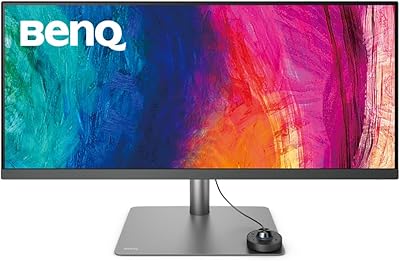
BenQ PD3420Q 34-inch Ultrawide Monitor
87%
91%
Display Quality
94%
Color Accuracy
88%
Ergonomics and Adjustability
89%
Connectivity and Ports
75%
Price-to-Value Ratio
More
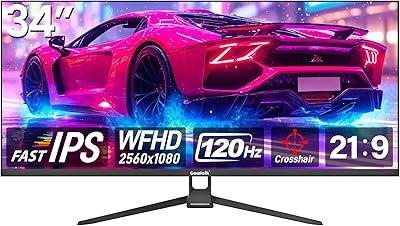
Gawfolk GF340H 34-inch Ultrawide Monitor
72%
84%
Value for Money
88%
Screen Real Estate
71%
Image Quality
78%
Color Accuracy
76%
Refresh Rate & Motion
More
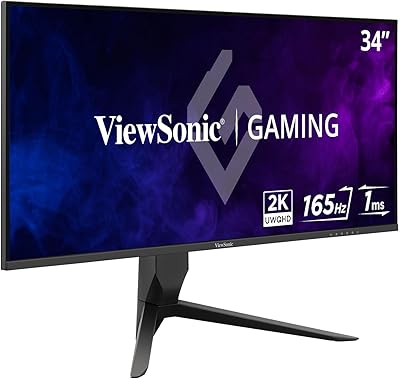
ViewSonic VX3418-2K 34-Inch Ultrawide Gaming Monitor

73%
89%
Value for Money
82%
Display Quality
81%
Gaming Performance
49%
Ergonomics & Stand
77%
Adaptive Sync Performance
More
Raywego Q34DB45-1 34-inch Curved Gaming Monitor
72%
88%
Value for Money
84%
Gaming Performance
74%
Image Quality
51%
HDR Performance
67%
Build Quality
More
LG 34WK95U-W 34″ UltraWide 5K Monitor
85%
94%
Display Quality
91%
Color Accuracy
89%
Build Quality
90%
Connectivity
85%
Ergonomics
More
Westinghouse 34-Inch Curved Ultrawide Gaming Monitor
72%
84%
Value for Money
78%
Image Quality
81%
Refresh Rate & Motion
82%
Adaptive Sync
83%
Curve & Immersion
More
Samsung 34-Inch SJ55W Ultrawide Monitor

77%
88%
Picture Quality
91%
Contrast & Blacks
86%
Resolution & Sharpness
67%
Refresh Rate & Gaming Smoothness
93%
Ultrawide Productivity
More

FAQ

This is one of the most common questions about this display, and it deserves an honest answer. At 2560x1080 across 34 inches, the pixel density is noticeably lower than a QHD panel at the same size. Most users find it perfectly acceptable for everyday work and media, but if you sit close to your screen or regularly work with fine text and small UI elements, you may notice some softness. It is worth considering a QHD ultrawide if pixel sharpness is a priority for you.

Yes, it works with any laptop that has a standard HDMI output. Keep in mind the 34UM68-P does not have a USB-C or Thunderbolt port, so if your laptop only has USB-C outputs you will need a USB-C to HDMI or USB-C to DisplayPort adapter. Most modern adapters handle this without issues, but it is an extra step worth planning for.

It depends heavily on your room setup. In a controlled environment with lighting behind you or to the side, the glare is manageable. However, if you have a window directly in front of you or bright overhead fluorescent lighting, the reflections can become genuinely distracting during long sessions. If your workspace has a lot of ambient light you cannot control, a matte-panel alternative would serve you better.

Casual gaming works well on this display — AMD FreeSync keeps things smooth and the 75Hz refresh rate is fine for story-driven games, RPGs, and slower-paced titles. Where it falls short is competitive multiplayer gaming, where players typically want 144Hz or higher for a meaningful edge. Think of gaming as a secondary capability here rather than a headline feature.

LG's On-Screen Control and Screen Split are genuinely useful for day-to-day multitasking. You can divide the display into two or more zones and assign inputs or windows to each section without touching your OS window manager. It is not perfect — the software can occasionally feel sluggish on first load — but once it is running it becomes a natural part of the workflow for most users.

Height adjustment is smooth and requires no tools — you just push or pull the panel up or down and it holds position reliably. Tilt adjustment is equally straightforward. It is one of those features you do not think about until you have used a fixed-tilt monitor for years, and then it feels indispensable. The range of height travel is also wide enough to accommodate both sitting and standing desk users at most heights.

Yes, it works with both operating systems as a standard plug-and-play display. The On-Screen Control software has historically been optimized for Windows, so macOS users may find some software features less reliable, but the core display functionality — resolution, refresh rate, and FreeSync — operates normally on both platforms.

You can connect up to three devices simultaneously using both HDMI ports and the DisplayPort input, then switch between inputs using the monitor's on-screen menu. There is no KVM switch built in, so you would need a separate peripheral switch if you want to share a keyboard and mouse across machines, but for display switching alone the multi-input setup works well.

The stand is solid for a monitor of this weight class. At 24.2 pounds the panel is on the heavier side, but the base keeps things stable on a normal desk surface. Typing vibration does not translate to noticeable screen wobble in typical use. If you plan to use a monitor arm instead, the 100x100mm VESA mount at the back makes that a clean swap.

Out of the box, this ultrawide monitor lands well within acceptable sRGB accuracy for most creative and everyday work — photo reviewers and graphic designers have noted they did not need to calibrate it before using it productively. Where it has limits is outside sRGB: it does not cover wide gamut color spaces like DCI-P3 or AdobeRGB to any meaningful degree, so professional video colorists or print-production specialists would be better served by a wide-gamut panel.