
Overview
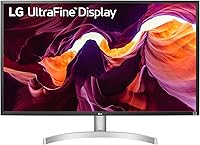
The LG 32UL500-W 32-Inch 4K VA Monitor landed in 2020 and has quietly held its ground as one of the more sensible mid-range 4K options available. It's not built for competitive gaming, and LG isn't pretending otherwise. The pitch is straightforward: a large, sharp display with a white/silver finish that actually looks decent on a desk instead of blending into a sea of matte-black plastic. AMD FreeSync and HDR 10 support are included without bumping the price into premium territory, which makes this 32-inch 4K LG monitor genuinely worth considering for anyone who wants quality without overpaying.
Features & Benefits
The VA panel is the real story here. Compared to IPS panels at a similar size, it produces noticeably deeper blacks and stronger contrast — the kind of difference that matters when you're watching dark scenes or working with photography. At 32 inches, the 4K resolution translates to a pixel density that keeps text crisp and images detailed without needing to push scaling too far. HDR 10 compatibility adds a visible lift to supported streaming content, though the brightness ceiling is modest enough that it won't replicate a dedicated HDR display. The dual HDMI and DisplayPort inputs handle most setups cleanly, and LG's On Screen Control software makes switching sources less of a chore.
Best For
This VA 4K display is a natural fit for anyone working from home who wants a large screen without committing to an ultrawide format. The extra real estate genuinely helps with multitasking — whether that's keeping a spreadsheet and browser side by side or running a video editor with a full timeline visible. Students and creatives get meaningful value here too. Casual gamers pairing it with an AMD GPU will appreciate FreeSync keeping things smooth at 60Hz, though if you're chasing frame rates in fast-paced shooters, this isn't the right tool. Budget-conscious buyers upgrading from a 1080p monitor will feel the 4K jump immediately.
User Feedback
Owners of the LG UltraFine 32UL500-W consistently point to picture quality and color richness as the highlights — a 4.5-star consensus across nearly 1,700 ratings reflects genuine satisfaction. That said, the feedback isn't without caveats. The stand is a recurring sticking point: tilt-only adjustment means anyone who needs height or swivel will almost certainly want a VESA arm. Competitive gamers who bought in expecting a 60Hz monitor to keep up with fast-paced titles have also been vocal. HDR performance draws a similar split — most agree it's a noticeable improvement, but not a dramatic one. Setup and menu navigation, at least, earn consistent praise for being refreshingly straightforward.
Pros
- VA panel produces noticeably deeper blacks and stronger contrast than most IPS monitors at this size.
- 4K resolution at 32 inches keeps text and images sharp without aggressive display scaling.
- 95% DCI-P3 color coverage delivers rich, vibrant color for everyday content and casual creative work.
- AMD FreeSync keeps gameplay smooth for casual gamers using compatible AMD graphics cards.
- Dual HDMI inputs plus DisplayPort means most users can connect everything they need without a switch.
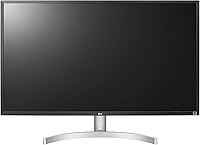
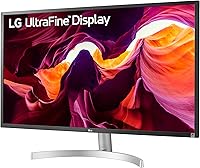
- The white and silver design stands out from the typical all-black monitor crowd and suits brighter desk setups.
- LG's On Screen Control software makes adjusting settings and switching inputs faster than navigating physical buttons.
- VESA mount compatibility gives users the freedom to upgrade to a full ergonomic arm setup.
- Setup is consistently praised as quick and the on-screen menu is easy to navigate from day one.
- Strong value proposition for first-time 4K buyers who want large-screen sharpness without a premium price tag.
Cons
- The tilt-only stand offers no height or swivel adjustment, which is a real problem for ergonomic desk setups.
- A 60Hz refresh rate rules this VA 4K display out entirely for competitive or high-frame-rate gaming.
- HDR 10 support improves the picture modestly, but the panel brightness is too limited for a genuine HDR impact.
- The 4ms GtG response time can produce noticeable motion blur in fast action sequences compared to faster panels.
- No USB hub built into the monitor, which reduces convenience for users with multiple peripherals.
- The glossy screen surface can reflect ambient light and cause glare in brightly lit rooms.
- At 13.64 pounds, repositioning or mounting the monitor solo is more awkward than lighter alternatives.
- Buyers wanting NVIDIA G-Sync compatibility won't find it here — FreeSync support only.
Ratings
Our AI rating system analyzed thousands of verified global purchases of the LG 32UL500-W 32-Inch 4K VA Monitor, actively filtering out incentivized, bot-generated, and outlier reviews to surface what real buyers consistently experienced. The scores below reflect an honest cross-section of sentiment — where this display genuinely impresses and where it falls measurably short. Both the strengths that drive its 4.5-star consensus and the recurring frustrations that hold it back are transparently captured here.
Picture Quality
Color Accuracy
HDR Performance
Refresh Rate & Gaming
Ergonomics & Stand
Build Quality
Connectivity
Setup & Usability
Value for Money
Screen Real Estate
Text Rendering
Design & Aesthetics
Response Time
Suitable for:
The LG 32UL500-W 32-Inch 4K VA Monitor is a strong match for remote workers and home office professionals who want a large, sharp display without the desk sprawl of an ultrawide. If you spend long hours in spreadsheets, documents, or browser tabs, the jump from 1080p to 4K at this size is immediately noticeable — text stays crisp, and you can comfortably fit more on screen without everything feeling cramped. Students and creatives working with photos, graphics, or video timelines will appreciate the 95% DCI-P3 color coverage and the contrast depth that VA panels naturally deliver. Casual gamers with AMD GPUs also have something to gain here, since FreeSync keeps 60Hz gameplay smooth and tear-free. Anyone upgrading from an older 1080p monitor for the first time will find this VA 4K display delivers a meaningful and visible improvement in everyday use.
Not suitable for:
The LG 32UL500-W 32-Inch 4K VA Monitor is not the right call for competitive or fast-paced gamers — 60Hz is a hard ceiling, and no amount of FreeSync will compensate for that in titles where frame rate genuinely matters. If you're coming from a 144Hz or higher panel, the step down will feel obvious and frustrating. The tilt-only stand is also a real ergonomic limitation; buyers who need height adjustment or monitor swivel for a multi-screen setup will need to budget for a separate VESA arm from day one. Those chasing a true HDR experience should also look elsewhere — the panel's brightness cap means HDR 10 support adds polish, but it won't replicate the impact of a monitor built specifically around high-brightness HDR delivery. Creative professionals who depend on fully calibrated, wide-gamut accuracy for print work or broadcast color grading may also find more precise options at a similar price point.
Specifications
- Panel Type: This monitor uses a VA (Vertical Alignment) panel, which provides stronger contrast ratios and deeper blacks than typical IPS panels at this size.
- Screen Size: The viewable screen area measures 31.2 inches diagonally, marketed as a 32-inch class display.
- Resolution: Native resolution is 3840x2160 (4K UHD), delivering approximately 140 pixels per inch for sharp, detailed imagery across the full panel.
- Refresh Rate: The panel operates at a maximum refresh rate of 60Hz, suitable for everyday productivity and casual gaming but not for high-frame-rate competitive play.
- Response Time: Gray-to-gray (GtG) response time is rated at 4ms, which is adequate for general use but slower than panels optimized for fast-paced gaming.
- HDR Support: The monitor is HDR 10 compatible, offering improved dynamic range on supported content, though peak brightness is modest compared to dedicated HDR displays.
- Color Gamut: Color coverage reaches 95% of the DCI-P3 color space, providing rich, saturated color output well suited for content consumption and light creative work.
- Sync Technology: AMD FreeSync is supported, reducing screen tearing and stuttering when paired with a compatible AMD Radeon graphics card at 60Hz.
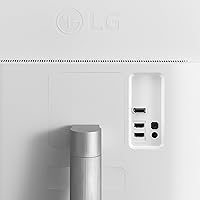
- Connectivity: The monitor includes two HDMI ports and one DisplayPort input, covering the majority of desktop and laptop connection scenarios without requiring an external hub.
- Aspect Ratio: Standard 16:9 widescreen aspect ratio, making it compatible with virtually all modern video content, operating systems, and productivity layouts.
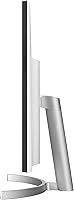
- Stand Adjustment: The included stand supports tilt adjustment only; height, swivel, and pivot adjustments are not available without an aftermarket VESA mount arm.
- VESA Mounting: The display is VESA mount compatible, allowing users to attach a third-party monitor arm or wall mount for improved ergonomic positioning.
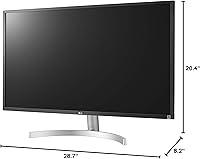
- Dimensions: With the stand attached, the monitor measures 28.7 x 8.2 x 20.4 inches (L x W x H), requiring moderate desk depth for comfortable placement.
- Weight: Total weight with stand is 13.64 pounds, making solo repositioning manageable but slightly awkward for a single person mounting it to an arm.
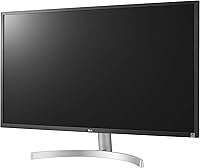
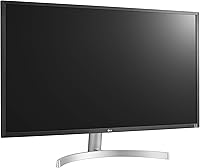
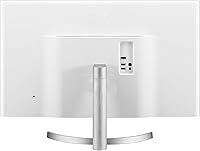
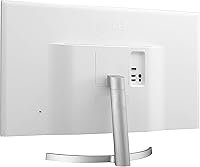
- Color & Finish: The chassis is finished in silver and white, a deliberate departure from the all-black aesthetic common across most desktop monitors in this category.
- Software: LG On Screen Control software is compatible with this display, allowing users to adjust picture settings and switch inputs directly from their desktop without using physical buttons.
- Power Input: The monitor is rated for 240V input, and ships with the appropriate power adapter for the target region of sale.
- Release Date: This display was first made available in May 2020 and has remained in LG's lineup as an accessible entry point into 4K desktop monitoring.
Related Reviews
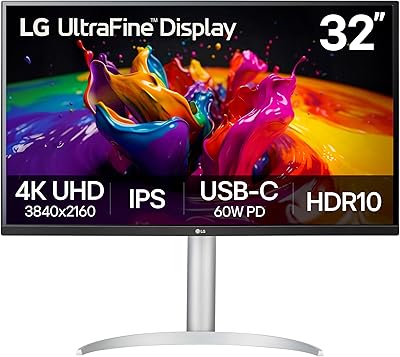
LG 32UP83A-W 32-inch 4K UHD Monitor
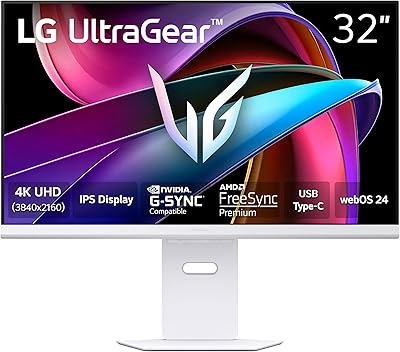
LG 32G810SA-W 32-inch UltraGear Gaming Monitor
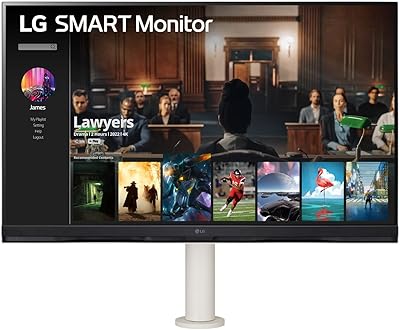
LG 32SQ780S 32-inch 4K Smart Monitor
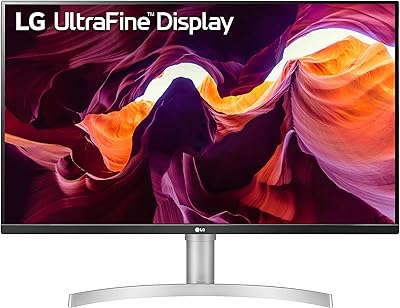
LG 27UL550-W 27-inch 4K UHD Monitor
LG 27US500-W 27″ 4K UHD Monitor
LG 32UR500K-B 32-inch 4K UHD Monitor
LG 32″ 4K UHD webOS Smart Monitor
LG 27SR75U-W 27-inch 4K Smart Monitor
LG 27UP850K-W 27-inch 4K IPS Monitor