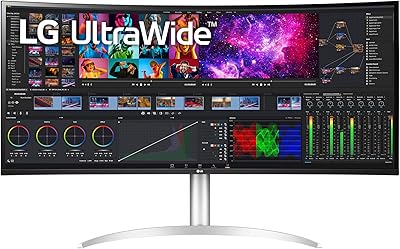
LG 34WQ650-W 34-inch UltraWide Monitor
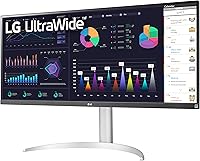
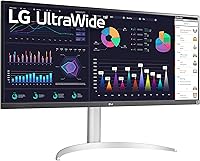

Overview
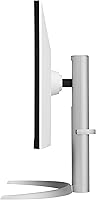
The LG 34WQ650-W 34-inch UltraWide Monitor sits squarely in the mid-range sweet spot — capable enough for serious productivity work, honest enough not to pretend it's a professional color-grading display. The 21:9 aspect ratio is really what defines the experience here; that extra horizontal canvas changes how you interact with applications, spreadsheets, and browser windows in ways a standard widescreen simply cannot match. Unlike budget ultrawides that arrive with a stubborn fixed stand, this LG ultrawide includes height and tilt adjustment, which matters more than people expect once they're actually sitting in front of it all day. The IPS panel keeps colors consistent at wider viewing angles compared to VA alternatives, though color purists and competitive gamers will want to look elsewhere.
Features & Benefits
The USB-C single-cable connection is genuinely one of the most practical things about this wide-format display — plug a compatible laptop in and you get video, data, and power delivery through one port, no adapter juggling required. The 2560x1080 IPS panel looks vibrant for general use, though if you sit close to a 34-inch screen and pixel-peep text, the lower vertical resolution is noticeable compared to a 1440p ultrawide. FreeSync reduces tearing in casual gaming while 1ms MBR helps with motion clarity, but these two modes do not run simultaneously. The DisplayHDR 400 certification is entry-level by HDR standards — a meaningful step up from nothing, but nowhere near the contrast punch of a proper HDR display. Built-in speakers handle video calls adequately; do not expect more.
Best For
This LG ultrawide really hits its stride with remote workers and multitaskers who have grown tired of juggling two monitors. Having a single wide canvas for side-by-side windows — a browser and a document, a code editor and a terminal — is legitimately useful and reduces desktop clutter considerably. Students, writers, and anyone who spends long hours at a desk will appreciate the ergonomic stand, which makes dialing in the right viewing height straightforward rather than a stack-of-books workaround. Laptop users connecting via USB-C will find the single-cable workflow especially tidy. Light gamers playing RPGs or strategy titles will get enough from FreeSync for a smooth experience, though anyone chasing high refresh rates for shooters should look at a more gaming-focused panel.
User Feedback
Across a large pool of verified buyers, USB-C convenience draws consistent praise — laptop users in particular call it out as a key reason they chose this model over competitors. The adjustable stand gets positive mentions too, with people noting the build feels solid relative to the price. Where opinions split is on vertical resolution: for some, 1080p on a 34-inch screen feels spacious enough; others coming from 27-inch 1440p monitors find the pixel density a noticeable step down, especially for reading dense text. IPS glow and backlight bleed appear in a handful of reviews — not universally, but worth knowing if you work in dark environments. Long-term reliability appears solid, consistent with LG's general track record in the monitor space.
Pros
- The 21:9 aspect ratio delivers a genuinely wide workspace that transforms how you multitask across applications.
- USB-C single-cable setup is a real convenience win for laptop users who want a cleaner, simpler desk connection.
- The IPS panel holds consistent color and brightness across wide viewing angles, unlike cheaper VA alternatives.
- Height and tilt adjustability on the stand is a meaningful ergonomic advantage over fixed-stand budget ultrawides.
- 99% sRGB coverage makes this LG ultrawide a capable display for hobbyist photo editing and everyday content work.
- AMD FreeSync keeps casual gaming smooth and tear-free without requiring a premium graphics card to benefit.
- The matte screen surface handles ambient light well, reducing glare during daytime home office use.
- Build quality feels solid and more premium in person than the price bracket would typically suggest.
- Out-of-box color calibration is accurate enough for most users to start working immediately without manual adjustments.
- LG’s long-term reliability track record provides reasonable confidence in multi-year ownership.
Cons
- Vertical resolution at FHD is a real trade-off on a 34-inch panel — text sharpness suffers noticeably up close.
- IPS glow and mild backlight bleed appear consistently enough in buyer reviews to be a genuine concern in dark rooms.
- DisplayHDR 400 delivers only marginal HDR improvement; dark scenes in movies retain a visible grey wash.
- FreeSync and 1ms MBR modes cannot run simultaneously, limiting gaming versatility for mixed-use setups.
- USB-C power delivery may not fully keep pace with high-performance laptops running at peak load.
- Built-in speakers are too thin and flat for music or cinematic content — external audio is essentially required.
- The stand lacks swivel rotation, which reduces flexibility for users who occasionally reposition their monitor.
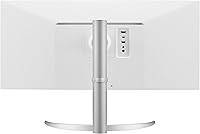
- Cable management on the stand is minimal, leaving rear cable runs untidy on otherwise clean desk setups.
- Some units have shipped with dead pixels or early backlight irregularities, suggesting inconsistent quality control.
- Ultrawide format still causes compatibility issues in older software, resulting in stretched or pillar-boxed interfaces.
Ratings
The LG 34WQ650-W 34-inch UltraWide Monitor earns its place as one of the more well-rounded mid-range ultrawides on the market, and the scores below reflect exactly that — neither inflated nor unfairly harsh. Our AI has analyzed thousands of verified global buyer reviews, actively filtering out incentivized, bot-generated, and outlier feedback to surface what real daily users consistently experience. Strengths and frustrations are weighted equally here, so prospective buyers get an honest picture before committing.
Display Quality
Productivity & Multitasking
USB-C Connectivity
Ergonomics & Stand
Color Accuracy
HDR Performance
Gaming Performance
Built-in Speakers
Build Quality & Materials
Image Uniformity
Setup & Out-of-Box Experience
Value for Money
Long-Term Reliability
Suitable for:
The LG 34WQ650-W 34-inch UltraWide Monitor is built for people who spend the majority of their day working across multiple windows and genuinely feel constrained by a standard widescreen. Remote workers who have outgrown dual-monitor setups will find the 21:9 canvas a natural fit — one wide screen, less cable chaos, and a more focused desk. Laptop users benefit especially, since the USB-C connection handles video, power, and data in a single port, effectively turning the monitor into a lightweight docking station. Students, coders, and writers who live in side-by-side layouts — a reference document next to a working draft, a terminal beside a code editor — will get real, daily mileage out of the extra horizontal room. The height-adjustable stand also makes this a solid pick for shared home office spaces where different users need to dial in their own ergonomic setup without buying a separate monitor arm.
Not suitable for:
The LG 34WQ650-W 34-inch UltraWide Monitor is not the right call for buyers whose priority is pixel sharpness, because at 34 inches the FHD resolution means noticeably lower pixel density than a 27-inch 1440p display — especially felt when reading dense code, small UI text, or detailed design work. Professional photographers and graphic designers working toward print-accurate output will also find this wide-format display falls short, as it covers sRGB well but does not meaningfully reach DCI-P3 or AdobeRGB. Anyone expecting a genuine HDR experience should look elsewhere; DisplayHDR 400 is entry-level by any realistic standard, and dark cinematic content will look grey rather than deep without local dimming. Competitive gamers chasing high refresh rates for fast-paced shooters will find the gaming ceiling here limiting compared to purpose-built gaming monitors. Finally, users with very compact desks should be aware that the base footprint is wide, and 34 inches of panel width demands more physical space than the product photos tend to convey.
Specifications
- Screen Size: The display measures 34 inches diagonally, providing a wide horizontal canvas suited to side-by-side multitasking workflows.
- Resolution: Native resolution is 2560 x 1080 pixels, classified as Full HD UltraWide, delivering broad horizontal coverage at a standard vertical pixel count.
- Aspect Ratio: The panel uses a 21:9 aspect ratio, which is significantly wider than a standard 16:9 display and reshapes how content and applications are laid out on screen.
- Panel Type: An IPS panel is used, offering stable color reproduction and consistent image quality when viewed from off-center angles.
- Color Gamut: The display covers 99% of the sRGB color space, making it well-suited for web content creation, casual photo editing, and general media consumption.
- Color Depth: Supports both 8-bit and 10-bit color depth, allowing compatibility with a broader range of content and color pipeline workflows.
- HDR Support: Certified to VESA DisplayHDR 400, representing an entry-level HDR tier with a peak brightness threshold that provides modest improvement over standard dynamic range content.
- Refresh & Motion: AMD FreeSync is supported for adaptive sync, and 1ms MBR (Motion Blur Reduction) is available as a separate mode to improve motion clarity during fast-moving content.
- Screen Surface: The panel features a matte anti-glare coating that reduces reflections from ambient light sources, making it more practical for bright room environments.
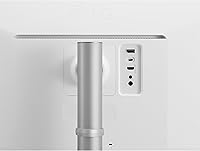
- Connectivity: Input options include USB Type-C (with power delivery and video), HDMI, DisplayPort, and one USB 3.0 downstream port for peripherals.
- USB-C Power: The USB-C port supports power delivery to connected devices, enabling compatible laptops to charge and display simultaneously through a single cable.
- Built-in Speakers: Two integrated speakers are included with Maxx Audio processing, providing a convenient audio output option suitable for voice calls and light media use.
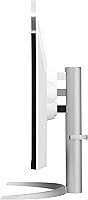
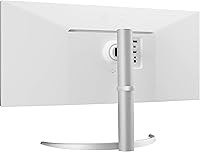
- Stand Adjustments: The included stand supports both height adjustment and tilt, giving users meaningful ergonomic control without requiring a third-party monitor arm.
- VESA Compatibility: The rear panel includes a standard 100 x 100 mm VESA mount pattern, allowing the display to be attached to compatible third-party monitor arms or wall mounts.
- Dimensions: The assembled monitor measures approximately 32.1 x 22.4 x 10.2 inches (width x height x depth) including the stand.
- Weight: The unit weighs approximately 17.4 pounds with the stand attached, which is typical for a display of this size and panel construction.
- Power Input: The monitor operates on AC power and is rated for up to 240 volts, making it compatible with standard international power supplies when used with an appropriate adapter.
- Availability Date: The product was first made available for purchase in April 2022, placing it within the current mid-range ultrawide monitor generation.
Related Reviews
LG 34UM68-P 34-inch UltraWide Monitor
LG 34WK95U-W 34-inch UltraWide Monitor
LG 34SR60QC-W 34-inch Curved Smart Monitor
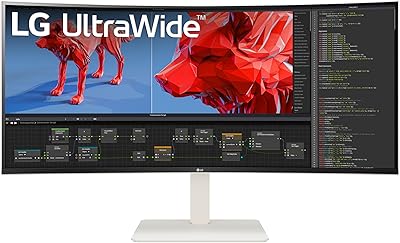
LG 38WR85QC-W 38-inch Curved UltraWide Monitor
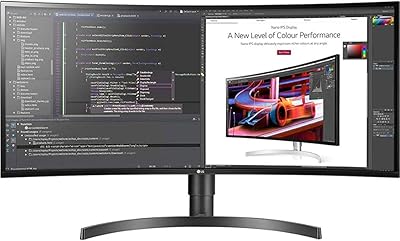
LG 34BL85C-B 34-inch UltraWide Curved Monitor
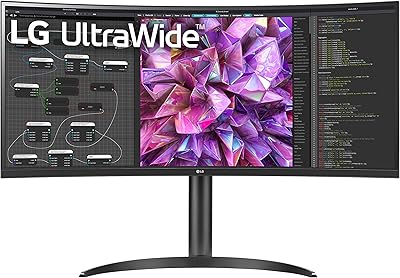
LG 34WQ73A-B 34-Inch UltraWide QHD Monitor
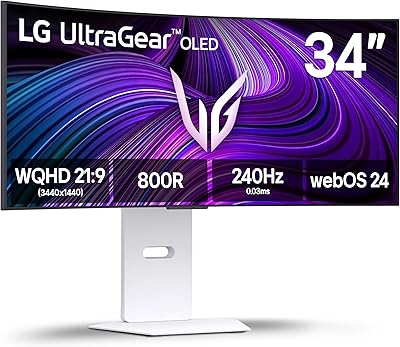
LG 34GX90SA-W 34-inch OLED Curved Gaming Monitor
BenQ PD3420Q 34-inch Ultrawide Monitor

Westinghouse 34-Inch Curved Ultrawide Gaming Monitor