Overview
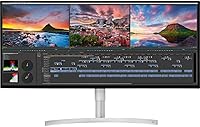
The LG 34WK95U-W 34-inch UltraWide Monitor sits firmly at the premium end of the ultrawide market, built with creative professionals and demanding power users in mind. The 34-inch 21:9 panel fundamentally changes how you work — spreading a timeline, a codebase, or a Lightroom catalog across a single wide canvas rather than juggling windows on a cramped screen. What really separates this ultrawide monitor from typical competition is its 5K2K resolution — 5120x2160 pixels that deliver crisp, fine-grained detail you simply don't get on standard 1440p ultrawides. Underneath sits a Nano IPS panel covering 98% of the DCI-P3 color space, which matters enormously if accurate wide-gamut color is part of your daily work. At this price tier, you are paying for a genuinely capable professional tool.
Features & Benefits
The 98% DCI-P3 coverage from the Nano IPS panel is the headline feature for color-critical work. In practice, photos edited on this 34-inch 5K panel look faithful rather than flattering — what you see is far closer to print or broadcast output. Thunderbolt 3 connectivity is a genuine productivity win: a single USB-C cable handles video, data, and up to 85W of power delivery to a connected laptop simultaneously. Windows users have DisplayPort 1.4 and HDMI as full-resolution alternatives. The 450 cd/m² brightness keeps the image usable in well-lit rooms, and 178-degree viewing angles mean color holds steady even off-axis. The built-in speakers and ultra-thin bezel keep the overall desk setup clean and uncluttered.
Best For
This ultrawide monitor is most at home in a creative professional's setup. Photographers and video editors will get the most value from the wide-gamut color accuracy — it's the kind of display where you can genuinely trust your grading decisions. MacBook Pro users will appreciate the single-cable Thunderbolt 3 workflow, which turns the monitor into a de facto docking station with minimal desk clutter. Developers keeping multiple terminal windows, documentation, and a browser open simultaneously will value the horizontal breathing room the 21:9 format provides. It also works well as a dual-monitor replacement for anyone tired of managing bezels and misaligned displays. Less suitable for competitive gaming, given the firm 60Hz refresh ceiling.
User Feedback
Buyers consistently praise the color accuracy and sharpness of the LG 34WK95U-W — many describe it as the closest a monitor has come to matching a calibrated reference display. Build quality draws positive remarks too, with the slim bezel and clean aesthetic landing well in professional setups. That said, a few friction points come up repeatedly. The 60Hz refresh rate is a real limitation if you occasionally game and hoped this panel would pull double duty. Thunderbolt compatibility with certain MacOS versions — particularly 2018 MacBook models — caused frustration for early buyers, though software updates have largely resolved it. A handful of Windows users also flag that driving the full 5K2K resolution demands a capable, modern GPU.
Pros
- Near-Retina 5K2K resolution delivers exceptional sharpness across the entire 34-inch panel.
- Nano IPS panel covers 98% of DCI-P3, making color-critical editing genuinely trustworthy.
- Thunderbolt 3 single-cable setup handles video, data, and laptop charging in one connection.
- The 21:9 format effectively replaces a dual-monitor arrangement without any bezel gap.
- DisplayPort 1.4 and USB-C inputs give Windows and Mac users flexible full-resolution options.
- 178-degree viewing angles keep color accuracy consistent even when viewed slightly off-axis.
- Ultra-thin bezel and clean industrial design look at home in any professional workspace.
- 10-bit color depth (8-bit + A-FRC) adds tonal depth that benefits photo and video work.
- Built-in speakers reduce cable clutter for users who do not need dedicated audio hardware.
- 450 cd/m² brightness holds up well in typical office or studio lighting conditions.
Cons
- The 60Hz refresh rate makes this ultrawide monitor a poor choice for high-frame-rate gaming.
- Some 2018 MacBook Pro users faced Thunderbolt 3 issues requiring specific macOS beta updates to fix.
- Driving native 5K2K resolution on Windows demands a powerful, modern dedicated GPU.
- At this price tier, the absence of HDR certification is a notable omission for media-focused buyers.
- Occasional reports of minor backlight inconsistency across the panel from long-term users.
- No height or pivot adjustment on some configurations limits ergonomic flexibility for taller setups.
- The 5ms GtG response time, while acceptable, lags behind monitors designed for fast-motion content.
- Built-in speakers are adequate for basic use but fall short for professional audio monitoring.
Ratings
Our AI rating system analyzed thousands of verified global user reviews for the LG 34WK95U-W 34-inch UltraWide Monitor, actively filtering out incentivized, bot-generated, and duplicate feedback to surface what real buyers actually experience. The scores below reflect a balanced synthesis of genuine praise and recurring frustrations, weighted by how frequently each issue was mentioned across independent sources. Both the standout strengths and the legitimate pain points are transparently captured so you can make a confident, informed decision.
Color Accuracy
Display Sharpness
Connectivity & Ports
Build Quality & Design
Brightness & Visibility
Viewing Angles
Gaming Performance
Value for Money
Setup & Compatibility
Backlight Uniformity
Built-in Audio
Ergonomics & Adjustability
Response Time
Suitable for:
The LG 34WK95U-W 34-inch UltraWide Monitor is purpose-built for people whose work depends on color accuracy and screen real estate. Photographers and video editors will find the 98% DCI-P3 Nano IPS panel genuinely useful — not just a marketing bullet point — because it means colors you grade or retouch on this display translate faithfully to other calibrated devices. MacBook Pro users, in particular, get a compelling single-cable Thunderbolt 3 setup that handles video, data, and laptop charging simultaneously, essentially turning the monitor into a docking station. Designers and illustrators benefit from the 5K2K resolution, which renders fine details and type at near-Retina sharpness across a wide 34-inch canvas. Developers juggling multiple windows, documentation tabs, and terminal sessions will also appreciate the 21:9 horizontal spread, which makes the need for a second monitor feel far less urgent. If your daily work lives or dies by what you see on screen, this panel is a serious contender.
Not suitable for:
The LG 34WK95U-W 34-inch UltraWide Monitor has a firm 60Hz refresh rate ceiling, which is a genuine dealbreaker for anyone who games competitively or expects smooth high-frame-rate performance. If fast-paced gaming is even a secondary use case for your monitor, you will likely feel the limitation quickly and regret the compromise. Windows users should also be aware upfront that driving the full 5K2K resolution requires a capable, modern GPU — older or mid-range graphics cards may struggle to push pixels at native resolution without performance penalties. Early adopters on certain MacBook models encountered Thunderbolt 3 compatibility issues that required specific macOS updates to resolve, so buyers with older Apple hardware should verify compatibility before purchasing. Those who primarily consume media or do light office work may also find the premium price hard to justify when more affordable ultrawides can handle those tasks without the added cost. Budget-conscious buyers or anyone without a color-critical workflow should look elsewhere.
Specifications
- Screen Size: The display measures 34 inches diagonally with an ultra-thin bezel for a clean, minimal footprint.
- Resolution: Native resolution is 5120x2160 (5K2K UltraWide), delivering exceptional pixel density across the wide 21:9 canvas.
- Panel Type: Uses a Nano IPS panel technology, which improves color accuracy and viewing angle consistency compared to standard IPS.
- Aspect Ratio: The 21:9 ultrawide aspect ratio provides significantly more horizontal workspace than a conventional 16:9 display.
- Refresh Rate: Runs at a fixed 60Hz refresh rate, suited to productivity and creative work rather than high-frame-rate gaming.
- Response Time: Gray-to-gray response time is rated at 5ms, acceptable for everyday use and most professional applications.
- Brightness: Peak brightness reaches 450 cd/m², keeping the image clear and usable under standard office and studio lighting.
- Contrast Ratio: Typical contrast ratio is 1200:1, offering solid depth between dark and bright areas for detailed image work.
- Color Gamut: Covers 98% of the DCI-P3 color space (CIE1931), making it reliable for professional photo editing and video color grading.
- Color Depth: Supports 10-bit color output via 8-bit panel plus A-FRC, enabling smoother gradients and more tonal range in color-critical work.
- Viewing Angles: Horizontal and vertical viewing angles both reach 178 degrees, ensuring color consistency when viewed from off-center positions.
- Connectivity: Input options include Thunderbolt 3, HDMI, DisplayPort 1.4, and USB-C, covering both Mac and Windows workflows.
- USB Ports: The monitor provides 3 USB ports total, allowing peripherals to be connected directly through the display.
- Audio: Built-in speakers are included, reducing the need for external audio hardware in light-use desktop environments.
- Pixel Pitch: Pixel pitch measures 0.0518mm horizontally and 0.1554mm vertically, resulting in fine, sharp detail at native resolution.
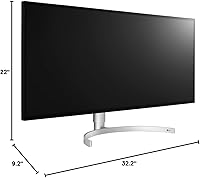
- Dimensions: The monitor measures approximately 39 x 8 x 20 inches with stand attached, requiring a reasonably deep and wide desk surface.
- Weight: Total weight with stand is 19.4 pounds, so a sturdy desk surface is recommended before mounting or positioning.
- Warranty: LG provides a 1-year parts and labor warranty covering manufacturing defects under normal use conditions.
- Included Cables: In the box you will find a DisplayPort cable, a USB-B to USB-A cable, and a 2-meter Thunderbolt 3 USB-C cable.
- Power Delivery: Thunderbolt 3 connectivity supports pass-through power delivery, allowing compatible laptops to charge via the single cable connection.
Related Reviews
LG 34WQ650-W 34-inch UltraWide Monitor
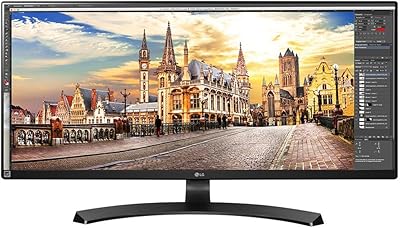
LG 34UM68-P 34-inch UltraWide Monitor
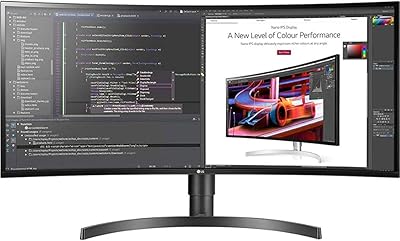
LG 34BL85C-B 34-inch UltraWide Curved Monitor
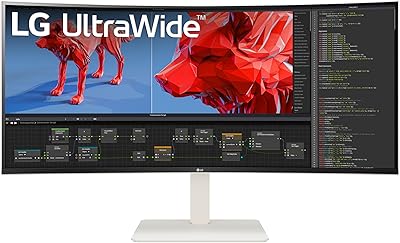
LG 38WR85QC-W 38-inch Curved UltraWide Monitor
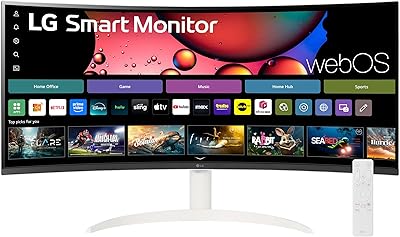
LG 34SR60QC-W 34-inch Curved Smart Monitor
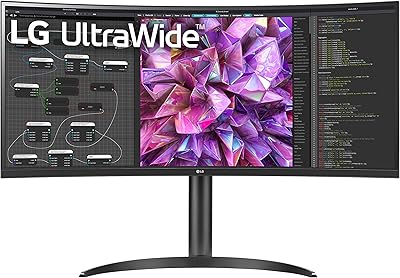
LG 34WQ73A-B 34-Inch UltraWide QHD Monitor
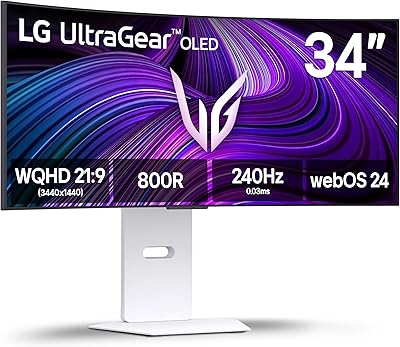
LG 34GX90SA-W 34-inch OLED Curved Gaming Monitor
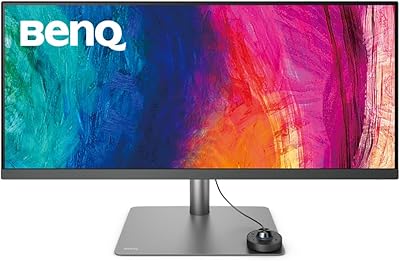
BenQ PD3420Q 34-inch Ultrawide Monitor
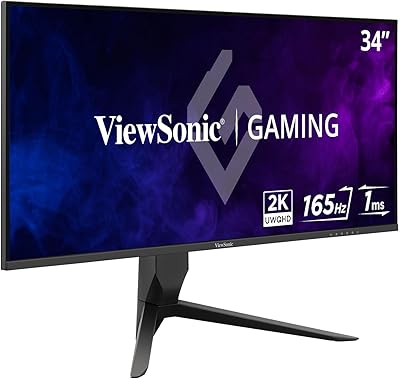
ViewSonic VX3418-2K 34-Inch Ultrawide Gaming Monitor