Overview

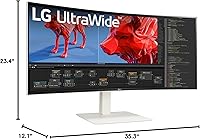
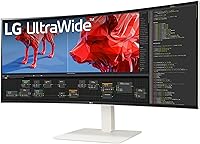
The LG 38WR85QC-W 38-inch Curved UltraWide Monitor sits in a crowded but demanding category — premium displays that need to satisfy both color-critical professionals and performance-hungry gamers without compromising on either. What immediately sets it apart from most competitors is the white chassis, a rare design choice that looks sharp in modern, light-colored workspaces where the standard matte-black monitor feels out of place. LG's Nano IPS technology has built a strong reputation in this resolution class, and this curved ultrawide carries that forward with a panel that competes directly against offerings from Dell and Samsung at a comparable price point. It is built for power users who refuse to make trade-offs.
Features & Benefits

At 3840x1600 across a 21:9 panel with a 2300R curve, this ultrawide display gives you the width of a dual-monitor setup without the annoying gap in the middle. The Nano IPS panel covers up to 98% of the DCI-P3 color gamut, which means colors in photo editing software or video timelines look accurate without hours of manual calibration. VESA DisplayHDR 600 is a genuine step above baseline HDR 400 — contrast and brightness are noticeably improved, though this is not OLED territory, so keep expectations grounded. The 144Hz refresh rate paired with a 1ms GtG response time keeps fast-paced gaming smooth, and USB-C with 90W power delivery lets laptop users run one cable for display, data, and charging simultaneously.

Best For

This curved ultrawide makes the most sense for three distinct types of buyers. Creative professionals — video editors, colorists, graphic designers — will appreciate the wide color coverage and the sheer horizontal space for long timelines and wide-format layouts. Remote workers and developers who currently juggle two separate monitors should seriously consider whether one wide panel eliminates the clutter entirely. Gamers who care about visual quality as much as frame rate will find the adaptive sync support — covering both NVIDIA G-SYNC Compatible and AMD FreeSync Premium Pro — handles tearing without locking you into one GPU ecosystem. For MacBook or laptop users, the single-cable USB-C connection alone makes this worth a serious look.

User Feedback

Across verified buyer reviews, the LG 38-inch panel earns consistent praise for out-of-the-box color accuracy — most owners report the display looked right from the moment they plugged it in, with little need for calibration. The stand also gets repeated mentions: it is solid, fully adjustable, and does not feel like an afterthought. On the flip side, the white exterior attracts dust and fingerprints more visibly than darker alternatives, worth considering for clean-desk minimalists. A handful of buyers found that 90W USB-C output occasionally falls short when powering a high-wattage gaming laptop under heavy load. The physical footprint is also real — this panel genuinely needs a deep desk, so measure your setup before committing.

Pros

  • Color accuracy out of the box is strong — most users report little to no calibration needed after unboxing.
  • The 144Hz refresh rate with 1ms GtG response time keeps fast-action gaming smooth and responsive.
  • Nano IPS panel coverage of 98% DCI-P3 makes this curved ultrawide genuinely viable for professional color work.
  • VESA DisplayHDR 600 delivers a noticeable contrast and brightness improvement over entry-level HDR-400 displays.
  • Single USB-C cable handles display, data, and up to 90W charging — a real desk-cleanup win for laptop users.
  • The fully adjustable stand supports tilt, height, and swivel, and feels solid rather than plasticky.
  • Picture-in-Picture and Picture-by-Picture modes make it easy to monitor two input sources simultaneously.
  • Dual adaptive sync support means this ultrawide display works cleanly with both NVIDIA and AMD graphics cards.
  • The white colorway is a genuine aesthetic differentiator for users building a light-themed or minimal workspace.

Cons

  • At over 35 inches wide, this panel requires a genuinely deep desk — compact setups may struggle.
  • The 90W USB-C output is not enough to keep high-performance gaming laptops fully charged under heavy GPU load.
  • White chassis shows fingerprints and dust more visibly than the standard black monitor alternatives.
  • IPS panel technology means blacks are not truly deep — contrast falls short of OLED or VA panel competition.
  • At 23 pounds, relocating or repositioning this ultrawide display solo is more awkward than smaller screens.
  • The 21:9 aspect ratio is not universally supported in all games, and some titles still show black bars or stretching.
  • Buyers on a tight budget will find the premium pricing hard to justify without fully utilizing its professional features.

Ratings

Our AI rating system analyzed verified global buyer reviews for the LG 38WR85QC-W 38-inch Curved UltraWide Monitor, actively filtering out incentivized, bot-generated, and outlier feedback to surface what real long-term owners actually experience. The scores below reflect a transparent synthesis of both the genuine strengths and the recurring frustrations that emerge after weeks of daily use — not just the honeymoon period impressions.

Color Accuracy
93%
Owners who do color-sensitive work — photo retouching, video grading, digital illustration — repeatedly note that this curved ultrawide delivers accurate, consistent color straight out of the box. The 98% DCI-P3 coverage is not just a spec on paper; users describe colors as vivid but natural, with skin tones and gradients rendering faithfully without manual tweaking.
A small segment of professional colorists note that factory calibration, while impressive for a consumer display, still falls slightly short of hardware-calibrated reference monitors used in post-production studios. For the most demanding color-critical workflows, a colorimeter calibration is still worth running.
Panel & Display Quality
91%
The Nano IPS panel draws consistent praise for its wide viewing angles and uniformity — brightness and color stay consistent even when viewing the screen from a slight angle, which matters when the display is this wide. Reviewers frequently describe the image as crisp and detailed, with text rendering cleanly at the native WQHD+ resolution.
Some users note that like all IPS panels, blacks are not truly deep — there is a degree of IPS glow in dark room conditions that becomes visible in very dark scenes or dark-mode interfaces. Buyers used to VA panels or OLED displays will notice the contrast ceiling.
HDR Performance
78%
22%
VESA DisplayHDR 600 proves to be a genuine and noticeable step up from the HDR 400 found on cheaper monitors — buyers describe highlights in HDR-enabled games and streaming content as punchy and well-rendered, with a real sense of depth in bright outdoor scenes. Several owners coming from non-HDR monitors call it an eye-opening difference.
Expectations need to be calibrated here: this is not mini-LED or OLED HDR. IPS local dimming is limited, and dark areas in HDR content still carry a visible gray lift. Users hoping for the cinematic HDR experience of a high-end TV will be disappointed, even though the panel clearly outperforms basic HDR 400 implementations.
Refresh Rate & Gaming
89%
The 144Hz refresh rate with 1ms GtG response time makes this ultrawide display genuinely capable in fast-paced competitive titles — motion is clean, and the adaptive sync support for both NVIDIA and AMD means screen tearing is effectively eliminated across GPU platforms. Gamers describe the transition from 60Hz as immediately and permanently noticeable.
Running demanding AAA titles at the full 3840x1600 native resolution at 144fps requires a high-end GPU, and not all buyers are prepared for that investment. A handful of reviewers also flag that ultrawide support in some older or competitive esports titles remains inconsistent, with black bars appearing during gameplay.
USB-C Connectivity
84%
The single-cable USB-C setup is one of the most praised practical features of this ultrawide display — MacBook and laptop users particularly appreciate connecting one cable and getting display output, USB hub access, and charging simultaneously. For remote workers who switch between a laptop and a desktop throughout the day, this genuinely simplifies the desk setup.
The 90W power delivery ceiling is the consistent complaint: owners with high-performance gaming laptops or 16-inch MacBook Pros under load report that the battery still drains slowly during intensive tasks. It handles light-to-moderate workloads fine, but power-hungry machines need a secondary charger to guarantee sustained full-speed performance.
Build Quality
88%
The stand in particular draws repeated compliments — it feels robust and premium, with smooth height, tilt, and swivel adjustments that hold their position reliably without creeping over time. The overall chassis construction feels solid and consistent with the premium price point, and the fit and finish are tight with no reported flex or wobble.
The white chassis, while aesthetically distinctive, has raised durability concerns for some buyers who worry about yellowing over extended years of use — a known long-term risk with white plastics. A few owners also note that the stand base takes up meaningful desk real estate, which can be limiting on smaller workstations.
Ergonomics & Stand
86%
Height adjustment range is generous enough to accommodate both seated and standing desk configurations without needing a third-party arm, and the swivel range is practical for shared workspaces where the monitor gets repositioned frequently. Most users find a comfortable viewing distance for the 2300R curvature without straining.
At just over 23 pounds, the monitor requires two people to safely set up or reposition — solo installation of a panel this size and weight is awkward at best. A few reviewers on compact desks also note that the stand footprint is larger than expected, eating into available surface space.
Multitasking & PiP/PbP
82%
18%
The Picture-by-Picture mode is well-regarded among buyers who run a laptop and desktop simultaneously, effectively turning one wide screen into two functional workspaces with separate input sources. Developers and researchers mention that the horizontal resolution is wide enough that both halves remain genuinely usable rather than cramped.
LG's OnScreen Control software, which manages PiP and PbP configuration, receives mixed reviews for usability — some buyers find the interface unintuitive and dated compared to modern display management tools. Initial setup of multi-input modes takes more time than it should for a display at this price level.
Chassis & Aesthetics
80%
20%
The white colorway is consistently called out as a breath of fresh air by buyers building light-themed workstations or Nordic-style home offices — it photographs well and pairs naturally with white desks, light walls, and matching peripherals in a way that standard black monitors simply cannot. The matte screen surface avoids glare without dulling vibrancy.
The white finish is genuinely more maintenance-intensive than it looks — fingerprints from adjusting the stand or bezel show clearly, and dust accumulates visibly on the top edge and rear surfaces. Buyers in dusty environments or those who prefer low-maintenance setups should factor in that it requires more frequent cleaning.
Value for Money
72%
28%
Buyers who fully utilize the color accuracy, wide-format resolution, gaming-grade refresh rate, and USB-C docking in their daily work consistently describe this ultrawide display as worth the premium outlay — getting all of those capabilities in one panel, without compromise, avoids the cost of a separate monitor, hub, and calibration tools.
For buyers who only use a fraction of the feature set — occasional gaming, basic browsing, or standard office work — the premium is harder to justify when capable 34-inch ultrawide displays offer similar everyday usability at a meaningfully lower price. The value equation is directly tied to how intensively the panel is actually used.
Screen Real Estate
94%
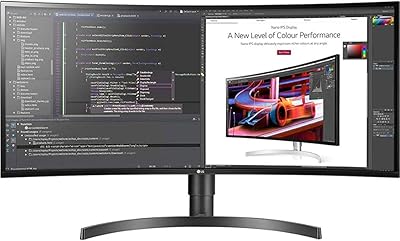
The 21:9 aspect ratio at 3840x1600 is routinely described as transformative by buyers coming from 16:9 monitors — having a code editor, browser, reference panel, and terminal all visible simultaneously without window juggling is frequently cited as the single biggest productivity improvement. Video editors working with wide timelines are especially enthusiastic.
The sheer width requires a physical desk depth adjustment that not everyone anticipates — sitting too close to a 38-inch curved panel makes the edges feel peripheral rather than usable. A few buyers in smaller home office setups admit they underestimated how much the size would dominate their workspace.
Connectivity & Ports
83%
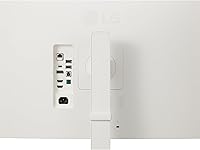
Five USB 3.0 ports make this a capable peripheral hub — buyers connect keyboards, mice, external drives, and audio interfaces without reaching for a separate dock. HDMI, DisplayPort, and USB-C input options cover virtually every source device a user is likely to connect, including consoles, desktops, and laptops.
The monitor includes only one HDMI port, which can be limiting for users who want to connect multiple HDMI sources simultaneously — a KVM switch or manual cable swapping becomes necessary in those setups. Some buyers also note that the port placement on the rear can be hard to reach once the monitor is positioned against a wall.
Setup & Out-of-Box Experience
81%
19%
Most buyers report a straightforward physical assembly experience — the stand attaches with minimal effort and the overall unboxing is well-organized for a large panel. The color accuracy out of the box means most users are productive or gaming within minutes of first power-on without visiting the settings menu.
The OSD (on-screen display) menu navigation is a recurring mild frustration — LG's joystick-based menu control works, but the menu structure takes time to learn and some settings are buried deeper than they should be. Firmware update processes are also described as less intuitive than competitors like Dell.

Suitable for:

The LG 38WR85QC-W 38-inch Curved UltraWide Monitor is purpose-built for people who spend long hours in front of a screen and need that screen to pull real weight. Video editors and graphic designers will immediately notice the difference that 98% DCI-P3 color coverage makes when grading footage or reviewing print-ready files — colors are accurate enough to trust without reaching for a separate calibration tool. Developers and remote workers who have been managing two separate monitors will find the 3840x1600 resolution wide enough to comfortably run a code editor, browser, and documentation panel side by side without feeling cramped. Laptop users — particularly those on MacBooks or thin-and-light Windows machines — get an especially clean setup through the single USB-C cable that handles display output, data transfer, and up to 90W of charging simultaneously. Gamers who want competitive-grade refresh rates without giving up color quality will also feel at home here, thanks to dual adaptive sync support covering both major GPU ecosystems.
Not suitable for:

The LG 38WR85QC-W 38-inch Curved UltraWide Monitor is a harder sell for buyers working within tight space or budget constraints. The physical footprint is substantial — at over 35 inches wide, it genuinely demands a deep desk, and anyone sitting at a compact or corner desk may find the curvature feels overwhelming at close distances. Buyers expecting OLED-level contrast or true deep blacks should look elsewhere; VESA DisplayHDR 600 is a meaningful step up from basic HDR, but local dimming on an IPS panel still cannot match the inky blacks of an OLED display. High-wattage gaming laptops — those pulling well above 90W under full GPU load — may find the USB-C power delivery insufficient to prevent battery drain during intensive sessions. The white chassis, while visually distinctive, will frustrate anyone who keeps their desk less than pristine, since smudges and dust show up more readily than on standard black monitors. Budget-focused buyers who mainly browse the web or handle spreadsheets will find it difficult to justify the premium price against far cheaper alternatives that cover those tasks just as well.
Specifications

  • Screen Size: The panel measures 38 inches diagonally, offering significantly more horizontal workspace than a standard 27-inch or 32-inch monitor.
  • Resolution: Native resolution is 3840x1600 (WQHD+), delivering sharp detail across the wide 21:9 aspect ratio without the GPU demands of a traditional 4K panel.
  • Panel Type: Uses a Nano IPS panel, which provides wider viewing angles and more accurate color reproduction compared to standard IPS or TN displays.
  • Curvature: The screen curves at a 2300R radius, designed to match the natural field of vision and reduce eye strain during extended sessions at a wide format.
  • Refresh Rate: Supports a maximum refresh rate of 144Hz, enabling smooth motion in fast-paced games and fluid scrolling through large documents or timelines.
  • Response Time: Rated at 1ms GtG (gray-to-gray), minimizing motion blur and ghosting during high-speed content playback or competitive gaming.
  • HDR Support: Certified to VESA DisplayHDR 600 standard, delivering a peak brightness and contrast improvement well above entry-level HDR 400 displays.
  • Color Gamut: Covers up to 98% of the DCI-P3 color space, making it suitable for professional color-grading, photo editing, and video production workflows.
  • Adaptive Sync: Officially validated as NVIDIA G-SYNC Compatible and certified for AMD FreeSync Premium Pro, supporting tear-free gaming across both GPU platforms.
  • USB-C Power: The USB-C port delivers up to 90W of power delivery, sufficient to charge most ultrabooks and mid-range laptops while simultaneously transmitting display signal and data.
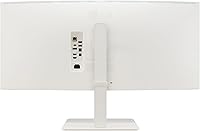
  • Connectivity: Input options include one HDMI port, one DisplayPort, and one USB-C port, with five USB 3.0 ports available for peripherals.
  • Aspect Ratio: The 21:9 ultra-wide aspect ratio provides roughly 33% more horizontal screen space compared to a standard 16:9 monitor of similar height.
  • Dimensions: The monitor measures approximately 35.3 inches wide, 23.4 inches tall, and 12.1 inches deep with the stand attached.
  • Weight: The fully assembled unit with stand weighs 23.1 pounds, which is typical for a premium 38-inch panel with a robust adjustable stand.
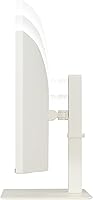
  • Stand Adjustments: The included stand supports tilt, height, and swivel adjustments, allowing ergonomic positioning without requiring a third-party monitor arm.
  • PiP and PbP: OnScreen Control software enables both Picture-in-Picture and Picture-by-Picture modes, allowing content from two separate input sources to appear on screen simultaneously.
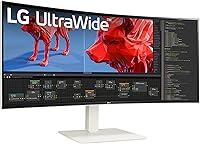
  • Chassis Color: Available in white, a distinctive finish that stands out in a monitor market where matte black is the near-universal default.
  • Power Source: Powered via standard AC connection, with USB-C handling supplementary device charging rather than powering the monitor itself.

Related Reviews
LG 40WP95C-W 40-inch UltraWide Monitor
72%
92%
Image & Color Accuracy
91%
Screen Real Estate
88%
Connectivity & Cable Management
83%
Build & Desk Presence
79%
Ergonomics & Stand
More
LG 34WQ650-W 34-inch UltraWide Monitor
77%
83%
Display Quality
91%
Productivity & Multitasking
88%
USB-C Connectivity
86%
Ergonomics & Stand
78%
Color Accuracy
More
LG 34BL85C-B 34-inch UltraWide Curved Monitor
86%
92%
Display Quality
87%
Build Quality
88%
Ease of Setup
85%
Gaming Performance
90%
Multitasking Experience
More
LG 34SR60QC-W 34-inch Curved Smart Monitor
79%
86%
Picture Quality
91%
Smart Platform (webOS)
84%
Wireless Connectivity
88%
Ultrawide Screen Experience
82%
Value for Money
More
LG 34WQ73A-B 34-Inch UltraWide QHD Monitor
79%
91%
Color Accuracy
93%
Productivity & Multitasking
88%
KVM & Multi-Device Setup
89%
USB-C Connectivity & Cable Management
61%
Refresh Rate & Gaming Performance
More
LG 35WN65C-B 35-inch Curved UltraWide QHD Monitor
85%
91%
Display Quality
88%
Gaming Performance
89%
Build Quality
85%
Ease of Setup
92%
Multitasking & Productivity
More
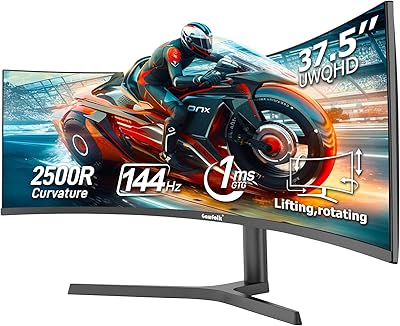
Gawfolk GF400A 38-Inch Ultrawide Gaming Monitor
77%
88%
Image Clarity
91%
Refresh Rate & Smoothness
71%
Color Accuracy
74%
Connectivity
69%
Brightness & Glare Handling
More
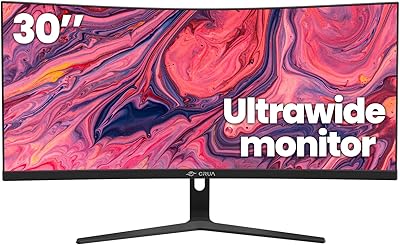
CRUA CR300ZA 30-Inch Ultrawide Curved Monitor
76%
88%
Value for Money
79%
Picture Quality
83%
Contrast & Blacks
81%
Refresh Rate & Smoothness
91%
Ultrawide Screen Real Estate
More
LG 32MR50C-B 32-Inch Curved Monitor
75%
91%
Value for Money
78%
Picture Quality
83%
Refresh Rate & Motion Handling
52%
Ergonomics & Stand
84%
Curvature & Immersion
More
LG 34UM68-P 34-inch UltraWide Monitor
78%
91%
Multitasking Performance
86%
Color Accuracy
88%
Viewing Angles
63%
Resolution & Sharpness
67%
Gaming Experience
More

FAQ

Yes, for most MacBook Pro configurations it will. The 90W USB-C power delivery is enough to charge a MacBook Pro 14-inch at a reasonable rate during normal workloads. However, if you are pushing the laptop hard — heavy video exports or intensive tasks — you may notice the battery drains slightly even while connected, since peak power draw can exceed 90W. For lighter MacBook models or any ultrabook, 90W is more than sufficient.

It is compatible via HDMI, and both consoles will display correctly on this curved ultrawide. That said, current-generation consoles do not natively output at 3840x1600 or support 21:9 resolutions, so you will typically see black bars on the sides or a stretched image depending on the console's display settings. For pure gaming performance, this panel shines brightest when connected to a PC.

Realistically, you want at least 24 to 28 inches of desk depth. The monitor itself is about 12 inches deep with the stand, but you also need to account for the distance between you and the screen — sitting too close to a 38-inch curved display can feel overwhelming. Most standard office desks are 24 inches deep, which works at the minimum, but a 30-inch deep desk gives you a much more comfortable viewing distance.

Yes, and this is one of the more practical features of this ultrawide display. The Picture-by-Picture mode lets you split the screen between two separate input sources — for example, your desktop on the left half and your laptop on the right. You can control how the screen is divided through LG's OnScreen Control software, and it works well for monitoring a secondary machine without needing a second physical monitor.

Honest answer: it shows dust and fingerprints more readily than a black chassis would. The white finish looks great in a clean, minimal setup, but it does require more frequent wiping down. A microfiber cloth handles most smudges without issue, and the matte screen surface resists fingerprints better than glossy panels. If you keep a tidy desk, it stays looking sharp — if you tend to be less fussy about that, the white may frustrate you over time.

You will want a capable mid-to-high-range GPU for a smooth 144Hz experience at native resolution. An NVIDIA RTX 3080 or better, or an AMD RX 6800 XT or better, are solid starting points for demanding games at this resolution. For productivity tasks, creative applications, or less graphically intensive games, even a mid-range card handles the resolution well — the GPU demand here is noticeably lighter than driving a 4K 16:9 panel.

The height adjustment range is generous and covers most ergonomic needs. You can bring the panel quite low for users who prefer the screen at near-desk level, or raise it significantly for standing desk setups. Tilt and swivel adjustments are smooth and hold their position reliably. If you have very specific ergonomic requirements, the panel is also VESA compatible, so a third-party monitor arm is an option as well.

VESA DisplayHDR 600 is a meaningful improvement over the HDR 400 certification found on cheaper monitors — you get noticeably better peak brightness and improved contrast in bright scene highlights. That said, it is not a transformative HDR experience the way an OLED panel is. On an IPS panel, local dimming is limited, so blacks are not truly deep. If you are coming from a non-HDR monitor, you will notice and appreciate the difference. If you are expecting OLED or mini-LED levels of contrast, you will need to adjust expectations.

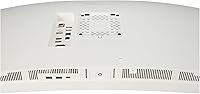
Yes, the panel supports VESA mounting, which means you can remove the included stand and attach it to any arm with the appropriate VESA pattern. This is a good option if you need to free up desk space, want more precise positioning, or are using a sit-stand desk where you need to reposition the monitor frequently. Just be aware the monitor weighs just over 23 pounds, so make sure your arm is rated for that load.

Yes, the display supports multiple refresh rate options below 144Hz, including 120Hz, which is the target frame rate for current-generation consoles in performance modes. So if you connect an Xbox Series X and run a game in 120Hz performance mode via HDMI, the panel handles it correctly. The 21:9 resolution limitation on consoles is still a factor, but the refresh rate compatibility is solid.

Where to Buy