Overview

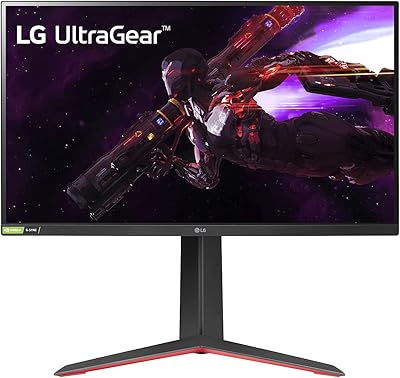
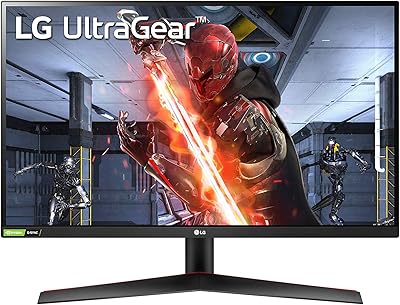
The LG 27GR83Q-B 27-inch QHD Gaming Monitor sits squarely in the mid-to-high range of the gaming display market, targeting PC enthusiasts who refuse to choose between resolution and speed. At 27 inches with a 2560x1440 IPS panel running at 240Hz, it covers ground that used to require spending significantly more. LG's UltraGear line carries real credibility with competitive gamers — this isn't a budget rebrand, it's a deliberate performance product. What's also notable is how naturally it handles both fast-paced multiplayer sessions and everyday productivity work, making it genuinely versatile rather than a pure one-trick speed machine.

Features & Benefits

One thing that stands out right away is that the 240Hz refresh rate runs over both DisplayPort 1.4 and HDMI 2.1 — most rivals quietly cap HDMI bandwidth at lower speeds, so this matters especially for console users. The IPS panel hits 1ms GtG response without forcing you to accept the washed-out colors typical of TN displays, meaning fast motion stays sharp and the image still looks rich. Both NVIDIA G-SYNC Compatible and AMD FreeSync Premium are on board, so you're not locked into one GPU ecosystem. Color coverage reaches up to 95% DCI-P3, which is strong for the price tier. The DisplayHDR 400 certification is real but worth contextualizing — peak brightness is modest, and buyers expecting dramatic HDR contrast should calibrate expectations accordingly.

Best For

This UltraGear display hits a genuine sweet spot for a specific kind of buyer. Competitive PC gamers who have outgrown 1080p but refuse to sacrifice frame rate will find the QHD and 240Hz combination genuinely compelling. It is also a strong choice for PS5 and Xbox Series X owners, since the HDMI 2.1 port delivers full bandwidth rather than a quietly throttled connection. People running dual-use setups — splitting time between photo editing or design work and gaming — will appreciate what IPS color accuracy brings to that workflow. And if you are currently on a 1080p or 144Hz panel, the step up feels meaningful in a way that smaller incremental upgrades rarely deliver.

User Feedback

With roughly 550 verified ratings averaging 4.4 out of 5, the overall reception is clearly positive and consistent. Buyers regularly highlight the out-of-box color vibrancy and how fluid 240Hz feels in real sessions without any involved calibration. The ergonomic stand draws frequent appreciation too — tilt, height, and pivot adjustments are things people notice after living with cheaper fixed-stand monitors. On the critical side, a recurring concern involves backlight bleed on some units, and a portion of users note that the HDR experience does not compare to higher-brightness panels in the next tier up. Setup and OSD navigation are generally called straightforward, which is not something every monitor in this category can claim.

Pros

  • 240Hz over both HDMI 2.1 and DisplayPort 1.4 — rare flexibility that most rivals withhold from HDMI users.
  • IPS color accuracy and 95% DCI-P3 coverage hold up for light creative work, not just gaming.
  • G-SYNC Compatible and AMD FreeSync Premium support means no GPU lock-in, ever.
  • The ergonomic stand includes tilt, height, and pivot — a practical advantage over cheaper fixed-stand competitors.
  • Out-of-the-box colors are strong enough that most users skip manual calibration entirely.
  • Console gamers get full HDMI 2.1 bandwidth, making this a legitimate PS5 and Xbox Series X monitor.
  • 1ms GtG response keeps motion sharp without the color trade-offs that TN panels demand.
  • The matte panel coating handles reflections well in mixed ambient lighting for all-day use.
  • Setup and OSD navigation are consistently praised as straightforward and well-organized.
  • At its price point, the overall specification package is competitive with more expensive ASUS and Dell alternatives.

Cons

  • HDR400 peak brightness disappoints buyers expecting dramatic high-contrast HDR performance.
  • Backlight bleed on some units is noticeable during dark scenes or in dimly lit rooms.
  • No USB-C input is a real gap for laptop users who prefer a single-cable desk setup.
  • Only one HDMI 2.1 port limits multi-source flexibility for users with two high-bandwidth devices.
  • Aggressive overdrive settings can introduce inverse ghosting — the middle setting is usually the safer choice.
  • The stand hinge can feel stiff initially, and pivot rotation requires more force than expected.
  • No built-in speakers means any audio beyond headphones requires a separate purchase.
  • The included cable kit omits HDMI 2.1, which feels like an odd oversight given the port is a headline feature.
  • In very bright rooms, peak SDR brightness can feel limiting compared to some competing IPS panels.
  • Warranty support response times have drawn criticism from a portion of buyers who encountered defects.

Ratings

The LG 27GR83Q-B 27-inch QHD Gaming Monitor earns its strong standing in a crowded field, and these scores reflect what real buyers worldwide actually experienced — filtered for spam, bot submissions, and incentivized reviews to surface genuine signal. Our AI analysis weighted both enthusiastic praise and recurring frustrations equally, so what you see here is an honest composite across hundreds of verified purchases. Strengths are called out plainly, and the pain points are not buried.

Motion Clarity & Refresh Rate
93%
Running at 240Hz with a 1ms GtG IPS panel, this UltraGear display draws consistent praise from competitive players who notice an immediate difference coming off 144Hz screens. Fast-paced shooters and racing games feel noticeably more responsive, and ghosting behind moving objects is minimal in everyday use.
A small number of users observed that chasing the full 240Hz requires DisplayPort or HDMI 2.1 specifically, and older systems without those outputs cannot unlock the ceiling. At lower refresh rates the advantage narrows considerably.
Image & Color Quality
89%
The IPS panel covering up to 95% of DCI-P3 delivers punchy, accurate color that stands out against many TN-based competitors in this price range. Out of the box, most buyers report minimal calibration was needed for both gaming and light creative work.
A handful of users noted that the default color temperature skews slightly warm and required adjustment for precise color work. It is a strong IPS showing, but dedicated content creators will still find it a step below purpose-built panels.
HDR Performance
58%
42%
The DisplayHDR 400 certification does produce visible contrast improvements in compatible titles, and the DCI-P3 color gamut gives HDR content more vibrancy than a standard sRGB display would. For casual HDR gaming it is a noticeable step up from non-HDR panels.
Buyers who have used DisplayHDR 600 or 1000 panels will find the peak brightness underwhelming — bright highlights in HDR scenes lack the punch that makes the format compelling. Informed buyers in the enthusiast community consistently flag this as the monitor's most significant limitation.
Build Quality & Materials
84%
The chassis feels solid and does not flex under normal adjustment. The matte finish on the panel reduces fingerprint accumulation and looks premium on a desk, and the overall construction is consistent with what LG delivers across the UltraGear lineup.
A few buyers noted minor plastic creaking near the base hinge after extended use, and the cable management solution is functional but not as refined as some ASUS or Dell equivalents at a similar price point.
Ergonomic Stand
88%
Tilt, height adjustment, and pivot are all included, which sounds basic but is genuinely absent or restricted on many competing monitors at this tier. Users who spend long hours at their desk consistently call out the stand as one of the UltraGear display's most practical strengths.
The pivot function works well for portrait orientation, though a few users found the rotation stiff out of the box and needed a break-in period. The stand footprint is also wider than some compact desk setups can comfortably accommodate.
Connectivity & Port Selection
86%
Having both HDMI 2.1 and DisplayPort 1.4 on the same panel gives this 27-inch QHD monitor a connectivity flexibility most rivals skip. Console gamers on PS5 or Xbox Series X can use HDMI 2.1 at full bandwidth while PC users stay on DisplayPort — no compromise needed.
With only one HDMI 2.1 port, users running two high-bandwidth sources simultaneously will hit a wall. The USB hub is handy but limited, and there is no USB-C input, which is an increasingly common ask in this segment.
Audio Output
74%
26%
The 4-pole headphone jack with DTS:X processing is a genuinely useful addition that many monitors skip entirely. Users who prefer wired headphones directly from the monitor report a clean, low-noise output that works well for gaming audio.
There are no built-in speakers, so buyers expecting any out-of-the-box audio without headphones will need external solutions. The DTS:X processing is also subtle enough that some users could not distinguish it from a standard headphone output.
OSD & Setup Experience
81%
19%
The on-screen display is organized logically, and most users report reaching their preferred picture settings within a few minutes of unboxing. The Gaming GUI presets for FPS and RTS modes are a quick-start option that genuinely helps less experienced users dial in a usable configuration.
The OSD joystick navigation can feel slightly sticky when toggling between nested menus during setup. A small number of users also found the default Gaming Mode settings too aggressive in contrast enhancement for their taste.
Sync Technology Compatibility
91%
Being validated for both G-SYNC Compatible and AMD FreeSync Premium is a real practical advantage for anyone who has ever switched GPU brands mid-cycle. The variable refresh range is wide enough that tearing and stutter are effectively eliminated across most gaming scenarios.
A small subset of users reported minor flicker when VRR kicked in at the low end of the refresh range, which required manually setting a floor in their GPU control panel to resolve. Not a common complaint, but worth knowing before purchase.
Value for Money
82%
18%
For the combination of a 240Hz IPS panel, QHD resolution, HDMI 2.1, dual sync support, and a proper ergonomic stand, the asking price sits in a range that most buyers find defensible. Comparable configurations from ASUS or Dell tend to cost more for similar specifications.
The HDR performance relative to the price is a weak point that informed buyers notice, and a few rivals now compete closely on specs while occasionally undercutting on price during sales. It is strong value but not unchallenged value.
Backlight Uniformity
67%
33%
The majority of owners report acceptable uniformity for both gaming and mixed-use work, with no visible clouding during standard desktop use. For the typical gaming application this monitor is designed for, uniformity is a non-issue in normal viewing conditions.
Backlight bleed in dark corners is a recurring criticism, particularly on earlier production units. Buyers watching dark cinematic content or playing atmospheric games in a dim room are most likely to notice uneven edges, and this appears to be a panel lottery more than a universal defect.
Response Time & Input Lag
88%
Input lag measurements place this UltraGear display in comfortable territory for competitive play, and the 1ms GtG response holds up well without requiring users to enable the most aggressive overdrive setting. Most competitive players will not feel a perceptible gap between this and faster TN alternatives.
At the highest overdrive setting, a small number of users observed inverse ghosting — bright halos behind fast objects — so the default or middle overdrive setting is generally the safer choice. This is a fine-tuning issue rather than a fundamental flaw.
Brightness & Visibility
72%
28%
In standard SDR use and in moderately lit rooms, the panel delivers sufficient brightness without eye strain. The matte coating does a solid job managing reflections in mixed ambient lighting, which is a practical daily advantage.
In very bright rooms or near windows, peak brightness can feel limiting compared to some competing IPS panels that push higher nits. This is a secondary concern for most gamers but worth noting for anyone planning to use the display in a sunlit workspace.
Packaging & Unboxing Experience
77%
23%
Assembly is straightforward, with the stand clicking into the panel without tools required in most steps. The packaging is protective enough that the vast majority of buyers report receiving the unit without shipping damage.
Some buyers noted that the included cable selection is basic — a DisplayPort cable is included but not HDMI 2.1, which is an odd omission given how prominently that port is marketed. A minor frustration, but one that shows up consistently in early user impressions.
Long-Term Reliability
76%
24%
Among owners who have had this 27-inch QHD monitor for over a year, the majority report stable performance without panel degradation or input issues. LG UltraGear build consistency is generally regarded as solid for the tier.
There are scattered reports of pixel anomalies and backlight issues emerging after extended use, and a portion of affected buyers found the warranty support process slow. Sample sizes here are smaller, so conclusions are preliminary rather than definitive.

Suitable for:

The LG 27GR83Q-B 27-inch QHD Gaming Monitor is built for competitive and enthusiast PC gamers who want a meaningful resolution upgrade without giving up the high refresh rates that make fast games feel responsive. If you are running a modern GPU — whether AMD or NVIDIA — and play titles where both sharp visuals and smooth motion matter, this display covers both without requiring two separate compromises. Console gamers with a PS5 or Xbox Series X will also get genuine value here, since the HDMI 2.1 port delivers full bandwidth rather than the throttled connection found on many competing panels. It also works well as a dual-purpose display for people who spend mornings doing design or photo work and evenings gaming — the IPS color accuracy and wide DCI-P3 coverage make it credible for both. Anyone upgrading from a 1080p or 144Hz monitor will find the jump to 1440p at 240Hz immediately noticeable in a way that smaller spec bumps simply do not deliver.

Not suitable for:

The LG 27GR83Q-B 27-inch QHD Gaming Monitor is not the right pick for buyers who prioritize HDR as a primary feature — DisplayHDR 400 is a real but modest certification, and if you have experienced a 600 or 1000-nit HDR panel, this one will feel flat in high-contrast scenes. Cinephiles and buyers who watch a lot of dark, atmospheric content in dim rooms should also be cautious, since backlight bleed has been a reported issue on some units that becomes visible in those conditions. If your desk setup is very compact, the stand footprint may be larger than you expect, and the lack of USB-C input will frustrate users who have built their workflow around a single-cable connection from a laptop. Buyers chasing the absolute lowest input lag from a TN panel for tournament-level play may also find IPS a philosophical mismatch, even if the practical difference in everyday competitive gaming is small. Finally, anyone expecting a rich built-in audio solution should know there are no speakers included — the headphone output is good, but it is the only onboard audio option.

Specifications

  • Panel Type: The display uses an IPS (In-Plane Switching) panel, which provides wide viewing angles and accurate color reproduction compared to TN alternatives.
  • Screen Size: The viewable screen area measures 27 inches diagonally, offering a comfortable balance between immersion and desk space efficiency.
  • Resolution: Native resolution is 2560x1440 (QHD), delivering significantly more pixel density than 1080p on a 27-inch screen.
  • Refresh Rate: The panel supports a maximum refresh rate of 240Hz, achievable over both DisplayPort 1.4 and HDMI 2.1 connections.
  • Response Time: Gray-to-gray (GtG) response time is rated at 1ms, minimizing motion blur and ghosting during fast-moving content.
  • HDR Support: The monitor carries VESA DisplayHDR 400 certification, indicating a minimum peak brightness threshold for HDR content rendering.
  • Color Gamut: Color coverage reaches up to 95% of the DCI-P3 color space (typical), providing vivid and accurate color output for both gaming and creative tasks.
  • Sync Technology: The display is both NVIDIA G-SYNC Compatible (officially validated) and AMD FreeSync Premium certified, supporting variable refresh rate across both major GPU platforms.
  • Video Inputs: Connectivity includes one DisplayPort 1.4 and one HDMI 2.1 port, both capable of carrying the full 240Hz signal at QHD resolution.
  • USB Ports: The monitor provides three USB 2.0 ports and one USB 3.0 port for peripheral connectivity via its built-in hub.
  • Audio Output: A 4-pole 3.5mm headphone output with DTS:X spatial audio processing is included; there are no built-in speakers.
  • Aspect Ratio: The panel uses a standard 16:9 widescreen aspect ratio, compatible with all mainstream gaming and productivity content.
  • Surface Finish: The screen uses a matte anti-glare coating to reduce reflections and improve usability in mixed ambient lighting environments.
  • Stand Adjustments: The included stand supports tilt, height adjustment, and pivot (portrait rotation), covering the full range of ergonomic positioning needs.
  • Dimensions: With the stand attached, the monitor measures approximately 10 x 24.2 x 22.7 inches (depth x width x height).
  • Weight: The complete unit with stand weighs approximately 13.7 pounds, consistent with a solidly built 27-inch display.
  • VESA Compatibility: The panel supports VESA mount patterns for users who prefer third-party monitor arms or wall-mount solutions in place of the included stand.
  • Power Source: The monitor operates on AC power using a standard external power adapter included in the box.
  • Release Date: The LG 27GR83Q-B first became available for purchase in May 2023, placing it in the current generation of high-refresh QHD gaming displays.
  • Gaming Modes: The OSD includes dedicated gaming presets including Gamer, FPS, and RTS modes, allowing quick optimization of display settings by genre.

Related Reviews

LG 27GP850-B 27-Inch QHD Gaming Monitor
78%
91%
Image Quality
93%
Motion Performance
88%
Color Accuracy
54%
HDR Performance
89%
Refresh Rate & Sync
More
LG 27GN800-B 27-inch QHD Gaming Monitor
77%
88%
Image Quality
86%
Motion Performance
91%
Adaptive Sync
41%
Ergonomics & Stand
87%
Value for Money
More
LG 27GS60QC-B 27″ Curved Gaming Monitor
78%
91%
Motion & Refresh Performance
88%
Image Clarity & Sharpness
84%
Contrast & Black Levels
77%
Color Accuracy & Gamut
52%
HDR Performance
More
LG 34GP63A-B 34-Inch Curved Gaming Monitor
79%
93%
Gaming Immersion
91%
Refresh Rate Performance
88%
Contrast & Black Depth
83%
Color Accuracy
86%
Input Lag & Responsiveness
More
LG 27GS75Q-B 27-inch QHD Gaming Monitor
82%
91%
Refresh Rate & Motion Performance
88%
Image Sharpness & Resolution
83%
Color Accuracy & Gamut
57%
HDR Performance
86%
Response Time & Ghosting
More
LG 27GX790A-B 27-inch OLED Gaming Monitor
80%
94%
Motion Clarity
92%
Image Quality
88%
HDR Performance
89%
Connectivity
86%
Ergonomics & Stand
More
LG UltraGear 32″ QHD Gaming Monitor
80%
91%
Gaming Performance
84%
Image Quality
54%
HDR Experience
88%
Ergonomics & Stand
79%
Build Quality
More
LG 27GL650F-B 27-Inch Full HD IPS Gaming Monitor
85%
92%
Display Quality
89%
Gaming Performance
85%
Build Quality
91%
Ergonomics & Adjustability
90%
Value for Money
More
memzuoix 27-inch QHD 165Hz Gaming Monitor
70%
88%
Image Clarity
84%
Refresh Rate Performance
91%
Value for Money
82%
Adaptive Sync (FreeSync/G-Sync)
77%
Color Accuracy
More
LG 27MK600M 27-inch IPS Monitor

75%
83%
Image Quality
71%
Color Accuracy
78%
Panel Uniformity
74%
Refresh Rate & Smoothness
62%
Response Time
More

FAQ

You can run the full 240Hz over HDMI on this monitor — but it has to be HDMI 2.1, not the older 2.0 standard. This is one of the things that genuinely sets this display apart, since a lot of competing monitors quietly cap HDMI at 144Hz or lower. If your GPU or console supports HDMI 2.1, you are good to go at maximum refresh rate.

Yes, and this is one of the stronger use cases for the LG 27GR83Q-B 27-inch QHD Gaming Monitor. The PS5 supports 1440p output and the HDMI 2.1 connection handles it cleanly. You will get smooth, sharp gameplay well above what a typical 60Hz TV delivers.

That is a fair concern, and the honest answer is that DisplayHDR 400 is the entry level of the certification scale. It produces a visible improvement over no HDR at all, and the wide DCI-P3 color coverage helps, but if you have used a 600 or 1000-nit HDR display before you will notice the difference in bright highlight detail. For casual HDR gaming it is fine; for cinematic HDR it is not a strong suit.

Yes, this UltraGear display is validated for both G-SYNC Compatible (NVIDIA) and AMD FreeSync Premium, so variable refresh rate works regardless of which GPU brand you are using. You do not need to adjust any settings on the monitor side when switching — your GPU control panel handles the configuration.

The stand offers tilt, height adjustment, and full pivot for portrait rotation, which covers most ergonomic needs. Height travel is generous enough for most desk chair combinations. If you need extreme positioning, a third-party VESA arm is also an option since the panel is VESA mount compatible.

Backlight bleed has come up in a recurring subset of user reports, particularly on units from earlier production runs. In a completely dark room, some buyers notice uneven brightness around the panel edges during dark scenes. It is not universal — many owners report no issues — but if backlight uniformity is a priority for you, it is worth checking your unit carefully within the return window.

A DisplayPort cable is included, but HDMI 2.1 is notably absent from the box despite being one of the monitor's headline features. You will need to purchase an HDMI 2.1 cable separately if that is how you plan to connect. This is a common complaint in early buyer reviews and worth knowing before you unbox.

Yes, the panel is VESA compatible, so removing the included stand and attaching a third-party arm is straightforward. If you are working with a multi-monitor setup or just prefer the desk space a monitor arm frees up, that option is available without any modifications.

It holds up reasonably well for light creative work. The IPS panel with up to 95% DCI-P3 coverage produces accurate, vibrant color that most users find usable without heavy calibration. That said, professional colorists or photographers with strict accuracy requirements will still want a purpose-built display — this 27-inch QHD monitor is built around gaming first, with color accuracy as a strong secondary benefit.

The overdrive implementation here is manageable, but the highest setting does produce noticeable inverse ghosting — bright halos trailing fast-moving objects. Most users settle on the default or medium overdrive setting, which eliminates distracting motion blur without introducing the halo artifact. It is worth spending a few minutes in the OSD finding the right setting for your content rather than leaving it at maximum.

Where to Buy