Overview

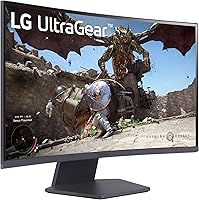
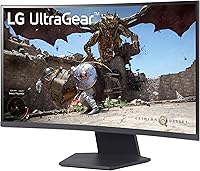
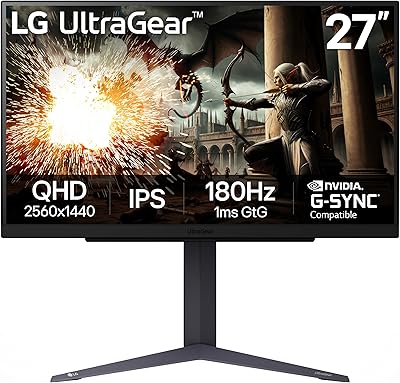
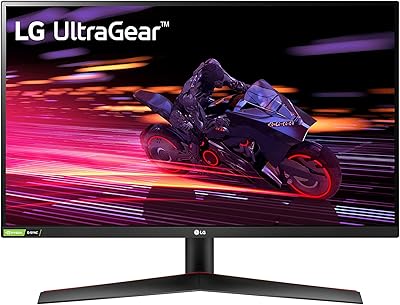
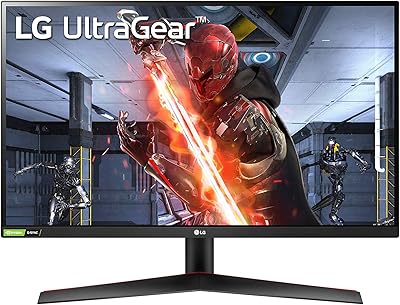
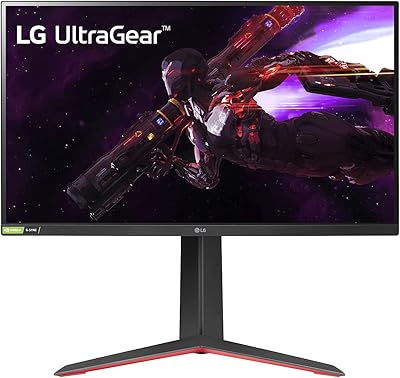
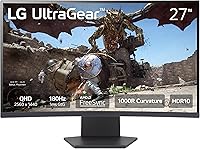
The LG 27GS60QC-B 27″ Curved Gaming Monitor sits squarely in LG's mid-range UltraGear lineup, aimed at gamers who want a genuine performance upgrade without paying flagship prices. The 27-inch QHD curved panel is the main draw here — a format that hits a sweet spot for most desk setups, offering more screen real estate than a typical 24-inch without demanding an ultra-wide footprint. It runs a VA panel, which brings strong contrast and rich blacks but comes with trade-offs that VA buyers should know going in. Solid specifications for the price tier, with a few honest caveats worth discussing before you commit.
Features & Benefits

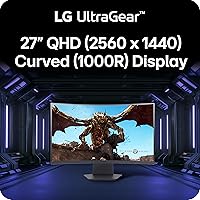
The 1000R curve on this curved gaming monitor is steep enough to feel genuinely immersive at a normal desk distance — not just a cosmetic decision. At 180Hz with a 1ms GtG response time, fast scenes in competitive shooters stay sharp, though that 1ms figure applies under specific overdrive settings and real-world results can vary slightly. AMD FreeSync keeps frame delivery smooth when your GPU isn't locked at peak output. The QHD 2560x1440 resolution is a meaningful clarity upgrade over 1080p — text is sharper, environments more detailed — without requiring an extremely powerful GPU. The 99% sRGB coverage handles everyday color work decently, though the HDR10 implementation is entry-level at best.

Best For

This 27-inch QHD display makes the most sense for mid-budget PC gamers who've outgrown 1080p but don't want the cost or GPU demands of a 4K setup. If your rig can push 1440p at high frame rates — a mid-to-high-tier GPU in the current generation will manage it — you'll get real value from both the resolution and the 180Hz ceiling. FPS and racing game players will feel the motion clarity improvement most acutely. It also works well as a dual-purpose workstation display for people who game at night and handle standard productivity tasks by day. Anyone upgrading from an older 60Hz or 1080p panel will notice the difference immediately.

User Feedback

With over 13,000 ratings averaging 4.5 stars, the LG UltraGear 27GS60QC-B has earned broad buyer approval. Most praise focuses on color vibrancy and smoothness at 180Hz, with many noting the value relative to competing options in this size and resolution class. The stand draws consistent criticism — it tilts but offers no height or pivot adjustment, nudging some buyers toward VESA mounts. A portion of users report backlight bleed along panel edges, a known risk with VA technology, though severity varies by unit. The HDR experience gets lukewarm reviews — functional but not compelling. Setup is straightforward, and the on-screen menu is easy to navigate.

Pros

  • QHD 1440p resolution delivers noticeably sharper visuals compared to standard 1080p displays.
  • 180Hz refresh rate keeps fast-paced gameplay fluid and responsive without screen tearing.
  • The 1000R curve adds genuine immersion at a normal desk viewing distance.
  • AMD FreeSync support ensures smooth frame delivery when GPU output fluctuates.
  • VA panel contrast produces deep blacks that IPS panels at this price rarely match.
  • Matte screen finish handles ambient light well without distracting glare.
  • Three-side borderless design looks clean and works well in multi-monitor setups.
  • Dual HDMI ports make it easy to connect a PC and a console simultaneously.
  • Over 13,000 buyers rate this curved gaming monitor at 4.5 stars — unusually strong consensus.
  • Setup is straightforward, and the on-screen menu is easy to navigate from day one.

Cons

  • Stand only tilts — no height, swivel, or pivot adjustment without a separate VESA mount.
  • HDR10 implementation is basic and unlikely to impress anyone who has used a proper HDR display.
  • VA panel ghosting can appear in very dark, fast-moving scenes depending on overdrive settings.
  • Backlight bleed severity varies by unit, and some buyers receive panels with noticeable edge glow.
  • The advertised 1ms response time applies only under specific overdrive conditions, not all use cases.
  • No USB-C connectivity limits options for users with modern laptops or single-cable setups.
  • Only one USB 3.0 port, which is minimal for a monitor positioned as a desktop hub replacement.
  • Viewing angles are narrower than IPS alternatives, causing color shift when viewed off-axis.

Ratings

The scores below for the LG 27GS60QC-B 27″ Curved Gaming Monitor were generated by AI after analyzing thousands of verified global buyer reviews, with spam, bot submissions, and incentivized feedback actively filtered out. Every category reflects what real users consistently experienced — both what impressed them and where the monitor fell short. The goal is a transparent, balanced picture to help you decide if this is the right display for your setup.
Motion & Refresh Performance
91%
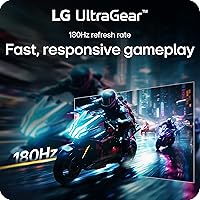
At 180Hz, this curved gaming monitor handles fast-paced shooters and racing games with genuinely fluid motion that most buyers coming from 60Hz or 144Hz panels notice immediately. The difference is especially apparent in games where tracking moving targets matters — users describe it as a clear, tangible upgrade.
The 1ms GtG figure only holds at aggressive overdrive settings, and some users note minor overshoot artifacts in very dark scenes at those levels. Dialing back overdrive to reduce artifacts comes with a slight real-world response time penalty.
Image Clarity & Sharpness
88%
The jump from 1080p to 1440p at 27 inches is consistently praised by buyers who made that upgrade — text looks crisper, game environments gain visible detail, and the pixel density sits in a comfortable range where individual pixels are not perceivable at normal desk distances.
A handful of users note that the QHD resolution demands more from your GPU than 1080p, and those running older mid-range cards occasionally report frame rate dips that undercut the 180Hz advantage. The resolution gain is real, but so is the hardware requirement.
Contrast & Black Levels
84%
VA panel contrast is one of the standout advantages here — deep blacks in dark game scenes and cinematic content feel noticeably richer than what IPS panels in this price tier typically deliver. Night scenes in RPGs and horror games look genuinely dramatic.
Contrast consistency across the panel isn't always uniform, and some buyers report slight grayishness in corners during full-black scenes. It's a known VA characteristic rather than a defect, but it's worth knowing going in if contrast uniformity matters to your use case.
Color Accuracy & Gamut
77%
23%
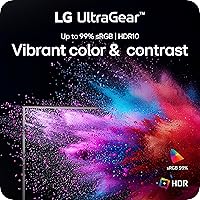
For everyday gaming and casual media consumption, the 99% sRGB coverage produces vibrant, punchy colors that most users find satisfying out of the box. Light productivity users and those who do casual photo browsing report that the colors look natural and well-saturated.
The panel is not factory calibrated, and those with color-sensitive workflows — graphic design, photography, video editing — will likely find the default output requires adjustment. The gamut doesn't extend into DCI-P3 territory, limiting its appeal for professional creative work.
HDR Performance
52%
48%
HDR10 support means compatible content does get processed, and some buyers notice a modest improvement in highlight handling in supported games and streaming apps compared to standard SDR output.
This is entry-level HDR in practice, and users expecting the kind of HDR pop seen on OLED or high-brightness IPS monitors will be disappointed. Peak brightness is too limited for HDR to feel impactful, and several reviewers recommend simply leaving HDR off for a cleaner SDR image.
Curvature & Immersion
86%
The 1000R curvature draws consistent praise from buyers who game at close to mid desk distances — the screen wraps into peripheral vision in a way that feels natural rather than gimmicky. FPS and racing game players in particular appreciate the sense of being pulled into the action.
A small but vocal group of buyers find the 1000R curve too aggressive for productivity use, noting a subtle distortion effect when working with straight horizontal lines in spreadsheets or design tools. Whether the curve feels right is genuinely personal and hard to evaluate without seeing it in person.
Backlight Uniformity
63%
37%
Many buyers receive units with acceptable uniformity and report no significant glow or bleed during typical gaming sessions, particularly in brighter or colorful scenes where bleed is masked naturally by content.
Backlight bleed is a recurring complaint across VA panels at this price, and this monitor is not immune. Edge glow in dark scenes appears in enough buyer reports to be a real risk — some users had to exchange units, while others found their panel acceptable from the start.
Stand & Ergonomics
44%
56%
The stand is stable and keeps the monitor steady during use, and the tilt range covers the most common sitting positions for standard desk heights. For buyers who use their monitor at a fixed position, it does the basic job.
Tilt-only adjustment is a genuine limitation that frustrated a notable portion of buyers, particularly those who need height adjustment for comfort or who share a workstation with others of different heights. Most who wanted proper ergonomics ended up purchasing a VESA arm separately, adding cost and complexity.
Connectivity & Ports
79%
21%
Dual HDMI inputs are a practical advantage — having both a PC and a console permanently connected without swapping cables is something buyers mention as a day-to-day convenience. The addition of DisplayPort covers users who want maximum refresh rate bandwidth from their GPU.
USB hub capability is minimal with just one USB 3.0 port, and the absence of USB-C is a notable gap for users with modern laptops who prefer single-cable workflows. Those who need a monitor to double as a peripheral hub will find the options thin.
Build Quality & Design
81%
19%
The three-side borderless design gets positive remarks for its clean aesthetic, and the slim bezels make it well suited for dual-monitor arrangements. Build quality feels solid for the price tier — buyers report no creaking, wobbling, or visible quality issues on most units.
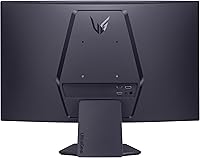
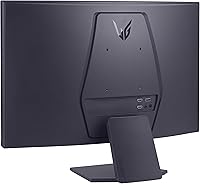
The plastic construction is appropriate for the price but doesn't feel premium to the touch, and the rear of the monitor has a utilitarian look that isn't as refined as some competitors. A few users note the cable management options behind the stand are limited.
Gaming-Specific Features
83%
The built-in crosshair overlay, FPS counter, and Black Stabilizer function are appreciated by competitive players who want on-screen tools without relying on third-party software. Switching between FPS and RTS presets through the OSD is quick once you've learned the menu layout.
The OSD navigation uses a single joystick control that some buyers find fiddly when making precise adjustments mid-session. The gaming presets are functional rather than fine-tuned, and enthusiast users tend to manually calibrate their settings rather than rely on the presets alone.
Setup & Out-of-Box Experience
87%
Assembly is consistently described as quick and intuitive — the stand clicks into the monitor without tools, and cable routing is straightforward. Most buyers report getting to a usable, well-configured display within fifteen minutes of opening the box.
Default brightness and contrast settings ship on the higher side, and some buyers find the image looks overblown until they spend time calibrating the OSD. There's no included calibration guide or preset recommendation in the documentation to help new users get a good baseline.
AMD FreeSync Effectiveness
85%
Buyers with AMD GPUs report that FreeSync works smoothly across the supported range, keeping gameplay visually clean even during frame rate fluctuations in open-world games where consistent output is harder to maintain. The tear-free experience holds up well in real gaming conditions.
Nvidia GPU users can use G-Sync Compatible mode, but compatibility and smoothness vary depending on the specific card and driver version. A small number of Nvidia users report occasional flickering or inconsistency that AMD users don't encounter with native FreeSync support.
Value for Money
92%
Across thousands of reviews, value for money is the most frequently cited strength — buyers consistently feel the combination of 1440p, 180Hz, and the 1000R curve delivers performance well above what the price would suggest. It competes favorably against alternatives that cost noticeably more for similar specs.
The value equation does depend on your priorities — if you need strong HDR, a height-adjustable stand, or a wide-gamut panel, you'll likely need to spend more elsewhere. For those specific needs, the price-to-performance story is less straightforward.

Suitable for:

The LG 27GS60QC-B 27″ Curved Gaming Monitor is a strong fit for PC gamers who want to step up from 1080p without jumping to a premium-tier price point. If you're running a mid-to-high-range GPU and primarily play fast-paced games — shooters, racing titles, action games — the combination of 1440p resolution and 180Hz refresh rate will feel like a genuine upgrade over what most budget monitors offer. The 1000R curve works well at typical desk distances, making the screen feel more enveloping than a flat 27-inch panel without the awkwardness of an ultra-wide. Dual-purpose users who game in the evenings and handle standard productivity work during the day will find the color accuracy adequate for everyday tasks. It also suits anyone coming off an older 60Hz or 1080p display who wants a meaningful performance jump without overspending.
Not suitable for:

The LG 27GS60QC-B 27″ Curved Gaming Monitor is not the right call for buyers with specific ergonomic needs, since the stand only tilts and offers no height or pivot adjustment — if you don't plan to use a VESA arm, that limitation gets old quickly. HDR enthusiasts should look elsewhere; the HDR10 support here is entry-level and won't deliver the kind of highlight performance that makes HDR worth enabling. Nvidia GPU users who rely on G-Sync will find only FreeSync support, which works in compatible mode on some Nvidia cards but without the full certification. If you're a professional photographer, graphic designer, or colorist, the 99% sRGB coverage is workable but the VA panel's viewing angle limitations and lack of factory calibration make it unsuitable for serious color-critical work. Buyers sensitive to backlight bleed should also be cautious, as VA panels at this price tier can vary noticeably from unit to unit.
Specifications

  • Screen Size: The display measures 27 inches diagonally, offering a practical footprint for single-monitor desktop setups without requiring an unusually deep desk.
  • Panel Type: Uses a VA (Vertical Alignment) panel, which delivers higher native contrast than IPS alternatives but has narrower viewing angles and some ghosting risk in dark scenes.
  • Resolution: Native resolution is 2560x1440 (QHD), providing noticeably sharper detail than 1080p while remaining manageable for mid-to-high-tier GPUs.
  • Refresh Rate: Supports a maximum refresh rate of 180Hz, allowing significantly smoother motion in fast-paced games compared to standard 60Hz or 144Hz displays.
  • Response Time: Rated at 1ms GtG (Gray-to-Gray) under optimal overdrive settings; real-world performance may vary slightly depending on the selected overdrive mode.
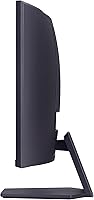
  • Curvature: Features a 1000R curvature radius, one of the steeper curves available at this screen size, designed to better match the natural arc of human vision.
  • Aspect Ratio: Standard 16:9 widescreen aspect ratio, compatible with all modern gaming resolutions and video formats without letterboxing or pillarboxing.
  • HDR Support: Supports HDR10, an entry-level HDR standard that provides some luminance and color range improvement but does not meet enthusiast-grade HDR performance thresholds.
  • Color Gamut: Covers 99% of the sRGB color space, making it suitable for everyday content, casual photo viewing, and productivity tasks alongside gaming use.
  • Adaptive Sync: Compatible with AMD FreeSync, which dynamically synchronizes the monitor's refresh rate to the GPU's output to reduce screen tearing and stutter.
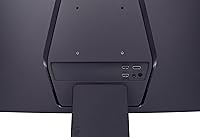
  • Connectivity: Includes two HDMI ports and one DisplayPort input, allowing simultaneous connection of a PC and a gaming console without swapping cables.
  • USB Ports: Provides one USB 3.0 downstream port, which is functional for peripherals but limited compared to monitors with full USB hub implementations.
  • Screen Finish: Matte anti-glare surface coating reduces reflections from ambient light sources, making it more comfortable in bright room environments than glossy panels.
  • Stand Adjustment: The included stand supports tilt adjustment only; height, swivel, and pivot adjustments are not available without a third-party VESA-compatible mount.
  • VESA Compatibility: The monitor supports VESA mounting, allowing users to attach it to aftermarket monitor arms or wall mounts for full ergonomic control.
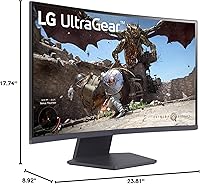
  • Dimensions: With the stand attached, the monitor measures approximately 8.92 x 23.81 x 17.74 inches (D x W x H), fitting comfortably on most standard desks.
  • Weight: Total weight with stand is 10.58 pounds, making it manageable for solo installation and repositioning without assistance.
  • OSD Features: The on-screen display includes gaming-specific presets such as FPS and RTS modes, a Black Stabilizer setting, and a built-in crosshair and FPS counter overlay.
  • Power: The monitor draws a modest amount of power typical for a 27-inch VA gaming panel; exact wattage varies by brightness and feature settings in use.
  • Release Date: First made available in April 2024, positioning it as a current-generation mid-range option within LG's UltraGear gaming monitor lineup.

Related Reviews
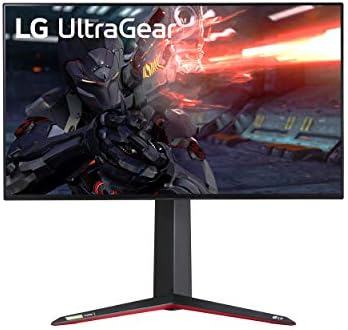
LG 27GN950-B UltraGear Gaming Monitor 27″
85%
94%
Gaming Performance
92%
Image Quality
88%
Ergonomics & Adjustability
91%
Refresh Rate & Response Time
90%
Color Accuracy
More
LG 27GN750-B UltraGear 27” Gaming Monitor
86%
91%
Display Quality
94%
Performance for Gaming
80%
Ease of Setup
87%
Build Quality
82%
Ergonomics & Adjustability
More
LG 27GR95QE-B 27″ Ultragear OLED Gaming Monitor
86%
94%
Display Quality
92%
Gaming Performance
89%
Color Accuracy
85%
Build Quality
90%
Ergonomics/Adjustability
More
LG 27GP700-B 27” UltraGear FHD Gaming Monitor
87%
94%
Performance (Gaming)
91%
Display Quality
88%
Ease of Setup
89%
Design & Aesthetics
90%
Color Accuracy (for Creators)
More
LG 34GP63A-B 34-Inch Curved Gaming Monitor
79%
93%
Gaming Immersion
91%
Refresh Rate Performance
88%
Contrast & Black Depth
83%
Color Accuracy
86%
Input Lag & Responsiveness
More
LG 27GX790A-B 27-inch OLED Gaming Monitor
80%
94%
Motion Clarity
92%
Image Quality
88%
HDR Performance
89%
Connectivity
86%
Ergonomics & Stand
More
LG 27GS75Q-B 27-inch QHD Gaming Monitor
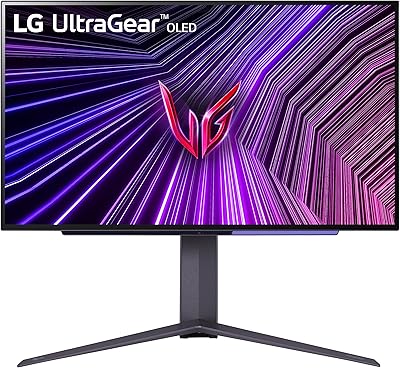
82%
91%
Refresh Rate & Motion Performance
88%
Image Sharpness & Resolution
83%
Color Accuracy & Gamut
57%
HDR Performance
86%
Response Time & Ghosting
More
LG 27GR83Q-B 27-inch QHD Gaming Monitor
80%
93%
Motion Clarity & Refresh Rate
89%
Image & Color Quality
58%
HDR Performance
84%
Build Quality & Materials
88%
Ergonomic Stand
More
LG 27GN800-B 27-inch QHD Gaming Monitor
77%
88%
Image Quality
86%
Motion Performance
91%
Adaptive Sync
41%
Ergonomics & Stand
87%
Value for Money
More
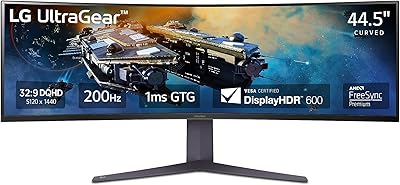
LG 45GR65DC-B Ultragear 45-Inch Curved Gaming Monitor
87%
94%
Display Quality
91%
Gaming Performance
88%
Multitasking Features
90%
Color Accuracy
83%
Ease of Setup
More

FAQ

FreeSync is natively designed for AMD GPUs, but Nvidia has supported FreeSync displays through its G-Sync Compatible program for several years now. This curved gaming monitor should work with G-Sync Compatible mode on supported Nvidia cards, though you'll want to verify your specific GPU model is on Nvidia's compatibility list. The experience is generally smooth, but it won't carry the full G-Sync certification.

Yes, you can connect a PS5 or Xbox Series X via HDMI. The monitor has two HDMI ports, so you could have a console and a PC plugged in simultaneously. Keep in mind the console output will be capped at the monitor's native resolution and refresh rate — 1440p at up to 180Hz — which both current-gen consoles support to varying degrees depending on the game.

The 1ms GtG figure is achievable, but only under specific overdrive settings. At the highest overdrive level you may see some overshoot artifacts, while lower settings produce a slightly higher real-world response time. For most gaming scenarios the difference is not dramatic, but if you're extremely sensitive to motion clarity it's worth testing the overdrive modes after setup.

VA panels as a category are more prone to backlight bleed than IPS, and this monitor is no exception — some units ship with noticeable bleed along the edges, particularly in dark scenes. That said, it varies from unit to unit. Many buyers report no significant issues, while others have had to exchange their panels. If uniformity matters to you, check the return policy before purchasing.

LG typically includes a DisplayPort cable in the box with this monitor. An HDMI cable may or may not be included depending on the retail package, so it's worth checking your specific listing or having a spare on hand just in case.

No — the included stand only tilts forward and back. There's no height, swivel, or pivot adjustment built in. If you need those ergonomic options, you'll want to pick up a VESA-compatible monitor arm, which the display does support.

The 1000R curve is on the steeper end for a 27-inch screen, and reactions to it are genuinely personal. Most users adapt quickly and find it comfortable for both gaming and desk work. If you primarily use spreadsheets or work with straight horizontal lines in design software, a slight curve perception is possible at close range, but the majority of buyers don't find it distracting for general use.

Honestly, temper your expectations here. The HDR10 support provides a minor improvement in certain content, but the peak brightness and local dimming capabilities of this panel aren't in the same league as dedicated HDR displays. Most users who game in SDR and occasionally watch HDR video won't feel shortchanged, but if HDR is a priority for you, this 27-inch QHD display isn't the right choice.

To consistently reach 180Hz at QHD resolution in modern AAA titles, you'll want something in the range of an RX 6800 or RTX 4070 or better. In less demanding esports titles — CS2, Valorant, Apex Legends — even mid-range cards can push well past 180fps at 1440p. The resolution is more forgiving than 4K, but it still puts more load on your GPU than 1080p.

It's a reasonable dual-purpose option for light creative work — the 99% sRGB coverage is sufficient for web design, casual photo editing, and video review. Where it falls short is in print work or anything requiring DCI-P3 or AdobeRGB coverage, and the VA viewing angles mean colors can shift slightly when viewed off-center. For a true creative workstation monitor, you'd want an IPS panel. But for someone who games heavily and does some light creative work on the side, the LG UltraGear 27GS60QC-B covers both reasonably well.

Where to Buy