
Overview

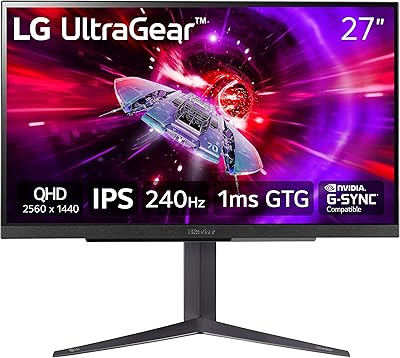
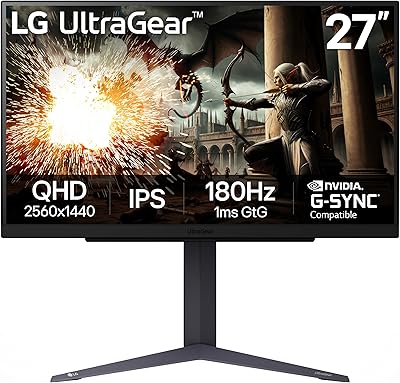
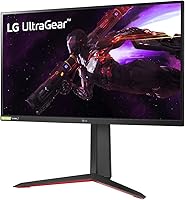
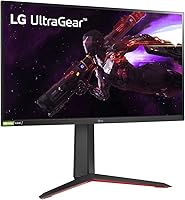
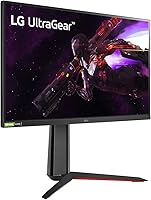
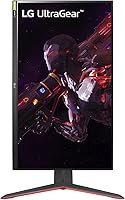
The LG 27GP850-B 27-Inch QHD Gaming Monitor sits comfortably in the mid-to-high range for serious PC gamers — competitive enough to satisfy fast-paced players, yet refined enough for anyone who genuinely cares about image quality beyond raw frame rates. Launched in April 2021, it was built around LG's Nano IPS panel, which distinguishes it clearly from both standard IPS and TN alternatives in ways you can actually see. The stand is genuinely versatile, offering height, tilt, and pivot adjustments that let you sort out your ergonomics without buying a separate arm. Years later, this LG Ultragear monitor still holds its own in the QHD segment, which says a lot about how well it was spec'd at launch.

Features & Benefits

What makes the 27GP850-B stand out is how its specs translate to actual use rather than just looking impressive on paper. The Nano IPS panel covers 98% of the DCI-P3 color gamut — you notice the difference in richly lit game environments and photo work, where colors feel punchy and accurate rather than flat. The 165Hz refresh rate combined with a 1ms GtG response means motion in fast games genuinely looks crisp, not just marginally smoother than 60Hz. Dual sync compatibility — both NVIDIA G-SYNC and AMD FreeSync Premium — means this 27-inch QHD panel works cleanly regardless of which GPU is in your rig. HDR10 is included, but honest expectations matter: at 400 cd/m² peak brightness, the HDR impact is modest at best. The matte coating handles glare well in bright rooms, though it softens pixel-level sharpness slightly versus glossy alternatives.

Best For

This 27-inch QHD panel is a natural pick for competitive FPS and fast-action gamers who want motion clarity without sacrificing color accuracy. It also works well for creative hobbyists — photo editors, digital illustrators — who need a monitor that handles both work and gaming without constant profile switching. The dual sync support makes it a practical choice for anyone uncertain about their next GPU upgrade, since it works reliably on both platforms. If you're coming from a 1080p display, the jump to 1440p at 27 inches is noticeable and satisfying, and you avoid the GPU demands of 4K while still gaining a significant clarity improvement. The adjustable stand is a real benefit for tighter desks, saving both money and space compared to adding a monitor arm separately.

User Feedback

Buyers who've lived with the 27GP850-B for months tend to highlight three things unprompted: how vivid the colors are right out of the box, how responsive the display feels during fast gameplay, and how sturdy and well-considered the stand is — hard things to fake in long-term use. On the critical side, the HDR experience is a consistent letdown for many; not broken, just flat relative to what the HDR10 badge implies. IPS glow in dark scenes is real too, though it's better framed as an inherent panel trait rather than a manufacturing defect. A notable portion of buyers flag the absence of built-in speakers as a genuine omission at this price tier. Workable, but worth knowing going in. Long-term reliability reports are largely positive, with few recurring complaints about build quality over time.

Pros

  • Nano IPS panel delivers noticeably richer, more accurate colors than standard IPS alternatives right out of the box.
  • 165Hz refresh rate makes fast-paced games feel genuinely fluid, not just marginally better than 60Hz.
  • Dual sync support covers both NVIDIA and AMD GPUs, so you are not locked into one platform.
  • The 1ms GtG response holds up well in practice, with minimal ghosting in fast-action titles.
  • Wide 178-degree viewing angle means colors stay consistent even at steep off-axis positions.
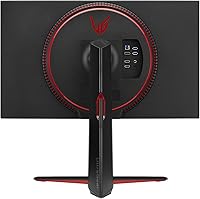
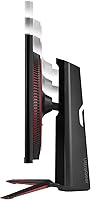
  • The adjustable stand — height, tilt, pivot — removes the need for a separate monitor arm in most setups.
  • Matte anti-glare coating is effective in bright environments, reducing eye strain during long sessions.
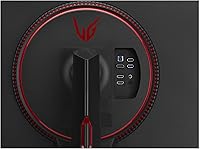
  • Three USB ports on the monitor add real convenience for keyboard, mouse, and peripheral management.
  • Long-term reliability is strong, with few reported quality-control issues from buyers using it daily over extended periods.
  • QHD resolution at 27 inches strikes a practical balance between image sharpness and GPU workload.

Cons

  • HDR10 support sounds compelling on paper, but real-world HDR impact is minimal at this brightness level.
  • IPS glow is visible in dark scenes and dark-room gaming — this is a known panel trade-off, not a defect, but it is real.
  • No built-in speakers, which is a noticeable omission at this price point for buyers without existing audio setups.
  • Some units show backlight bleed near corners, a recurring if not universal complaint among buyers.
  • The matte coating slightly reduces perceived pixel sharpness compared to glossy panels — a minor but real trade-off.
  • No USB-C connectivity, which limits one-cable desk setups for laptop users.
  • At 400 cd/m² peak brightness, the display can feel limited in very bright rooms compared to higher-nit competitors.
  • Buyers upgrading from a high-contrast VA or OLED panel may find the black depth of this 27-inch QHD panel underwhelming.

Ratings

The scores below for the LG 27GP850-B 27-Inch QHD Gaming Monitor were generated by our AI system after analyzing thousands of verified global buyer reviews, with spam, bot activity, and incentivized feedback actively filtered out. Each category reflects a balanced synthesis of real ownership experiences — strengths and frustrations alike — so you get an honest picture of what living with this monitor actually looks like.

Image Quality
91%
The Nano IPS panel consistently earns high marks for producing colors that look vibrant and accurate right out of the box, with minimal calibration needed for most users. Gamers and hobbyist creatives alike report that the wide color gamut makes games, photos, and video content look noticeably richer than their previous monitors.
A small number of users coming from OLED or high-end VA panels find the black depth underwhelming, particularly in dark cinematic content where deep blacks matter. The matte coating also subtly softens perceived sharpness compared to glossy alternatives, which some users notice when reading small fonts.
Motion Performance
93%
Competitive gamers consistently describe the 165Hz experience as a clear, tangible improvement over 144Hz and especially over 60Hz displays, with fast-moving scenes in shooters feeling controlled rather than chaotic. The 1ms GtG response holds up well under real gameplay conditions, with minimal trailing or ghosting reported even in the most demanding fast-action titles.
A subset of users note that achieving the full 165fps to match the refresh rate requires a high-end GPU at 1440p, meaning mid-range card owners may not fully utilize this monitor's ceiling in demanding modern games. Without sufficient frame rates, the motion advantage over slower monitors narrows considerably.
Color Accuracy
88%
The 98% DCI-P3 coverage is something photo editors and digital artists specifically call out as a genuine differentiator, noting that skin tones, gradients, and saturated colors render in a way that feels true rather than exaggerated. For a gaming-first monitor, this level of out-of-box color accuracy is genuinely uncommon and frequently praised.
It is not a factory-calibrated professional display, so users doing color-critical work for print or broadcast still report minor inconsistencies that require profiling. The wide gamut can also cause some sRGB content to appear slightly oversaturated unless you manually enable an sRGB emulation mode through the OSD.
HDR Performance
54%
46%
HDR10 support does produce a functional response in compatible games and streaming content, with some improvement in highlight detail over standard SDR output. Users who primarily play in bright, colorful environments occasionally report that HDR adds a pleasing extra punch to outdoor game scenes.
The 400 cd/m² peak brightness ceiling is the central complaint — most buyers who expected meaningful HDR contrast are disappointed by how flat the effect feels compared to monitors with true local dimming or higher nit ratings. In darker rooms with HDR-heavy content, the gap between SDR and HDR on this panel is often described as barely perceptible.
Refresh Rate & Sync
89%
The dual sync compatibility — covering both NVIDIA and AMD platforms — is frequently highlighted as a practical purchase justification, especially for users who have switched GPU brands or are planning to. FreeSync Premium and G-SYNC Compatible certification both work reliably without requiring manual configuration on modern driver versions.
A handful of users report needing to manually verify that adaptive sync is active in their GPU control panel after initial setup, as it does not always enable automatically. There are isolated reports of minor flickering at the lower end of the VRR range, though this is uncommon and typically resolved through driver updates.
Build Quality
86%
The physical construction of the 27GP850-B draws consistent praise, with users describing the chassis as solid and free from flex or creaking during adjustments. The three-side borderless design looks clean on a desk, and long-term owners report that the monitor holds up well without any structural degradation after years of daily use.
Some buyers note that the rear panel has a slightly plasticky feel that does not quite match the premium appearance of the front, which is a minor but occasionally mentioned point. A few users also report minor wobble in the stand on surfaces that are not completely level.
Ergonomics & Stand
87%
The included stand with height, tilt, and pivot adjustment genuinely removes the need for a separate monitor arm in most desk setups, which buyers frequently mention as an underrated value add. The pivot function in particular gets positive mentions from users who rotate the monitor for coding or document work.
The stand does not support swivel rotation, meaning users who want to angle the monitor horizontally from the base have to physically reposition the entire unit. A small number of users find the height range slightly limited for very tall seated positions or standing desk configurations at maximum height.
Connectivity
74%
26%
The three built-in USB-A ports function as a genuine convenience hub for keyboard, mouse, and headset connections, reducing cable clutter behind the desk. Having a DisplayPort 1.4 input ensures buyers can access the full 165Hz refresh rate without any bandwidth compromise.
The absence of USB-C input is a recurring point of frustration for laptop users who want a single-cable setup for video and power delivery. HDMI 2.0 also caps out below the maximum 165Hz at 1440p, which catches some buyers off guard when connecting via HDMI from a console or laptop.
Panel Uniformity
71%
29%
The majority of buyers report acceptable panel uniformity for both gaming and everyday productivity use, with consistent brightness across most of the screen in normal mixed-content scenarios. Many users go months without noticing any uniformity issues under typical varied desktop usage.
IPS glow is the most frequently cited panel concern, appearing as a hazy luminance near the corners during dark scenes or in dim-room gaming. Backlight bleed is also reported on a meaningful subset of units, varying in severity — some buyers received panels with noticeable bleed near one or two edges.
Value for Money
83%
Buyers regularly describe the 27GP850-B as a monitor that delivers a genuinely premium gaming experience at a price that undercuts many OLED and mini-LED alternatives, making the Nano IPS color quality feel like good value in context. For users who need both gaming performance and decent color accuracy, the dual-purpose capability adds to the perceived value.
In a market where newer competitors have entered at similar price points with improved HDR or USB-C connectivity, some buyers feel the value proposition has softened since the original launch. Users who primarily care about HDR or dark-room movie watching may feel they are paying for gaming features they cannot fully leverage.
OSD & Software
72%
28%
The on-screen display menu is organized logically, and most buyers manage to configure HDR, color modes, and refresh rate settings without consulting the manual. Switching between presets for gaming and content creation is straightforward once the initial setup is done.
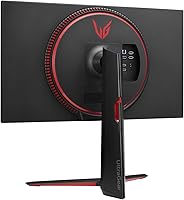
The physical OSD joystick is positioned in an awkward spot on the rear underside of the panel, which several users describe as unintuitive to reach without looking. Some buyers also report that certain settings revert after power cycling, requiring them to re-apply preferences after each restart.
Glare & Reflections
82%
18%
The matte anti-glare coating does its job well in bright office environments and rooms with windows, where glossy panels would render the screen nearly unusable without blackout curtains. Users working in naturally lit spaces specifically highlight glare resistance as one of the most practical daily-use advantages of this 27-inch QHD panel.
The trade-off with the matte coating is a slight loss in perceived pixel crispness and color pop compared to glossy displays, which some users who previously owned a glossy panel notice and miss. In very dark rooms, the coating can also create a subtle graininess in large uniform dark areas.
Audio
31%
69%
There is nothing negative to say about audio performance causing interference with the display itself — the absence of built-in speakers means no buzz, hum, or vibration artifacts that integrated speaker systems sometimes introduce into monitor panels.
The lack of any built-in speakers is a straightforward omission that a meaningful number of buyers flag as frustrating at this price tier, particularly those setting up a clean minimal desk with fewer external devices. Users who expected even basic audio output had to immediately source external speakers or rely entirely on headsets.
Setup & Packaging
84%
Assembly is consistently described as simple and fast, with the stand attaching to the panel without tools in a few minutes. The packaging is well-engineered and protective, with few reports of transit damage even among buyers who received units through extended delivery chains.
The included cable selection is minimal, with some buyers noting they needed to source their own DisplayPort cable separately to access full refresh rate performance. The documentation is basic and does not walk users through optimal settings for gaming versus creative use, which can leave less experienced buyers unsure of where to start.
Long-term Reliability
85%
Extended ownership reports across multiple buyer cohorts are largely positive, with most users reporting stable color and brightness performance after one to two years of regular daily use. The build integrity of both the panel and stand holds up well, with very few accounts of mechanical failures or display defects emerging over time.
A small but notable group of buyers report pixel anomalies or backlight changes appearing after the first year of use, which occasionally falls outside the standard warranty window. LG's warranty support experience varies significantly by region, which adds some uncertainty for international buyers investing at this price level.

Suitable for:

The LG 27GP850-B 27-Inch QHD Gaming Monitor is a strong fit for PC gamers who want a meaningful upgrade from 1080p without the GPU overhead that 4K demands — the jump to 1440p at 27 inches is genuinely noticeable in everyday use. Competitive FPS players will appreciate the 165Hz refresh rate and 1ms GtG response, which together deliver the kind of motion clarity that actually affects in-game performance rather than just looking good in specs. The Nano IPS panel's near-full DCI-P3 coverage also makes this a practical choice for creative hobbyists — photo editors, digital artists, and streamers — who want one display that handles color-accurate work and gaming without compromise. The dual sync compatibility is a quiet but real advantage for anyone who switches GPU brands or is planning an upgrade, since it works cleanly on both NVIDIA and AMD platforms. Finally, users who want a well-built, ergonomically flexible stand without spending extra on a monitor arm will find the height, tilt, and pivot adjustments genuinely useful for long daily sessions.

Not suitable for:

If HDR is a priority for you, the LG 27GP850-B 27-Inch QHD Gaming Monitor will likely disappoint — at 400 cd/m² peak brightness, the HDR10 badge is technically accurate but practically underwhelming compared to monitors with full-array local dimming or higher brightness ceilings. Buyers coming from an OLED or high-end VA panel may also find the inherent IPS glow distracting in dark-room gaming or cinematic content, and that is a panel-type trade-off rather than something fixable through settings. Anyone who relies on built-in speakers — even just for casual background audio — will need to budget for external options, since this 27-inch QHD panel ships without them. It is also not the right pick for users chasing true 4K sharpness or those whose workflow specifically benefits from ultra-wide aspect ratios, as this is a standard 16:9 display. Media professionals who need certified color accuracy for print or broadcast production should look at purpose-built color-critical monitors rather than a gaming-focused panel.

Specifications

  • Panel Type: Uses a Nano IPS panel, which applies a nanoparticle layer to the backlight to produce a wider and more accurate color output than standard IPS technology.
  • Screen Size: 27-inch diagonal display area with a 16:9 aspect ratio, optimized for QHD resolution density at this size.
  • Resolution: Native resolution of 2560 x 1440 pixels, commonly referred to as QHD or 1440p, offering roughly 78% more pixels than a 1080p display.
  • Refresh Rate: Maximum refresh rate of 165Hz, allowing up to 165 frames per second to be rendered smoothly when the connected GPU can supply them.
  • Response Time: 1ms GtG (Gray-to-Gray) response time, which describes the speed at which individual pixels transition between shades to minimize motion blur.
  • Color Gamut: Covers 98% of the DCI-P3 color space, delivering rich, cinema-grade color saturation that is visibly broader than the sRGB standard most monitors target.
  • Peak Brightness: Rated at 400 cd/m² peak brightness, which is adequate for SDR content but limits the effectiveness of HDR in high-ambient-light environments.
  • HDR Support: Supports the HDR10 format, enabling compatible content to trigger tone-mapping, though the real-world HDR impact is modest at this brightness level.
  • Sync Technology: Certified as both NVIDIA G-SYNC Compatible and AMD FreeSync Premium, enabling adaptive sync to eliminate screen tearing on either GPU platform.
  • Viewing Angle: Rated at 178 degrees both horizontally and vertically, meaning color and contrast remain consistent across a wide range of off-axis viewing positions.
  • Display Surface: Matte anti-glare coating reduces reflections and eye strain in brightly lit rooms, with a minor trade-off in perceived pixel sharpness versus glossy panels.
  • Stand Adjustment: The included stand supports tilt, height, and pivot adjustments, allowing full ergonomic customization without requiring a separate monitor arm.
  • USB Ports: Equipped with 3 USB-A ports built into the monitor body, functioning as a convenient hub for keyboards, mice, and other desktop peripherals.
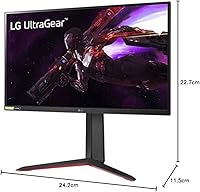
  • Dimensions: Assembled product measures 24.2 x 11.5 x 22.7 inches (width x depth x height) with the stand attached.
  • Weight: Complete unit with stand weighs 13.86 pounds, which is typical for a 27-inch monitor and compatible with most standard VESA monitor arms.
  • VESA Mount: Supports standard VESA wall mounting, giving users the option to remove the stand and attach the monitor to a third-party wall mount or arm.
  • Power Draw: Typical power consumption is 48W under normal use, rising to a maximum of 65W under peak load conditions.
  • Pixel Pitch: Pixel pitch of 0.2331 x 0.2331mm produces a pixel density that balances sharp text and fine image detail at a comfortable 27-inch viewing distance.

Related Reviews
LG 27GS60QC-B 27″ Curved Gaming Monitor
78%
91%
Motion & Refresh Performance
88%
Image Clarity & Sharpness
84%
Contrast & Black Levels
77%
Color Accuracy & Gamut
52%
HDR Performance
More
LG 27GR83Q-B 27-inch QHD Gaming Monitor
80%
93%
Motion Clarity & Refresh Rate
89%
Image & Color Quality
58%
HDR Performance
84%
Build Quality & Materials
88%
Ergonomic Stand
More
LG 27GN800-B 27-inch QHD Gaming Monitor
77%
88%
Image Quality
86%
Motion Performance
91%
Adaptive Sync
41%
Ergonomics & Stand
87%
Value for Money
More
LG 34GP63A-B 34-Inch Curved Gaming Monitor
79%
93%
Gaming Immersion
91%
Refresh Rate Performance
88%
Contrast & Black Depth
83%
Color Accuracy
86%
Input Lag & Responsiveness
More
LG 27GS75Q-B 27-inch QHD Gaming Monitor

82%
91%
Refresh Rate & Motion Performance
88%
Image Sharpness & Resolution
83%
Color Accuracy & Gamut
57%
HDR Performance
86%
Response Time & Ghosting
More
LG 27GX790A-B 27-inch OLED Gaming Monitor
80%
94%
Motion Clarity
92%
Image Quality
88%
HDR Performance
89%
Connectivity
86%
Ergonomics & Stand
More
LG UltraGear 32″ QHD Gaming Monitor
80%
91%
Gaming Performance
84%
Image Quality
54%
HDR Experience
88%
Ergonomics & Stand
79%
Build Quality
More
LG 27GL650F-B 27-Inch Full HD IPS Gaming Monitor

85%
92%
Display Quality
89%
Gaming Performance
85%
Build Quality
91%
Ergonomics & Adjustability
90%
Value for Money
More
LG 27MK600M 27-inch IPS Monitor
75%
83%
Image Quality
71%
Color Accuracy
78%
Panel Uniformity
74%
Refresh Rate & Smoothness
62%
Response Time
More
memzuoix 27-inch QHD 165Hz Gaming Monitor
70%
88%
Image Clarity
84%
Refresh Rate Performance
91%
Value for Money
82%
Adaptive Sync (FreeSync/G-Sync)
77%
Color Accuracy
More

FAQ

Yes, the 27GP850-B supports both NVIDIA G-SYNC Compatible and AMD FreeSync Premium adaptive sync, so it works cleanly with either GPU brand. You do not need to do anything special to enable it — most modern drivers detect and activate the appropriate sync mode automatically.

Honestly, it depends on your expectations. The LG 27GP850-B 27-Inch QHD Gaming Monitor supports HDR10, but with a 400 cd/m² peak brightness ceiling and no local dimming, the HDR effect is subtle rather than dramatic. It is better than nothing for compatible games and movies, but if HDR performance is your primary concern, you should look at monitors with significantly higher brightness ratings or mini-LED backlighting.

You can set the monitor to 165Hz regardless of your GPU, but actually hitting 165 frames per second in demanding games requires a capable graphics card. At 1440p, a mid-range GPU will often fall short of 165fps in modern titles at high settings. That said, even 80 or 100fps with adaptive sync enabled looks noticeably smoother than a fixed 60Hz display.

IPS glow is present on the 27GP850-B, particularly visible in dark scenes or when the monitor is used in a dim room. It typically appears as a faint luminous haze near the corners. This is an inherent characteristic of IPS-type panels rather than a defect — some units show it more than others, but it is something every buyer should know to expect going in.

No, this 27-inch QHD panel does not include built-in speakers. If you do not already have external speakers or a headset connected to your PC, you will need to factor that into your setup budget.

The stand handles tilt, height, and pivot adjustments, which covers the needs of most users without any additional hardware. Unless you specifically want to free up desk space with a wall mount, or need a dual-monitor arm setup, the included stand should be sufficient for comfortable daily use.

The monitor includes DisplayPort 1.4 and two HDMI 2.0 inputs, along with a USB upstream port and three USB-A downstream ports. For getting the full 165Hz at 1440p, DisplayPort is the recommended connection — HDMI 2.0 can support 144Hz at 1440p but may not reliably deliver the full 165Hz depending on your setup.

The Nano IPS panel's 98% DCI-P3 coverage makes it a genuinely capable display for color-sensitive creative work, not just gaming. Hobbyist photographers and digital artists will find the color accuracy and wide gamut useful. That said, it is not a color-calibrated professional monitor, so it is best positioned as a dual-purpose display rather than a dedicated production workstation screen.

The matte anti-glare coating does soften the appearance of fine text and thin lines slightly compared to a glossy panel, which is a common trade-off with this type of coating. In practice, most users do not find it problematic at normal desktop viewing distances, but if you are particularly sensitive to display clarity for reading or small-font work, it is worth being aware of.

Long-term user reports are generally positive for this model. Most owners do not report significant degradation in panel quality, color accuracy, or build integrity over extended periods of daily use. The stand in particular tends to receive consistent praise for remaining sturdy over time. As with any IPS panel, there is some risk of image retention with static on-screen elements, but it is not a widely reported issue at problematic levels.