

Overview

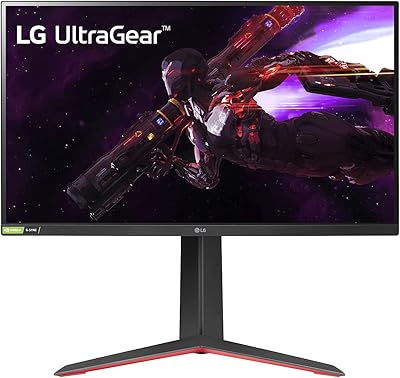
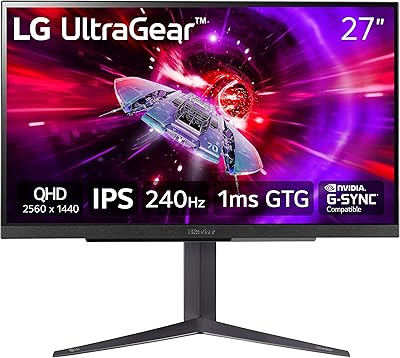
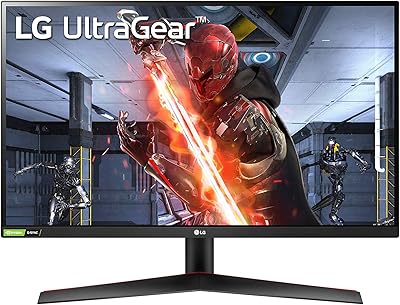
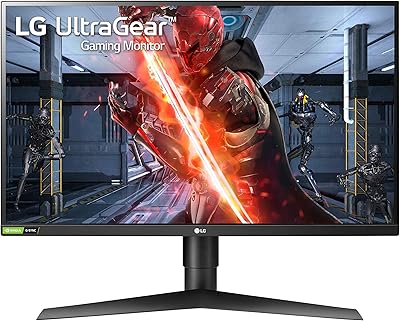
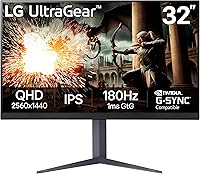
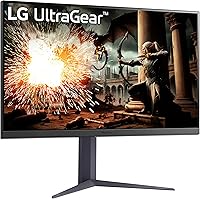
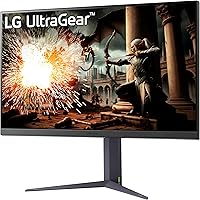
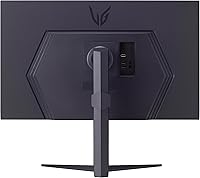
The LG UltraGear 32″ QHD Gaming Monitor arrived in late 2024 as a genuinely competitive option in a crowded mid-range field. At 32 inches with a 2560x1440 IPS panel, it hits a sweet spot many gamers actively hunt for — enough screen to feel immersive, sharp enough that pixels aren't distracting at normal desk distances. What stood out most, though, was the ergonomic stand: height, tilt, and pivot adjustment at this price tier isn't a given. This isn't LG's top-of-the-line offering — no OLED, no 4K — but it's built for the gamer who wants real performance headroom without paying flagship prices.

Features & Benefits

At 180Hz and 1ms MBR, this 32-inch gaming monitor keeps up with fast-paced shooters without visible ghosting during quick turns and rapid tracking. IPS technology earns its place here too — colors stay accurate when you're not sitting dead-center, which matters when sharing a view or tilting the screen. Dual HDMI ports alongside DisplayPort make it easy to keep a PC and a console plugged in simultaneously. G-SYNC Compatible and AMD FreeSync support means tear-free gameplay regardless of which GPU you're running. The DisplayHDR 400 badge and 99% sRGB coverage are worth noting, though HDR400 is entry-level — don't expect OLED-style contrast depth.

Best For

This 1440p display makes the most sense for PC gamers jumping from 1080p who aren't ready to invest in 4K-capable hardware. At 180Hz, it also suits competitive multiplayer players — particularly in FPS and RTS titles where low latency and fluid motion matter more than pixel count. Two HDMI ports and a pivot-capable stand make it a practical choice for mixed PC-and-console desk setups. The adjustable stand genuinely helps hybrid home-office users who need to shift posture throughout the day. If you're chasing OLED-level blacks or professional color grading, look elsewhere — this monitor is built for performance, not perfection.

User Feedback

Sitting at 4.4 stars across roughly 109 ratings, this LG UltraGear earns its marks — but the picture isn't entirely uniform. Buyers consistently praise the sharp 1440p image and smooth high-refresh motion, and stand adjustability comes up often as a pleasant surprise at this price point. On the critical side, a notable portion of reviewers flag that HDR400 delivers little visible impact compared to higher-tier panels. Some users mention backlight bleed or uneven brightness near screen edges — a known risk with large-format IPS displays, and worth checking early in your return window. Out-of-box calibration is generally rated as solid, though a handful of buyers preferred making minor tweaks.

Pros

  • 180Hz refresh rate keeps fast-paced gameplay fluid and responsive without requiring elite-tier hardware.
  • The 32-inch IPS panel offers wide viewing angles and accurate colors that VA panels at this size often can't match.
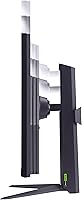
  • Height, tilt, and pivot stand adjustability is a genuine rarity at this price point and makes a real difference day-to-day.
  • Both NVIDIA G-SYNC Compatible and AMD FreeSync support means tear-free performance regardless of your GPU brand.
  • Dual HDMI ports allow a PC and a console to stay connected simultaneously without swapping cables.
  • 99% sRGB color coverage means out-of-box color accuracy is solid for everyday gaming and media use.
  • Matte anti-glare coating reduces reflections in brighter rooms without introducing a hazy film over the image.
  • Built-in gaming presets (FPS, RTS, Gamer modes) let you optimize display settings quickly without diving into manual calibration.
  • The three-side borderless design keeps the desk looking clean and works well in multi-monitor arrangements.

Cons

  • DisplayHDR 400 delivers minimal real-world HDR impact — the badge is there, but the experience falls flat compared to higher-tier panels.
  • No USB hub means no convenient monitor-side ports for mice, keyboards, or drives.
  • IPS backlight bleed in the corners is a recurring complaint among owners and is worth checking early in your ownership window.
  • At 32 inches and 1440p, pixel density is lower than a 27-inch QHD panel — noticeable if you sit close to the screen.
  • No built-in speakers, so external audio is a requirement rather than an option.
  • The 1ms spec is MBR-based, which requires backlight strobing and may reduce perceived brightness at higher settings.
  • No USB-C or Thunderbolt connectivity limits one-cable desk setups popular with laptop users.
  • With roughly 109 ratings, the long-term reliability picture is still relatively limited compared to more established monitor models.

Ratings

The scores below for the LG UltraGear 32″ QHD Gaming Monitor were generated by our AI system after analyzing verified buyer reviews from multiple global markets, with spam, bot activity, and incentivized submissions actively filtered out. Each category reflects real patterns in what owners praised and what frustrated them — nothing is glossed over. Whether this 32-inch gaming monitor hits the mark or falls short in a specific area, you'll find an honest breakdown of both sides.

Gaming Performance
91%
At 180Hz with adaptive sync support across both NVIDIA and AMD GPUs, this 1440p display handles fast-paced multiplayer without tearing or stuttering in practice — not just on spec sheets. Owners of competitive shooters and RTS games frequently noted that motion felt visibly cleaner than their previous 144Hz setups.
The 1ms figure is MBR-based, meaning backlight strobing is required to achieve it — and that comes with a brightness tradeoff that some users found noticeable in darker game environments. A small number of buyers also reported mild crosstalk artifacts when MBR was pushed to its highest setting.
Image Quality
84%
The IPS panel produces well-saturated, accurate colors right out of the box, and the 99% sRGB coverage holds up well for both gaming and casual content watching. Reviewers upgrading from TN panels were consistently impressed by how much more vivid and natural the image looked without needing manual calibration.
At 32 inches, the 1440p resolution yields a pixel density of around 92 PPI, which is noticeably softer than a 27-inch QHD panel at close viewing distances. Users who sit within arm's reach of their screen occasionally flagged that text rendering felt slightly less crisp than expected.
HDR Experience
54%
46%
The DisplayHDR 400 certification means the monitor does meet a recognized industry baseline, and for buyers coming from non-HDR displays, the brighter highlights in supported titles are a modest step up. A few users appreciated that HDR mode didn't require any fussing to enable.
In practice, HDR400 is entry-level by any measure — black depth remains limited by IPS technology, and the peak brightness ceiling isn't high enough to produce the punchy contrast that makes HDR content compelling. Buyers migrating from OLED or high-end VA panels found the HDR mode underwhelming to the point of leaving it disabled.
Ergonomics & Stand
88%
Height, tilt, and pivot adjustment on the included stand is genuinely uncommon at this price tier, and users who alternate between sitting and standing desk configurations praised how easy it was to reposition throughout the day. The pivot function also proved useful for document reading and vertical coding layouts.
A handful of buyers noted that the stand base occupies a moderately large footprint on smaller desks, and the swivel range is limited compared to premium aftermarket arms. Those with particularly deep desks or unusual monitor placement preferences may find the included stand more restrictive than expected.
Build Quality
79%
21%
The chassis feels solid for a mid-range monitor, with a three-side borderless design that looks clean and modern on a gaming desk. Most owners reported no flexing or creaking when adjusting the stand, and assembly from the box was described as straightforward.
The rear housing is predominantly plastic, and a portion of reviewers felt the premium appearance of the front didn't fully carry through to the back panel. A small number of units arrived with minor cosmetic scuffs or loose stand connections, pointing to occasional quality control inconsistencies.
Panel Uniformity
67%
33%
Most owners reported a consistent viewing experience across the central and mid-panel zones, which is where the eye spends most of its time in both gaming and productivity use. For brightly lit gaming scenarios, uniformity complaints were relatively rare.
Backlight bleed in the lower corners was flagged by a recurring segment of reviewers, particularly those gaming in dark rooms with dark-themed content. IPS glow — a characteristic haze visible at off-angles near edges — was also occasionally noted, which is a category-wide trait rather than a defect but still worth knowing before purchase.
Connectivity
76%
24%
Having two HDMI ports alongside a DisplayPort input is a practical advantage for mixed-device desks — most users appreciated being able to keep a PC and a console permanently connected without cable swapping. The port layout is accessible and clearly labeled.
There is no USB hub onboard, which frustrated buyers who rely on monitor-side ports for peripherals, headsets, or flash drives. The absence of USB-C and Thunderbolt connectivity is also a limitation for laptop users who prefer a single-cable desk setup.
Color Accuracy
83%
Out-of-box accuracy within the sRGB space was rated positively by the majority of owners, with most reporting that colors looked natural and well-balanced without touching the on-screen display settings. The matte coating helps maintain color perception under ambient lighting without adding a strong milky haze.
The display covers sRGB well but lacks meaningful DCI-P3 or wide-gamut coverage, making it a poor fit for any color-critical post-production work. A small group of users who had previously used factory-calibrated professional monitors noted that subtle gradients and shadow detail felt compressed in comparison.
Response Time
78%
22%
In real gaming use, ghosting was minimal and largely unnoticeable during standard gameplay at 144Hz and above, which is the experience that matters most for the target audience. Users switching from slower IPS panels commented on the visible reduction in trailing behind fast-moving objects.
The advertised 1ms figure requires MBR mode, which reduces brightness and can introduce a faint doubling artifact at lower frame rates. The native GtG pixel transition speed without MBR is closer to typical IPS performance, which is worth understanding before expecting the headline number in all conditions.
Value for Money
86%
For a 32-inch IPS panel with 180Hz, adaptive sync compatibility across both GPU brands, and a fully adjustable ergonomic stand, buyers consistently felt the price represented a fair trade for the feature set on offer. In a market where comparable panels often drop the stand quality or the refresh rate, this combination stood out.
The lack of a USB hub and no USB-C input are omissions that competitors at a similar price point sometimes include, slightly undermining the overall value argument for connectivity-focused buyers. HDR performance also lags behind what some rivals offer at the same tier.
Setup & Installation
89%
Assembly was consistently praised as quick and tool-free, with the stand snapping into the monitor base in a couple of minutes. Auto-detection of refresh rate and sync settings worked reliably across both AMD and NVIDIA systems without manual driver configuration for most users.
A few users reported confusion navigating the on-screen display menu to unlock 180Hz, as it occasionally defaulted to a lower refresh rate on initial connection. The OSD joystick is functional but was described by some as slightly stiff compared to competing monitors.
Gaming Presets & OSD
74%
26%
The dedicated FPS and RTS presets provide a useful quick-start for players who don't want to spend time calibrating settings manually, and the Dynamic Action Sync feature for input lag reduction works as advertised in fast-paced titles. Most users found the preset adjustments genuinely noticeable rather than cosmetic.
The on-screen menu itself lacks the polish of some competing brands — navigation can feel slow, and the menu structure isn't immediately intuitive for first-time users. A handful of reviewers noted that the Gamer presets pushed saturation higher than they preferred, requiring manual tweaking anyway.
Anti-Glare Performance
81%
19%
The matte anti-glare coating handles reflections well in typical home gaming environments with windows or overhead lighting, which owners appreciated during daytime use without blackout curtains. Diffuse light sources rarely caused distracting hotspots on the screen surface.
In very brightly lit rooms or under direct sunlight, the coating reduces glare but also adds a slightly hazy quality to the image that some users found mildly distracting, particularly with dark game scenes. Those used to glossy panels may take time adjusting to the softer rendering the matte finish produces.
Noise & Heat
93%
The display runs fanless and remains completely silent in operation, which is exactly what most desk users expect from a monitor in this class. Heat output at the rear vents was reported as minimal even during extended gaming sessions lasting several hours.
There are no meaningful complaints in this category, though a small number of reviewers noted the housing runs slightly warm to the touch near the top vents after prolonged use — well within normal operating ranges but worth noting for those with the monitor in an enclosed media unit.

Suitable for:

The LG UltraGear 32″ QHD Gaming Monitor is a strong match for PC gamers who are ready to leave 1080p behind but aren't yet building a rig capable of pushing 4K at high frame rates. At 32 inches and 1440p, you get noticeably more detail and workspace than a 27-inch 1080p panel without the GPU overhead that 4K demands. Competitive players in fast-paced genres — shooters, real-time strategy, battle royale — will appreciate the 180Hz refresh rate, which keeps motion fluid during the moments that actually decide matches. The dual HDMI ports make it an easy fit for anyone running a PC alongside a PS5 or Xbox Series X on the same desk. Hybrid workers who game in the evenings will also benefit from the height, tilt, and pivot stand, which lets you dial in ergonomics for long work sessions just as easily as late-night gaming runs.

Not suitable for:

The LG UltraGear 32″ QHD Gaming Monitor will likely disappoint buyers who prioritize deep contrast and rich HDR performance above all else. DisplayHDR 400 is a baseline certification — it won't deliver the inky blacks or vivid highlight pop you'd get from a VA panel or an OLED display, so cinematic and HDR gaming experiences are genuinely limited here. Content creators who need accurate color reproduction beyond sRGB — such as those working in DCI-P3 or wide-gamut photo editing workflows — will find this display falls short of professional-grade tools. There's also no USB hub onboard, which is a practical inconvenience if your desk setup relies on monitor-side ports for peripherals. Anyone already gaming at 4K or on a high-contrast VA panel may find the IPS backlight bleed and black uniformity a noticeable step down.

Specifications

  • Panel Type: IPS (In-Plane Switching) technology provides consistent color accuracy and wide viewing angles compared to VA or TN alternatives at this screen size.
  • Screen Size: The display measures 32 inches diagonally, offering a large viewing area suited to immersive gaming and multitasking workflows.
  • Resolution: Native resolution is 2560x1440 (QHD), delivering roughly 1.77 times the pixel count of a standard 1080p panel on the same screen area.
  • Refresh Rate: The panel supports a maximum refresh rate of 180Hz, enabling smoother motion rendering in fast-paced games compared to standard 144Hz displays.
  • Response Time: Rated at 1ms MBR (Motion Blur Reduction), achieved via backlight strobing rather than native pixel transition speed.
  • HDR Support: Certified as VESA DisplayHDR 400, which meets baseline brightness and black-level standards but represents entry-level HDR performance.
  • Color Gamut: Covers 99% of the sRGB color space, making it well-suited for gaming and general media consumption with accurate, consistent color output.
  • Sync Technology: Officially validated as NVIDIA G-SYNC Compatible and supports AMD FreeSync Premium for variable refresh rate tear-free performance across both major GPU platforms.
  • Connectivity: Includes two HDMI ports and one DisplayPort input, allowing simultaneous connection of multiple devices such as a PC and a gaming console.
  • Stand Adjustments: The included stand supports height, tilt, and pivot adjustments, providing ergonomic flexibility without requiring a third-party VESA arm.
  • VESA Compatibility: The display supports standard VESA mount patterns, allowing use with aftermarket monitor arms if the included stand does not suit your setup.
  • Aspect Ratio: Standard 16:9 widescreen aspect ratio, compatible with all modern gaming content, streaming services, and desktop operating systems without letterboxing.
  • Surface Finish: Matte anti-glare screen coating reduces reflections from ambient light sources, improving visibility in moderately lit rooms.
  • Dimensions: With the stand attached, the monitor measures approximately 28.1 inches wide, 24.1 inches tall, and 10 inches deep.
  • Weight: The unit weighs 16.5 pounds with the stand installed, which is typical for a 32-inch IPS monitor in this class.
  • Model Number: The official model designation is 32GS75Q-B, part of LG's UltraGear gaming monitor series released in late 2024.
  • Color: Available in black with a three-side virtually borderless bezel design intended to minimize visual distraction during gameplay.
  • Gaming Presets: The on-screen menu includes dedicated Gamer, FPS, and RTS display presets to optimize image settings for specific game genres without manual calibration.

Related Reviews
LG 32GS95UE 32-inch Ultragear OLED Gaming Monitor
88%
94%
Picture Quality
92%
Gaming Performance
86%
Value for Money
90%
Design & Build Quality
87%
Ease of Setup
More
LG 27GS60QC-B 27″ Curved Gaming Monitor
78%
91%
Motion & Refresh Performance
88%
Image Clarity & Sharpness
84%
Contrast & Black Levels
77%
Color Accuracy & Gamut
52%
HDR Performance
More
LG 27GP850-B Ultragear Gaming Monitor 27-Inch QHD
87%
94%
Gaming Performance
89%
Color Accuracy
82%
Build Quality
88%
Ergonomics & Adjustability
85%
Ease of Setup
More
LG 27GR83Q-B 27-inch QHD Gaming Monitor
80%
93%
Motion Clarity & Refresh Rate
89%
Image & Color Quality
58%
HDR Performance
84%
Build Quality & Materials
88%
Ergonomic Stand
More
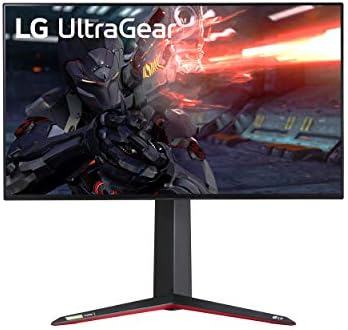
LG 27GN800-B 27-inch QHD Gaming Monitor
77%
88%
Image Quality
86%
Motion Performance
91%
Adaptive Sync
41%
Ergonomics & Stand
87%
Value for Money
More
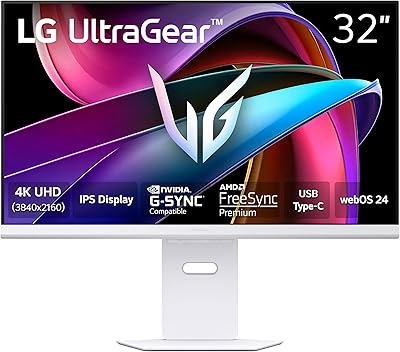
LG 32G810SA-W 32-inch UltraGear Gaming Monitor
77%
88%
Color Accuracy
84%
Gaming Performance
58%
HDR Quality
81%
Smart Platform (webOS)
91%
Design & Aesthetics
More
LG 27GN950-B UltraGear Gaming Monitor 27″
85%
94%
Gaming Performance
92%
Image Quality
88%
Ergonomics & Adjustability
91%
Refresh Rate & Response Time
90%
Color Accuracy
More
LG 27GN750-B UltraGear 27” Gaming Monitor
86%
91%
Display Quality
94%
Performance for Gaming
80%
Ease of Setup
87%
Build Quality
82%
Ergonomics & Adjustability
More
CUNPU 32-Inch Gaming Monitor QHD 165Hz

86%
93%
Display Quality
91%
Gaming Performance
85%
Build Quality
88%
Ergonomics and Adjustability
90%
Ease of Setup
More
LG 32U631A-B 32-inch QHD Monitor
80%
91%
Image Clarity & Sharpness
88%
Color Accuracy & Vibrancy
54%
Stand & Ergonomics
73%
USB-C Connectivity
82%
Refresh Rate & Motion Performance
More

FAQ

Yes, and the dual HDMI ports make it genuinely convenient. You can keep your PC connected via DisplayPort and a console plugged into one of the HDMI inputs without swapping cables. Just note that consoles are currently capped at 120Hz over HDMI 2.1, so you won't hit the full 180Hz from console — but the image quality and smoothness are still excellent.

Honestly, not much. DisplayHDR 400 is the lowest rung of VESA's HDR certification ladder, and real-world HDR content on this 1440p display won't look dramatically different from a well-calibrated SDR image. If deep blacks and vivid highlights are important to you, a higher-tier HDR panel or an OLED would be a better fit.

For competitive titles like Valorant, CS2, or Rocket League, even mid-range cards can push 180fps at 1440p. For graphically demanding games like Cyberpunk 2077 or Alan Wake 2, you'll likely need something in the RTX 4070 or RX 7800 XT range to approach those frame rates consistently. For most players, having a 180Hz target means you'll be well-covered even when frame rates dip.

It's one of the better stands you'll find in this price range. Height, tilt, and pivot are all supported, and user feedback generally praises it for being solid without wobble. If you want to go arm-mounted instead, it is VESA compatible.

LG typically includes at least one cable in the box, but it's worth checking the specific retail packaging since bundle contents can vary by region and retailer. Having your own high-quality cables on hand is never a bad idea regardless.

A portion of owners have flagged some backlight bleed in the corners, particularly in dark-room gaming scenarios. This is a known characteristic of large-format IPS displays in general, not unique to this model. If you notice it within your return window, that's the time to act — uniformity does vary between individual units.

For casual editing and color-sensitive work within the sRGB color space, it performs well enough. The 99% sRGB coverage means everyday content looks accurate out of the box. However, if your editing work depends on wide-gamut coverage like DCI-P3 or Adobe RGB, this display isn't built for that — you'd want a dedicated content creation monitor.

The 1ms rating is achieved through MBR — Motion Blur Reduction — which uses backlight strobing. You'll need to enable this in the monitor's on-screen display menu. Keep in mind that MBR can reduce peak brightness somewhat, so it's a trade-off some users toggle based on whether they're gaming competitively or watching content.

No, there is no USB hub on this model. If you rely on monitor-side USB ports for connecting peripherals, a headset, or drives, you'll need to use your PC's ports or add a separate USB hub to your desk setup.

The pixel density is lower on the 32-inch version — around 92 PPI versus roughly 108 PPI on a 27-inch 1440p panel. At a normal desk distance of two to three feet, most people won't find it distracting, but if you sit close to your screen or are particularly sensitive to pixel sharpness, the 27-inch format will look crisper. The trade-off is that the 32-inch gives you noticeably more screen real estate for multitasking and immersion.