Overview

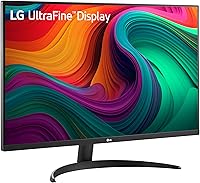
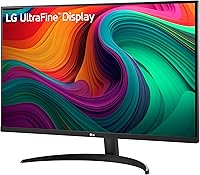
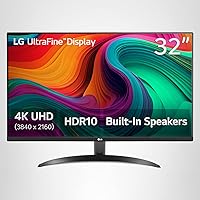
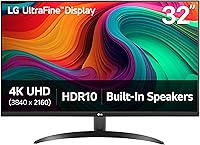
The LG 32UR500K-B 32-inch 4K UHD Monitor sits in a sweet spot that not many displays manage to occupy — large enough to feel expansive on a desk, sharp enough to make everything from spreadsheets to streaming look genuinely crisp. LG's UltraFine branding signals a focus on color and clarity over raw speed, and that's exactly what this VA panel delivers. The matte anti-glare coating keeps reflections from becoming a distraction during long work sessions, and the borderless three-sided design gives the whole setup a clean, modern look. One thing to be clear about upfront: at 60Hz, this is not built for competitive gaming.
Features & Benefits

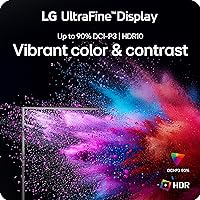
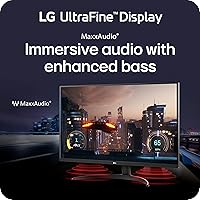
What makes the 32UR500K-B worth considering is the combination of color performance and practical extras. The VA panel reaches 90% DCI-P3 coverage, which translates to noticeably richer reds and deeper blacks compared to a typical IPS display at this price. HDR10 adds some contrast depth, but don't expect punchy highlights — peak brightness has its limits here, so treat it as a bonus rather than a headline feature. Reader Mode and Flicker Safe are small but appreciated additions for long desk sessions. The built-in MaxxAudio speakers handle casual listening without complaint. And LG's OnScreen Control software genuinely simplifies display management — split-screen layouts and brightness adjustments handled from a desktop app instead of fiddly on-screen menus.

Best For

This LG 4K monitor is a strong match for anyone who spends most of their day working at a desk and wants a large, detailed screen without overspending. Remote workers and students will appreciate the screen real estate — 32 inches of 4K means you can comfortably have two documents side by side without either feeling cramped. Hobbyist photographers or light content creators get a decent color-accurate panel at an accessible price. Casual gamers will find it capable for slower-paced titles, though anyone chasing competitive frame rates should look elsewhere. If your priority is a clean, minimal desk setup with a display that handles both work and media well, this UltraFine display fits the brief.

User Feedback

Buyers have settled on a 4.4-star average, and reading through the responses, the sentiment is consistent: people are happy with what they got for the money. Color vibrancy and sharpness are the two things owners mention most — many note that the image looks great straight out of the box with minimal calibration needed. On the flip side, the stand gets regular criticism. Tilt-only adjustment is limiting if you want to raise or lower the screen height, and a few buyers mentioned investing in a third-party arm shortly after. HDR performance gets mixed reviews — it is there, but it is subtle. Build quality comments are generally positive, with occasional notes about packaging rather than the unit itself.

Pros

  • Rich, accurate colors straight out of the box — minimal calibration needed for most users.
  • The 32-inch 4K panel provides genuinely useful screen real estate for multitasking and productivity.
  • Matte anti-glare coating handles bright room lighting without distracting reflections.
  • Borderless three-sided design keeps the desk setup looking clean and uncluttered.
  • Reader Mode and Flicker Safe make long work sessions noticeably more comfortable.
  • OnScreen Control software lets you manage display settings without touching the OSD buttons.
  • Deep VA blacks add a sense of depth to movies and dark-themed content that IPS panels at this price rarely match.
  • Two HDMI ports plus DisplayPort makes it easy to connect a PC and a console simultaneously.
  • Built-in MaxxAudio speakers are capable enough to skip an external speaker for casual video calls and streaming.
  • Competitive pricing relative to comparable 4K 32-inch options makes the overall package feel well-considered.

Cons

  • Tilt-only stand is a recurring frustration — height and swivel adjustment are simply absent.
  • HDR10 support is real but limited in practice; peak brightness keeps highlights from truly popping.
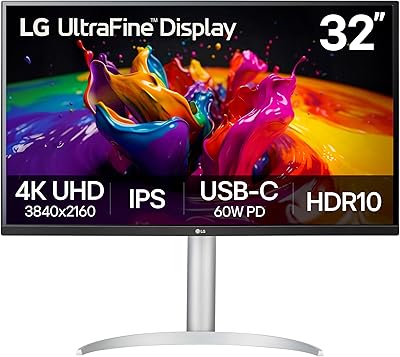
  • No USB-C input is a notable omission for users with modern laptops expecting single-cable convenience.
  • VA panel shows color shift at wider viewing angles, which matters in shared or side-by-side seating setups.
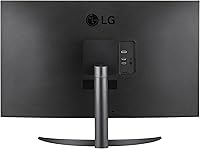
  • The rear chassis feels noticeably less solid than the clean front face suggests.
  • OnScreen Control software can break after Windows updates and requires occasional reinstallation.
  • Occasional reports of minor light bleed in panel corners — not widespread but worth knowing before buying.
  • The matte coating softens perceived image vibrancy slightly compared to glossy alternatives.
  • No USB hub functionality means no extra ports for peripherals, which rivals at this price sometimes include.

Ratings

The LG 32UR500K-B 32-inch 4K UHD Monitor has been scored by our AI rating system after analyzing hundreds of verified buyer reviews from global markets — filtering out incentivized posts, duplicate accounts, and outlier noise to surface what real owners consistently experience. Scores reflect the full picture, including where this UltraFine display genuinely delivers and where it falls short compared to similarly priced competitors.

Image Clarity & Sharpness
91%
Owners consistently describe the 4K resolution on a 31.5-inch panel as a noticeable step up — text is crisp enough for long reading sessions, and fine detail in photos or video holds up well even at close viewing distances. For everyday work and media, the pixel density hits a sweet spot that most users notice immediately.
A small number of buyers coming from OLED or high-end IPS panels found the VA's contrast-driven sharpness slightly different in character — not worse, but different. Those expecting IPS-style brightness uniformity may notice the VA trade-offs in certain lighting conditions.
Color Accuracy & Gamut
88%
The 90% DCI-P3 coverage earns real praise from hobbyist photographers and video editors working on a budget. Colors appear rich and saturated out of the box, and most buyers report not needing to calibrate much beyond a basic brightness adjustment to get a pleasing image for both work and streaming.
Enthusiast-level creators who need tight Delta-E accuracy for professional print work may find factory calibration inconsistent between units. A handful of reviews note slight color shift at wider viewing angles, which is a known characteristic of VA panel technology at this price tier.
HDR Performance
58%
42%
HDR10 support does add a visible contrast boost when watching HDR-graded content on streaming platforms — dark scenes in particular benefit from the VA panel's naturally deep blacks, giving movies a more cinematic feel than a non-HDR panel at a similar price.
Peak brightness limitations mean HDR highlights never truly pop the way they do on a dedicated HDR display. Several buyers expressed frustration that HDR mode can actually wash out midtones on some content, and many ended up disabling it for general desktop use. The HDR label here is more of a baseline feature than a genuine capability.
Stand & Ergonomics
47%
53%
The stand ships securely, assembles without tools, and keeps the monitor stable on the desk without wobble. For buyers who use the monitor in a fixed position and don't need much adjustment, the included stand is perfectly functional day to day.
Tilt-only adjustment is the single most common complaint in user reviews. Without height, swivel, or pivot options, anyone who shares a desk or needs to match monitor height to their chair setup will find the stand limiting fast. A significant share of buyers purchased a third-party monitor arm within weeks of unboxing.
Build Quality & Design
82%
18%
The three-sided borderless design comes up repeatedly in positive reviews — it looks noticeably cleaner on a desk than bulkier alternatives, and the matte black finish resists fingerprints reasonably well. At this price, the overall fit and finish feels solid rather than budget.
The rear of the chassis feels less premium than the front face suggests, with some flex when adjusting tilt. A few buyers flagged minor bezel inconsistencies and one noted a small light bleed patch in a corner — not widespread, but worth mentioning.
Refresh Rate & Motion Handling
54%
46%
For casual gaming in slower-paced genres — strategy, RPGs, simulation — the 60Hz panel is entirely adequate. Dynamic Action Sync reduces input lag enough that most non-competitive players won't notice a meaningful delay during normal play.
Anyone cross-shopping this with 144Hz or higher gaming monitors will feel the ceiling quickly. Fast-paced shooters and racing games show visible motion blur at 60Hz on a 32-inch panel, and buyers who switched from a high-refresh display consistently flagged this as an adjustment. This is not a gaming monitor — it just handles gaming acceptably.
Built-in Speakers
63%
37%
The MaxxAudio-equipped stereo speakers are genuinely useful for video calls, casual YouTube, and background music without requiring a separate audio setup. Volume gets reasonably loud, and dialogue clarity is above average for built-in monitor speakers.
Bass response is thin and the soundstage is narrow, which is expected at this form factor but still disappointing if you care about music or immersive film audio. Dedicated speakers or headphones make a noticeable difference — treat these as a convenience feature, not a primary audio solution.
Connectivity & Port Selection
72%
28%
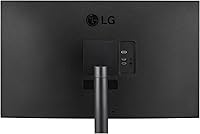
Two HDMI ports plus a DisplayPort input gives enough flexibility for most home office or dual-device setups — connect a PC and a console simultaneously without unplugging cables. The port placement on the rear is accessible without being awkward.
No USB-C power delivery is an omission that buyers notice, especially those using a modern laptop who expected to run a single cable to the monitor. The lack of USB hub functionality is also a miss at this price point compared to some rivals that include it.
Software & OSD Controls
79%
21%
LG's OnScreen Control app is one of the more practical software additions in this category. Being able to adjust brightness, split the display, or switch inputs from a desktop app rather than navigating physical buttons saves time daily and is consistently appreciated in reviews.
The app occasionally requires a reinstall after Windows updates, and a small subset of users on macOS reported inconsistent functionality. The physical OSD joystick is functional but small — fine for infrequent use but not the most satisfying tactile experience.
Eye Comfort Features
83%
Reader Mode noticeably reduces blue light for extended reading or document work, and Flicker Safe certification means the backlight doesn't pulse in ways that trigger headaches over long sessions. Remote workers who spend six or more hours at the screen mention these features genuinely make a difference by end of day.
Reader Mode shifts the color temperature quite warm, which makes it unsuitable for any color-sensitive work. Some users found the transition between modes via the app slightly sluggish, though this is a minor workflow friction rather than a functional problem.
Setup & Out-of-Box Experience
86%
Assembly is quick — most buyers report having the monitor standing and connected within ten minutes of opening the box. The included HDMI cable removes the need for an immediate accessory run, and the default color settings are good enough for most users without any calibration.
The instruction manual is minimal, and LG's software download process for OnScreen Control isn't prominently communicated in the box. A handful of buyers also noted that the packaging, while adequate, wasn't as protective as expected for a monitor at this size.
Value for Money
84%
At its typical street price, the 32UR500K-B competes well against alternatives in the same 32-inch 4K category. Buyers routinely note that the combination of color coverage, build design, and software features would cost noticeably more from some competitors.
The value proposition shifts slightly if you factor in the cost of a monitor arm to compensate for the limited stand, which a meaningful number of buyers end up purchasing. At that adjusted total cost, a few rival monitors start to look more competitive on paper.
Matte Screen & Glare Resistance
81%
19%
The matte anti-glare coating does its job well in bright home office environments — overhead lighting and windows behind the user don't cause the distracting reflections that glossy panels suffer from. This is a practical advantage that buyers in naturally lit spaces appreciate daily.
The matte treatment slightly softens perceived sharpness compared to glossy alternatives — a trade-off most users accept willingly, but something to note for buyers who prioritize vibrancy over practicality. Under dim lighting the difference is negligible.

Suitable for:

The LG 32UR500K-B 32-inch 4K UHD Monitor is a strong match for remote workers, students, and anyone who spends long hours at a desk and wants a large, detailed display without breaking the bank. The combination of 4K sharpness and a 32-inch panel means you can comfortably split your screen between documents, spreadsheets, or browser tabs without anything feeling cramped. Hobbyist photographers and light content creators will find the wide color coverage genuinely useful for reviewing images and editing video at a level that goes well beyond what a budget IPS panel typically offers. Casual gamers who play slower-paced titles — RPGs, strategy, simulation — will get a solid experience without any meaningful frustration. If you prioritize a clean, minimal desk aesthetic, the borderless design and matte coating make this a visually tidy addition to any workspace.
Not suitable for:

The LG 32UR500K-B 32-inch 4K UHD Monitor is not the right choice for competitive gamers or anyone who games primarily in fast-paced genres like shooters or racing titles — the 60Hz ceiling will feel noticeable if you have ever used a high-refresh display, and no amount of software features changes that hardware reality. Professional colorists or print designers who need rigorously calibrated, consistent color output should also look elsewhere, as factory calibration can vary between units and the panel was not designed for that level of precision. Buyers who like to adjust monitor height throughout the day will find the tilt-only stand frustrating quickly, and budgeting for a third-party arm adds to the total cost. Those hoping to run a modern laptop over a single USB-C cable will be disappointed — there is no USB-C input or power delivery here. If immersive HDR performance is a priority, the limited peak brightness means this display cannot deliver what more capable HDR monitors can at a higher price.
Specifications

  • Panel Type: This monitor uses a VA (Vertical Alignment) panel, which delivers deeper blacks and higher native contrast compared to most IPS alternatives at this price point.
  • Screen Size: The visible display area measures 31.5 inches diagonally, commonly marketed as a 32-inch class monitor.
  • Resolution: Native resolution is 3840x2160 (4K UHD), providing approximately 140 pixels per inch on the 31.5-inch panel for sharp, detailed imagery.
  • Refresh Rate: The panel operates at a maximum refresh rate of 60Hz, suitable for general productivity, media consumption, and casual gaming.
  • Color Gamut: Covers up to 90% of the DCI-P3 wide color gamut, offering richer color reproduction than standard sRGB-only displays in this category.
  • HDR Support: Supports HDR10 content, delivering improved contrast depth on compatible streaming and gaming content, though peak brightness is not rated for high-tier HDR performance.
  • Surface Finish: The screen features a matte anti-glare coating that reduces reflections in bright environments without requiring controlled lighting conditions.
  • Connectivity: Port selection includes two HDMI inputs and one DisplayPort, allowing simultaneous connection of multiple source devices without cable swapping.
  • Speakers: Two built-in stereo speakers are equipped with Waves MaxxAudio processing, designed for casual listening, video calls, and media playback.
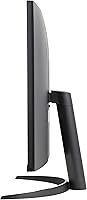
  • Stand Adjustment: The included stand supports tilt adjustment only; height, swivel, and pivot adjustments are not available with the stock stand.
  • VESA Compatibility: The display is VESA mount compatible, allowing users to attach a third-party monitor arm or wall mount for greater positioning flexibility.
  • Design: Features a three-sided borderless design with thin bezels on the top and both sides, creating a cleaner visual appearance on the desk.
  • Dimensions: With the stand attached, the monitor measures approximately 28.1 inches wide, 20.2 inches tall, and 8.8 inches deep.
  • Weight: The complete unit including stand weighs 13.7 pounds, making it manageable for a single person to position and adjust on a desk.
  • Color: Available in black with a matte finish on both the panel bezel and the rear chassis.
  • Key Features: Software and display features include LG OnScreen Control, Reader Mode, Flicker Safe backlight, Black Stabilizer, and Dynamic Action Sync for reduced input lag.
  • Included Cables: The package includes a power cable and one HDMI cable, covering basic connectivity needs out of the box.
  • Availability Date: This model was first made available for purchase in May 2024.

Related Reviews
LG 32GQ750-B 32-inch 4K Gaming Monitor
77%
91%
Image Clarity
86%
Refresh Rate & Smoothness
88%
HDMI 2.1 Compatibility
83%
Contrast & Black Levels
67%
Motion Clarity
More
LG 32SQ780S 32-Inch 4K UHD Monitor
82%
91%
Display Quality
87%
Ergonomics and Adjustability
83%
Smart Features (webOS & ThinQ)
89%
Connectivity Options
78%
Ease of Setup
More
LG 32UL500-W 32-Inch 4K VA Monitor
74%
88%
Picture Quality
83%
Color Accuracy
62%
HDR Performance
54%
Refresh Rate & Gaming
41%
Ergonomics & Stand
More
LG 32UP83A-W 32-inch 4K UHD Monitor
86%
94%
Display Quality
91%
Color Accuracy
88%
Build Quality
89%
Ergonomics/Adjustability
90%
Connectivity Options
More
LG 32SQ730S 32-Inch 4K UHD Smart Monitor
85%
93%
Display Quality
89%
Smart Features
85%
Build Quality
90%
Ease of Setup
91%
Ergonomics/Comfort
More
LG 32G810SA-W 32-inch UltraGear Gaming Monitor

77%
88%
Color Accuracy
84%
Gaming Performance
58%
HDR Quality
81%
Smart Platform (webOS)
91%
Design & Aesthetics
More
ViewSonic VP3256-4K 32-Inch 4K UHD Monitor
88%
94%
Display Quality
92%
Color Accuracy
88%
Ergonomics & Comfort
86%
Build Quality
90%
Ease of Setup
More
ViewSonic VX3267U-4K 32-inch 4K IPS Monitor

74%
91%
Image Sharpness
83%
USB-C Functionality
76%
Color Accuracy
54%
HDR Performance
47%
Stand & Ergonomics
More
ViewSonic VX3276-4K-MHD 32-inch 4K Monitor
76%
91%
Image Clarity & Sharpness
74%
Color Accuracy
86%
Contrast & Black Levels
61%
HDR Performance
58%
Refresh Rate & Motion Handling
More
ViewSonic VP3268A-4K 32-inch 4K UHD IPS Monitor
86%
94%
Color Accuracy
88%
Ergonomics/Comfort
91%
Build Quality
83%
HDR Performance
85%
Connectivity Options
More

FAQ

It depends entirely on what you play. For slower-paced genres like RPGs, strategy games, or open-world titles, 60Hz is perfectly fine and most players won't notice a problem. If you play fast-paced competitive shooters or racing games and you have used a 144Hz display before, the difference will feel noticeable. Go in with realistic expectations and you won't be disappointed — just don't expect it to compete with dedicated gaming monitors.

Unfortunately, no. This monitor does not have a USB-C port, so you cannot use a single cable for both video and power delivery from a modern laptop. You will need to use an HDMI or DisplayPort connection for video, which may require an adapter depending on your laptop's port configuration.

HDR10 is supported, but it is worth setting expectations correctly. The peak brightness on this panel is not high enough to produce the punchy, specular highlights you see on premium HDR monitors. That said, the VA panel's naturally deep blacks do give HDR content a more cinematic contrast quality than a flat non-HDR display. Many users end up disabling HDR for desktop work and only enabling it for movie watching.

The stock stand is stable and easy to assemble, but it only tilts — there is no height adjustment, swivel, or pivot. If you are tall, share a desk, or just prefer to dial in your exact eye level, you will likely want a monitor arm eventually. It is a common purchase alongside this display and worth factoring into your budget upfront.

They are fine for video calls, casual YouTube, and background music — better than many built-in monitor speakers, thanks to the MaxxAudio processing. Do not expect them to replace even a basic desktop speaker setup for music listening or immersive movie audio, but for a home office where you just need to hear voices clearly, they do the job without requiring anything extra.

No, it works as a plug-and-play display without any software installed. LG's OnScreen Control app is optional but recommended — it lets you adjust monitor settings, split the display, and switch inputs from your desktop instead of navigating the physical OSD buttons. It is a free download from LG's website and worth installing once you are set up.

Most units ship with good uniformity, and the majority of buyers have no complaints. That said, a small percentage of user reviews mention minor light bleed in one or more corners — this is not unusual for VA panels at this price and size. If you do notice a problem within the return window, it is worth addressing rather than ignoring.

It is a solid choice for hobbyist photography work. The 90% DCI-P3 color coverage means your images will look richer and more true-to-life than on a basic sRGB monitor, and 4K resolution gives you plenty of detail when reviewing shots at full size. Professional print colorists who need tight calibration may want a more specialized display, but for enthusiast-level editing and sharing work online, this UltraFine display is well-suited.

Absolutely — it is a common setup. The two HDMI ports mean you can connect it to a second device without unplugging your primary machine, which is handy for a laptop and desktop coexisting on the same desk. The borderless design also makes it visually compatible in a dual-monitor arrangement where a thick bezel would create a distracting gap between screens.

Setup is straightforward — the stand clicks into place without tools, and most buyers are up and running within ten minutes. The default color and brightness settings are good enough for most people without any adjustment. If you want to fine-tune things, the OnScreen Control app is the easiest way to do it, but out of the box this LG 4K monitor is genuinely ready to use.

Where to Buy