LG 27GN800-B 27-inch QHD Gaming Monitor

Overview
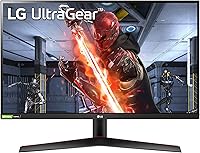
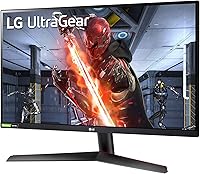
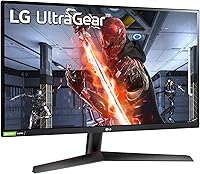
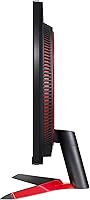
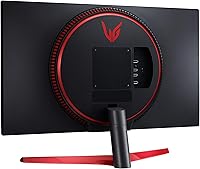
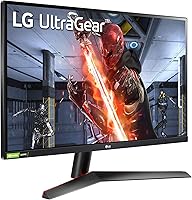
The LG 27GN800-B 27-inch QHD Gaming Monitor sits comfortably in the mid-range sweet spot of LG's UltraGear lineup, offering something TN panel competitors at a similar price simply can't match: genuine IPS color quality. Launched in late 2020, it brought a sharp 1440p image to players who wanted more than 1080p without spending heavily on a flagship display. The near-borderless design keeps the desk looking clean, and the matte finish handles ambient reflections well. Go in with clear expectations — this is a capable, well-rounded 1440p display, not a boutique-level professional monitor, and it performs best when you treat it as exactly that.
Features & Benefits
The headline spec is a 1ms GtG response time on an IPS panel — historically, IPS panels were sluggish compared to TN alternatives, so hitting 1ms via overdrive is a real step forward. It is worth knowing overdrive is doing the heavy lifting; at the most aggressive setting, some users notice slight overshoot, so the middle preset is generally the safer choice. The 144Hz native refresh rate combined with Motion Blur Reduction keeps fast-paced scenes crisp. Both AMD FreeSync Premium and G-Sync Compatible certifications mean this 27-inch QHD panel works with virtually any modern GPU. Color coverage lands at 99% sRGB with 178-degree viewing angles — accurate enough for photo editing and everyday design work, not just gaming.
Best For
This UltraGear monitor makes the most sense for PC gamers making their first jump from 1080p — the resolution difference at 27 inches is immediately noticeable, and you won't need a top-tier GPU to push solid frame rates at 1440p. Competitive and casual gamers both land in the sweet spot here: the fast refresh and adaptive sync handle multiplayer shooters, while the accurate IPS colors make open-world titles genuinely enjoyable. It is also a solid choice for people who use their display all day for work and switch into gaming mode in the evening. NVIDIA and AMD users are equally covered thanks to dual adaptive sync, so GPU brand is not a concern.
User Feedback
Owners consistently highlight out-of-the-box color accuracy as a pleasant surprise — many report that minimal calibration is needed before the image looks genuinely good. Setup is straightforward too; most users had it running within minutes, no driver installs required. The recurring frustration is the stand: it tilts but offers no height adjustment whatsoever, which matters for anyone prioritizing proper ergonomics — a VESA arm resolves this but adds cost. Backlight bleed also comes up often enough to be worth mentioning; some units are fine, others less so, and consistency appears to vary between batches. The encouraging takeaway is that long-term owners — people who bought this two or three years back — still speak positively about it.
Pros
- IPS panel delivers noticeably better color and viewing angles than TN monitors at the same price point.
- 1440p resolution at 27 inches hits the sweet spot for sharpness without demanding an elite GPU.
- 144Hz refresh rate keeps fast-paced games fluid and responsive with minimal effort to configure.
- Works with both AMD and NVIDIA graphics cards via FreeSync Premium and G-Sync Compatible certification.
- Matte anti-glare coating handles room lighting well without washing out the image.
- Out-of-the-box color accuracy is strong enough that most users skip manual calibration entirely.
- Setup is plug-and-play; no driver installation or complicated software required.
- VESA mount compatibility gives ergonomics-focused buyers a clear and affordable upgrade path.
- The near-borderless design keeps multi-monitor setups and single-display desks looking tidy.
- Long-term owners consistently report the panel holds up well in quality and reliability over the years.
Cons
- The stock stand has no height or swivel adjustment, which is a real limitation for ergonomics-conscious users.
- Backlight bleed varies noticeably between units, and there is no reliable way to predict your sample quality before purchase.
- HDR10 support is largely cosmetic at this brightness level and should not factor into a buying decision.
- No built-in speakers means you will need external audio for any setup without a headset.
- The overdrive setting requires manual tuning; the highest preset can introduce faint overshoot artifacts in some content.
- Only one DisplayPort input is included, which can be limiting for users running multiple sources through a KVM or switch.
- At 13.2 pounds the monitor is not especially heavy, but the stand base takes up a fair amount of desk depth.
- There is no on-screen control software (OSC), so navigating monitor settings relies entirely on the physical joystick menu.
Ratings
The scores below for the LG 27GN800-B 27-inch QHD Gaming Monitor were generated by our AI system after analyzing thousands of verified global buyer reviews, with spam, bot-submitted, and incentivized feedback actively filtered out. Each category reflects the real distribution of user sentiment — not a polished average — so both genuine strengths and recurring frustrations are represented transparently. If a score looks lower than you might expect, that is intentional: it reflects what real owners actually reported, not what the spec sheet promises.
Image Quality
Motion Performance
Adaptive Sync
Ergonomics & Stand
Value for Money
HDR Performance
Build Quality
Color Accuracy
Gaming Features
Setup & Ease of Use
Connectivity
Glare & Reflections
Long-Term Reliability
Suitable for:
The LG 27GN800-B 27-inch QHD Gaming Monitor is an excellent fit for PC gamers who are ready to leave 1080p behind and want a meaningful visual upgrade without committing to a high-end budget. If you own a mid-range GPU from either AMD or NVIDIA, the 1440p resolution at 144Hz is well within reach, and the dual adaptive sync support means you won't have compatibility headaches regardless of your graphics card. It also works well as a do-it-all display for people who spend their mornings on spreadsheets and their evenings in-game — the accurate IPS colors and wide viewing angles make productivity work genuinely comfortable. Competitive players who care about smooth, responsive motion rather than chasing peak HDR brightness will find the 144Hz refresh rate and fast response time hit the right balance. Anyone wanting a quality IPS experience without paying the premium that OLED or high-end Mini-LED panels command will find this UltraGear monitor lands in a very sensible spot.
Not suitable for:
Buyers with serious ergonomic requirements should think carefully before purchasing the LG 27GN800-B 27-inch QHD Gaming Monitor, because the included stand only tilts — there is no height, swivel, or pivot adjustment at all. If you work long hours at a desk and need to dial in your monitor height precisely, budget for a VESA arm from day one or this limitation will frustrate you quickly. Content creators and color-critical professionals who need wide P3 gamut coverage or precise HDR output will also find this panel falls short; the HDR10 badge is present, but at this brightness level it does not deliver a true HDR experience worth relying on. Gamers chasing the absolute fastest response times with zero overshoot should know the 1ms GtG figure is achieved through overdrive, and at aggressive settings some users report minor artifacts. If a 27-inch screen feels too compact for your setup, or you specifically want a panel larger than this 27-inch QHD panel offers, you will need to look at a different size category entirely.
Specifications
- Panel Type: Uses an IPS (In-Plane Switching) panel, which provides consistent color accuracy and wide viewing angles compared to TN alternatives.
- Screen Size: The active display area measures 27 inches diagonally, sized for comfortable 1440p gaming at a typical desktop viewing distance.
- Resolution: Native resolution is 2560x1440 (QHD), offering noticeably sharper detail than 1080p at this screen size.
- Refresh Rate: Supports a native 144Hz refresh rate, enabling smoother motion in fast-paced games without requiring overclocking.
- Response Time: Rated at 1ms GtG (Grey-to-Grey), achieved via overdrive; the mid-level overdrive preset is recommended to minimize overshoot artifacts.
- Adaptive Sync: Certified for both AMD FreeSync Premium and NVIDIA G-Sync Compatible, covering the full range of current consumer GPU platforms.
- HDR Support: HDR10 is supported at a basic level; peak brightness is not sufficient for a full HDR experience, making this a supplementary feature rather than a primary selling point.
- Color Gamut: Covers 99% of the sRGB color space, suitable for general content creation, gaming, and everyday productivity work.
- Viewing Angles: Rated at 178 degrees both horizontally and vertically, allowing accurate color reproduction even when viewed from off-axis positions.
- Inputs: Connectivity includes two HDMI ports and one DisplayPort, allowing connection to multiple source devices simultaneously.
- Speakers: No built-in speakers are included; users will need external speakers or a headset for audio output.
- Aspect Ratio: Standard 16:9 widescreen aspect ratio, compatible with all modern gaming resolutions and content formats.
- Surface Finish: Matte anti-glare coating reduces reflections from ambient light sources, helping maintain image clarity in lit rooms.
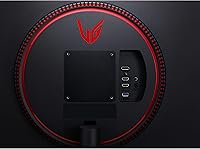
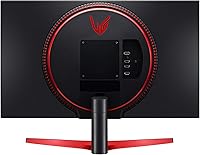
- VESA Mount: The monitor is VESA mount compatible, allowing buyers to replace the stock stand with a third-party arm for improved ergonomic positioning.
- Stand Adjustment: The included stand supports tilt adjustment only; height, swivel, and pivot adjustments are not available without a third-party VESA mount.
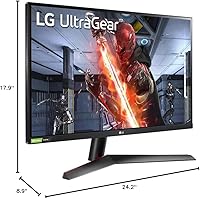
- Dimensions: With the stand attached, the monitor measures approximately 8.9 x 24.2 x 17.9 inches (D x W x H).
- Weight: The complete unit including stand weighs 13.2 pounds, which is typical for a 27-inch monitor in this category.
- Power Input: Operates on AC power with a rated voltage of 240V; a standard power cable is included in the box.
- Release Date: The monitor was first made available in October 2020 as part of LG's UltraGear gaming display lineup.
- Model Number: The official model identifier is 27GN800-B, which can be used to verify compatibility with accessories and replacement parts.
Related Reviews
LG 27GS60QC-B 27″ Curved Gaming Monitor
LG 27GP850-B 27-Inch QHD Gaming Monitor
LG 27GR83Q-B 27-inch QHD Gaming Monitor
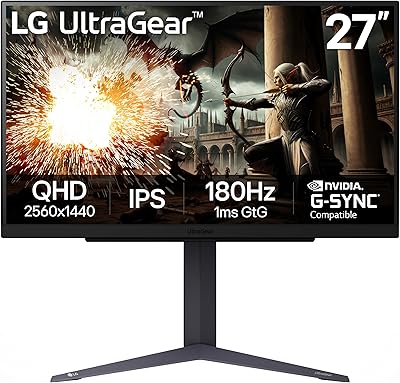
LG 27GS75Q-B 27-inch QHD Gaming Monitor

LG 27GX790A-B 27-inch OLED Gaming Monitor

LG 34GP63A-B 34-Inch Curved Gaming Monitor
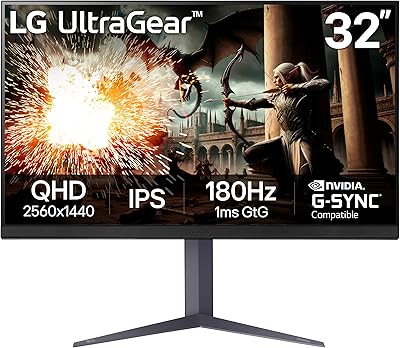
LG UltraGear 32″ QHD Gaming Monitor
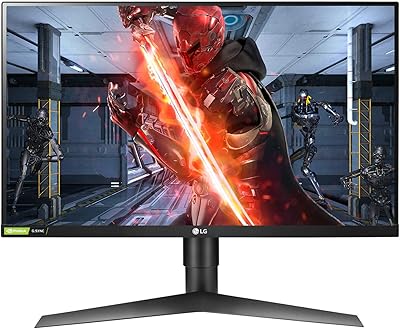
LG 27GL650F-B 27-Inch Full HD IPS Gaming Monitor
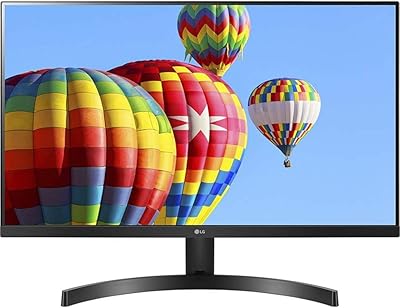
LG 27MK600M 27-inch IPS Monitor
