Overview

The LG 27MS550-B 27-inch IPS Monitor arrived in mid-2024 as a practical, no-nonsense option in the crowded budget-to-midrange 27-inch display space. What separates it from cheaper TN-based competitors isn't a spec sheet loaded with marketing numbers — it's the IPS panel at its core, delivering genuinely better color accuracy and wide viewing angles that TN displays simply cannot match at this price. That said, be clear-eyed about what this is: a solid everyday display built for productivity and general use, not a professional color-grading tool or a hardcore gaming rig. For buyers who want a dependable, well-rounded monitor without overspending, it makes a compelling case.

Features & Benefits

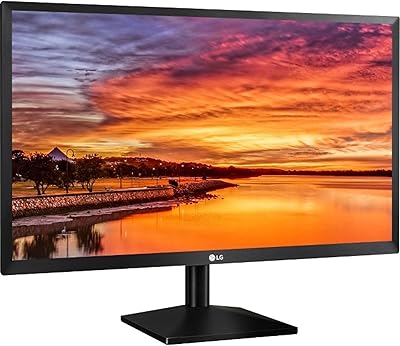
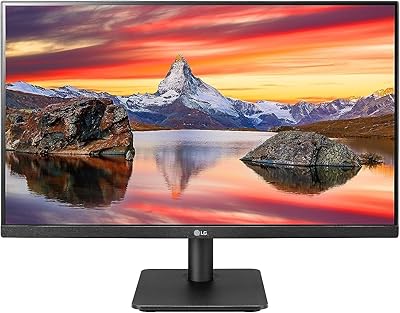
The height-adjustable ergonomic stand is the kind of detail that often gets cut at this price point, and yet here it is — a genuine quality-of-life addition for anyone who logs long hours at a desk. The IPS panel runs at 100Hz with a 5ms GTG response time, a noticeable step up from a standard 60Hz office display without crossing into true gaming monitor territory. Three-sided thin bezels keep things visually clean, especially in dual-monitor setups. There are dual built-in speakers too, handy for video calls, though don't expect impressive audio depth. The OnScreen Control software lets you split windows and tweak settings without fumbling through physical buttons.

Best For

This LG monitor hits a sweet spot for remote workers and students who need a capable everyday display without overthinking it. If you work from home all day — spreadsheets, video calls, endless browser tabs — the wide IPS viewing angles and matte screen surface hold up well under varied lighting conditions. It is also a solid pick for anyone building a dual-monitor workstation where matching slim bezels actually matter. Casual gamers will appreciate the 100Hz bump over a standard office panel, though if raw gaming performance is the real priority, a dedicated gaming display would serve better. Coming from a 60Hz TN screen, the visible quality jump will be immediate.

User Feedback

Buyers are largely satisfied — the 27MS550-B holds a 4.5-star average across nearly 1,900 ratings, and the feedback patterns are fairly consistent. Display clarity and color accuracy earn steady praise, while the ergonomic stand comes up repeatedly as a feature buyers genuinely did not expect at this price tier. The criticism worth flagging: at 27 inches, a 1080p resolution can appear slightly soft alongside a 1440p screen, so pixel density is a real trade-off to weigh. Speaker quality earns a pass for calls but disappoints for music or movies. A handful of users found the OnScreen Control software a bit finicky during initial setup. Nothing deal-breaking, but worth knowing upfront.

Pros

  • IPS panel delivers noticeably better color accuracy and viewing angles than TN alternatives at this price point.
  • The height-adjustable stand is a genuine differentiator — most budget monitors ship with fixed or tilt-only stands.
  • 100Hz refresh rate makes everyday scrolling and light gaming feel meaningfully smoother than a standard 60Hz display.
  • Three-sided slim bezels keep a dual-monitor setup looking clean and visually cohesive.
  • Matte screen surface handles ambient light well, reducing glare during daytime work sessions.
  • Built-in dual speakers are genuinely useful for video calls, cutting down on desk cable clutter.
  • OnScreen Control software lets you manage window layouts and settings with a mouse instead of physical buttons.
  • At a mid-range price, the overall feature set — ergonomics, IPS quality, 100Hz — is hard to match dollar for dollar.
  • Strong owner satisfaction with a 4.5-star average across nearly 1,900 ratings reinforces its reliability as a daily driver.

Cons

  • At 27 inches, a 1080p resolution can look noticeably soft compared to a 1440p panel at the same screen size.
  • The built-in speakers are weak for music or movies — external audio is almost a necessity for serious listening.
  • OnScreen Control software can require manual configuration and feels clunky to some users during initial setup.
  • No USB-C connectivity limits flexibility for users with modern laptops that rely on a single-cable desk setup.
  • Gaming-focused buyers will find 100Hz underwhelming compared to dedicated gaming monitors at similar price points.
  • Color coverage is not suited for professional photo or video editing that demands precise, calibrated output.
  • HDMI-only input options may frustrate users who need DisplayPort for daisy-chaining or higher bandwidth configurations.

Ratings

Our AI-generated scores for the LG 27MS550-B 27-inch IPS Monitor are based on a deep analysis of verified global buyer reviews, with spam, bot-submitted, and incentivized feedback actively filtered out before scoring. The ratings below reflect what real owners consistently praise and where they genuinely run into frustration — no sanitizing, no inflating. Both the standout strengths and the honest trade-offs are captured transparently across every category.

Display Clarity
83%
Buyers working in spreadsheets, documents, and browser-heavy workflows consistently describe the image as clean and comfortable over long sessions. The IPS panel holds colors steady whether you are looking at the screen head-on or from a slight angle, which makes a real difference during shared-screen video calls or collaborative desk reviews.
At 27 inches with a 1080p resolution, pixel density is noticeably lower than a 1440p panel at the same size, and some users sitting closer than arm's length find fine text slightly soft. Those coming from a smaller high-DPI display may need an adjustment period.
Color Accuracy
79%
21%
For general productivity and media consumption, the IPS panel reproduces colors that look natural and consistent — a clear step above the washed-out tones typical of TN displays in this price bracket. Streaming video and photo browsing both benefit noticeably from the improved tonal range.
This is not a factory-calibrated display, and it does not cover the wider color gamuts that photographers or video editors require for professional output. Users doing any color-critical creative work will find the coverage limiting without external calibration tools.
Ergonomics & Stand
91%
The height-adjustable stand is one of the most frequently praised aspects of this monitor by actual buyers, and for good reason — being able to raise or lower your screen to eye level after a long workday is a comfort feature that many similarly priced monitors simply skip. The tilt adjustment adds further flexibility without needing a third-party arm.
There is no pivot or swivel adjustment, which limits users who prefer a portrait orientation or need to rotate the screen to share with someone beside them. Users wanting full articulation will still need to invest in a VESA monitor arm.
Refresh Rate & Smoothness
77%
23%
Moving from a 60Hz display to this 27-inch IPS display's 100Hz panel produces a visible difference in everyday scrolling and window dragging — tasks that most office users perform constantly without realizing how much smoother they can feel. Light gaming sessions also benefit from reduced motion blur during fast scene transitions.
For competitive gamers or anyone accustomed to 144Hz and above, 100Hz feels like a stepping stone rather than a destination. The improvement over 60Hz is real, but the ceiling is low enough that dedicated gaming monitor buyers will quickly outgrow it.
Response Time
72%
28%
The 5ms GTG response time keeps ghosting minimal during casual gaming and fast-paced video, which is more than adequate for the productivity-first audience this monitor targets. Most home office users will never notice any trailing during typical workday tasks.
Competitive gaming contexts expose the limitations of a 5ms IPS panel compared to faster 1ms gaming-oriented displays. Users who play reflex-dependent titles at high skill levels will notice the difference during intense action sequences.
Build Quality
81%
19%
The overall construction feels solid and well-assembled for its price class, with a stable base that does not wobble during typing or accidental desk bumps. The matte plastic finish resists fingerprints reasonably well and maintains a professional appearance on a tidy desk.
The chassis is plastic throughout, which is expected at this price but does not convey the premium rigidity of more expensive displays. A few buyers noted minor flex in the panel housing when applying pressure during cleaning, though this has not translated into structural complaints.
Bezel Design
88%
Three-sided slim bezels make the 27MS550-B a natural fit for side-by-side dual-monitor configurations, where thick frames create a distracting visual gap. Buyers who have set up two of these units together specifically call out how clean the transition between screens looks in practice.
The bottom bezel is noticeably thicker than the other three sides, which is a common design compromise but can feel slightly asymmetrical when the monitor is positioned at eye level. It is a minor cosmetic issue but one that perfectionists notice.
Built-in Speakers
54%
46%
Having dual speakers built into the display eliminates the need for a separate audio device just to handle video calls or casual background listening, which genuinely simplifies cable management on a compact desk setup. For Teams or Zoom calls, volume and clarity are sufficient.
Audio quality drops off quickly outside of voice communication — music lacks bass entirely and sounds thin at higher volumes, while movie dialogue can feel hollow. Buyers who consume media regularly will almost certainly want external speakers or headphones, making the built-in audio a secondary convenience at best.
Software (OnScreen Control)
61%
39%
When it works well, OnScreen Control is a genuinely useful tool for splitting the display into defined productivity zones and adjusting brightness or input settings without touching physical buttons. Power users who run multiple application windows simultaneously tend to get real value from the window management features.
The setup process requires a manual software download and some configuration that is not immediately intuitive out of the box, and a handful of buyers report it behaving inconsistently after system updates. It is a capable tool that feels underpolished in execution.
Connectivity
58%
42%
HDMI connectivity covers the majority of desktop PCs, streaming devices, and older laptops without any additional hardware, making initial setup quick and broadly compatible for the average home office user.
The absence of DisplayPort or USB-C inputs is a genuine limitation for modern laptop users who rely on a single cable for both video and power delivery. Anyone building a forward-looking desk setup may find the HDMI-only approach frustrating within a year or two as device ecosystems shift.
Setup & Assembly
86%
Attaching the stand and getting a signal on screen takes under ten minutes for most buyers, with a tool-free connection between the base and panel that clicks into place confidently. First-time monitor owners and non-technical users both describe the out-of-box experience as stress-free.
The OnScreen Control software setup introduces friction that the hardware assembly itself avoids — users who want to use all of the monitor's features from day one will need to spend extra time downloading and configuring it separately from the physical installation.
Value for Money
89%
Across nearly 1,900 verified ratings, the consensus is clear: this 27-inch IPS display delivers an unusually complete package at its price point, particularly given the ergonomic stand, IPS panel quality, and 100Hz refresh rate arriving together without compromise. Buyers upgrading from older or cheaper monitors consistently express that it exceeded their expectations for what they paid.
The value calculation shifts if a buyer's priority list includes sharp pixel density, USB-C connectivity, or serious audio — in those cases, spending more on a targeted alternative delivers a better return. The 27MS550-B is excellent value for its intended audience, but a poor value match for use cases it was not designed to serve.
Eye Comfort
82%
18%
The matte screen surface meaningfully reduces glare from overhead lighting and nearby windows, which home office users working through afternoon sun particularly appreciate. The Reader Mode feature, designed to reduce blue light output, is a practical addition for users who log late-night hours in front of the screen.
Some buyers sensitive to flicker report mild fatigue during extended sessions, and the monitor does not prominently advertise flicker-free certification in its core spec sheet. Users with high eye sensitivity may want to verify flicker performance independently before committing.
Gaming Performance
67%
33%
Dynamic Action Sync and the built-in DAS Crosshair add a light gaming layer that casual players genuinely appreciate — single-player titles, RPGs, and slower-paced shooters all run with noticeably less input lag than a standard office display would produce at 60Hz.
Competitive or fast-paced gaming reveals the ceiling quickly: 100Hz and 5ms is adequate but not impressive by gaming monitor standards, and the 1080p resolution at 27 inches reduces the visual fidelity advantage compared to a smaller panel at the same resolution. Serious gamers will feel the limitations within a few sessions.

Suitable for:

The LG 27MS550-B 27-inch IPS Monitor is a strong match for remote workers, students, and home office users who need a dependable, comfortable display for daily productivity without paying a premium. If you spend hours in spreadsheets, documents, or video calls, the IPS panel's wide viewing angles and accurate colors reduce eye strain in ways a cheaper TN display simply cannot. The height-adjustable stand makes a real difference for anyone serious about ergonomics — being able to dial in the exact screen position over a long workday matters more than most buyers realize until they have it. It also works well as the anchor display in a dual-monitor setup, where the slim three-sided bezel creates a cleaner, less distracting visual transition between screens. Students who want one screen that handles studying, streaming, and occasional gaming without compromise will find this 27-inch IPS display punches well above its price class.

Not suitable for:

The LG 27MS550-B 27-inch IPS Monitor is a harder sell for buyers whose priorities fall outside general productivity. If sharp pixel density matters to you — for photo editing, detailed illustration, or just a consistently crisp image at close range — the 1080p resolution spread across a 27-inch panel will likely feel soft, and a 1440p display of similar size would serve you noticeably better. Serious gamers chasing high refresh rates for competitive play should look elsewhere too; 100Hz is a decent bump for casual use, but it does not compete with the 144Hz or 165Hz panels built with gaming response times as a primary focus. The built-in speakers are adequate for background audio and calls but fall flat for anyone who listens to music or watches films with any real attention to sound quality. If your workflow demands color-accurate output for professional creative work, this monitor's color coverage is not calibrated to the standards that photographers or video editors typically require.

Specifications

  • Screen Size: The display measures 27 inches diagonally, offering a generous workspace for multitasking and media consumption.
  • Panel Type: An IPS (In-Plane Switching) panel provides wide viewing angles and consistent color reproduction across the full screen.
  • Resolution: Native resolution is 1920x1080 (Full HD), delivering clear everyday visuals for productivity, streaming, and casual gaming.
  • Refresh Rate: The display runs at 100Hz, providing smoother on-screen motion than a standard 60Hz office or budget monitor.
  • Response Time: A 5ms GTG (gray-to-gray) response time reduces motion blur during fast-moving content and light gaming sessions.
  • Aspect Ratio: The screen uses a 16:9 widescreen aspect ratio, the standard format for modern productivity applications and video content.
  • Screen Surface: A matte anti-glare coating minimizes reflections from ambient light sources, making it suitable for well-lit home office environments.
  • Bezel Design: Three-sided virtually borderless bezels create a minimal frame around the display, reducing visual distraction in single or multi-monitor setups.
  • Stand Adjustments: The included ergonomic stand supports both height and tilt adjustments, allowing users to find a comfortable viewing position for extended work sessions.
  • Built-in Audio: Two integrated speakers are built into the monitor body, providing basic audio output suitable for video calls and casual media playback.
  • Connectivity: The monitor connects via HDMI, which covers the majority of modern laptops, desktops, and media devices.
  • Software: LG's OnScreen Control software allows users to split the display into multiple windows and adjust monitor settings directly from their computer mouse.
  • Gaming Features: Dynamic Action Sync and a DAS Crosshair overlay are included for users who want a slightly more responsive experience during casual gaming.
  • Dimensions: The monitor measures approximately 24.09 inches wide, 19.37 inches tall, and 8.64 inches deep with the stand attached.
  • Weight: The full unit with stand weighs 8.6 pounds, making it manageable for a single person to position and reposition on a desk.
  • VESA Compatibility: The monitor supports VESA mount compatibility, allowing users to attach it to a third-party arm or wall mount if the built-in stand is not preferred.
  • Power Input: The unit operates at up to 240 volts, making it compatible with international power standards when used with the appropriate adapter.
  • Color: The monitor is available in a matte black finish that blends cleanly with most desk setups and peripheral colors.

Related Reviews
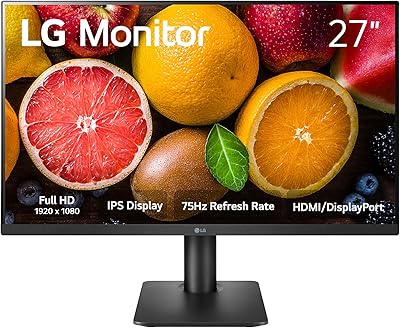
LG 27MP450 27-inch FHD IPS Monitor
77%
78%
Image Quality
71%
Color Accuracy
67%
Gaming Performance
84%
Ergonomics & Stand
83%
Eye Comfort
More
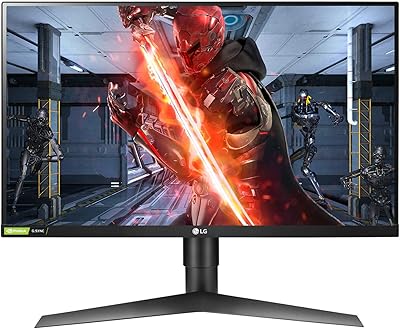
LG 27GL650F-B 27-Inch Full HD IPS Gaming Monitor
85%
92%
Display Quality
89%
Gaming Performance
85%
Build Quality
91%
Ergonomics & Adjustability
90%
Value for Money
More
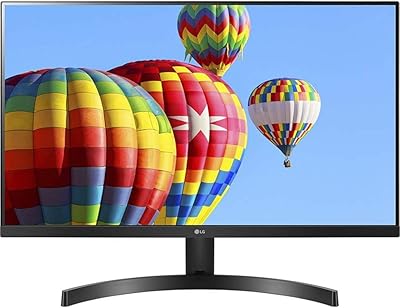
LG 27MK600M 27-inch IPS Monitor
75%
83%
Image Quality
71%
Color Accuracy
78%
Panel Uniformity
74%
Refresh Rate & Smoothness
62%
Response Time
More
LG 27GX790A-B 27-inch OLED Gaming Monitor
80%
94%
Motion Clarity
92%
Image Quality
88%
HDR Performance
89%
Connectivity
86%
Ergonomics & Stand
More
LG 24BK430H-B 24-Inch FHD IPS Monitor
82%
91%
Display Quality
88%
Value for Money
94%
Eye Comfort
68%
Build Quality
87%
Ease of Setup
More
LG 32U631A-B 32-inch QHD Monitor
80%
91%
Image Clarity & Sharpness
88%
Color Accuracy & Vibrancy
54%
Stand & Ergonomics
73%
USB-C Connectivity
82%
Refresh Rate & Motion Performance
More
LG 34GP63A-B 34-Inch Curved Gaming Monitor
79%
93%
Gaming Immersion
91%
Refresh Rate Performance
88%
Contrast & Black Depth
83%
Color Accuracy
86%
Input Lag & Responsiveness
More
LG 24MP400-B 24-inch IPS Monitor
71%
83%
Image Quality
91%
Value for Money
79%
Eye Comfort
64%
Gaming Performance
67%
Build Quality
More
LG 27GS75Q-B 27-inch QHD Gaming Monitor
82%
91%
Refresh Rate & Motion Performance
88%
Image Sharpness & Resolution
83%
Color Accuracy & Gamut
57%
HDR Performance
86%
Response Time & Ghosting
More
LG 27UP850K-W 27-inch 4K IPS Monitor
76%
88%
Image Quality
91%
Color Accuracy
93%
USB-C Connectivity & Power Delivery
86%
Ergonomics & Stand
84%
Build Quality & Design
More

FAQ

It genuinely adjusts for both height and tilt, which is not something you typically get at this price range. You can raise or lower the screen to suit your seated or standing desk position, and tilt it toward or away from you. For most home office setups, it covers what you need without buying a separate arm.

This is the most common concern buyers raise, and it is fair. At 27 inches, 1080p has a lower pixel density than it does on a 24-inch display, so fine text and detailed graphics can look slightly softer if you sit close. For typical desk distances — around 2 to 3 feet — most people find it perfectly comfortable for productivity. If pixel sharpness is a top priority, a 1440p monitor at this size would be a step up.

The 27MS550-B connects over HDMI only, so you will need an adapter or dongle if your laptop only has USB-C or Thunderbolt ports. Most modern USB-C to HDMI adapters work reliably for this purpose, but keep in mind there is no native USB-C or DisplayPort input on this model.

They are fine for video calls and background listening, but do not expect much depth or volume. If you watch a lot of movies or listen to music while you work, a separate speaker or headphones will give you a noticeably better experience. Think of the speakers as a convenience feature rather than a selling point.

The matte screen surface does a solid job of diffusing reflections from windows and overhead lighting. It is not completely immune to very harsh direct sunlight, but for a typical home office or bedroom setup with standard lighting, glare is rarely a problem.

It sits comfortably in the middle. The 100Hz refresh rate and 5ms response time make casual and single-player gaming feel noticeably smoother than a 60Hz display. But if you play competitive games where every millisecond counts, a monitor built specifically for gaming with a higher refresh rate would serve you better. For most people who game occasionally, this 27-inch IPS display is more than capable.

Yes, the monitor is VESA mount compatible, so you can remove the stand and attach it to any standard VESA-compatible arm or wall mount. This is a good option if you want to reclaim desk space or need a wider range of positioning than the stock stand offers.

OnScreen Control lets you split your screen into defined work zones and adjust brightness, contrast, and other settings without touching the monitor buttons. Some users find it genuinely useful for managing multiple app windows; others find the initial configuration a bit fiddly. It is not essential — the monitor works perfectly fine without it — but it is a nice option for users who like software-based workspace control.

It works really well for that purpose. The three-sided slim bezel means the gap between two screens side by side is minimal, which makes for a much cleaner look than monitors with thick frames. The consistent IPS color output also means if you use two of these together, the image quality will match closely across both screens.

Assembly is straightforward — attaching the stand to the display takes only a couple of minutes with no tools required. Connecting it over HDMI and getting a signal is equally quick. The main thing some buyers trip over is the OnScreen Control software, which may need a manual download from LG's website and a bit of configuration before it behaves as expected.

Where to Buy