Overview
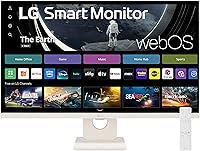
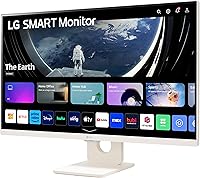
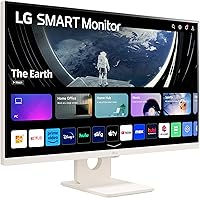
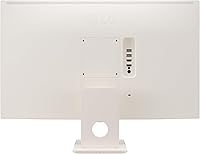
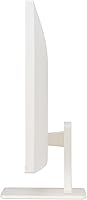
The LG 27SR50F-W 27-Inch Smart Monitor is built for the kind of person who wants one screen that handles spreadsheets at noon and Netflix at night. It runs webOS 23 natively, so there's no dongle, no streaming stick, and no extra remote cluttering your desk. The white finish and slim profile fit naturally on a home office desk without looking out of place. At its mid-range price, it sits between a basic display and a proper smart TV — and that hybrid identity is exactly the point. Just be clear going in: this isn't built for color-grading, competitive gaming, or pixel-dense professional work.
Features & Benefits
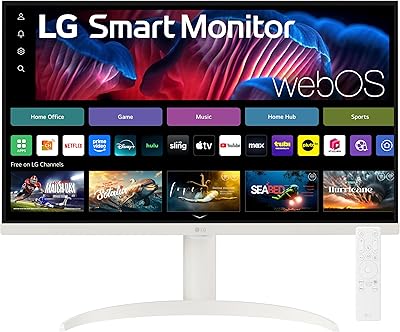
The 27SR50F-W packs webOS 23 with direct access to Netflix, Prime Video, Disney+, and the Apple TV app, plus over 300 free LG Channels — all without connecting anything extra. The 27-inch IPS panel delivers wide viewing angles and a matte finish that handles ambient light reasonably well, and HDR 10 adds punch to streaming content. AirPlay 2 support is a genuine win for Apple users — mirror your iPhone or cast from a Mac without any adapter. Two HDMI and two USB ports cover most desk setups, and built-in Bluetooth means you can pair wireless headphones without a dongle. The ThinQ app lets you tweak settings remotely, and webOS also opens cloud PC access to apps like Microsoft 365 and Google Workspace without a connected computer.
Best For
This webOS display makes the most sense for remote workers and students who want one screen to cover everything. Finish a workday using cloud-based tools, then flip to a streaming app without touching a cable. Apple ecosystem users get a particular edge here — AirPlay casting and HomeKit compatibility work reliably for anyone already invested in Apple devices. It also suits buyers setting up a secondary room where a compact, versatile screen beats juggling both a monitor and a separate TV. If you're replacing an old television in a tight space and need occasional PC use, this fits well. This is not the pick for anyone who needs accurate color work or a high-refresh panel for gaming.
User Feedback
Across roughly 200 ratings, this LG smart monitor holds a 3.9-star average — decent, but the split between satisfied and let-down buyers is worth understanding. Users who love it tend to cite the easy setup experience, the clean white design, and how responsive the webOS interface feels day to day. The frustrations cluster around two recurring themes: 1080p at 27 inches can look soft for close PC work where text sharpness matters, and the built-in speakers are fine for background noise but nothing more. A handful of reviewers flag occasional AirPlay hiccups. The real pattern, though, is expectation mismatch — people who wanted a sharp desktop monitor were often disappointed, while those treating it as a smart TV replacement tended to come away happy.
Pros
- webOS 23 gives instant access to Netflix, Prime Video, Disney+, and 300+ free channels with no extra device needed.
- Native AirPlay 2 support makes casting from Apple devices fast and genuinely reliable for everyday use.
- The matte IPS panel handles ambient light well and offers wide, consistent viewing angles.
- Setup is straightforward — most users report being up and running within minutes out of the box.
- A clean white design looks at home on modern desks without the industrial look of typical monitors.
- Two HDMI and two USB ports cover most multi-device setups without needing a hub.
- Built-in Bluetooth means pairing wireless headphones requires no extra adapter.
- The ThinQ app adds convenient remote management for settings adjustments without touching the screen.
- HDR 10 support adds noticeable depth and contrast when watching supported streaming content.
- Cloud PC access through webOS allows light productivity tasks without a connected computer.
Cons
- At 27 inches, the 1080p resolution produces a noticeably soft image for close-up PC and text work.
- The stand only tilts — no height adjustment, swivel, or VESA mount support noted by users who wanted flexibility.
- Built-in speakers are thin and low-volume; expect to supplement them for anything beyond background listening.
- AirPlay connectivity can occasionally drop or stutter, based on patterns reported across user reviews.
- The remote control feels budget-grade to some users and lacks the responsiveness of a proper TV remote.
- No USB-C port limits connectivity options for modern laptops that rely on it as their primary output.
- Color accuracy falls short of what professional or creative monitors offer at a similar price.
- The 27SR50F-W has no high refresh rate mode, ruling it out for fast-paced gaming or motion-heavy use.
- Some buyers found webOS app availability narrower than expected compared to a dedicated smart TV.
- At this screen size, pixel-level sharpness for fine detail — charts, small fonts, dense UI — can disappoint daily PC users.
Ratings
Our AI-generated scores for the LG 27SR50F-W 27-Inch Smart Monitor were produced by analyzing verified global buyer reviews, with spam, bot activity, and incentivized feedback actively filtered out before scoring. Each category reflects the honest distribution of real user sentiment — strengths and frustrations weighted equally. Where buyers consistently disagreed, scores land in the middle to reflect that split rather than flatter the product.
Smart TV Features
Display Clarity
AirPlay & Apple Integration
Setup Experience
Build Quality & Design
Value for Money
Audio Quality
Connectivity & Ports
Color Accuracy
Remote & Controls
WFH & Productivity Use
HDR Performance
Ergonomics & Adjustability
Suitable for:
The LG 27SR50F-W 27-Inch Smart Monitor is purpose-built for people who want a single screen to handle both work and downtime without a tangle of extra hardware. Remote workers and students who spend mornings on cloud-based tools and evenings streaming will get real mileage out of the built-in webOS platform — no Roku stick, no Fire TV dongle, nothing extra to manage. It's a natural fit for Apple users in particular, since AirPlay 2 lets you mirror or cast from an iPhone, iPad, or Mac with zero friction. Buyers furnishing a small bedroom, guest room, or studio apartment will also appreciate that it functions as a capable smart TV replacement without taking up the footprint of an actual television. If a clutter-free, minimal desk setup matters to you, this webOS display delivers that in a way a standard monitor simply cannot.
Not suitable for:
Anyone who spends long hours doing close-up PC work — coding, writing, spreadsheet-heavy tasks — should think carefully before committing to the 27SR50F-W. At 27 inches, a 1080p panel means lower pixel density than a comparable 24-inch screen, and that softness becomes noticeable at normal desk distances. Graphic designers, photographers, or video editors need accurate, wide-gamut color reproduction that this display is not engineered to provide. Competitive or enthusiast gamers will also want to look elsewhere — there is no high refresh rate option here, and input lag performance is not a priority in this product's design. The built-in speakers are serviceable for casual background audio, but anyone who cares about sound quality should plan to add external speakers or headphones regardless. If you already own a capable streaming device and primarily need a sharp, high-performance desktop monitor, a standard display at this price point will likely serve you better.
Specifications
- Screen Size: The display measures 27 inches diagonally, offering a wide viewing area suited for both desk work and casual streaming.
- Panel Type: An IPS panel is used, providing consistent color and brightness across wide horizontal and vertical viewing angles.
- Resolution: Native resolution is 1920x1080 Full HD, with a 16:9 aspect ratio standard across the panel.
- HDR Support: HDR 10 is supported, enabling improved peak brightness and contrast when viewing compatible streaming content.
- Screen Surface: A matte screen coating is applied to reduce reflections and glare from ambient light sources in the room.
- Operating System: webOS 23 is built in, providing a smart TV interface with native streaming apps and cloud PC access without an external device.
- Connectivity: The monitor includes 2 HDMI ports and 2 USB ports for connecting laptops, consoles, storage drives, and other peripherals.
- Wireless Features: AirPlay 2, HomeKit, and Bluetooth are all built in, enabling wireless content casting, smart home integration, and headphone pairing.
- Audio: Dual built-in speakers provide basic audio output suitable for casual listening, though they are not designed for high-fidelity sound reproduction.
- Stand Adjustment: The included stand supports tilt adjustment only; height, swivel, and pivot adjustments are not available with the stock stand.
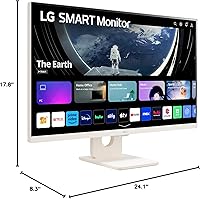
- Dimensions: The full unit with stand measures approximately 24.1 x 17.8 x 8.3 inches (W x H x D).
- Weight: The monitor weighs 12.3 pounds including the stand, making it manageable for solo desk setup or repositioning.
- Color: The unit is finished in white, with a three-side virtually frameless design intended to suit modern home office aesthetics.
- Power Input: The monitor operates on AC power with a rated voltage of 240 volts.
- App Compatibility: The ThinQ app allows remote control and settings management from a smartphone, supporting both iOS and Android devices.
- Streaming Apps: webOS 23 provides built-in access to Netflix, Prime Video, Disney+, the Apple TV app, HBO Max, and over 300 free LG Channels.
- Remote Control: A physical remote control is included in the box for navigating the webOS interface without using a connected device.
- Release Date: This model was first made available in September 2023.
Related Reviews
LG 27SR75U-W 27-inch 4K Smart Monitor
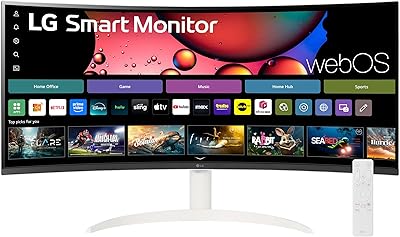
LG 34SR60QC-W 34-inch Curved Smart Monitor
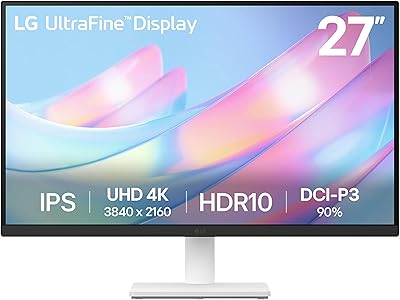
LG 27US500-W 27″ 4K UHD Monitor
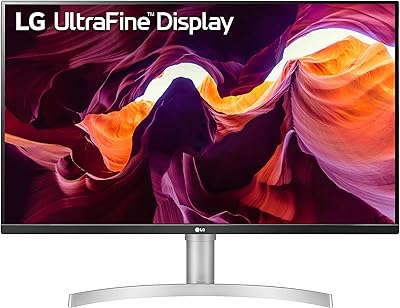
LG 27UL550-W 27-inch 4K UHD Monitor
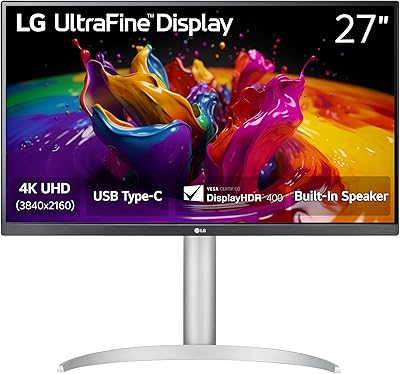
LG 27UP850K-W 27-inch 4K IPS Monitor
LG 27MK600M 27-inch IPS Monitor
LG 34WQ650-W 34-inch UltraWide Monitor
Samsung M50D 27-inch Smart Monitor
LG 27MS550-B 27-inch IPS Monitor